
AI agents write tested code for your project. You approve the important steps.
Everything runs in one Docker container: a dashboard, a terminal app and an MCP server for your own AI tools.
Video · Install · Guide · Wiki · Plugins · Releases
The 4-minute tour (MP4): start, a flow, the Inbox, Code Review, KeelBot, plugins, the Supervisor, the terminal and the phone.
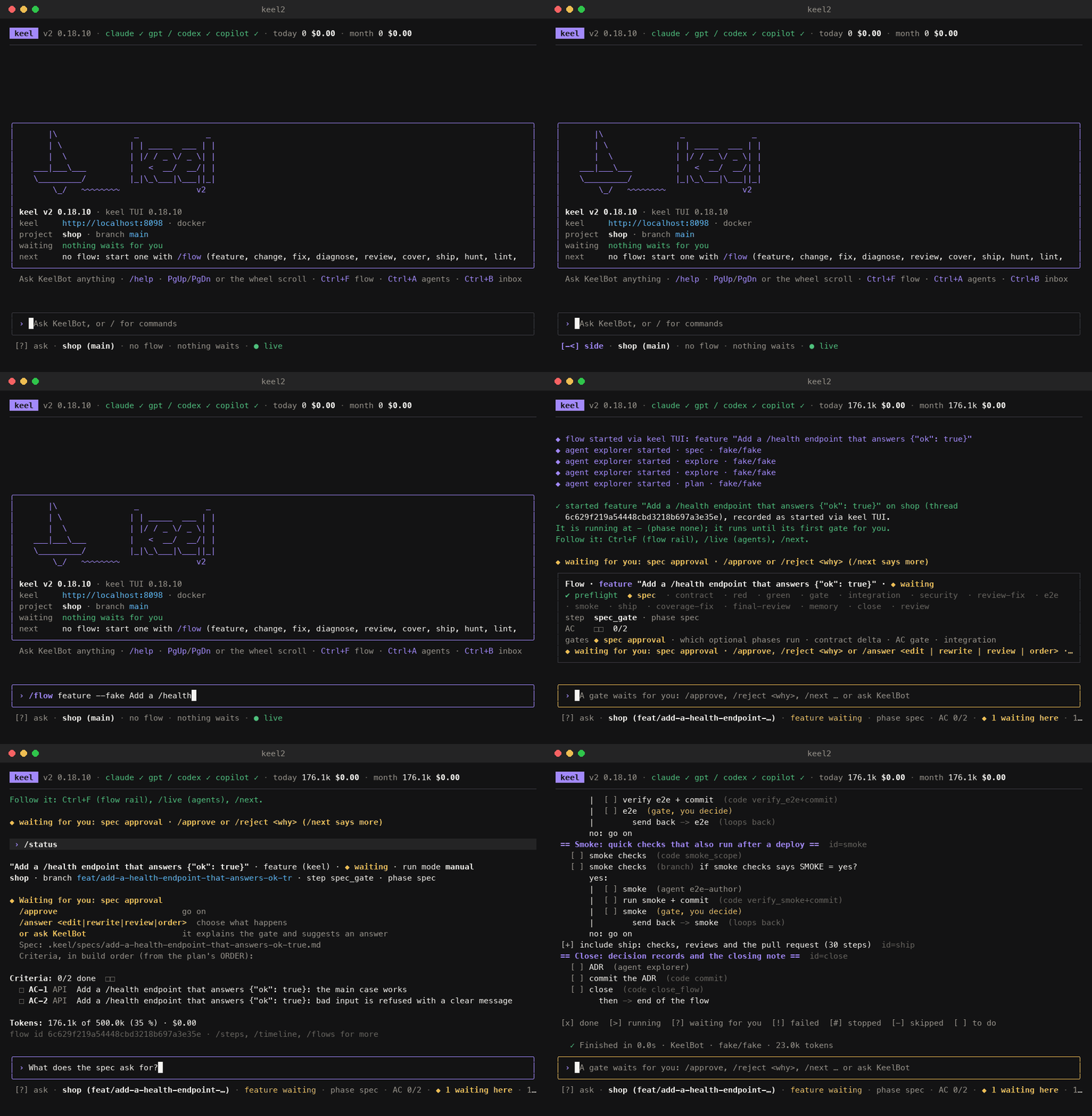
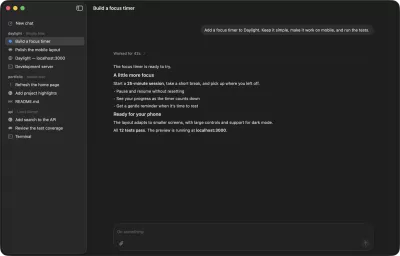
keel2, keel's terminal app — recorded from a real run on keel's test model, not drawn.

The dashboard — recorded from a real keel v2 run (Claude Haiku on a small shop project), not drawn.
Start
You need Docker.
1. Install keel (once)
curl -fsSL https://raw.githubusercontent.com/MiladNalbandi/keel-v2/main/install.sh | bash
2. Start it for your project (a git folder). Your browser opens http://localhost:8080.
keel2 start ~/path/to/your/project
3. Log in: Connections › Set up login, then pick Claude, Codex, GitHub Copilot, Vertex AI or a local model (Ollama, LM Studio, vLLM).
4. Start work: Flow › Start a flow. Write what you want. Approve when keel asks you (◆).
How it works
 you: "show each player's rank"
         │
         ▼
  1. spec     an agent writes what to build              ◆ you approve
  2. test     an agent writes a test that fails
  3. code     an agent writes code until the test passes ◆ you approve
  4. review   agents check the whole change              ◆ you approve
         │
         ▼
 done: tested commits on a new branch. keel never pushes.
What you see
| Page | What it shows |
|---|---|
| Flow | the running flow, step by step; several flows side by side (a tab each), each on its own branch; the history of every flow |
| Inbox | everything that waits for you |
| Tasks | your tasks or Jira tickets; Start runs a flow for one |
| Code · Map · Graph | the code with Source control (branches, commit, push, pull request), the database diagram, and what uses what |
| Code › Review | pull requests to review: threads, line comments, and keel's check of each comment (below) |
| KeelBot (in Code, ⌘I) | ask about the code; which workflow fits a piece of work (and start it); ask about a running flow; write a workflow of your own; fix things while a flow waits at a gate, or try an idea on its own branch |
| Workflows | the workflows as blocks, in folders, with how often each ran |
| Control › Plugins | every plugin, on or off; Database, Git, CI/CD and Code Review also per project |
| Quality | how well each flow works with each model, run on small test projects; a drop shows in red |
| Budget | tokens and cost (a small bar shows it on top of every page) |
| Help › Start here | five set-up steps with what keel really sees (a project, a model, your AI tool over MCP, init, a first flow), and short guides with search; the first open shows a welcome with the tour |
| Settings › Access | where keel answers (this computer, Wi-Fi, Tailscale), your phones (pair one with a QR code, remove one: below), the AI tools that call keel over MCP, and updates |
Plugins
keel is a small core. Everything else is a plugin that you turn on or off.
 keel core     flows, workflows, agents, gates, Inbox, budget, connections
   + Code      with Git, Code Review, Database and CI/CD inside
   + KeelBot   + Map   + Graph   + Wiki   + Tasks (with Jira)
   + Supervisor   + keel Product (beta)
Control › Plugins shows them. All plugins come with keel and are on. Turn one off, or add one from the
Marketplace, and keel restarts in about 30 seconds. keel2 start --core starts keel with no plugin inside.
Code Review
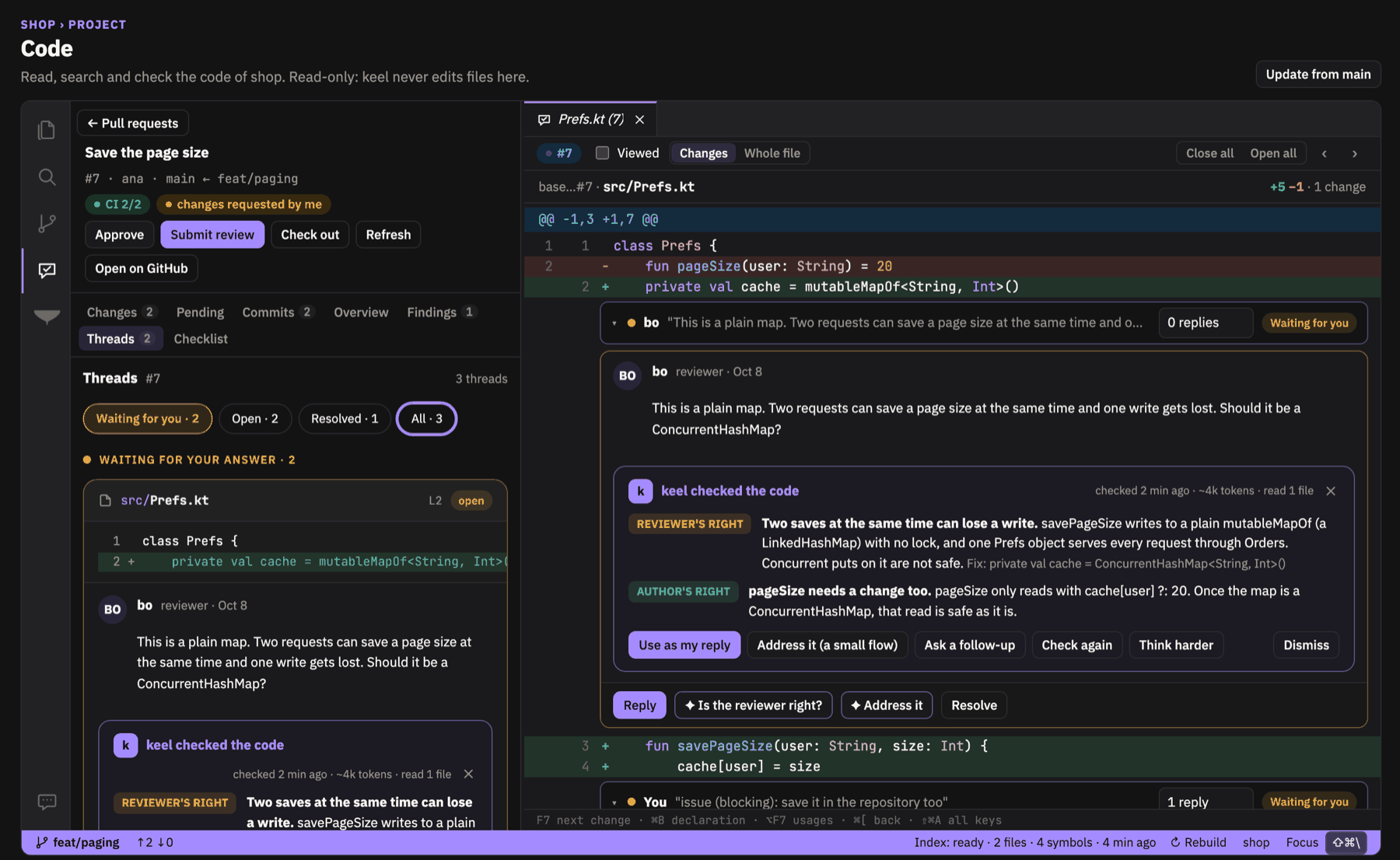
- Review pull requests in keel: the list (to review, assigned, mine), files, diff, checks, threads, multi-line comments and a pending review you send in one go (GitHub and GitLab).
- ✦ Is the reviewer right? keel checks a comment against the code and answers point by point (they're right, you're right, partly, unclear) with a draft reply. One cheap call by default; the agent, model, effort and token cap are yours to set (Settings › Code Review threads). Nothing is posted for you.
- ✦ Address it starts a small flow on the pull request's branch to make the change. keel never pushes.
Supervisor
A plugin (off by default) that watches a project's flows like a careful colleague:
 flow waits at a gate ──► Supervisor reads the spec, the code, the rules and your earlier answers
                            ├─ sure     ──► answers it (or only suggests, in "shadow" mode)
                            └─ unsure, stuck or out of budget ──► calls you: an Inbox card with a short summary
It runs on a strong model, never raises a budget cap, and you can turn it on keel-wide, per project or per flow
(Control › Plugins, or /supervisor in keel2).
Flows
| Flow | Use it to |
|---|---|
| quick | make a tiny change (one agent, the tests, one look) |
| implement | write the code, then its tests; done when they pass |
| small | build a small feature, test-first, without the long ship part |
| feature | build something new |
| change | make a small change |
| fix | fix a bug (first a test that shows it) |
| diagnose | find a bug you cannot repeat yet |
| review | review your branch (it changes nothing) |
| lint | fix formatting and lint problems |
| cover | add tests for the changed lines |
| ship | final checks and the pull request text |
| hunt | look for bugs |
| init | set up a project for keel |
Commands
| Command | What it does |
|---|---|
keel2 start [folder] |
start keel |
keel2 |
keel in your terminal: KeelBot, flows, gates, live agents and diagrams, with / commands, on a full screen that scrolls (also keel2 tui; --inline without the full screen) |
keel2 stop |
stop keel |
keel2 add <folder> [<folder> …] |
add more projects (each a git repo, or a folder of repos) |
keel2 folders |
which project folders keel has |
keel2 state [close] |
a state file keel v1 left in the project (it blocks commits): show it, or archive it |
keel2 status |
is keel running? |
keel2 update |
get the newest version |
keel2 doctor |
find problems and say how to fix them |
keel2 start --wifi / keel2 share tailscale |
use keel from your phone (pair it in Settings › Access) |
keel2 muxy hook / keel2 muxy workspace |
keel in Muxy (a macOS terminal): questions and flow results as Muxy notifications, a ready workspace (more) |
keel2 help |
all commands |
Something wrong? Run keel2 doctor. It tells you what to do.
On your phone
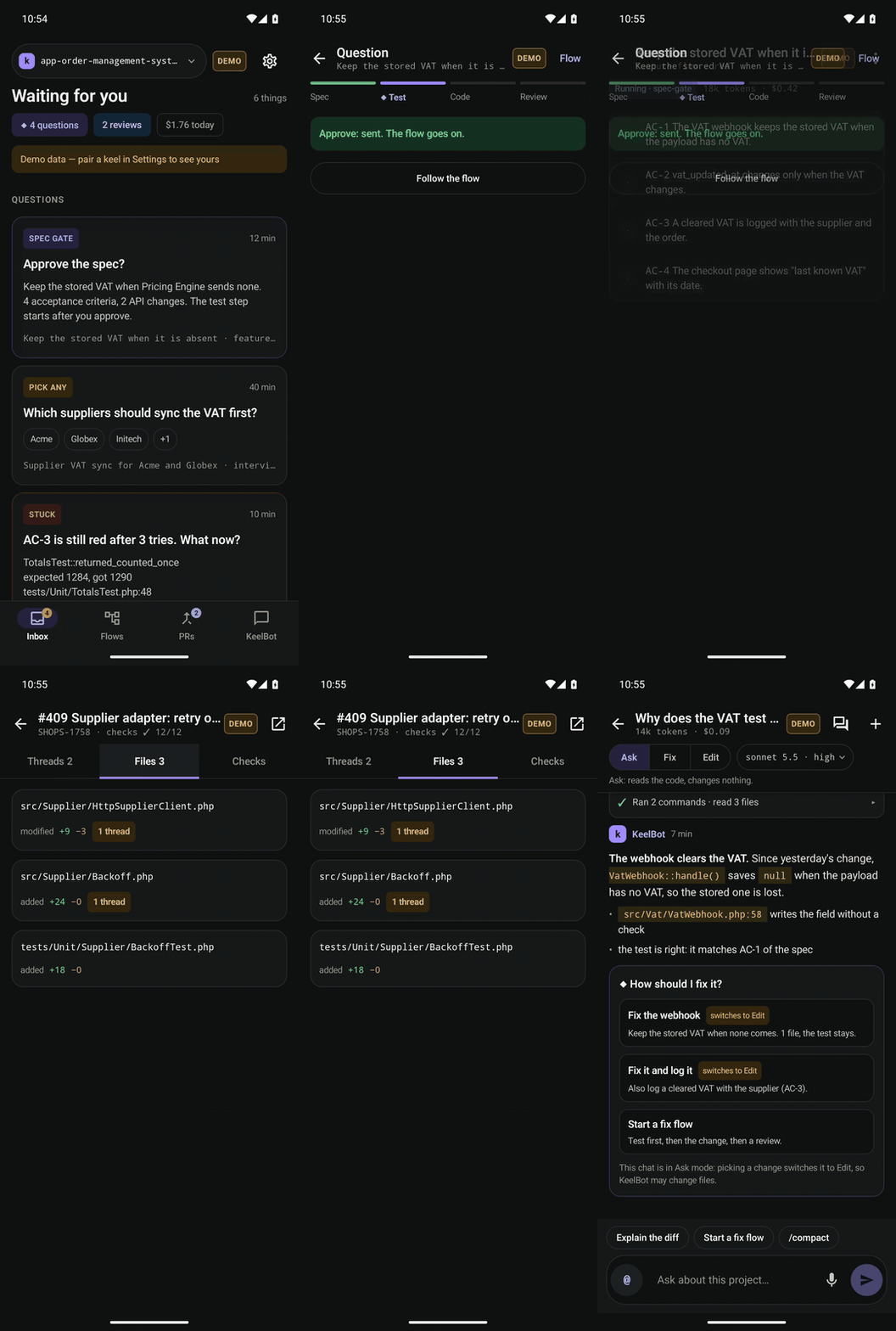
The Android app (android/) answers keel's questions, follows flows, reviews pull request threads and
chats with KeelBot. Start keel with keel2 start --wifi (your Wi-Fi), or share it with keel2 share tailscale (https
on your tailnet) or keel2 share tunnel (a public https address). Then pair the app in Settings › Access › Pair a
phone: scan the QR code. It talks to keel directly; nothing goes through a server of ours.
More
In your JetBrains IDE
The keel plugin (jetbrains/, IntelliJ IDEA, PyCharm, WebStorm and the other 2024.3+ IDEs)
brings keel into the editor: review threads on the pull request's diff with "Is the reviewer right?", the questions
your flows wait at (a balloon and "keel · N questions" in the status bar), Start a flow from a selection, and KeelBot
with its changed lines marked in the editor. Build it with cd jetbrains && ./gradlew buildPlugin, install the zip
(Settings › Plugins › ⚙ › Install Plugin from Disk), then connect in Settings › Tools › keel: keel2 on this computer,
or a pairing code like the phone.
In VS Code
The keel extension (vscode/, VS Code 1.90+) has the same features as the JetBrains plugin: your
flows with their live activity (the running agents, their edits, commands and tests), the questions they wait at (a
notification and "◆ keel: 1 question" in the status bar), review threads on the pull request's changed lines in the
normal editors, Start a flow, and KeelBot (Ctrl+Alt+K on a selection). Build it with
cd vscode && npm ci && npm run package, install it with code --install-extension keel-vscode-0.1.0.vsix, then run
keel: Connect: keel2 on this computer, an API key, or a pairing code like the phone. More
More
- Guide: run modes, Tasks and Jira, logins, where keel keeps its files (keel v1 layouts), Docker mode,
MCP (read, write and admin levels), native mode without Docker (
keel2 start --native), and how to build keel yourself - Plugins: keel core, turning plugins on and off, installing and publishing a plugin
- Rules (Build › Rules): see every rule your agents follow, install rule packs or write your own, and watch them in the Flow's "Rules now"
- How the parts talk
License
MIT, see LICENSE.