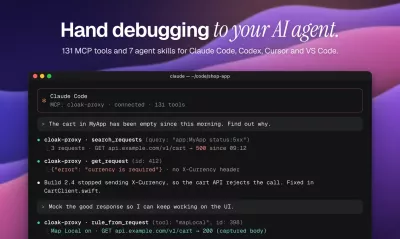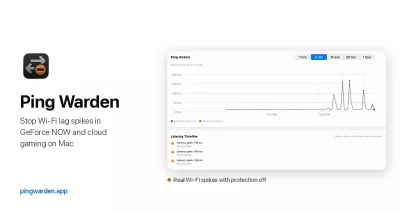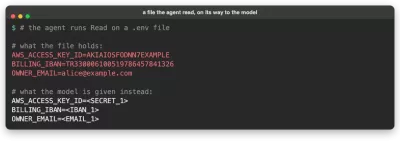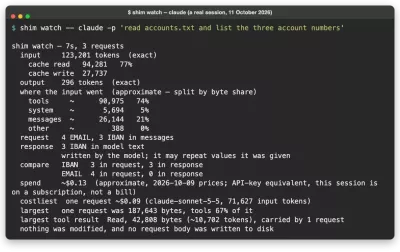

Kilobat is a macOS command-line tool and MCP server for network monitoring and diagnostics: which apps use the network, Wi-Fi signal and channels, latency and packet loss, DNS, speed tests, why one host or API won't connect, where traffic leaves (VPN or not), metered hotspots and data budgets, and keeping the Mac awake while long jobs and AI agents run. Every command speaks JSON. The native Kilobat menu-bar app is a separate product: https://kilobat.app.
Use with AI agents (MCP)
kilobat mcp is a local stdio MCP server. Connected clients discover available tools with tools/list. Some tools change settings and request explicit confirmation in their descriptions; clients control permission prompts.
- Claude Code:
claude mcp add kilobat -- kilobat mcp - Codex CLI:
codex mcp add kilobat -- kilobat mcp - Claude Desktop: install the CLI, then configure a local stdio server with the full executable path returned by
/usr/bin/which kilobatand argumentmcp. See the local-server setup guide. - Cursor, Windsurf, Zed, Gemini CLI, Cline and others: add a stdio server with command
kilobatand argumentmcp.
Step-by-step setup for each agent, with example prompts: https://kilobat.app/agents/. Agent skills that teach agents when and how to use Kilobat: npx skills add seifip/kilobat-skills.
Ask your agent things like "why is my internet slow?", "is this a hotspot before I download 5 GB?", "why can't this API connect from my Mac?" or "keep the Mac awake until this build finishes".
Install with Homebrew
brew install seifip/kilobat/kilobat
This builds from source and requires Xcode 16 or newer.
Build
Requires macOS 14 or later and Swift 6.
swift build -c release
.build/release/kilobat --help
swift test
Run kilobat --help for commands and kilobat mcp --help for agent integration. Commands that change system settings may require confirmation and administrator authorization.
macOS shows Wi-Fi network names only to apps with Location permission. When the Kilobat app is running, the CLI reads names, filter status and per-network budgets from it; without the app, Wi-Fi signal, channels and everything else still work, but network names read as hidden.
Tools
This table lists the tool names and titles advertised by Kilobat CLI v0.30.0. Use MCP tools/list for the installed server’s full descriptions, input schemas and annotations. Clients should follow each tool’s confirmation requirements; availability and returned data can depend on the companion app, its license tier, permissions and configuration.
| Tool | Purpose |
|---|---|
get_status |
Live traffic snapshot |
diagnose_network |
Diagnose connection |
scan_wifi |
Nearby Wi-Fi networks |
run_speedtest |
Speed and bufferbloat test |
get_usage_report |
Usage history |
compare_usage |
Compare with a router or provider |
list_rules |
Profile rules |
set_profile |
Set profile |
set_app_rule |
Allow or block an app |
set_dns |
Set DNS servers |
get_fastest_dns |
Fastest DNS for this network |
set_fastest_dns |
Switch to the fastest DNS automatically |
get_wifi |
Wi-Fi connection |
suggest_wifi_channel |
Least crowded channel |
get_network_history |
Network history |
benchmark_dns |
Compare DNS resolvers |
check_url |
Time one website |
list_connections |
Open connections by process |
list_devices |
Devices on the local network |
trace_route |
Trace the route to a host |
get_route_history |
Route to a host over time |
compare_speed_tests |
Why two speed tests differ |
get_plan_check |
Speed against the plan |
get_router_checkup |
Router check-up |
get_weekly_digest |
Weekly digest |
get_outage_credit |
Outage credit from the provider |
get_service_speed |
Real speed to GitHub, iCloud, Steam and more |
get_exit_path |
Where traffic leaves: VPN and public IP |
run_lan_test |
Throughput to a device on the network |
list_networks |
Known networks |
get_conditions |
Conditions for a long run |
get_updaters |
Updaters paused on metered networks |
get_uploads |
Big uploads and held ones |
diagnose_connection |
Why something can't connect |
list_sessions |
Awake sessions and agent runs |
agent_network_log |
Agent network log |
create_support_report |
Report for an ISP or IT desk |
get_proxy_status |
Proxy apps and routes |
test_proxy_nodes |
Test proxy nodes |
check_vpn |
VPN leak and conflict check |
check_vpn_leaks |
VPN leak test |
get_call_reports |
Call quality reports |
get_remote_session_reports |
SSH and remote desktop session reports |
get_household |
Paired Macs on the home network |
service_status |
Is it them or me? |
get_captive_portal |
Wi-Fi sign-in page (captive portal) |
get_starlink_status |
Starlink dish status |
keep_awake |
Keep the Mac awake |
release_awake |
Let the Mac sleep again |
set_budget |
Set the data budget |
set_network_cost |
Set a network's data cost |
set_updater_pause |
Pause updaters on metered networks |
set_kill_switch |
VPN kill switch |
hold_upload |
Send an upload later |
set_app_quota |
Set an app's data quota |
get_app_bandwidth |
One app's bandwidth over time |
get_access_policy |
Connections an app declares |
set_new_app_mode |
How new apps are treated |
list_approvals |
Apps waiting for approval |
decide_approval |
Allow or block a waiting app |
block_destination |
Block a domain or IP |
list_blocked_connections |
Recently blocked connections |
check_host_reputation |
Is a host known to be malicious? |
get_protection_status |
Protection status |
set_protection |
Change Protection |
run_stutter_test |
Find latency spikes |
get_game_ping |
Ping game data centers |
get_nearby_radios |
AirDrop and Bluetooth |
get_bluetooth_audio |
Bluetooth audio: why headphones crackle |
set_airdrop_visibility |
Change AirDrop visibility |
License
Kilobat CLI code is licensed under the GNU General Public License version 3.0 only; see LICENSE. Bundled geolocation and device-manufacturer data have additional licenses documented in THIRD_PARTY_NOTICES.md. Kilobat's name and artwork are not licensed for use as trademarks. The separate Kilobat desktop app is distributed under its own terms.