
klypix-mcp
The shared project brain for your coding agents.
Every project gets a brain.
Shared project memory for Claude Code, Codex, Cursor and other MCP coding tools. One
brain.klypix file, committed with your code, holds the project's decisions, corrections and open
questions. Supported agents read it at the start of a task and add to it as they work; how much of
that happens on its own depends on the host. People can open the same file and correct it.
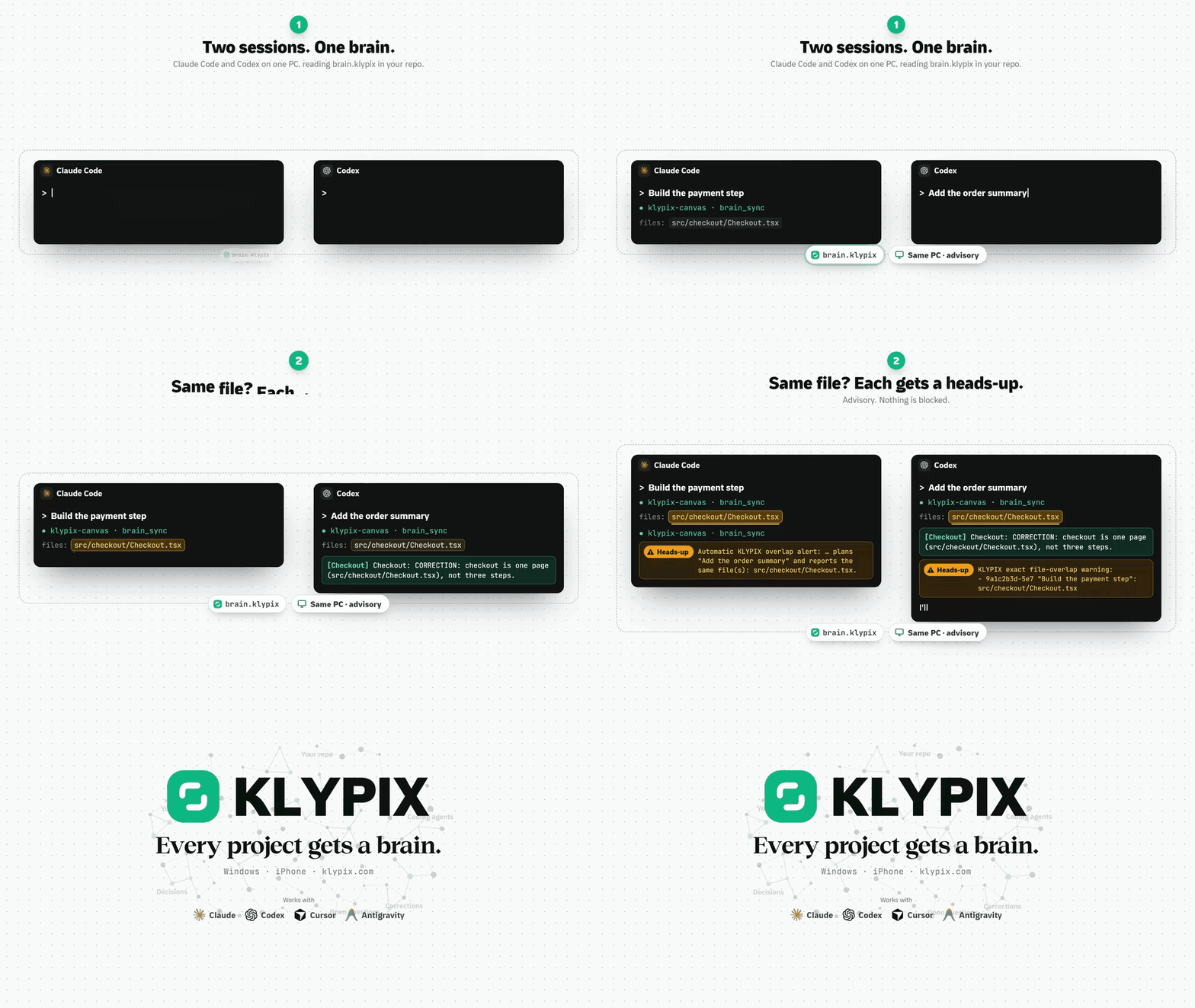
A 14-second cut of the sessions film from klypix.com. Real terminal output is further down.
▶ Watch: For coding teams (40 s, with sound) · Correct it once (20 s) · Full tour (4 min) · KLYPIX network
Install in three steps
You need Node.js 20 or newer (node -v).
-
Run this inside your project:
npx klypix-mcp installIt gives the project a
brain.klypixif it has none, wires the editors it finds on this machine, and checks that the tools answer before it exits. -
Reopen your coding tool, or reconnect its MCP server, and allow the KLYPIX tools if it asks.
-
Check it. Run
npx klypix-mcp doctor, then record your first decision and correction and ask for it from a fresh session.
What you get
- Decisions that carry over. The next session, in the same tool or another one, starts from
what the project already decided: on its own in Claude Code, and when the agent calls
brain_syncin other hosts. A correction replaces the old decision, and the old card stays as history. - A heads-up when work overlaps. Each session says what it is doing and which files it expects to touch. When two sessions name the same file, both are warned. For overlapping work KLYPIX warns; it never blocks an edit. This works on one computer. With KLYPIX network installed on both computers (klypix-mcp 1.106.0 or later), it also lists sessions in the same project on a teammate's computer.
- Notes and handoffs between sessions. An agent can leave a note for another session, even one that has closed. The note arrives at that session's next KLYPIX action, so you are not the one copying it across. When a session stops before its work is done, the next session on this computer is shown what it was doing, and a handoff card in the brain carries the next steps through Git.
- A git guard for a shared checkout (Claude Code). When several sessions share one checkout, a git command that would sweep another live session's uncommitted work into your commit is stopped. A command that would throw work away saves a rescue copy first, then asks you. It covers git commands run through Claude Code's tools, on one computer.
- Lessons that catch the repeat mistake. A lesson the brain recorded can become a project rule that a person approves: a check of the diff, with no AI at check time. A rule warns when a session plans its files, while it edits and at commit. Only a rule the person approves as blocking stops the work: Claude Code before it writes the forbidden line (Codex is warned), and an opt-in git hook at commit, for any tool or person. Rules check the diff; they do not run your tests.
- A file you own. The brain is one
.klypixfile in your repo: a plain ZIP, versioned with Git. The engine is Apache-2.0, runs on your machine, and works without the KLYPIX app or an account. Brain data stays in your files; your agent's model provider still receives what the agent reads.
Hosts
How deep the integration goes depends on the host. The full table has the details.
| Host | What it gets | Set up by |
|---|---|---|
| Claude Code | Six lifecycle hooks (1.105.0 and later): a brief at session start, context on each prompt, automatic capture at turn end, presence and the git guard | install |
| Codex | Native MCP tools, presence and brain_sync; optional hooks with --codex-hooks. No automatic capture |
install |
| Cursor, Cline, VS Code (Copilot / Continue), Gemini CLI, Antigravity | MCP config and an always-on rules file. The agent calls brain_sync and brain_note itself |
install, for the editors it finds, or link |
| Windsurf, Aider | A rules file. Windsurf uses its own global MCP config; Aider uses the command line | link |
| Claude Desktop | A one-time config entry | The KLYPIX app's Settings, or by hand |
| Claude, as a plugin | One pinned version, keyword search, no hooks | klypix-plugin |
klypix-mcp has 27 MCP tools on Linux and macOS and 28 on Windows, where show_in_klypix is
added. npx klypix-mcp doctor shows the count for your install.
One project. Many agents. One current understanding.
KLYPIX does not launch, run, supervise or replace your agents. It is not an agent runtime, a model router, a worktree manager or a replacement for Git. It holds what the project currently believes.
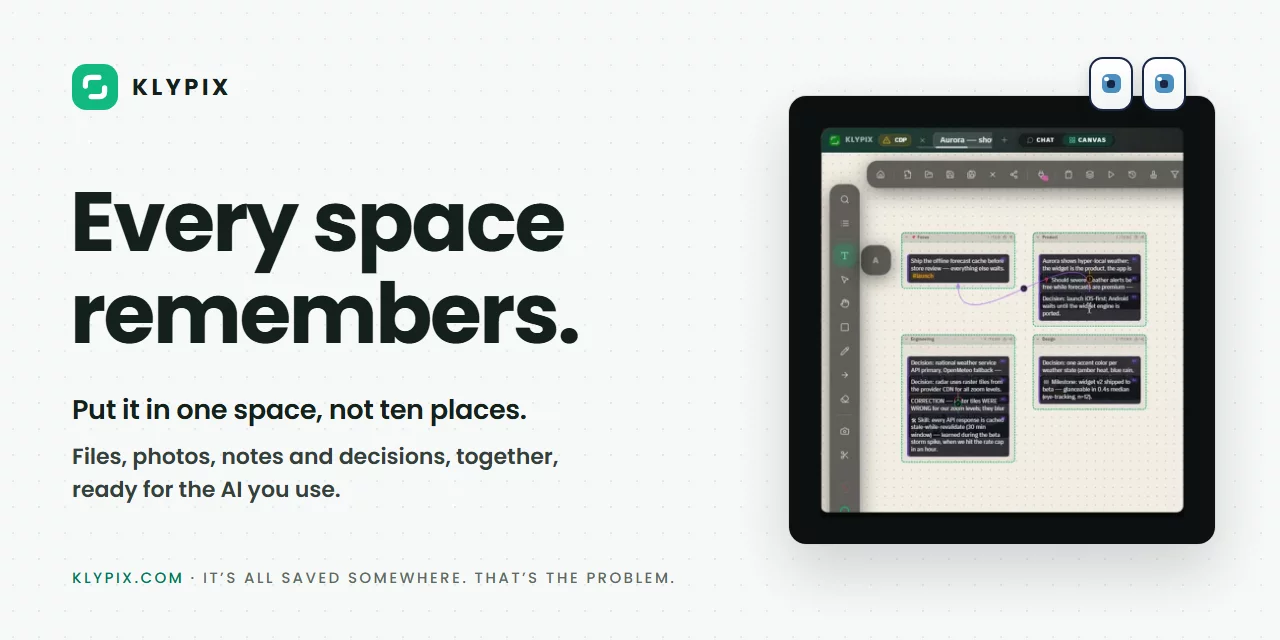
KLYPIX is a portable project workspace with a shared brain. This repository is its local MCP server. The optional Windows workspace lets people inspect the same brain beside their files; app-based sharing has its own cloud path (see Security and permissions). For the Projects & Ideas path, saved project materials in ChatGPT or Claude chat, follow Save project materials and use them with your assistant. That uses KLYPIX's separate hosted connection for the spaces you authorize; installing this local server does not set it up.
Guides: shared project memory setup · memory tools comparison (it links each tool's official documentation and says that KLYPIX wrote it) · klypix.com/klypix-mcp
Contents
- Start: The problem · 60 seconds: two agents, one project · Quick start · Your first decision and correction
- Reference: How the brain works · Supported hosts · Running as a Claude plugin · Task briefing · Capture and corrections · Project rules · Presence and task intent · Overlap warnings · Teammates on other computers · Handoffs and messages · Evidence-gated completion · Human control in KLYPIX · Measure it yourself · Git and concurrency · The git guard for a shared checkout · The command line · The verbs · One file you can hold · Use it as a library · A2A · Updates · Security and permissions · Current limitations · Numbers and methodology · Uninstall
- Contributing · Why this exists · Licence
The problem
You are running more than one coding agent on one codebase — a Claude Code session here, Codex in another terminal, Cursor open on the side. Context saved in one tool may be missing from the next:
- A new session misses a prior decision, and you explain the same architecture again.
- A decision captured only in a Claude conversation is unavailable to your Codex session.
- One agent implements an approach the team already rejected, because the reason it was rejected lived in a chat that ended.
- Two sessions start changing the same files and nobody finds out until review.
- Git stores the code history; the reasons behind a change still need to be recorded.
Your agents may run independently. Their project understanding should not.
60 seconds: two agents, one project
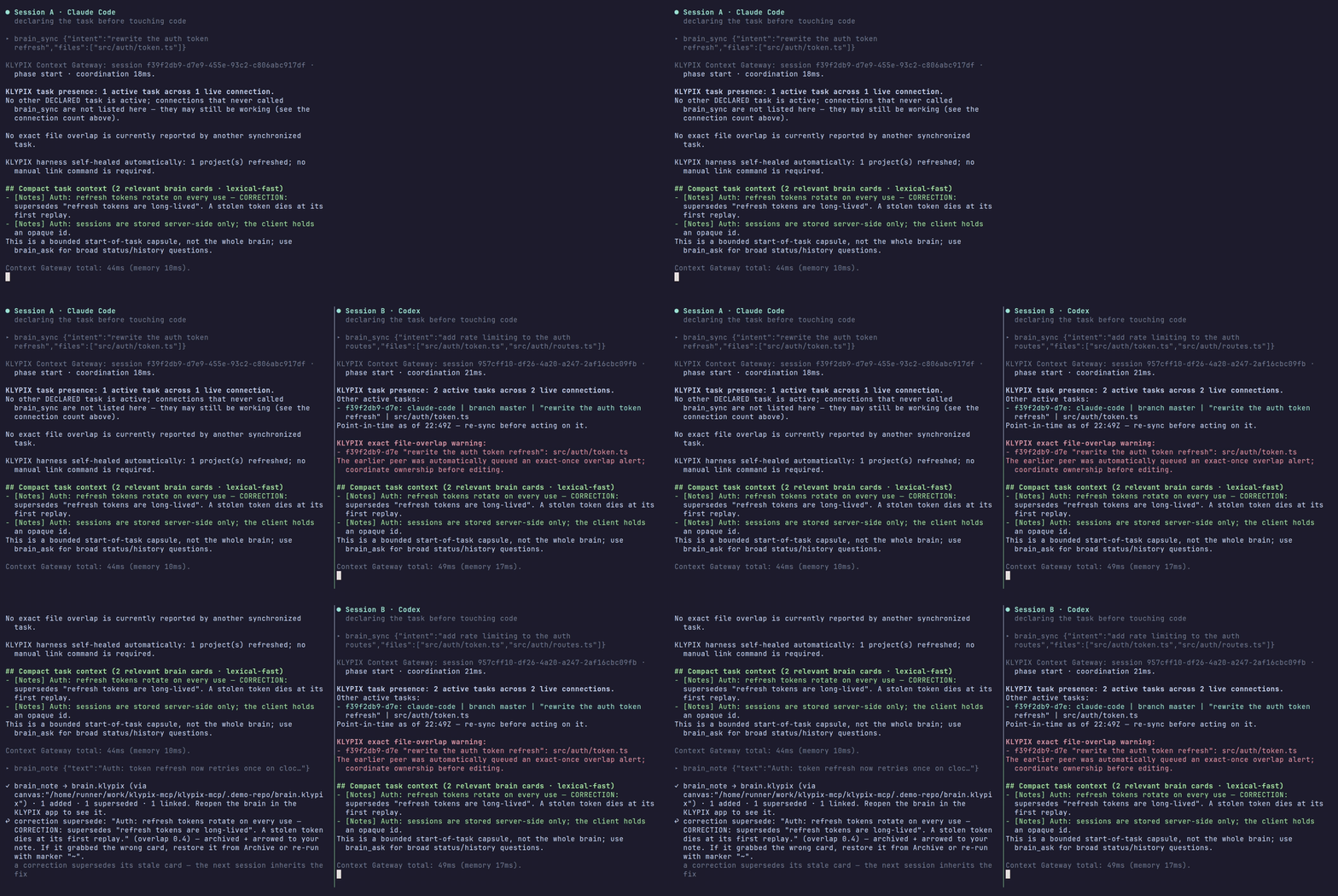
Real output, not a mockup: both panes run a real MCP client against this server (docs/demo/ — the GIF is rendered by CI from a scripted tape against this server, not hand-recorded, and re-rendered when the server's responses change).
Illustrative calls and responses: replace /absolute/path/to/project with the same project root
in both sessions (for example, C:/work/api on Windows).
Session A — Claude Code, in your repo:
brain_sync { project: "/absolute/path/to/project", phase: "start",
             intent: "rewrite the auth token refresh", files: ["src/auth/token.ts"] }
// → task-relevant memory capsule (bounded, ~2.8KB)
// → peers: none
Session B — Codex, same repo, half a minute later:
brain_sync { project: "/absolute/path/to/project", phase: "start",
             intent: "add rate limiting to the auth routes",
             files: ["src/auth/token.ts", "src/auth/routes.ts"] }
// → task capsule
// → peers: 1 active session (claude-code) — "rewrite the auth token refresh"
// → overlap: src/auth/token.ts — declared by both sessions
Session A gets the same overlap surfaced on its next KLYPIX action. Neither edit is blocked — the warning is advisory, and both sides only see the overlap because both declared the files they expected to touch.
Then the brain pushes back before the decision, not after:
brain_challenge { claim: "move token storage to localStorage" }
// → "reversed on June 12 — here's the correction card, captured by a different agent."
And the decision is kept where the next session will find it:
brain_note { text: "Token refresh moves to an httpOnly cookie; localStorage was reversed 2026-06-12." }
Prove all of this on your own machine, against the exact build you installed, with two real isolated MCP clients:
npx klypix-mcp conformance
It runs in a temporary fixture and touches nothing else. It checks tool discovery, task memory, truthful peer reporting, overlap surfacing, proactive logging, and in-band delivery of a peer note. It verifies 15 required coordination behaviours — not every tool, and not the retrieval engine.
Quick start
You need Node.js 20 or newer (node -v to check). Every way of connecting runs the server with
node — npx, the installed bundle, and the entry KLYPIX's Settings buttons write — and none of them
checks for Node first.
Run this inside your project:
npx klypix-mcp install
One command for supported editors detected on this machine. It finds the project root (walking up,
so running it from src/ is fine), gives the project a brain if it doesn't have one, wires the
agent tools you actually have installed, registers the card-level .klypix merge driver if it's a
git repo, and then proves the result before it exits:
Illustrative output; detected editors, file counts, tool counts and timings vary with the machine and installed version:
  project   E:\work\api  (git repository root)
  brain     created brain.klypix — a starter brain, ready for its first decision
  editors   Claude Code · Cursor · Codex · Gemini CLI · Antigravity · VS Code
  wired     9 file(s) · 9 updated   (skipped 5 for tools you don't have)
  git       .klypix merge driver registered
  verified  ✓ 25 tools reachable via .mcp.json (892ms)
That last line is the point. MCP config fails silently — a wrong entry means the server never
starts, the agent quietly loses every brain verb, and nothing reports an error. So install opens
a real stdio handshake against the config it just wrote and counts the tools that answered. A
broken entry dies in ~100ms with Connection closed and is reported, not shipped.
What goes where:
- Machine-global, once — the engine + runtime in
~/.claude/project-brain, Claude Code's six lifecycle hooks (five before 1.105.0) in~/.claude/settings.json, and the~/.codex/AGENTS.mdguidance block. Claude Code is therefore covered in every project on that machine that has a./brain.klypix. - Per project — MCP config and rules for Cursor, Codex, Cline, Windsurf, Copilot, Gemini CLI /
Antigravity and Aider. Run
installonce inside each project.
Three things it deliberately will not do:
- Write for editors you don't have. Config is projected only for hosts detected on this machine — a two-person team using one editor no longer commits rules for six they never opened. A file your project already carries stays maintained regardless, so you can't silently stop updating your team's committed configs.
- Wire a directory that isn't a project. It refuses your home folder, a drive root, and
anything with no brain, no git repo and no project manifest. A mistyped command can't seed a
brain into
C:\Users\you. - Replace a project-owned server. A repo-relative launch like
node scripts/klypix-mcp-server.mjsis deliberate — it resolves offline and rides a bundle the repo version-gates — so it's left byte-identical and reported. An explicitlinkstill rewrites everything: an action you didn't ask for stays more conservative than one you did.
Opt out with --no-project (CI images, scripted provisioning). --json emits the report as
structured data; --verify-all handshakes every written config instead of one.
Optional, opt-in, and approved inside Codex itself:
npx klypix-mcp install --codex-hooks
Six Codex lifecycle hooks that add automatic per-prompt context injection and a pre-edit
file-overlap warning. Codex owns the trust decision and will ask you to review them.
brain_doctor reports this layer separately as off, execution-unverified, or active. Even with it
on, Codex never captures decisions automatically — the Codex hook never writes the brain.
Re-project everything explicitly:
npx klypix-mcp link
install already does this for the editors you have. Reach for link when you want all 14
managed, hash-stamped files regardless of what's installed — MCP server config for six hosts plus
rules files for eight — or to repair drift. Managed blocks are merged into your existing
instruction files and never clobber your content.
npx klypix-mcp link --check # audits without writing; exits non-zero on drift
Either form works, and both are safe in CI:
npx -p klypix-mcp klypix-link --checkused to drop--checkand write anyway — fixed, and locked bytest/cli-args.mjs, which asserts the standalone bin and the dispatcher parse arguments identically.
Give a project a brain by dropping a brain.klypix into it — the
KLYPIX app does it in one click (Save canvas as project brain), or
create_canvas makes one from any agent.
Your first decision and correction
After installation, reopen your coding tool or reconnect its MCP server, and allow the KLYPIX
tools if your host asks. Run npx klypix-mcp doctor in the project to inspect the installation;
a clean config report does not prove that your host has loaded the tools.
Try the following in a disposable trial project, or replace the example decision with a real
one before saving it. These are MCP tool calls for your agent, not shell commands. Replace
/absolute/path/to/project with your project root throughout. The files: [] scope means this
trial does not plan source-code edits.
-
Record a decision and its reason. Ask your agent to call:
brain_sync { project: "/absolute/path/to/project", phase: "start", intent: "Record the trial storage decision", files: [] } brain_note { area: "Storage", text: "Use SQLite for the trial project database because this prototype runs on one machine." } brain_sync { project: "/absolute/path/to/project", phase: "complete" } -
Open a fresh session in the same project, optionally in a different supported coding tool. Ask it to retrieve the decision rather than infer the answer from your code:
brain_sync { project: "/absolute/path/to/project", phase: "start",
             intent: "Review the trial storage decision", files: [] }
brain_ask { question: "Which database does the trial project use, and why?" }
Check that the returned card contains SQLite and the one-machine rationale. If the tool is missing, reconnect the host and check the host integration table. If the card is missing, confirm both sessions used the same project and that
brain_notereported a successful capture. A fresh brain only knows what has been recorded. -
Change the trial decision explicitly, then ask again:
brain_note { area: "Storage",
             text: "CORRECTION: Use PostgreSQL instead of SQLite for the trial project database because the trial now needs concurrent writes from several machines." }
brain_ask { question: "Which database does the trial project use now, and why?" }
brain_sync { project: "/absolute/path/to/project", phase: "complete" }
Inspect the returned source cards: PostgreSQL should be the current decision, with SQLite retained as superseded history. Confirm that the correction names the earlier decision; a correction cue alone is not a guarantee of a match. This small trial checks your capture and recall path. It does not establish retrieval quality for a larger brain or prove host automation.
For a team on different machines, follow the Git sharing steps and install in each clone. Standalone live presence and file-overlap warnings stay local to one machine and OS user; with KLYPIX network on each computer, they also cover teammates' sessions in the same project. Keep approved architecture records and stable conventions alongside the brain.
Reference
Everything below is reference: how each part works, what it writes, and where it stops. The contents list above links to each section.
How the brain works
The difference from a folder of notes is not the shape — it is that this memory is a mechanism, not a filing convention.
- Decisions have a lifecycle. A new decision that contradicts an old one supersedes it. The stale card is archived with an arrow and a date, never deleted, and later answers surface the correction rather than the corpse. I