
LAMMPS Web GUI
Run LAMMPS molecular dynamics in your browser — build input scripts visually, run them, plot thermo output and explore structures and trajectories in 3D.
No install, no account, nothing uploaded · free for education and non-commercial research · attribution required · commercial use needs a licence

LAMMPS Web GUI is a browser-based workbench for LAMMPS, the molecular dynamics code from Sandia National Laboratories. It has four modules:
| Module | What it does |
|---|---|
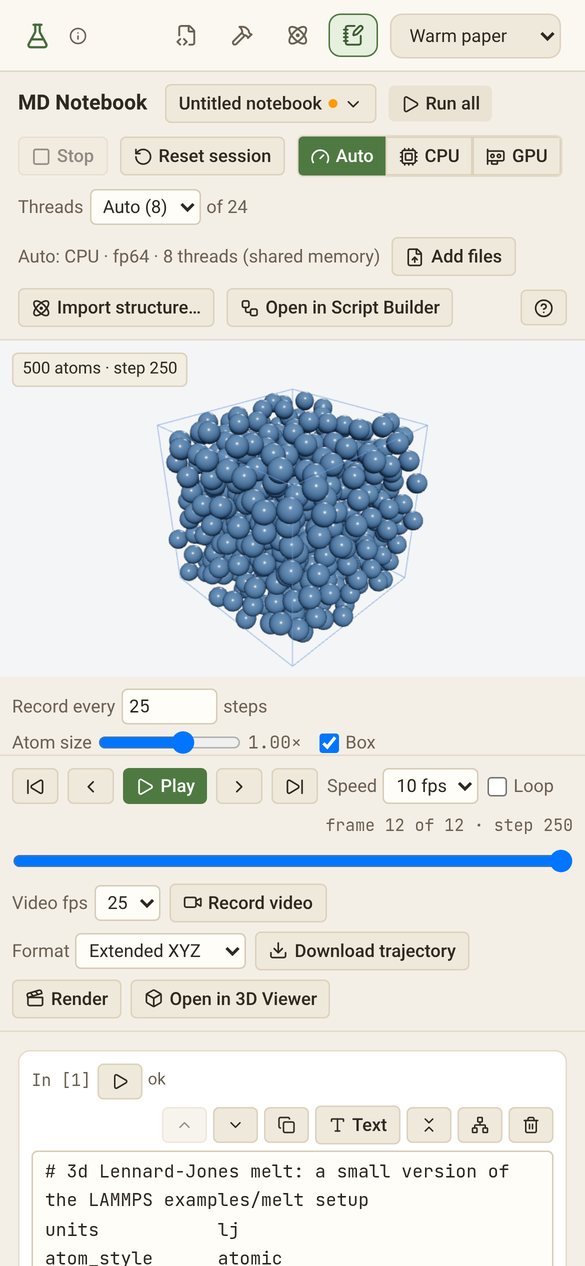
| 🧮 MD Notebook | Type LAMMPS input into notebook cells and press Run. Thermo output fills a table and live charts while the atoms move in a 3D view. Forces run on the GPU (WebGPU) or on CPU threads. dump image frames, data files and restart files are written in the browser. |
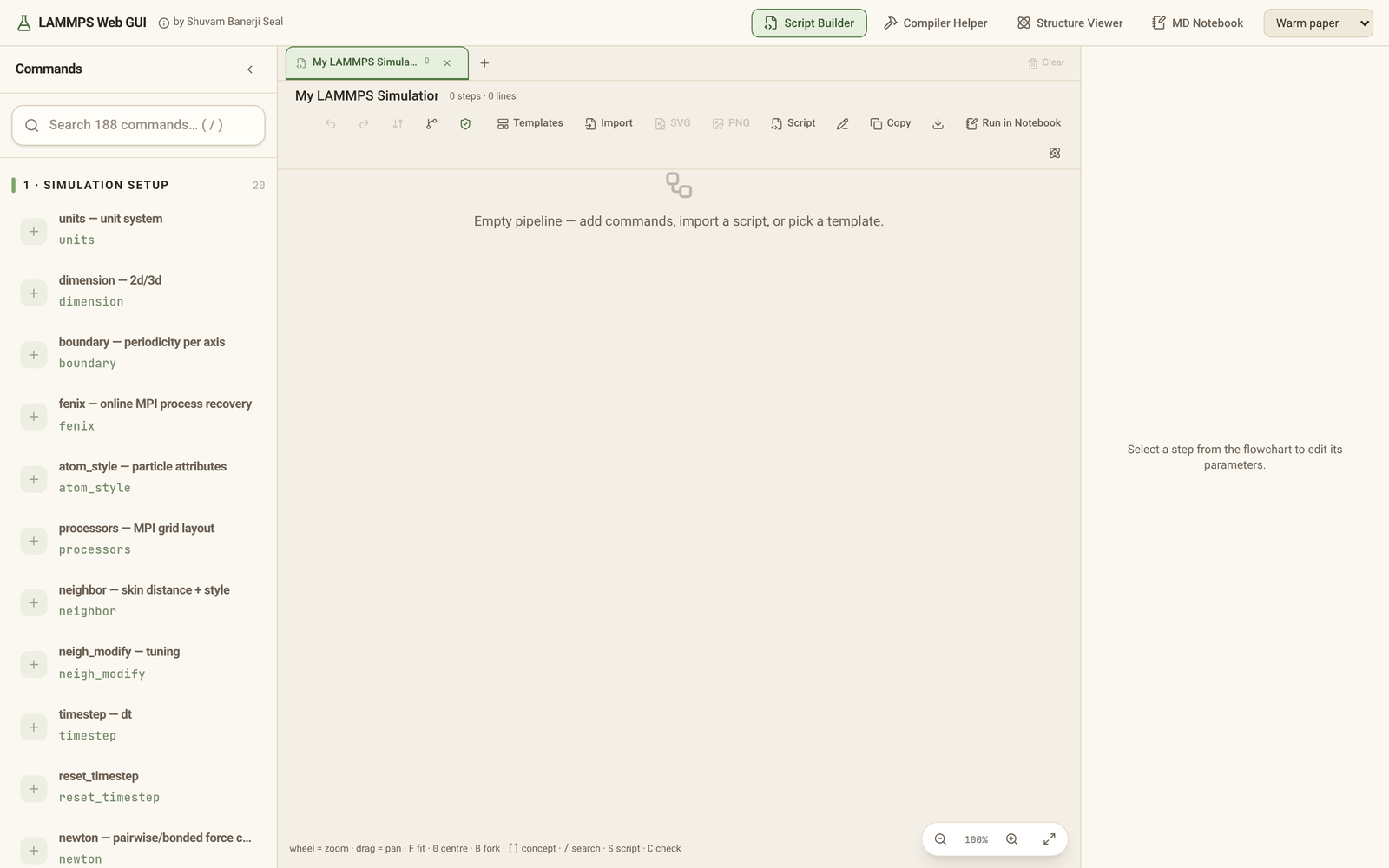
| 🧩 Script Builder | Build LAMMPS input scripts as a flowchart from 185 commands, branch alternative ideas, import existing in.* files, and check the script against rules that each cite their docs.lammps.org page. |
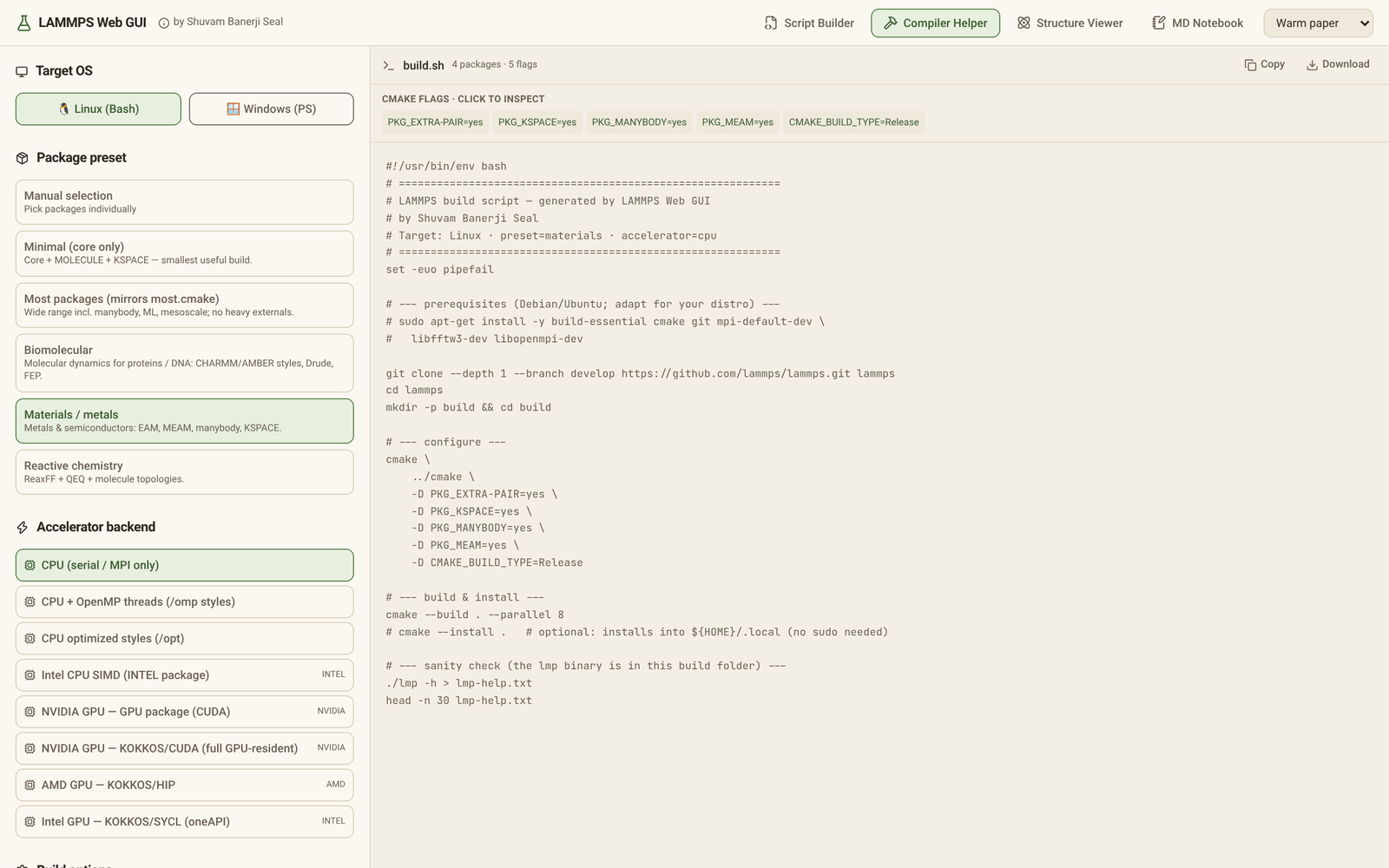
| 🏗️ Compiler Helper | Pick packages and accelerators and get a ready-to-run CMake build script for native LAMMPS. |
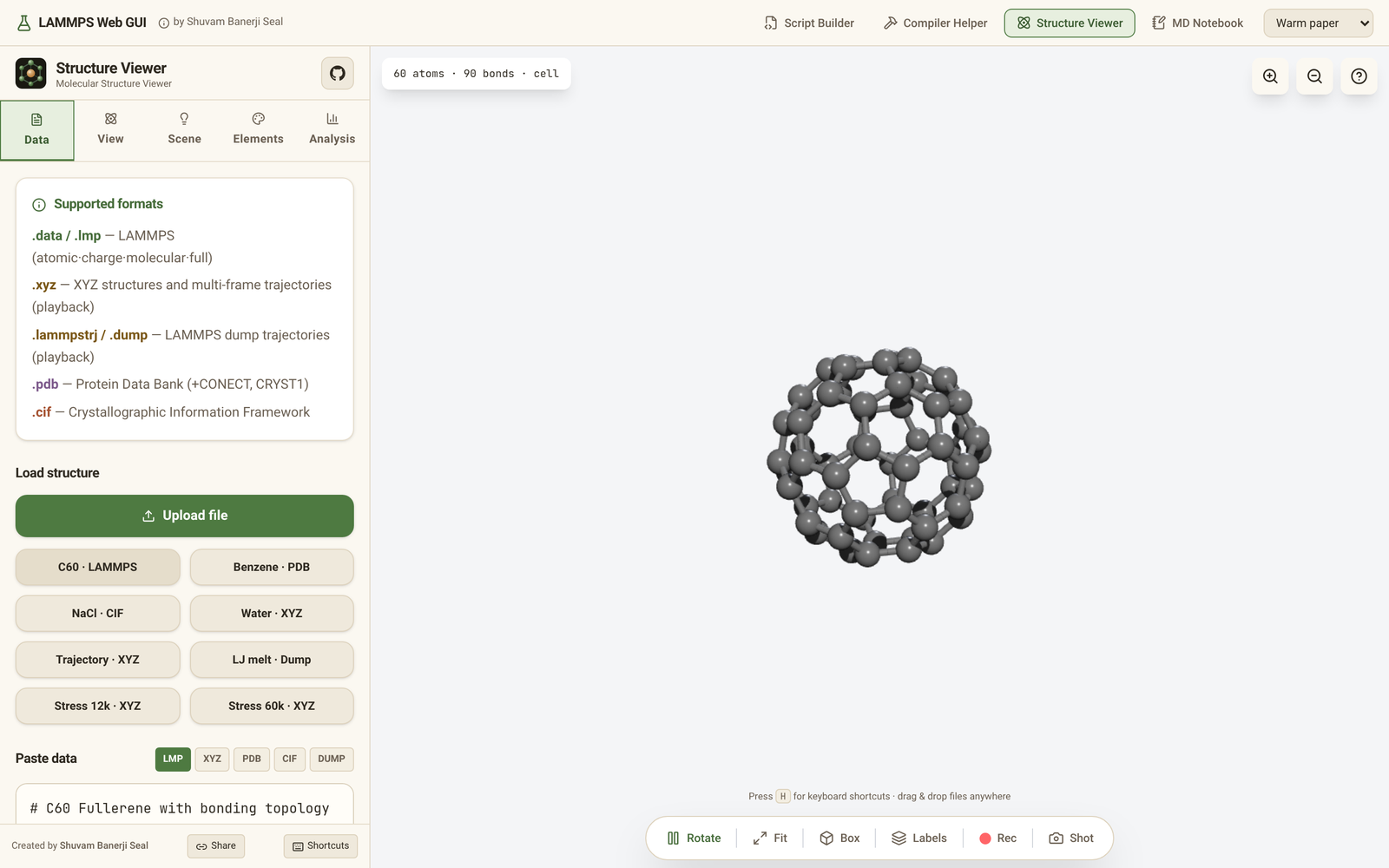
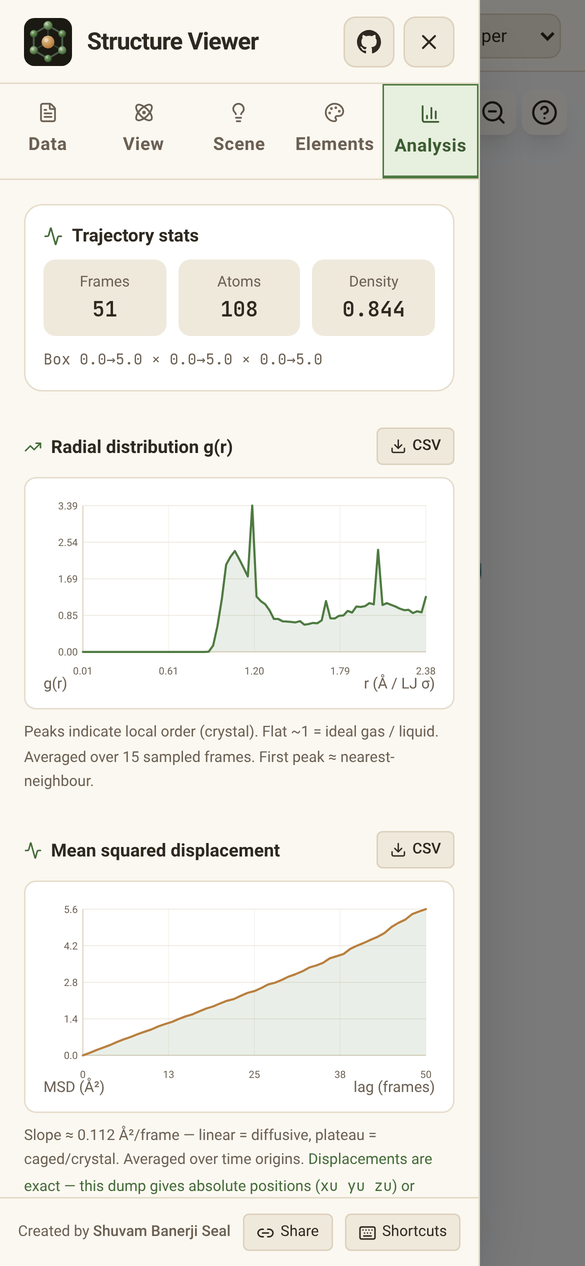
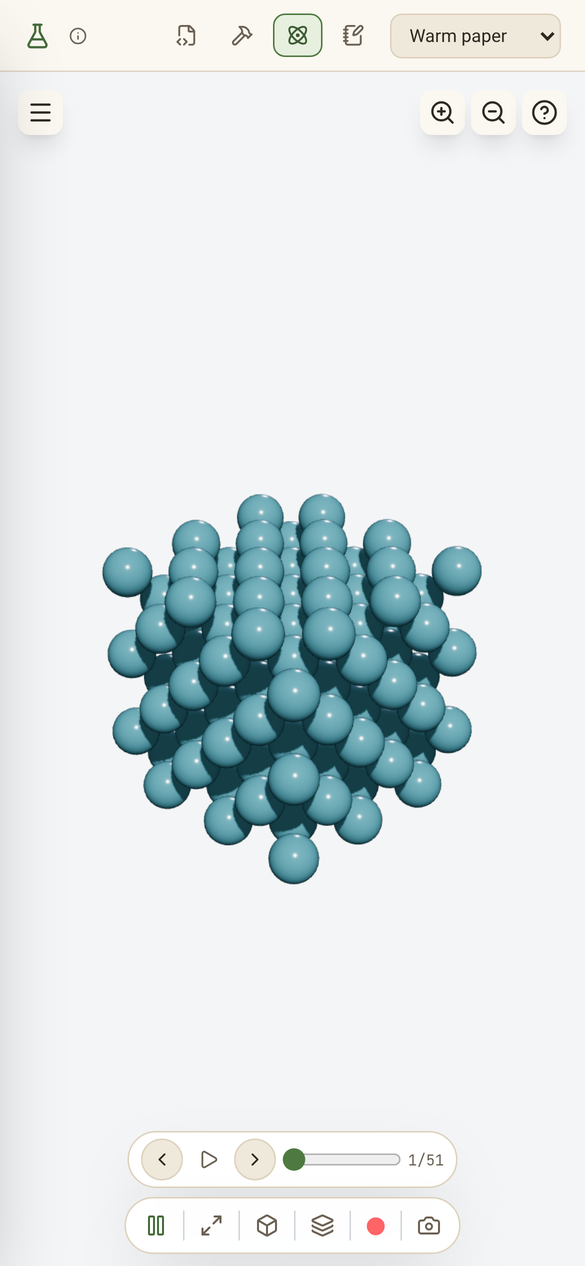
| 🔬 Structure Viewer | GPU-instanced 3D viewer for LAMMPS data and dump files, XYZ, PDB and CIF, with trajectory playback, measurements and RDF/MSD analysis. |
🧪 Checked against native LAMMPS
The notebook's engine is written in TypeScript for the browser. Its results are compared with native LAMMPS (the same source commit, b332f28) on 2027 parity cases: thermo output and per-atom positions, velocities and forces are compared at 1e-8 relative or tighter in most cases (each case states its tolerance and why when it is looser). Of the 882 input scripts in the LAMMPS examples/ tree, 650 run in the browser (runs shortened to a few steps; the rest need native libraries, Python, MPI partitions or features not ported yet, and stop with an error that names them). Styles ported from the LAMMPS C++ source live in a separate GPL-2.0 module, src/engine-gpl.
🎬 Demo

▶ Watch the film on YouTube (2 min 47 s, with chapters), or the MP4 with sound (1920×1080, H.264/AAC; also in the repo at public/videos/lammps-web-gui-film.mp4).
Animated preview

In seven parts:
- Cold open — five simulations run by the app's own engine and rendered as 3D instanced atoms: a granular pour (2,814 spheres,
fix pour,gran/hooke/history), a 74-base-pair oxDNA2 ring under Langevin dynamics, surfactants assembling into micelles, a crack running through a Lennard-Jones solid (8,141 atoms) and a CHARMM peptide in water (PPPM, SHAKE). - How it works — the pipeline in one browser tab: the Script Builder writes the input, the interpreter reads it line by line as LAMMPS does, styles load on first use, forces run on your device, the integrator steps and the 3D viewer shows the atoms. No server, no install, no upload.
- True to LAMMPS — the script check that cites docs.lammps.org, the
examples/meltthermo output printed digit for digit as native LAMMPS prints it, the native parity cases, the GPL-2.0 module of styles ported from the LAMMPS C++, and the C library math (log,sin,cos,exp,pow) ported from glibc, so the engine computes them as the native binary does rather than with the browser'sMathfunctions, which differ between browser versions. - Your hardware — worker threads sharing one copy of the atoms (
SharedArrayBuffer), and WebGPU compute shaders where the browser has them. - Themes — the five themes side by side.
- Tour — the Script Builder, the CMake compiler helper, the Structure Viewer and the MD Notebook.
- End card — a QR code that opens the app, and the links to the app, the source and the LAMMPS manual.
Cut with Remotion and three.js, scored with original synthesized music. The app footage is the production build captured in headless Chromium.
📸 Screenshots
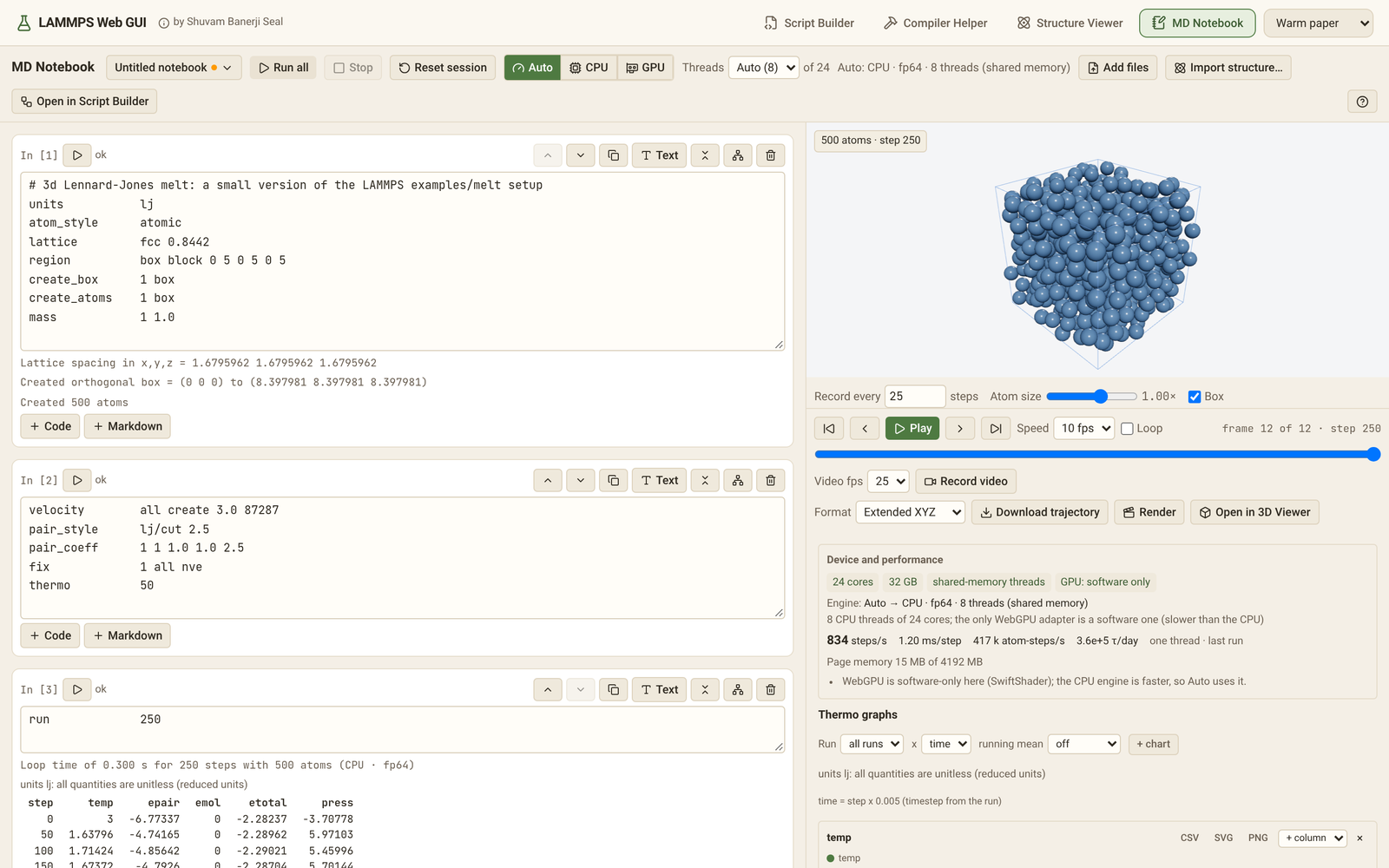
MD Notebook — LAMMPS input running in the browser
| Lennard-Jones melt: cells, thermo table, 3D view | Notebook with markdown notes and several cells |
|---|---|
 |
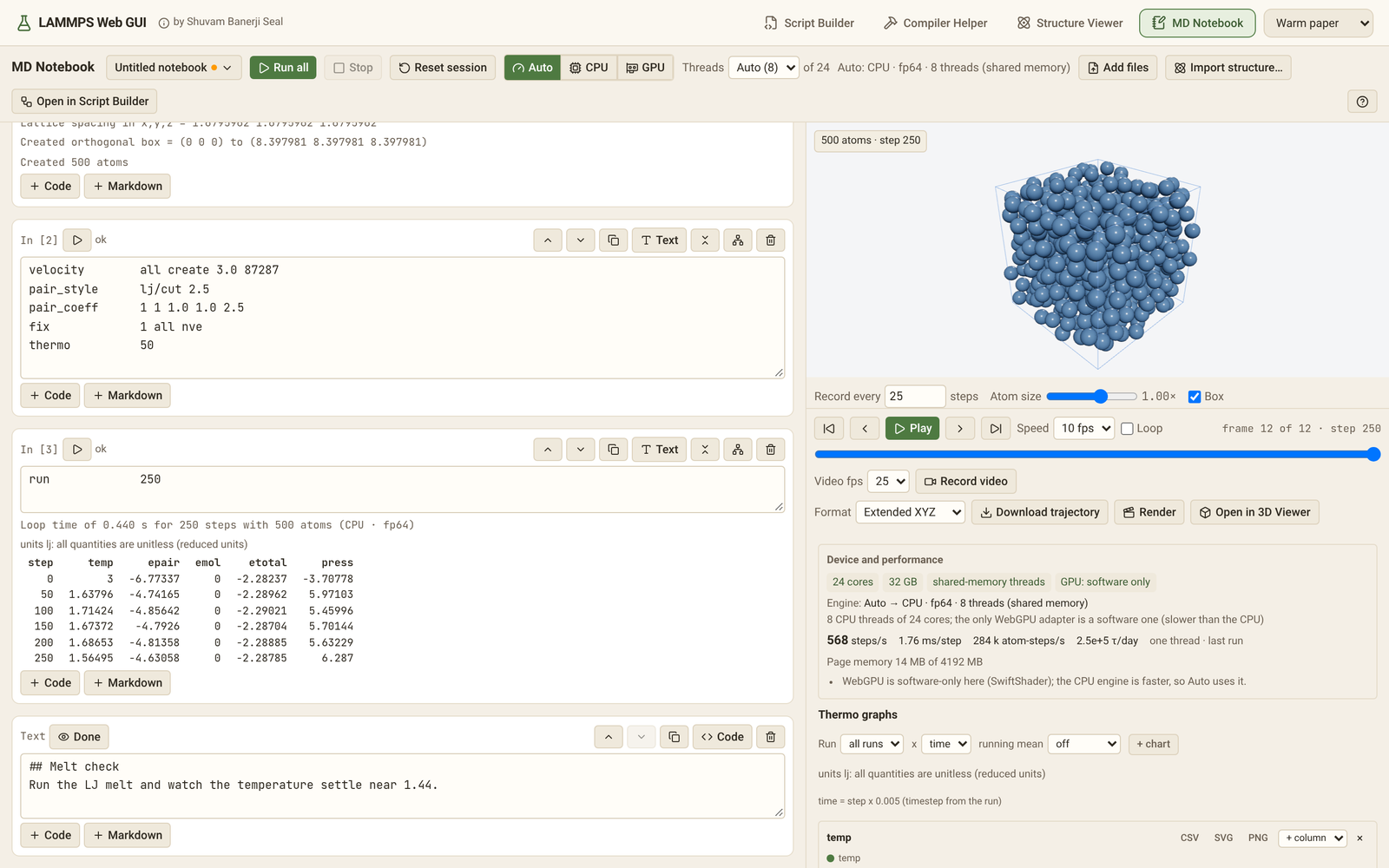 |
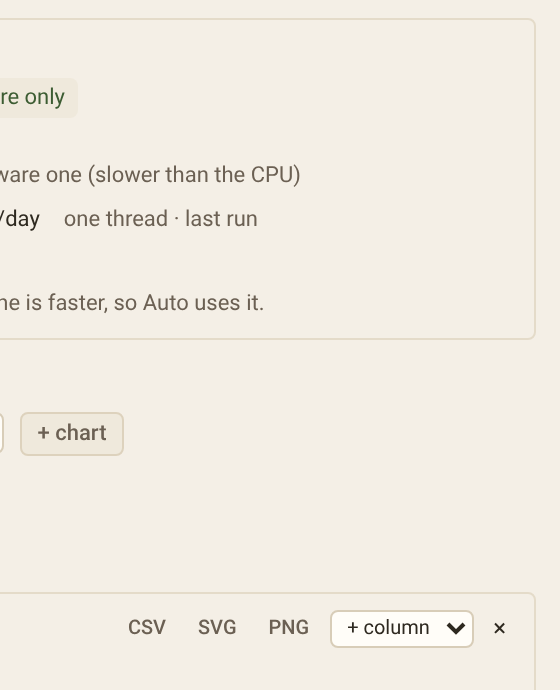
Device and performance panel: what Auto chose and why, steps/s, ms/step and atom-steps/s.
Example notebooks (notebook menu → Open an example…) show how to load external molecules, each with its input
files: an SPC/E water box from a LAMMPS data file, CO2 and n-butane placed from molecule templates with
create_atoms ... mol, and crystals imported from CIF files with Import structure…: alpha-quartz (BKS potential),
proton-ordered ice Ih (rigid SPC/E water) and urea, whose molecules cross the cell faces. The import infers bonds
through the periodic cell and writes image flags, so every molecule stays whole.
Script Builder — LAMMPS input scripts as a flowchart
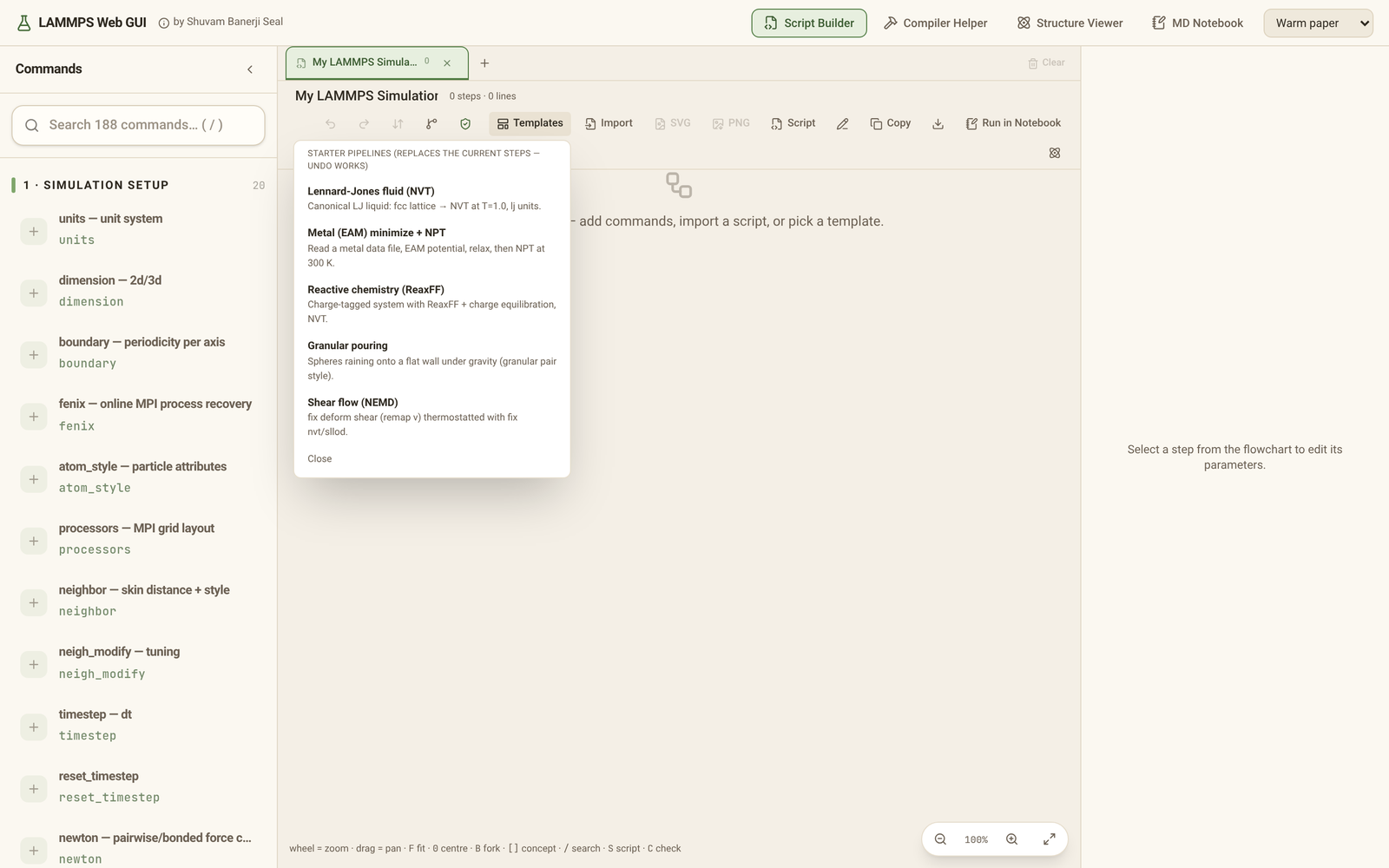
| Starter template with the generated script | Concept branching — one flowchart, several ideas |
|---|---|
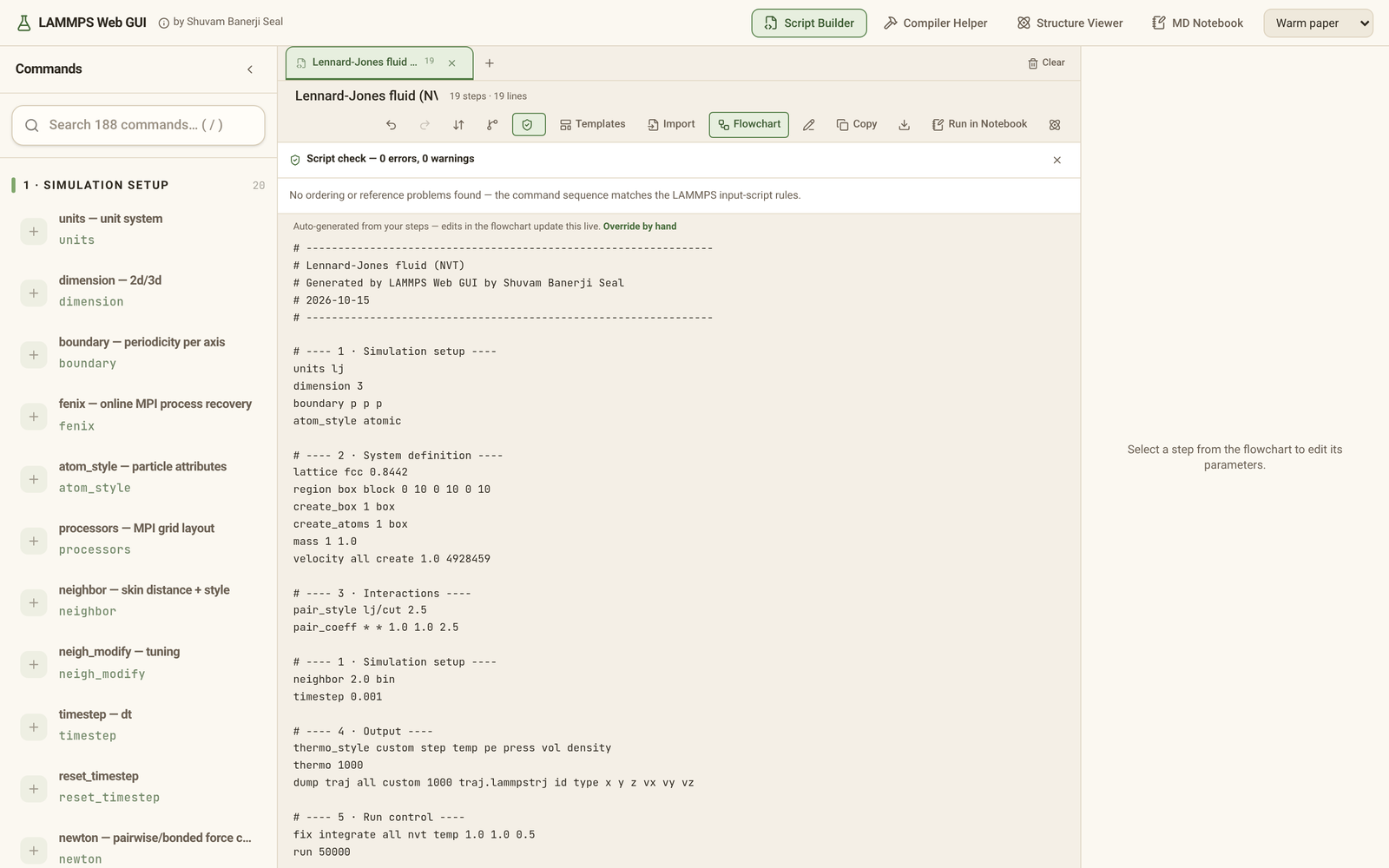 |
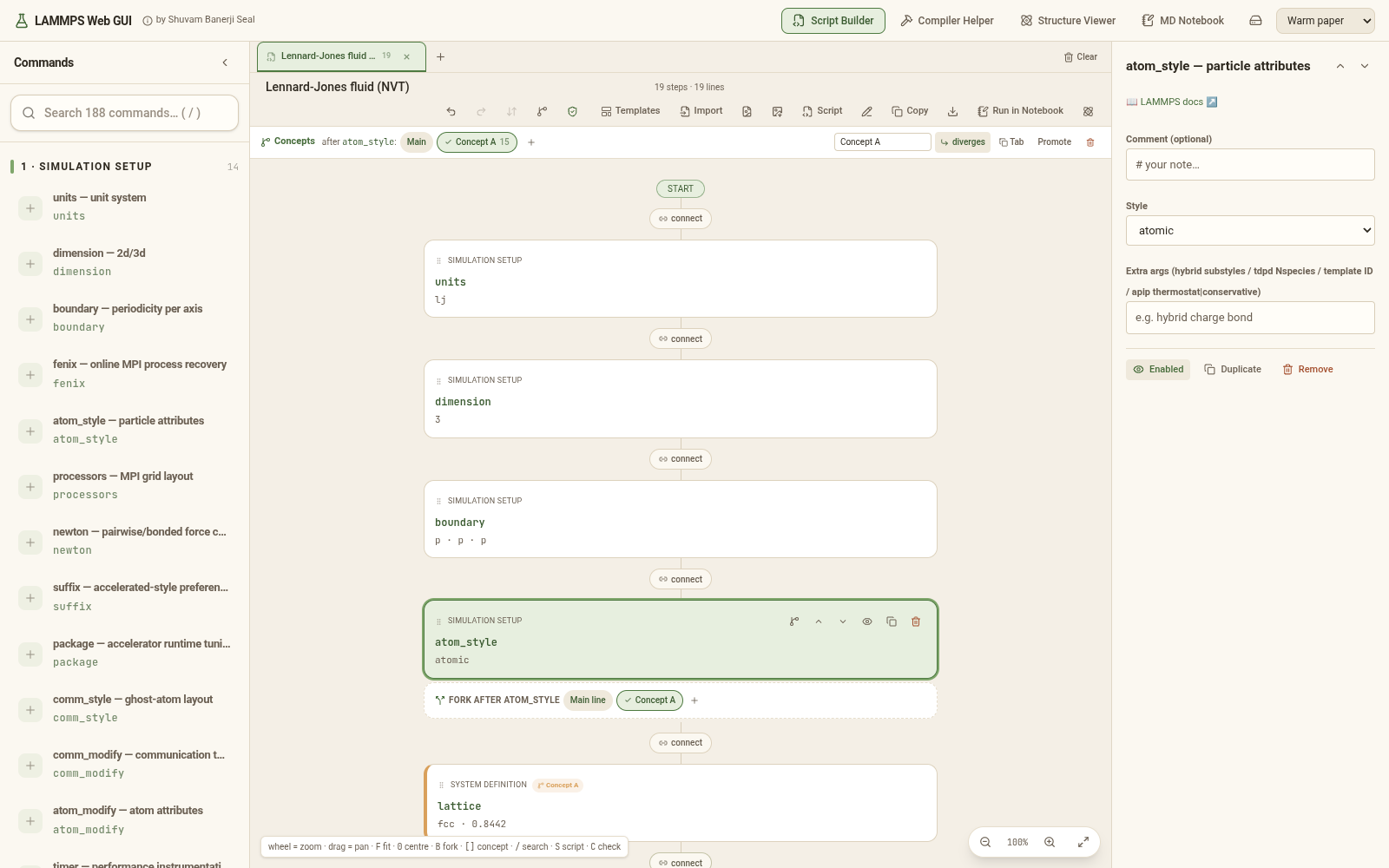 |
| Script check — every rule cites docs.lammps.org | Starter templates |
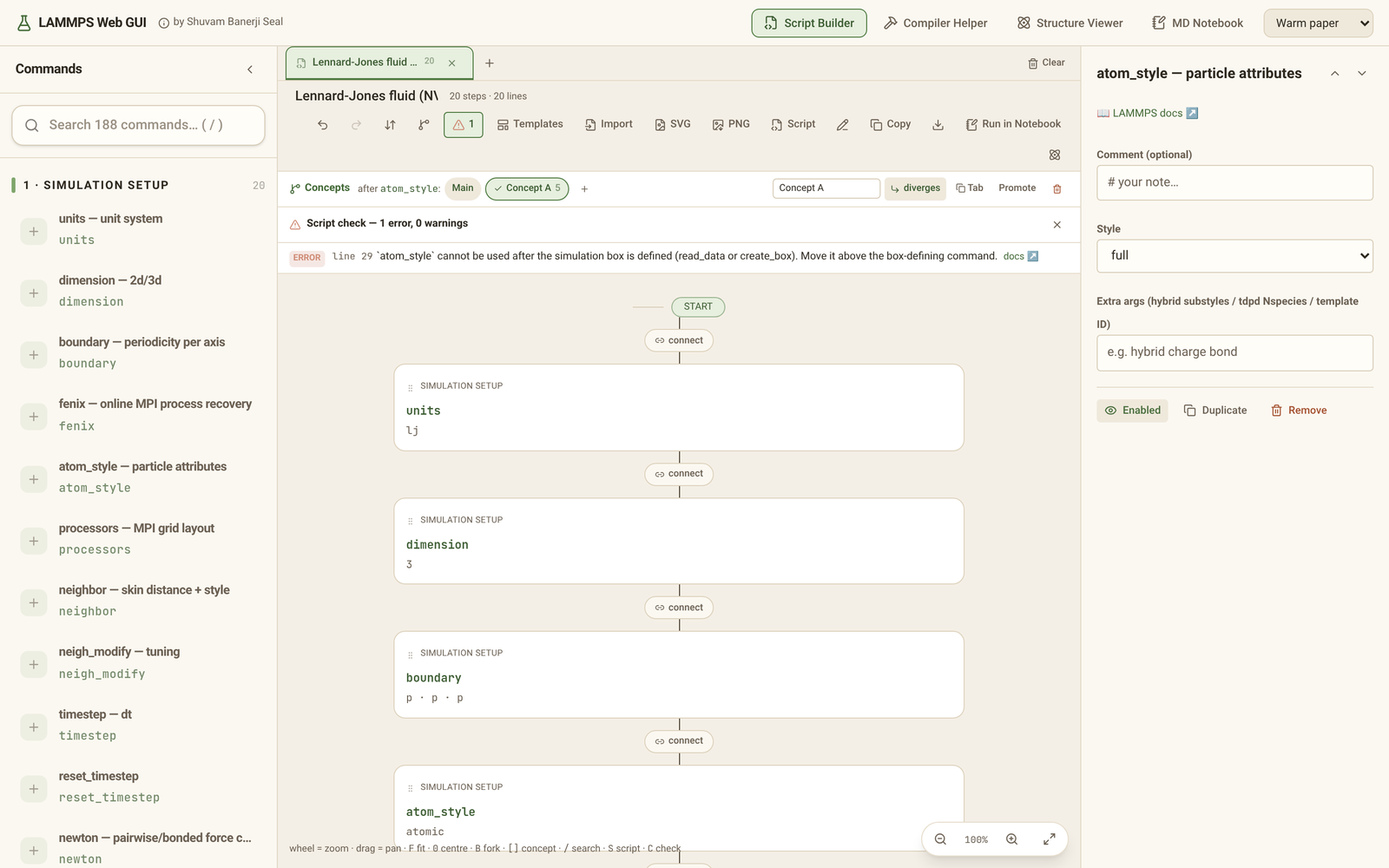 |
 |
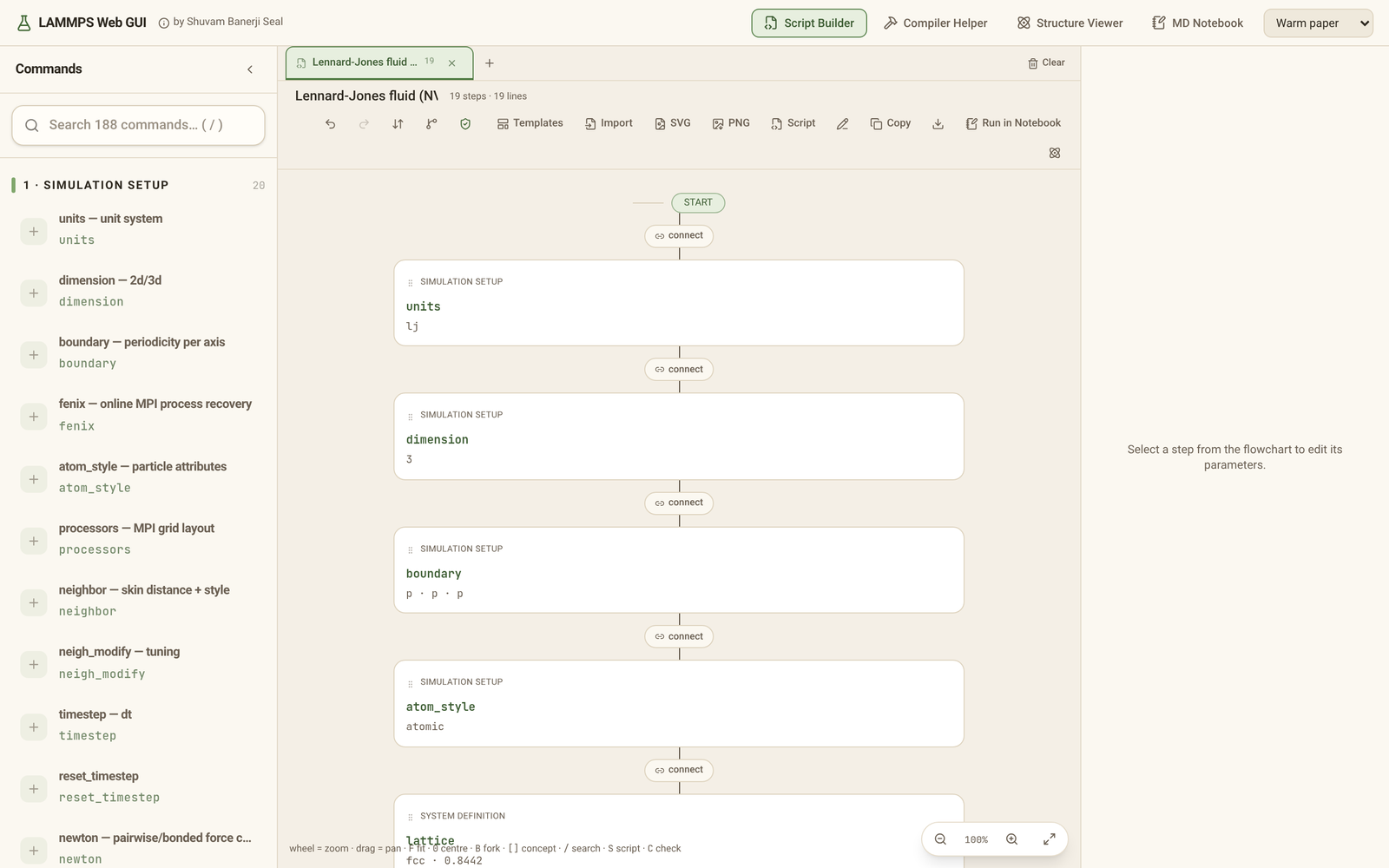
| Flowchart overview | Compiler Helper — CMake build script for native LAMMPS |
 |
 |
Structure Viewer — LAMMPS data and dump, XYZ, PDB, CIF
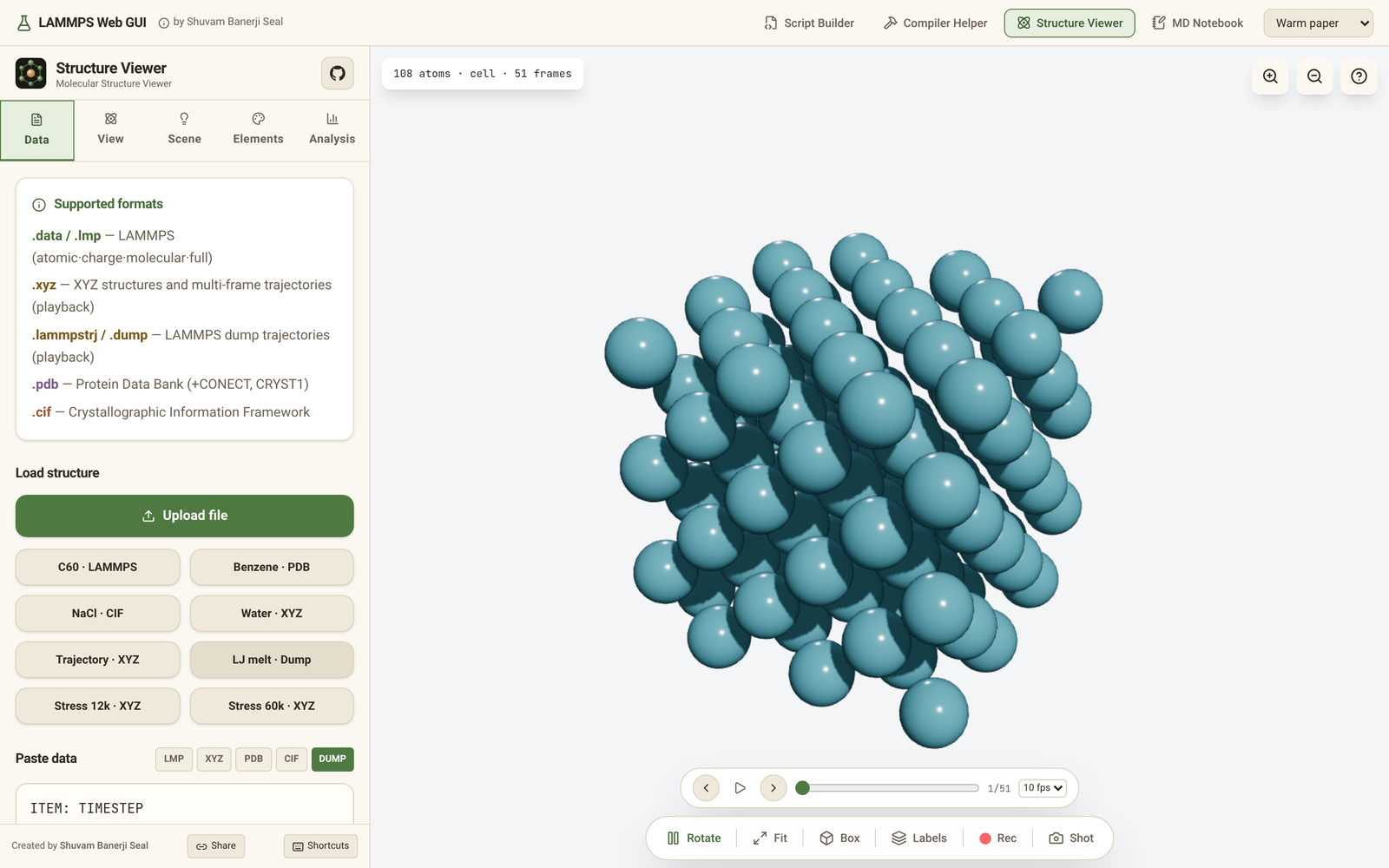
| C60 with the sidebar | LAMMPS dump trajectory playback |
|---|---|
 |
 |
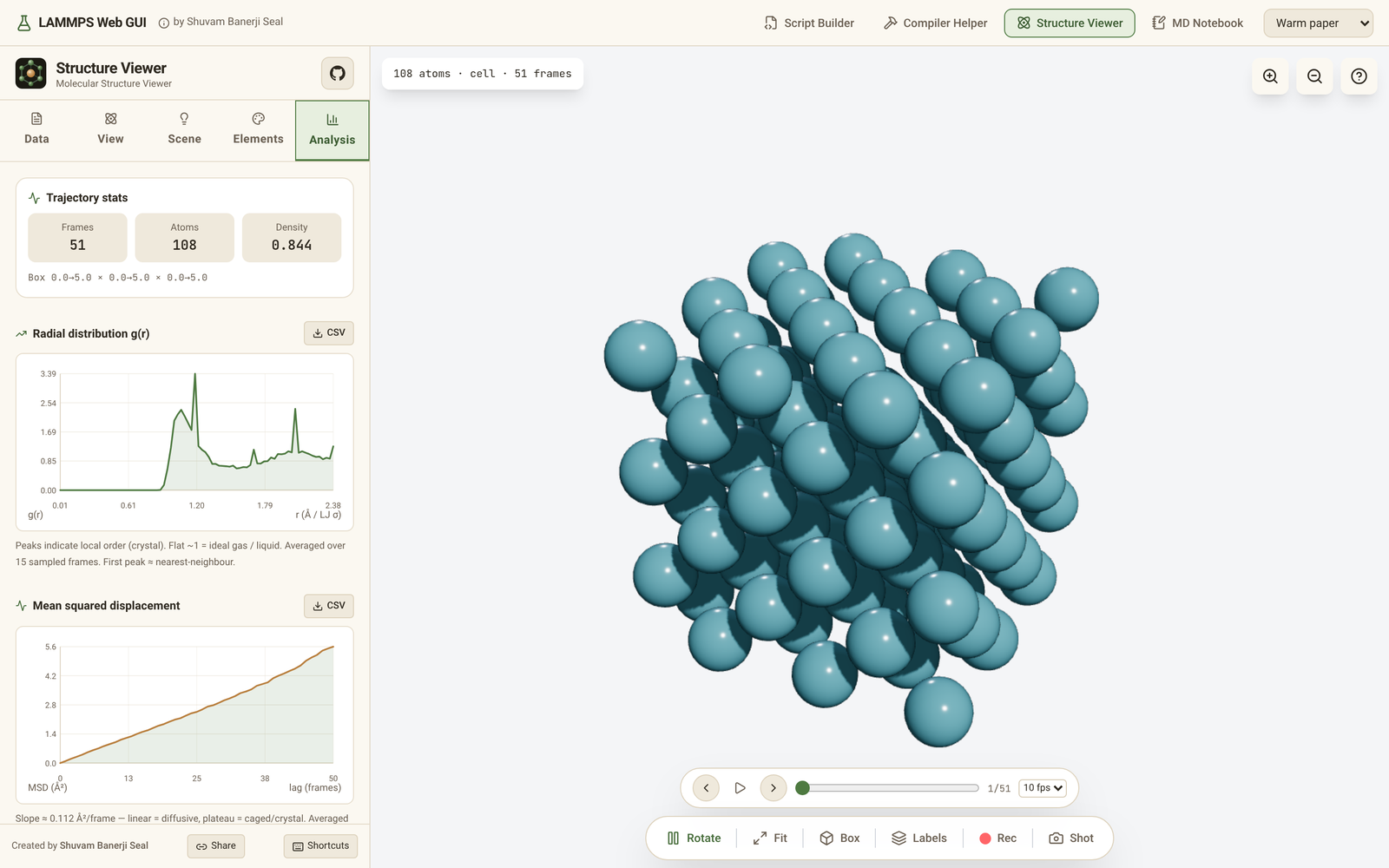
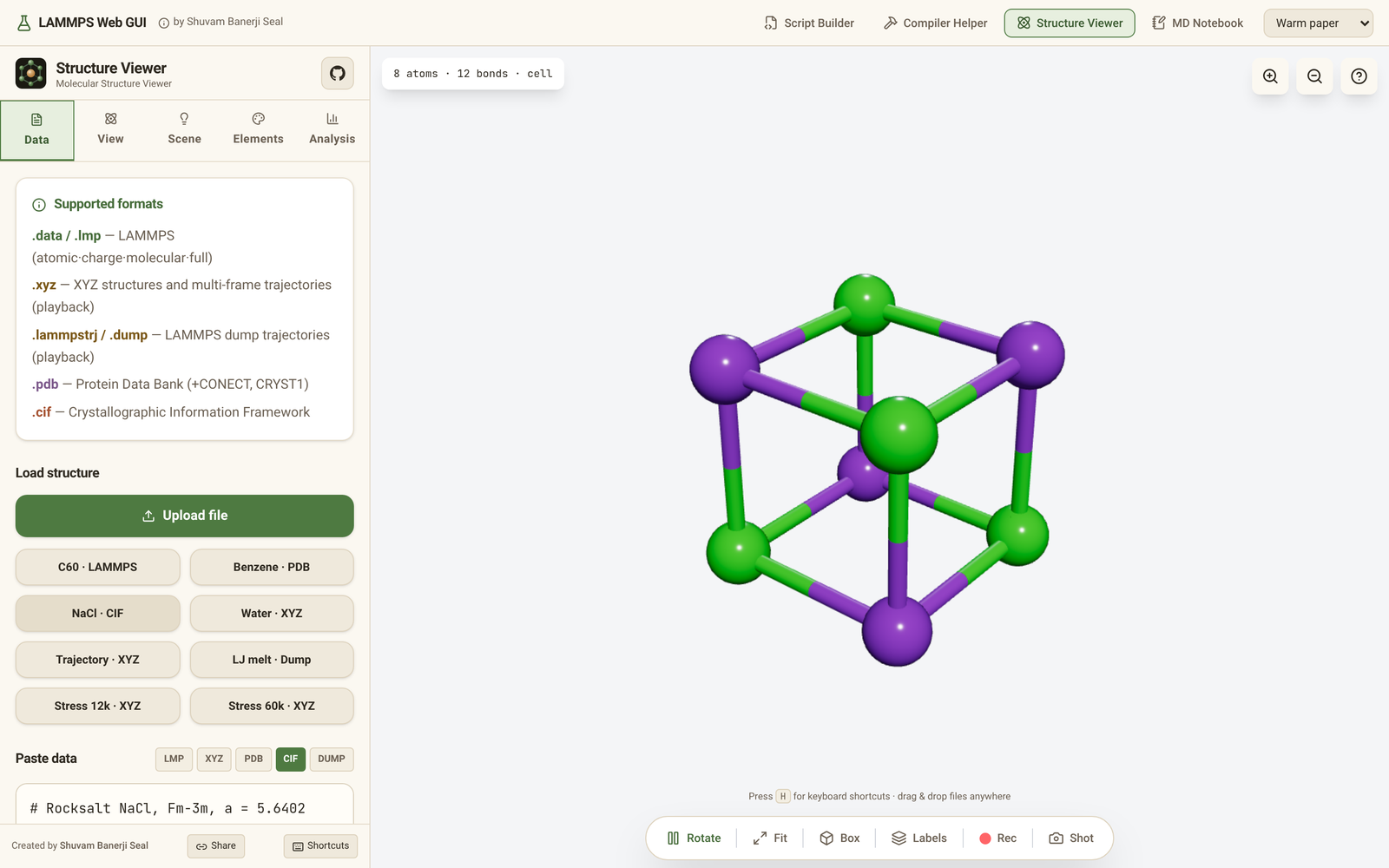
| Trajectory analysis — RDF and MSD | Unit cell (NaCl, CIF) |
 |
 |
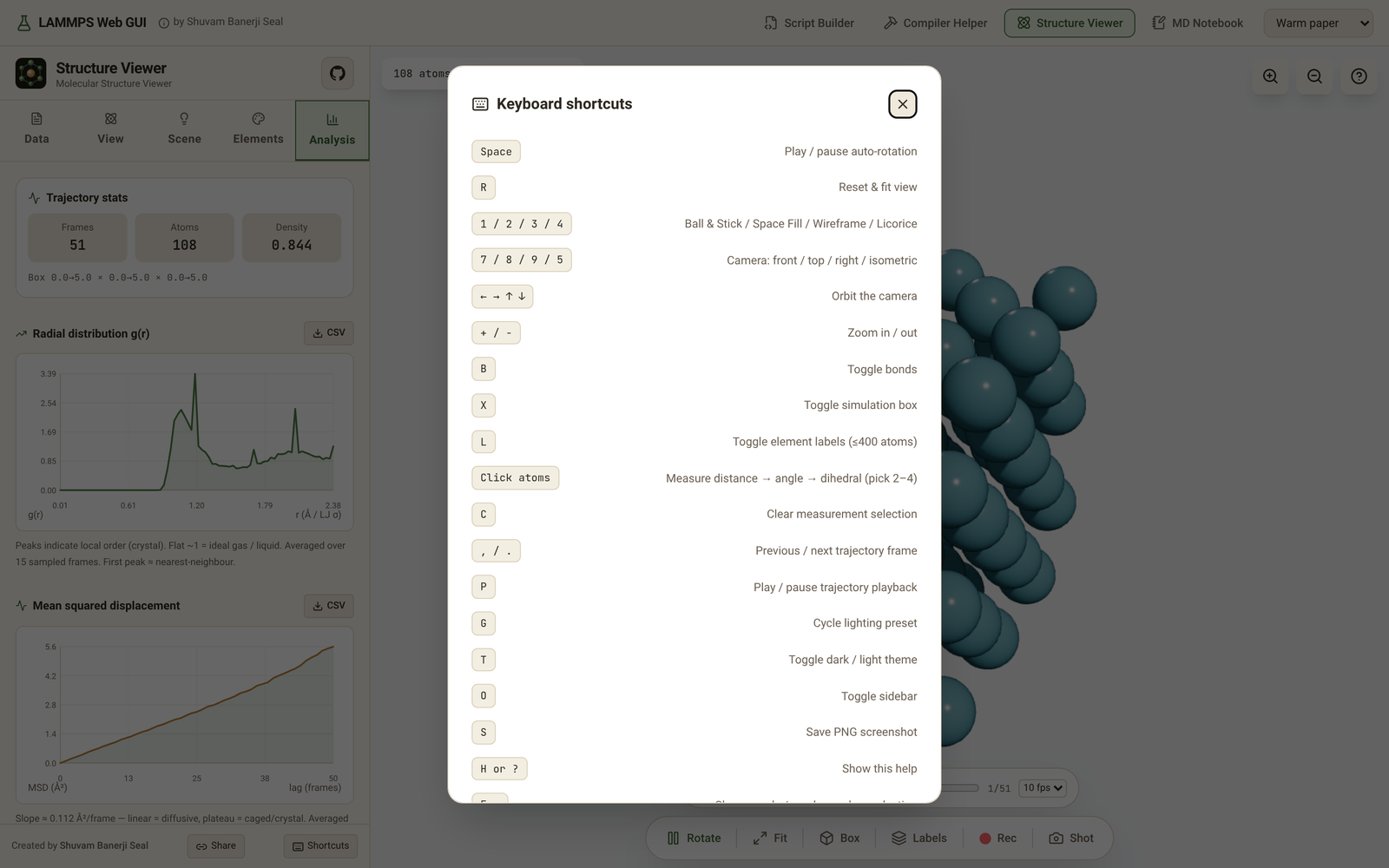
| Keyboard shortcuts | Warm paper theme |
 |
 |
On a phone
| MD Notebook | Trajectory analysis | Viewer dock |
|---|---|---|
 |
 |
 |
🎞️ Simulation videos — rendered in the browser
The viewer plays LAMMPS dump (.lammpstrj/.dump) natively and exports MP4/WebM at 60 fps — no Python needed. Load any .lammpstrj via drag-drop or Paste data → DUMP → Visualize → scrub with the playback bar (P / , / ., 2–30 fps) → ● Rec to save MP4.
✨ Features
-
🧮 MD Notebook — LAMMPS input in the browser, on the GPU or on CPU threads. Type LAMMPS input into notebook cells, press Run, and watch the system move in the 3D view while thermo output fills a table and live temperature / energy charts. Auto / CPU / GPU chooses where forces run: WebGPU (WGSL kernels; hardware adapters are preferred and a software-only adapter is declined with a note) or an fp64 CPU engine split over Web Worker threads, with shared-memory threads when the page is cross-origin isolated. Plain
fix nveruns can stay resident on the GPU, and Stop cancels a run at any step. Measured in Chromium on a 24-core Xeon with an NVIDIA A100: a force step for 16,384 atoms takes 42.6 ms on 1 thread, 12.2 ms on 4 and 8.9 ms on 8; a live run of 55,296 atoms goes at ~750 steps/s on the GPU. The engine covers a large part of LAMMPS: pair, bond, angle, dihedral, improper and kspace styles (Ewald, PPPM and more), thermostats and barostats, rigid bodies, SHAKE/RATTLE, GCMC and other Monte Carlo fixes,fix bond/react, deposits and walls, computes,minimize, NEB with notebook partitions,variable/if/label/jump,read_data/write_data, binary restart files (its own and native LAMMPS's),dump(atom, custom, cfg, xyz, extxyz, local, yaml, vtk, grid, image, and the binary dcd and xtc trajectories) andrerun. A command that is not supported stops the run with an error that names the line and the command. See Checked against native LAMMPS and the design notes indocs/design/notebook.md. -
🌿 Concept branching — divergent ideas in one flowchart. Hover any step and hit the branch icon to fork the pipeline from that point onward. The new concept starts as a copy of the rest of your pipeline, so you edit a variant instead of rebuilding from scratch: swap the thermostat, try a different pair style, extend the production run. Switch between Main line and each concept with one click — the generated script, the warnings and the SVG export all follow whichever concept is taken. A concept either replaces everything after the fork (truly divergent) or rejoins the main line (a detour), and the steps it cut off stay visible, ghosted, under "not in this concept". When one idea wins, Promote folds it into the main line and drops its rivals; Tab flattens any concept into its own flowchart tab for side-by-side comparison. Several forks can be open at once.
-
✅ Script check — validation against the LAMMPS rules, not vibes. A linter reads the final script (generated or hand-edited) and flags what LAMMPS would reject or silently do wrong: header-only commands used after the box (
units,dimension,boundary,atom_style), commands used before it (pair_coeff,mass,velocity,create_atoms),unfix/undump/uncomputeof an ID that was never defined, fix/dump/compute ID reuse with a different style, groups and regions referenced before definition, arunwith no time-integration fix,pair_style reaxffwithout charge equilibration, and kspace/pair-style mismatches. Every rule quotes thedocs.lammps.orgpage it enforces and links to it, and the whole rule set is verified silent on the official example scripts (in.melt,in.heatflux,in.msd.2d,in.cos.1000SPCE) — a linter that cries wolf onin.meltwould be worse than none. Every shipped template is asserted to pass with zero errors and zero warnings. -
⬇️ Pipeline-order emission. The script comes out in exactly the order the flowchart shows, because LAMMPS executes an input file top to bottom and the docs are explicit that the settings/run phases "can be repeated as many times as desired". That makes multi-stage scripts work:
run→reset_timestep→run, a seconddumpopened after a stage, andwrite_dataafter the run rather than before it. A Sort action still reorders into canonical section order on demand — it moves the steps, so the flowchart never disagrees with the script. -
🧪 Four integrated modules: the MD Notebook above, a visual Script Builder (branching flowchart pipeline over 185 curated commands — the complete general-command surface, locked by a coverage test against docs.lammps.org), a Compiler Helper (package/accelerator presets → ready-to-run CMake build scripts) and the 3D Structure Viewer. The Script Builder and the MD Notebook pass scripts both ways: Run in Notebook sends the Builder's script to the notebook, and Open in Script Builder opens the notebook's cells as a new Builder tab (flowchart, script check, export).
-
📟 Device detection, Auto and a resource monitor. The engine probes the device (logical cores, memory, Web Workers, shared memory, and the WebGPU adapter: hardware, software or none). The notebook's right panel shows those chips, the engine in use and why Auto chose it, and the live steps/s, ms/step, atom-steps/s and simulated time per day (ns/day etc. from the units style), with a steps/s sparkline, page memory and hints about what limits the device.
-
🖼️
dump imagein the notebook. PNG, JPEG and PPM frames written bydump imageappear in a preview with a frame slider, and each file has a Download button.dump movieis not supported (no video encoder in the browser). -
🧭 Notebook usability. A progress bar shows
step S of Twhile a cell runs. Thermo tables carry a units caption and a tooltip per column. Reset asks for a second click when it would clear output, and a deleted cell can be restored with Undo. Unknown command errors suggest a "Did you mean …?" fix. -
🗄️ Browser storage panel. The drive button in the header opens a drawer with every file kept in this browser (IndexedDB): search, preview, download, delete, and add files with the picker or by dropping them on the drawer. It shows the site's storage quota and asks the browser to keep the files (Keep files). Each file opens where it belongs: a LAMMPS script in the Notebook or the Script Builder (flowchart), a structure, data or dump file (also gzipped) in the Viewer. The notebook reads stored files by name in
read_data,includeandpair_coeff, and the Script Builder's file fields (read_data,read_restart,molecule,read_dump,rerun) suggest them. -
⛶ Full-screen simulation view and drag and drop. The notebook's view has a full-screen button (Esc leaves it) that keeps the playback and render controls. Drop files anywhere on the notebook: a notebook or LAMMPS script opens, every other file (data, potentials, structures, gzip) is added as an input file. Drop scripts on the Script Builder to open them as new tabs (every dropped file is also kept in browser storage).
-
📈 More analysis and exports in the notebook. Besides MSD, g(r), density and speeds: the coordination number histogram (cutoff at the first minimum of g(r), editable), the bond-angle distribution, the structure factor S(q) from g(r), and per-column thermo statistics (block-average error, autocorrelation, histogram), each with SVG, PNG and CSV export, plus one JSON file with every series. Trajectories download as extended XYZ, LAMMPS dump, multi-model PDB, CSV, or the shown frame as a LAMMPS data file; dumps and
write_datawith a.gzname are written gzipped. -
🧪 Wider engine coverage. Monte Carlo:
fix widom(atoms or molecules),fix mol/swap,fix gcmc(every unit style) andfix hmc. Constraints:fix ehexwithconstrainandconstrain com,fix shake/rattlewithmol,fix depositwithmol(includingrigidandshakeon the inserted molecules), andrigid/smallwithmol(fix rigiditself refusesmol, as the docs say).shell rmandshell mvon the in-browser files.voronoi/atomin 2d, triclinic and non-periodic boxes (a non-periodic triclinic box is refused). MEAM: 2NN (nn2 = 1),scandhcpreference lattices,ialloy, and multi-elementerose_formwithdiaelements.fix wall/regionwith aplaneregion. Unsupported forms still stop with an error that names them. Coverage: 650 of the 882 input scripts in the LAMMPSexamples/tree run in the engine (everyrunandminimizeshortened to a few steps; measured 2026-10-15). -
💾 Everything persists — your script pipeline, compiler options, active module and colour theme (Coffee & sage, Warm paper, Midnight, Solarized light or High contrast, from the header's theme picker) survive module switches and page reloads (local-only, nothing uploaded).
-
🧩 Editable flowchart — grab any card and drop it between two others (it locks into place with a live insertion indicator), pan by dragging the background, zoom with the mouse wheel (35–250%), click any connect pill to insert a command at that exact spot. Prefer raw text? Edit script switches to a hand-editing mode that emits your text verbatim.
-
📥 Import existing scripts — load any
in.*LAMMPS input and the flowchart builds itself: commands are matched back to editable parameter forms (user-chosen fix/dump/compute IDs handled), unknown lines are preserved verbatim as raw steps — nothing is lost. -
🖼️ Presentable flowchart export — one click downloads the pipeline as a crisp SVG or 2× PNG (themed, titled, dated) for papers, slides and READMEs.
-
🏗️ Compiler Helper with the full flag surface — 46 CMake build options (FFT / Kokkos-FFT / heFFTe back ends, OpenMP, GPU API·precision·arch, Kokkos layout and precision, gzip/curl/JPEG/PNG/FFMPEG, sizes, memalign, exceptions,