
One fast, private reader for the sites you follow, your email newsletters, and the articles you save for later. Free, open source (MIT), and self-hostable.
Try the interactive demo (no signup needed) or use the hosted version at lionreader.com.
What you can do
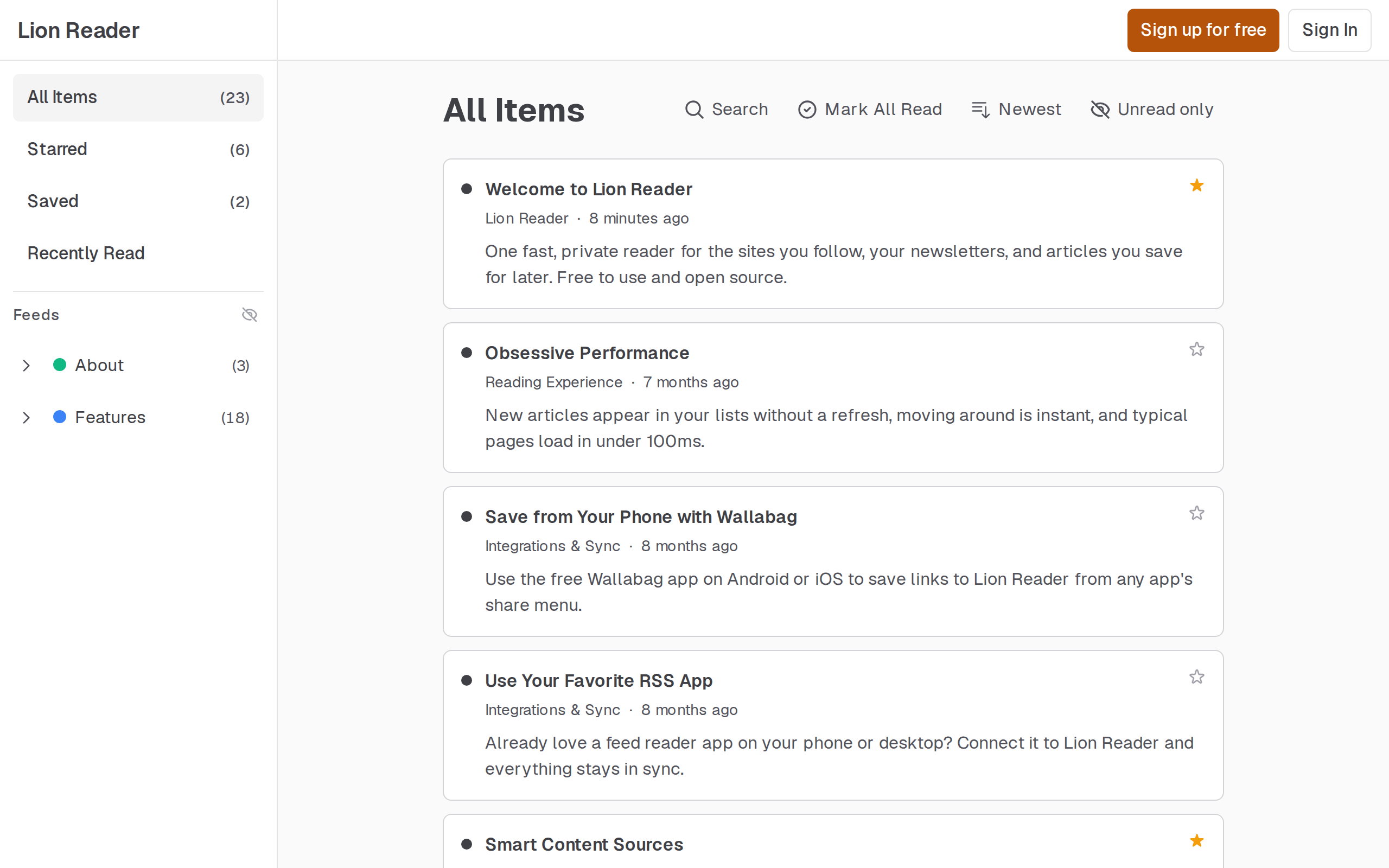
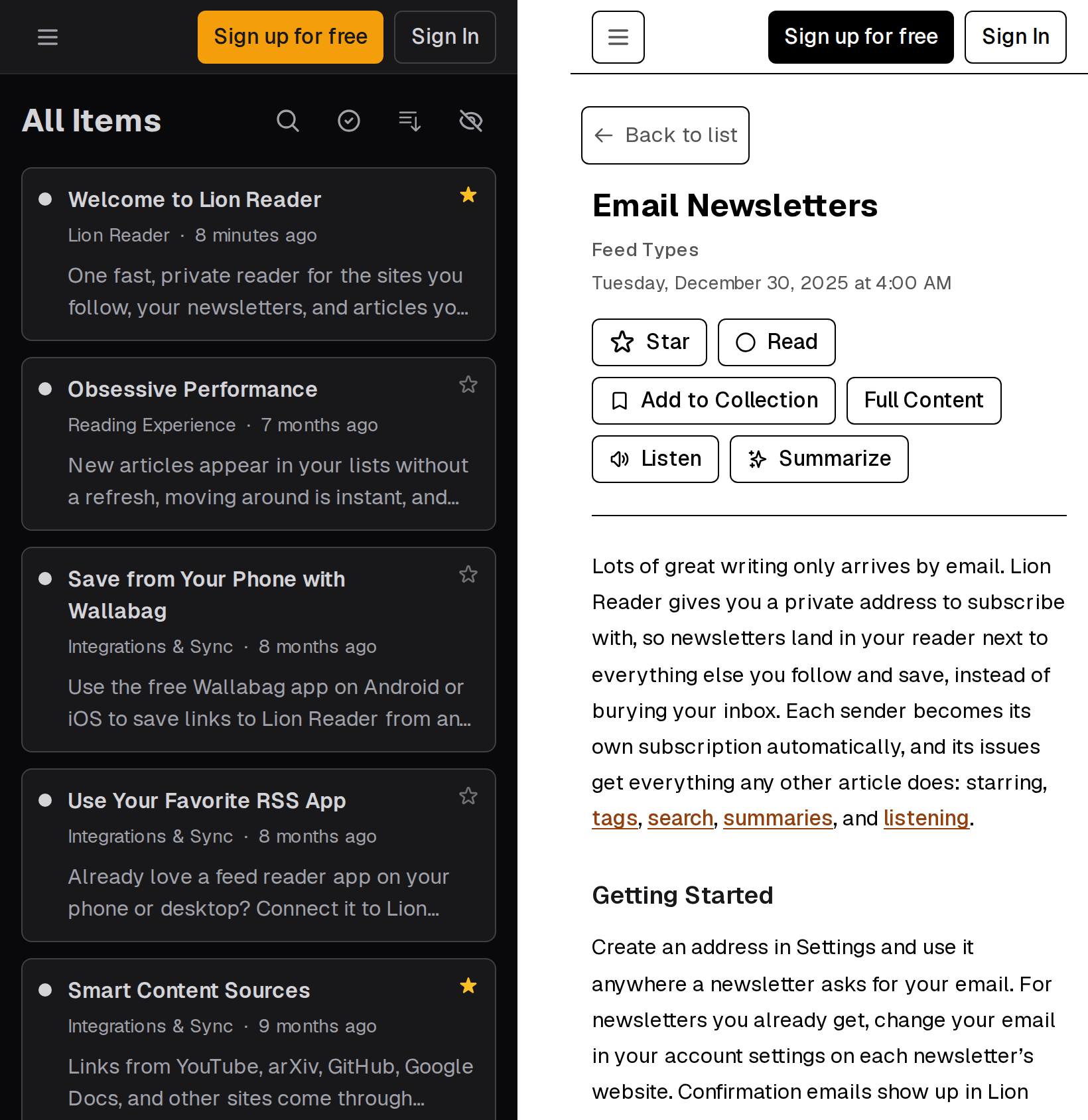
- Follow sites, read newsletters, and save articles in one place. Subscribe to RSS, Atom, and JSON feeds, or paste a site's URL and Lion Reader finds its feed. Newsletters go to a private ingest address, so Lion Reader never needs access to your inbox. Save any page for later from the browser extension, a bookmarklet, your phone's share menu, Discord, or by uploading a document like a PDF or Word file.
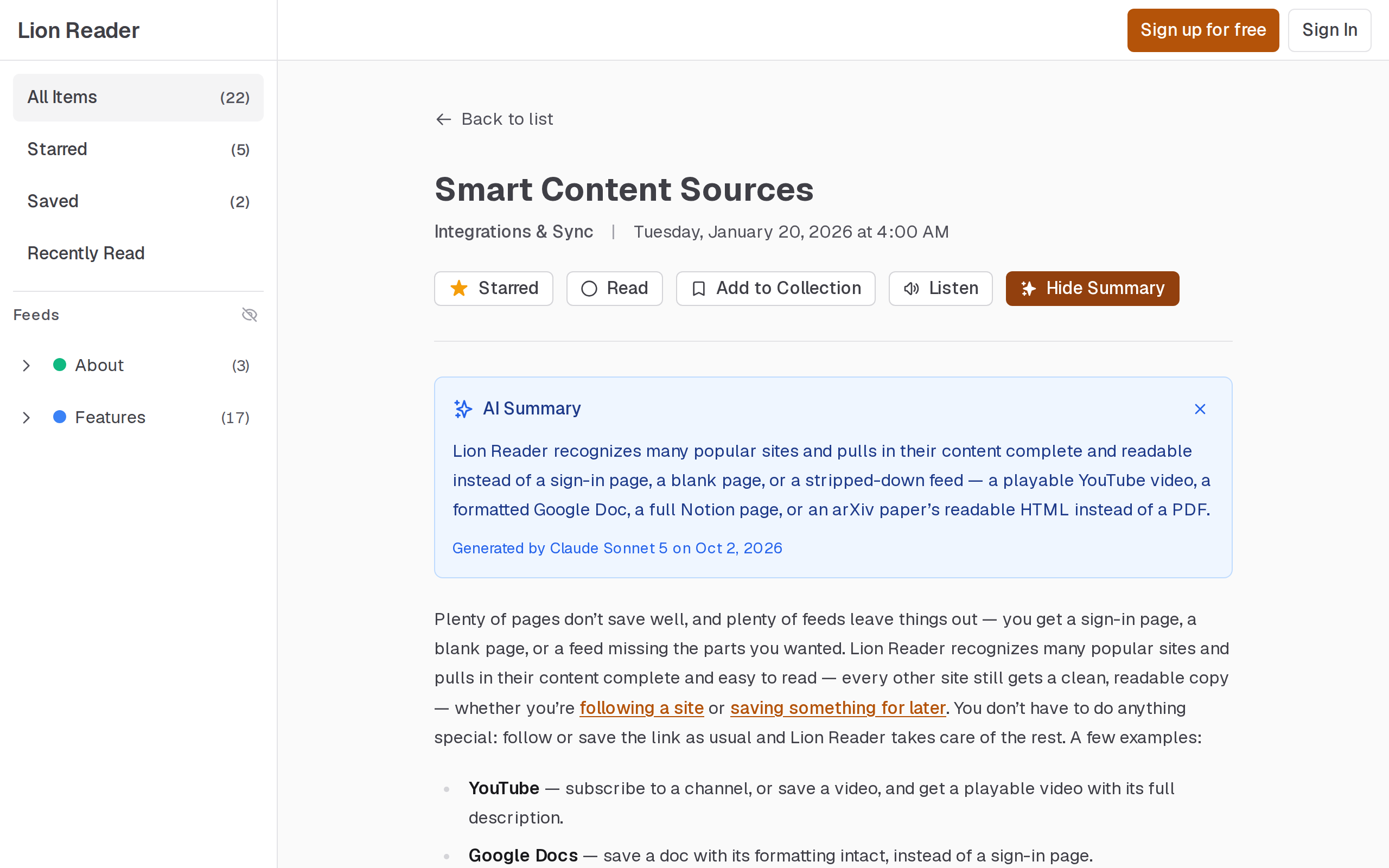
- Read full articles, not teasers. Links from sites like YouTube, arXiv, GitHub, Google Docs, and Bluesky come through complete and readable instead of as a sign-in page or a stub. For feeds that only send a summary, Lion Reader can fetch the full article.
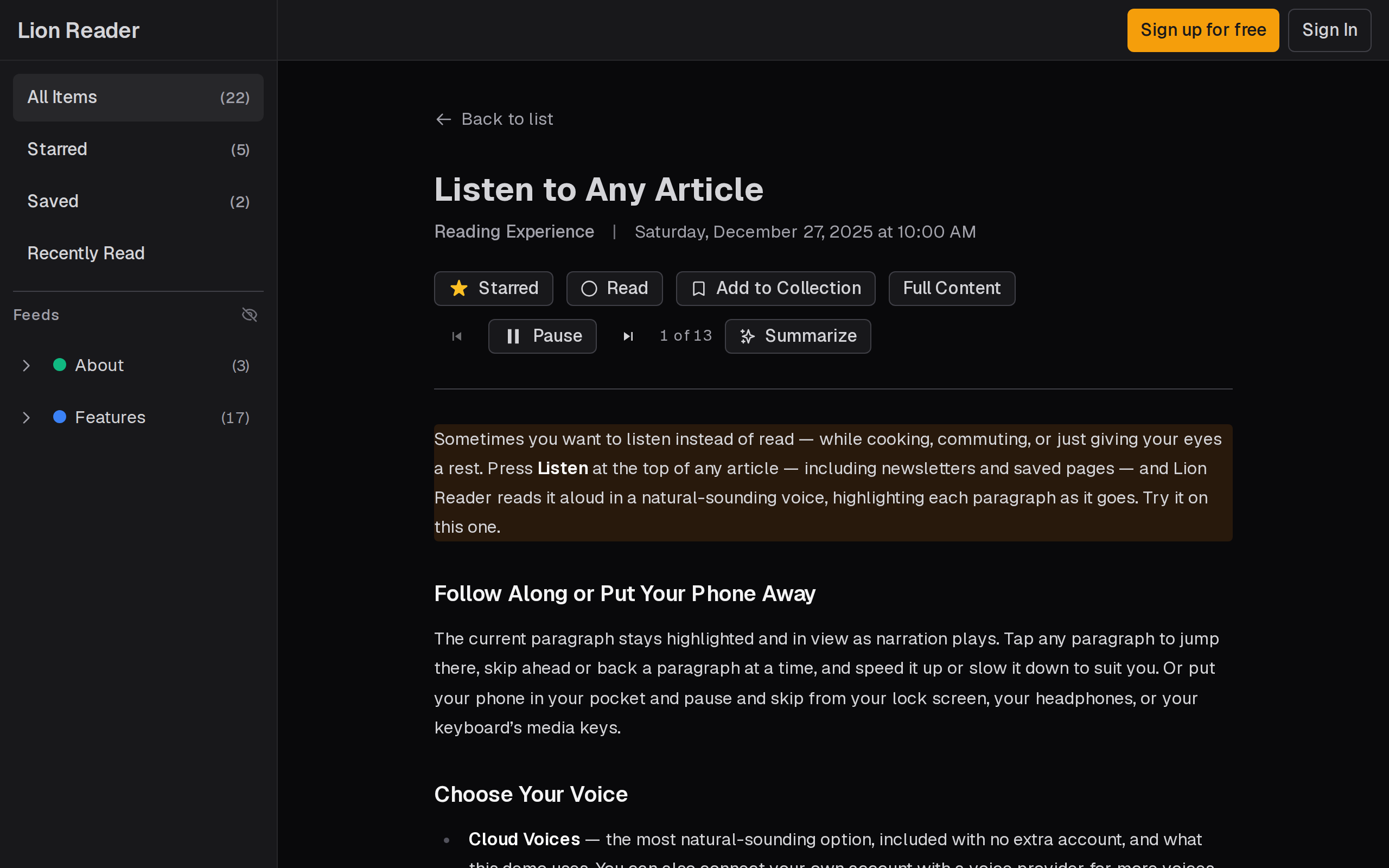
- Use AI when you want it, and not otherwise. Summarize an article in a click, listen to any article in a natural voice with the current paragraph highlighted, or connect Claude or another assistant over MCP to search, triage, star, and save articles for you. AI features run only when you use them or connect an assistant, and you can use your own API keys.
- Keep using the apps you like. Lion Reader speaks the Google Reader API (for RSS apps like NetNewsWire or Reeder) and the Wallabag API (for saving from your phone with the Wallabag app). There's also a REST API with an OpenAPI spec at
/api/openapi. - Move around instantly. New entries appear in the list you're reading without a refresh, navigation renders from cache and refreshes in the background, and typical pages load in under 100ms. See Frontend State for how.
- All the essentials. Full-text search, tags, starring, keyboard shortcuts (press
?), light, dark, and e-ink themes, OPML import and export, a full-library export, and an installable app (PWA).
Privacy
No ads, no data selling, and no third-party tracking scripts. The hosted site counts page views with cookie-less GoatCounter, recording only the kind of page (an entry list, an article, a settings page), never which list or article, and nothing tied to your account. Self-hosted builds send nothing unless you configure analytics or error tracking.
A feed is fetched once for all its subscribers, but a new subscriber starts with what the feed publishes right now, never older entries Lion Reader kept from someone else's subscription. The privacy policy lists every third-party service and what it receives.
Get the apps
- Web: lionreader.com, installable as an app from your browser
- Browser extension: Chrome and Firefox (source)
- Android (early, offline-first): APKs on the
android-v*GitHub releases (source)
Self-hosting
Lion Reader builds into a Docker image (Dockerfile) and needs PostgreSQL and Redis. It runs on a small VM and scales horizontally: the web app, the background worker (feed fetching, jobs), and the optional Discord bot are separate processes. Features that depend on outside services (OAuth sign-in, AI summaries and narration, newsletter delivery, error tracking) are optional and switch on when you configure them. Metrics are exposed for Prometheus, and logs are structured JSON.
The Deployment Guide walks through a full Fly.io setup, including every setting that hosted lionreader.com uses which you'll want to change.
User Registration
By default, Lion Reader runs in invite-only mode. New users need an invite link to register.
| Variable | Default | Description |
|---|---|---|
ALLOWED_SIGNUP_PROVIDERS |
all | Comma-separated providers (email,google,apple,discord) allowed to sign up with an invite |
ALLOWED_PUBLIC_SIGNUP_PROVIDERS |
none | Subset allowed to sign up without an invite. Empty = fully invite-only |
ALLOWLIST_SECRET |
- | Secret for admin API (required whenever any provider is invite-only) |
Manage invites through the admin API (each invite is single-use, valid for 7 days):
# Create an invite; response contains inviteUrl
curl -X POST https://your-app/api/trpc/admin.createInvite \
  -H "Content-Type: application/json" \
  -H "Authorization: Bearer $ALLOWLIST_SECRET" -d '{}'

# List invites with status (pending/used/expired)
curl -X POST https://your-app/api/trpc/admin.listInvites \
  -H "Content-Type: application/json" \
  -H "Authorization: Bearer $ALLOWLIST_SECRET" -d '{}'

# Revoke an unused invite
curl -X POST https://your-app/api/trpc/admin.revokeInvite \
  -H "Content-Type: application/json" \
  -H "Authorization: Bearer $ALLOWLIST_SECRET" -d '{"inviteId":"<uuid>"}'
Email Newsletter Subscriptions
Users create ingest addresses in Settings → Email and subscribe to newsletters with them. Each sender becomes a separate feed alongside RSS subscriptions. Unsubscribing uses RFC 2369/8058 List-Unsubscribe headers where available and blocks future emails from the sender.
Inbound email is delivered by Mailgun receiving routes:
- Point MX records for your ingest domain at Mailgun and verify the domain
- Create a Mailgun route that forwards matching messages to
https://your-app/api/webhooks/email/mailgun(enable "Store and notify") - Configure Lion Reader:
| Variable | Description |
|---|---|
INGEST_EMAIL_DOMAIN |
Domain for ingest email addresses; required |
MAILGUN_WEBHOOK_SIGNING_KEY |
Mailgun webhook signing key (Sending → Webhooks); required |
The webhook verifies Mailgun's HMAC-SHA256 signature; requests with invalid signatures are rejected.
Development
Stack: Next.js 16 (App Router) and React Query over tRPC, PostgreSQL 18 with Drizzle ORM, Redis 7 for caching and pub/sub, native Rust modules for feed parsing, sanitization, Markdown, and article extraction, and a Kotlin Multiplatform Android app. DESIGN.md covers the architecture and the reasoning behind it; SECURITY.md maps the security-critical code.
Prerequisites
- Node.js 26+ and pnpm
- Rust (
cargo) and a C++ compiler, for the native modules - Docker and Docker Compose, for local Postgres, Redis and object storage (or run
pnpm services, which starts them without Docker, and use the*:localscript variants)
Setup
pnpm install
pnpm build:native

# Copy environment variables
cp .env.example .env

# Start Postgres 18, Redis 7 and S3Mock (object storage, which ebook uploads
# need: uncomment the local STORAGE_* settings in .env)
docker compose up -d

# Run database migrations
pnpm db:migrate

# Seed the database with test data (optional)
pnpm db:seed

# Start development server (app, worker, and Discord bot, which idles without a token)
pnpm dev
The app will be available at http://localhost:3000. Connection URLs are configured in .env:
- Database:
postgresql://lionreader:lionreader@localhost:5432/lionreader - Redis:
redis://localhost:6379
Testing
pnpm typecheck         # Type checking
pnpm lint              # Linting
pnpm test:unit         # Unit tests (fast, no I/O)
pnpm test:integration  # Integration tests (requires Docker services)
pnpm test:e2e          # Playwright browser tests (requires Docker services)
Profiling
Build for production, then run with the flame profiler:
NODE_ENV=production pnpm build:all

# Profile the worker
NODE_ENV=production npx @platformatic/flame run --sourcemap-dirs=dist/ dist/worker.js

# Profile the Next.js server
NODE_ENV=production npx @platformatic/flame run --sourcemap-dirs=.next/ node_modules/next/dist/bin/next start
Background
Lion Reader is designed and built by Brendan Long, and largely written by Claude. More on how that went: Claude Wrote Me a 400-Commit RSS Reader App and the follow-up, My RSS Reader is Done.