

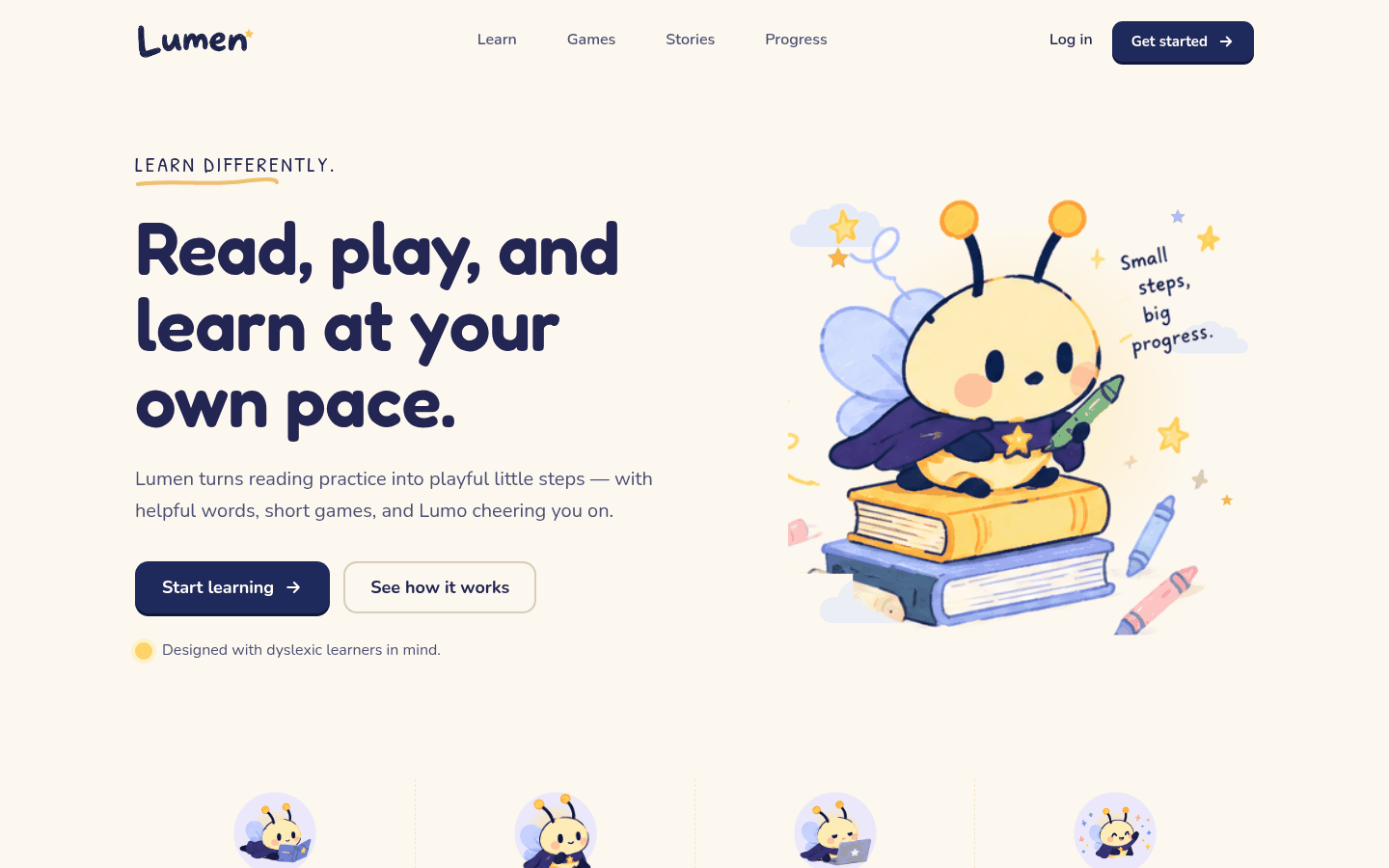
Read, play, and learn at your own pace.
A playful reading, spelling and story app built with dyslexic learners in mind, and enjoyable for everyone.
Lumo, a little crayon firefly, cheers you on, helps when you're stuck, and never minds a mistake.







Try it live · Features · Screenshots · Run it · Deploy · How it works
Note
Lumen is practice, not a test, a diagnosis or a treatment, and it never says otherwise. The live demo runs on a free server that sleeps when idle: the first visit after a quiet spell can take about a minute to wake up.
✨ Features
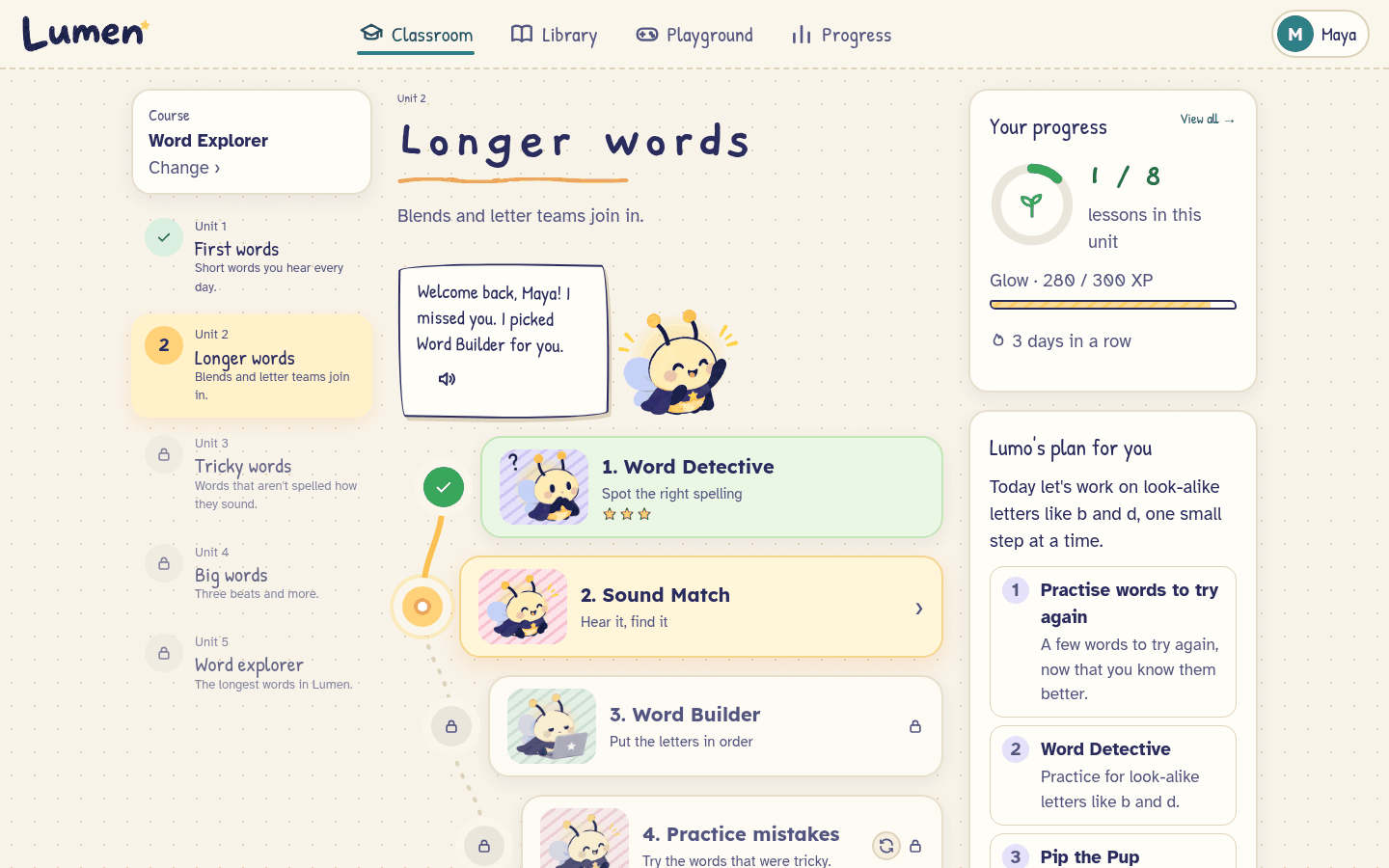
🎓 Classroom
|
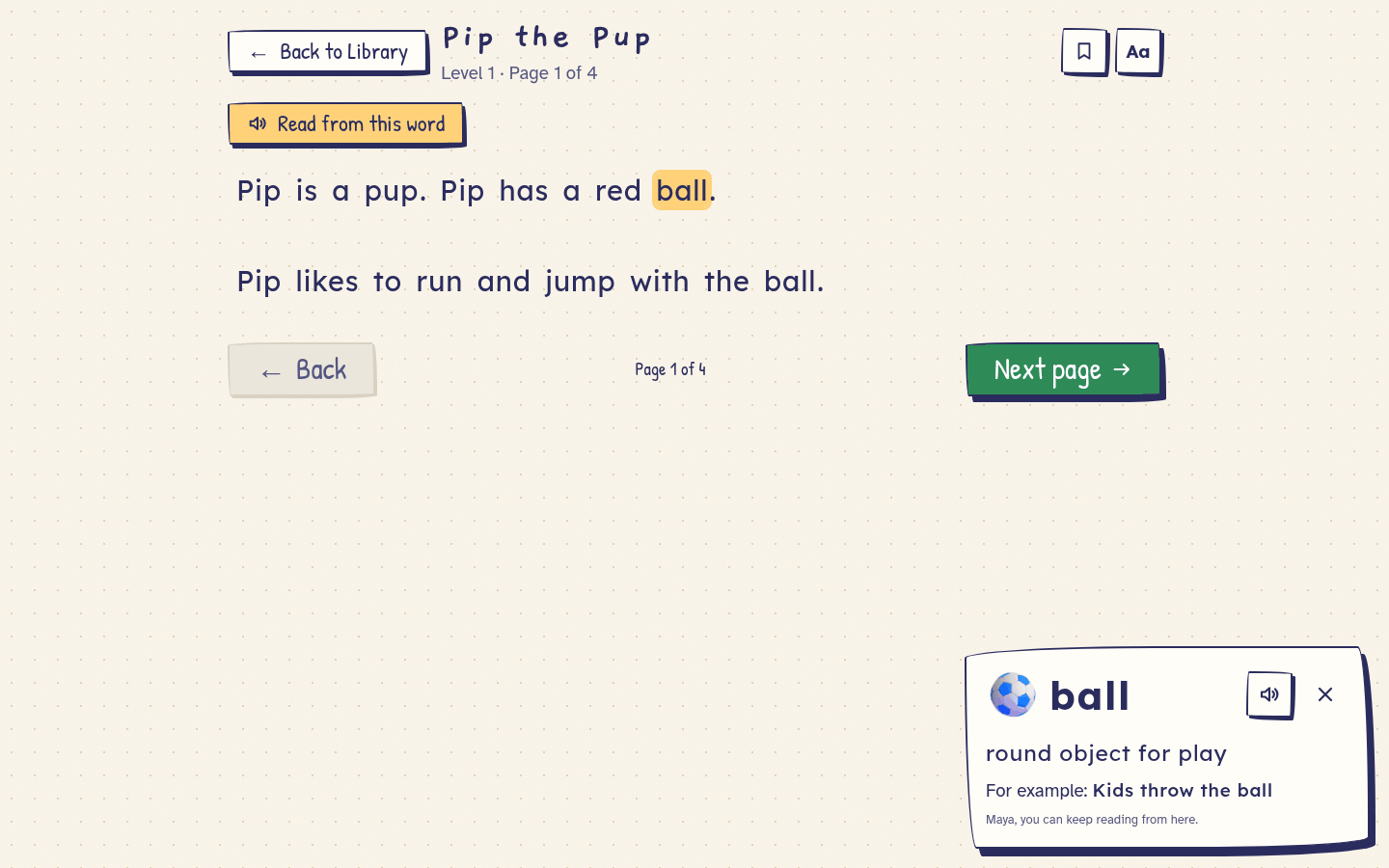
📚 Library
|
🤖 A learning buddy that adapts
|
🎮 Playground & progress
|
👤 Accounts
|
🗣️ Natural voices
|
♿ Built for comfortable reading
| Fonts | Lexend, OpenDyslexic or Atkinson Hyperlegible |
| Look | Three text sizes, four backgrounds (including dark), adjustable spacing and line width, paragraph focus |
| Kindness | No timers and no red crosses. Mistakes get hints, and missed words come back gently later. |
| Sound | Every instruction and word can be heard |
| Motion | Gentle page slides, sparkles for real wins, a trail that draws itself. All of it switches off with the device's reduce motion setting, or in Settings. |
| Keyboard | Full keyboard play. Press ? for every shortcut. |
| Phones | Bottom navigation, large touch targets, no sideways scrolling |
⌨️ Keyboard shortcuts
| Keys | Does |
|---|---|
| ? | Show or hide the shortcuts |
| Alt + 1 / 2 / 3 | Playground / Library / Classroom |
| Alt + 0 | Start page |
| Alt + S | Settings |
| 1–4 | Pick an answer |
| Enter | Check. Press again to continue. |
| Space | Hear the word again |
| ← → | Move between syllable boxes (Syllable Speller) |
| Esc | Leave the round · close word help |
| Arrow keys, then Enter | Move word by word in the reader, then open word help |
| Shift + D | Load the demo learner "Maya" (in the Classroom) |
📸 Screenshots
| Classroom with Lumo's plan | Whole-word reader |
|---|---|
 |
 |
| Library and Lumo's stories | Syllable Speller |
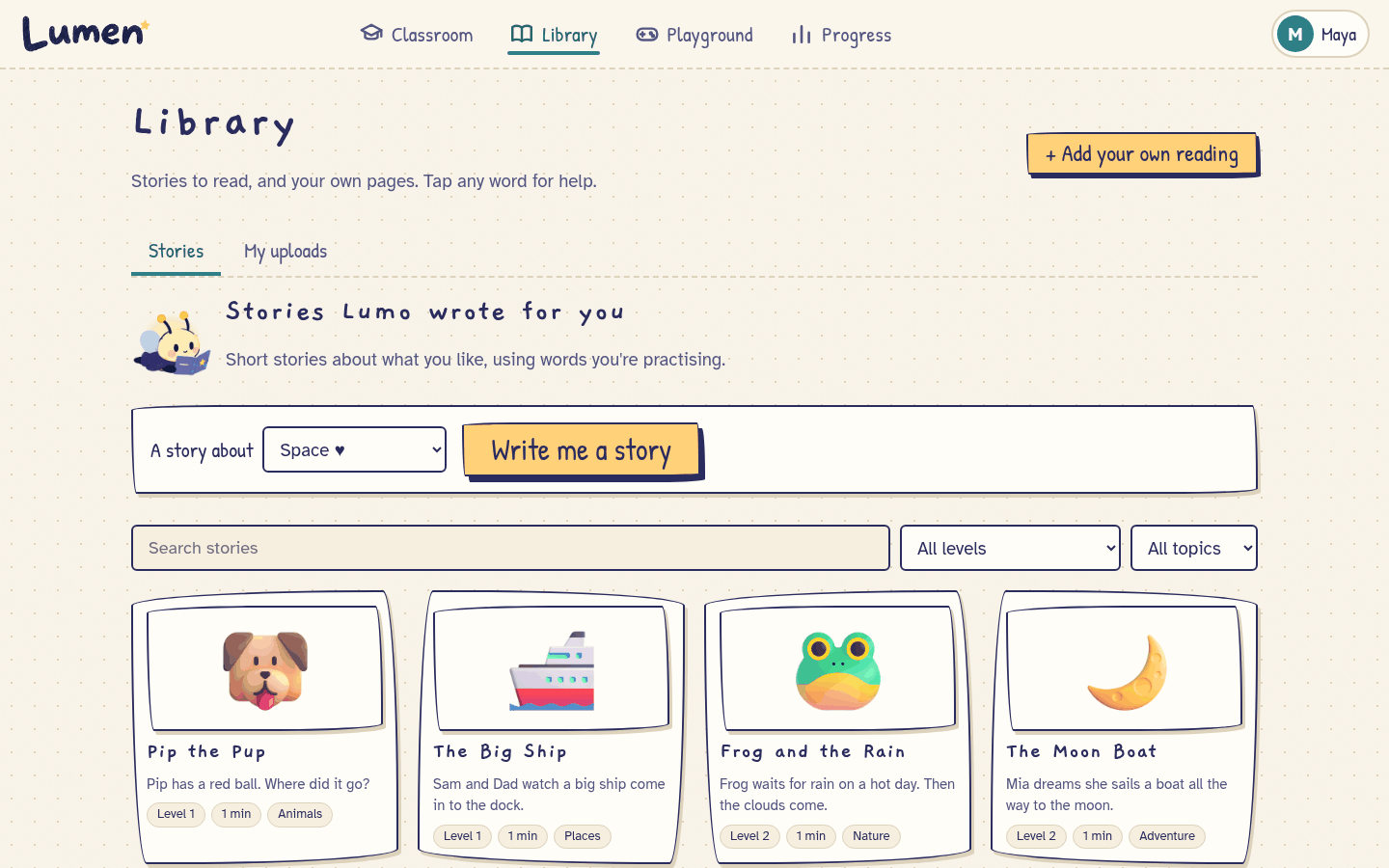 |
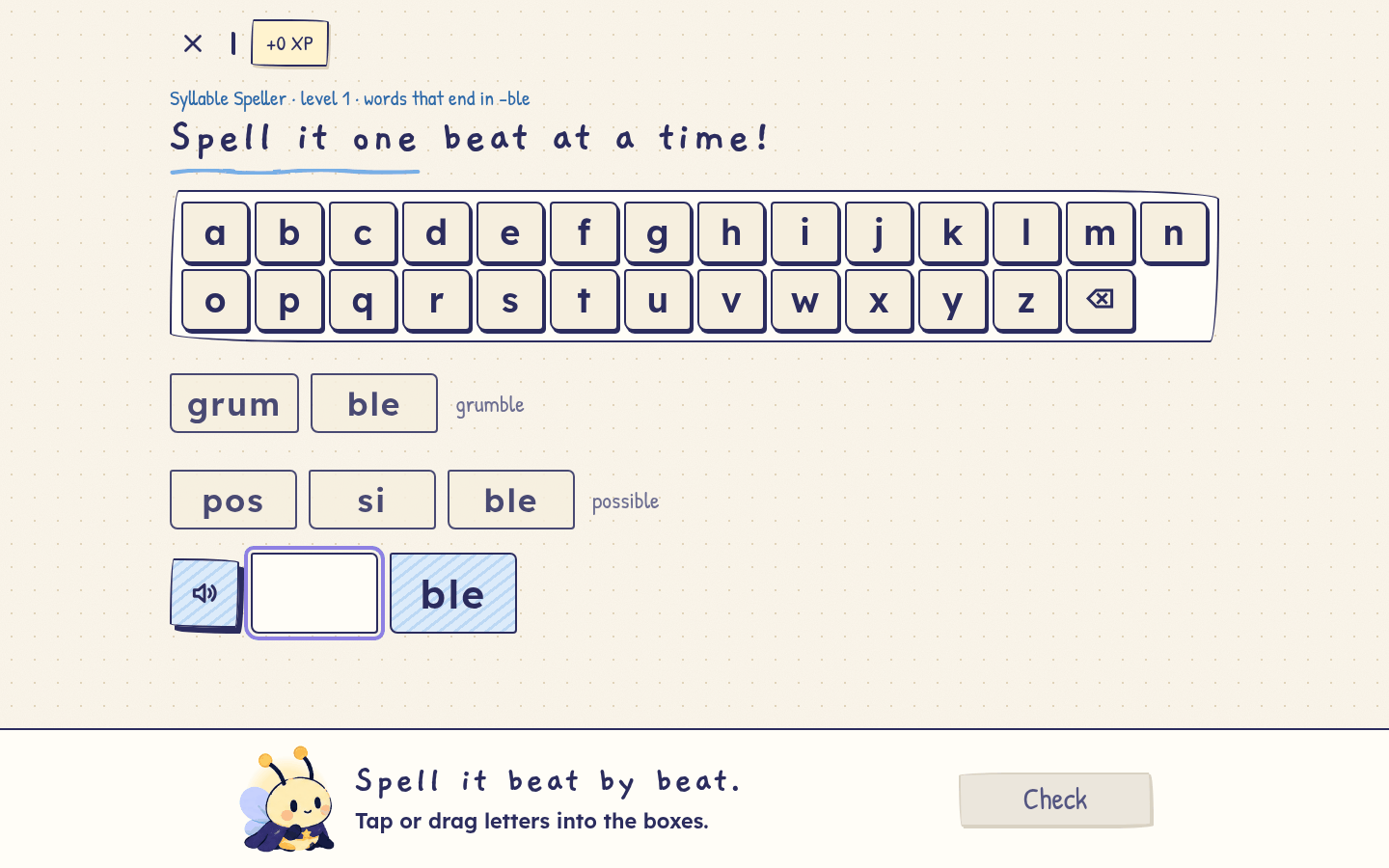 |
| Teach first, then practise | Upload a page, check the text |
 |
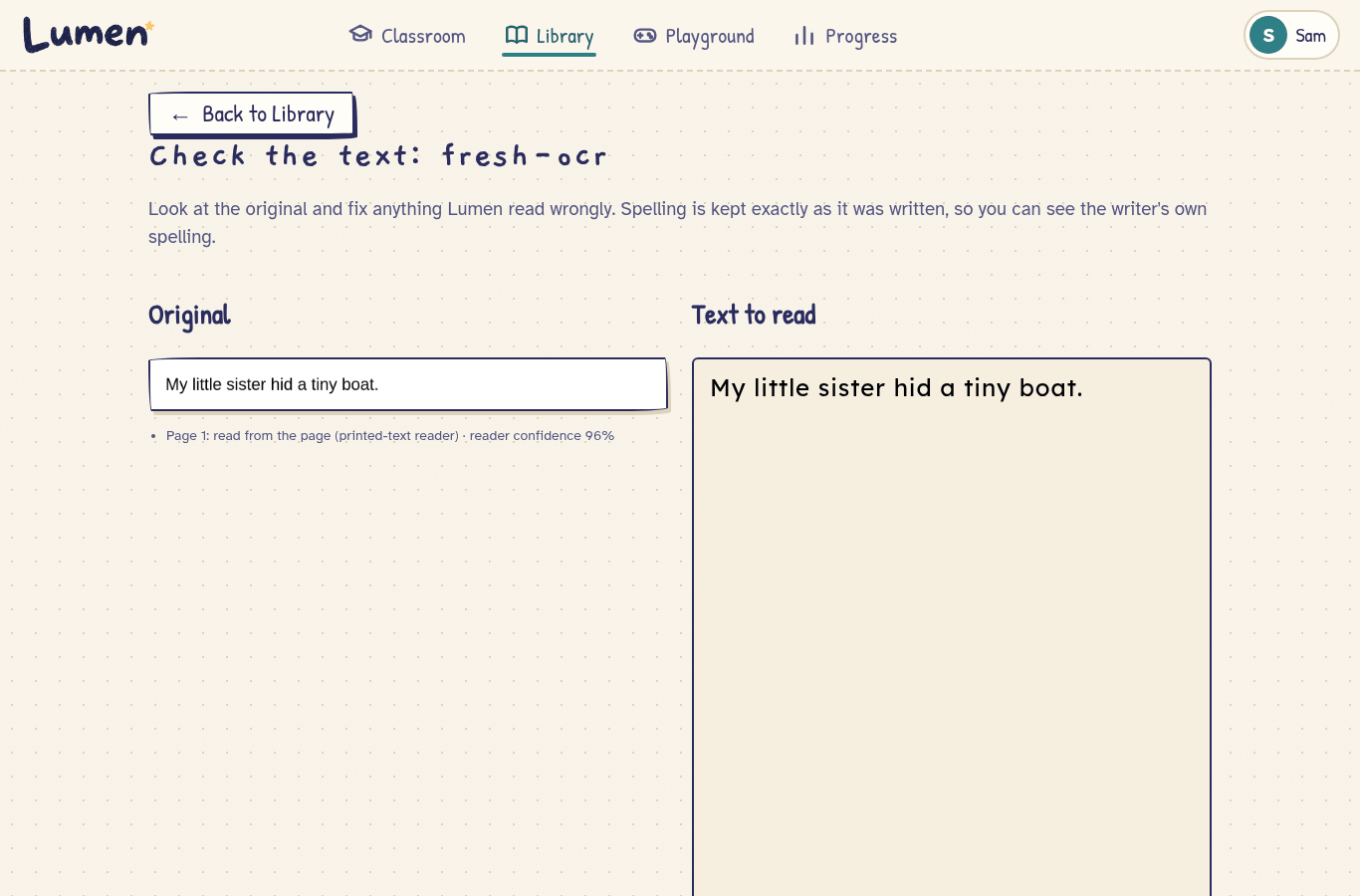 |
| About me: what Lumo knows | Progress and badges |
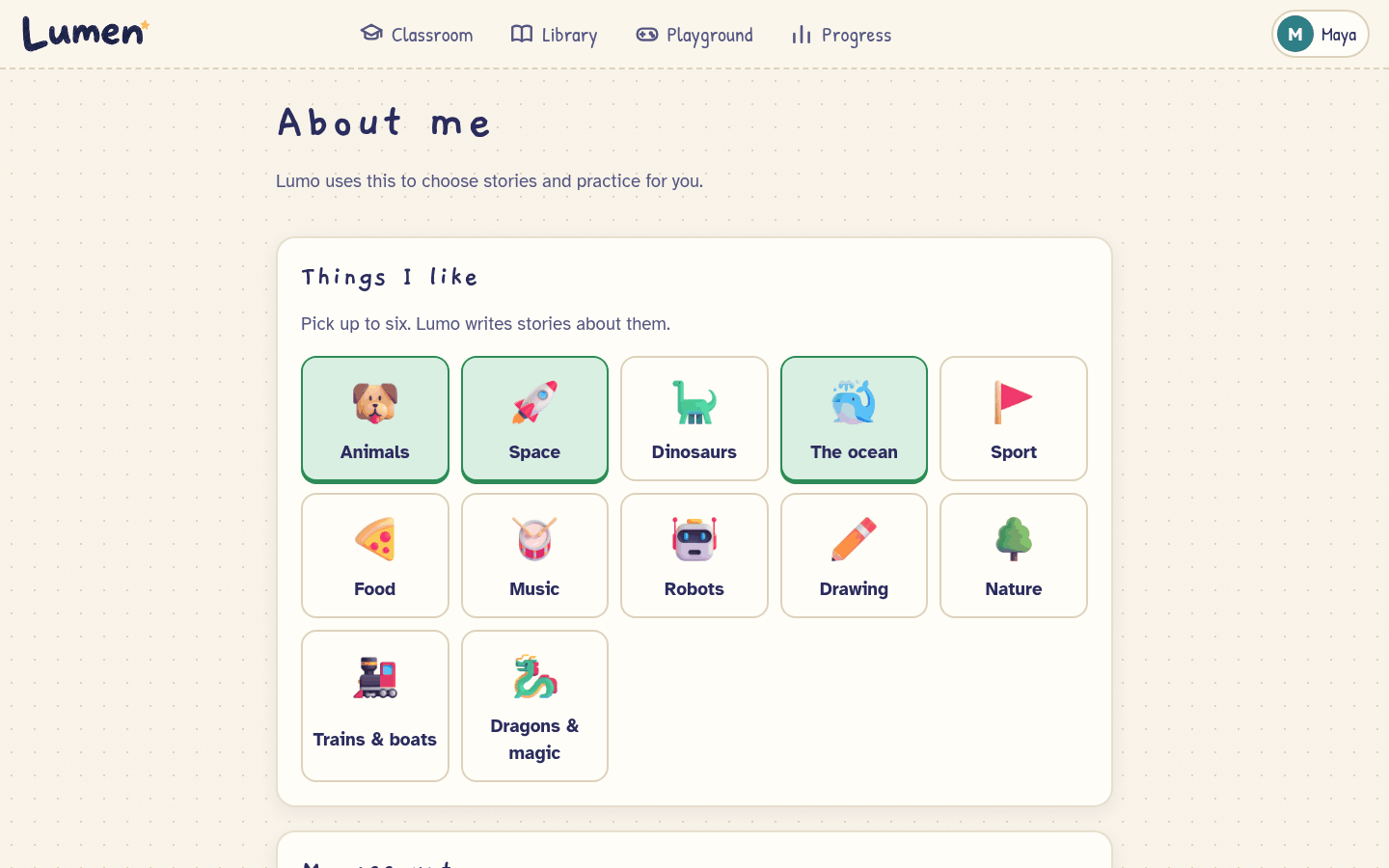 |
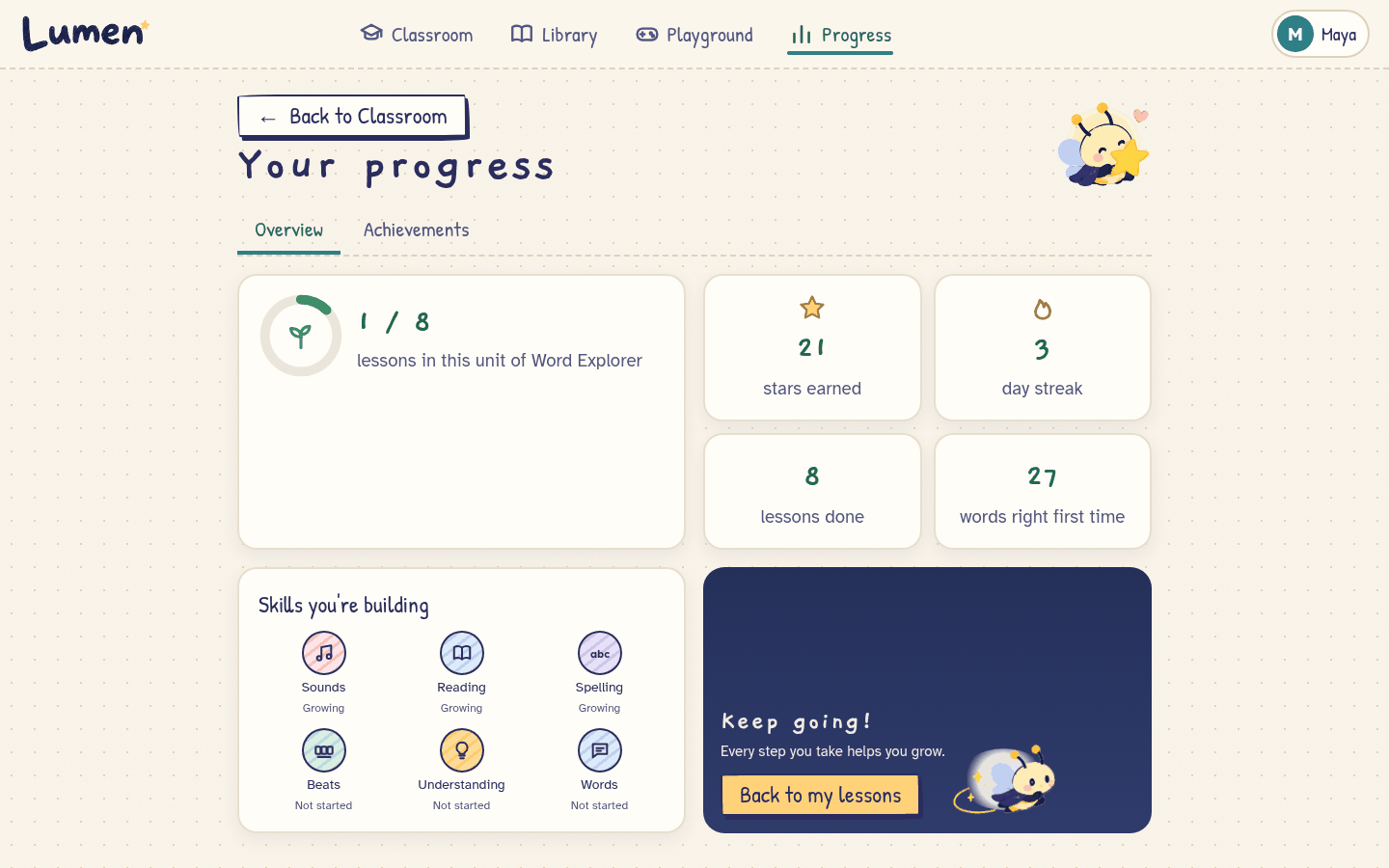 |
| Playground | Log in / create account |
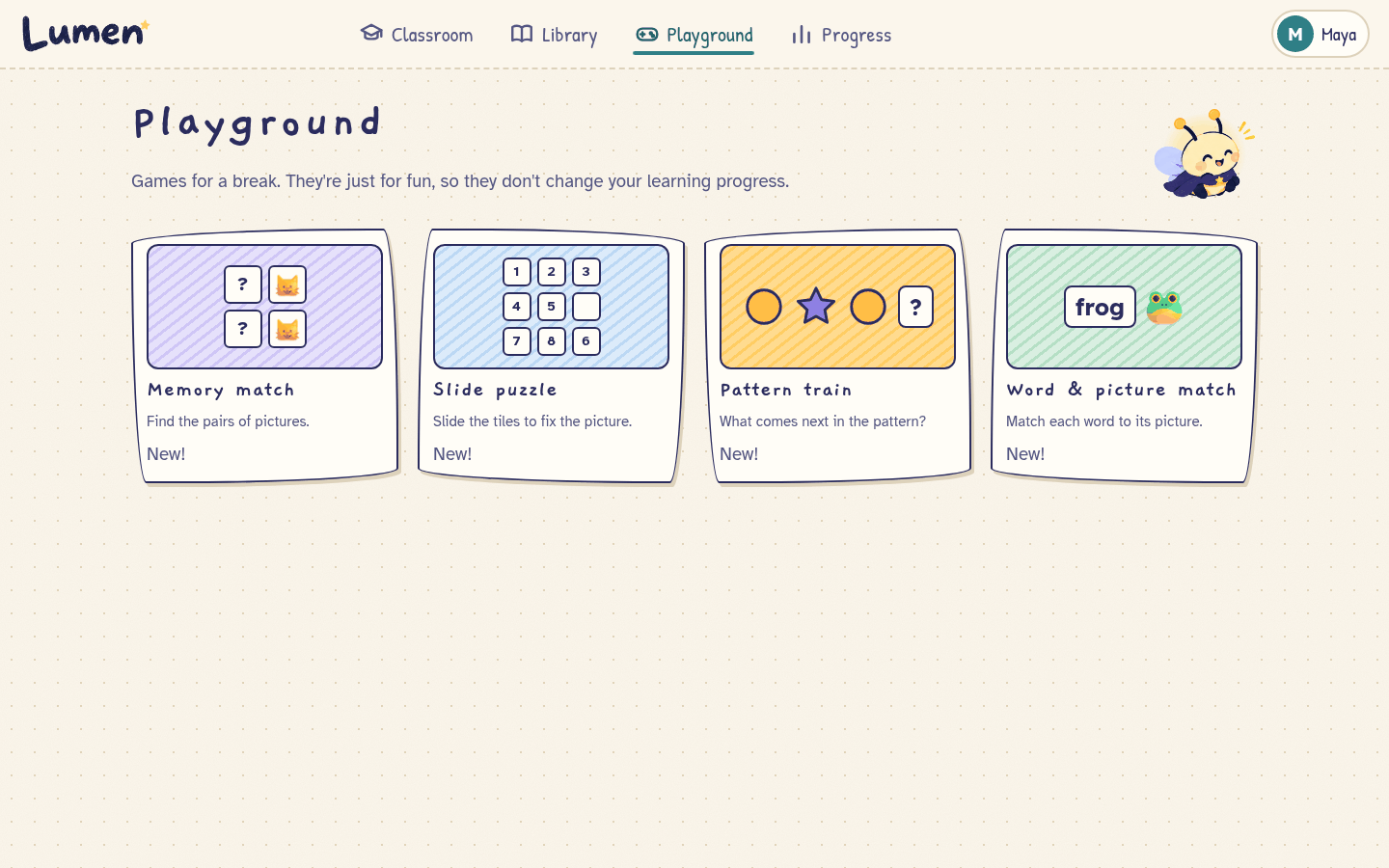 |
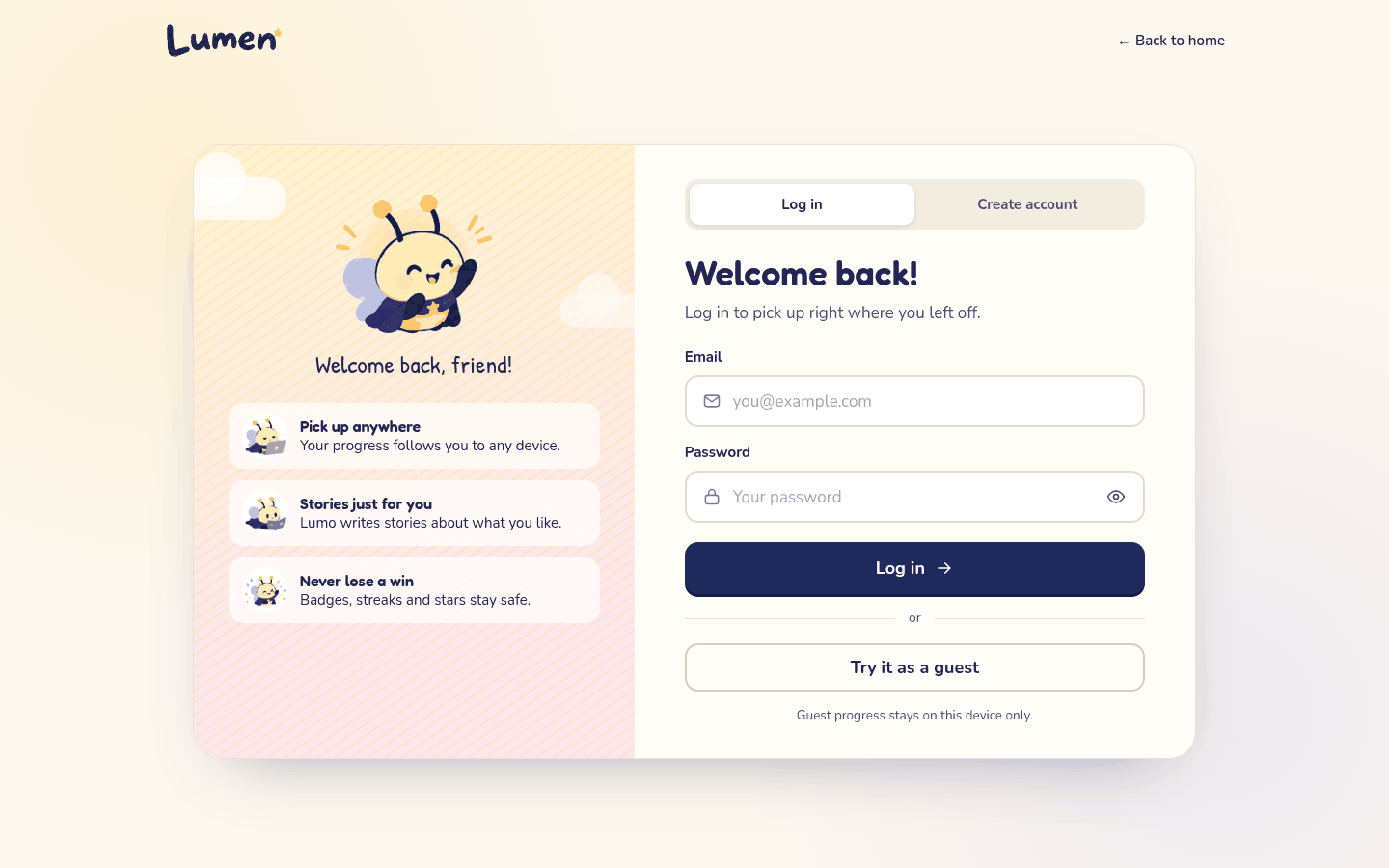 |
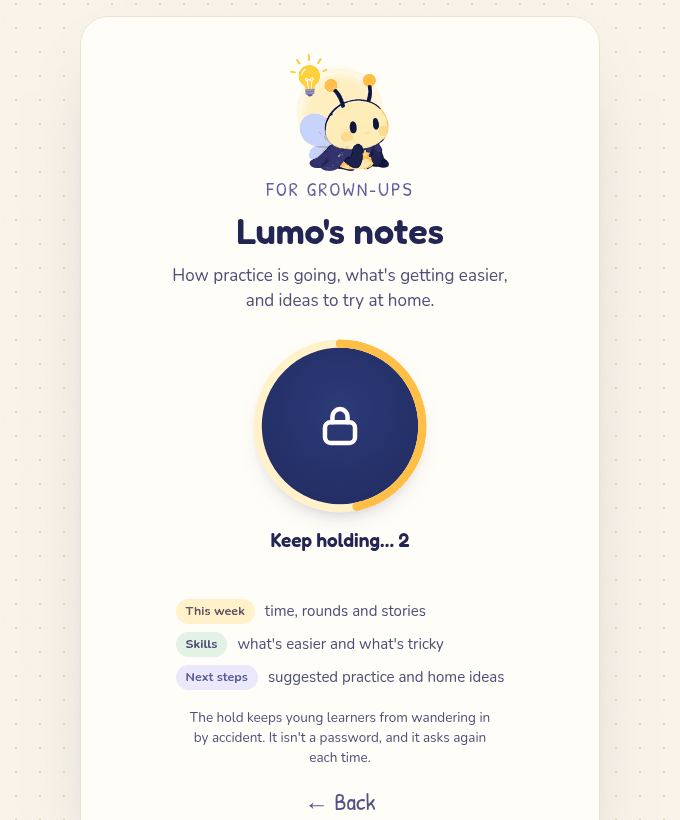
| Notes for grown-ups | The hold-to-open gate |
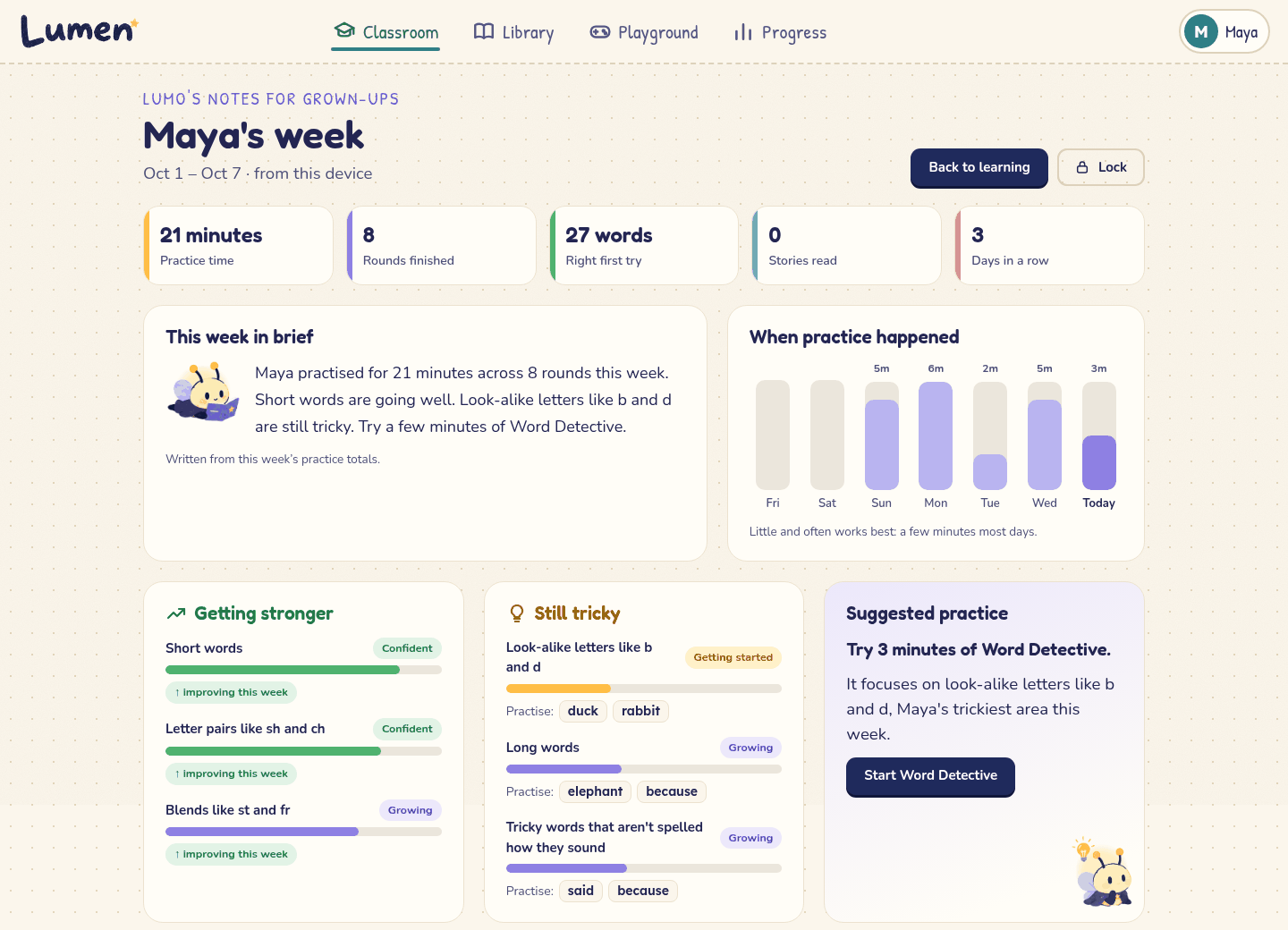 |
 |
On a phone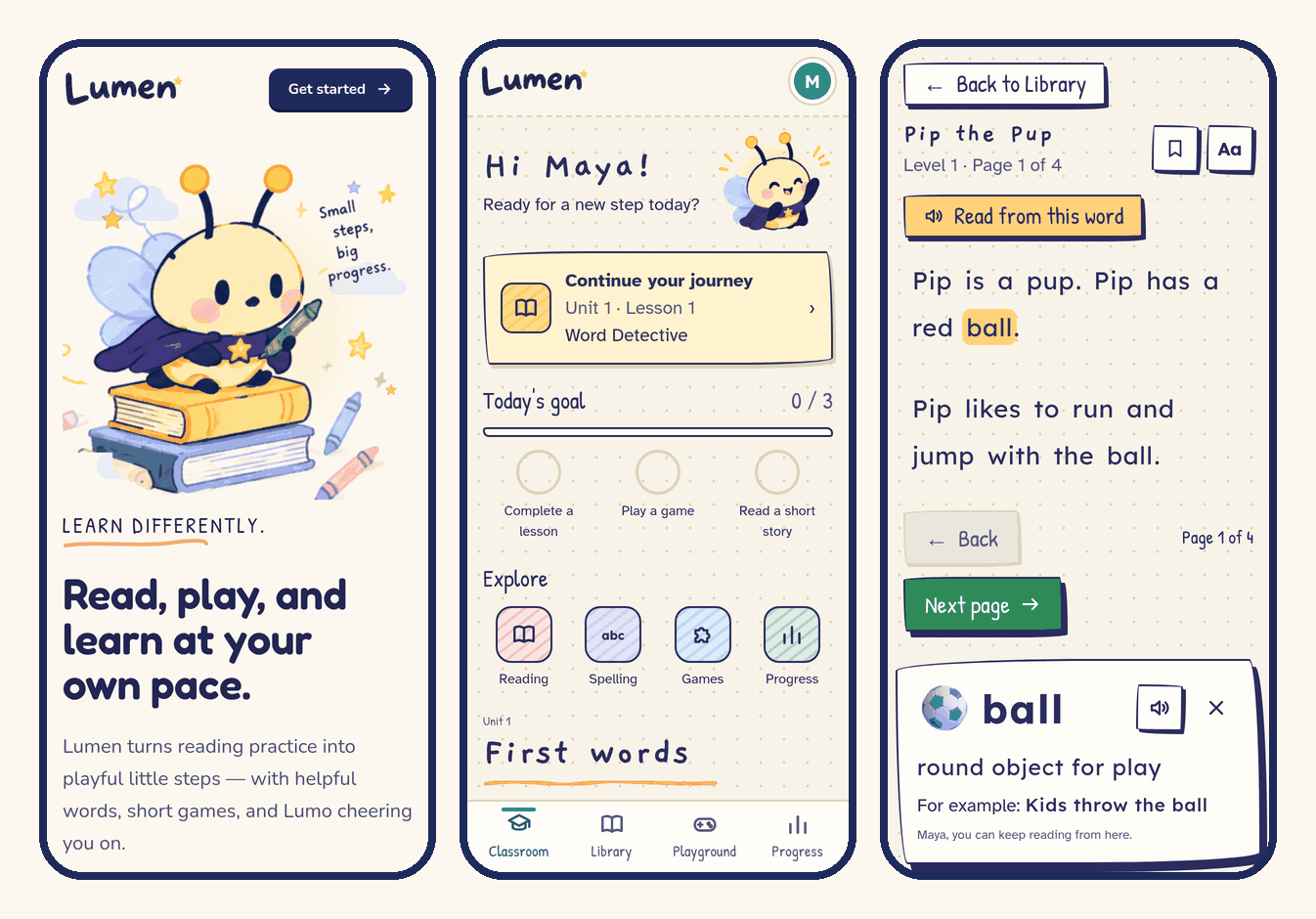
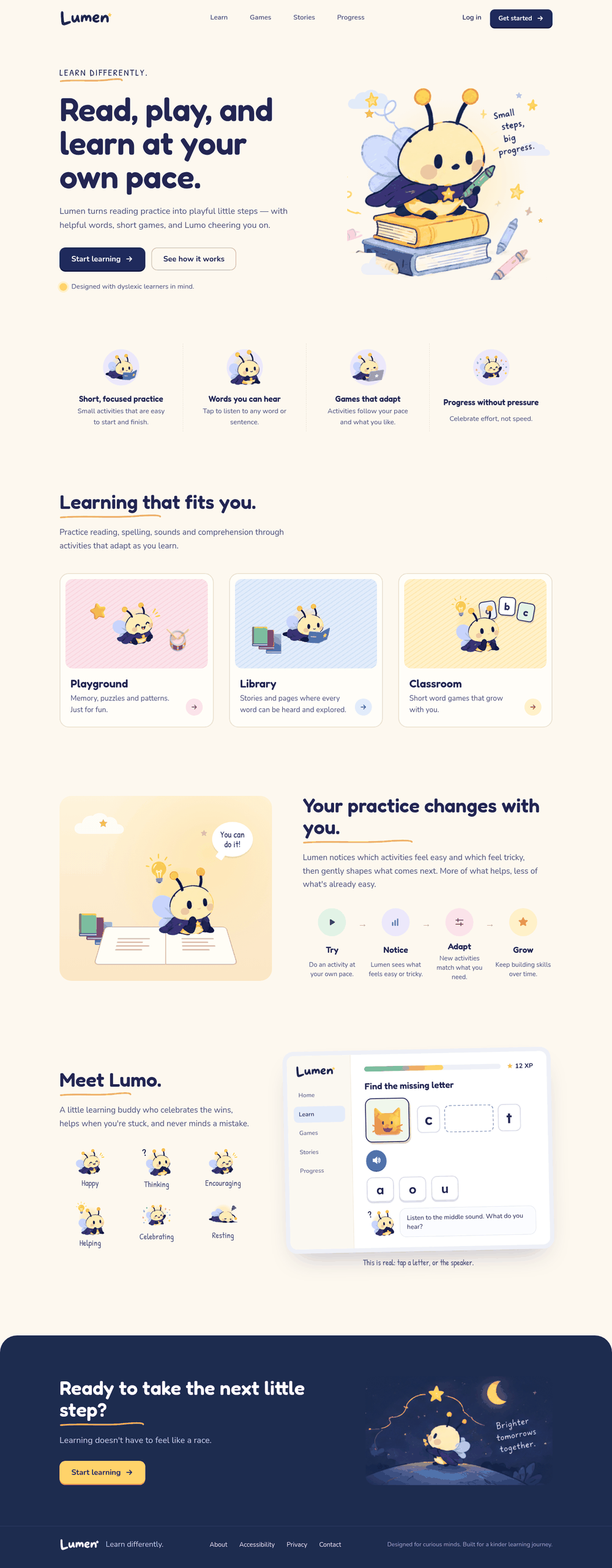
The whole landing page
🚀 Run it locally
Requires Node 22.13 or newer.
git clone https://github.com/Anasarfeen123/lumen-learn.git
cd lumen-learn
npm install
cp .env.example .env      # optional: add AI and voice keys (see below)
npm run dev               # → http://localhost:5173
Production build: npm run build && npm start (port 4173, or PORT).
Accounts are stored in data/lumen.db (a local SQLite file) unless TURSO_DATABASE_URL is set.
Optional system tools (for reading uploaded pages)
| Tool | Used for | Fedora | Debian / Ubuntu |
|---|---|---|---|
| Tesseract | Printed text in photos and scanned PDFs | tesseract tesseract-langpack-eng |
tesseract-ocr |
| Poppler | Text inside PDFs, rendering pages | poppler-utils |
poppler-utils |
| ffmpeg | Shrinking large photos, building the voice pack | ffmpeg |
ffmpeg |
| eSpeak NG | The always-available server voice | espeak-ng |
espeak-ng |
Without them, stories, pasted text and .txt files still work, and the upload screen says exactly what's missing. The Docker image includes all of them.
Configuration (.env, all optional, all server-side)
| Variable | What it turns on |
|---|---|
GROQ_API_KEY |
Lumo's AI: hints, round insights, the daily plan, stories written for the learner, word explanations for uploads, the grown-ups summary, and reading handwriting. The best available model is chosen automatically (override with GROQ_MODEL). |
FISH_API_KEY · FISH_VOICE_ID |
Natural voice from Fish Audio (s2.1-pro-free). The voice id is optional. |
GOOGLE_TTS_API_KEY or GOOGLE_APPLICATION_CREDENTIALS |
Natural voice from Google Chirp 3 HD, if Fish isn't set |
PIPER_MODEL |
A natural offline server voice (Piper) instead of eSpeak |
TURSO_DATABASE_URL · TURSO_AUTH_TOKEN |
Keep accounts in Turso (hosted SQLite) instead of a local file |
LUMEN_DB |
Path of the local database file (default data/lumen.db) |
At startup the server prints what's on (database, AI, voice) without ever printing a key. Settings → Lumo's AI shows the same status inside the app.
☁️ Deploy
Lumen is one container: the web app, the API, text recognition and the database connection. /healthz reports ok · database: turso|file.
Render (free): how the live demo runs
- Create a free database at app.turso.tech, then copy its URL and an auth token.
- On Render: New → Blueprint → pick this repo. Render reads
render.yaml. - Paste
TURSO_DATABASE_URL,TURSO_AUTH_TOKEN,GROQ_API_KEYandFISH_API_KEY, then Apply.
Every push to main redeploys automatically.
Note
The free plan has a small slice of CPU. Photos and text PDFs are quick, but scanned PDFs take about 10 seconds a page there (under a second on a normal computer). Progress shows page by page, and a paid plan makes it much faster.
Anywhere else
docker build -t lumen .
docker run -p 8080:8080 -v lumen-data:/data --env-file .env lumen
fly.toml is included for Fly.io (with a volume for /data).
Tip
Static hosts like Vercel or Netlify can't run Lumen fully, because accounts, AI and text recognition need the server. If you only need the front end, build it with
VITE_LUMO_API=off.
🧠 How it works
flowchart LR
  subgraph Browser
    UI[React app<br/>Classroom · Library · Playground]
    VP[(Voice pack<br/>+ Cache Storage)]
  end
  subgraph Server["Node server (one container)"]
    ACC[Accounts & data API]
    AI[Lumo AI API<br/>plan · stories · hints]
    TTS[Speech API]
    OCR[Text extraction<br/>Tesseract · Poppler]
  end
  DB[(SQLite file<br/>or Turso)]
  UI --> ACC --> DB
  UI --> AI --> GROQ[Groq]
  UI --> TTS --> FISH[Fish Audio / Google / Groq]
  TTS -. fallback .-> LOCAL[Piper / eSpeak]
  UI --> OCR -. handwriting .-> GROQ
  UI --> VP
Privacy and safety
- Passwords are hashed with scrypt. Sessions use an
httpOnly,SameSitecookie whose token is stored only as a hash. Changes require a custom header (CSRF protection), and failed logins are rate-limited. - Every query is scoped to the signed-in learner. Deleting an account erases every table's rows for that learner.
- What the AI sees: interest topics, skill names and words from Lumen's own word list. Never the learner's name, email, or anything they type or upload. The learner's name is also stripped from anything spoken by a cloud voice.
- Every AI reply is checked before it's shown: length, banned words (no talk of tests, scores or conditions), no answers given away, only real choices picked. A template or rule-based answer is always there instead.
- Uploaded pages: printed text and PDFs are read on the server. Handwriting is read by a vision model (Groq) when one is set up. Text detected with low confidence is flagged for review, and no confidence numbers are made up.
- Security headers: a strict Content-Security-Policy,
X-Frame-Options: DENY, and no third-party scripts or fonts.
Project layout
src/
  account/      sign up / log in pages, auth state, saving to the account
  personal/     interests, Lumo's daily plan, Lumo-written stories
  engine/       adaptive engine, courses & units, practice, progression, badges, speller (pure, tested)
  classroom/    teach-first activities and learning records
  library/      story bank, whole-word segmentation, reader, word help, uploads
  playground/   the four games
  screens/      landing, Classroom, Progress, game screens, settings, grown-ups
  services/     voices (pack, cache, server, device), AI client, sound effects
server/
  index.mjs         production server (static files, security headers, /healthz)
  db.mjs            SQLite / Turso via libSQL
  account-api.mjs   accounts, sessions, profile, library, uploads
  personal-api.mjs  daily plan and stories (with checks and fallbacks)
  lumo-api.mjs      hints, insights, word explanations, speech
  extract.mjs       PDF / photo / handwriting text extraction
docs/           spec, brand boards, screenshots
🧪 Testing
npm test             # 209 unit tests: engine, courses, practice, speller, segmentation, accounts, AI checks…
npm run typecheck
npm run smoke        # with the app running: 24 real-browser journeys
npm run smoke drives a real Chromium with no test-only hooks. It covers:
- onboarding and a full lesson round;
- sign up → progress saved to the database → log out → Back is blocked → log in restores it;
- interests and Lumo's plan, and deleting an account;
- teach-first activities and Playground games (checking they don't touch reading progress);
- whole-word help and pronunciation;
- a freshly generated photo through real OCR and a freshly generated PDF;
- back/forward, shortcuts, Enter checks before it continues, and the Classroom tab never landing on Progress or the grown-up notes;
- the grown-ups gate: a short press doesn't open it, a full hold does, and leaving, locking or reloading asks again;
- reduced motion and the phone layout.
The journeys run with animations on, so page transitions are exercised too.
The same suite runs in CI on every push, and against the live site.
Content scripts
npm run voices       # pre-generate the voice pack into public/voice/
npm run dictionary   # draft word explanations for story words (AI, validated; review the output)
npm run pictures     # word illustrations (Microsoft Fluent Emoji 3D, MIT)
npm run icons        # illustrations for word help and badges
📝 Honest notes
- Word explanations for story words were drafted by AI, checked by a script and partly corrected by hand. A person should still review them.
- The voice pack is only partly built. With a Fish Audio or Google key,
npm run voicesfills in the rest. - The free server sleeps after 15 minutes without visitors, and reads scanned PDFs slowly (about 10 seconds a page). A paid plan or another host avoids both.
- Voices: Fish Audio is tested live. Google Chirp 3 HD is implemented and tested against recorded responses only, since no Google key was available.
- Animations use the View Transitions API for page slides. Browsers without it change pages instantly; everything else still animates.
- Lumen is a learning tool, not a medical one. It never diagnoses, treats, or claims to fix dyslexia.
📄 License
MIT © 2026 Anas Arfeen. You're free to use, change and share Lumen; please keep the copyright notice.
Bundled third-party assets keep their own licences: Fluent Emoji illustrations (MIT, see public/pictures/NOTICE.md) and the fonts (SIL Open Font License).
🙏 Credits
- Illustrations: Microsoft Fluent Emoji (MIT)
- Fonts: Fredoka, Nunito, Lexend, OpenDyslexic, Atkinson Hyperlegible, Patrick Hand and Gaegu, via Fontsource
- AI and speech: Groq, Fish Audio, Google Cloud Text-to-Speech, Piper, eSpeak NG
- Text recognition: Tesseract and Poppler

Made with care for curious minds. Small steps, big progress.