
The Pomodoro timer that stops you with cats
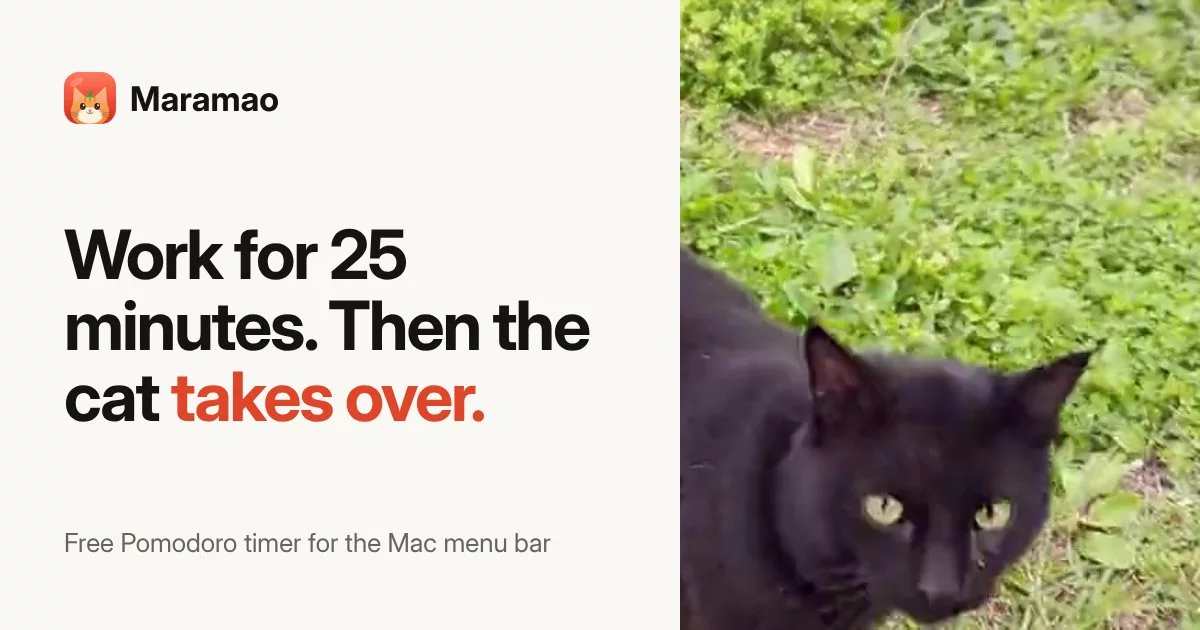
A native macOS menu bar app for the Pomodoro technique. Work for 25 minutes, then a cat makes sure you actually take the break. Written in Swift with SwiftUI and AppKit.
The app speaks Italian and English and follows the language of your Mac. This README uses the English labels; where it helps, the Italian one follows in parentheses.
Website: maramao.kkratter.com
Install (macOS 13+, free, no special permissions):
curl -fsSL https://raw.githubusercontent.com/kkratterf/maramao/main/install.sh | sh
or download the DMG from the latest release, or use Homebrew. Maramao is not notarized yet: see first launch if macOS blocks it.
The cats
Pick one in the menu bar, or let 🎲 Surprise me (Sorpresa) choose a different one every break. You can try each of them right away from Try a cat (Prova un concept).
| Mode | What happens | |
|---|---|---|
| 🐈 | Cat on your window (Il gatto sulla finestra) | A cat walks across the screen, jumps on the window you are working in and sits on it. That window is blocked until the break ends. Switch window? The cat follows. |
| 😹 | Meme wall (Muro di meme) | The screen fills with cat memes until the break is over. |
| 😴 | Don't wake the cat (Non svegliare il gatto) | A cat falls asleep on your screen. Touch the mouse and it wakes up and judges you. |
| 🐾 | Cat invasion (Invasione di gatti) | Cats rain from the top of the screen and pile up until everything is buried. |
| 🔴 | Laser chase (Caccia al laser) | Your mouse pointer turns into a red laser dot and a cat chases it all over the screen, pouncing when it stops. Leave the mouse alone and the cat sits down to groom. |
| ⌨️ | Cat on the keyboard (Il gatto sulla tastiera) | A cat falls asleep on a big keyboard. Every key you press ends up as cat-typing ("mmmmrrrrrooooow"), and Cmd-Q won't get you out. |
| 🐦 | The cat at the window (Il gatto alla finestra) | The screen becomes a window onto a garden: birds hop on a branch, the cat watches them and chatters. The HUD asks you to look far away, the eye-rest break (20-20-20). |
Breaks can be skipped after a minute (configurable), or never in strict mode (modalità severa). Need two more minutes? Snooze (Rimanda) on the break pill (or ⌃⌥⌘R) sends the cat away for 1, 3 or 5 minutes and brings the whole break back afterwards, up to 3 times a day by default (Settings → Strictness). Snoozes show up in the stats. Not to be confused with Pause for…, which puts the whole app to sleep.
With more than one display, Displays in Settings picks where the cats appear: every display, only the main one, or the one with the mouse. The others are just dimmed a little.
Your cat remembers you. Every break you take earns it a treat you can give from the menu or Settings; skipped breaks make it a little grumpy, a streak of respected ones makes it happier. During breaks you can pet it with a click (it purrs) and drag it around in Cat on your window and Cat invasion. Name it in Settings → Your cat, or turn the whole thing off there.
Switching rhythm takes one click: Rhythm (Ritmo) in the menu offers Classic 25/5, Long 50/10 (long break 30), Deep 90/20 (long break 30) and Custom, the times you set in Settings. The session on screen keeps its length; the new rhythm starts with the next phase.
In Settings → Menu bar you choose what the menu bar shows: cat and countdown (default), only the cat, only the countdown, or the cat inside a ring that fills up as the session goes on. The countdown can also drop the seconds (24m).
Calls and presentations
A cat on your Zoom call is not funny. When the microphone or the camera is in use, or Keynote, PowerPoint, a video or a call app is fullscreen, the break waits one minute at a time (up to 10 minutes by default, or as long as it takes) and a little cat tells you "I'll wait until your call is over". Turn it off or change the limit in Settings → Calls and presentations. No permission needed.
When you step away
Lunch, a meeting, the Mac asleep or locked: Maramao notices (no permission needed). By default the work timer stops while you are away, and if you were gone at least as long as a short break you come back to a fresh start, because you already rested. Settings → When you're away can also just pause the timer or ignore absences. Either way, a break never starts while the screen is locked or asleep, and never in the first seconds after you are back.
Emergency exit
If a break ever gets stuck, or you really have to stop it, press ⌃⌥⌘⌫ (Control-Option-Command-Delete) to end it right away, strict mode included. No shortcut at hand? Click five times quickly in the top-left corner of any screen. Neither needs any permission.
As a safety net, Maramao also closes every cat window by force if a break is still on screen 30 seconds after it should have ended.
Keyboard shortcuts
They work from any app and need no special permission. Turn each one on or off in Settings → Shortcuts.
| Shortcut | Action |
|---|---|
| ⌃⌥⌘M | Start a pomodoro, or pause / resume it |
| ⌃⌥⌘B | Take the cat break now |
| ⌃⌥⌘S | Skip the current phase (a break only once skipping is allowed) |
| ⌃⌥⌘R | Snooze the break that just started (Snooze, within the daily limit) |
Automation
Maramao answers to maramao:// URLs, so Shortcuts ("Open URLs"), Raycast, Alfred, a Stream Deck or the terminal can drive it:
open maramao://start
| URL | What it does |
|---|---|
maramao://start |
Start a pomodoro (or resume a paused one) |
maramao://pause |
Pause the running pomodoro |
maramao://resume |
Resume a paused pomodoro |
maramao://toggle |
Start, pause or resume, like the main button |
maramao://break |
Take the cat break now |
maramao://skip |
Skip the current phase |
maramao://reset |
Stop and go back to idle |
maramao://mode/<id> |
Choose the break mode for the next breaks |
maramao://longmode/<id> |
Choose the break mode of the long break (same follows the short break) |
maramao://preview/<id> |
Try a break mode for 30 seconds |
maramao://preset/<id> |
Choose the rhythm: classic, long, deep or custom |
Mode ids: walkingCat, memeWall, sleepyCat, catPile, laserChase, keyboardCat, birdWatching, or random (🎲 Surprise me). URLs that would end a break early (start, skip, reset) only work once the break may be skipped, so strict mode still wins.
The Shortcuts app also lists Maramao actions: Start a pomodoro, Pause or resume, Cat break now, Choose the break mode, Choose the rhythm, Choose the long-break cat and Maramao status (returns the phase, the time left and today's pomodori as text). Siri and Spotlight know phrases like "Start a pomodoro with Maramao" (in Italian: "Inizia un pomodoro con Maramao"). They show up once Maramao.app has been opened from Applications.
A Raycast script command, for example:
#!/bin/bash
# @raycast.schemaVersion 1
# @raycast.title Maramao: start / pause
# @raycast.mode silent
open "maramao://toggle"
Cat packs
A cat pack adds your own cats without touching the code: fur colours for the drawn cat, cat names, meme captions and pictures for Meme wall, and tips for the break bubble. Packs are plain folders in ~/Library/Application Support/Maramao/Cats/; Settings → Cat packs has Open folder, Reload and a switch per pack. To start, copy packs/example there.
Cats/
  my-cats/
    pack.json
    images/micio.png
pack.json (only schemaVersion, id, name and license are required):
{
  "schemaVersion": 1,
  "id": "my-cats",
  "name": "My cats",
  "author": "Your name",
  "license": "CC0-1.0",
  "description": "Optional, up to 300 characters.",
  "palettes": [
    { "name": "Micio", "fur": "#F0963C", "stripes": "#C8641E", "belly": "#FAE6C8", "eyes": "#6EBE50", "nose": "#F28C99" }
  ],
  "catNames": ["Micio"],
  "captions": [{ "top": "WHEN THE TIMER RINGS", "bottom": "AND THE CAT SMILES" }],
  "images": ["images/micio.png"],
  "tips": { "short": ["Look away for twenty seconds."], "long": ["Go for a short walk."] }
}
Rules, checked when the pack loads (a pack that breaks one is skipped and its error shown in Settings; it never stops a break):
licenseisCC0-1.0orCC-BY-4.0; CC-BY needs anauthor. Only art you made or that is under one of these licenses.id: lower-case letters, digits and dashes, up to 40 characters. Colours are#RRGGBB;stripesandnoseare optional.imagesare PNG, GIF or JPEG files inside the pack folder: no web addresses, no.., at most 5 MB each, 50 images and 30 MB per pack.- Text limits: names 30 characters, captions 80 per line, tips 160; at most 16 palettes, 50 names, 200 captions, 100 tips per kind.
pack.jsonup to 256 KB.
Install
Maramao needs macOS 13 Ventura or later and no special permissions. Pick one of the three ways below.
1. The DMG (drag and drop)
- Download
Maramao-x.y.z.dmgfrom the latest release. - Open it and drag the cat onto Applications.
- Eject the disk image.
Every release also ships a plain Maramao-x.y.z.zip and a SHA256SUMS.txt to check the downloads (shasum -a 256 -c SHA256SUMS.txt --ignore-missing).
2. The one-liner
curl -fsSL https://raw.githubusercontent.com/kkratterf/maramao/main/install.sh | sh
The script downloads the latest release, checks its SHA-256, quits Maramao if it is running, installs Maramao.app in /Applications (or ~/Applications if /Applications is not writable), clears the quarantine flag and offers to open it. Read it first if you like: it is short.
| Variable | Effect |
|---|---|
MARAMAO_VERSION=v0.1.0 |
install a specific release instead of the latest |
MARAMAO_INSTALL_DIR=~/Apps |
install somewhere else |
MARAMAO_NO_OPEN=1 |
do not offer to open Maramao at the end |
Variables go after the pipe: curl -fsSL .../install.sh | MARAMAO_VERSION=v0.1.0 sh.
3. Homebrew
brew tap kkratterf/maramao https://github.com/kkratterf/maramao
brew install --cask maramao
The tap lives in this repository (Casks/maramao.rb) and is updated by every release. The cask installs the DMG from GitHub Releases into /Applications; the Gatekeeper note below applies to it too.
4. First launch and Gatekeeper
Maramao is not notarized by Apple yet, so the first time you open a copy from the DMG or the zip macOS says it cannot verify the developer and offers only Done or the Bin. To open it anyway:
- Try to open it once and close the warning with Done.
- Go to System Settings → Privacy & Security, scroll down and click Open Anyway next to the message about Maramao.
- Enter your Mac password and confirm with Open.
On macOS 13 and 14 the old shortcut also works: right-click Maramao.app in Applications → Open → Open again. macOS 15 Sequoia removed it.
Or skip all that and clear the quarantine flag in Terminal:
xattr -dr com.apple.quarantine /Applications/Maramao.app
The install script does this for you. You only need to do it once per version.
5. Where is it?
Maramao lives in the menu bar, top right: look for the 🐱 (it turns into 🍅 and a countdown while you work). There is no Dock icon. The first time you open it, a cat welcomes you in a small window: it sets the timer, lets you pick a cat, shows a 10-second trial break and the emergency exit. You can skip it, and see it again from Settings → Show the welcome again (Rivedi il benvenuto). From the menu you start the timer, pick a cat, open the settings, or try a break right away with Try a cat.
To start Maramao every time you log in, turn on Open Maramao at login in Settings. macOS may ask you to allow it in System Settings → General → Login Items.
6. Updating
Install the new version the same way: drag the new DMG's app over the old one (choose Replace), or run the one-liner again. Your settings are kept.
With Homebrew: brew update && brew upgrade --cask --greedy maramao (the cask is marked auto_updates, so a plain brew upgrade leaves Maramao alone and lets the app update itself).
7. Uninstalling
curl -fsSL https://raw.githubusercontent.com/kkratterf/maramao/main/install.sh | sh -s -- --uninstall
With Homebrew: brew uninstall --cask maramao, or brew uninstall --zap --cask maramao to remove the settings too.
The script quits Maramao, deletes Maramao.app and its settings (defaults delete com.kkratterf.maramao). By hand: quit Maramao from its menu, move Maramao.app to the Bin, and optionally run that defaults delete command. The login item, if you turned it on, goes away with the app.
8. Build from source
Needs Xcode 15 or later.
git clone https://github.com/kkratterf/maramao
cd maramao
swift test                      # unit tests
scripts/build-app.sh release    # builds dist/Maramao.app
open dist/Maramao.app
swift run Maramao also works for a quick try, without the app bundle.
Contributing
Contributions are welcome, from a new cat to a timer fix.
- Found a bug or have an idea? Open an issue: there are forms for bugs, features and new break concepts.
- Want to add a cat? Every break mode is a
BreakModeinSources/Maramao/Modes/. The sharedCatViewdraws the cat,OverlayWindowandBreakHUDdo the rest. - Made a cat pack? Share it by pull request: add it as
packs/<id>/(the folder name must match theid) with apack.jsonthat declaresCC0-1.0orCC-BY-4.0and only art you have the right to share under it.swift testvalidates every pack inpacks/, so CI tells you if something is off. - Before a PR, read
AGENTS.md: it lists the checks to run, the commit format and the rules for break modes. It is written for AI agents and humans alike.
Art
Every cat in Maramao is drawn in code (Sources/Maramao/Shared/CatView.swift). No third-party images, memes or GIFs are bundled.
The website shows short clips of real cats from Wikimedia Commons, trimmed and re-encoded in site/media/. They are not part of the app. The CC BY-SA clips are shared under the same license:
- Black Cat walking.webm by Dzkouslavia, CC0 (license)
- Kluse - Lotti playing in a box v 01 ies.webm by Frank Vincentz, CC BY-SA 3.0 (license)
- Cat yawning in slow motion.webm by Grendelkhan, CC BY-SA 4.0 (license)
- Kitten sleeping 2 2014-08-24.ogv by FASTILY, CC BY-SA 4.0 (license)
- Three kittens 1 2017-06-25.webm by FASTILY, CC BY-SA 4.0 (license)
- Cat playing with a laser pointer.webm by Clément Bucco-Lechat, CC BY-SA 3.0 (license)
- Kitten playing - Tokyo - Jan 7 2020.webm by Nesnad, CC BY 4.0 (license)
- Yawning kitten.ogv by Andrew Krizhanovsky, Public domain
The pictures in packs/example/images were drawn for this repository by a small script and are CC0, like the rest of that pack. Community packs declare their own license (CC0 or CC-BY) in pack.json; Maramao shows it in Settings.
License
MIT
Made with Claude and cats