Turn a Markdown file into a coursebook-style PDF: gradient cover, table of contents, chapter banners, colored boxes, publication-quality equations and syntax-highlighted code. It runs fully offline on Windows, macOS and Linux, with no network access and no AI.
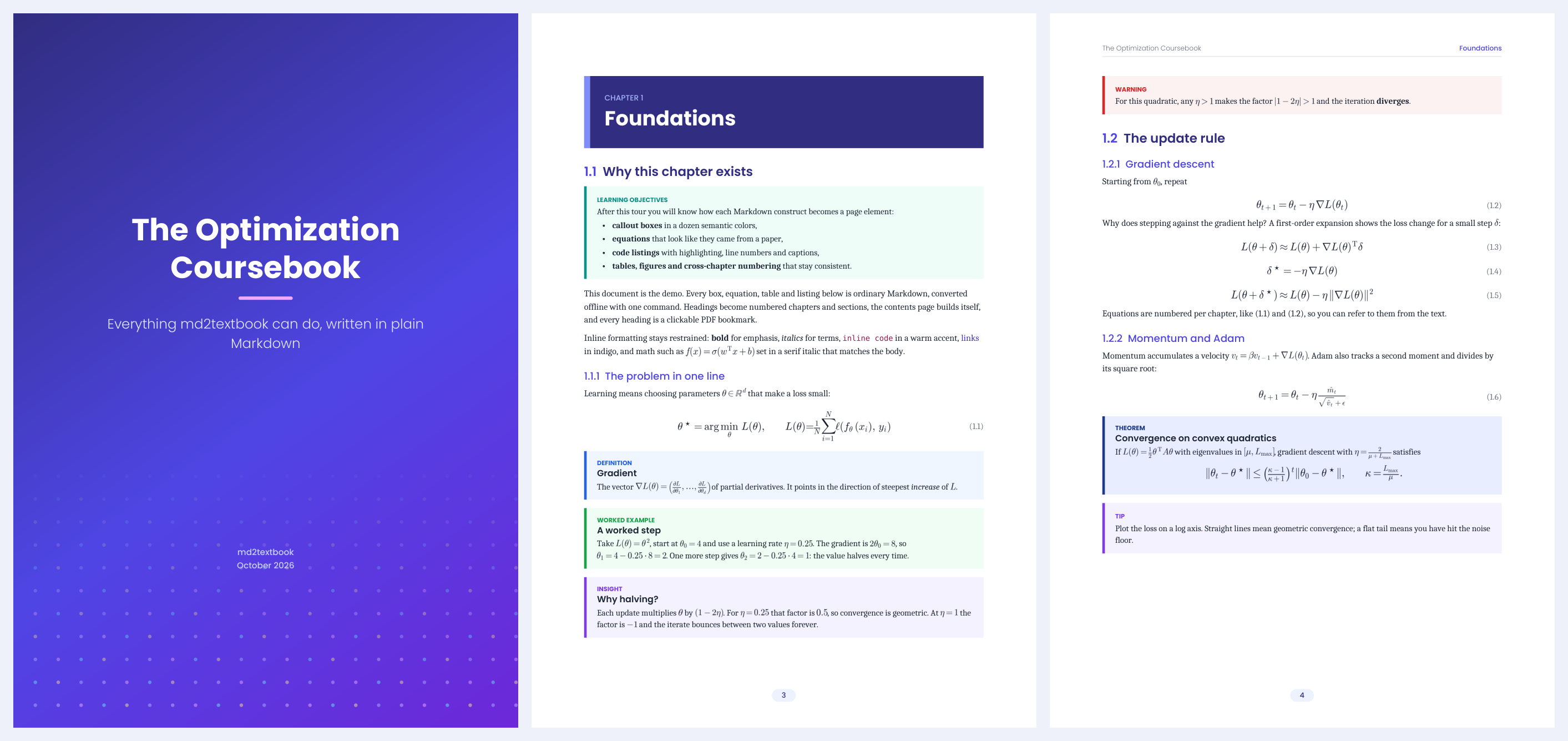
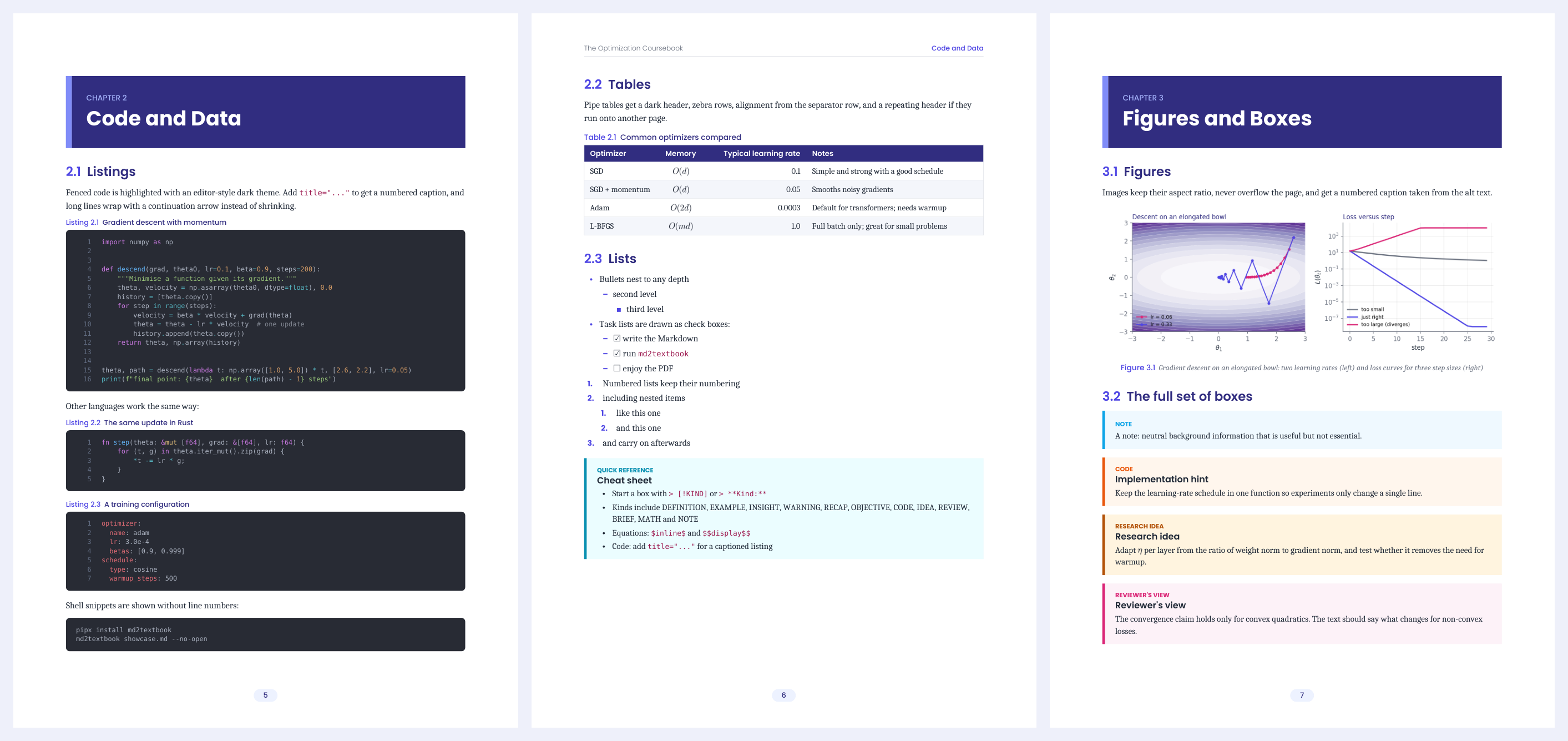
These pages come from examples/showcase.md; the resulting showcase.pdf is in the repo too.
Install
pipx install md2textbook      # recommended: isolated, global command
# or
pip install md2textbook
New to terminals? Follow the step-by-step Windows guide.
Requires Python 3.10 or newer. Poppins and Caladea fonts are bundled; nothing else to download.
On Linux the file chooser needs Tk (sudo apt install python3-tk on Debian/Ubuntu, sudo dnf install python3-tkinter on Fedora). Without it the tool falls back to zenity/kdialog, or to a prompt in the terminal. Passing the file on the command line never needs any of these.
Use
md2textbook                   # opens a file chooser
md2textbook notes.md          # writes notes.pdf next to the input and opens it
md2textbook notes.md -o out/book.pdf --no-open
md2textbook-gui               # same as no arguments, without a console window on Windows
python -m md2textbook notes.md
Two example inputs are in examples/: a minimal sample.md and the feature tour showcase.md.
Markdown support
| Markdown | Result |
|---|---|
Front matter title, subtitle, author, date |
Cover page |
A first # Title (the only #, or equal to the front-matter title), then ## / ### / #### |
Title on the cover; chapters, sections, subsections |
Several # headings |
Each # is a chapter |
$x^2$ and $$ ... $$ (or a math fence) |
Inline math and numbered display equations |
Fenced code, ```python title="Loss" |
Highlighted listing with line numbers and wrapping |
Pipe tables, optional Table: caption line |
Zebra tables with a repeating header |
 |
Numbered figure |
> [!DEFINITION] Title |
Colored box |
> **Example:** text |
Same, shorthand form |
Plain > quote |
Quiet unlabeled note |
Box kinds: DEFINITION, EXAMPLE, INSIGHT, WARNING, RECAP, OBJECTIVE, CODE, IDEA, REVIEW, BRIEF, MATH, NOTE, plus aliases such as TIP, CAUTION, THEOREM, PROOF, SUMMARY.
Code fence options: title="...", nonumbers, start=N.
Limitations
- Equations use matplotlib's mathtext, so some LaTeX (matrices,
\substack, custom macros) is unsupported and shown as source text. - Remote and SVG images are skipped.
- No Mermaid diagrams or footnotes.
Development
git clone https://github.com/MikeDegany/md2textbook
cd md2textbook
pip install -e ".[dev]"
pytest
| Module | Role |
|---|---|
cli.py |
Command line, file chooser, opening the result |
parser.py |
Markdown parsing and mapping onto the book |
builder.py |
ReportLab book builder (pages, boxes, code, tables) |
theme.py |
Fonts, palette, paragraph styles, inline markup |
mathkit.py |
LaTeX to PNG rendering with an on-disk cache |
VS Code extension
Prefer to stay in your editor? The Markdown to Textbook PDF extension converts the Markdown file you are reading with one click and saves the PDF next to it.
- In VS Code, open the Extensions view (
Ctrl+Shift+X), search for Markdown to Textbook PDF, and install it. Or runcode --install-extension mikedegany.md2textbook. - Using Cursor, VSCodium or another editor? It is also on Open VSX.
- The extension runs this tool, so it offers to install
md2textbookfor you the first time.
The source lives in vscode-extension/; see its README for commands and settings.
Contributing
Issues and pull requests are welcome; see CONTRIBUTING.md.
Changelog
See CHANGELOG.md.
License
MIT, see LICENSE. The bundled Poppins and Caladea fonts are under the SIL Open Font License 1.1 (src/md2textbook/fonts/OFL-*.txt).