A better agentic feedback flow.
read, breathe, comment, loop
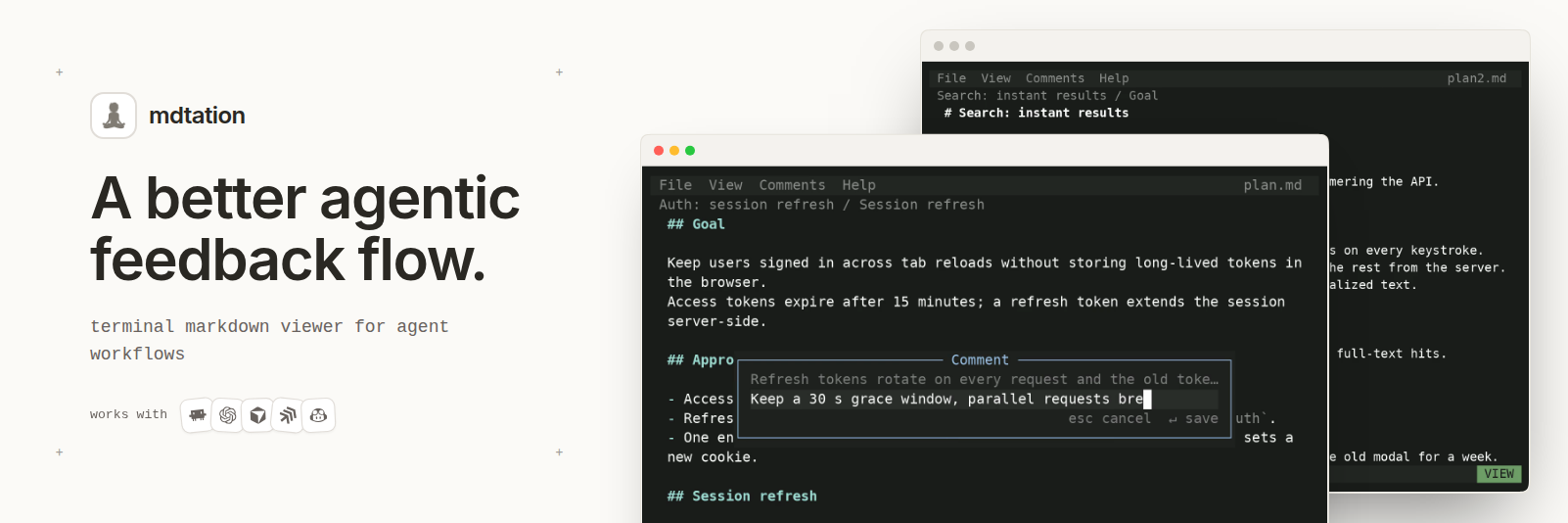
A terminal markdown viewer with comments that stick to lines, persist between sessions, and copy as a reference any agent understands.
The problem
Agents ask for feedback in the worst possible ways.
- Option pickers: A, B or C, and your real answer is "B, but only if the second half of C". There is no box for that, and no way to ask where B came from.
- Itemized lists in a chat thread: Finding F7, section 2.1, recommended (b). The list scrolls away while you type, so you answer from memory.
- A 300-line plan printed into the terminal is read by scrolling a buffer, and your thoughts about line 140 go nowhere.
The loop
- The agent writes the plan as a markdown file, not a message, and runs
mdtation plan.md watch --until quit. - You open the file in mdtation, read it full screen, and press
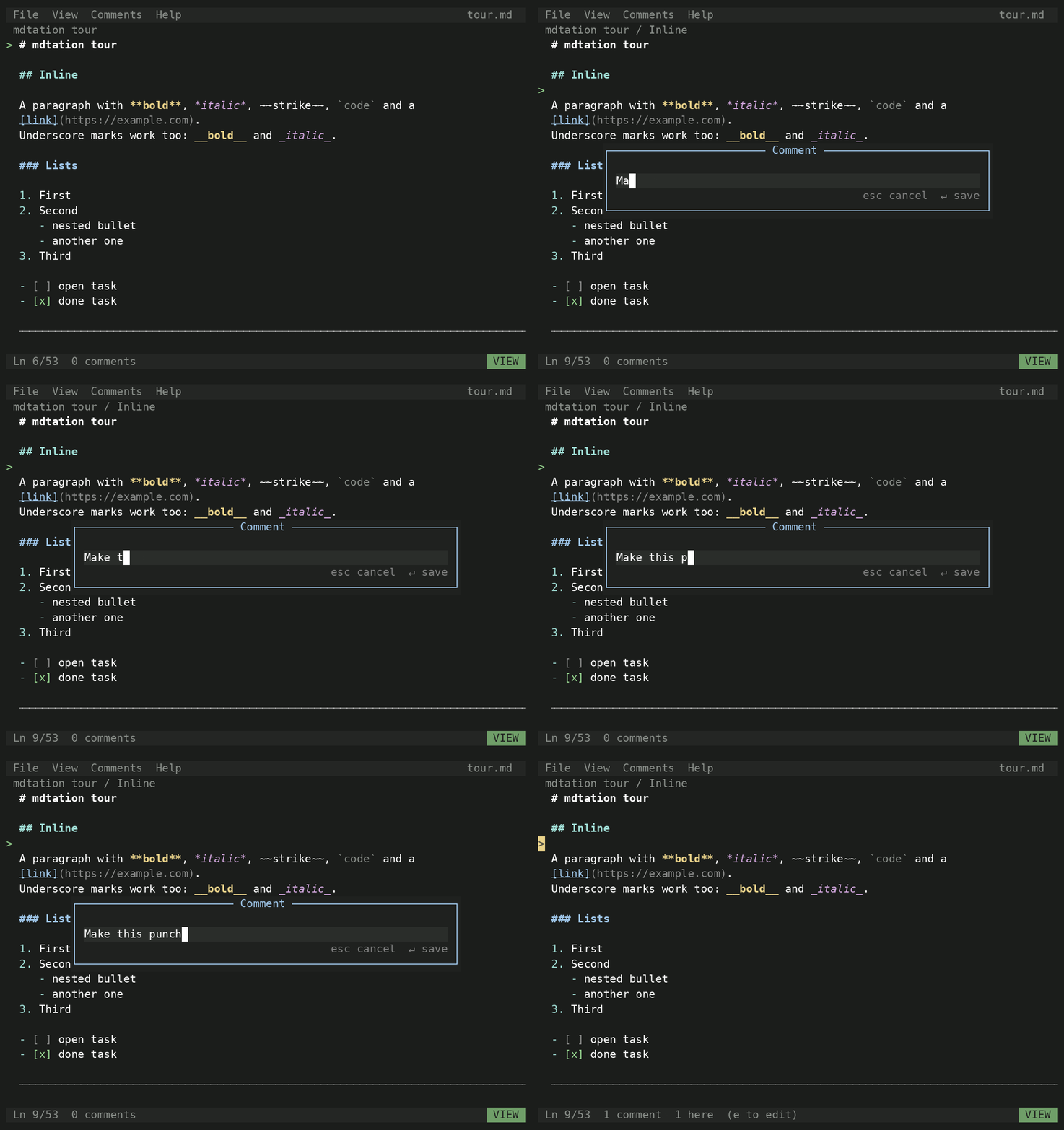
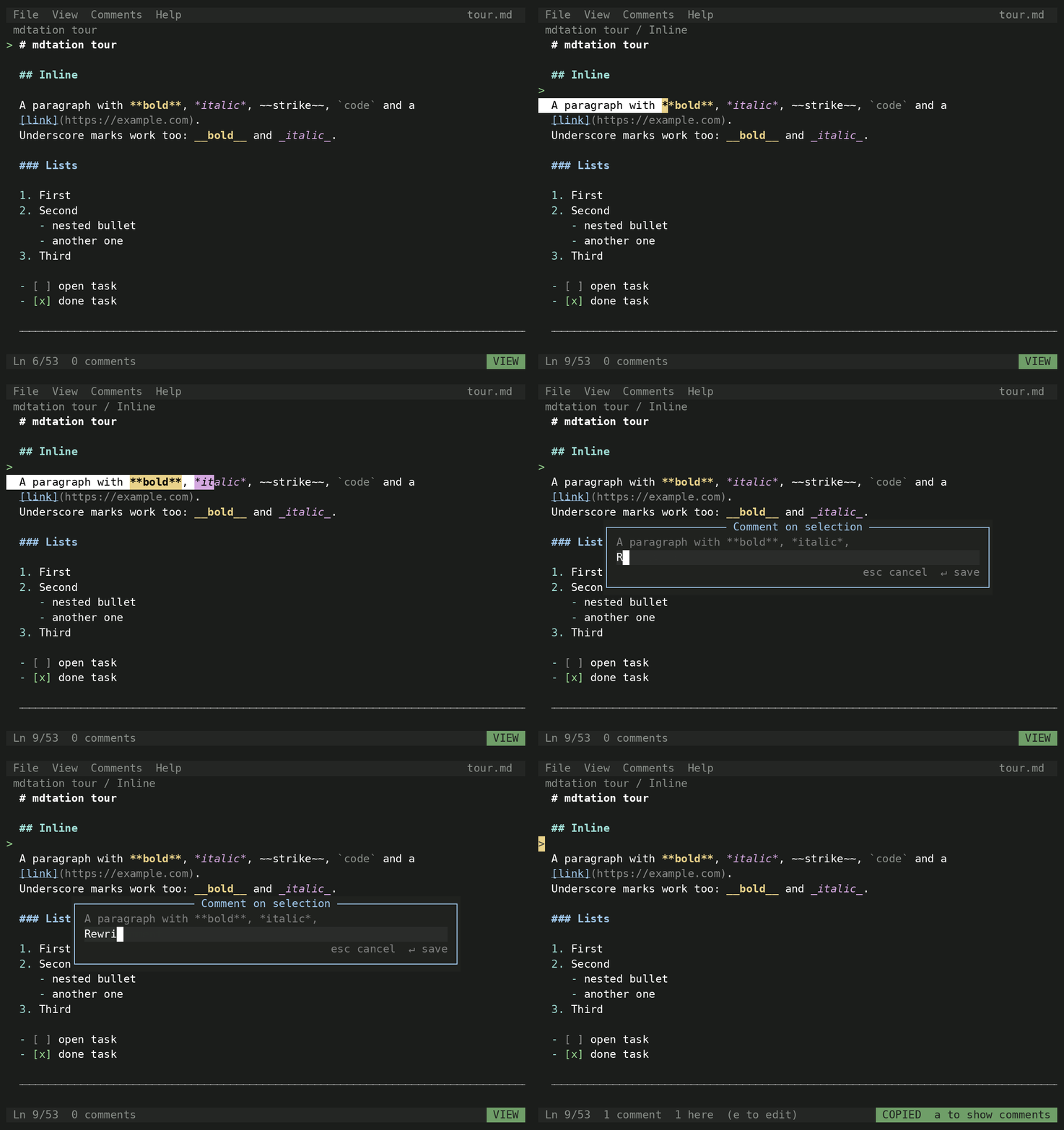
con the line (or drag-select the sentence) you disagree with. - Each comment lands in the agent's terminal as you make it: line number, section path, quote, and your note.
- The agent replies with
add --re <id>or rewrites the file. Both show up on your screen at once, no keypress. - You quit, the watcher returns, the agent revises, and you go round once more.
Review the plan, not the chat. Specs, plans, drafts, reviews: the prose your agent writes deserves a real review flow, not a chat reply.
Install
npm i -g mdtation
mdtation plans/auth.md
The full-screen TUI runs under Bun. Under Node, mdtation renders to stdout instead.
See it
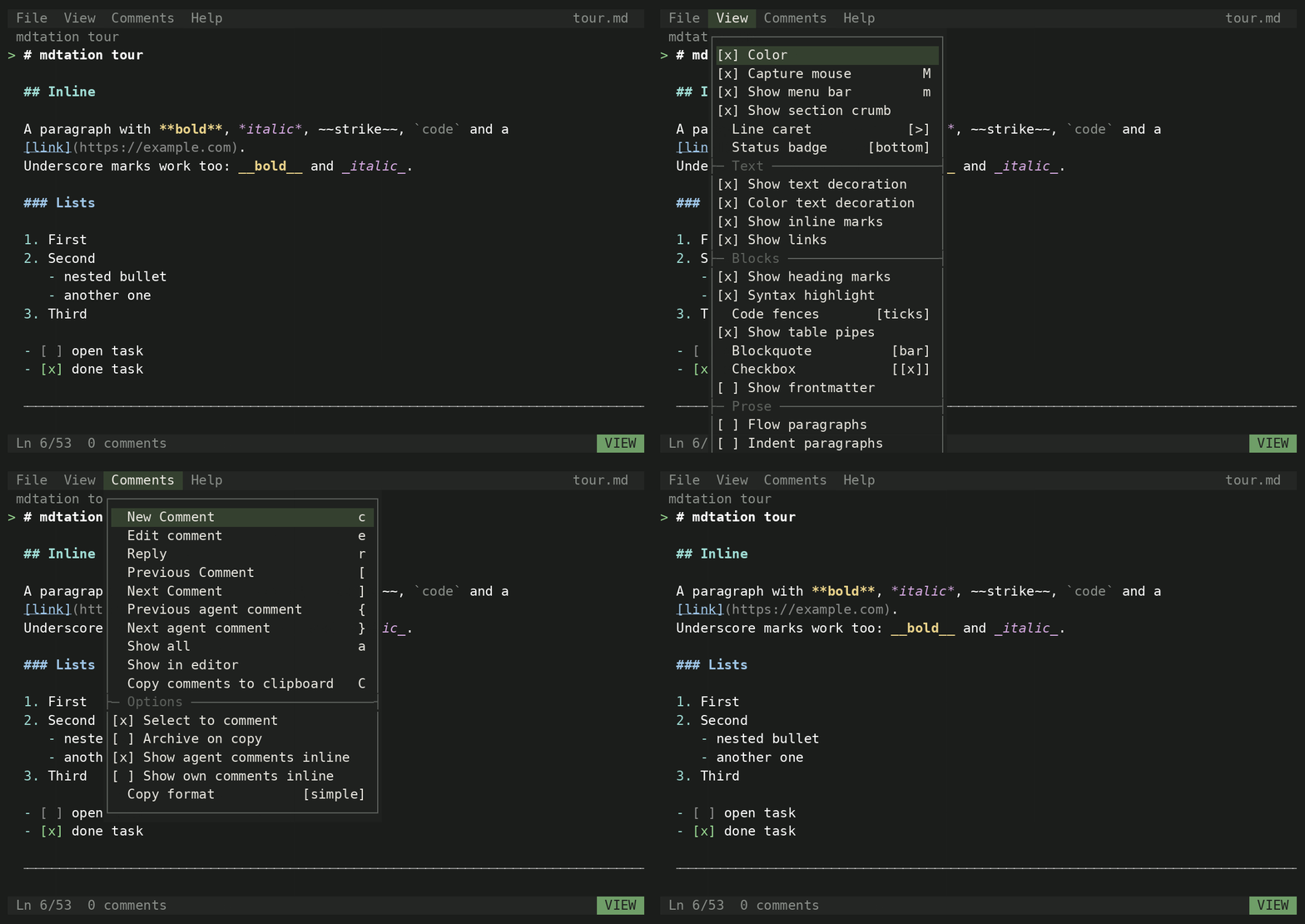
| Comment on a line | Comment on a selection | Menus and palette |
|---|---|---|
 |
 |
 |
Keys
| key | action |
|---|---|
j k |
move the caret (wheel and click work too) |
c |
new comment on the caret line or selection |
e |
edit the comment under the caret |
C |
copy the comment as a reference |
[ ] |
previous, next comment |
a |
show all comments |
/ |
command palette |
m |
hide or show the menu bar |
? |
help |
q |
quit (^s saves checkbox and frontmatter edits first) |
Everything a TUI should have: menu bar, command palette, settings, all mouse ready. View options (color, marks, fences, tables, checkboxes, flow, scroll margin) are remembered.
CLI
mdtation plan.md watch                # block; print each comment as it lands (--json for one object per line)
mdtation plan.md watch --until quit   # ...and return when the viewer closes
mdtation plan.md list                 # print live comments as markdown (--since last for the new ones)
mdtation plan.md add "text" --re <id> # reply in a thread, shows inline in the viewer at once
mdtation plan.md mark                 # checkpoint for --since last
mdtation plan.md archive a1 b2        # done with these (restore to undo); d in the viewer does the same
mdtation plan.md prune --older 7d     # remove archived comments for good
mdtation plan.md print                # render to stdout and exit
mdtation plan.md status               # print the data dir
mdtation skill                        # print the agent skill
Comments live in one json per file under $MDTATION_HOME, $XDG_DATA_HOME/mdtation, or ~/.mdtation, keyed by absolute path, with an append-only .events.jsonl beside it that watch tails.
Set MDTATION_AUTHOR so the agent's replies carry its name.
Tell your agent: "Run mdtation skill and follow it for plans/auth.md."
License
MIT