

mpvRx
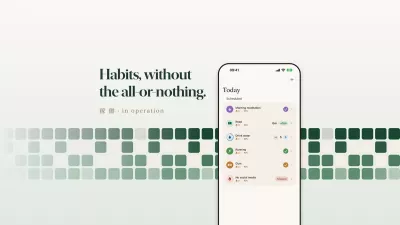
Feature-rich, Efficient Powerful Android video player based on libmpv.
No ads. No trackers. No noise. Just a serious video player with a calmer surface and a sharper edge.
Important




Showcase


Features
mpvRx pushes the mpv-android experience further with deep customization, thermal-aware performance, and unique quality-of-life features. Here's what sets it apart:
🎨 Theme & Visual System
| Feature | Description |
|---|---|
| 25+ Color Themes | Default, Dynamic (Material You), Catppuccin, Nord, Tokyo Night, Rose Pine, Gruvbox, Dracula, and many more |
| AMOLED Pure Black Mode | Every theme has a dedicated variant with pure black backgrounds |
| Player Controls Animation | 5 animation styles: Default, Elastic Bounce, Cinematic Scale, Slide Up, Minimal Fade |
| Always Dark Mode | Option to keep player controls in dark theme regardless of app theme |
| Themed Player Controls | Adaptive controls that match your app theme or system accent |
| Material 3 Expressive UI | Expressive components, spring-based navigation, responsive grids, and polished predictive-back motion |
🖐️ Gesture System
| Feature | Description |
|---|---|
| Refined Tap Logic | Configurable double-tap seek zones (left/center/right) with independently assignable actions |
| Multi-Tap Continuous Seeking | Triple/quadruple tap to keep seeking further without lifting |
| Horizontal Swipe to Seek | Swipe across video to seek with live time/delta overlay |
| Long-Press Dynamic Speed | Long-press activates configurable speed boost; swipe left/right to adjust across 8 presets |
| Subtitle Drag Gesture | Hold the center to move primary subtitles; hold either subtitle directly to move that track independently |
| Subtitle Zoom & Dialogue Seek | Pinch subtitle text to resize it and swipe across subtitles to seek between dialogue lines |
| Pinch-to-Zoom with Pan | Pinch to zoom (-1x to 3x) with simultaneous pan and single-finger pan after zoom |
| Volume Boost via Gesture | Vertical swipe volume can exceed 100% into configurable boost range |
| Swap Volume/Brightness Sides | Option to swap which screen side controls volume vs brightness |
📺 HDR & Video Pipeline
| Feature | Description |
|---|---|
| Shader-Based HDR Pipeline | Powered by hdr-toys — 83 bundled GLSL shaders |
| Four HDR Modes | BT.2100 PQ (HDR10), BT.2100 HLG, BT.2020 gamut mapping, Linear HDR |
| SDR-to-HDR Boost | Boost SDR content into HDR range when using Linear HDR pipeline |
| GPU Deband | CPU (gradfun) or GPU deband with configurable iterations, threshold, range, grain |
| Smart Render Backend | Auto-selects between OpenGL/Vulkan and gpu/gpu-next based on device support |
| Automatic Black-Bar Cropping | Optional analysis detects and removes encoded black borders on supported videos |
🔥 Thermal & Battery Management
| Feature | Description |
|---|---|
| ThermalMonitor | Samples thermal headroom every 10s during playback |
| Adaptive Shader Budget | Ambient shader budget auto-capped based on thermal headroom |
| Anime4K Proactive Throttling | Auto-downgrades Anime4K quality when thermal headroom drops below 40% |
| Background Poll Optimization | Position poll interval doubles when controls are hidden, cutting JNI wake-ups 50% |
| Stats Poll Backoff | Stats page poll loop backs off from 1s to 2s when playback is paused |
🧩 Anime4K & Upscaling
| Feature | Description |
|---|---|
| 7 Preset Quality Tiers | Off, A, B, C, A+, B+, C+ with clean switching |
| Quality Tiers in Decoder Settings | Fast / Balanced / High quality choices |
| 4K/8K Safety Guard | Auto-disables Anime4K for high-resolution content |
| Thermal-Guarded Selection | Auto-downgrades quality tier under thermal pressure before frame drops |
💡 Ambient Mode
| Feature | Description |
|---|---|
| Two Visual Modes | GLOW and FRAME_EXTEND — both rendered via custom GLSL at runtime |
| 15+ Configurable Parameters | Blur samples, glow intensity, saturation, warmth, vignette, dither noise, and more |
| Shader Recompilation Caching | Skips recompilation when parameters match last compiled version |
📝 Subtitle System
| Feature | Description |
|---|---|
| Dual Subtitle Support | Primary + secondary with auto-offset to prevent overlap |
| ASS Override Modes | Smart force/scale handling for secondary subtitles |
| Comprehensive Styling | Font, size, bold, italic, border, shadow, colors, justification, scale by window |
| Three Online Search Modes | Wyzie, SubtitleHub (6 aggregated sources), and Hybrid (both merged) |
| TMDB Integration | Full media search with season/episode browsing for subtitles |
| Subtitle Font Manager | Choose a font directory, reload fonts, clear the cache, and select a default subtitle font |
| Speech-to-Subtitle Generation | Experimental subtitle generation from the active audio using supported cloud or offline Whisper providers |
| Explicit Subtitle Off | Disable subtitles directly without cycling through every available track |
🎮 Player Controls
| Feature | Description |
|---|---|
| Fully Customizable Layout | Four configurable zones (top-left/right, bottom-left/right) + portrait bottom row |
| 25+ Button Types | Cast, Mirror, Vertical Flip, A-B Loop, Custom Skip, Background Playback, Ambient, and more |
| Custom User Buttons | Create arbitrary buttons executing Lua, JavaScript, or mpv commands |
| Landscape/Portrait Adaptive Layouts | Completely different control layouts per orientation |
| One-Tap Control Unlock | When playback controls are locked, tap the unlock button at the top-left or top-right according to the side you touch |
| Double-Back Unlock | While controls are locked, the first Back press shows a reminder; a second quick press unlocks them |
| App Icons | Solid purple is the default across app, splash, Recents, website, and store artwork; gradient and classic remain selectable in Appearance |
| Hide Button Backgrounds | Transparent buttons with only icons visible |
| Centralized "More Sheet" | Quick access to all player buttons and custom controls |
| In-Player Settings | Toggle 10+ settings (gestures, PiP, UI behavior) without leaving playback |
📺 Google Cast
| Feature | Description |
|---|---|
| Native Cast Button | Standard stateful Google Cast route icon in both portrait and landscape player controls |
| Device Discovery | Google Cast framework discovery and native device chooser for Chromecast and Cast-enabled TVs |
| Position Handoff | Transfers the current title, play state, duration, and playback position to the receiver |
| Local File Casting | Tokenized temporary LAN server exposes file:// and content:// media with byte-range seeking and CORS headers |
| Remote Stream Casting | Direct handoff for receiver-accessible HTTP and HTTPS media URLs |
| Expanded Remote Controls | Cast SDK controller, notification, lock-screen actions, reconnection, and receiver volume controls |
| Return to Phone | Restores local playback at the receiver's latest position when the Cast session ends |
Cast uses Google's Default Media Receiver. The TV/Chromecast must support the media container and codecs; mpv-only formats are not transcoded automatically.
🧭 Smart Orientation
| Feature | Description |
|---|---|
| 8 Orientation Modes | Free, Video (auto aspect ratio), Portrait, Reverse Portrait, Sensor Portrait, Landscape, Reverse Landscape, Sensor Landscape |
| Persistent Per-Video | Orientation remembered per-video across sessions |
🔍 File Browser & Navigation
| Feature | Description |
|---|---|
| Dual Browser Modes | Album View (folder grid) and Tree View (file manager hierarchy) |
| Folder Pinning | Pin frequently accessed folders to top |
| Single-Child Auto-Flatten | Folders with one subfolder auto-flatten for faster browsing |
| Auto-Scroll to Last Played | Opens to the last played video position |
| Recursive File/Folder Counts | Shows total video count, duration, size computed recursively |
| "NEW" Badges | Configurable threshold for new video indicators |
| Grid/List Layout | Per-orientation column count settings |
| Multi-Protocol Network | Built-in SMB, FTP, and WebDAV clients |
| Syncplay Rooms | Join a Syncplay server room to synchronize pause, resume, seeking, and playback position with other viewers |
| Responsive & Dual-Pane Layouts | Automatic grid sizing plus optional folder/settings dual-pane views on tablets |
| Audio Library Mode | MediaStore and filesystem audio browsing with square artwork, metadata titles, and mixed sibling playlists |
| Home-First Back Navigation | Main tabs return to Home before Back exits the app; selection, search, and nested screens handle Back first |
| Swipeable Main Tabs | Swipe between main destinations with a sliding dock highlight; nested category tabs remain selectable by tapping |
🎵 Music Library & Audio Player
| Feature | Description |
|---|---|
| Local Music Library | Browse songs, albums, artists, and audio playlists with cover art, search, sorting, and grid/list views |
| Choose Your Music Source | Switch the Music tab between local storage, Jellyfin, and Navidrome |
| Library Filters | Exclude selected audio folders and set a minimum track duration |
| Dedicated Now Playing View | Artwork, track metadata, playback controls, and an up-next queue in a music-focused layout |
| Lyrics | View local or embedded lyrics, fetch online lyrics from LRCLIB, and switch between available sources |
| Four Audio Visualizers | Choose Blob, Galaxy, Cuboid, or Particle visualizations, with an optional audio-reactive wavy seekbar |
| Audio Playlists & Favorites | Create local audio playlists, keep favorite tracks together, and start normal or shuffled playback |
| Audiobook Library | Open the book icon in Music to import a file, selected files, or one book folder including disc subfolders; M4B is recognized |
| Book Metadata | Covers, author, narrator, series and edition details from embedded tags or optional metadata.json/OPF sidecars, with editable book details |
| Audiobook Listening | Book progress/resume through the normal audio player, shared playlist/speed controls, a whole-book seekbar with chapter markers, artwork, visualizers, configured seek gestures, pause rewind and sleep timers |
| Playback Bookmarks | In video and audio player layouts, tap the bookmark icon to open chapters/bookmarks; long-press it to add a named point. Custom points persist and appear on the existing seekbar, with rename and delete actions |
| Audiobook Text | Display supplied embedded lyrics or readable local LRC text in the existing lyrics view, without automatic online song matching |
🎧 Navidrome / Subsonic Music Streaming
| Feature | Description |
|---|---|
| Subsonic API Integration | Stream music from Navidrome and compatible Subsonic servers using token/salt authentication |
| Multiple Servers | Save named servers, switch the active server, and manage connections from the app |
| Flexible Sign-In | Connect with a username and password, or a supported app password/token |
| Music Discovery | Quick mixes, recently added albums, artist browsing, and artwork-rich album and playlist detail views |
| Library Search | Search the server for songs, albums, and artists |
| Server Playlists & Favorites | Browse server playlists and sync favorite songs, albums, and artists; starred songs appear in a Favorites collection |
| Play All & Shuffle | Start an album or playlist as a playback queue with track titles, artists, and cover art |
| Display Preferences | Choose grid/list views and track sorting preferences |
Requires a music-server account and a reachable server. Available functionality depends on the server's Subsonic API and authentication support.
🍿 Jellyfin Client (Expressive Cinematic UI)
| Feature | Description |
|---|---|
| Native Server Integration | Direct connection with Jellyfin accounts, fast token authentication, and multi-server management |
| Material 3 Expressive UI | Cinematic interface with artwork-rich browsing, detail sheets, and dedicated music views |
| Featured Hero Banner | Auto-advancing 16:9 backdrop banner with smooth gradient scrims, ratings, badges, and quick play |
| Continue Watching & Recently Watched | Horizontal resume carousels with relative timestamps and progress bars tracking playback progress |
| Library Filter Chips | Instant switching between Movies, TV Shows, Anime, Music, and BoxSets with dynamic item counts |
| Poster & Backdrop Cards | 2:3 vertical posters and 16:9 backdrop cards with community ratings, release years, and unplayed badges |
| Cinematic Detail Sheet | Full-bleed modal sheet with backdrops, floating posters, storyline synopsis, and season/episode picker |
| Server-Synced Favorites | Heart action synced bidirectionally with your Jellyfin server account (UserData.IsFavorite) |
| Direct & Transcoded Streaming | High-performance direct stream playback with audio track and subtitle stream switching |
⚡ Unified Media & Torrent Streaming
| Feature | Description |
|---|---|
| Sequential Torrent Engine | Powered by high-speed native Go bridge (anacrolix/torrent) with sequential piece prioritization |
| Instant Streaming | Stream magnet links, .torrent files, direct web streams (HLS, MP4), and YouTube URLs |
| Cinematic Discovery | Hero banner carousel, Continue Watching row, and 2:3 vertical poster cards for saved media |
| Automated TMDB Enrichment | Fetches posters, backdrops, storyline synopsis, release years, and media types via Wyzie/TMDB |
| Cinematic Media Details | Modal bottom sheet with floating poster, metadata badges, "Watch Now / Resume", and "Copy Magnet" |
| Intelligent Episode Parser | Robust parser supporting anime numbering, season/episode formats (S01E02, 1x02), and quality tags |
| Episode Search & Sorting | Filter and sort episodes within multi-file torrents with watched status checkmarks |
| Unified Media Hub | Save direct streams, YouTube links, and torrents into your collection with one-tap ingestion |
🤖 AI Integration
| Feature | Description |
|---|---|
| Provider Support | OpenAI, Anthropic, Groq, OpenRouter, Together, and OpenCode Zen with provider-specific models and API protocols |
| AI Subtitle Translation | Translate subtitles with custom prompts |
| AI Subtitle Formatting | Reformat subtitle styling with custom prompts |
| AI File Renaming | Bulk rename video files with custom rename prompts |
| Reasoning-Safe Parsing | Removes reasoning blocks and code fences while accepting structured provider responses and citations |
| Speech Providers | Cloud transcription plus experimental offline Whisper subtitle generation |
📜 Scripting & Editor
|