

Your AI agent, your models, your infrastructure.
Beta software mux is in beta. APIs, interfaces, configuration formats, tool schemas, and CLI behavior are all subject to change. Feedback is welcome via issues and discussions.
Get started · Model providers · CLI usage · Configuration · Documentation
What is mux?
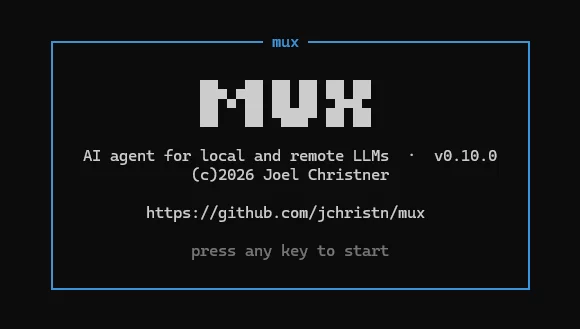
mux is an AI coding agent that gives you a Claude Code / Codex-like experience using the backend and model you choose — from the terminal, a web dashboard, a desktop app, or your editor. It connects to local runners, self-hosted inference servers, and hosted models through native and OpenAI-compatible adapters. See model providers for the supported connections.
mux can read and write files, run commands, search code, and manage a project across five surfaces that all share one engine (Mux.Core):
- Interactive terminal UI — a full-screen REPL with per-job transcripts, a tool-approval modal, slash commands, and resumable sessions (
mux). - Non-interactive command surface — single-shot runs for scripting and automation, including machine-readable
jsonloutput (mux print,mux --print). - Local web dashboard —
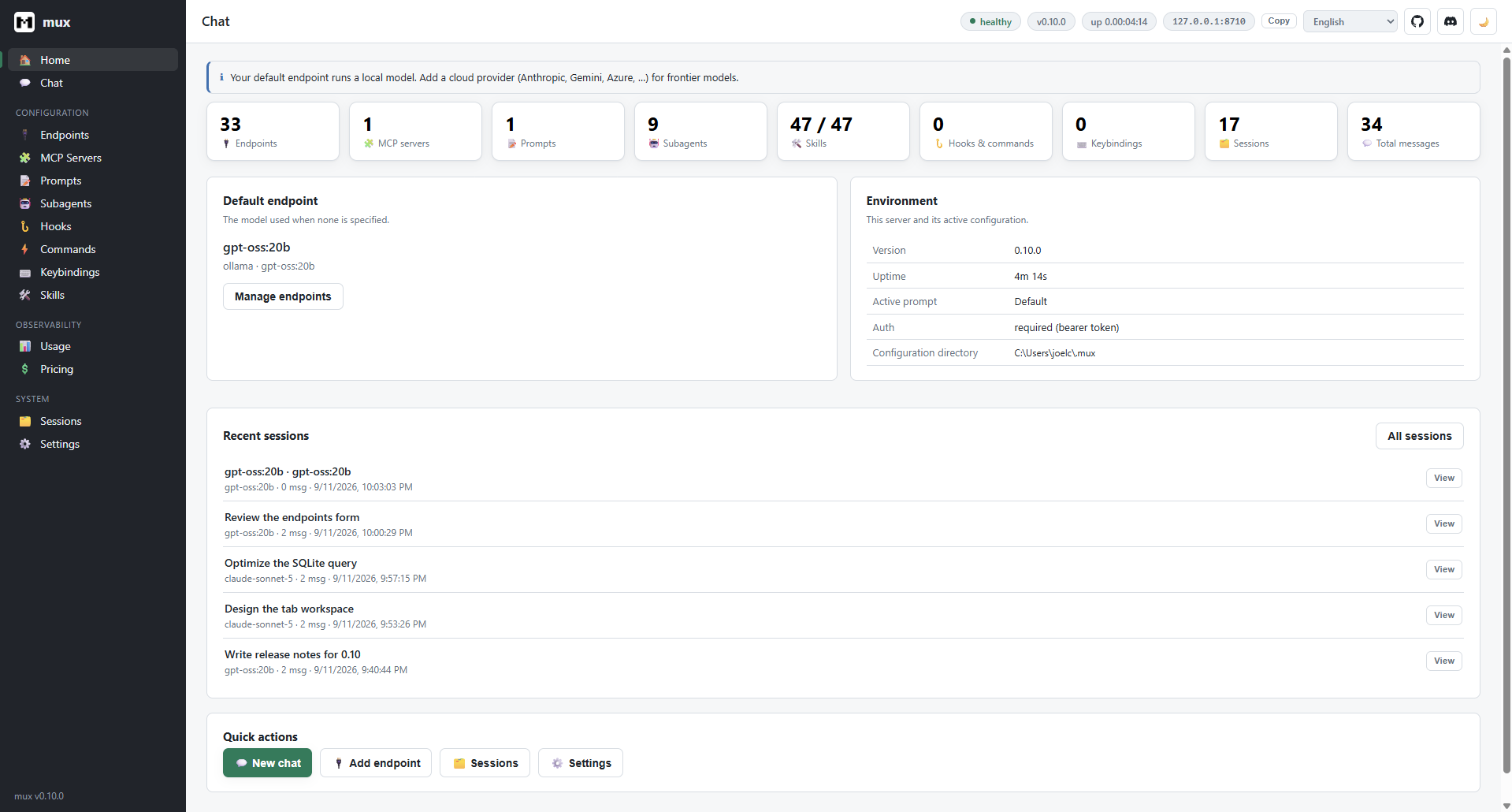
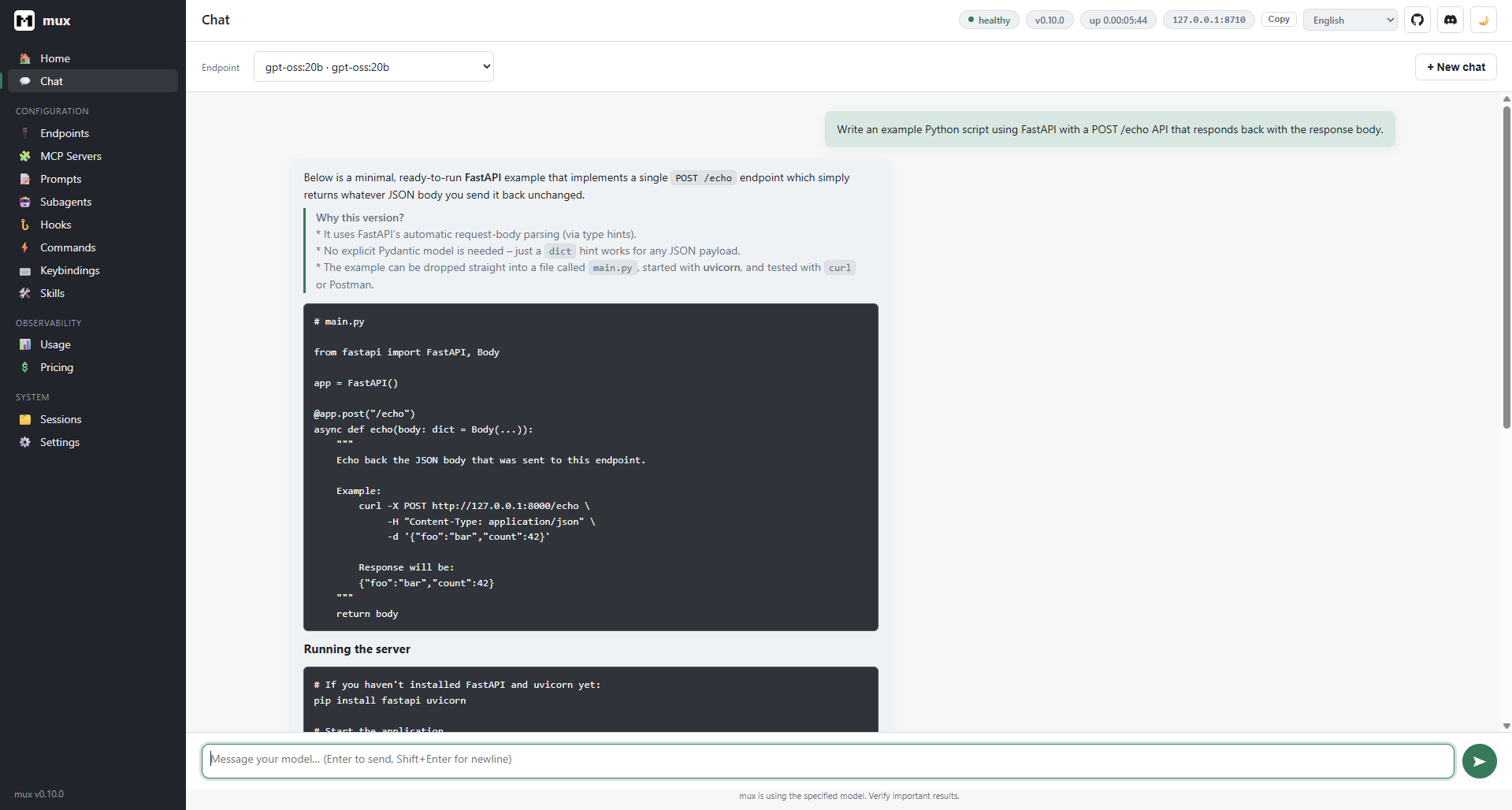
mux servehosts a loopback, token-guarded REST + WebSocket API and a self-contained single-page dashboard (chat, configuration, usage/pricing analytics, sessions), run in the background by a cross-platform system-tray agent. Web chats persist server-side into the shared session store, so they appear (and resume) in the TUI and desktop app too; read-only by default,mux serve --allow-toolslets mutating tools prompt the browser for approval. - Cross-platform desktop app —
mux Desktop, an Avalonia client with conversations/threads, streaming chat, the full set of configuration managers, and the usage dashboard. - VS Code extension —
muxin the editor: a chat panel with in-editor tool approvals, inline commands and code actions (explain, fix, tests, refactor, commit message), editor context injection, and the shared session store, driven over the localmux serveAPI. Source insrc/Mux.VSCode; seedocs/VSCODE.md.
mux does not install or manage model runners. You bring your own local or remote inference backend, and mux connects to it.
Screenshots
Click to expand
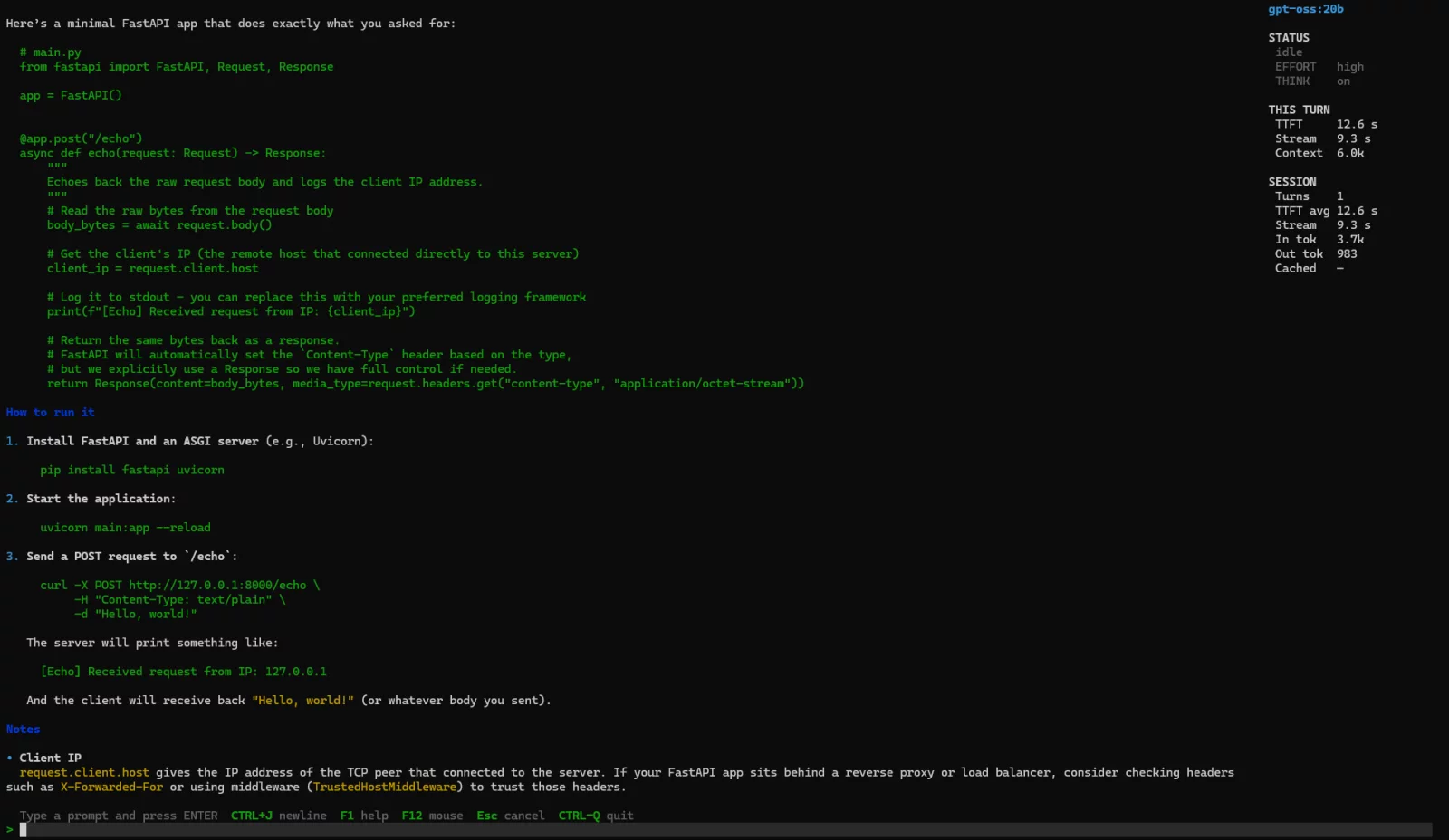
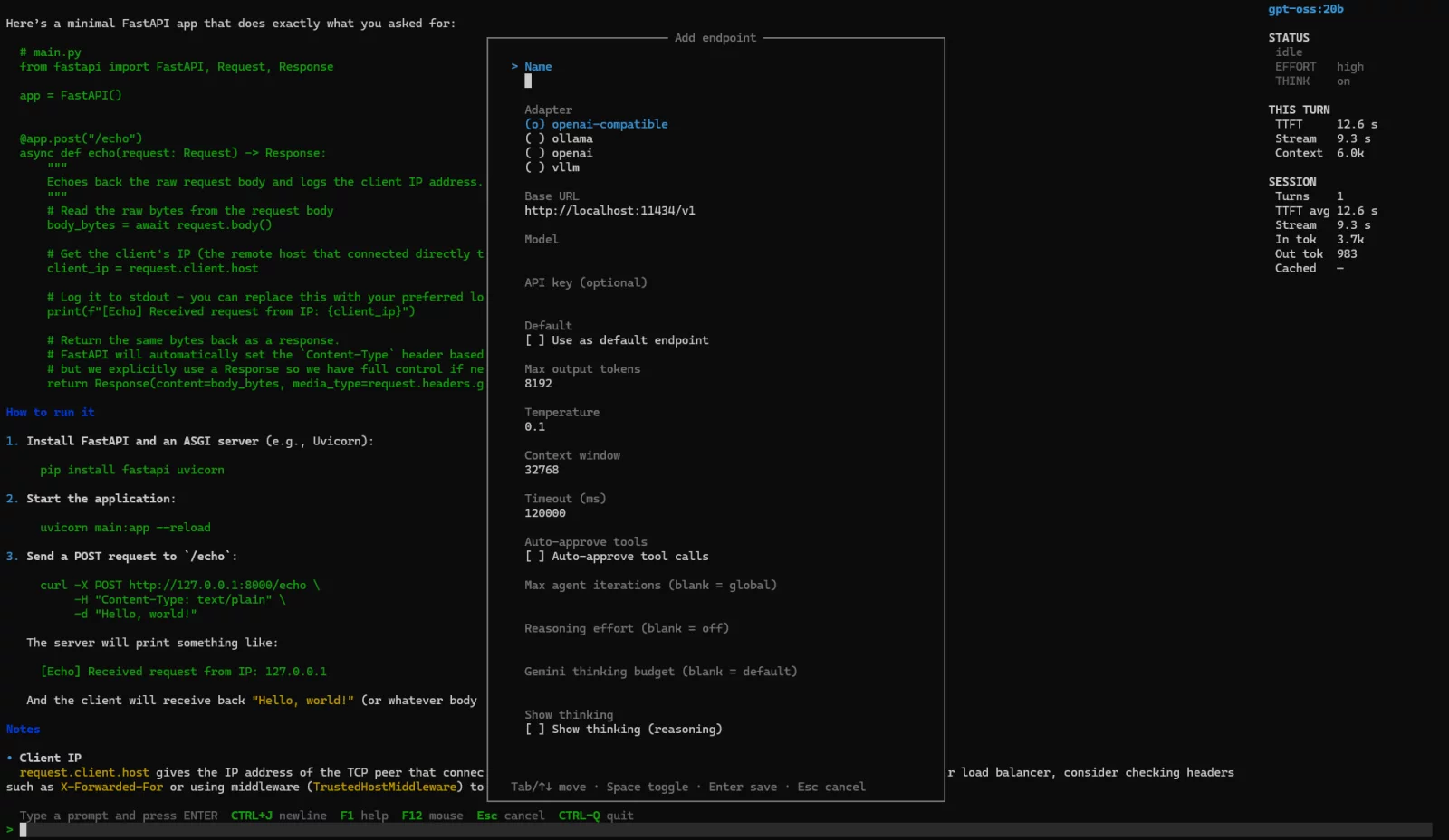
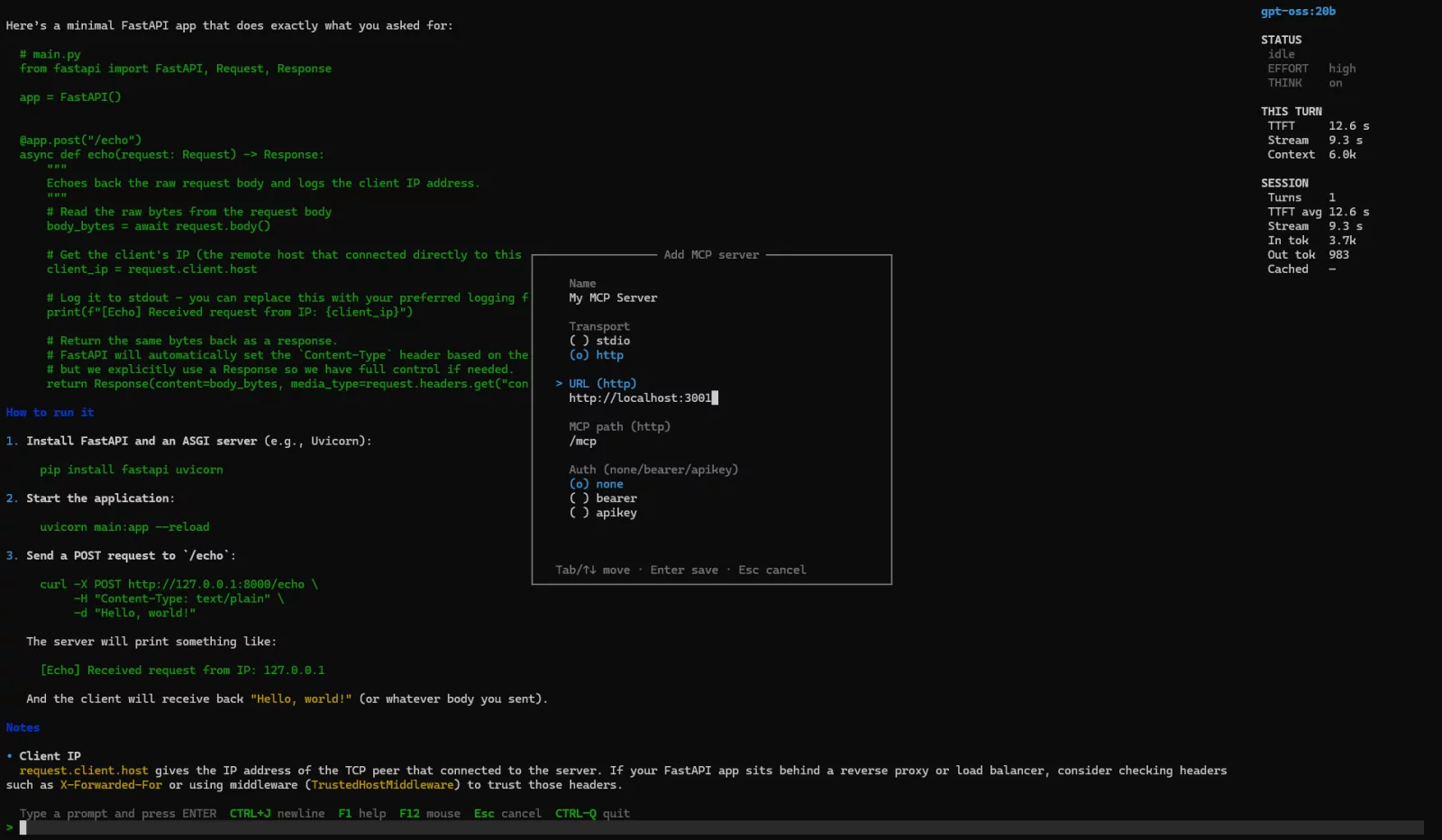
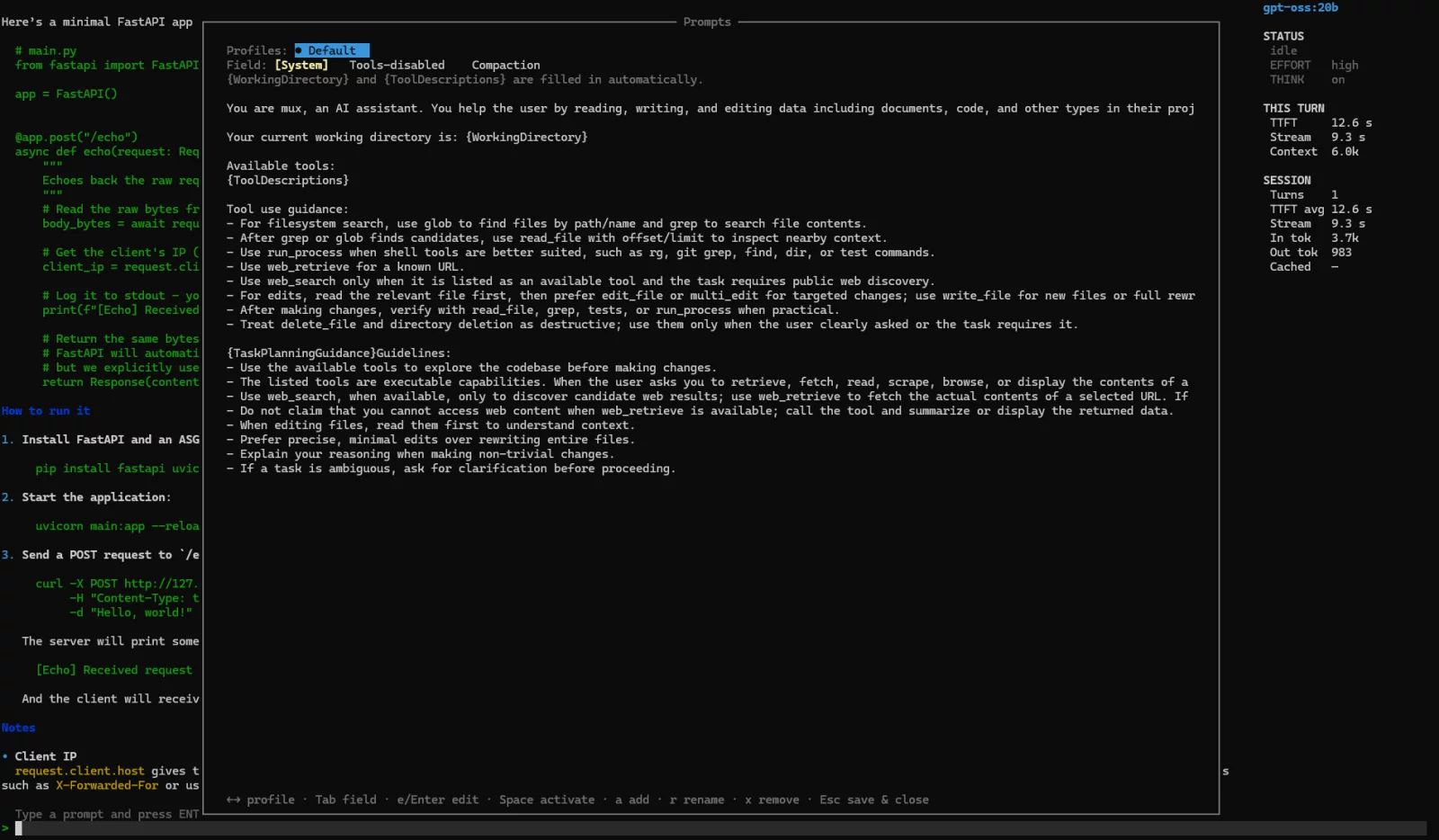
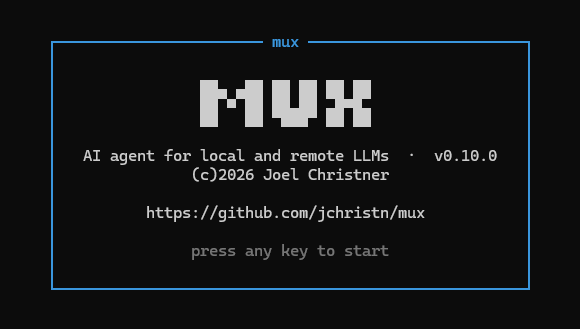
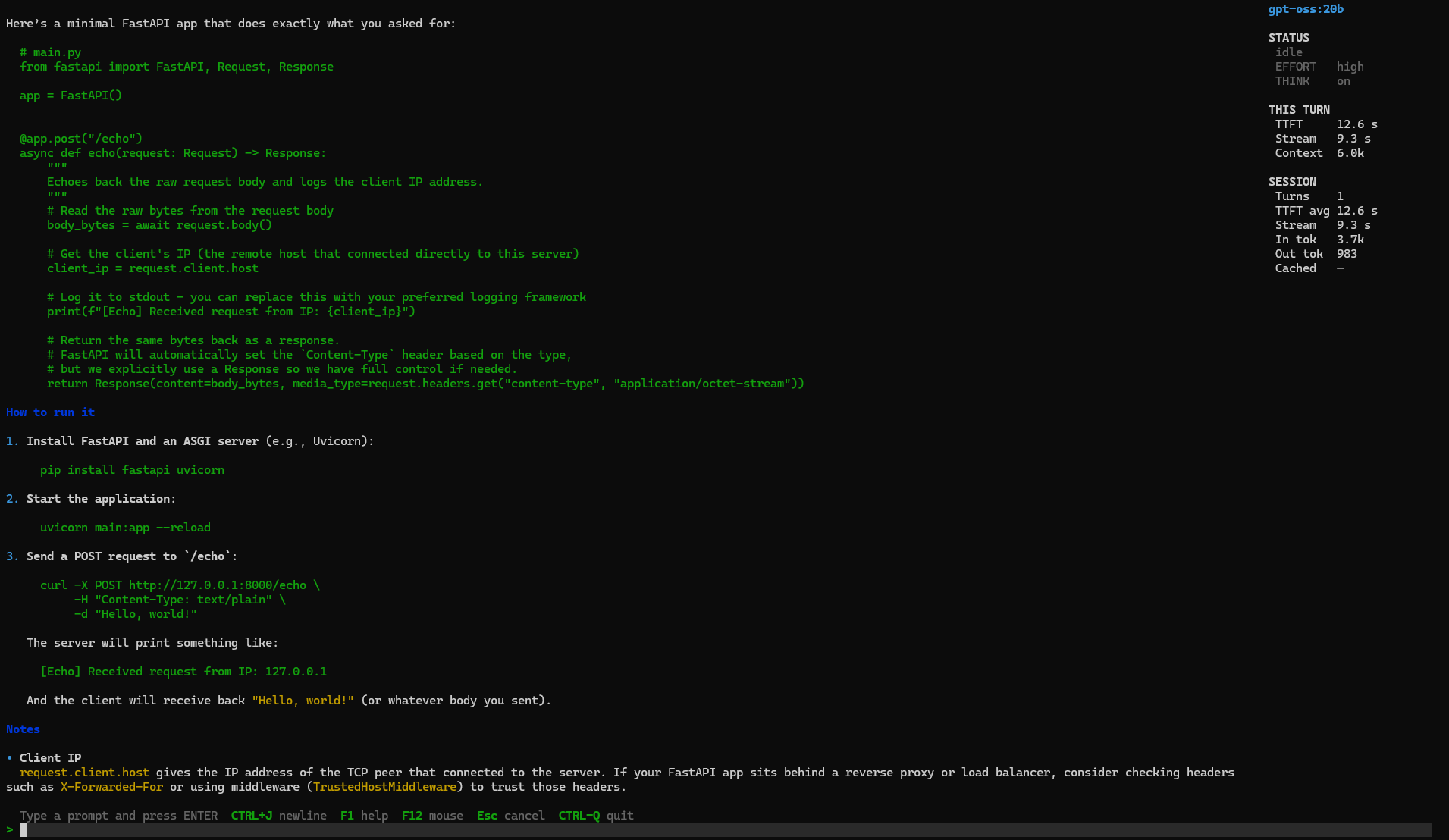
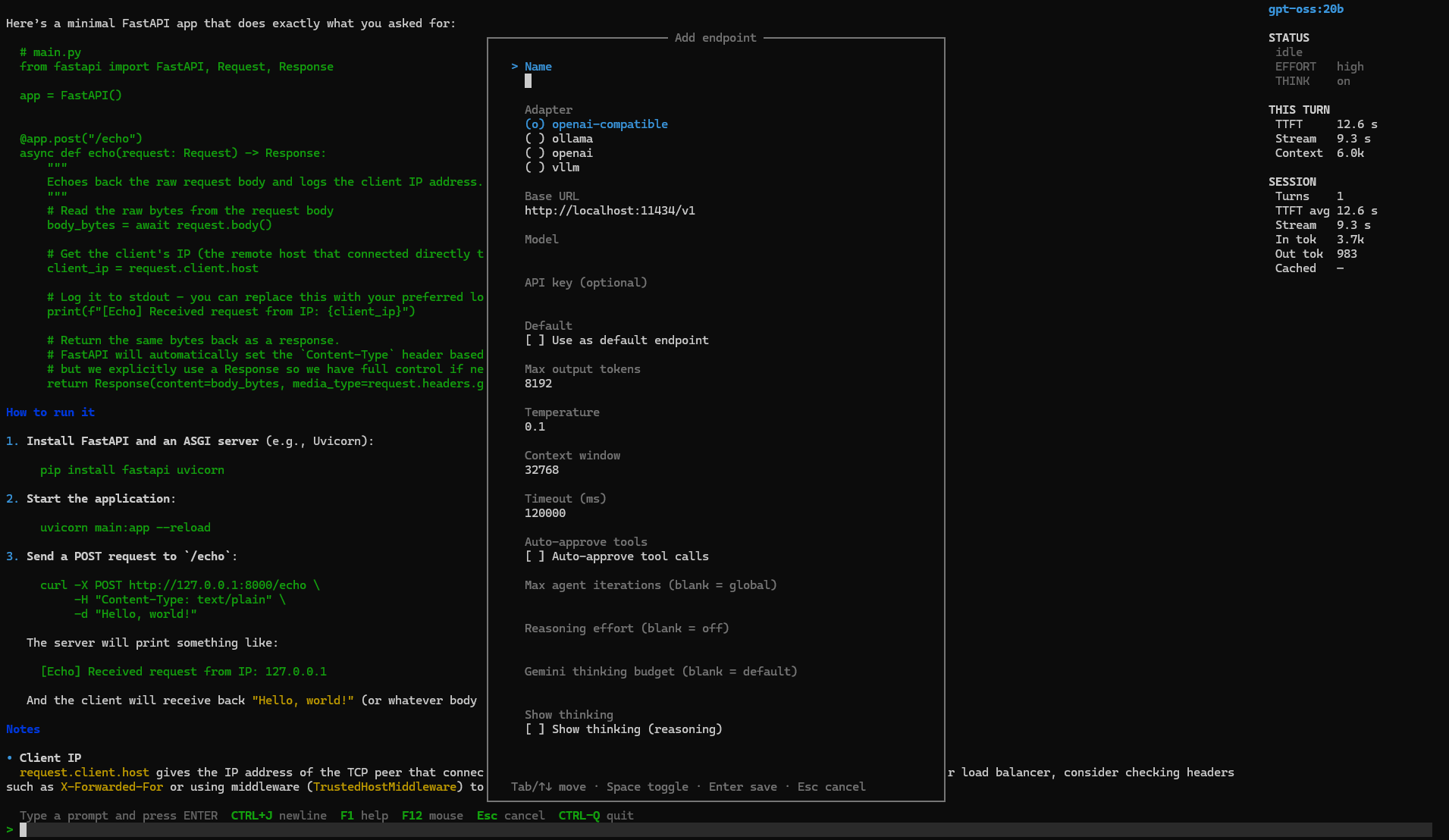
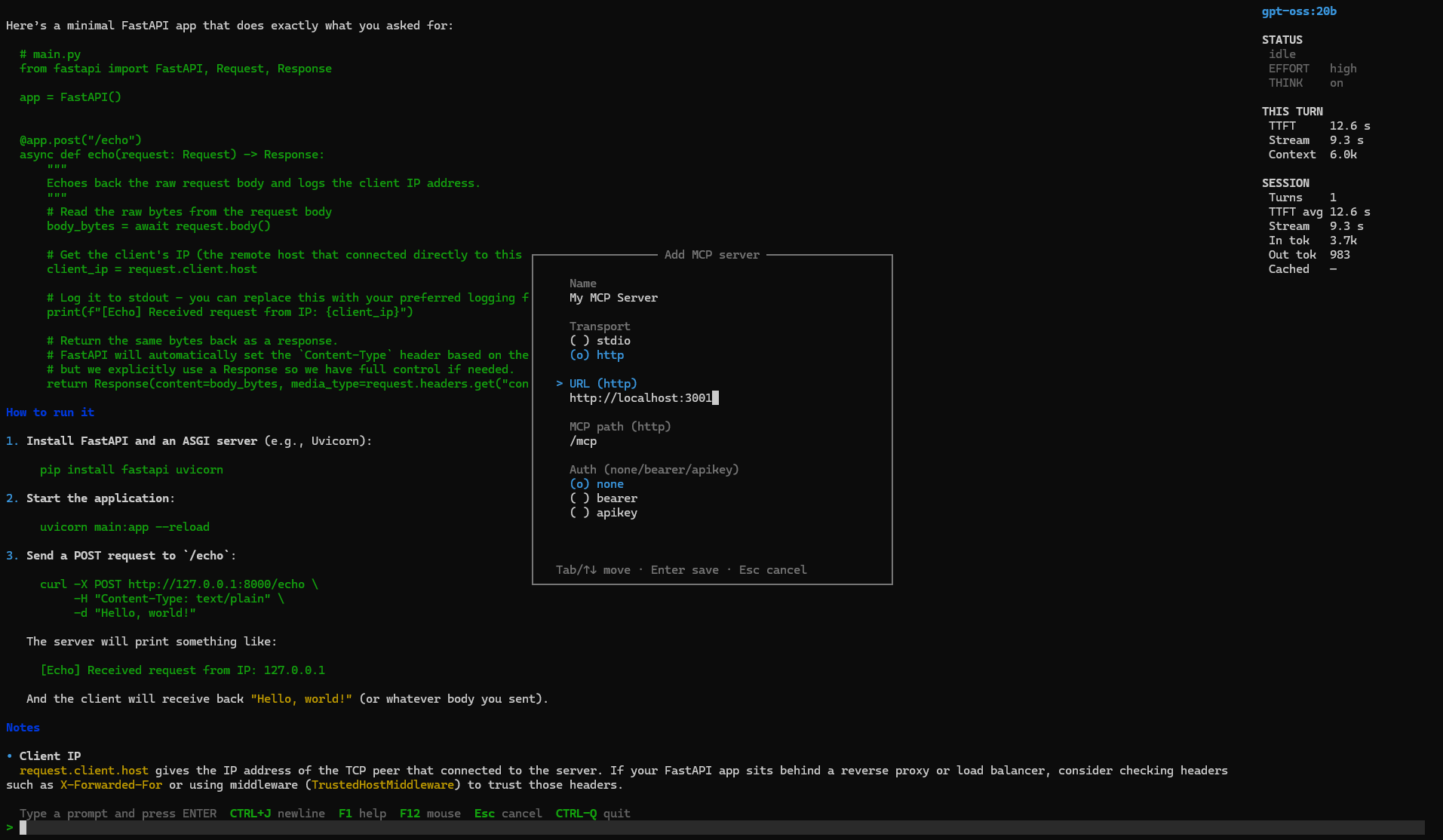
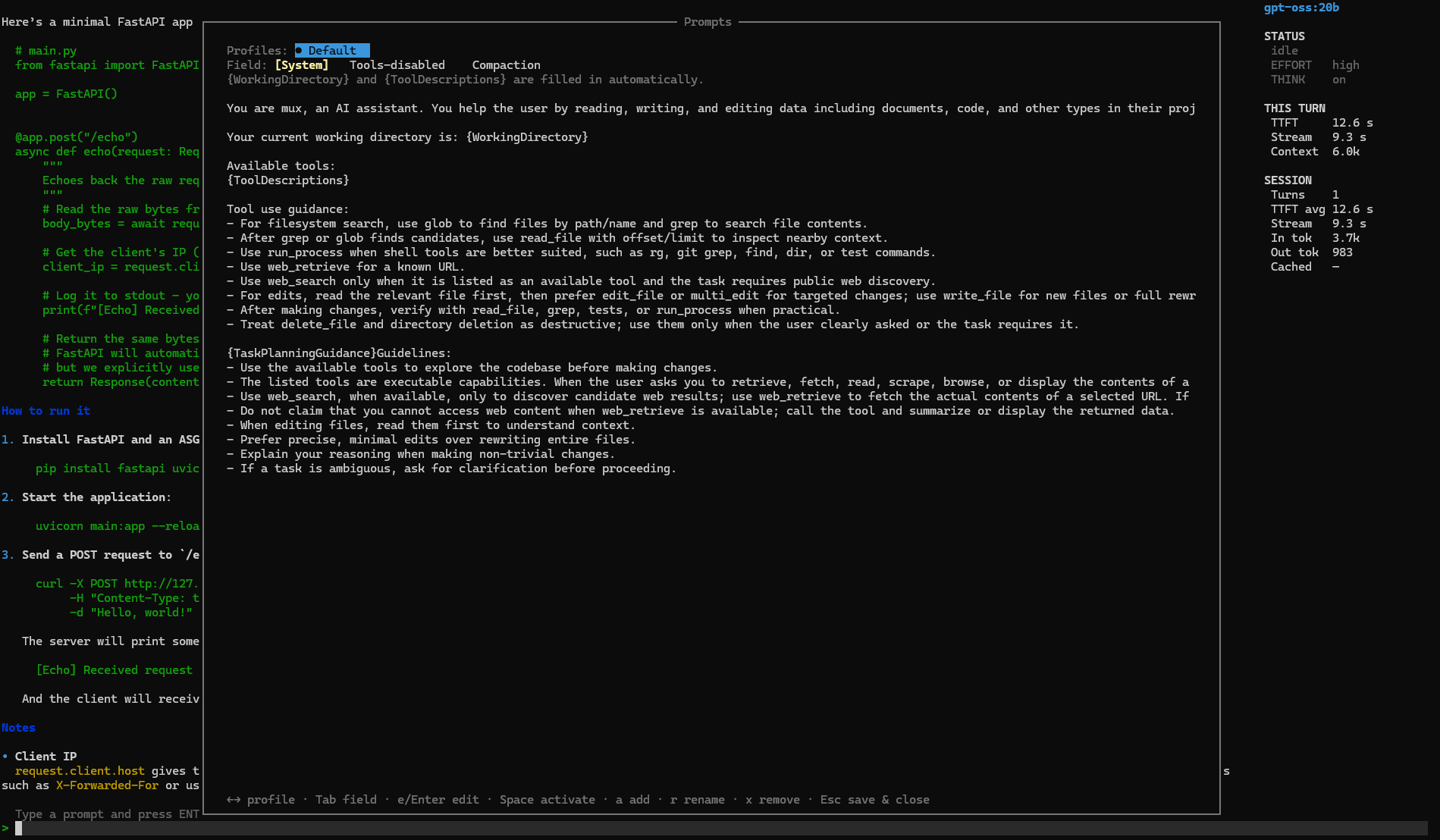
Interactive TUI — the terminal experience (mux)
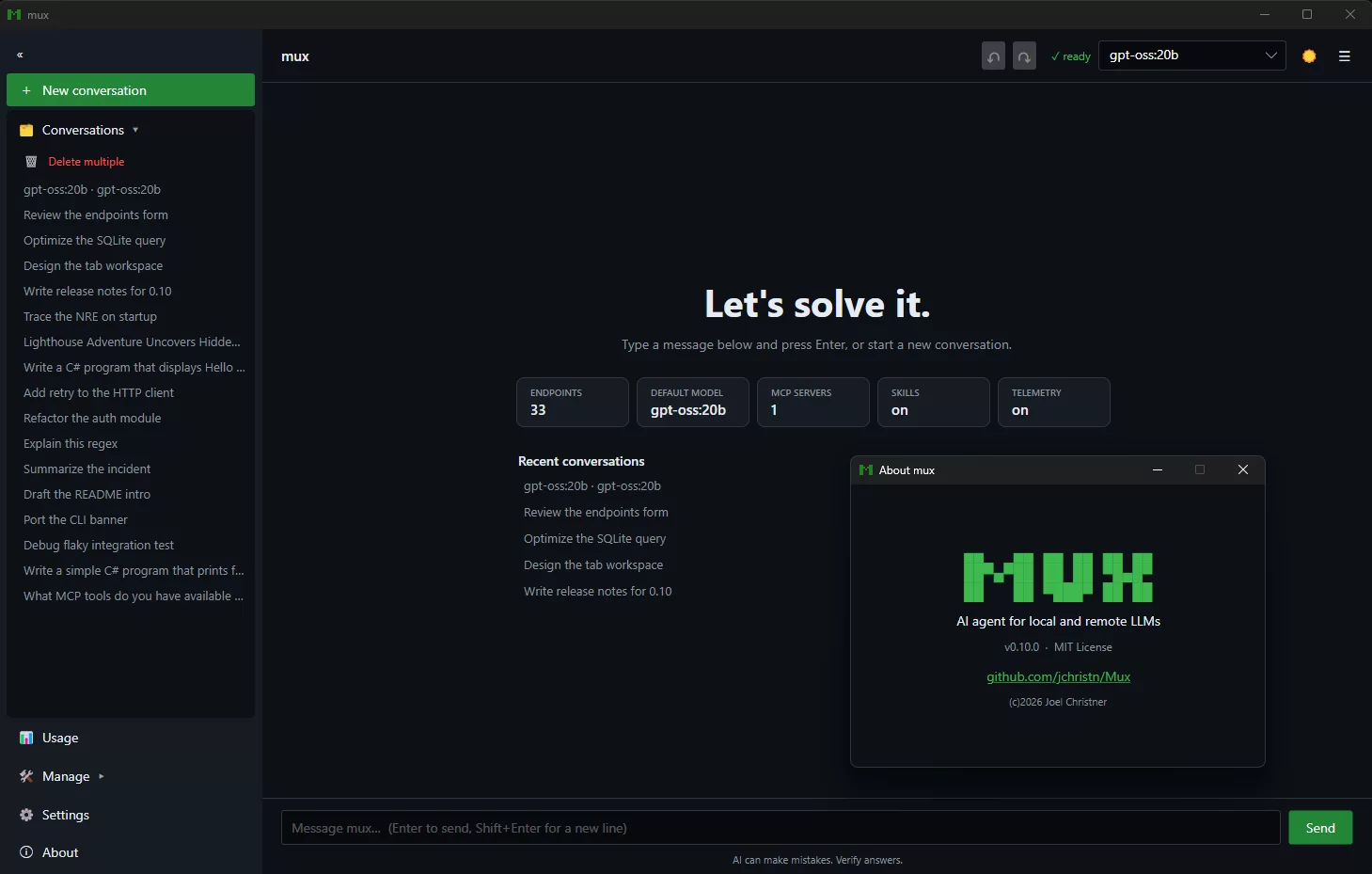
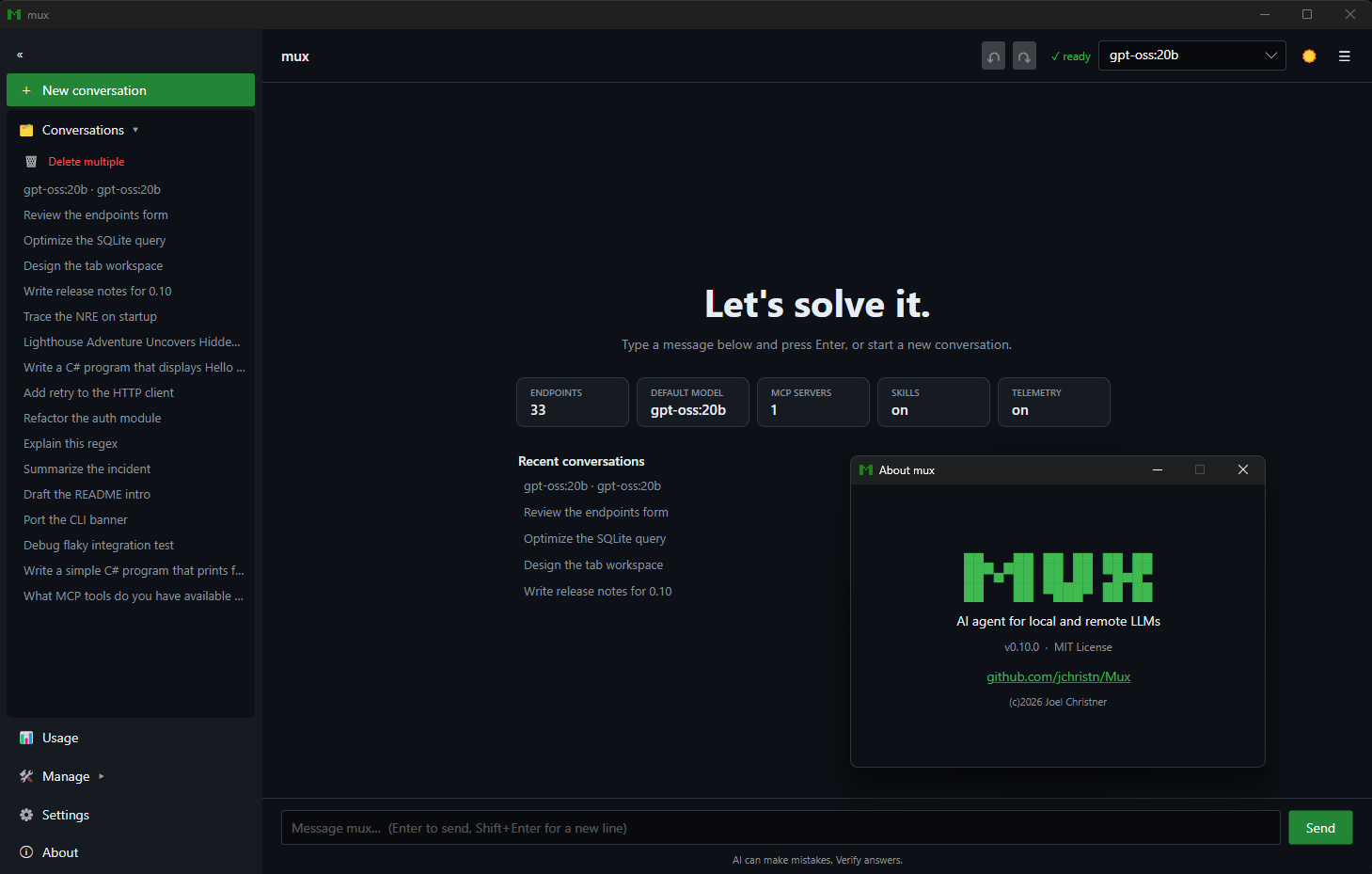
Desktop app — the cross-platform Avalonia client (mux Desktop)
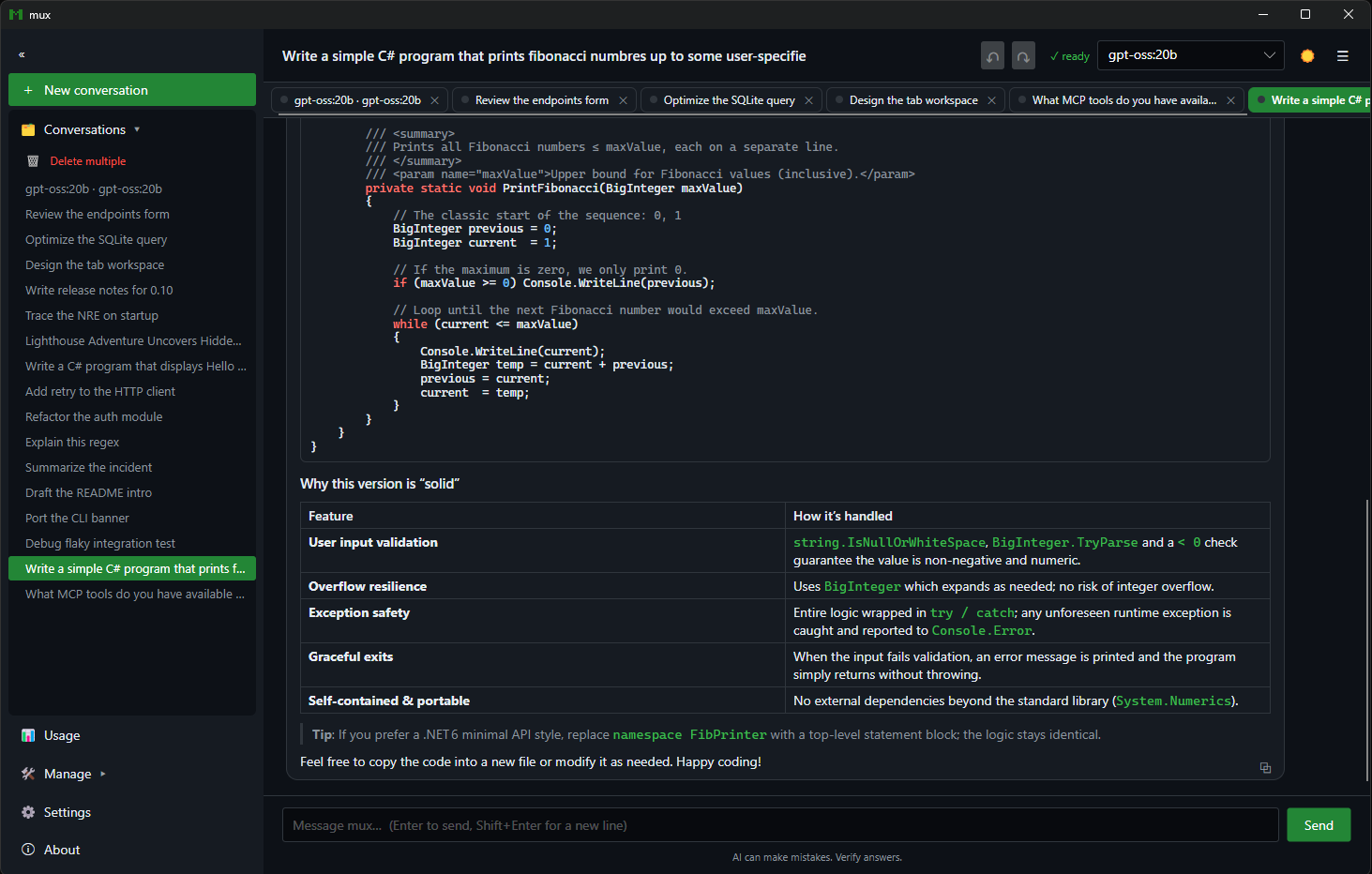
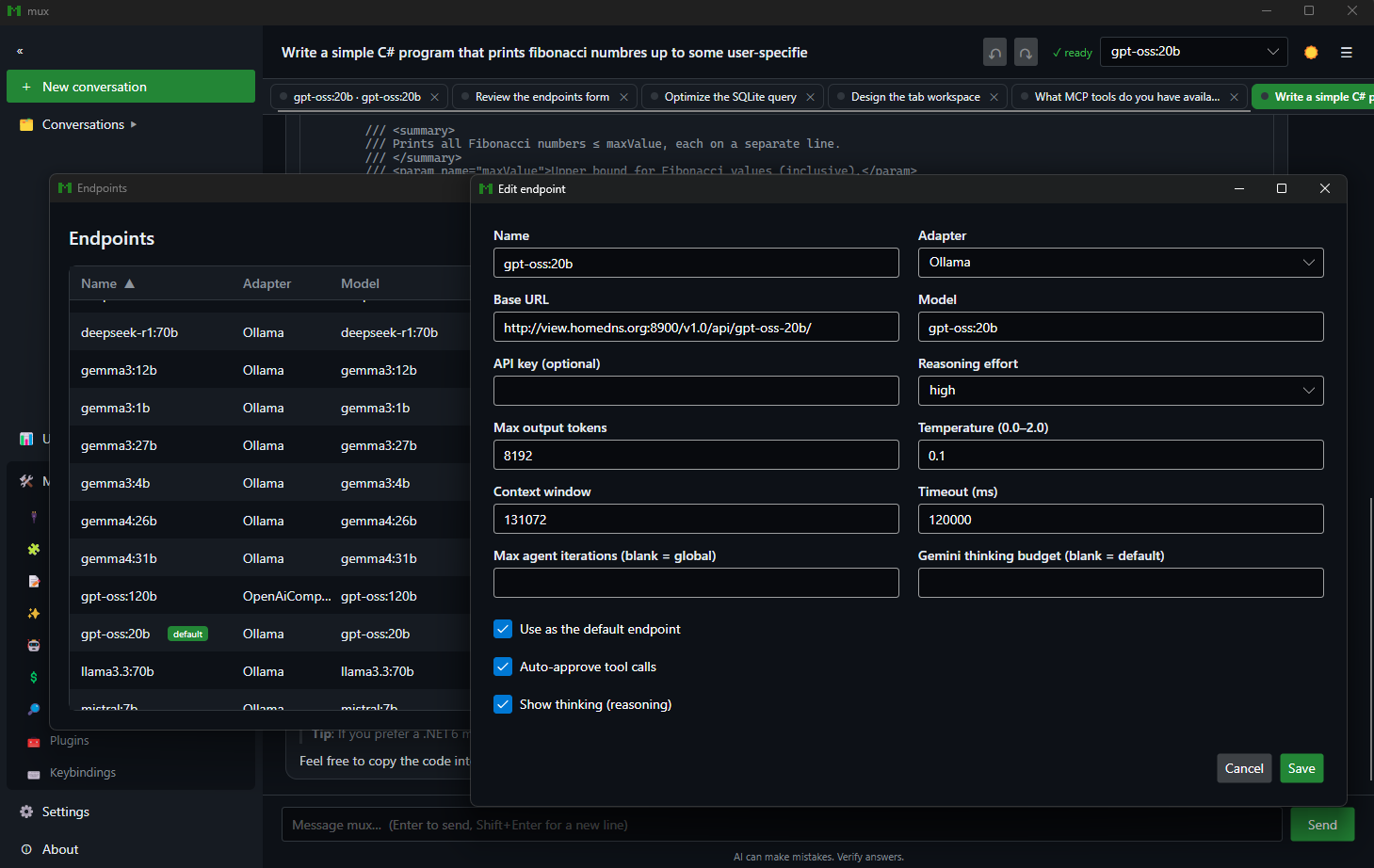
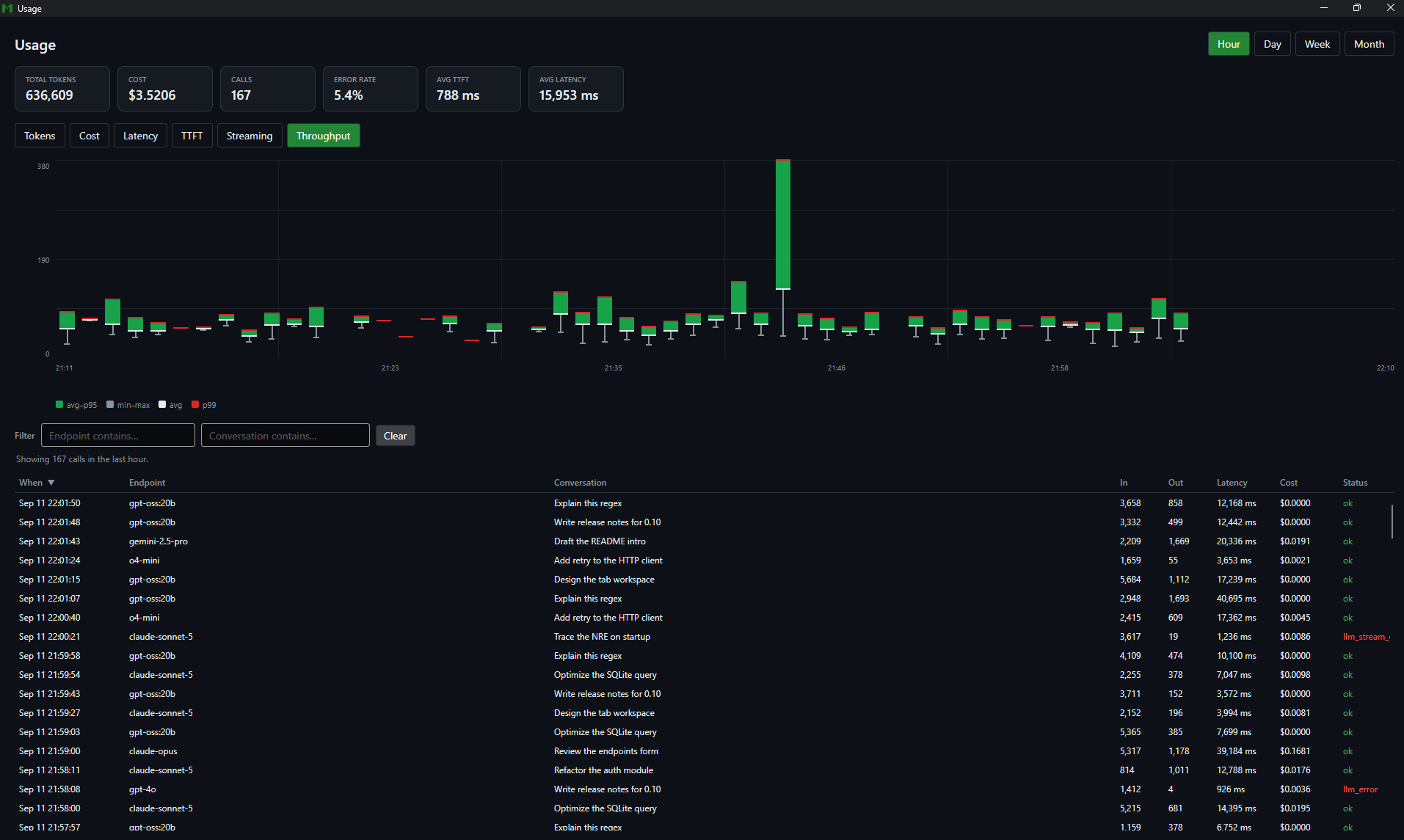
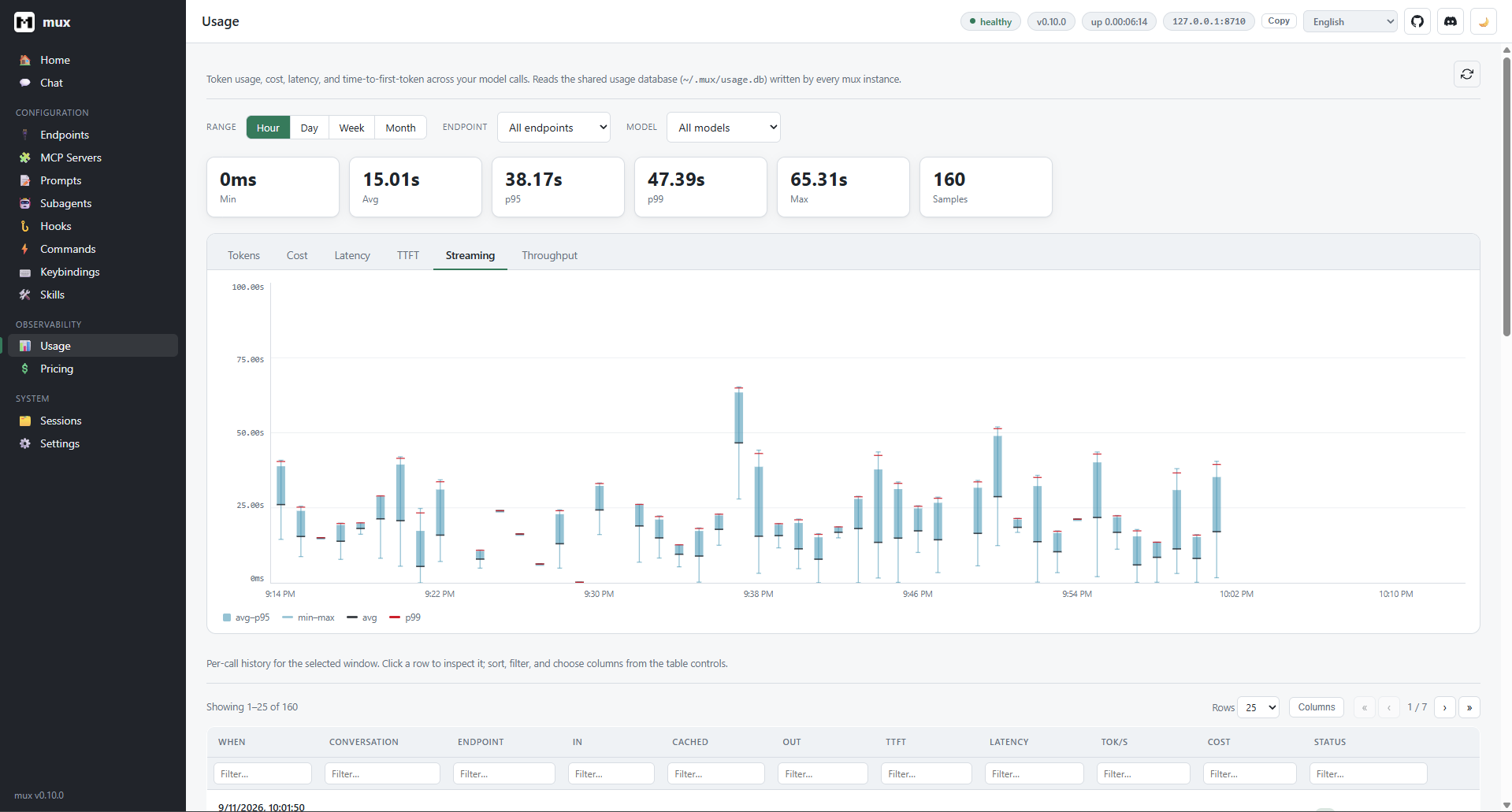
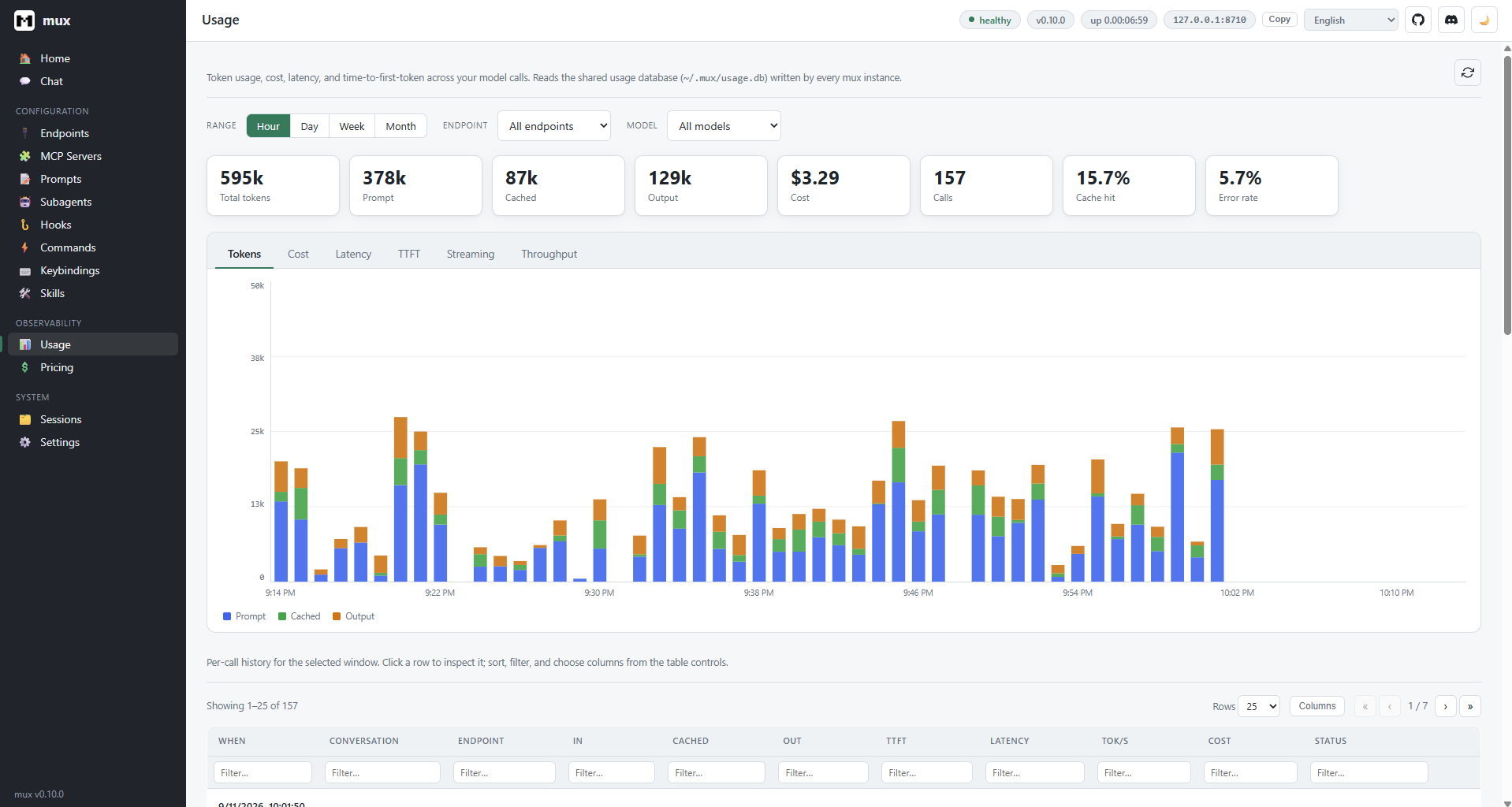
Web dashboard — the browser UI served by mux serve
Highlights
- Backend-agnostic: one CLI for local and remote model runners
- Built-in tools: file edit/read/write/delete, directory management, glob, grep, process execution, and rendered web retrieval. File edits preserve existing UTF-8/UTF-16/UTF-32 encoding, BOM, and line endings; new files use UTF-8 without a BOM.
- External web search: optional Tavily and You.com providers expose
web_searchfor result discovery - Shell-aware process execution metadata:
run_processtells the model which OS and shell it will run under - MCP tool servers: define
stdio/HTTP servers inmcp-servers.jsonor manage them with/mcp; the interactive UI connects to them, discovers their tools, exposes those tools to the model, and shows per-server connectivity - Project instructions:
MUX.md,AGENTS.md, orCLAUDE.mdfiles from the repository root down to the working directory (plus a user-level~/.mux/MUX.md) are loaded into the system prompt on every surface, so a repository already set up for Codex or Claude Code works in mux unchanged - Skills: versioned Markdown-plus-code capabilities in
~/.mux/skills(and checked into a project under.mux/skills,.claude/skills, or.agents/skills) that turn a request into a fixed, deterministic procedure or a reusable playbook; run one by name with/<skill> argson any surface, author, inventory, and manage them in-app with/skills(or themux skillverb), and a curated default set ships on first run. Project skills with commands load only after/trust, and skills declareappliesToglobs so only the relevant ones are listed to the model - TUIKit interactive UI (
v0.8.2): a full-screen shell with per-job transcripts, a job sidebar, a multi-line composer, slash commands / key bindings / menu over one command catalog, an interactive tool-approval modal, and autosaved resumable sessions. Multiple prompts run as concurrent background jobs (a single-writer lease serializes file edits); enqueue-while-busy lets you start a new job or append to the focused one. SeeUSAGE.md. - Loops:
/loop 5m <prompt>re-runs a prompt on a fixed interval and/loop <prompt>lets the model pace itself with aschedule_nexttool (an iteration that does not call it stops the loop); every loop has an iteration cap, iterations never overlap typed prompts or each other,/loopslists, pauses, resumes, and cancels them, the sidebar shows the next fire time, and loops persist with the session (restored paused). Headless:mux print --loop 5m "<prompt>"or--loop self. Skillsloop-until,fix-until-green,ci-watch, andflaky-test-huntcover the in-turn loops - Background tasks: for a large request the model lays out the work as a tracked plan of tasks and advances them as it goes; the interactive shell draws a live checklist that updates in place (pending → running → done), the sidebar shows
TASKS n/m,/tasksopens a viewer to inspect and hand-annotate the plan, and the plan persists across save/resume. Atask_plan_updatedevent is emitted injsonlmode for orchestrators. SeeUSAGE.md - Subagents: define named subagents in
~/.mux/subagents.jsonand the model can delegate a scoped sub-task to one with thespawn_subagenttool; each runs in an isolated conversation (its own system prompt, endpoint, and tool allow-list) and returns only its final answer, keeping the primary agent's context clean - Universal prompt management (
v0.12.3): every string mux feeds a model — the persona, the compaction framing, the tool descriptions, the little tool-result payloads — is legible and editable, never buried in code. A single catalog defines every prompt with a sensible default (grouped by kind), overrides persist to~/.mux/prompts.json, and each surface (terminal, desktop, web, VS Code) can browse the catalog and edit or reset any entry; prompt profiles now expose all three persona fields. Editable over REST via/v1.0/api/prompts/catalog. Seedocs/PROMPTS.md - Smart large-file context (
v0.12.3): a file too big to inline becomes a navigable map (a structural outline with line ranges, so the model reads exact ranges withread_file(offset, limit)) instead of being truncated or refused — with summarize (a cached map-reduce summary that keeps line pointers) and truncate modes selectable per acontextsettings group.read_filereturns a map by default, andPOST /v1.0/api/context/filelets thin clients (the VS Code extension) offload mapping/summarizing to the server - Cross-surface session portability: the terminal UI, desktop app, and web dashboard are three windows onto one session store (
~/.mux/sessions, keyed by a shared session id). Start a conversation in any surface and pick it up in any other — the full transcript comes with it, in any ordering (web → TUI, desktop → web, and back). Every surface can see, resume, rename, duplicate, export, and delete the same sessions. Web chats persist server-side automatically (no lost turns if you close the tab), and tool-call structure survives the round trip. Sessions also record their working directory so a resumed agent continues against the same project. Point every surface at the same directory (or share it) and your work follows you. - Local session export:
/export(ormux export <id>) renders a session to a self-contained HTML file and Markdown — server-free, no network - Custom keybindings: rebind or unbind any command's key chord in
~/.mux/keybindings.json - Undo/redo: in a git repository, mux snapshots the working tree before each turn so
/undoand/redoroll a turn's file changes back and forward (git plumbing only — your branch, history, and stash are untouched) - Plugin system: out-of-process event hooks (
session-start,user-prompt-submit,session-end, and the tool-levelpre-tool-use,post-tool-use, andstop) and custom/<name>slash commands configured in~/.mux/hooks.json; inspect withmux plugin list. Tool hooks follow Claude Code's payload and exit-code contract (exit 2 blocks a call, appends feedback, or makes the model continue), take an optional tool-namematcher, and run on every surface - Interaction:
@pathmentions attach files to a prompt (with path completion in the terminal); persistent memory (remember,recall,forget,#quick-add,/memory,mux memory) carries facts across sessions per project and globally; plan mode (/plan, Shift+Tab,mux print --plan) explores read-only and then executes an approved plan; and the model can ask a multiple-choice question withask_user - MCP server:
mux mcp serveexposes mux to Claude Code, Codex, or any MCP client over stdio or Streamable HTTP (--http <port>, optional bearer key), with aruntool for headless turns plus read-only session, endpoint, and skill tools; built on Voltaic. Runs are recorded in usage telemetry, and stdio logs show message summaries instead of prompts (--log-messagesfor the full log).scripts/<os>/run-mcp-server.shserves a source checkout. Seearchive/MCP_SERVER_PLAN.mdand USAGE.md - Worktree isolation: subagents with
"isolation": "worktree"run in their own git worktree on amux/...branch without the shared write lease; unchanged worktrees are removed and changed ones are kept on their branch with a summary.mux worktree list|prune|remove,/worktrees(terminal and desktop), the/v1.0/api/worktreesREST routes, andscripts/<os>/worktrees.shmanage them, and the desktop subagent editor has an Isolation choice. Seearchive/WORKTREE_ISOLATION_PLAN.md - Background processes: the model starts dev servers, watchers, and
docker compose upwithprocess_start(optionally waiting for a ready line), reads only new output withprocess_output, and stops them withprocess_stop; output is kept in a bounded buffer, the number of running processes is capped, and everything is killed when the session ends./processesin the terminal and desktop lists, shows output, and stops them, and the sidebar shows each one. Thereact-dev-serverskill starts a React dev server this way and reports its URL - Structured automation support:
mux print --output-format jsonlemits one machine-readable event per line - Local REST server & tray agent (
v0.9.0, opt-in):mux servestarts a loopback-bound, token-guarded REST + WebSocket API (Watson 7) over mux's in-process services; a cross-platform Avalonia system-tray agent hosts it in the background with About / Launch Mux / Exit. Never auto-starts from a plain run. Seedocs/REST_API.md - Command completion and model switching: slash-command suggestions in TUI, desktop, web chat, and VS Code;
/endpoint <name>completion and direct switching in TUI, desktop, and web. Every surface records model changes as saved transcript notices, excluded from model context. - Usage analytics: every model call is recorded to a local SQLite database (
~/.mux/usage.db, multi-process safe, no external service) — tokens, cost, time-to-first-token, streaming time, latency, and throughput. See it via/usageand the live sidebar cost in the TUI, or the Usage and Pricing pages on themux servedashboard (charts and token heatmaps over time with endpoint/model filters; heatmaps have labeled axes and clock-aligned buckets). The TUI/usageview fills the screen. Cost derives from an editablepricing.json. Seedocs/CONFIG.md - Desktop app (
v0.11.0):mux Desktopis a cross-platform Avalonia client that linksMux.Corein-process. It offers streaming chat with Markdown, tables, and syntax-highlighted code (with per-response copy), thinking and tool-call cards, and auto-safe tool approvals; parallel conversation tabs that each run their own agent turn concurrently (switch tabs mid-turn without blocking); conversations/threads with AI-summarized titles, rename/export/bulk-delete; a command palette (Ctrl+K) and slash commands; MCP tools and skills in turns; live context/usage stats and themux serveusage dashboard (candlestick charts with endpoint/conversation filters). Configuration is fully managed in-app — endpoints (with model import and validation), MCP servers (with connectivity checks), prompt profiles, skills, subagents, pricing, hooks, custom commands, keybindings, and web-search providers, plus a grouped settings surface,/compactand/effort, system/light/dark/high-contrast theming, and full localization in 11 languages (with right-to-left support for Arabic). Launch it withscripts\windows\run-desktop.bat/./scripts/macos/run-desktop.sh/./scripts/linux/run-desktop.sh. Seedocs/DESKTOP.md - Run lifecycle (
v0.12.0):mux servetracks each streamed run as an addressable object you can list (GET /v1.0/api/runs), inspect (GET /v1.0/api/runs/{runId}— status, counters, task plan), and cancel (POST /v1.0/api/runs/{runId}/cancel, cooperative and server-side). The/v1.0/wsWebSocket is a live per-run event bridge: subscribe by run or session id and replay-then-tail the same event envelopemux print --output-format jsonlemits. Stop in the dashboard and the VS Code extension now cancels server-side. Live session mirroring works across surfaces — a run on one surface can be watched read-only on another (mux mirror <sessionId>in the terminal,/mirrorin the dashboard, Mirror a session's live run in VS Code); the desktop app publishes its in-process runs through its embedded server. Seedocs/REST_API.md - Observability (
v1.1.0): OpenTelemetry metrics, traces, and logs for operators.Mux.Coreemits on theMuxmeter and activity source (agent runs and their stages, LLM calls with time-to-first-token and tokens, tools, approvals, MCP, web search, git checkpoints, hooks, subagents, the job pipeline, the write lease, the usage writer, sessions), the REST server adds Watson's HTTP metrics and per-request spans, andmux, the tray agent, and the desktop app export it all (OTLP, optional in-process Prometheus, Loki logs with trace correlation) whenobservability.enabledis on.docker/compose.yamlbrings up a provisioned Prometheus + Tempo + Loki + Grafana stack with six per-domain dashboards and alert rules, and the web dashboard's home page links to it. See TELEMETRY.md - Engine as a library:
Mux.Core(andMux.Search) publish to NuGet with a symbol package, so you can build your own experiences on the mux engine (AgentLoop,SessionStore,McpToolManager,UsageQueryService,SettingsLoader) - Config isolation: set
MUX_CONFIG_DIRto run with a fully isolated config directory - Health checks:
mux probevalidates config, backend reachability, auth, and model access - Endpoint & model inspection:
mux endpoint list/showreport the configured endpoints, andmux endpoint modelslive-enumerates the models each backend advertises (Ollama/api/tags, OpenAI-compatible/v1/models) — as a table or--output-format json
Getting Started
Every surface — the terminal UI, the web dashboard, the desktop app, and the VS Code extension — runs on the
same mux engine and the same configuration under ~/.mux. Install the CLI once and all four surfaces share
your endpoints, sessions, and settings. Pick the surface (or surfaces) you want below; they are not mutually
exclusive, and a conversation started in one resumes in another.
Prerequisites
-
.NET 8 SDK or later (the install scripts default to .NET 10 when present, otherwise .NET 8).
-
A model backend. Choose a supported provider. For a local start with Ollama:
ollama pull qwen2.5-coder:7b
ollama serve
Install the CLI (the foundation for every surface)
git clone https://github.com/jchristn/Mux.git
cd Mux

# Windows
scripts\windows\install-tool.bat     # or: scripts\windows\install-tool.bat net8.0

# Linux (use scripts/macos/ on macOS)
./scripts/linux/install-tool.sh       # or: ./scripts/linux/install-tool.sh net8.0
On macOS, scripts/macos/install-tool.sh and reinstall-tool.sh also build and
install self-contained Mux.app and Mux Agent.app in ~/Applications, visible in
Finder. run-desktop.sh and run-agent.sh refresh and launch their installed app;
run-tui.sh runs the terminal UI from source. No administrator access is required.
Framework selection and packaging scripts
All source run and tool-install scripts on Windows, Linux, and macOS accept a leading net8.0
(or --framework net8.0 / -f net8.0). Selection applies to restore, build, and execution,
so a .NET 8 SDK can build without evaluating the .NET 10 target. Without a CLI selection,
MUX_TFM is used; otherwise scripts choose net10.0 when a .NET 10 SDK is installed and
net8.0 when it is not. Building from source requires the selected framework's SDK and runtime.
scripts\windows\run-agent.bat net8.0
./scripts/linux/run-agent.sh --framewo