
NeonPlan 3D
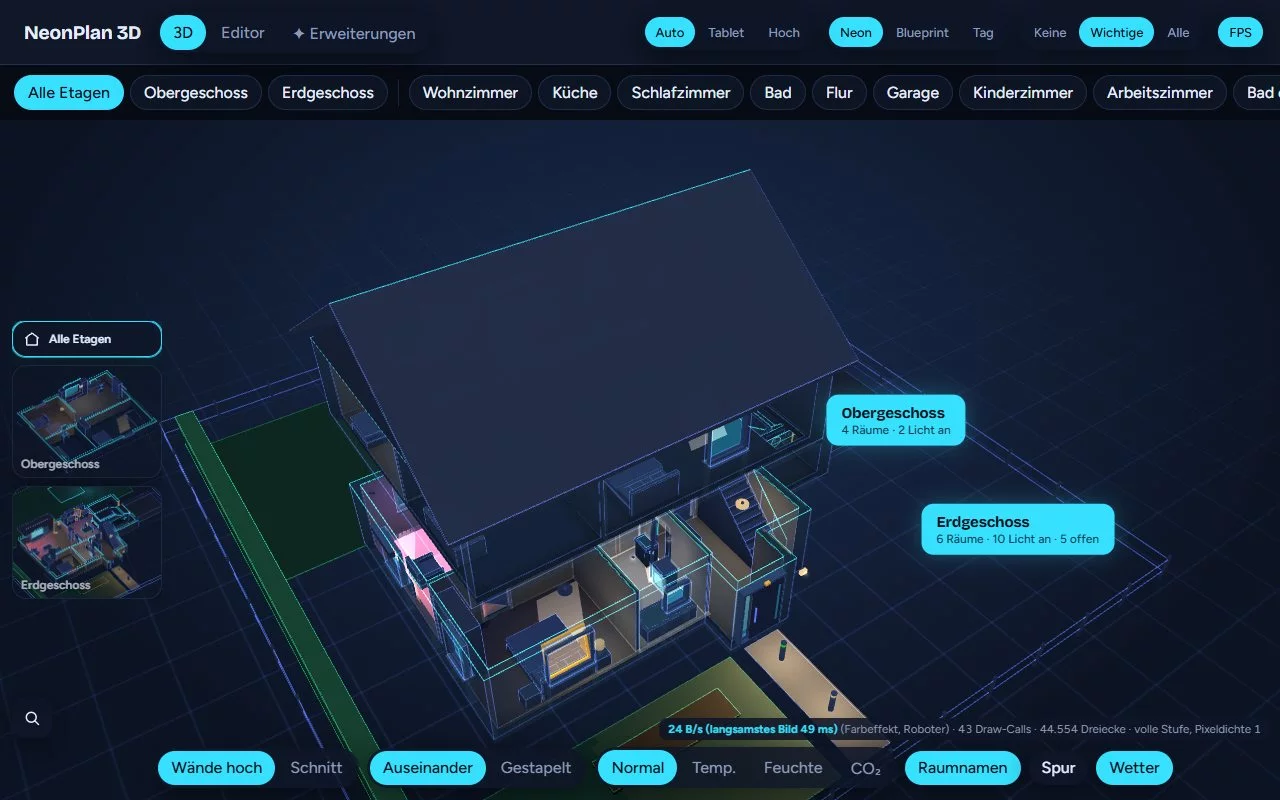
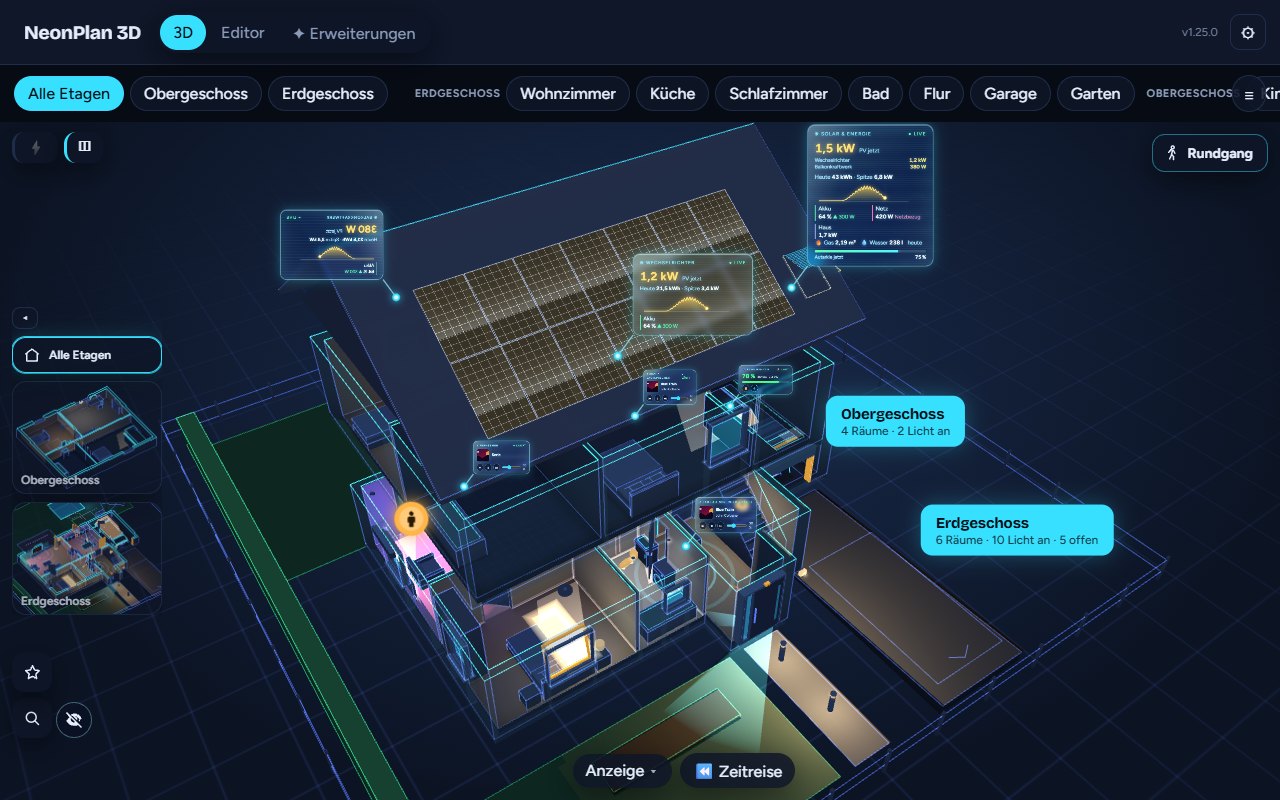
by Mastershort – draw your home right inside Home Assistant and live in it as a neon 3D house: lights glow in their colours, blinds and curtains move, doors and windows open, cameras watch, the TV shows what is playing, energy flows through the walls – and you can simply talk to it. No external tools, no cloud, made for wall tablets – old Fire tablets included.
▶️ Try the online demo – in your browser, with invented demo data: turn the house, switch lights, open the editor. Nothing to install.
📖 Manual: English · Deutsch (also here: manual.md, anleitung.md) 💬 Community: Discord – show your 3D home, ask, share ideas 🗺️ What comes next: Roadmap · What changed: Changelog
Your house in three steps – no CAD, no Blender
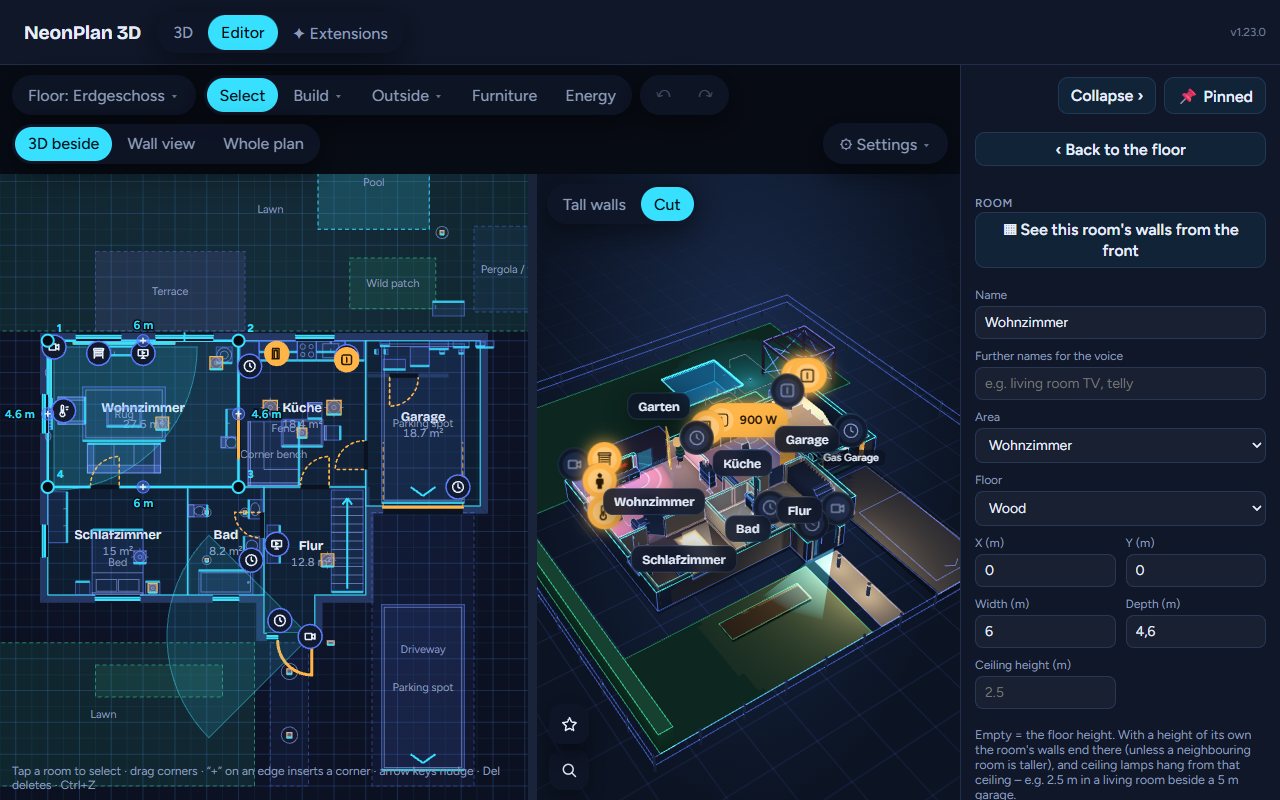
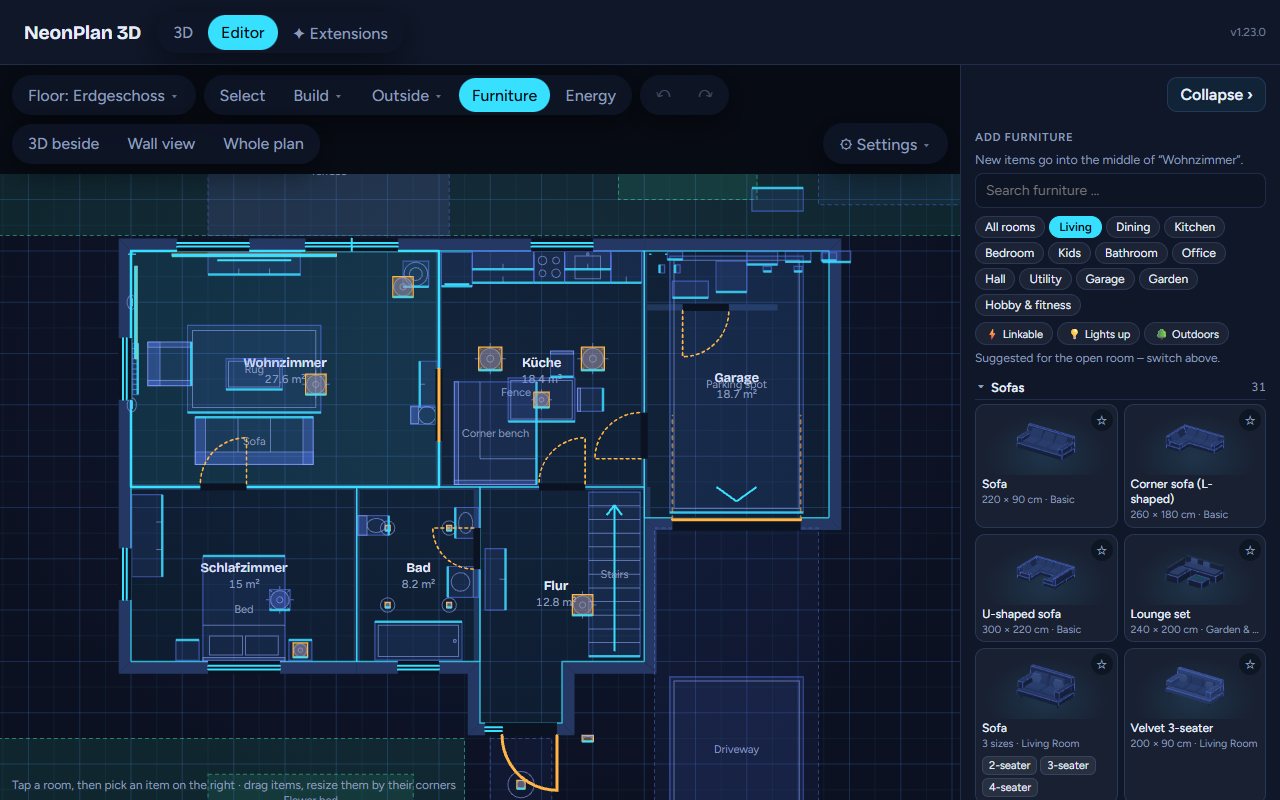
Everything happens in the editor inside Home Assistant, with the 3D house growing next to the plan while you draw.
| 1. Draw | 2. Furnish | 3. Link |
|---|---|---|
 |
 |
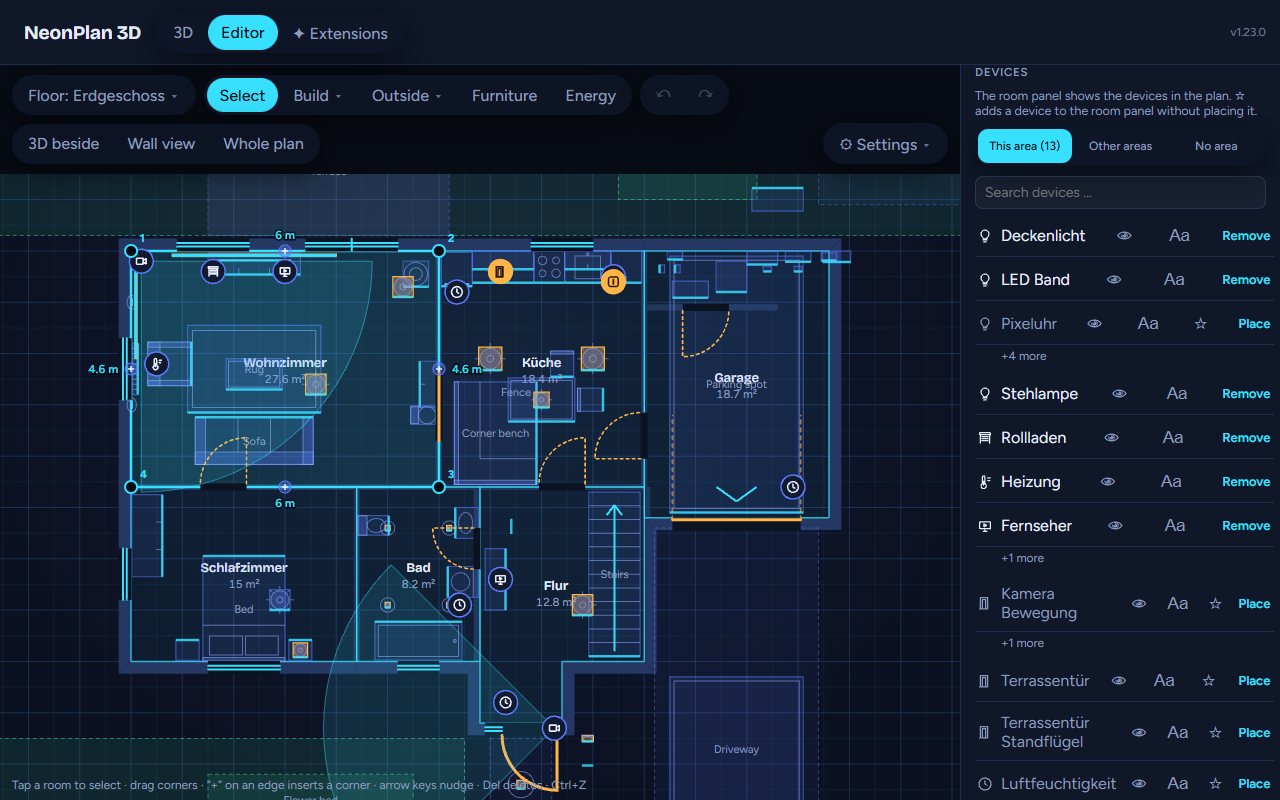 |
| Rooms as rectangles or free shapes – walls, corners and measures follow by themselves. Doors, windows, stairs, roofs and the garden come from the same toolbar. | Pick furniture by room and kind, each with a picture and its size; one card per item with its sizes, left and right versions. Resize freely – legs and arms stay as they are. | Each room takes its Home Assistant area: lights, blinds, sensors and media are found and placed with one tap. From then on the house is live. |
Not drawing at all? The import page turns Sweet Home 3D, iPhone LiDAR scans and more into a plan (see below).
Highlights
- ✏️ Drawn in minutes, right in Home Assistant – the plan editor with the 3D view beside it, a furniture library with pictures, free sizes, a wall view for exact placing. No external tool.
- 📍 Who is where – without Bermuda – NeonPlan locates people, phones and key tags room by room from the Shelly plugs and ESPHome proxies you already have: learn each room in 90 seconds, see everyone as a glowing figure, get a sensor per device, ask "Where is my iPhone?". Free.
- 🎙️ Talk to your house – tap the microphone or ask Assist: "Show the living room", "What's open?", "Good night". Assist satellites and automations ask the house too (service
neonplan3d.ask); the answer module "Das Haus antwortet" is in beta for supporters. - 🎬 Live director – the wall tablet shows by itself what happens: the doorbell rings and the view flies to the front door and looks through its camera; someone at a camera, the washer done, a warning. Every event is opt-in.
- ⏪ Time travel – replay the last day or week in the house: lights, doors, motion, the robot's run.
- 🚶 Walk through the house at eye level, with keys or a touch stick.
- 🔋 Energy in the walls – solar, battery, grid and wallbox as glowing cables, holograms with day curves.
- 📱 Runs on old wall tablets – a Tablet quality level, nothing is drawn while nothing changes, and the build refuses browser features old Fire WebViews lack.
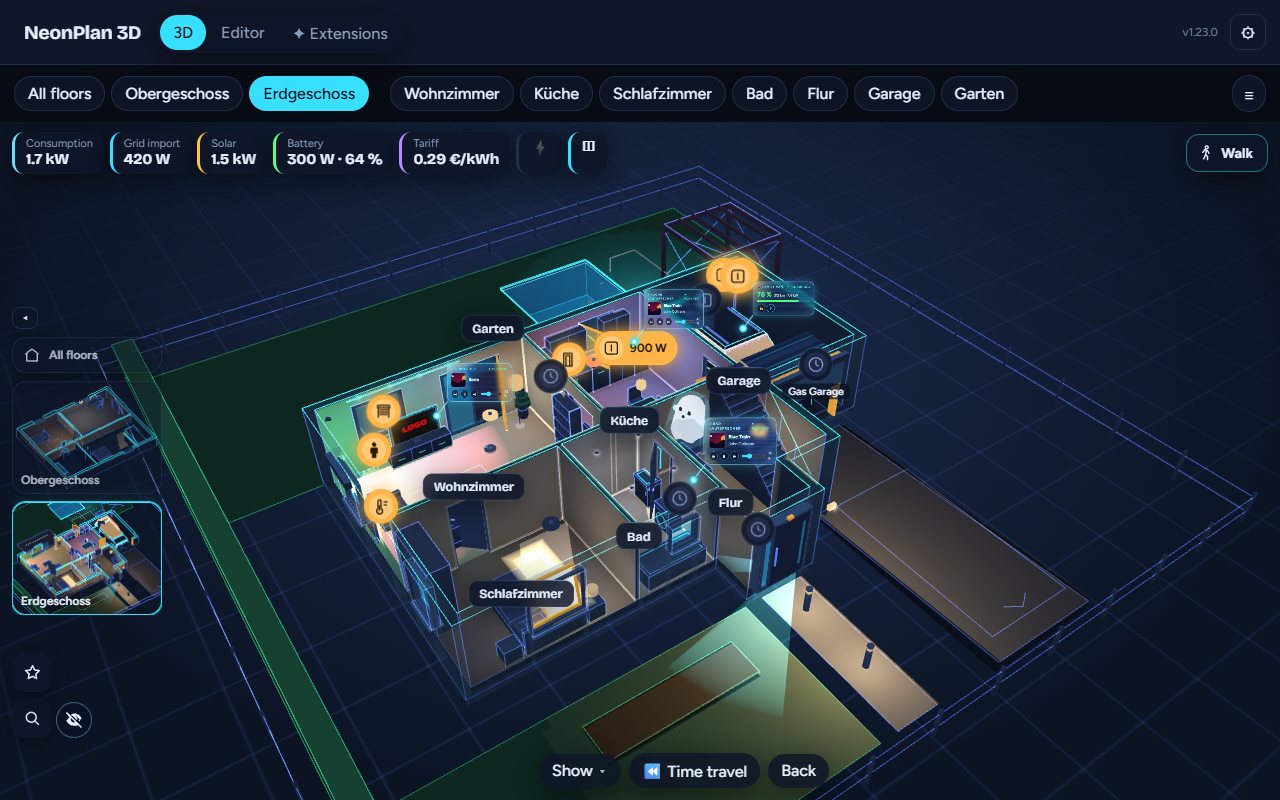
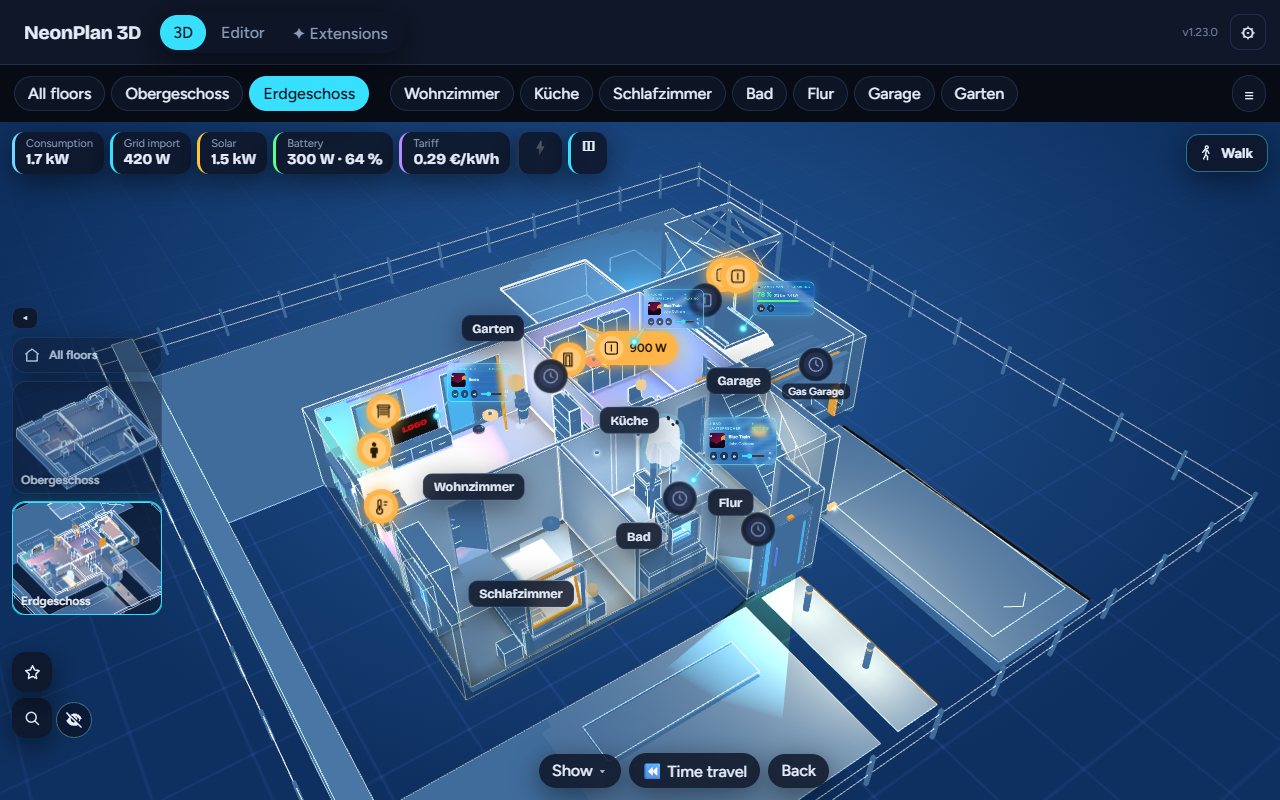
| Neon | Blueprint | Day |
|---|---|---|
 |
 |
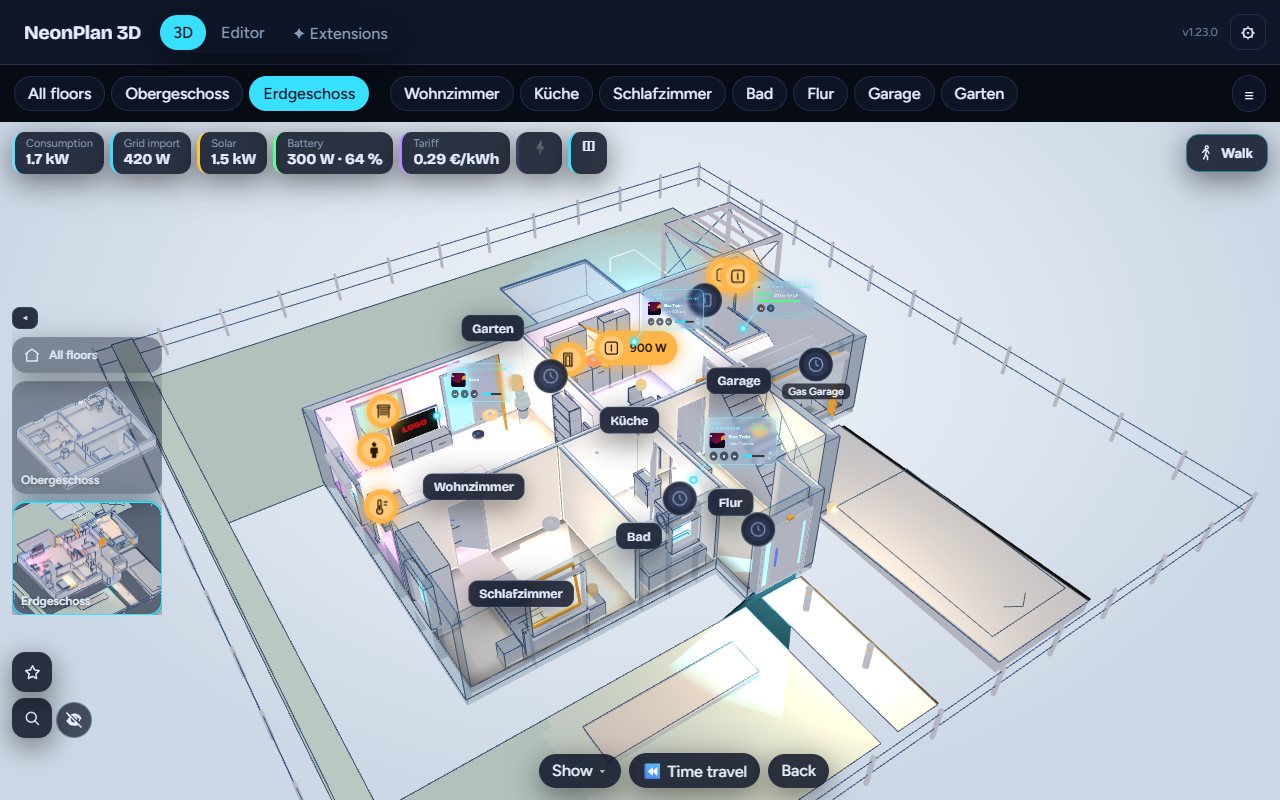 |
Three looks, an accent colour of your choice, and Auto – day while the sun is up, neon after sunset.
What it does
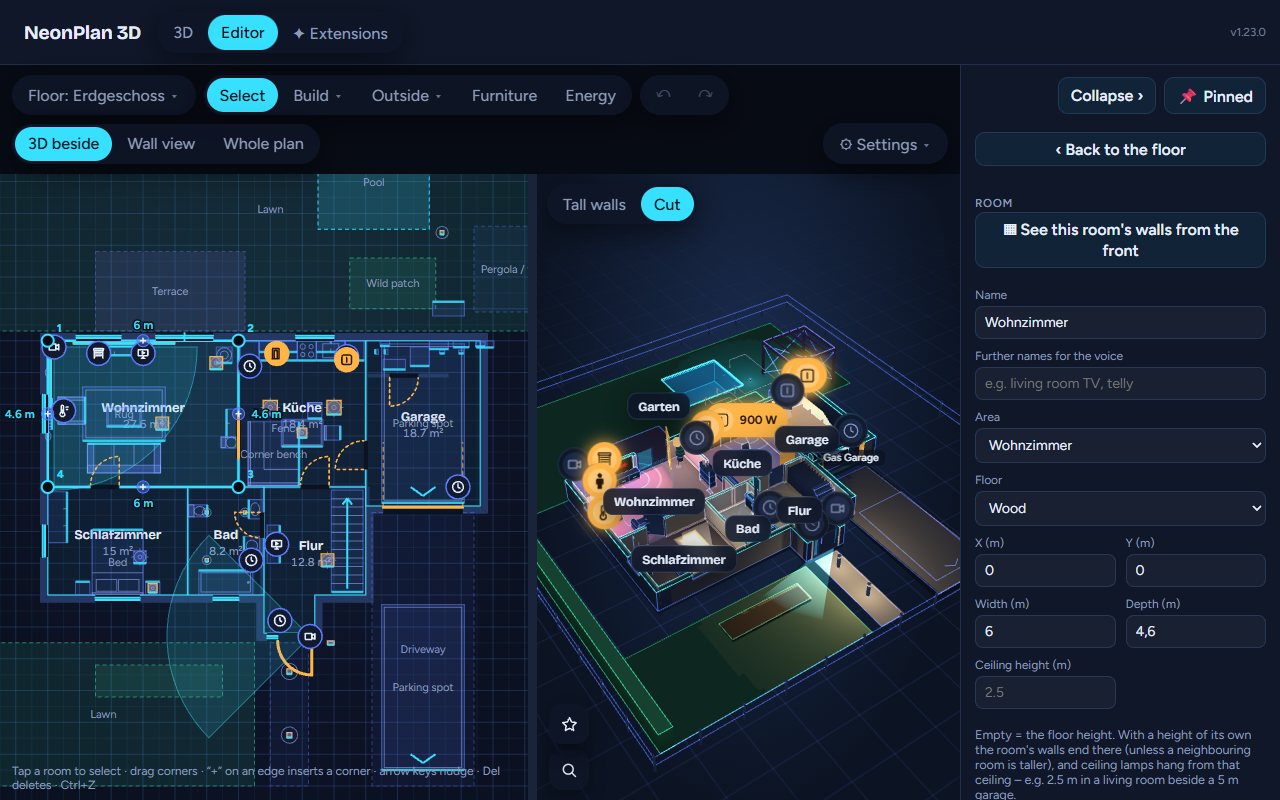 |
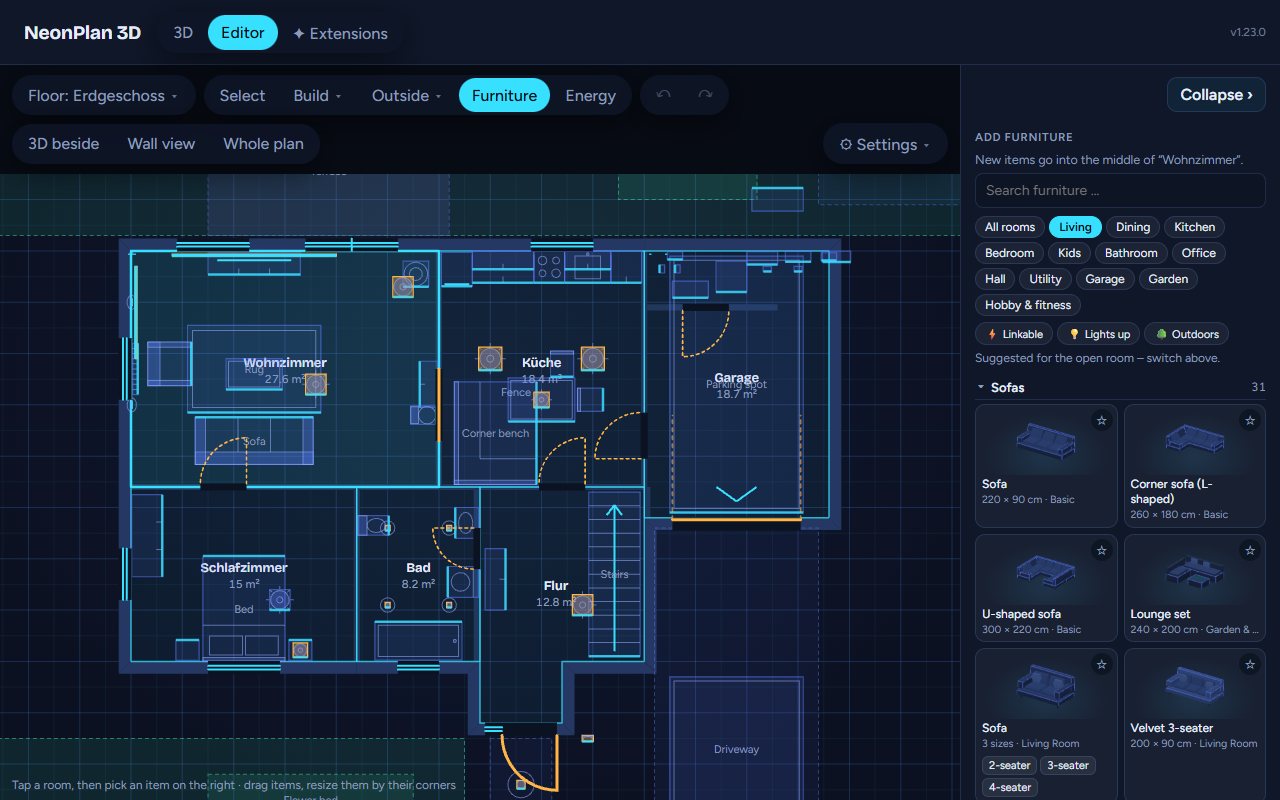
Plan editor in Home Assistant – floors, rooms as rectangles or free shapes, automatic walls and free-standing partitions, doors, windows, garage doors, stairs, floor openings, cellars with light wells, roofs with dormers, outdoor areas, pools, balconies and solar fields. The 3D view runs next to the plan while you draw. A wall view shows each wall from the front for exact placing. |
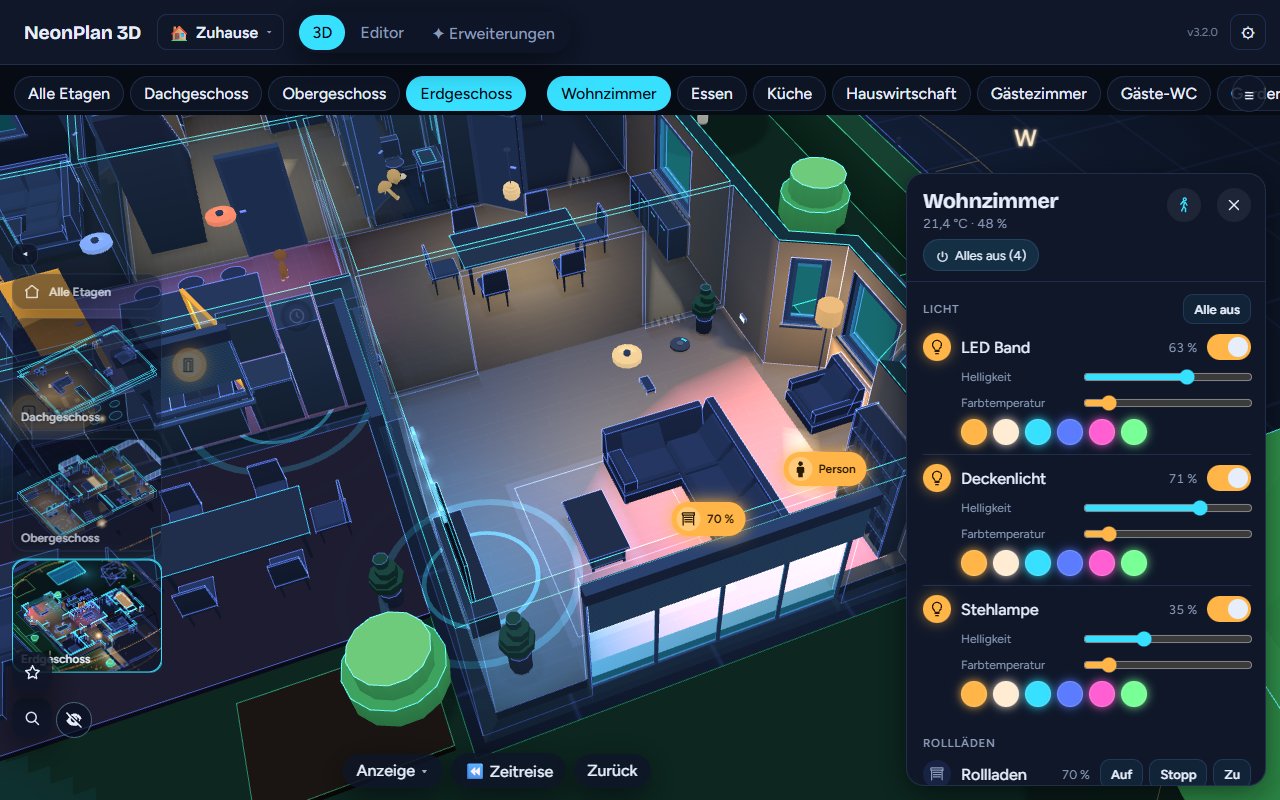 |
Live 3D view – tap a lamp to switch it, swipe to dim, long press for colours, blinds and covers; doors swing, windows tilt, curtains and awnings run with their cover. A room panel lists everything of the room's Home Assistant area; gardens and terraces open like rooms too. |
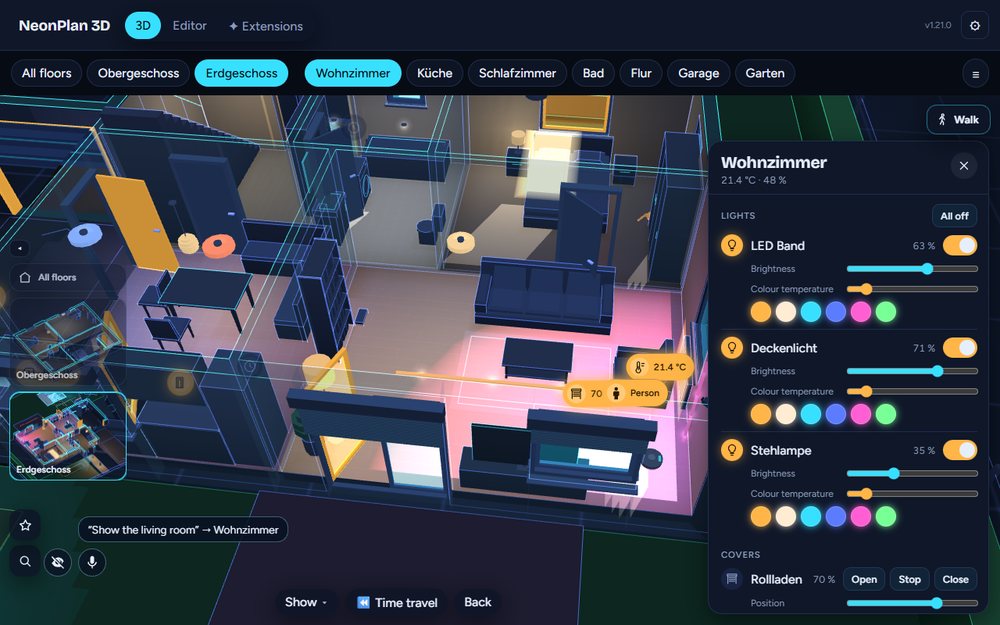 |
Voice control – tap the microphone or ask Assist: "Show the living room", "Where is the washing machine?", "Show the front door camera"; anything else goes to Home Assistant's Assist. Free for everyone; the answer module ("What's open?", "Good morning") is in beta for supporters. |
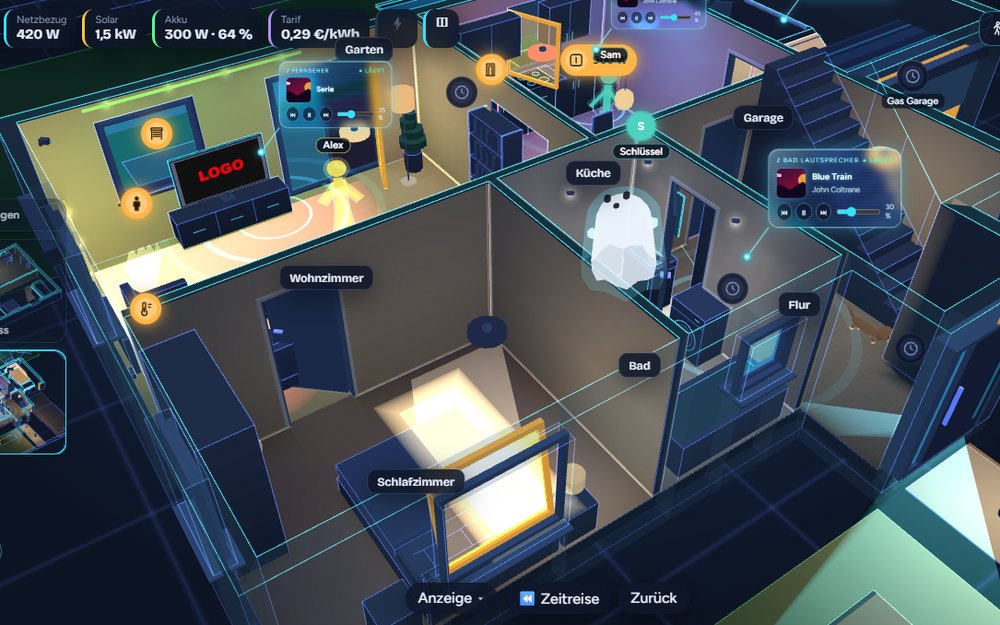 |
Locating – who is where – people, phones and key tags room by room, from the Shelly plugs, ESPHome proxies and Bluetooth adapter Home Assistant already has. A setup assistant learns each room in 90 seconds; rooms without a scanner work too, presence sensors make it faster. People stand as glowing figures, every device gets a room sensor for automations, and Assist answers "Where is my iPhone?". No Bermuda, no ESPresense, free. |
 |
Furniture and lamps – 80 built-in models plus furniture packs, in one library sorted by room and kind, with a picture and the size on every card. Lamps light their room in their own colour (and the floor below through a stairwell), TVs, washers and radiators glow while they run, robot vacuums drive their lanes, pets roam the house. |
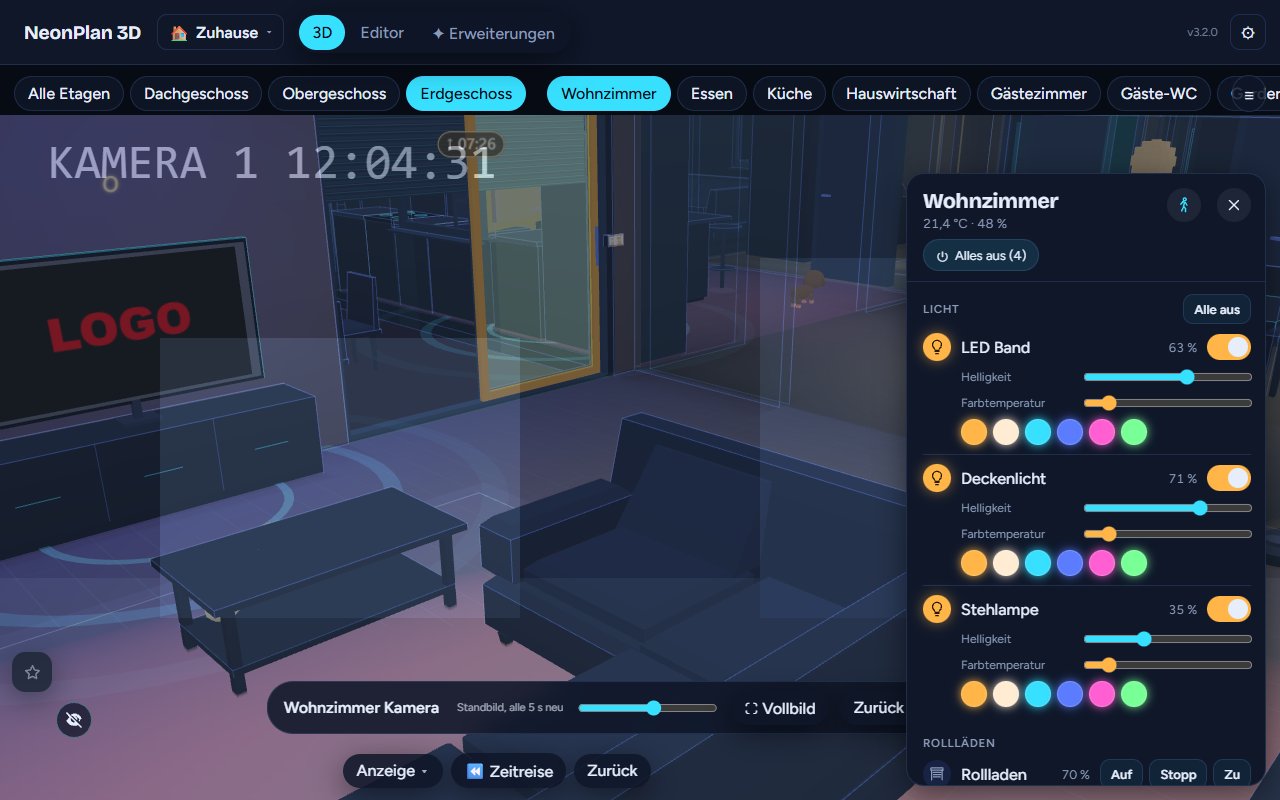 |
Cameras – on walls or ceilings with their field of view, red while they see motion; snapshots, a camera wall and live streams. |
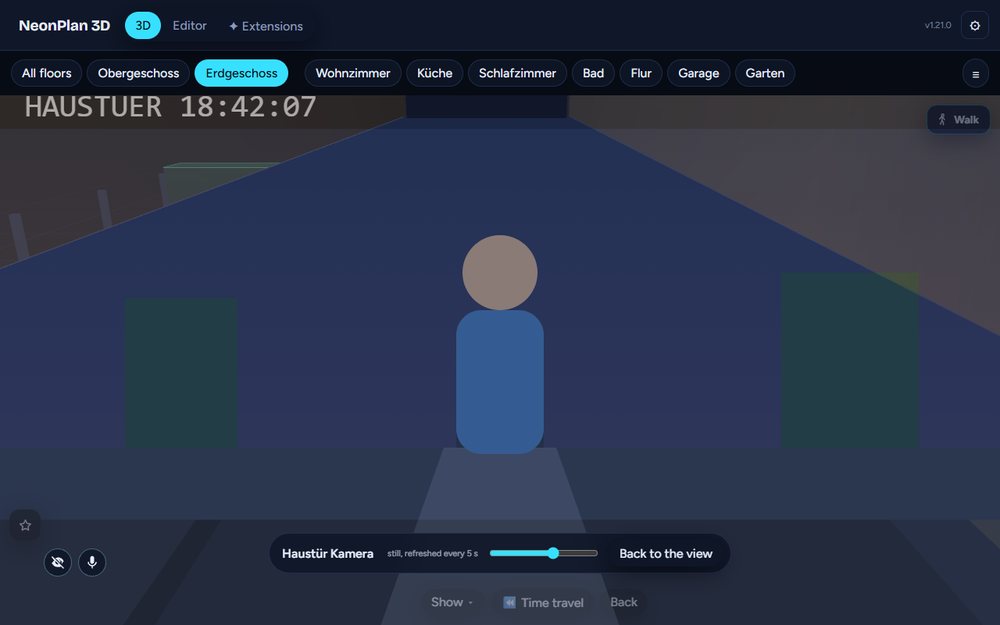 |
Live director (Camera Cockpit) – the doorbell rings and the wall tablet flies to the front door and looks through its camera; it also shows a camera that sees someone, a finished washer or a new warning, then goes back. |
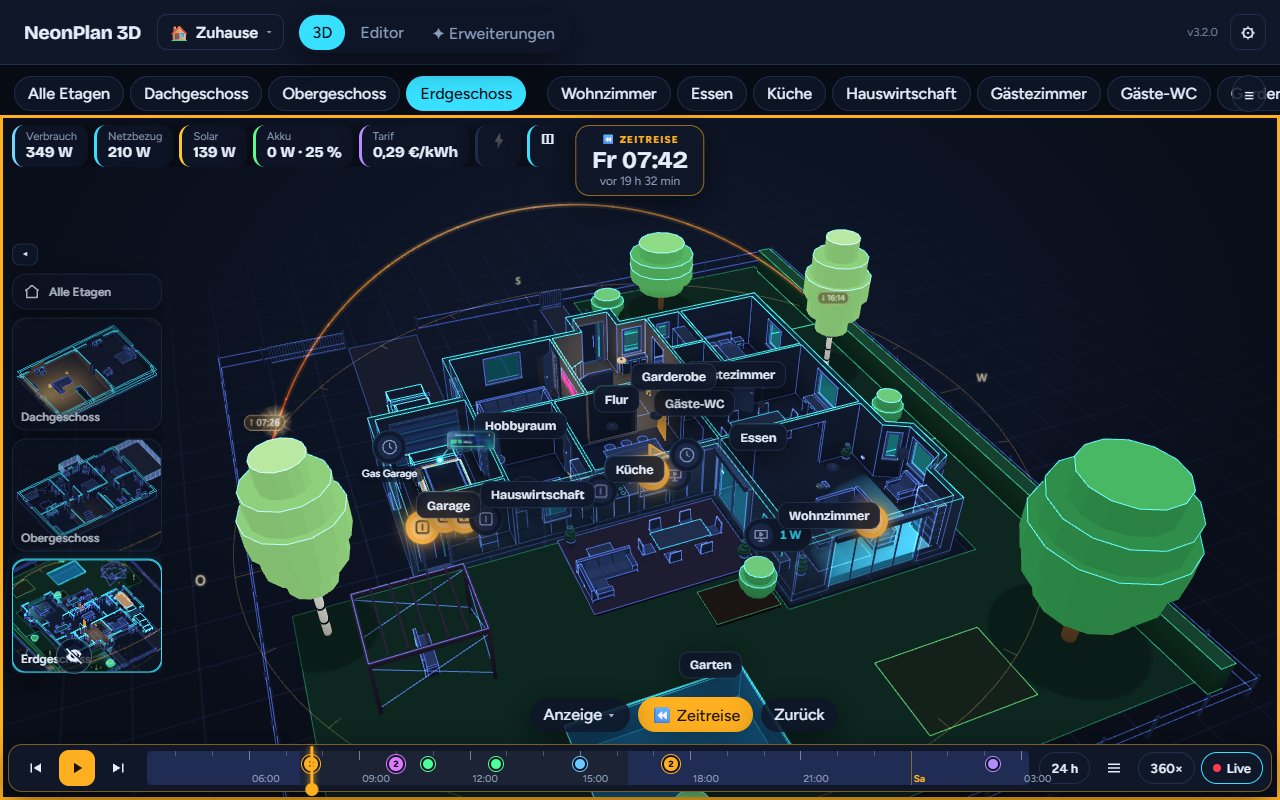 |
Time travel (Pro) – replay the last day or week: lights, doors, motion and the robot's run, with a timeline of events. |
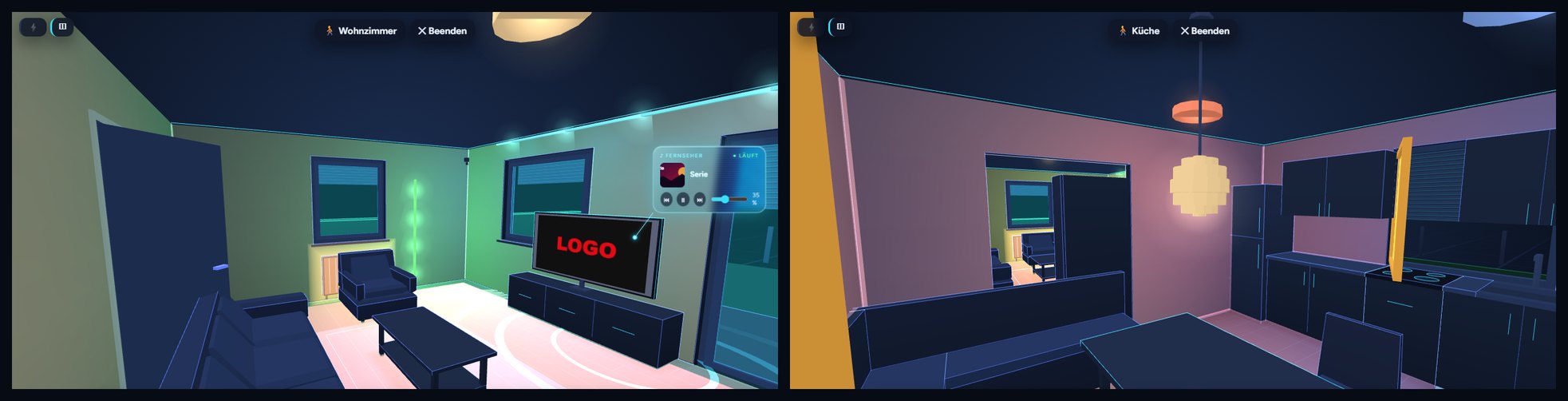 |
Walk and wall view – walk through the house at eye level with keys or a touch stick; in the editor, each wall from the front to place furniture to the centimetre. |
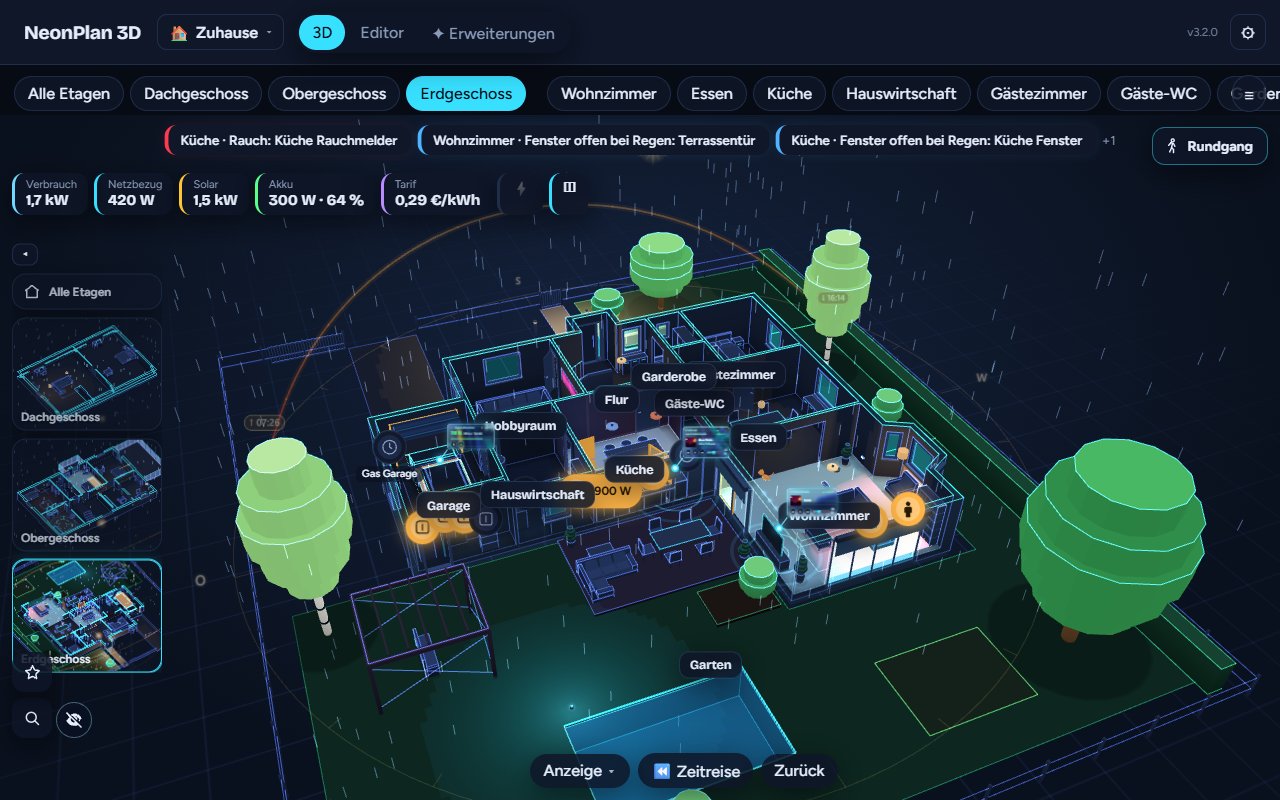 |
Made for the wall – warnings for smoke, gas, CO, water, alarm, a window open in the rain and power outages pulse in their room; kiosk mode with idle return, night dimming and a slow orbit; favourites and scene buttons. |
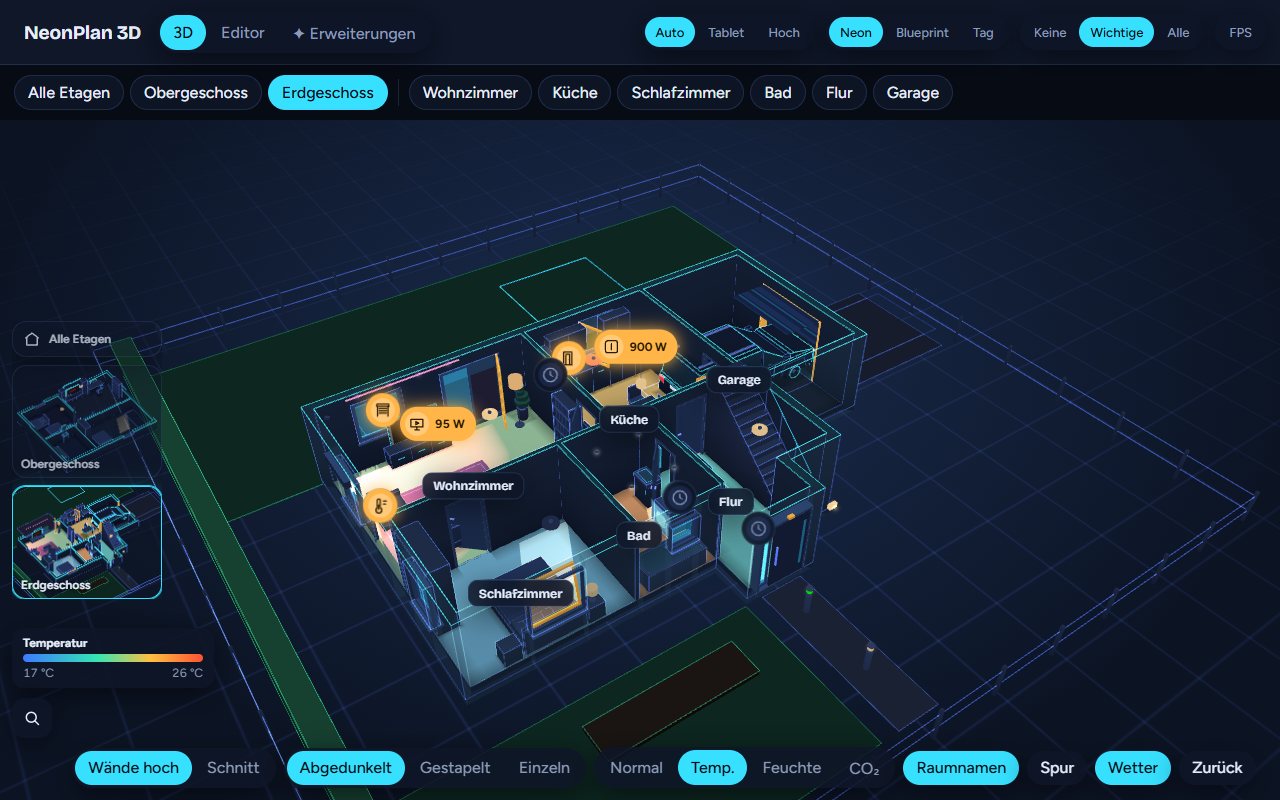 |
Values and heatmap – temperature, humidity and CO₂ per room, sunlight through the windows from sun.sun, the weather around the house. |
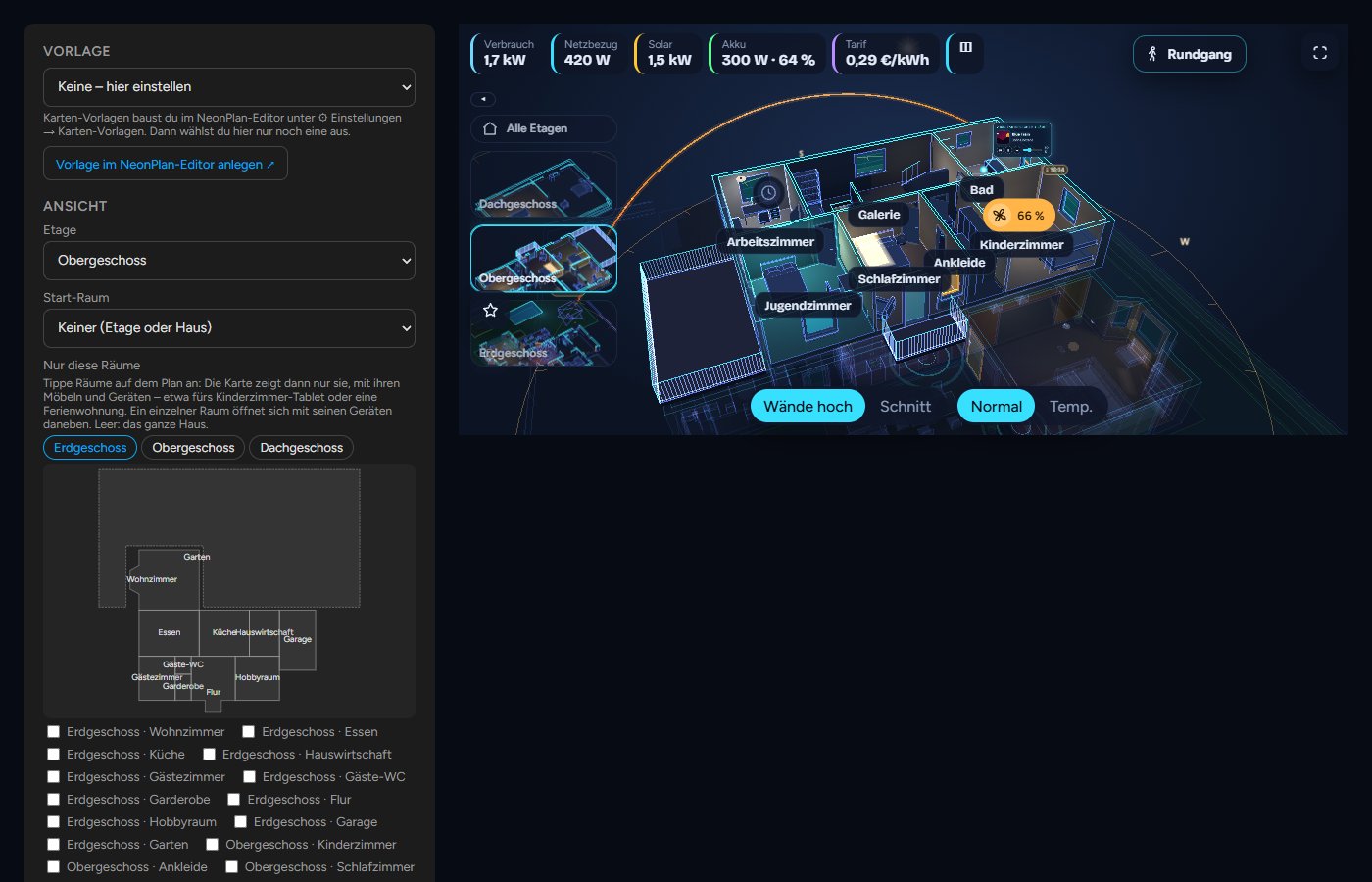 |
Dashboard card – custom:neonplan3d-card with a visual editor, loaded automatically. |
Coming from another program? The import page turns Sweet Home 3D, iPhone LiDAR scans (RoomPlan), CAD (DXF), Blender/SketchUp models (glTF, OBJ, STL), Floorplanner and Valetudo robot maps into a NeonPlan plan – in your browser. Or let an AI write it with this template (format).
Also included: parking spots with vehicles that appear while a car is home, waste bins and mailboxes, smart locks on doors, a clock in the view, search, restore points, a full backup of plan, pictures and packs, and 18 languages.
Free, packs and Pro add-ons
The integration and everything above are free and open source (MIT). Safety (smoke, water, alarm, rain warning, power outage) is always free. Optional extras are sold once – no subscription – at mastershort.de and install from the Extensions tab:
-
Furniture packs – living room, kitchen, bedroom, bath, kids, office & gaming, garden & terrace, garage & workshop, fitness, smart home & tech, cinema & hi-fi, utility, architecture, stairs & railings, vehicles; free fun packs (pets, Halloween) with a customer account.
-
Pro add-ons
Add-on What it brings Camera Cockpit Look through a camera, camera wall, motion trail, detection pins, the live director Weather outside Rain, snow, fog, clouds, lightning, sun and moon around the house Live screens App colours and artwork on TVs, pictures by rules, camera pictures on screens Energy Pro Energy flow in cables, device holograms, solar fields with their own yield Sound & Cinema Speakers that pulse with the music, now-playing cards, stations and playlists Car Pro Your car on its parking spot with charge, range, lock and climate Time travel Replay the last 24 hours or 7 days Household Pro (beta) Bins with pickup tags, post in the mailbox, thirsty plants, appliance time left -
Modules – extensions that bring their own code from the shop, signed and bound to your installation like every pack; they update through the shop without waiting for a NeonPlan release. The Pro add-ons move over one by one; free modules: Fenster-Wächter (warns when a window stays open in the cold).
Bought packs and modules are signed for your installation. Packs update by themselves once a day; a module's code runs only after an admin has viewed and approved it, and every module update waits for that approval too. Everything installed keeps working without the shop.
Installation
HACS

-
Click the button above, or open HACS and search for NeonPlan 3D (it is in the HACS default list, no custom repository needed).
-
Install NeonPlan 3D and restart Home Assistant.
-
Add the integration:

or Settings → Devices & services → Add integration → NeonPlan 3D.
-
Open NeonPlan 3D in the sidebar, switch to Editor and draw your first floor – or import a plan.
Manual
Copy custom_components/neonplan3d into config/custom_components/ and restart Home Assistant.
Requires Home Assistant 2025.1 or newer.
Dashboard card
All options can be set in the card's visual editor. The most used ones in YAML:
type: custom:neonplan3d-card
floor: floor_ab12cd34   # show a single floor (id from the editor); room: opens a room
height: 420             # height in pixels, or fill: true for the whole screen
quality: auto           # auto | low | high – "auto" picks the tablet level on weak devices
theme: neon             # neon | blueprint | day, with accent: "#00e5ff"
walls: auto             # auto | cut
markers: important      # device symbols: none | important | all
heatmap: none           # none | temperature | humidity | co2
room_panel: true        # a tap on a room opens its panel
alerts: true            # smoke, gas, CO, water, alarm, windows in the rain, power outage
voice: false            # 🎙️ microphone button (voice control)
director: false         # 🎬 live director (Camera Cockpit)
roof: true              # false: show the house without its roof
idle_return: 0          # kiosk: seconds without a touch until the start view returns
night: "off"            # kiosk: dim at night – off | sun | "22:00-06:00"
idle_orbit: false       # kiosk: slow camera turn after the idle return
More: start_view, explode, floor_stack, controls, controls_hidden, floor_thumbs, buttons, energy, flows, holograms, weather, time_travel, household_card, scenes, walk, pets … – all described in the manual, chapter 8 The dashboard card.
Privacy
NeonPlan 3D stores the plan, its pictures and the packs in Home Assistant's .storage. It talks to the internet only when you enter a licence key in Extensions: then it asks mastershort.de once a day for updates of your packs, sending the key and an anonymous installation fingerprint (a hash). Voice control sends your speech only to your own Home Assistant's Assist pipeline, and the microphone is open only while you speak. Locating evaluates the Bluetooth signals only in Home Assistant; nothing about who is where leaves the house. Anonymous usage and error reports are opt-in (off by default) under ⚙ Settings → 🛟 Help improve; you can view every report before it is sent and delete the data at any time.
Ideas, questions and bugs
- Ideas and voting: Discussions → Ideas – vote with 👍 on what you want most.
- Questions: Discussions → Q&A or the Discord.
- Bugs: open an issue.
Development
cd frontend
npm install
npm test            # pure logic
npm run typecheck
npm run build       # writes the bundles to custom_components/neonplan3d/frontend (committed) and checks the size budgets
npm run screenshot  # renders preview/index.html (invented demo data) with a local Chrome or Edge
- Preview without Home Assistant: open
preview/index.htmlthrough any local web server. - Deploy to a test instance: create
deploy.local.jsonwith{"target": "<config>/custom_components/neonplan3d"}and runnpm run deployinfrontend/. - Python tests run in CI with
pytest-homeassistant-custom-component. - Furniture pack format: docs/packs.md (German).
Licence
MIT – see LICENSE. "NeonPlan 3D" is the name of the original project by Mastershort; furniture packs and Pro add-ons sold in the shop are not part of this repository.
Unterstützen / Support
NeonPlan 3D ist kostenlos. Wenn es dir gefällt, freue ich mich über einen Kaffee ☕ – oder schau dir die Möbel-Packs im Shop an: https://mastershort.de/neonplan3d/ NeonPlan 3D is free. If you like it, you can buy me a coffee or check out the furniture packs.