

Evernote archive viewer
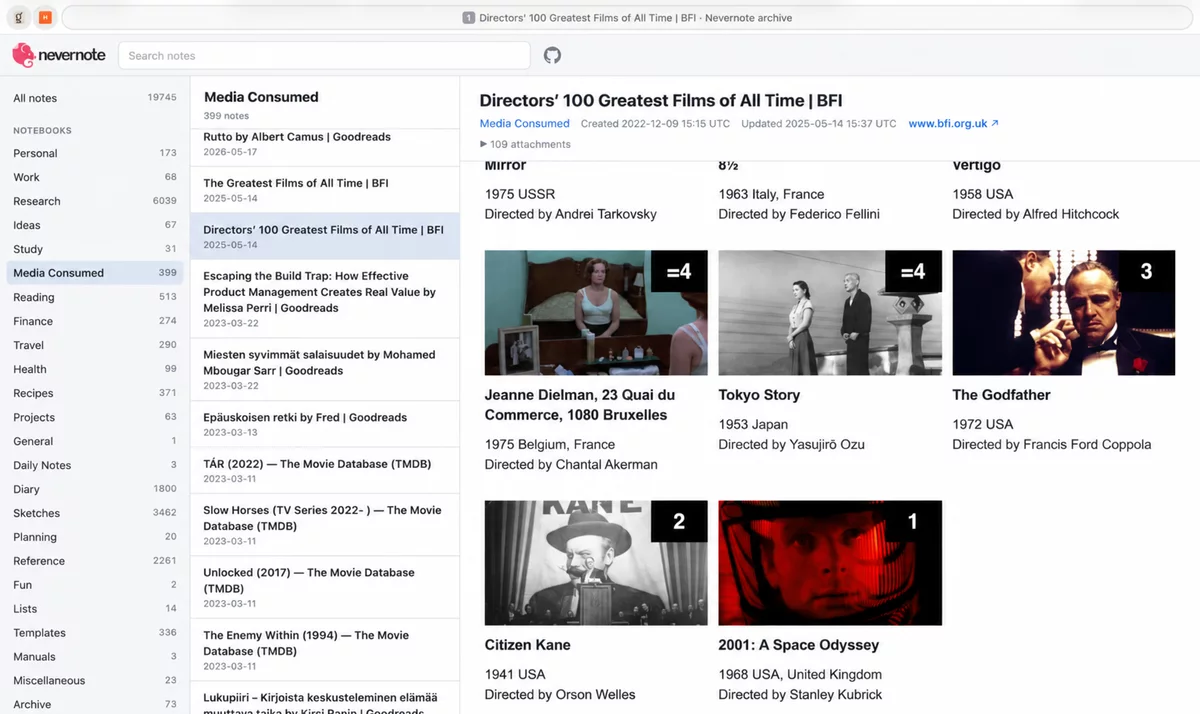
A read-only web viewer and JSON API for Evernote ENEX exports. Back up your Evernote account, keep it as a compressed ENEX archive, and browse and search every note, notebook and attachment in a browser, served from your own machine by a locked-down container.
Evernote ──evernote-backup sync──► data/evernote/en_backup.db        (the backup; holds the login token)
                                          │ make refresh: export to a temp dir, then
                                          ├──► data/archive/enex-DATE.tar.zst   (full ENEX export, compressed)
                                          └──► data/viewer/ index.sqlite + blobs/<md5>
                                                      │ mounted read-only
                            rootless Podman container: enex-viewer serve --no-index (:8765)
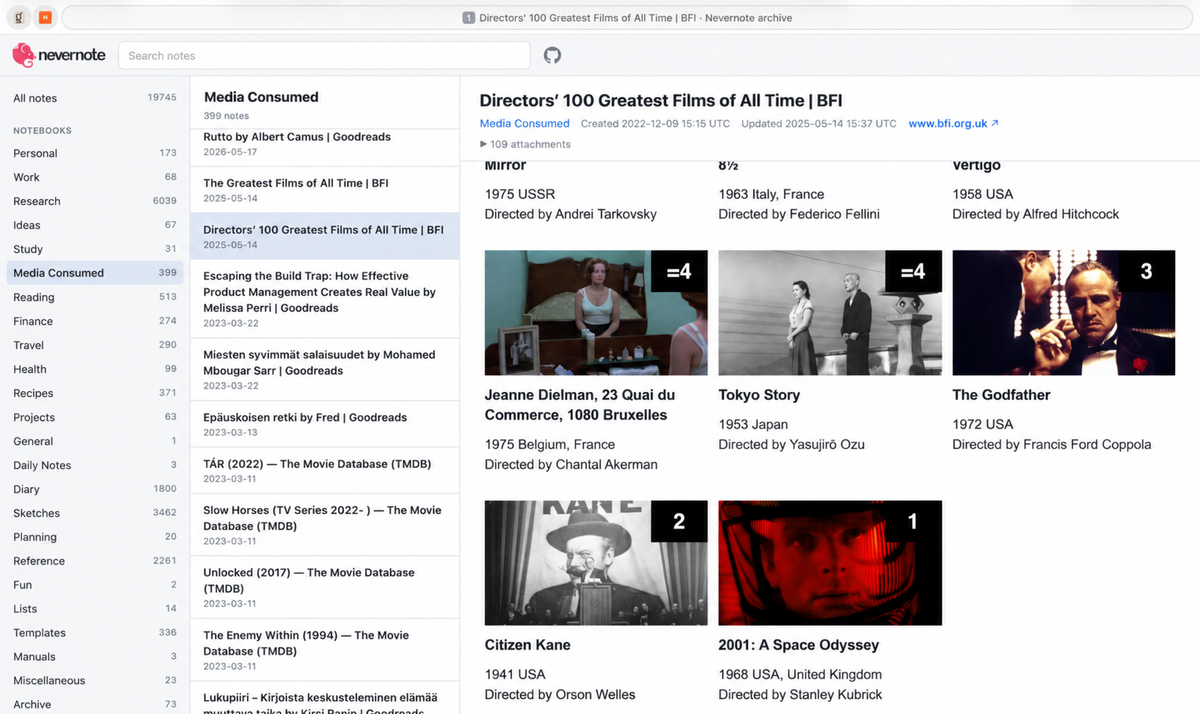
                                          ├── web UI      /               notebooks | notes | note
                                          └── JSON API    /api/...
Quick start
Prerequisites: uv, zstd, and rootless Podman
(sudo apt install podman uidmap slirp4netns).
make setup                                   # uv sync
make evernote-init                           # log in to Evernote (prints a URL)
make refresh                                 # sync, build the index, write the archive
make viewer-up                               # prints http://<this box>:8765
Run make refresh again whenever you want the latest from Evernote. The viewer
keeps serving while it runs and switches to the new index when it's done.
Operating
Make targets for running the archive: backing up Evernote and serving the
viewer. make (or make help) lists them in the same two groups as this
README. The viewer runs in a rootless Podman container, defined as a
Quadlet (~/.config/containers/systemd/nevernote.container), and starts on
boot (lingering is enabled for the user). The viewer targets take DATA_DIR
and VIEWER_PORT from .env (see .env.example).
Setup
| Target | What it does |
|---|---|
make help |
Lists the targets. It's the default when you run plain make. |
make setup |
Runs uv sync: installs evernote-backup and the viewer with its dev tools into .venv. Rerun it after pulling changes to pyproject.toml/uv.lock. |
Evernote backup, in this order
| Target | What it does |
|---|---|
make evernote-init |
Creates data/evernote/en_backup.db and logs in to Evernote. It prints a URL to open in a browser, which works with 2FA/SSO. Run it once; --force on evernote-backup init-db starts over. data/ is made private (mode 700) and the DB 600, since it stores your Evernote login token. |
make evernote-sync |
Downloads everything new or changed from Evernote into the backup DB. The first run takes a while; after that it's incremental, so rerun it any time. |
make refresh |
The routine update: syncs from Evernote, exports to a temporary data/.enex-refresh/, rebuilds the viewer's index (the viewer keeps serving and switches over atomically), then writes the full export to data/archive/enex-DATE.tar.zst (zstd, about 64% of the raw size). The archive is only kept after zstd -t and a file-count check pass, and it replaces the previous one, so there's always exactly one. The temporary export is deleted, including on failure. scripts/refresh.sh --from DIR archives and indexes an existing export instead. Restore with tar -I zstd -xf data/archive/enex-DATE.tar.zst. |
make evernote-export |
Optional; make refresh already exports, archives and cleans up. Writes a permanent, uncompressed export (about 23 GB here): one .enex per notebook into data/enex/ (stacks become subdirectories), with each note's GUID so links between notes work in the viewer. Overwrites the previous export. |
Viewer (rootless Podman)
| Target | What it does |
|---|---|
make viewer-install |
Writes the Quadlet unit from .env and reloads systemd, which generates nevernote.service (starts on boot). Refuses to install without an index (make refresh first). Grants the container's host UID read-only access to DATA_DIR with an ACL, including a default ACL so files from later refreshes stay readable. Also removes the old pre-container unit if one is present. |
make viewer-up |
Builds the image (podman build), runs viewer-install, then (re)starts the viewer and prints its URL. Use it after pulling code changes or editing .env. |
make viewer-down |
Stops the viewer. It still starts on the next boot; use viewer-uninstall to stop that. |
make viewer-status |
Shows whether the viewer is running, with its last log lines. |
make viewer-logs |
Follows the viewer's log (requests) from the journal; Ctrl-C to stop. |
make viewer-uninstall |
Stops the viewer, removes the Quadlet unit and the image. Leaves data/ alone. |
Where the data lives
Everything is under data/ (mode 700, gitignored):
| Path | Size (this archive) | What |
|---|---|---|
data/evernote/en_backup.db |
15 GB | The backup: every note, including Evernote's trash, and the login token (mode 600). |
data/archive/enex-DATE.tar.zst |
≈ 15 GB | The full ENEX export, compressed. An open format you can import elsewhere without this project. Exactly one, verified. |
data/viewer/ |
17 GB | The viewer's index and attachment files, derived from the backup. Safe to delete; make refresh rebuilds it. |
Keep the first two. The full ENEX export only exists uncompressed briefly,
during make refresh.
Security model
The steps that need your Evernote login (sync, export, index, archive) run on
the host as you. The web-facing viewer runs separately in a container that can
see only data/viewer, read-only. It follows the
OWASP Docker Security Cheat Sheet:
- a rootless engine (rule 11), so escaping the container doesn't land as root;
- a non-root container user (rule 2) that on the host is an unused sub-UID
(
UserNS=nomap: subuid start + 10001), never your account. It gets read access todata/vieweronly, through an ACL the installer sets; - all capabilities dropped (rule 3) and
no-new-privileges(rule 4); - pids and memory limits (rule 7);
- a read-only root filesystem and volume (rule 8);
- a two-stage image with digest-pinned base images, and no build tools or
uvat runtime.
The viewer itself has no login: anyone on the LAN can read the archive.
TLS and access control: bring your own
Nevernote doesn't do TLS, logins or access control, on purpose. Mature open source tools already do this well, and everyone's needs differ (a home LAN, a VPN, single sign-on, client certificates…). So the viewer does one job: serve the archive read-only, over plain HTTP, from a locked-down container. Whatever you put in front of it decides who gets in and how.
By default the container publishes port 8765 on all interfaces of the host
(VIEWER_PORT=8765), so any device on the network can reach it. That's fine on
a trusted home LAN. To put a gatekeeper in front, bind the viewer to the host
only:
# .env
VIEWER_PORT=127.0.0.1:8765
Then run make viewer-up. Now only processes on the host can reach it, and
your proxy is the only way in. For example, nginx with TLS and a password
(sudo apt install nginx apache2-utils):
# /etc/nginx/sites-available/nevernote  (then ln -s into sites-enabled/)
server {
    listen 443 ssl;
    server_name notes.home.example;                 # your hostname

    ssl_certificate     /etc/ssl/nevernote/fullchain.pem;
    ssl_certificate_key /etc/ssl/nevernote/privkey.pem;

    # Password: sudo htpasswd -c /etc/nginx/nevernote.htpasswd yourname
    auth_basic           "Nevernote";
    auth_basic_user_file /etc/nginx/nevernote.htpasswd;

    location / {
        proxy_pass http://127.0.0.1:8765;
        proxy_set_header Host              $host;
        proxy_set_header X-Forwarded-For   $proxy_add_x_forwarded_for;
        proxy_set_header X-Forwarded-Proto $scheme;
    }
}
sudo nginx -t && sudo systemctl reload nginx, then browse to
https://notes.home.example/.
Keep in mind:
- Its own host or port, not a sub-path. The viewer's links are
root-relative (
/notes/…,/files/…,/static/…), so proxy the whole host or port (as above), nothttps://example/nevernote/. - Read-only traffic only. The viewer only answers
GETrequests, so the proxy needs no upload or body-size tuning. - Other tools do the same job:
- Proxy in a container: to run the proxy as another container on a shared
Podman network, drop
PublishPort=fromdeploy/nevernote.containerand addNetwork=for that network. The proxy then reaches the viewer asnevernote:8765.
What it does
- Notebooks and stacks: one
.enexfile is one notebook, and a subdirectory is a stack (that's howevernote-backup exportlays them out). Hidden files and macOS._*files are ignored. - Stable note IDs: the note's Evernote GUID when the export has one
(
--add-guid, whichmake evernote-exportuses). Otherwise a hash of file, position, title and date, which can change if the export changes. - Links between notes:
evernote:///view/…andhttps://www.evernote.com/shard/…links open the linked note in the viewer when it's in the archive. Otherwise the link is shown greyed out. Evernote.app exports have no GUIDs, so there these links can't resolve. - Attachments: images display inline and video/audio play inline. PDFs and other files are links that open in the browser (on the Mac: Safari's PDF view, "Open in Preview" from there). Each file is stored once, by MD5.
- Search: full text over titles and bodies. Every word must match, as a
prefix, and diacritics are ignored (
kayttofindskäyttö). - Safety: note HTML is sanitized with an allowlist. It's shown in a sandboxed iframe with no scripts, served under a CSP. Remote images in web clips load as-is. Attachments that could run script (SVG, HTML) are served sandboxed.
- Access: LAN only, no login. It's published on port 8765 of this box; don't forward that port on the router.
API
Interactive docs at /api/docs.
| Endpoint | |
|---|---|
GET /api/notebooks |
notebooks with stack and note count |
GET /api/tags |
tags with counts |
GET /api/notes?notebook=&tag=&q=&limit=&offset= |
notes, newest first, or search results with snippet_html |
GET /api/notes/{id} |
metadata, tags, attachments (url), content_url |
GET /notes/{id}/content |
the rendered note body (HTML document) |
GET /files/{md5}[/{name}] |
attachment bytes |
GET /healthz |
note count, index build time |
Development
Make targets for working on the viewer's code. They need make setup first.
| Target | What it does |
|---|---|
make dev |
Runs the viewer in the foreground from the source tree, separate from the service. It uses ENEX_DIR (default data/enex), DATA_DIR (default data/viewer) and PORT (default 8765) from the environment, e.g. ENEX_DIR=tmp/evernote PORT=8799 make dev. |
make check |
The full quality gate, also run by CI (.github/workflows/ci.yml) on every push and pull request; run it before committing: ruff format --check, ruff check, pyright (strict) and pytest. The browser tests (tests/test_browser.py) drive the installed Google Chrome via Playwright and are skipped without it. |
make audit |
Fails if any locked dependency (runtime, dev or backup group) has a known vulnerability, using pip-audit against the hashed lock export. CI runs it after make check; evernote-backup's own vulnerable pins are overridden in pyproject.toml. |
To build an index by hand: uv run enex-viewer index --enex-dir … --data-dir ….
| Module | |
|---|---|
enex.py |
streaming ENEX parser |
enml.py |
ENML parsing and plain text |
index.py |
SQLite + FTS5 index, blob store, staleness |
render.py |
ENML → sanitized HTML, note-link resolution |
store.py |
read-only queries (Pydantic models) |
app.py |
API, note bodies, files |
ui.py + templates/ + static/app.js |
web UI; the script loads more notes as the list scrolls and opens notes in place, so the list keeps its position |
Dependency security
make audit checks every locked dependency against known vulnerabilities:
make audit
- What it checks: all packages in
uv.lock, in the runtime,devandbackup(evernote-backup) groups. It exports the lock with hashes and runs pip-audit against the PyPI/OSV advisory databases. Nothing is installed. - When it fails: any known vulnerability makes it exit non-zero, and it
prints the package, the advisory ID and the fixed version.
--strictalso fails if a package can't be audited. - CI: runs after
make checkon every push and pull request, so a new advisory against a locked version turns the build red even when no code changed. - Fixing a finding: upgrade the package (
uv lock --upgrade-package NAME). If another dependency pins the vulnerable version exactly, add an entry tooverride-dependenciesinpyproject.tomlwith a comment naming the CVE, then check the dependent package still works. - Current overrides: evernote-backup 1.14.0 pins
thrift==0.21.0(three 2026 CVEs, including a TLS host-check flaw) andclick==8.1.8(CVE-2026-7246). They are overridden tothrift>=0.24.0andclick>=8.3.3. thrift 0.24.0 rejects evernote-backup's bundled CA file, so the backup targets pass--use-system-ssl-ca. Remove both once evernote-backup updates its pins. - Ignoring a finding (only with a written reason, e.g. the vulnerable
function is never called): add
--ignore-vuln IDto theaudittarget.
Dependabot proposes dependency updates weekly (.github/dependabot.yml), only
for releases at least 7 days old; security updates are not delayed. Meanwhile
make audit catches anything Dependabot hasn't got to yet.
License
MIT, see LICENSE.
Support
Nevernote was built for personal reasons: to get my own notes out of Evernote and keep them readable on my own hardware. It was vibe coded for that one job. It works for me, but getting it running assumes a bit of a hobbyist mindset: you'll be dealing with Evernote logins, rootless Podman, systemd user services and a reverse proxy of your choosing.
Because of that:
- No roadmap. Don't expect new features or versions in the foreseeable future. Once the notes were out of Evernote, the job was done.
- Issues and pull requests may be read, eventually, maybe.
- Support can be purchased from the author at a ridiculously, astronomically high cost. Forking is free, and it's MIT licensed.