
NoAr
NoAr is a 24/7 TV playout system: it plays daily playlists or folders without interruption, lets you schedule breaks and live shows over the running programme, and publishes an XMLTV guide with artwork for IPTV players.
Everything is run from the browser: the Player for what is on air, the Playlist page to build the days, the Scheduler for what goes in over them, Graphics for the logo and the L-shape, Storage for the videos and the guide, and the Report for what aired.
Features
On air
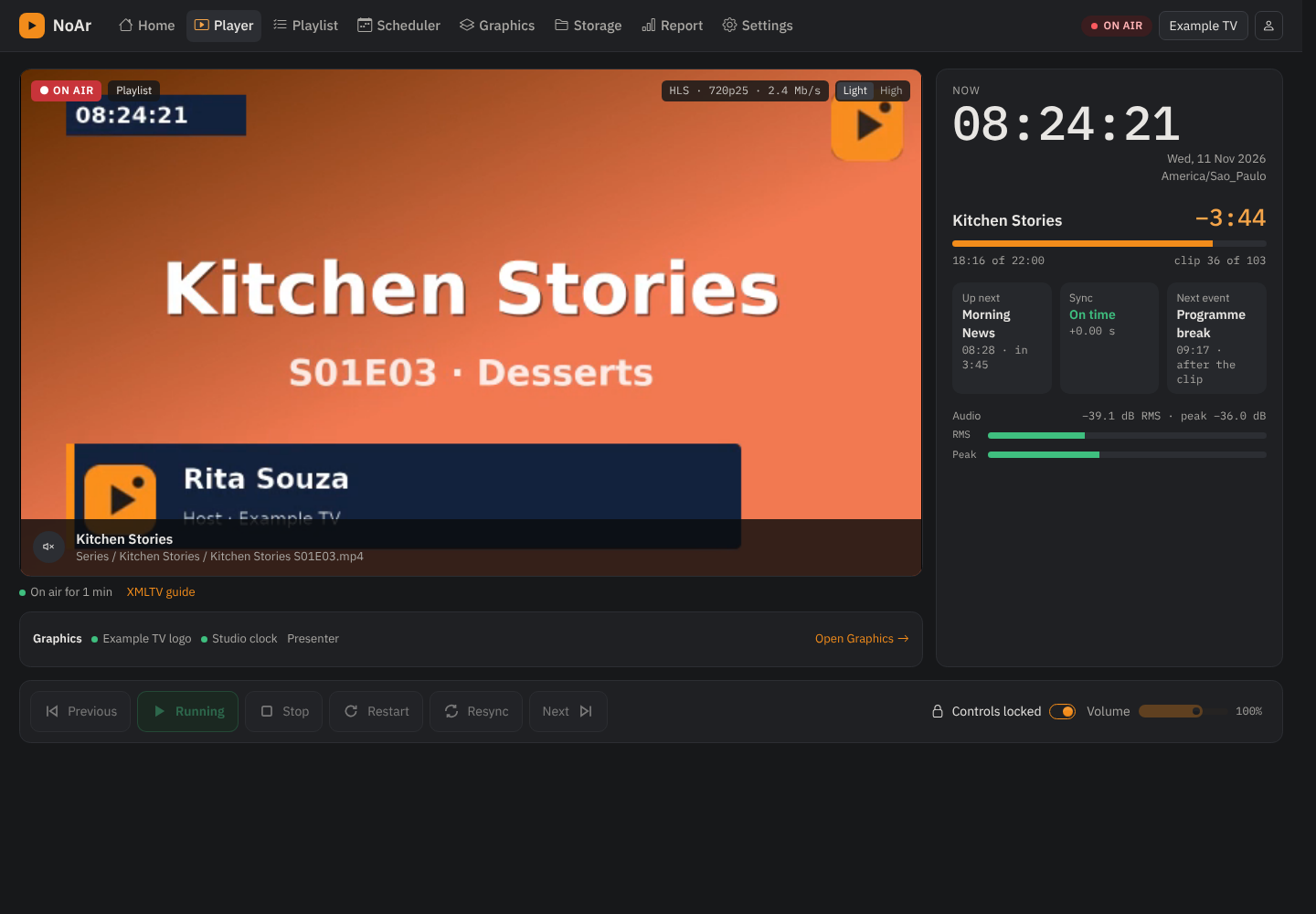
- Player: live preview straight from the output (about a second behind the air, for HLS, RTMP or SRT), in a light quality for slow connections or the output's own; a clock with what is on air and what comes next, the next break and scheduled event, the sync state and the audio levels; and transport controls that lock against a stray click.
- Graphics bar under the preview: switch the logo and the L-shape, move them (dragged or typed, confirmed before they go on air), pick the L-shape's corner, apply quick scenes and mark a commercial break; it locks like the transport.
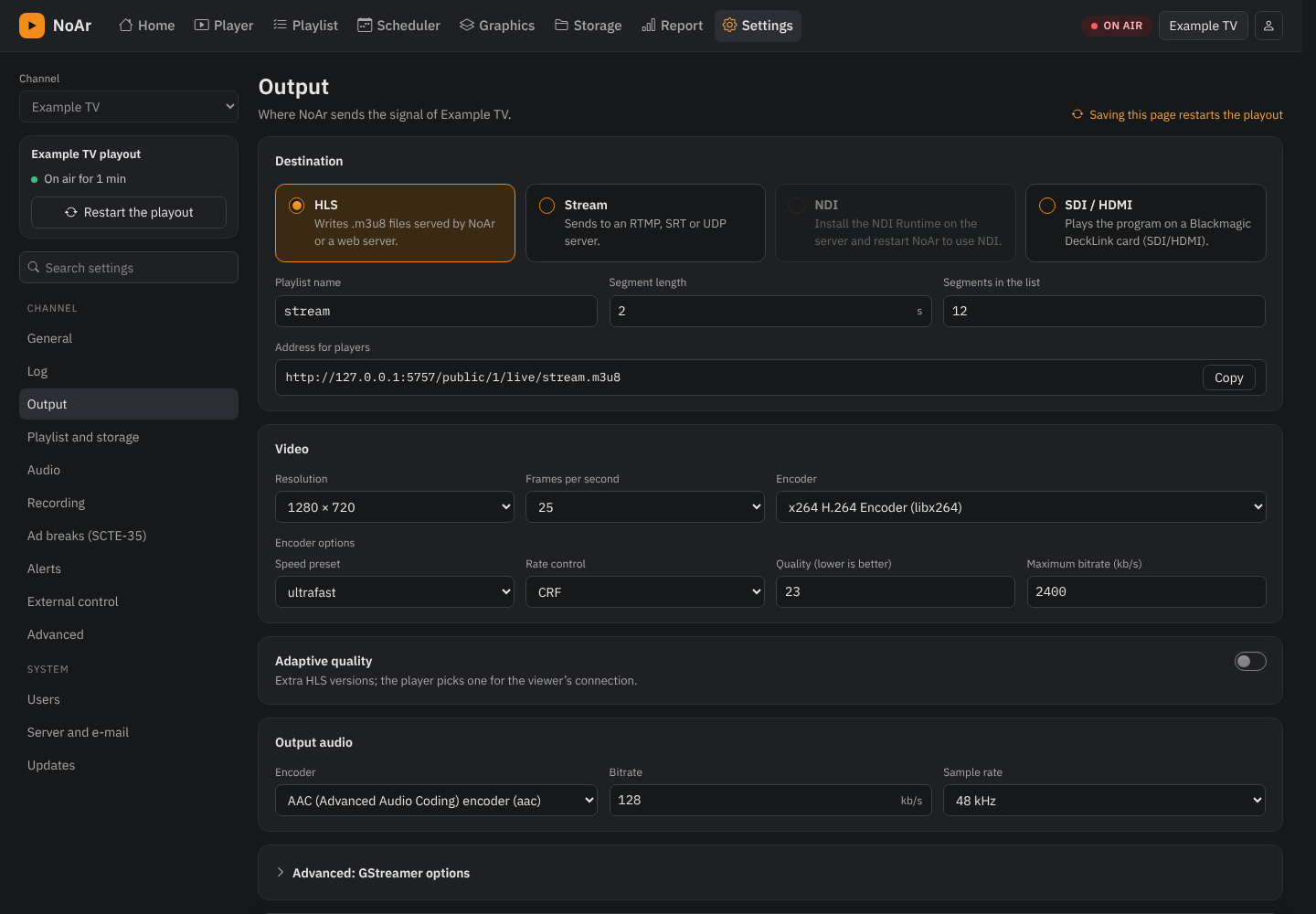
- Output that keeps going: HLS (with adaptive renditions) and SRT, RTMP or UDP streams. A destination that is down never stops the channel: NoAr reconnects by itself, the preview keeps playing, and the Player says whether the output is sending, waiting for a receiver or cannot connect, and why (docs).
- Live ingest: an encoder publishing to an RTMP or SRT listener takes over the channel and gives it back when it stops, without dropping the output (docs).
- Recording of the output, loudness normalization and an audio meter.
Playlists
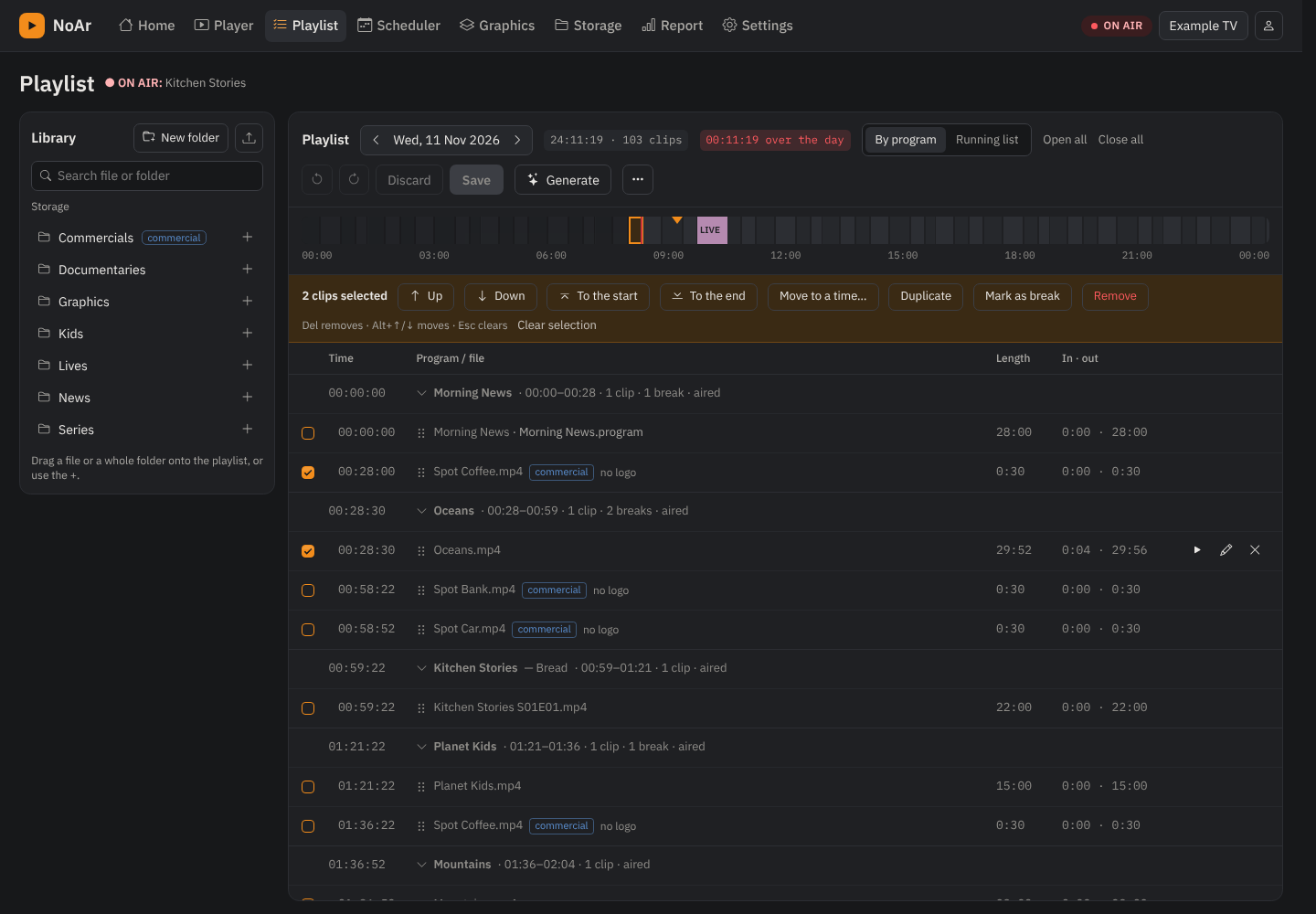
- Playlist page (its own item in the menu): the library and the day's playlist, grouped by program the way the guide names it, filling the screen with only the list scrolling. Add files or a whole program folder (its next episode, every video in order, or the ones you pick) at the end, after the selection or at a time; move, duplicate, mark as a break, with undo, keys and how much of the day is still to fill.
- Per-item edits: an item's in and out points, title, audio, filter and its own marks (logo, breaks, L-shape) that apply to that item only and leave the video in Storage as it is.
- Daily playlists with a custom day start, editable while playing, or folder mode, which plays the storage folder without a playlist (docs); fillers cover missing clips.
- Playlist generator: fill a day from the folders you pick, or block by block at set times, as a draft you review before saving (docs). Playlists can also be imported from text or m3u files.
- Videos from a URL next to local files (docs).
Scheduler
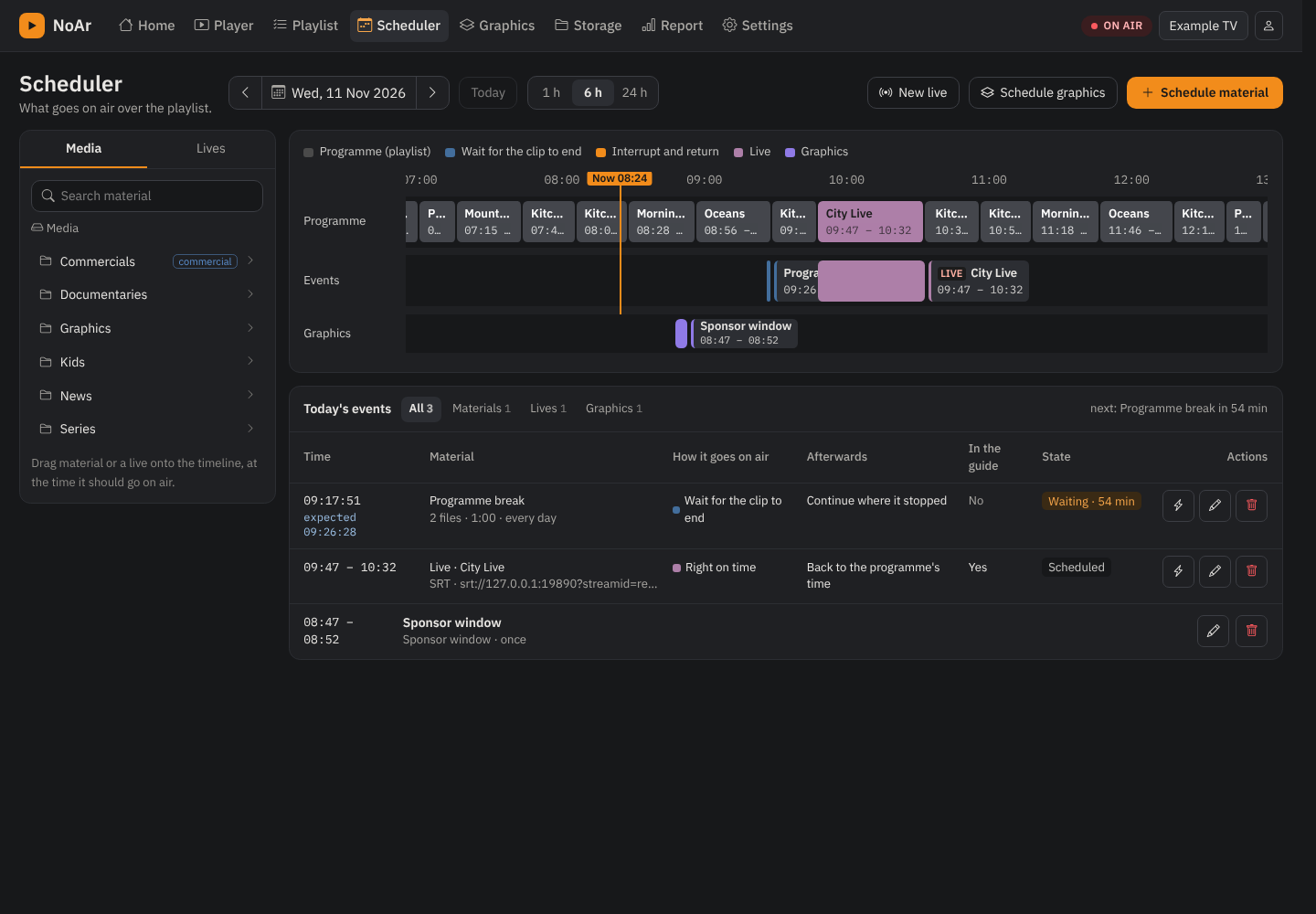
- Place a break, a clip or a live show (SRT, RTMP, HLS) at a time over whatever is on air, either waiting for the current clip to end or interrupting it and resuming at the exact point, without dropping the output; once, every day or on chosen weekdays (docs).
- Scheduled graphics: at a time, bring the L-shape in (with its graphic, corner and size), hide, swap or bring back the logo (the channel's one too) and move it anywhere; undone by itself when the event ends (docs).
Graphics
- Its own menu tab for the logo, the L-shape and the subtitles. The logo comes
up and goes off with a fade or a cut, cross-fades when swapped, and goes
anywhere on the screen (
X% × Y%). - L-shape: the picture shrinks into a corner over a full-screen graphic, with a downloadable template.
- Quick scenes: a set of logo and L-shape changes applied in one click, from NoAr or an encoder.
- Everything can be hidden, swapped, moved or applied on air from NoAr or by API with a fixed key, with a tutorial (docs).
- WebVTT subtitles in the HLS output (docs).
Storage
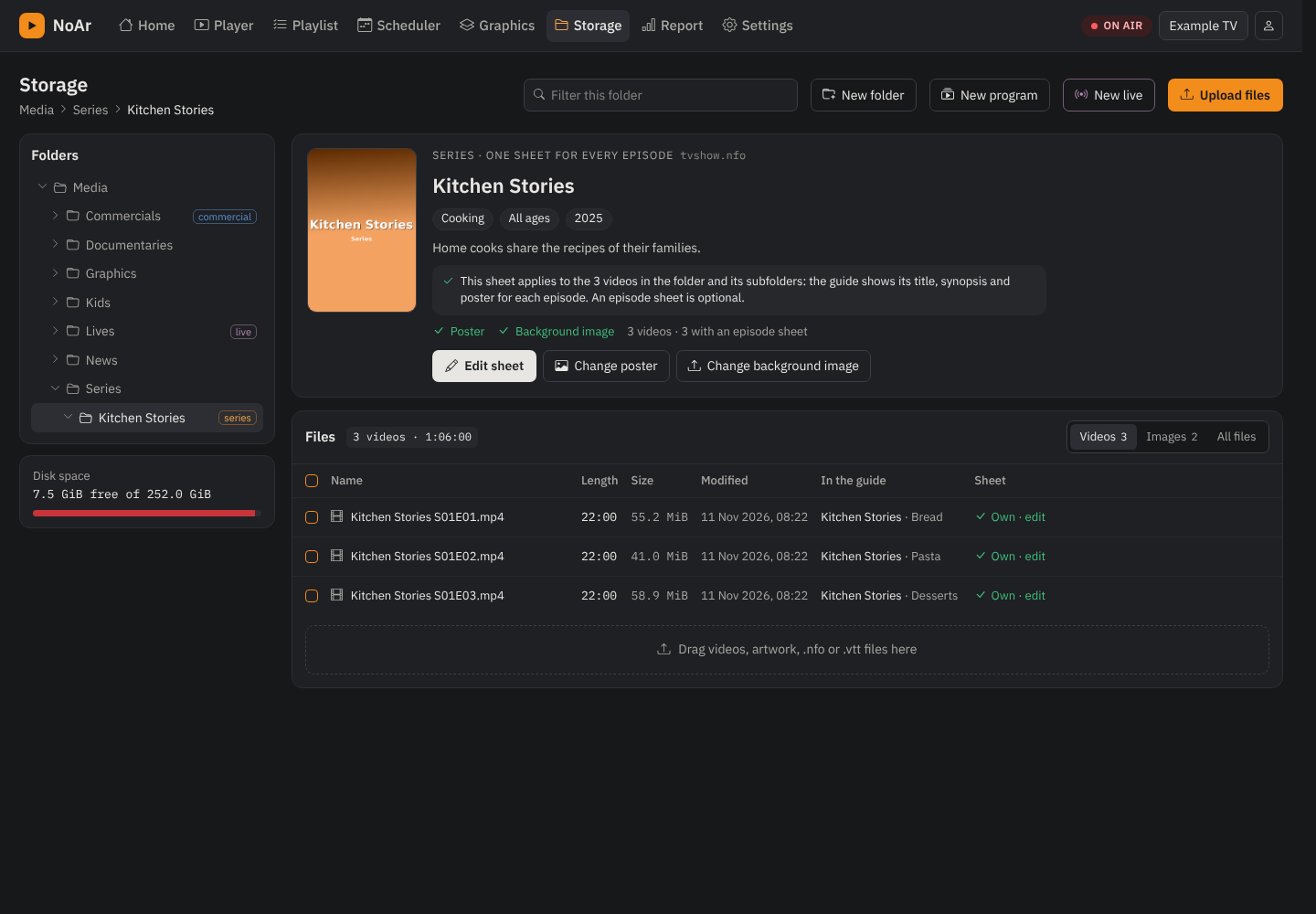
- Program folders with their guide sheet edited in the browser, poster and wide image, and series with one sheet for every episode.
- Uploads that keep going in the background while you work on other pages. Uploaded videos can be converted to the output format once, so the playout does less on air (docs), and trimmed once, by dragging the in and out points while the video plays, so they come in trimmed everywhere (docs).
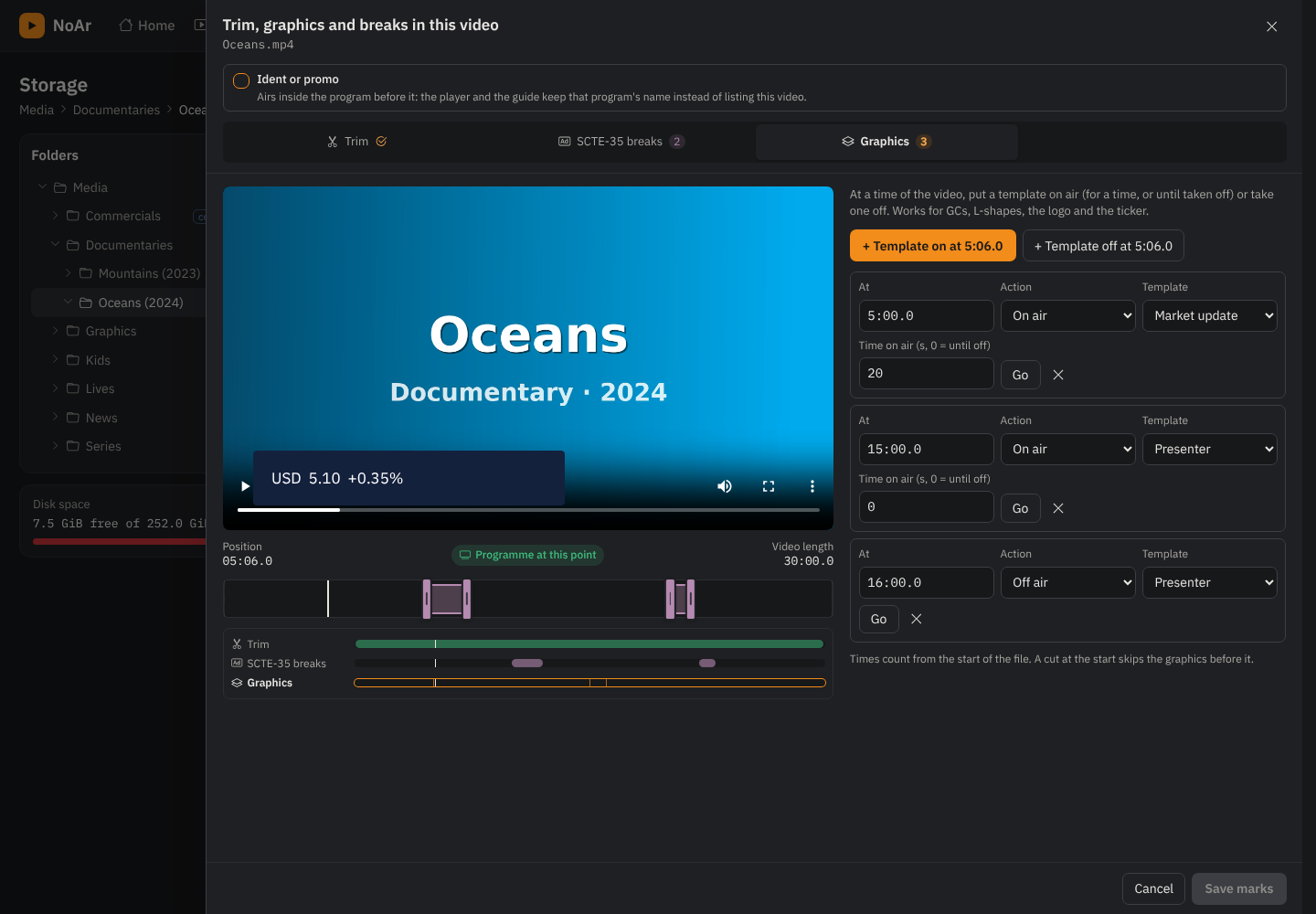
- Marks in a video: its trim, stretches without logo, ad breaks and L-shape stretches on one timeline, played back as they air, plus where the logo goes and the L-shape's graphic, corner and size for that video.
- Commercials folders: mark a folder once and everything in it plays as a commercial: out of the guide and without the logo (docs).
Ad breaks and the guide
- SCTE-35: runs of commercials, breaks marked by hand, by API from an encoder, or inside a programme video are signalled in the SRT or UDP output for FAST platforms and ad servers to replace, frame-accurately and announced ahead (docs, docs).
- XMLTV guide built from the playlists and a Kodi-style
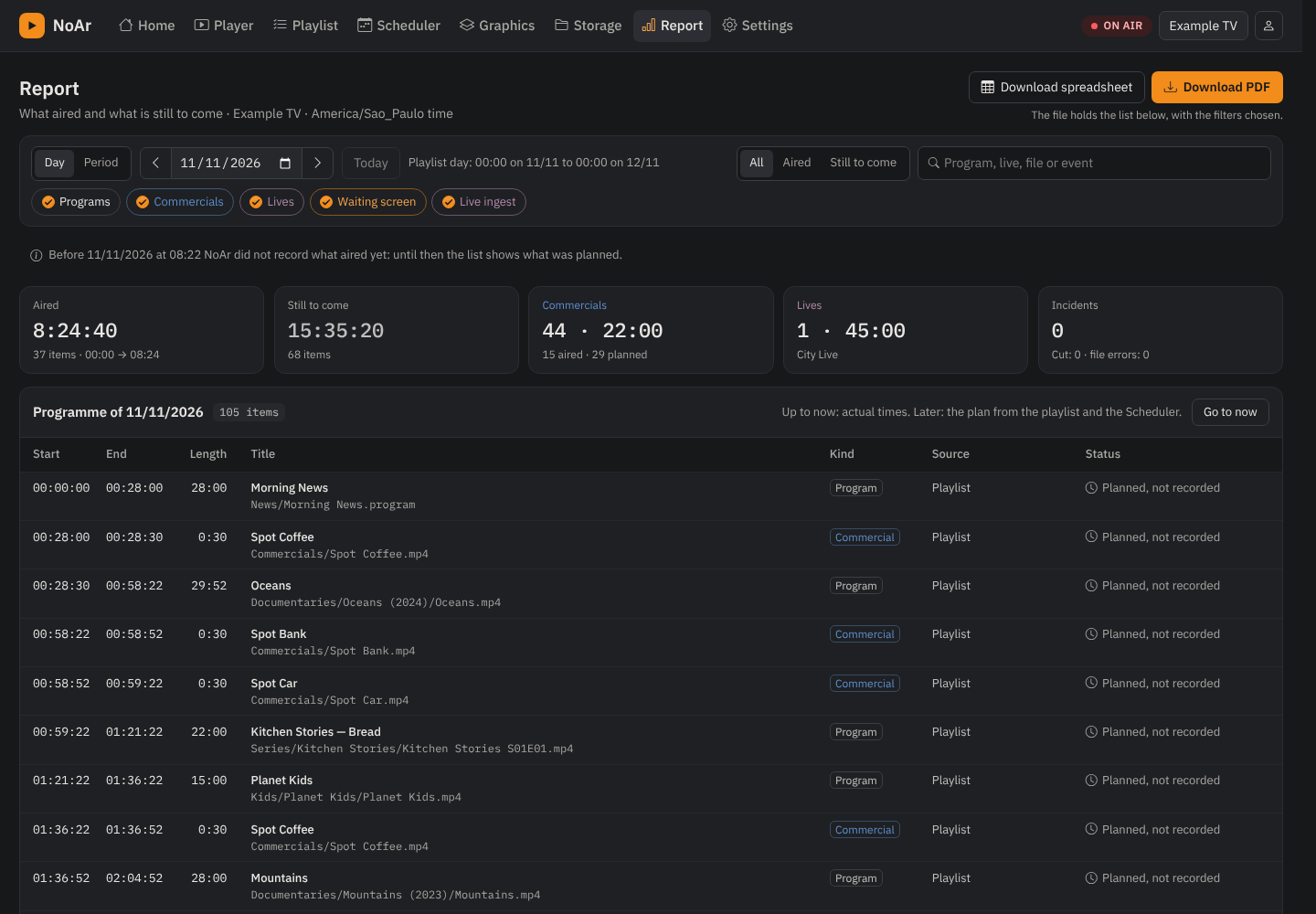
.nfofile in each program folder, with posters, episode images, credits with photos and a channel logo of its own (docs). - Report: what aired, with the actual times and how each item ended, and what is still to come, for a day or a period; narrowed to one commercial, program, live or event, and downloaded as a PDF or a spreadsheet (docs).
Operation
- Multiple channels, users with roles, and a REST API (docs).
- Alerts by mail and HTTP push (ntfy) for log errors (docs); a log that follows the channel live, in Settings › Log.
- External tasks: a script run when a clip starts (docs).
- Settings: a side menu of pages, with search, unsaved-change markers, one save bar, and a restart of the playout or of the whole of NoAr; updates from the browser.
- Docker-only install: one command, then a setup page in the browser.
The interface is in Brazilian Portuguese and English; the screenshots show the Portuguese one.
Screens
Scheduler: the day's grade, the scheduled breaks and a scheduled graphics event (the L-shape in a corner with the logo moved) on their own lanes, with the lists below.
Storage: a series folder with one sheet for every episode, its poster and how each video will show up in the guide.
Playlist: its own page in the menu, filling the screen; the library and the list header stay put while the list scrolls. Two clips selected, with what can be done to them, and how far the day runs over.
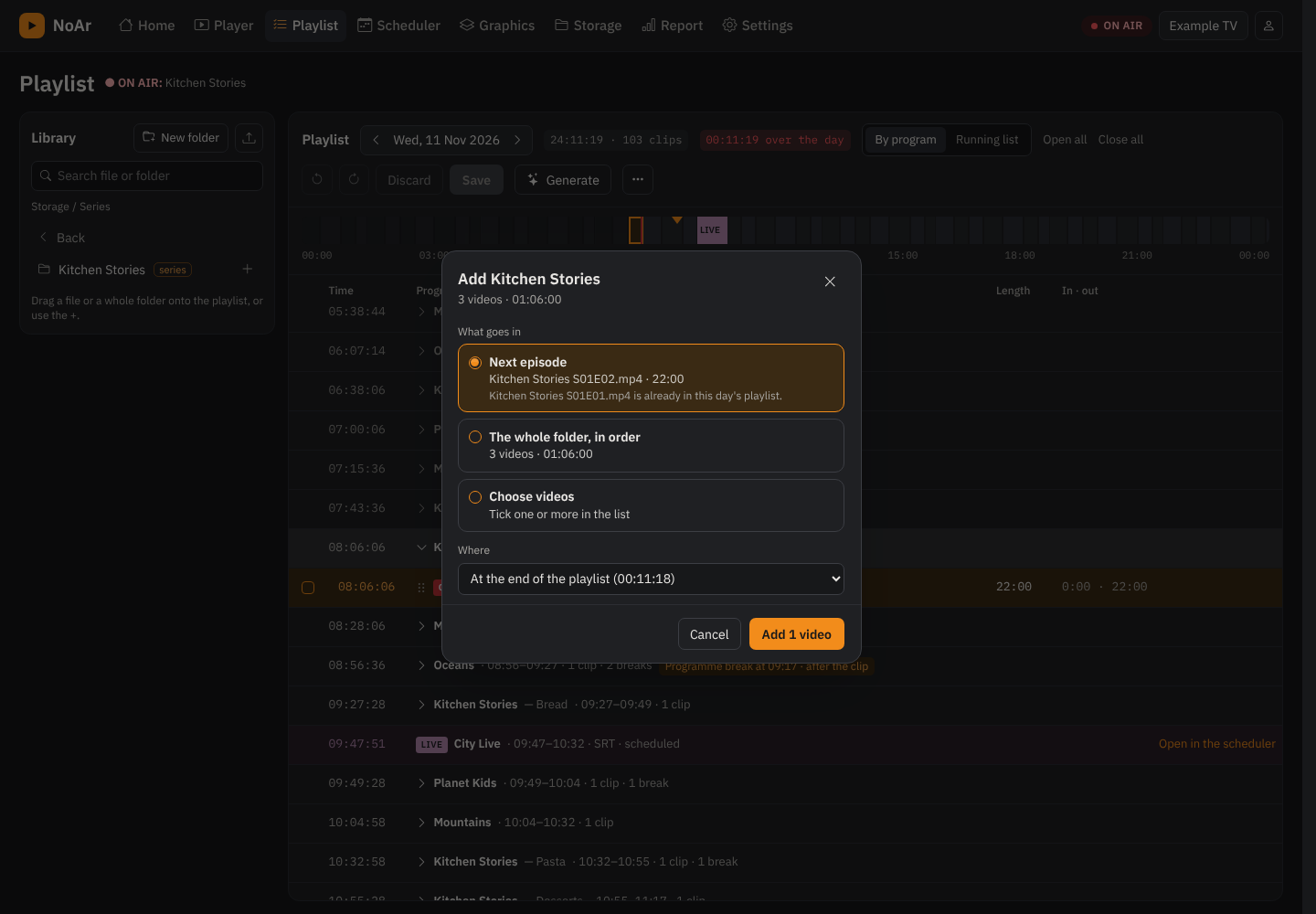
Adding a program to the playlist: the next episode, the whole folder or the videos you pick, at the end, after the selection or at a time.
Marks in a video: the trim, the logo, the SCTE-35 breaks and the L-shape on one timeline; here a break edited into the programme, where it leaves and comes back, next to where the logo goes off.
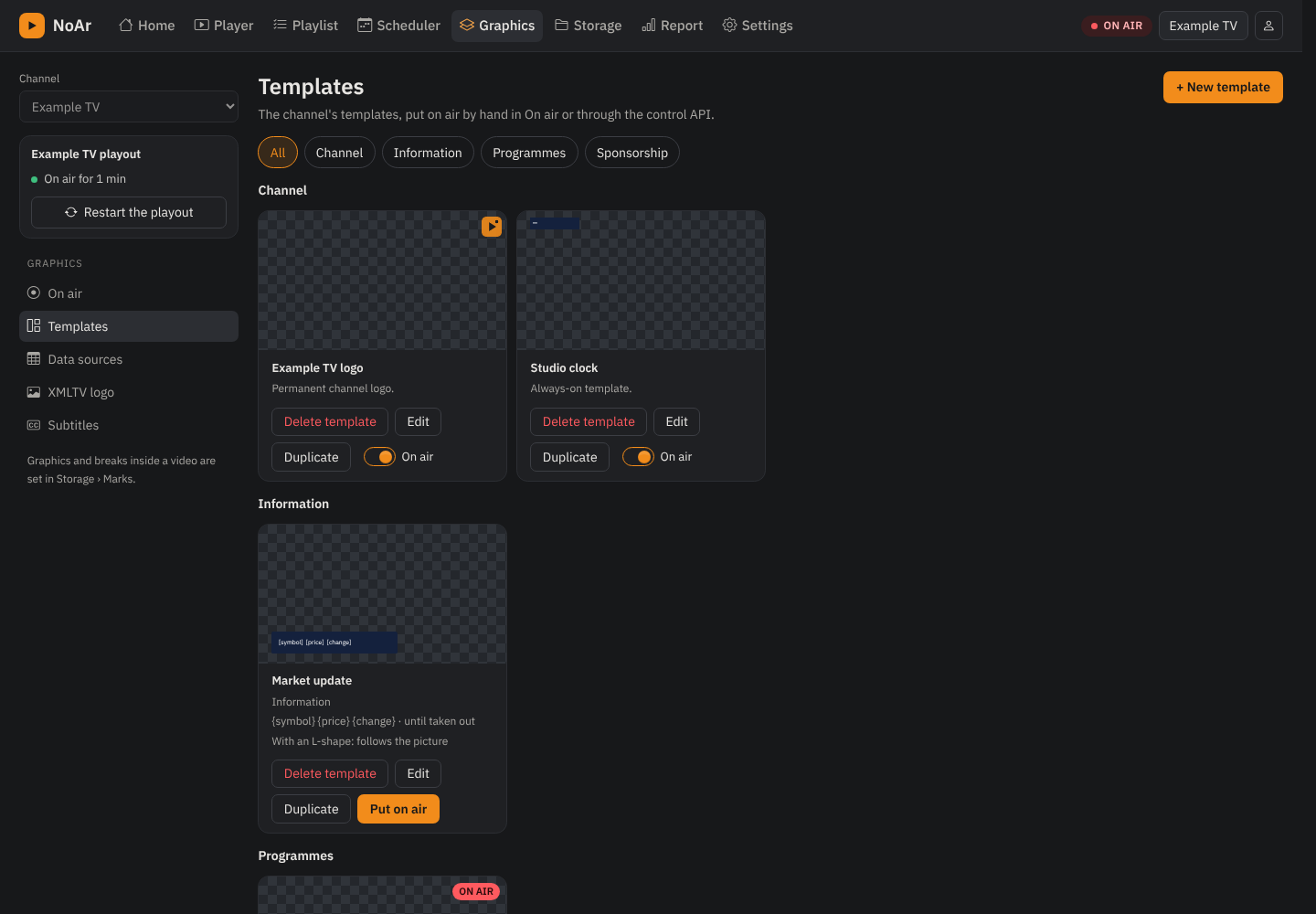
Graphics › Live now: the logo and the L-shape on air, placed by dragging or typing and confirmed before they move, and the quick scenes.
Report: a day with the actual times of what aired and how each item ended; on the current day, also what is still to come from the playlist and the Scheduler, with totals for commercials and lives.
Graphics › Logo: the logo, where and how large it goes on air, and how it comes up and goes off.
Install with Docker
Requirements: Docker with the Compose plugin.
git clone https://github.com/LuizStSantos/NoAr.git
cd NoAr
docker compose up -d
The first run builds the image, which takes a while. When it is up, open
http://<server>:8787 and complete the setup page: create the admin user and
keep the suggested paths under /data.
Everything NoAr stores lives in ./data next to docker-compose.yml:
| Folder | Content |
|---|---|
data/media |
Media storage: videos, program folders with .nfo and artwork |
data/playlists |
Daily playlists |
data/public |
HLS output |
data/db |
Database |
data/logs |
Channel logs |
Set your time zone in docker-compose.yml (TZ, default
America/Sao_Paulo) and open the ports of the live ingest listeners you
configure. More in docs/docker.md.
Update from Settings › Updates (with the noar-updater service on, see
docs/docker.md), or on the server:
docker compose pull && docker compose up -d
Forgot the admin password? Set a new one from the server with
docker exec -it noar noar --user-set; see
docs/docker.md.
The Player preview keeps playing even when the SRT or RTMP destination is down or an SRT listener waits for its receiver; the line under it says how the output is doing. See docs/output.md.
Versions
NoAr follows Semantic Versioning; every release is
listed in CHANGELOG.md. The images on
ghcr.io/luizstsantos/noar are tagged:
| Tag | What it is |
|---|---|
latest |
The newest stable release |
1.1, 1.1.1 |
A release line (gets its fixes) or one exact release |
main |
The development build, not for air |
sha-… |
One commit, for tests |
To stay on a release line, pin it in docker-compose.yml, for example
ghcr.io/luizstsantos/noar:1.1. Releases are prepared and published by the
Prepare release and Tag release workflows; see
docs/releasing.md.
Documentation
Each feature has a page in docs; for the install you only need this README and docs/docker.md.
Development
See docs/developer.md. The workspace has two crates:
noar, the server and web interface (the binary is noar), and
noar-engine, which decodes, composites and encodes.
License and credits
NoAr is free software under the GNU GPL v3. It is derived from ffplayout, by Jonathan Baecker and its contributors, also under the GPL v3; the original copyright and history are kept in this repository. If you distribute NoAr, or a modified version, you must make its source code available under the same license.