
Notes Exporter
Capture in Apple Notes, think in Obsidian.
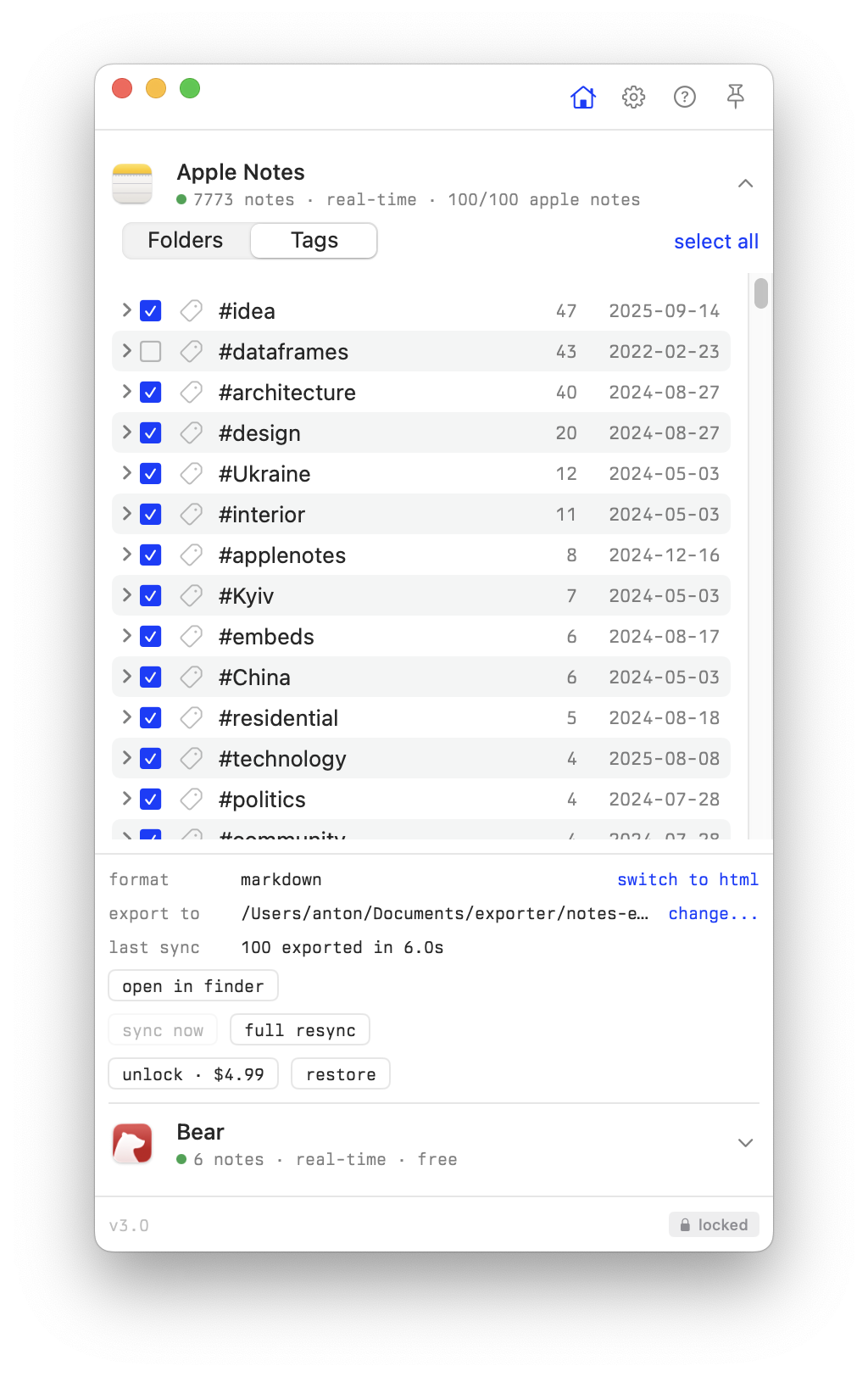
This plugin connects Exporter with Obsidian. Exporter is a Mac app that exports Apple Notes, Messages, Contacts, Screen Time, Bear, Logseq and your documents as Markdown files, kept in sync, ready for any agent. Point an export at your vault, and this plugin shows the sync status and adds native app integration inside Obsidian.
Why this exists
Apple Notes is great for quick capture: Siri, share sheets, handwriting, instant sync. But it's a closed system. You can't query your notes, link them, or build on top of them.
Obsidian is great for thinking: backlinks, Dataview, templates, plugins. But it can't read Apple Notes.
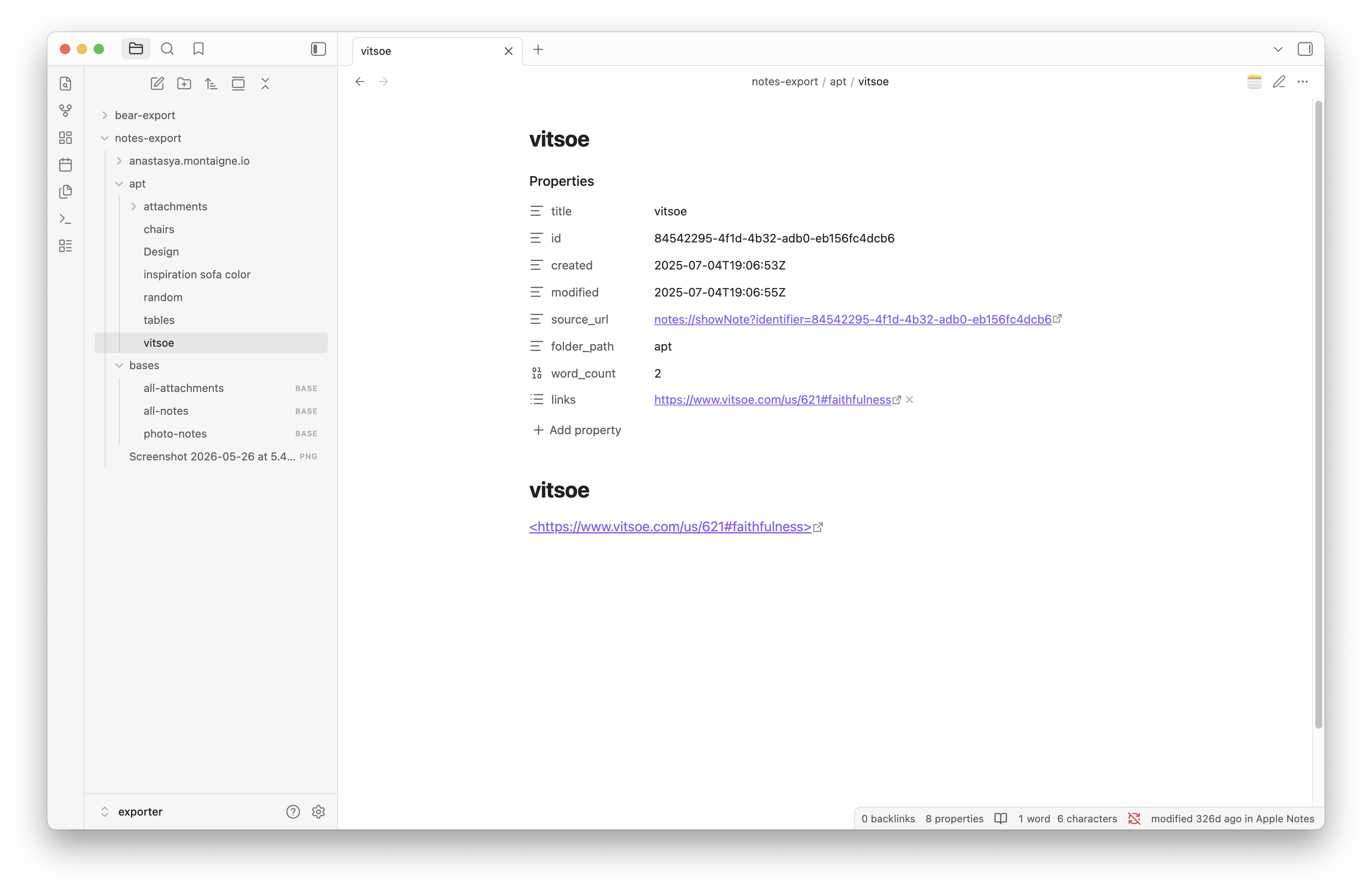
Exporter bridges them. It writes your notes into the vault and keeps writing as you edit, and Obsidian treats them as first-class files with deep links back to the source app.
How it works
- Get Exporter for Mac, connect a source, and choose a folder inside your vault as the export folder. The step by step is in Apple Notes to Obsidian, kept in sync.
- Open the vault in Obsidian.
- Install this plugin. It reads
source_urlfrom the front matter and finds the run reports Exporter writes.

Features
- sync status panel in the right sidebar: last export per source, notes exported, failures with links to the affected files, attachment issues
- app icons on
notes://,addressbook://,sms://,x-apple-reminderkit://andlogseq://links in reading view, live preview, and the properties panel - "Open in Apple Notes", "Open in Contacts", "Open in Messages", "Open in Reminders", "Open in Logseq" in file and editor context menus
- app icon button in the tab header bar
- status bar showing the source app and last modified time
- command palette: "Open in native app", "Show sync status"
Sync status panel
Exporter writes a run report into each export folder (.exporter/last-export.json). The plugin finds these reports, whether the export root is the vault itself or a subfolder, and shows a card per source: how many items were exported, when, in which format, and which notes or attachments failed (failed notes link to the exported file when it exists). The panel refreshes every 30 seconds while open.
Open it from the ribbon icon or the "Show sync status" command. If no export has landed in the vault yet, the panel shows a short setup guide instead.
Front matter
Every exported Apple Note starts with YAML front matter that works with Obsidian's Properties and Dataview. The full list, and what each source writes, is in the Apple Notes docs.
| field | example | notes |
|---|---|---|
title |
"Meeting notes" |
note title |
id |
"A1B2C3..." |
Apple Notes identifier |
aliases |
["Meeting notes"] |
searchable via Obsidian alias |
created |
2025-01-15T10:30:00 |
ISO 8601, local time |
modified |
2025-01-15T14:22:00 |
ISO 8601, local time |
source_url |
"notes://showNote?identifier=..." |
deep link to the source app |
tags |
["work", "meetings"] |
Obsidian-compatible tags |
reading_time |
3 |
estimated minutes (200 wpm) |
pinned |
true |
only if pinned |
shared |
true |
only if shared |
collaborators |
["email@example.com"] |
shared note participants |
folder_path |
"Work/Projects" |
original folder hierarchy |
cover |
"[[path/to/image.jpg]]" |
cover image wikilink |
word_count |
642 |
body text word count |
attachment_count |
3 |
images, PDFs, etc |
attachment_types |
["image", "pdf"] |
types present |
has_checklist |
true |
contains checklist items |
checklist_done |
4 |
completed items |
checklist_total |
7 |
total items |
links |
["https://example.com"] |
URLs found in note |
Contacts, Messages and Reminders carry their own fields and a source_url that opens the record in its app. Bear files carry no front matter: the file is the note as Bear stores it, #tags included.
Example Dataview queries:
TABLE reading_time, word_count, modified
FROM ""
WHERE source_url
SORT modified DESC
LIST
FROM #work
WHERE has_checklist AND checklist_done < checklist_total
Compared to Obsidian Importer
Obsidian's free Importer copies Apple Notes once. Exporter and this plugin are for ongoing use:
- every edit in Apple Notes is written to the vault while Exporter runs (Importer is one-shot)
source_urldeep links back to the original note (Importer has no source tracking)- rich front matter with word count, reading time, checklist stats, collaborators (Importer produces minimal metadata)
- Messages, Contacts, Reminders, Screen Time, Wallet and documents alongside your notes
- sync status panel showing what was exported and what failed (Importer gives no ongoing visibility)
If you've already left Apple Notes and just need a one-time import, Obsidian Importer works fine. If you still capture in Apple Notes and want your notes available in Obsidian, use this.
Install
From Obsidian community plugins
Search for "Notes Exporter" in Settings > Community plugins > Browse, or visit community.obsidian.md/plugins/notes-exporter.
Manual
Copy main.js, manifest.json, and styles.css to your vault at .obsidian/plugins/notes-exporter/.
Development
npm install
npm run build       # build main.js
npm run dev         # watch mode
npm run typecheck   # type check
License
MIT