 OMEGA
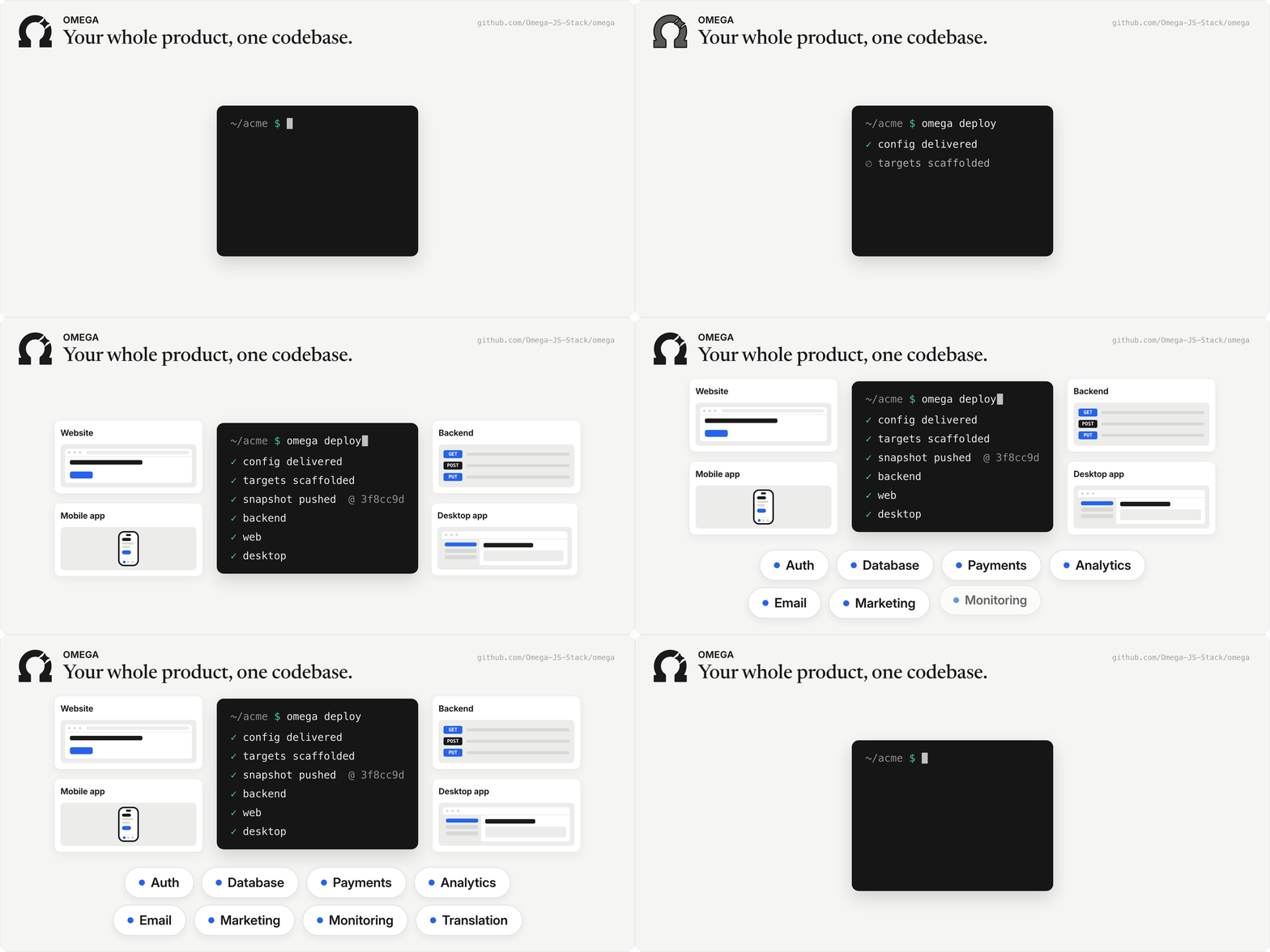
One framework with auth, database, payments, email, analytics & more already wired for your website, backend, desktop app & browser extension.
Get started
OMEGA calls your project a brand: one name, one look, and every app that carries them. You need Node 22 or newer and a GitHub account.
- Use this template. Name your new repo
<your-brand>-omega, for exampleacme-omega. - Clone your new repo and step inside it.
- Start it:
npm start
npm installs OMEGA, then a short wizard asks about your brand: its name, web address, tagline and a few more. Every question has a default, so you can press Enter through it. OMEGA writes your project, installs it, and boots your website. The terminal prints the local address; open it in your browser and your site is there.
What to do next
- Add a backend:
npx omega onboard --targets=web,backend. The desktop app and the browser extension work the same way. - Set up your cloud services when you are ready:
npm run manage. - Using Claude Code with the omega plugin? Run the
omega:initskill in an empty folder instead. It asks what you are building, creates the repo from the template, and ends on the same running site.
Features
- One project, every app: your website, backend, desktop app and browser extension live side by side in one repo, set up by one file,
config/omega.json5. - Accounts and data built in: sign-in, user accounts and a Firestore database through Firebase, shared by every app.
- Payments: subscriptions and one-time purchases through Stripe, PayPal, Chargebee or Coinbase Commerce.
- Email and marketing: transactional email and scheduled campaigns sent through SendGrid, and newsletters through Beehiiv.
- Analytics and error reports: one list of events sent to GA4, Meta and TikTok, and errors reported to Sentry.
- Translation: AI translates your site, and the results are cached in your repo so nothing is translated twice.
- Deploys you choose:
npx omega deploypublishes your apps. A commit never does.
Documentation
- The map: every package, every guide, and how they fit.
- Working in your brand: the folders, the commands, and the rules.
- The config file: every setting in
config/omega.json5. - The website and the backend: the two apps most brands start with.
- Deploys: how your apps go live.
Coding agents start at AGENTS.md, which loads the same map.
Packages
| Package | What it does |
|---|---|
@omega.js/manager |
Creates and runs your brand: the wizard, the omega command, cloud setup and deploys |
@omega.js/web |
Builds your website, with themes, sections and translation |
@omega.js/backend |
Builds your backend on Firebase Cloud Functions: accounts, payments, email |
@omega.js/desktop |
Builds your desktop app with Electron for macOS, Windows and Linux |
@omega.js/extension |
Builds your browser extension for Chrome, Firefox and more |
@omega.js/client |
The code your website, desktop app and extension share in the browser: sign-in, data, error tracking |
@omega.js/mcp-router |
Gives coding agents one tool connection to your browser, app and extension |
Contributing
Want to work on OMEGA itself? Start with CONTRIBUTING.md.
License
OMEGA is source-available under the Elastic License 2.0. You may use and change it freely; a license key unlocks payments in production deploys and removes the attribution (local development and test payments are always free), and you may not offer it to others as a hosted or managed service.