

OpenYabby
Open-source voice-driven agent system for building real projects on your Mac.
Start a conversation, describe what you want, and OpenYabby plans, delegates, builds, reviews, and ships work through coordinated AI agents — across voice, web chat, and messaging channels like WhatsApp.
Demo • Why OpenYabby • Quick Start • What It Can Do • WhatsApp • Security • Architecture • Connectors • Troubleshooting • FAQ • Development • Contributing • Discord • Roadmap • License





Demo
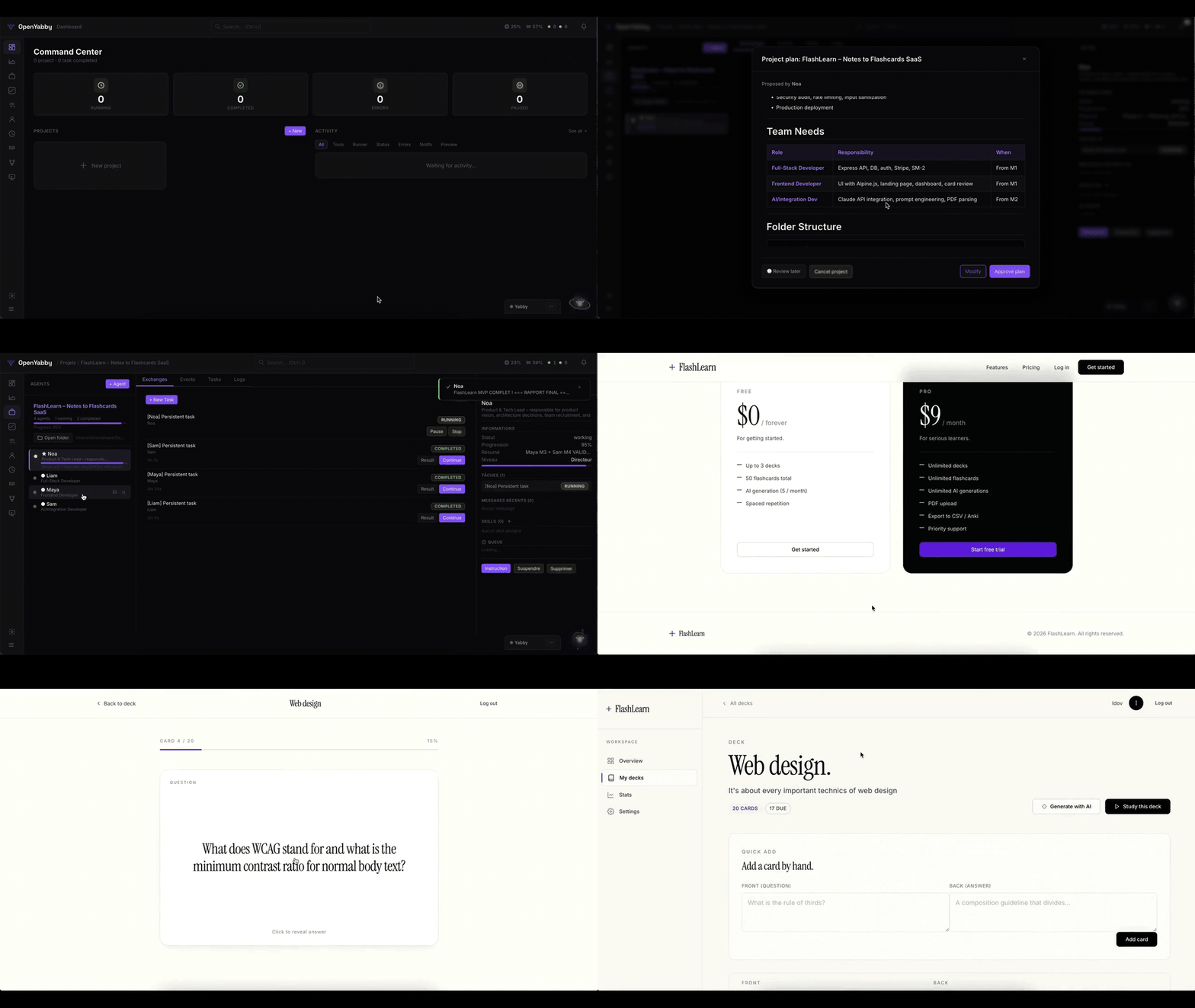
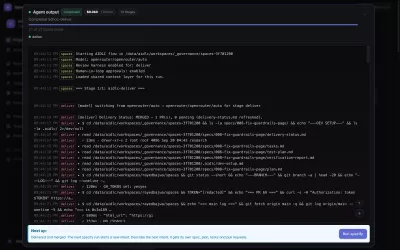
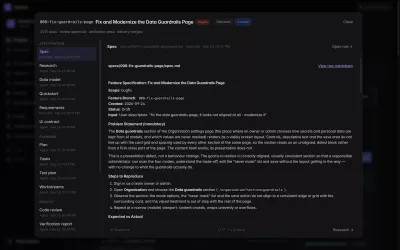
Speak once, get a coordinated team. Plan → delegate → execute → review → report.
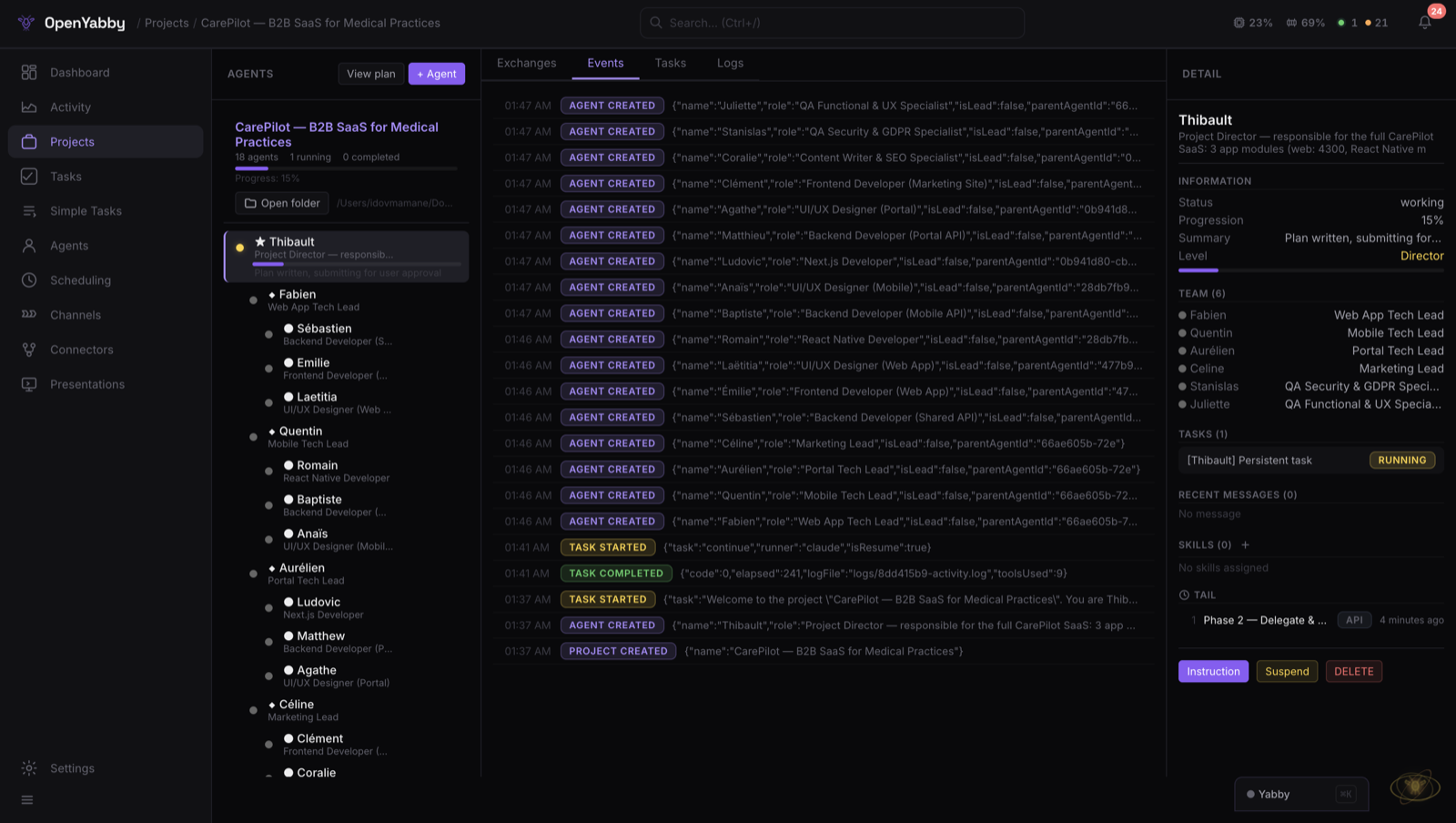
How It Works
OpenYabby is designed around one loop:
- You say "Yabby" once to start
- You describe the project or task
- OpenYabby plans the work, spins up the right agents, executes, reviews, and reports back live
Why OpenYabby
Most AI tools stop at one layer: chat, voice, coding, automation, or agents.
OpenYabby combines them into a single open-source system that can handle larger, multi-step work.
What makes it different:
- Voice-driven: start with conversation, not forms or prompts
- Project-scale orchestration: break work into planning, execution, review, and QA phases
- Multi-agent teamwork: create lead, manager, and sub-agent workflows
- Mac-native execution: run real local tasks — bash, Python, Node, AppleScript, GUI automation — not just text generation
- WhatsApp-native agent threads: spawn standalone agents and talk to them directly in dedicated threads
- Open-source and hackable: inspect, modify, self-host, and extend everything
- Persistent memory: carries context across sessions — remembers your name, preferences, and project history
What Is OpenYabby?
OpenYabby is an open-source AI assistant and agent orchestration system.
It starts as a voice or chat interface, but the real value is what happens next: it can turn a request into a structured workflow, assign work across coordinated agents, use tools, execute tasks on your machine, and keep track of context across the lifecycle of a project.
It can also move those workflows into messaging surfaces. On WhatsApp, OpenYabby can create standalone agents, open a dedicated thread for each one, and let you talk to that agent directly.
Under the hood, it combines:
- OpenAI Realtime API (WebRTC) for bidirectional voice
- CLI task runners: Claude Code (default), Codex, Aider, Goose, Cline, or Continue
- Hierarchical multi-agent orchestration for complex project workflows
- Persistent memory with Mem0 + Qdrant
- 37 connectors (30 active today) and MCP server support for external tools
- A local web app plus messaging channels for interaction from multiple surfaces
Who It's For
- Developers who want a voice-first system that can build and coordinate real projects
- Builders who want an open-source alternative to closed AI assistants
- Power users who want one assistant across coding, research, planning, and execution
- Tinkerers who want to customize agents, prompts, runners, tools, and workflows
If you want a minimal consumer voice app, this is probably too much. If you want a serious, hackable assistant system that can take on bigger jobs, this is what it's built for.
Quick Start
Prerequisites
| Requirement | Version |
|---|---|
| Node.js | 20+ |
| Docker | Recommended — provides PostgreSQL 16 + Redis 7 via ./setup.sh |
| PostgreSQL | 14+ (only if you opt out of Docker via ./setup.sh local) |
| Redis | 6+ (only if you opt out of Docker via ./setup.sh local) |
| Claude CLI | npm i -g @anthropic-ai/claude-code |
| OpenAI API key | Realtime API access |
One-Command Setup
git clone https://github.com/OpenYabby/OpenYabby.git
cd OpenYabby
./setup.sh              # checks prereqs, installs deps, starts PG+Redis, launches server
# -> http://localhost:3000
The setup script handles everything: prerequisites check, npm install, .env creation (prompts for your OpenAI API key), infrastructure startup, and server launch. ./setup.sh (no arg) defaults to Docker mode — Yabby's Postgres + Redis run in containers on non-default ports (5433 / 6380) so they never collide with your own local services. Pass ./setup.sh local if you'd rather point Yabby at your own Postgres + Redis (you'll need to edit .env to match).
Optional add-ons (auto-skip with a clear notice if requirements aren't met):
- Image generation — Apple Silicon only, requires Python 3.10+ and ~8 GB free disk. The
generate_imagetool is unavailable on Intel/Linux/old-Python;[ImageGen] ⏭ Skipped: ...appears in the logs explaining why. - Speaker verification — voice biometric filtering. Requires Python 3.10+. Wake word still works without it (fail-open).
Manual Setup
npm install
cp .env.example .env    # fill in your API keys
npm run dev             # starts Node (port 3000) + Speaker service (port 3001)
Migrations run automatically. Open http://localhost:3000, say "Yabby", and start giving it work.
Try These Prompts
Once it's running, try one of these:
- "Introduce yourself and explain how you work."
- "Create a project plan for a startup landing page."
- "Build a simple HTML landing page for a bakery."
- "Research the latest news about OpenAI and summarize it."
- "Remember that I prefer TypeScript and short commit messages."
- "Split this into frontend and backend workstreams."
- "Create a standalone research agent in WhatsApp and let me talk to it directly."
Environment Variables
Required
| Variable | Description |
|---|---|
OPENAI_API_KEY |
OpenAI (Realtime API, Whisper, Mem0) |
PG_HOST / PG_PORT / PG_DATABASE / PG_USER / PG_PASSWORD |
PostgreSQL |
REDIS_URL |
Redis connection string |
Optional
| Variable | Description | Default |
|---|---|---|
CLAUDE_CMD |
Path to Claude CLI | claude |
PORT |
Server port | 3000 |
SPEAKER_SERVICE_URL |
Speaker verification service | http://localhost:3001 |
SPEAKER_THRESHOLD |
Voice similarity threshold (0.0-1.0) | 0.25 |
YABBY_SECRET |
Encryption key for credentials | derived from OPENAI_API_KEY |
SANDBOX_ROOT |
Project sandbox location | ~/Desktop/Yabby Projects |
TASKS_FORWARD_URL |
Forward tasks to remote agent (Docker) | - |
Security & Safety
OpenYabby is powerful because it can execute real commands and access real tools. That also means it should be used carefully.
- It can execute local system commands with broad machine access.
- Authentication is optional and disabled by default. Enable auth before exposing any remote access.
- Do not expose
localhost:3000directly to the public internet. - Use least-privilege credentials for connectors and rotate tokens regularly.
- Review sensitive actions, especially when using autonomy features.
This project should be treated more like a local automation framework than a harmless toy app.
What It Can Do
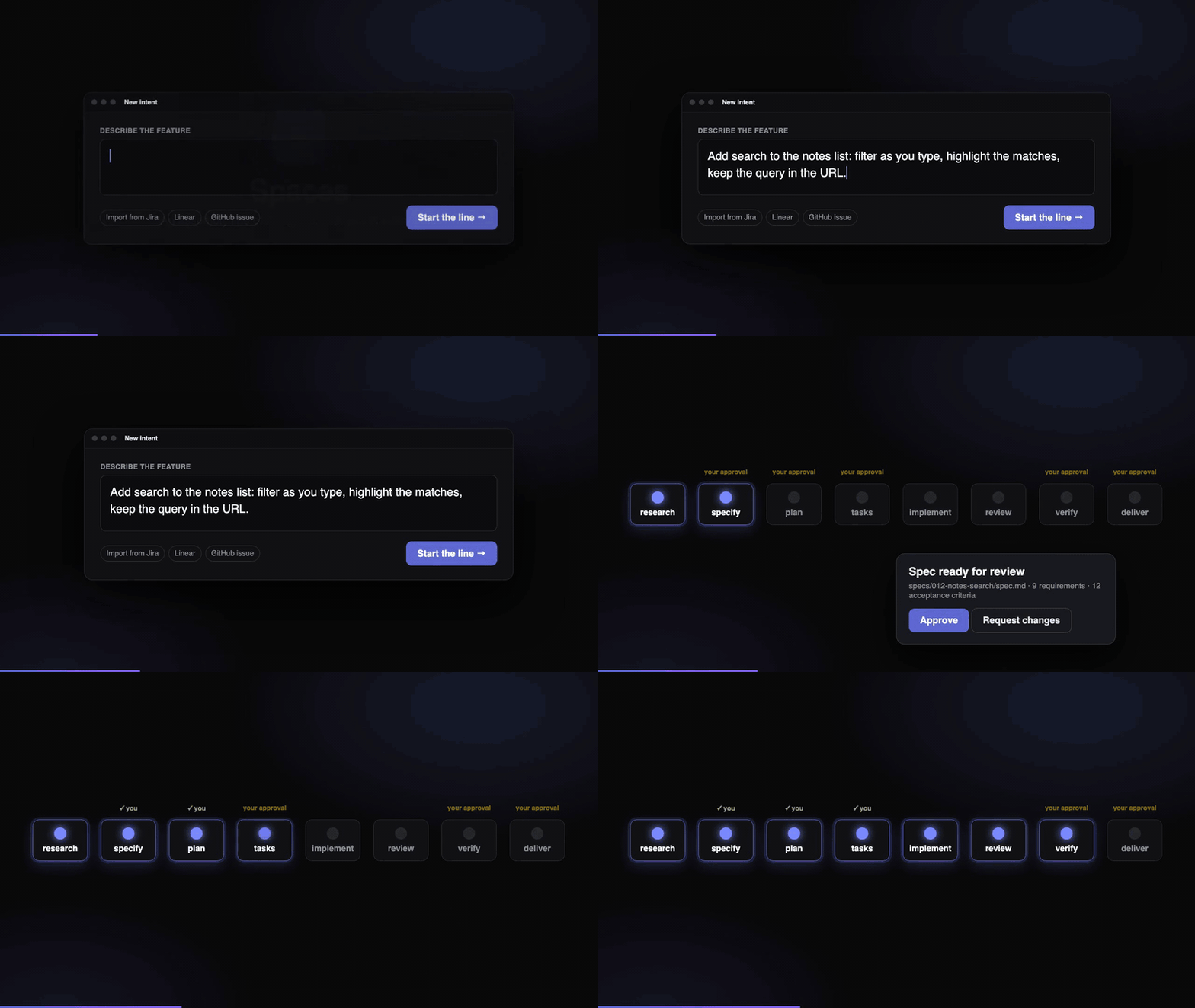
1. Turn a request into a real project workflow
OpenYabby is built for more than one-shot prompts. It can take a bigger goal, break it into stages, and run a structured lifecycle:
Discovery -> Planning -> Execution -> Review -> QA
     ^                                      |
     +-- User approves/revises plan --------+
The lead agent submits a plan for your approval. You approve, revise with feedback, or cancel. Approved plans trigger execution across the agent team.
2. Coordinate multiple agents
For larger jobs, OpenYabby creates role-based agent teams:
Lead Agent
+-- Frontend Manager
|   +-- UI Developer
|   +-- QA Tester
+-- Backend Manager
    +-- API Developer
    +-- Database Designer
A lead agent delegates work, managers coordinate their sub-teams, sub-agents execute and report back. When a sub-agent finishes, the orchestrator automatically triggers the parent for review. Tasks at the same level run in parallel; the next level waits until all current tasks complete.
3. Execute real tasks on your Mac
Each task spawns a real CLI process with full system access through supported runners:
| Runner | CLI | Status |
|---|---|---|
| Claude Code | claude -p ... |
Default |
| OpenAI Codex | codex ... |
Supported |
| Aider | aider ... |
Supported |
| Goose | goose ... |
Supported |
| Cline | cline ... |
Supported |
| Continue | continue ... |
Supported |
Tasks can use bash, Python, Node, file system access, web browsing, AppleScript, and GUI automation. This is not just a talking assistant — it is an execution system.
4. Talk and respond by voice
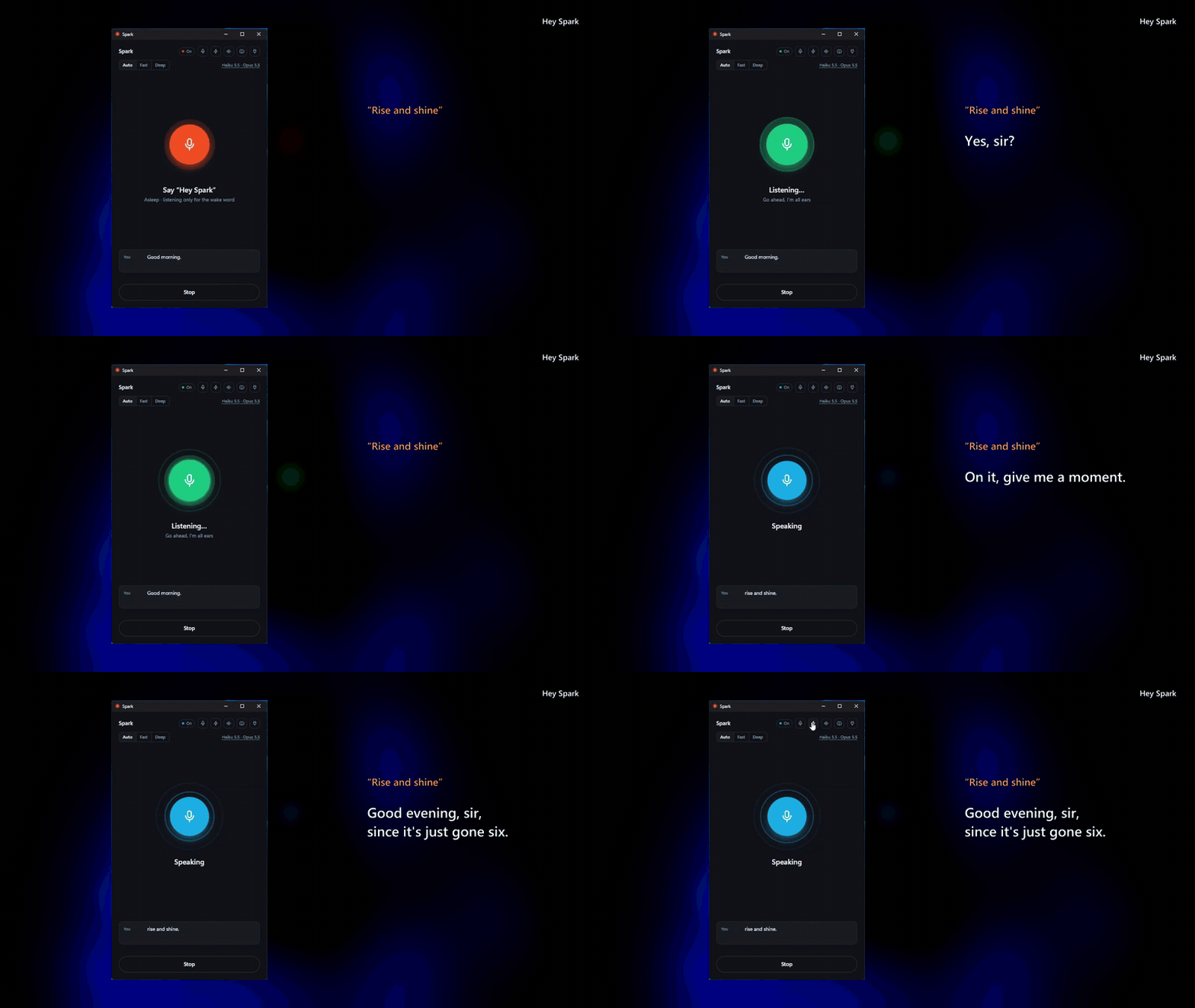
Say the wake word "Yabby" and speak naturally. The voice stack uses WebRTC with the OpenAI Realtime API for low-latency, bidirectional audio. Wake word detection runs locally with Silero VAD + ONNX, with server-side Whisper confirmation.
Optional speaker verification (SpeechBrain ECAPA-TDNN) helps reduce false activations in shared environments. Enroll in 30 seconds via Settings.
5. Keep memory across sessions
Facts are extracted from conversation every 6 turns, stored in Qdrant (vector DB), and injected into every session. OpenYabby remembers your name, coding preferences, project context, recurring tasks, and tool usage patterns.
6. Use connectors and external tools
30 active connectors across GitHub, Notion, Gmail, Google Calendar, PostgreSQL, MongoDB, Puppeteer, Playwright, Brave Search, and more. Connectors use two backends: built-in (native JS) and MCP (Model Context Protocol servers).
7. Work across multiple channels
All channels share the same conversation context, tools, and memory:
| Channel | Adapter | Notes |
|---|---|---|
| Web | Built-in | Voice + chat UI at localhost:3000 |
| Baileys | Standalone agents with dedicated threads | |
| Discord | discord.js | Text + voice messages |
| Slack | Bolt | Socket mode, text + voice |
| Telegram | grammY | Text + voice notes |
| Signal | signal-cli | Text + voice messages |
WhatsApp, but Agent-Native
On WhatsApp, OpenYabby can do more than reply in chat.
It can spawn standalone agents automatically, create a dedicated thread for each one, and let you talk to that agent directly.
That means you can:
- Create specialist agents from a conversation
- Keep agent work separated by thread
- Talk directly to a frontend, backend, research, or QA agent
- Coordinate larger projects from an app you already use
- Keep the same broader context across web, voice, and messaging
This is one of the clearest ways OpenYabby feels different from a standard chatbot or generic agent framework.
What Works Today
Current core capabilities:
- Wake word + voice interaction (WebRTC bidirectional audio)
- Web chat UI with real-time activity feed
- Task execution with 6 CLI runners (Claude Code default)
- Multi-agent project orchestration with plan approval flow
- Persistent memory across sessions (Mem0 + Qdrant)
- 30 active connectors + MCP server support
- Multi-channel messaging (WhatsApp, Discord, Slack, Telegram, Signal)
- Scheduling and automation (cron, interval, manual triggers)
- Speaker verification for wake word filtering
- Configuration hot-reload (no restart needed)
- 9-step onboarding wizard for first run
Architecture
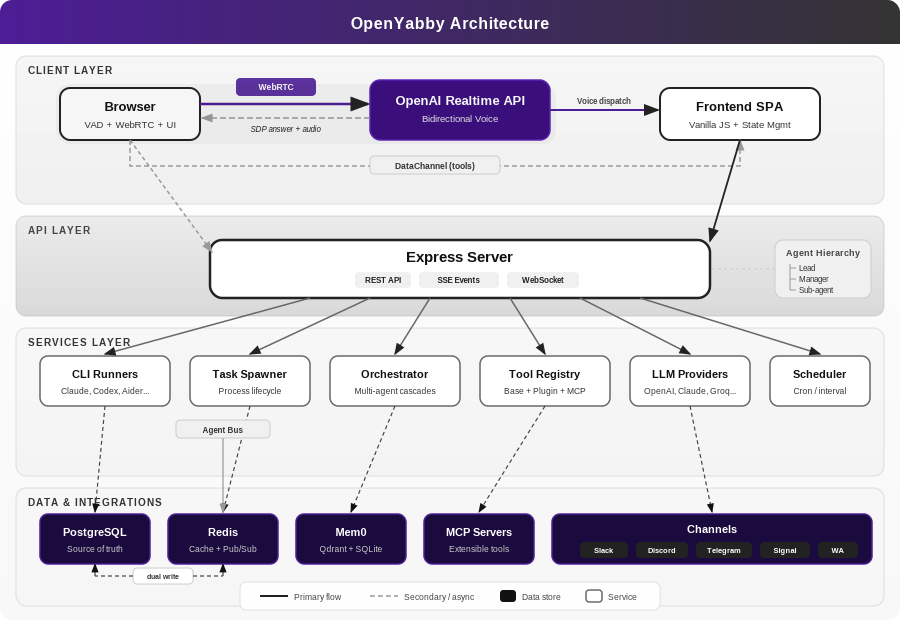
Key Patterns
| Pattern | How |
|---|---|
| Dual-write | PG (source of truth) + Redis cache (24h TTL). Read: Redis -> PG fallback -> re-cache |
| Soft delete | status = 'archived', never hard DELETE |
| Real-time events | SSE + WebSocket with identical payloads |
| Wake word pipeline | Client VAD -> Whisper confirmation -> activation |
| GUI lock | Redis hash with TTL for serialized GUI tasks |
| Name resolution | ID -> exact name -> ILIKE -> fuzzy match -> word match -> role match |
Connectors
Full connector catalog (37 total, 30 active)
Development: GitHub, Linear, Sentry, Git, Jira, Confluence, Trello, Todoist
Communication: Slack, Slack MCP, Discord (via channel adapter)
Productivity: Notion, Figma, Google Calendar, Google Maps, Gmail, Outlook, YouTube Transcript
Data: PostgreSQL, MongoDB, MySQL, Supabase, Filesystem
Web & Search: Brave Search, Web Fetch, Puppeteer, Chrome DevTools, Playwright
AI & Reasoning: Sequential Thinking, Memory, EverArt
Adding a Connector
Settings -> Connectors -> Add Connector -> pick from catalog -> enter credentials -> connect
For MCP servers:
Settings -> Connectors -> Custom MCP -> name + command + args -> connect
Connected tools automatically appear in voice and chat sessions.
Speaker Verification (Optional)
A Python FastAPI microservice using SpeechBrain's ECAPA-TDNN model to verify that only your voice triggers the wake word. Helps reduce false activations in shared environments.
# Starts automatically with:
npm run dev

# Or manually:
cd speaker && pip install -r requirements.txt && uvicorn app:app --port 3001
Enrollment: Settings -> Speaker Verification -> record 3 samples saying "Yabby" -> done.
The service is fail-open: if it's down, voice detection continues without speaker filtering.
Docker
docker-compose up   # starts PostgreSQL + Redis
npm start           # start OpenYabby locally
Note: Claude CLI requires host access for task execution, so Docker is best used for infrastructure services while OpenYabby runs on the host. Alternatively, set
TASKS_FORWARD_URLto forward task spawns to a local agent.
Mobile Access (Relay Tunnel)
The relay tunnel proxies HTTP + WebSocket traffic to your localhost via relay.openyabby.com so a remote client can reach your machine. It's off by default. To enable, set a RELAY_SECRET in your .env (request one from the project maintainers, or run your own relay):
RELAY_SECRET=your-relay-secret-here
A native mobile companion is on the roadmap — sign up at openyabby.com to get notified.
Troubleshooting
Common issues and quick fixes. For deeper coverage see docs/troubleshooting.md.
| Symptom | Likely cause | Fix |
|---|---|---|
EADDRINUSE: port 3000 on startup |
A previous Node instance is still bound | lsof -ti :3000 | xargs kill then npm start |
Claude CLI not found in spawner logs |
CLI not on PATH, or installed under a different name |
npm i -g @anthropic-ai/claude-code, or set CLAUDE_CMD=/full/path/to/claude in .env |
ECONNREFUSED 127.0.0.1:5433 (or :5432 in local mode) |
PostgreSQL container/service is not running | ./setup.sh docker to start, or verify PG_HOST/PG_PORT in .env match your local Postgres |
role "..." does not exist on startup |
App is talking to the wrong Postgres (e.g. brew Postgres on 5432 without a yabby role) |
./setup.sh docker (recommended), or create the role manually: createuser -s yabby && createdb -O yabby yabby |
ECONNREFUSED 127.0.0.1:6380 (or :6379 in local mode) |
Redis container/service is not running | ./setup.sh docker, or brew services start redis and set REDIS_URL=redis://localhost:6379 in .env |
[ImageGen] ⏭ Skipped: ... in dev logs |
Imagegen preflight failed (non-Apple-Silicon, Python <3.10, low disk, or offline) | Optional — fix the reason shown in the skip line, or ignore if you don't need local image generation |
| Wake word never triggers | Speaker service is off, or you haven't enrolled | Service is fail-open (still works without it). Run npm run speaker and enroll via the UI for biometric filtering |
Tunnel won't connect to relay.openyabby.com |
No RELAY_SECRET, or you don't want a tunnel |
Set DISABLE_TUNNEL=true in .env to silence; the app runs fine locally without it |
Tasks pause with status paused_llm_limit |
Claude CLI hit its daily quota | Yabby auto-resumes after the reset window. See migration 024 for the persisted resume metadata |
| Server crashes with V8 heap warnings | Heap monitor needs --expose-gc to free memory |
Always launch via npm start (which already passes --max-old-space-size=8192 --expose-gc); never run node server.js directly |
| Voice cuts out or feels laggy | WebRTC NAT/firewall, or browser mic permission | Test in Chrome on the same network as the server; check browser site-permissions for microphone |
When opening a bug report, include the relevant lines from logs/{taskId}-activity.log and logs/{taskId}-raw.log if it's a task issue, or the browser console + network tab if it's a voice issue.
FAQ
Why is OpenYabby Mac-only today? The CLI runners drive real local automation — bash, AppleScript, GUI control — and the prompt set assumes macOS conventions. Cross-platform is on the roadmap; contributions to the Linux/Windows story are welcome.
Can I use Ollama or a local model instead of OpenAI?
Yes — for the LLM provider layer (channel handlers, hallucination detection, memory extraction). Configure llm.provider to ollama in your config. The voice pipeline still requires OpenAI's Realtime API for now; voice-on-local-models is on the roadmap and PRs are welcome.
Do I need the Claude CLI? Claude is the default runner, but OpenYabby is runner-agnostic. You can switch to Codex, Aider, Goose, Cline, or Continue in lib/runner-profiles.js — see [docs/runners.md](https://github.com/openyabby/openyabby/blob/main/do