

PageDrop
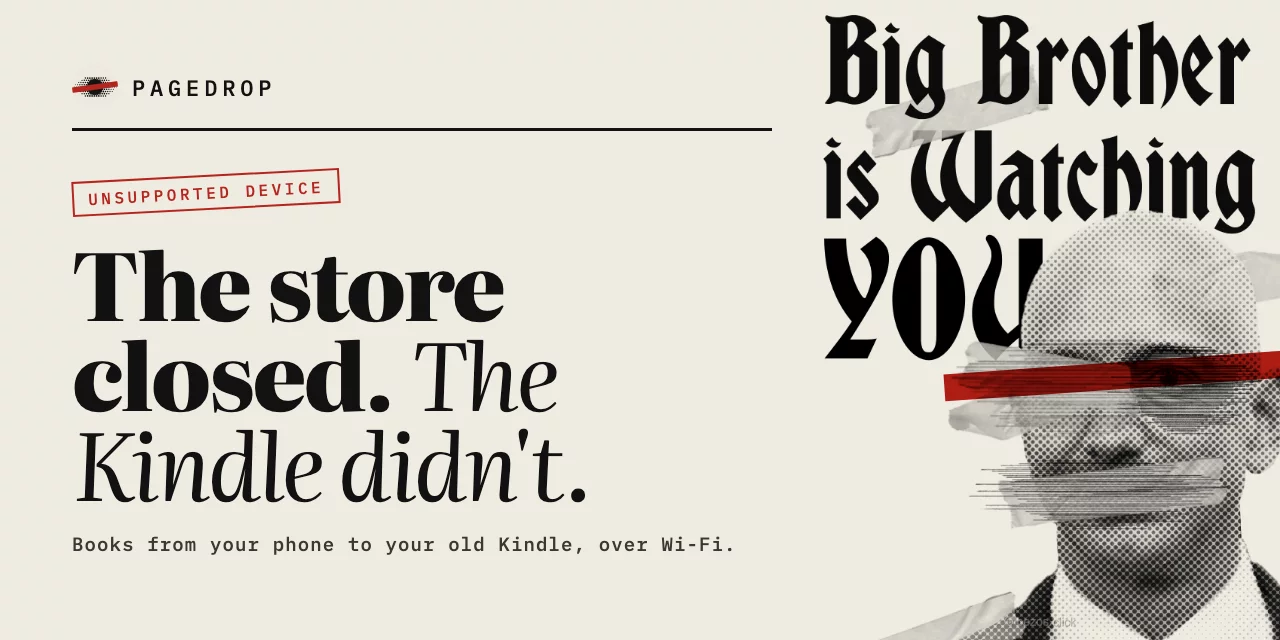
The store closed. The Kindle didn't.
F-Droid · Download · Website · Discord · Report a bug
PageDrop finds books on your phone and sends them over Wi-Fi to your old, jailbroken Kindle running KOReader. Free, open source, no cable, no Calibre, no permission.
Why
On May 20, 2026, every Kindle and Fire tablet released in 2012 or earlier lost the ability to buy, borrow or download Kindle Store content on the device. Books already on them stay. Sideloading still works. Perfectly good e-readers, some of them in drawers, some still in people's hands, can no longer get anything from the store on their own.
They still read fine. A jailbroken Kindle running KOReader is a fine reader for the rest of its life, but getting books onto it meant cables, desktop tools and shell commands. PageDrop turns that into one app on your phone. It was built and tested on a 2012 Kindle Paperwhite (firmware 5.6.1.1); see tested devices.
What it does
- Find books in the app. Search Project Gutenberg, Standard Ebooks, free Internet Archive items and your own OPDS catalogs, or browse other book websites in PageDrop's built-in browser and capture downloads right there.
- Send over Wi-Fi. Books land in both the Kindle home screen (
/mnt/us/documents) and KOReader's library (/mnt/us/Books). - Make PDFs readable. PDF reflow unwraps broken lines and strips running headers and page numbers, so a text PDF reads like a book on a small screen. It needs PDFs that contain text; it does not OCR scanned pages. Keep scans as PDF.
- Fix the details. Title, author and cover are pulled from the file and open catalogs, then written into the book.
- Manage the Kindle. See what is on it, delete books, save copies back to your phone.
- Get your Kindle ready. A walkthrough that hands off to the Kindle Modding Wiki's jailbreak wizard.
- Extras. Screensavers, fonts, dictionaries, saved articles, and a read-only import of KOReader highlights and reading progress to your phone.
- Conversion server, on by default. When a book needs converting, PageDrop uploads it to PageDrop's conversion server (Calibre), whose cleanup job deletes it about 24 hours later. PageDrop asks before the first upload. One switch in Settings keeps everything on the phone, and if the server fails PageDrop converts on the phone instead. You can also self-host the server. Details: What leaves your phone.
Tested devices
PageDrop talks to KOReader over SSH, so any jailbroken Kindle that runs KOReader should work. Only one has actually been tested.
| Kindle | Firmware | Status |
|---|---|---|
| Kindle Paperwhite (1st gen, 2012) | 5.6.1.1 | Confirmed |
| Kindle Touch (2011) | Untested | |
| Kindle 4 (2011) | Untested | |
| Kindle Keyboard (2010) | Untested | |
| Later Kindles (2013 on) running KOReader | Untested |
Tried it on something else? Open an issue or say so on Discord with the model and firmware, and it goes in the table as "Reported".
Screenshots


Getting started
You need an Android phone (8.0 or newer) and a Kindle that is jailbroken, running KOReader with its SSH server enabled. No jailbreak yet? PageDrop walks you through it.
Install
- F-Droid: f-droid.org/packages/app.pagedrop. Built from source and signed by F-Droid. Google Books lookups start switched off in this build.
- GitHub Releases: download the APK from the latest release. Each release is signed; see SECURITY.md to verify it.
- Obtainium: add
https://github.com/spandan-kumar/PageDropas an app source to get the GitHub releases with automatic updates.
The F-Droid and GitHub builds are signed with different keys, so one can't update over the other. To switch, uninstall first.
First run
- Not jailbroken yet? Open Get your Kindle ready. Its checklist takes you through the Kindle Modding Wiki's jailbreak wizard, KOReader and blocking updates.
- In KOReader, open Tools (cog) → Network → SSH server and switch it on. Keep the Kindle on the same Wi-Fi as your phone.
- In PageDrop, tap Find my Kindle, then search for a book and send it.
Privacy
No account to create, no analytics, no ads. Your phone talks to your Kindle over local Wi-Fi. It also contacts the book sources you search, Open Library and Google Books for book details, GitHub and SourceForge when you install fonts or dictionaries, and, unless you switch it off, PageDrop's conversion server. Websites you open in the built-in browser see you like any browser would. The full host-by-host list is in What leaves your phone.
Community
PageDrop is made by people who like old Kindles. Come say hi.
- Chat: Discord for questions, setup help and show-and-tell.
- Ideas and bugs: GitHub Issues.
- Contribute: read CONTRIBUTING.md. First-timers welcome. Please follow the Code of Conduct.
- Security: see SECURITY.md.
Building from source
You need JDK 21 and the Android SDK.
export ANDROID_HOME=/path/to/Android/sdk   # or sdk.dir in local.properties
./gradlew assembleDebug
./gradlew testDebugUnitTest
To build without the conversion server, pass empty properties:
./gradlew assembleDebug -PPAGEDROP_SUPABASE_URL= -PPAGEDROP_SUPABASE_ANON_KEY=
Release signing keys are never in the repo. Gradle reads them from PAGEDROP_KEYSTORE_PATH, PAGEDROP_KEYSTORE_PASSWORD, PAGEDROP_KEY_ALIAS and PAGEDROP_KEY_PASSWORD, or from a properties file (storeFile, storePassword, keyAlias, keyPassword) at ~/.pagedrop-release/keystore.properties (override with -PPAGEDROP_KEYSTORE_PROPERTIES). With neither, ./gradlew assembleRelease makes an unsigned APK. Pushing a v* tag runs release.yml, which needs the matching GitHub secrets plus PAGEDROP_KEYSTORE_BASE64.
More: CONTRIBUTING.md and docs/ARCHITECTURE.md (discovery tests, live-site checks, WebView tests).
Self-hosting the conversion server
Release builds use PageDrop's own conversion server. It is a Supabase project plus a worker running Calibre, and it handles conversions and article extraction. You can run your own and build the app against it. Setup is in server/README.md.
Project structure
app/        Android app (Kotlin, Jetpack Compose, MVVM + Hilt, Room)
server/     Conversion server (Supabase + Calibre worker)
website/    Project website
fastlane/   Store listing text, icon and screenshots
fdroid/     F-Droid submission recipe
licenses/   Third-party licenses
docs/       Architecture, privacy and technical notes
The full package layout, sources and test notes are in docs/ARCHITECTURE.md.
Credits
- KOReader does the actual reading. PageDrop just feeds it.
- Kindle Modding Wiki for the jailbreak guides and wizard.
- Calibre powers the optional conversion server.
- Project Gutenberg, Standard Ebooks and the Internet Archive for keeping books free to read.
- Literata, used under the SIL Open Font License (see
licenses/). - Poster art from bezos.click, used with permission (not covered by the GPL; see
licenses/POSTER-ART.md).
License
GPL-3.0. Contributions are accepted under the same license.
PageDrop does not host or provide books; respect copyright law where you live. PageDrop is not affiliated with or endorsed by Amazon. Kindle is a trademark of Amazon.com, Inc.