PaperPaw
E-reader software made of plugins
for e-ink readers, first the Xteink X4 and X4 Pro: small readers run by a microcontroller

Swap the home screen, add a vocabulary trainer, remap every gesture: a folder of text files is enough, no fork, no rebuild. PaperPaw runs as firmware of its own on the Xteink X4 and X4 Pro, and as an app for Android e-readers. Free and open source: no account, no ads, no tracking.
Status: beta (0.5.0-beta.12), for testers and plugin developers. The firmware for the Xteink X4 and X4 Pro runs on both readers and in the desktop emulator. It is a beta: expect rough edges, and keep a copy of your books. The plugin SDK is a beta too: it may still change before 1.0, and a plugin with code is rebuilt when a release raises the plugin interface. Please report problems in the issues. It reads EPUB, FB2, Markdown, HTML, CBZ, plain text and XTC. It shares reading positions, bookmarks and highlights with KOReader, takes books from Calibre over Wi-Fi and from OPDS catalogs, and much more; see the changelog. The app for Android e-readers is a beta too, as an APK on the releases.
Three ways in
| I just want to read | I want to tinker | I want to develop |
|---|---|---|
| Install it and open a book. Night mode, gestures and a home screen with your current book are there from the start, by touch or with buttons. Get it | A plugin can be a folder of text files: a key map, new defaults, a theme, a translation. Large print is three files. Plugins without code | A Rust crate against paperpaw-sdk adds screens, formats or services, or replaces the home screen outright. On the X4 it is a signed file from the plugin store. Writing plugins |
On the devices
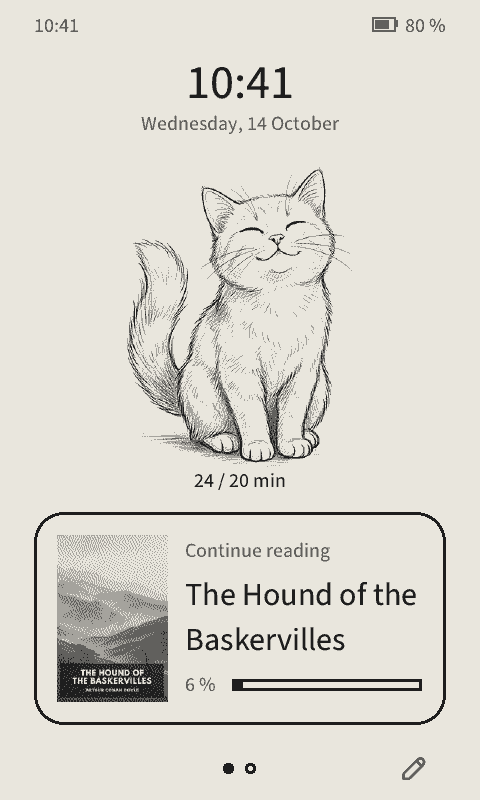 Home screen |
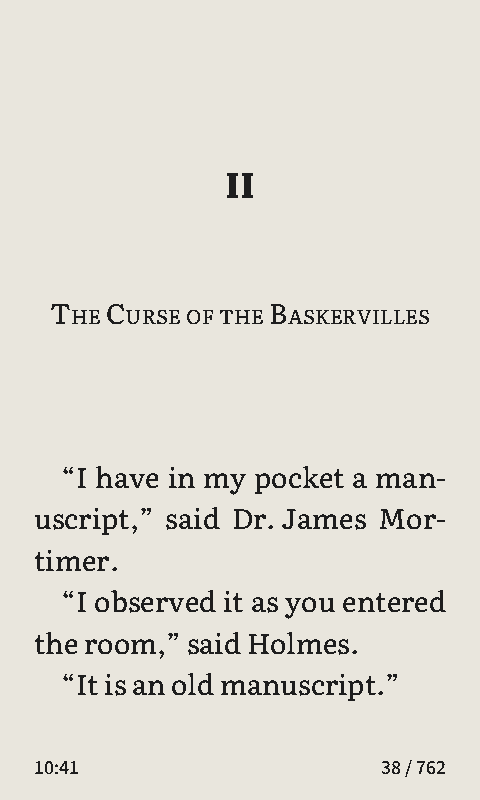 Reading |
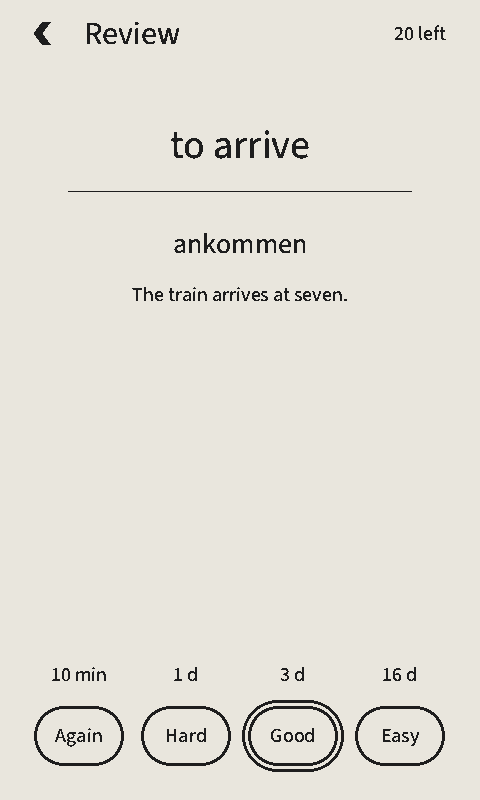 Flash cards |
 Sleep screen |
| As on an Xteink X4 Pro (in the emulator). | |||
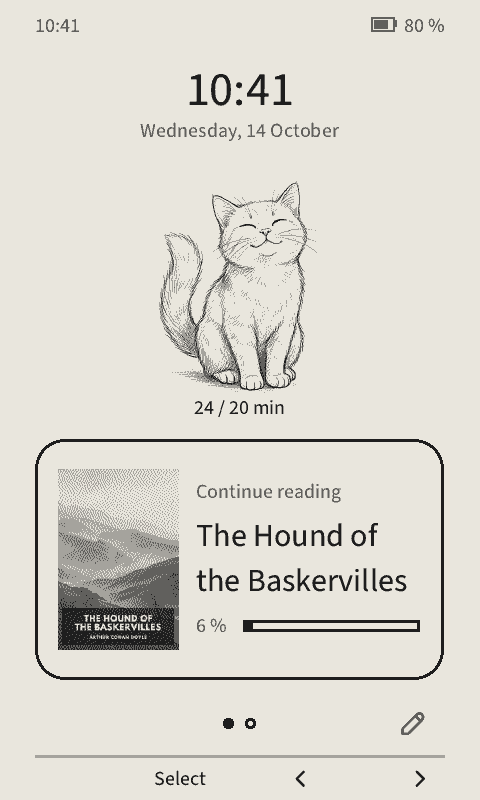 Home screen |
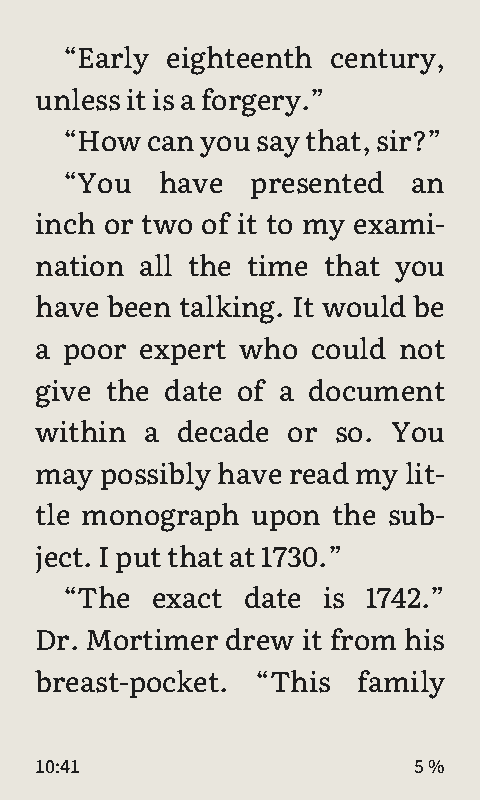 Reading |
||
| As on an Xteink X4 (in the emulator). | |||
What it does
On the X4 and X4 Pro, some of these come as plugins from the store.
Everything is a plugin
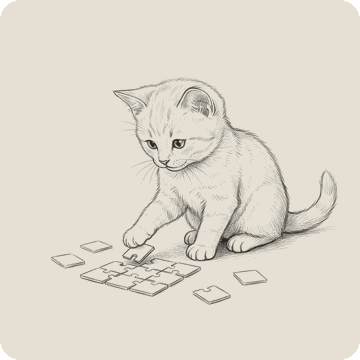
The core is a small kernel. The home screen, library, reader, menus, file formats, themes, key maps and translations are plugins, and first-party ones use exactly the same SDK as community plugins. Anything can be added, replaced, reconfigured or removed. On the X4, a plugin with code is a file from the plugin store, signed by its author, or one's own build sent from a computer: no firmware rebuild.
Wi-Fi set up with a phone
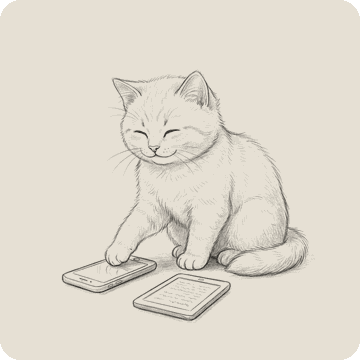
Join a network by scanning a code and typing the password on your phone. Books go over from a phone or a computer, with or without a router, or over the USB cable; Calibre sends them over Wi-Fi as to any wireless reader. Nothing is written before you allow it on the device.
Vocabulary
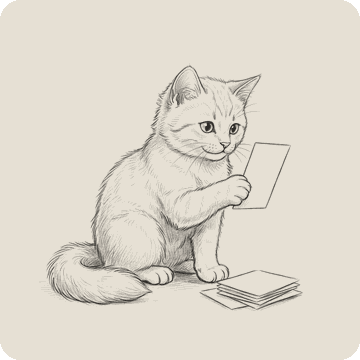
Every word you look up is kept with its sentence. Learn them as flash cards, edit them on a phone, or bring an Anki deck along; a card that is due can show while the reader sleeps.
Reading goal
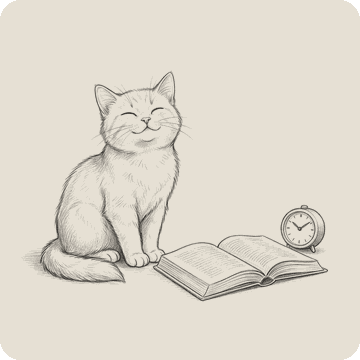
Minutes to read a day, and a cat on the home screen whose mood follows today's reading: sad, so-so, content or happy.
Small and simple
- Runs in 262 KB of heap. The Xteink X4 is an ESP32-C3 with 400 KB of RAM and no PSRAM. A test opens books in the emulator on every change. It fails if they take more than 85 % of that heap.
- Simple by default. Turn it on and keep reading. Every function is at most two steps away, and it works with buttons only or with touch.
- One codebase, many devices. Today: the Xteink X4 and X4 Pro, the desktop emulator, and as a beta Android e-readers such as Boox, in grayscale and colour e-ink. Experimental, not yet tried on a real device: the Xteink X4 Classic and X3. Planned: Kobo, Kindle (jailbroken), PocketBook and reMarkable. To add a device, see docs/porting.md.
Get it
PaperPaw replaces the firmware of the Xteink X4 and X4 Pro. Install the beta from the browser at paperpaw.org/flash. The flasher first saves the reader's own firmware, so you can go back. Developers can build and flash it as shells/xteink describes.
The app for Android e-readers is on each release as an APK, a beta as well. shells/android says how to install it.
How it's made
PaperPaw is a one-person project. Much of its code and documentation is written with the help of an AI model (Claude, by Anthropic). Its maker decides what goes in. CI runs over 4,000 tests, snapshot tests of the screens and other checks on every change. Releases are built reproducibly and tried on a real reader first. PaperPaw is in beta: expect rough edges, and please report them in the issues. Wishes are welcome too. More at paperpaw.org/about.
Customisation at a glance
A plain text file (paperpaw.ini) on the device changes behaviour without
any programming:
[core]
language = de
full-refresh-interval = 8

[slots]
# Replace the home screen with any screen a plugin provides, here the library.
core.home = files.browser

[keymap.global]
# Bind any input to any action; `none` removes a binding.
long.page-forward = core.toggle-night-mode
tap.center = none
swipe.up = core.menu

[menus]
# Redefine any menu: which actions, in which order.
core.reader-menu = reader.font-larger, reader.font-smaller, core.toggle-night-mode, core.home

[plugins]
# Switch any plugin off by its id (or use Settings → Plugins).
some-plugin = off
Plugins contribute screens, actions, settings, key maps and translations
through the paperpaw-sdk crate. See
docs/plugins.md for the full extension model.
Plugins without code
A folder with a few text files is a plugin too. Copy it into the plugins
folder of the device and restart, or send it from a computer with the
Wi-Fi transfer or over the USB cable. It shows up in Settings →
Plugins, where it can be switched off again; the store does not update
a plugin put in place so. These work on every device, including the
Xteink X4.
plugins/large-print/
  plugin.ini     [plugin] id, name, description, version, formats
  i18n/*.ini     translations, also whole new languages
  keymap.ini     key bindings, as in paperpaw.ini
  settings.ini   new defaults for any setting, e.g. [core] font-size = 14
  menus.ini      entries added to menus or hidden from them
  actions.ini    actions made of up to 16 steps
  presets.ini    ready-made sets of settings
  marks.ini      words marked on book pages by patterns
  icons.ini      icons of actions and settings
  setup.ini      steps of the first-run setup
  styles.css     a stylesheet for books
  points/*.txt   lines for keyboard layouts and the About page
  fonts/*        fonts to read with: packs (.ppfp), or .ttf, .otf and .ttc
                 where those are drawn (not on the X4 and X4 Pro)
docs/data-files.md describes every file.
samples/plugins/large-print is a complete
example. Plugins with code are Rust crates using the SDK; on the X4 and
X4 Pro, those not built into the firmware are files from the plugin
store, signed by their authors, or one's own builds sent over USB or the
Wi-Fi transfer (docs/usb-transfer.md), with no
firmware rebuild. Writing plugins
walks through samples/hello-plugin, a
small one to start from.
Try it in the emulator
Each release has the emulator ready to run for Windows, macOS and Linux,
on the releases page. It
comes with paperpaw-dev. To build it yourself, you need a recent stable
Rust toolchain. The required targets are installed
automatically from rust-toolchain.toml.
cargo run -p paperpaw-emulator -- --profile xteink-x4
cargo run -p paperpaw-emulator -- --list-profiles
Keys: PageDown or Space next page, PageUp previous page, arrow keys,
Enter confirm, Esc or Backspace back, M menu, H home, P power.
Hold a key for a long press. Holding Enter opens the menu on devices
without a menu button. The mouse acts as the touch screen: tap the left or
right edge to turn pages, the centre for the menu. F2 shows refreshed
regions, F3 switches the flash animation, F12 saves a screenshot.
Devices with only two buttons (and Bluetooth page turners) can operate
everything with the Two buttons layout (core.keymap-preset): a short
press moves forward or back, a long press on forward confirms or opens the
menu, a long press on back goes back. Try it with
--profile two-buttons.
Settings changed in the UI are saved to paperpaw.ini in the library
folder, the same file you can edit by hand.
The emulator uses samples/library as the device storage; two
public-domain books are included as EPUB and TXT. Put your own .epub and
.txt files into
samples/library/books or point --library at any folder.
The emulator enforces each device's heap budget on the kernel. So memory
problems show up on the desktop before they show up on hardware.
--heap-budget none shows the real peak. --trace-alloc 1024 lists the
large allocations behind it. --heap-report groups the live heap by call
site. --trace prints what drawing each frame asks of the storage, band
by band, as the X4 draws it. Headless runs produce screenshots for tests
and bug reports:
cargo run -p paperpaw-emulator -- --headless --profile boox-go-7 --set core.language=de --script "page-forward,long:page-forward" --screenshot out/go7.png
Repository layout
| Path | Contents |
|---|---|
crates/paperpaw-platform |
Vocabulary shared by shells and kernel: display info, pixel formats, raw input |
crates/paperpaw-config |
The human-editable config format used for settings, key maps and translations |
crates/paperpaw-i18n |
Message catalogs, fallback chains and plural rules |
crates/paperpaw-graphics |
Framebuffers in native pixel formats, clipped canvas |
crates/paperpaw-text |
Fonts (runtime outlines or bitmap packs), rasterizer, glyph cache, line breaking |
crates/paperpaw-document |
Format-independent document model: locators, blocks, offset maps |
crates/paperpaw-layout |
Deterministic page layout usable by any reader plugin |
crates/paperpaw-zip |
Streaming ZIP reader with small, bounded memory use |
crates/paperpaw-xml |
Incremental XML/XHTML tokenizer |
crates/paperpaw-stardict |
StarDict dictionaries looked up in place (dictzip, synonyms) |
crates/paperpaw-sdk |
The plugin SDK: the only API plugins use |
crates/paperpaw-core |
The kernel: plugin host, registries, input routing, refresh policy |
crates/paperpaw-app |
The standard app: the first-party plugin set shells install |
crates/paperpaw-fs |
Storage in a host directory, for shells with an operating system |
crates/paperpaw-hyphen |
Hyphenation by Liang's algorithm on pattern tables read in place |
crates/paperpaw-image |
Streaming JPEG and PNG decoding to grayscale, with bounded memory |
crates/paperpaw-http |
HTTP/1.1 without I/O, for requests and for serving |
crates/paperpaw-json |
JSON read whole or as it streams, with little memory |
crates/paperpaw-sqlite |
SQLite files read and written page by page, e.g. KOReader's statistics |
crates/paperpaw-digest |
MD5, SHA-1, SHA-256 and FNV-1a |
crates/paperpaw-qr |
QR codes for short text such as an address |
crates/paperpaw-native |
Native code plugin files (.ppn): format, signatures, loading |
crates/paperpaw-update |
Signed firmware update files |
crates/paperpaw-serve |
HTTP serving for plugins in shells with an operating system |
crates/paperpaw-x4 |
The X4's and X4 Pro's hardware: displays, buttons, battery |
crates/paperpaw-fat |
Storage on FAT cards with long file names |
plugins/ |
First-party plugins: home screen, reader, library, file manager, menu, settings, plugin manager, plugin store, firmware updates, first-run setup, first-time help, menu editor, keyboard, buttons and gestures, profiles, rules, screen lock, power modes, battery use, dictionary, Wikipedia, translation, vocabulary, reading goal, reading statistics, progress sync and KOReader highlights, Calibre, catalogs (OPDS), browser, news feeds, Wallabag, Readwise, Joplin, widgets, weather, sleep screen, Wi-Fi (where PaperPaw manages it), Wi-Fi transfer, formats (EPUB, HTML, FB2, CBZ, Markdown, TXT, XTC), hyphenation, reading aids, default fonts, fonts from the internet, diagnostics, about (version and licences) |
tools/fontgen |
Converts fonts into bitmap font packs for small devices |
tools/dev |
paperpaw-dev, which checks plugins on emulated devices |
tools/sign |
paperpaw-sign, which signs updates, makes keys, and packs and signs plugin files |
tools/plugin-files |
Builds PaperPaw's own store plugins as files for each release |
tools/publish-workspace.py |
Plans, verifies and resumes crate publication (release procedure) |
tools/xtensa-std |
The X4 Pro's core libraries for code plugins |
tools/x4-remote.py |
Drives an X4 over USB with developer firmware |
tools/flash-x4.py |
Builds the checked-out source and flashes it to an X4, X4 Pro, X4 Classic or X3 over USB |
tools/usb-transfer.py |
Installs plugins and adds books over the USB cable or to the emulator (docs/usb-transfer.md) |
tools/interface.py |
Writes the files that show what code plugins see of the SDK (api.txt, shape.txt) |
tools/checks |
Checks of the source: file sizes, control characters |
shells/desktop |
Desktop emulator with device profiles |
shells/web |
The emulator in a browser (WebAssembly), with data plugins and their checks (web emulator) |
shells/android |
Android app for e-readers such as Boox (build and install) |
shells/xteink |
Firmware for the Xteink X4 and X4 Pro (build, save the stock firmware, flash) |
samples/ |
Emulator library with public-domain books, sample plugins |
docs/ |
Writing plugins, the SDK's design rules, files on the card, porting to a device, the security model, the USB transfer, the web emulator and architecture decisions |
Contributing
Contributions are very welcome: code, translations, device profiles and testing on real hardware. Please read CONTRIBUTING.md.
License
PaperPaw is licensed under the Apache License, Version 2.0. The bundled fonts, Literata and Source Sans 3, are licensed under the SIL Open Font License 1.1. The icon font is a subset of Tabler Icons, under the MIT License. NOTICE lists every bundled part and its licence.