
PATerminal
Run your AI agents in parallel.
A multi-session desktop terminal built for Claude Code, Codex, and every CLI agent — with Git, session resume, and agent pair-programming built in.


✨ Highlights
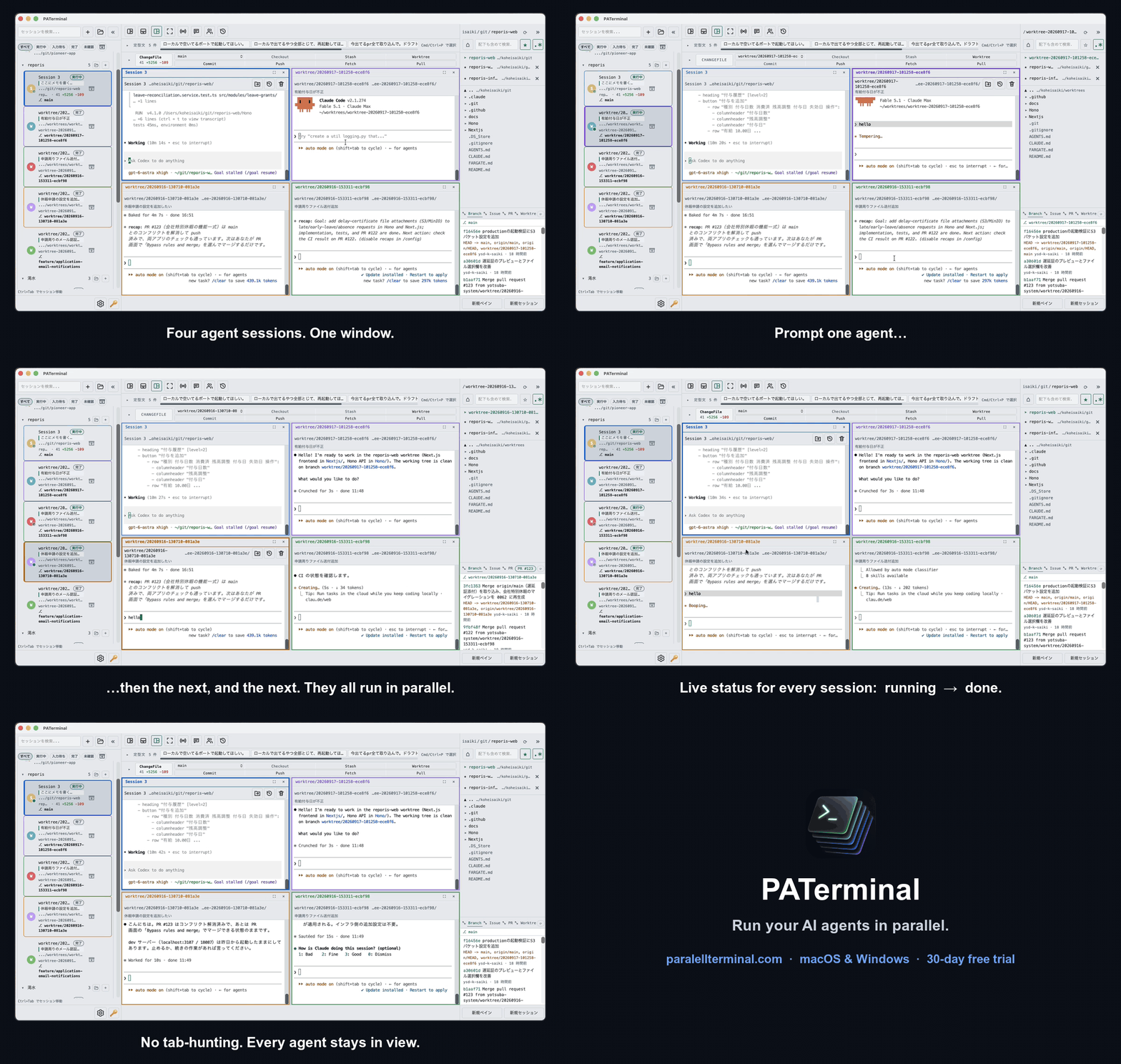
Built for people who run more than one agent — everything you need to keep multiple CLI agents working at once, without losing track of any of them.
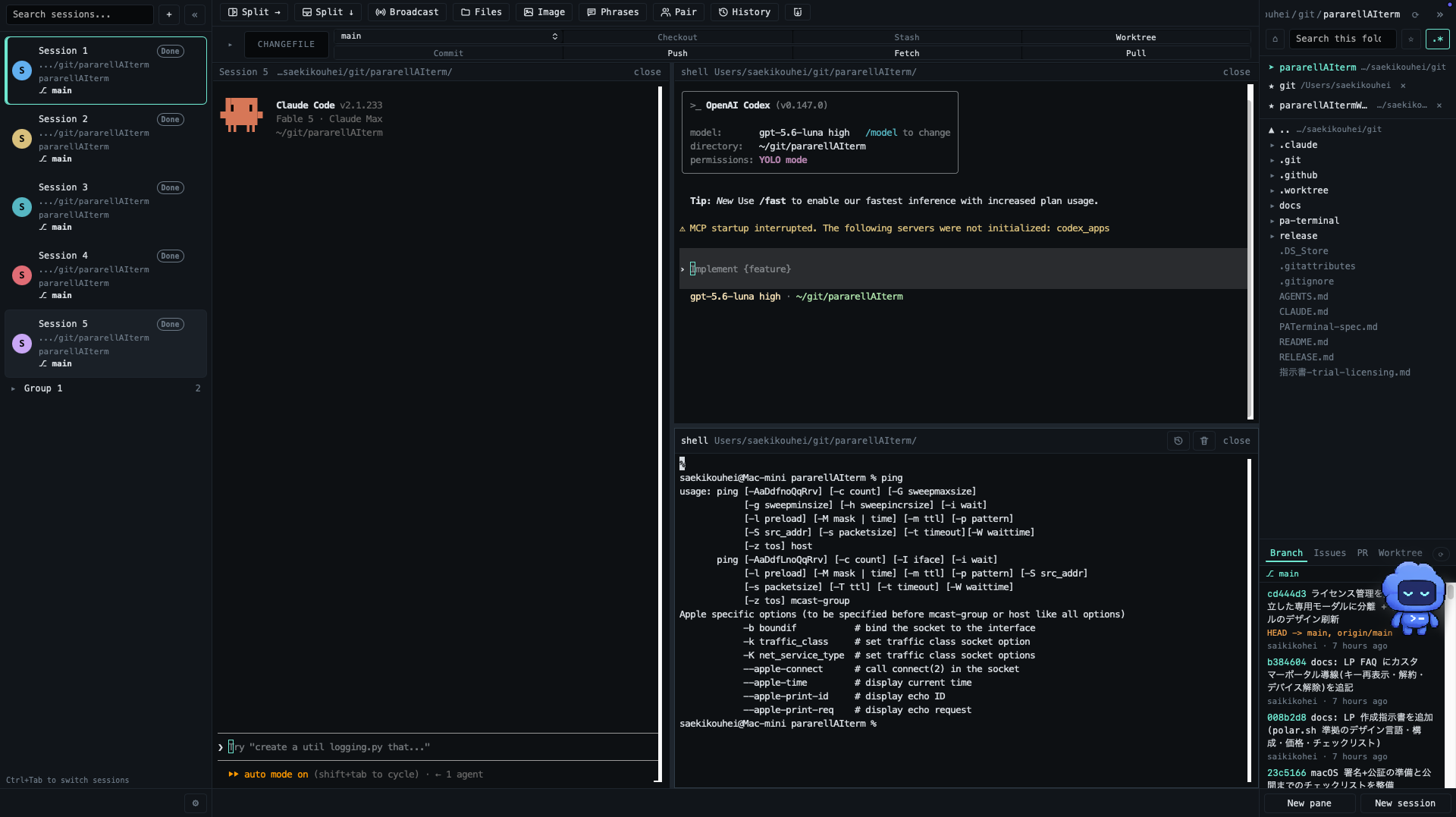
- 🧵 Parallel sessions — each session is an independent pane tree. Group, pin, color-code, and annotate sessions; restart the app and everything comes back, scrollback included.
- 🧩 Sessions on one screen — use Session split to choose multiple sessions and arrange them side by side, stacked, or in a grid. Each session keeps its own panes, with matching colored borders in the sidebar and terminal area. Drag sessions from the sidebar onto a terminal’s left, right, top, or bottom edge to add them to the view. Drag the boundaries to resize; the arrangement is restored on restart. Clicking a displayed terminal focuses its session. Opening or creating a session outside the selection shows it alone; selecting any member brings back the saved split with its colors and proportions. Use a tile’s Show this session only or Remove from view button to change the view while the sessions keep running.
- 🤝 Pair mode — implement × review, cross-review, brainstorm, or build together: two agents pass prompts to each other automatically.
- 🔁 Conversations survive restarts —
claudeandcodexare detected and reopened with--resume, and any past conversation can be handed to a fresh session. - 🌿 Git built in — a Git window one click (or ⌘E) away: file status with line-numbered diffs, a commit graph across every branch, branch checkout from the sidebar, commit, push, pull, fetch, stash — plus PRs, issues, and worktrees.
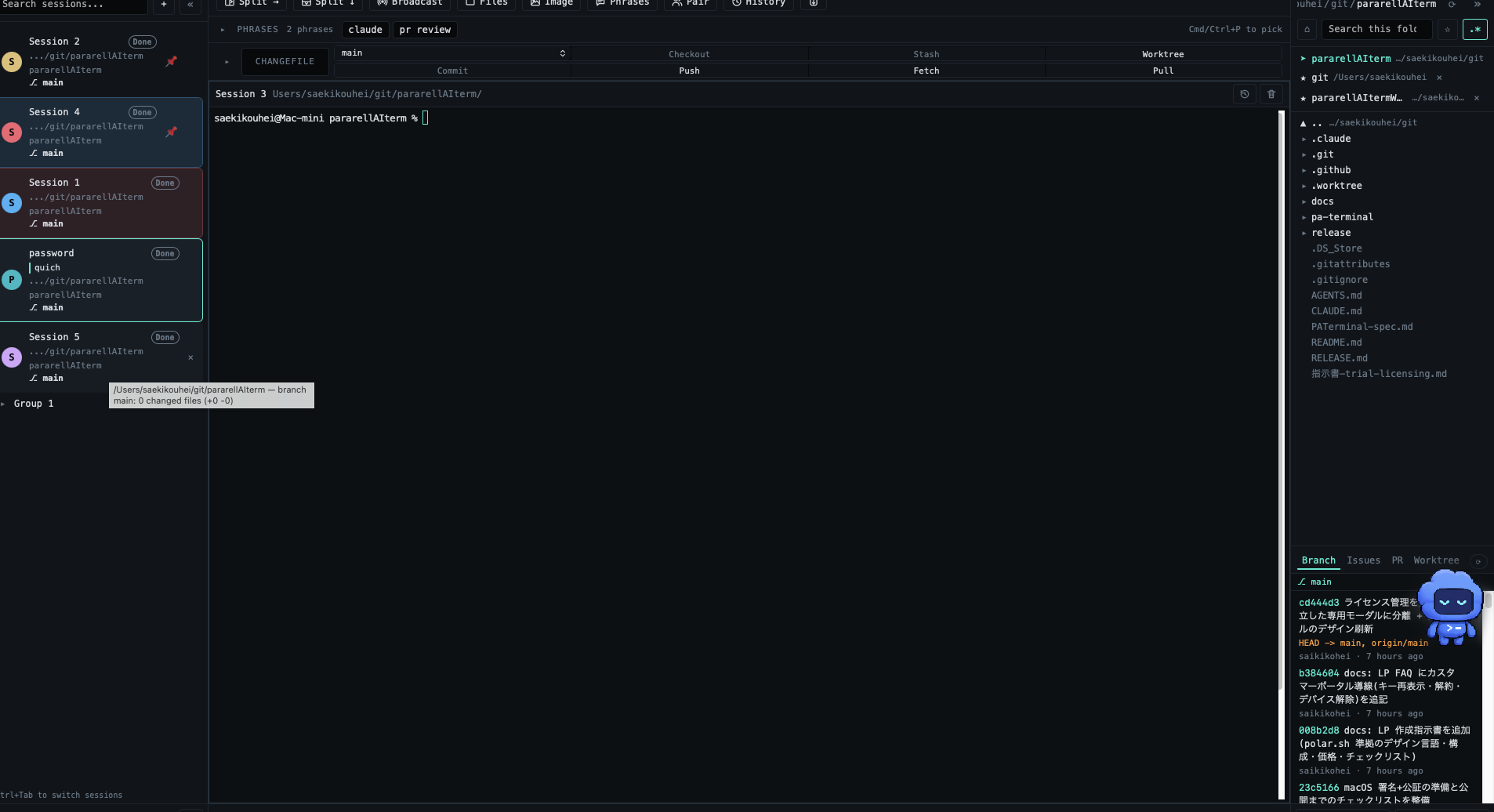
- 👀 Live agent status — running / waiting / done for every session, with desktop notifications for the ones you're not watching.
- 📣 Broadcast & quick phrases — type once, send to every session at the same time; keep your go-to prompts one click away.
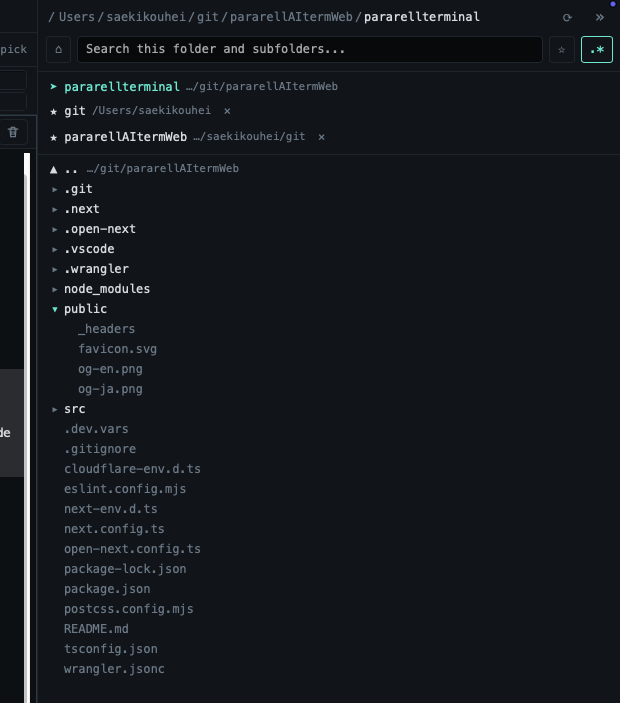
- 🗂️ File explorer — file tree, recursive search, quick edits, trash-safe delete, and drag-and-drop moves, right next to your terminals.
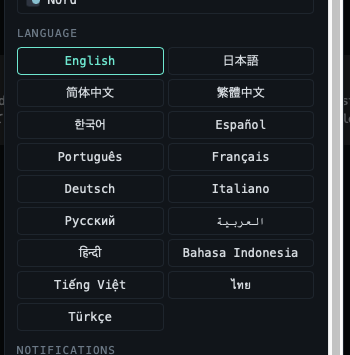
- 🌐 17 languages, 5 themes, zero telemetry — no analytics, no tracking; everything you type stays on your machine.
🤝 Pair mode — two agents on one task
Put two agents on the same task and let them hand work to each other. In
implement × review, one agent implements and the other reviews every diff before the
feedback flows back — a second pair of eyes on every change. Handoffs are driven by the
agents' official completion signals (Claude Code's Stop hook, Codex's
agent-turn-complete), with a manual handoff button always available.
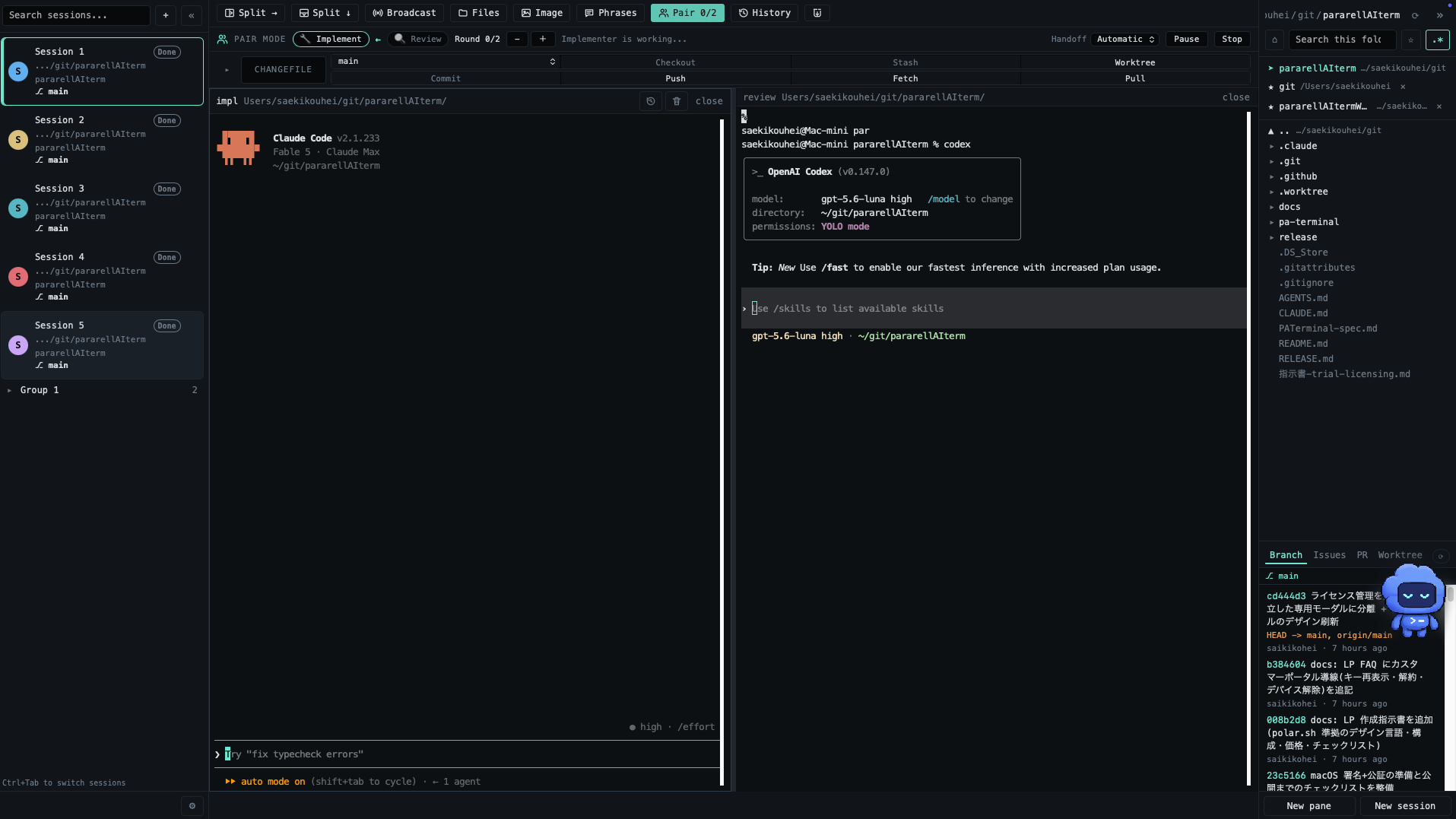
The four pair modes
- Implement × review — one agent implements; each time it finishes a step, the other reviews the diff and the feedback is sent back.
- Cross review — both agents review the same changes independently, swap findings and debate them, then one merges everything into a final list. Neither agent edits files.
- Brainstorm — the agents bounce ideas about your topic back and forth ("yes, and…" or devil's-advocate style), then sum up the strongest ones.
- Brainstorm → build together — after brainstorming, the work is split into two non-overlapping shares and both agents build side by side with sync points.
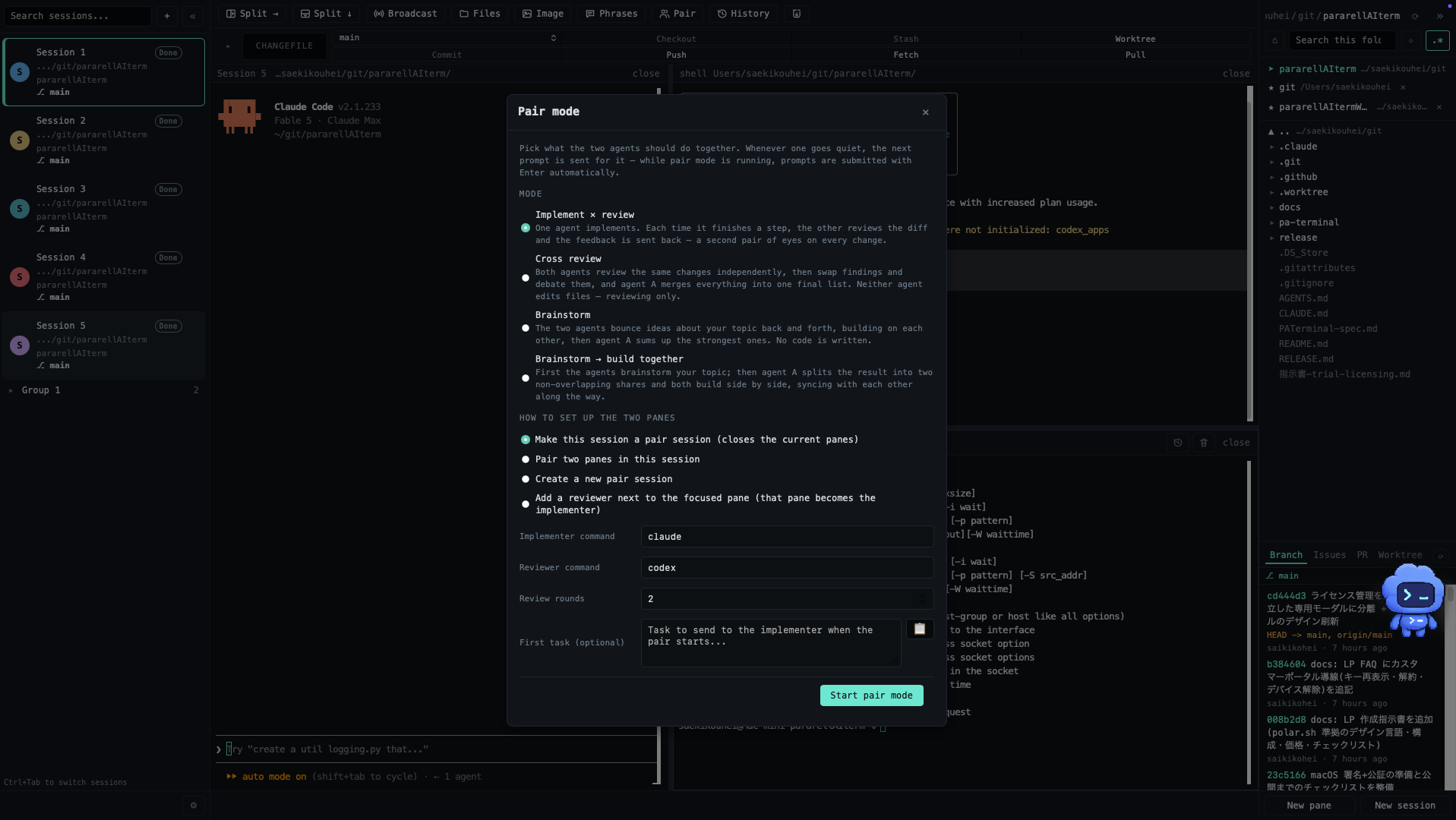
🔁 Conversations survive restarts
PATerminal detects claude and codex running in your panes. Quit the app, come back
tomorrow, and every session reopens its agent with --resume — the conversation picks up
right where it left off. The history picker lists your saved Claude Code and Codex
conversations, marks the ones still running, and can hand any of them to a new session in
the right directory.
Click the folder name or folder button in the pane bar to change the working folder of an existing terminal. With Claude Code or Codex running, select a destination and choose Move and resume to restart the CLI in the same pane with its saved conversation. The explorer's Move terminal here action uses the same flow. Running work is interrupted and unsent input is not preserved; the app leaves the CLI running if it cannot resolve a conversation ID or validate the destination. The new directory is also saved for app restarts. CLI options supplied only on the original command line are not replayed. Resuming Claude Code across unrelated project directories requires v2.1.223 or later (Claude Code session reference); Codex uses an explicit working-directory override (Codex CLI reference).
Codex 0.154.0 adds animated dots to the Astra input area even while idle, which can
keep the session status on Running. PATerminal disables these decorative effects
for Codex launches and resumes it manages. At each app startup it also saves
whimsy = false under [tui] in $CODEX_HOME/config.toml (or
~/.codex/config.toml), so manually typed codex commands work on other PCs
without manual configuration. This user-level setting also applies outside
PATerminal. Existing settings and comments are preserved; work spinners remain
enabled. Restart already-running Codex sessions to apply it. Explicit CLI or
project-level overrides can still take precedence. Invalid or unwritable config
files are left intact and the failure is logged.
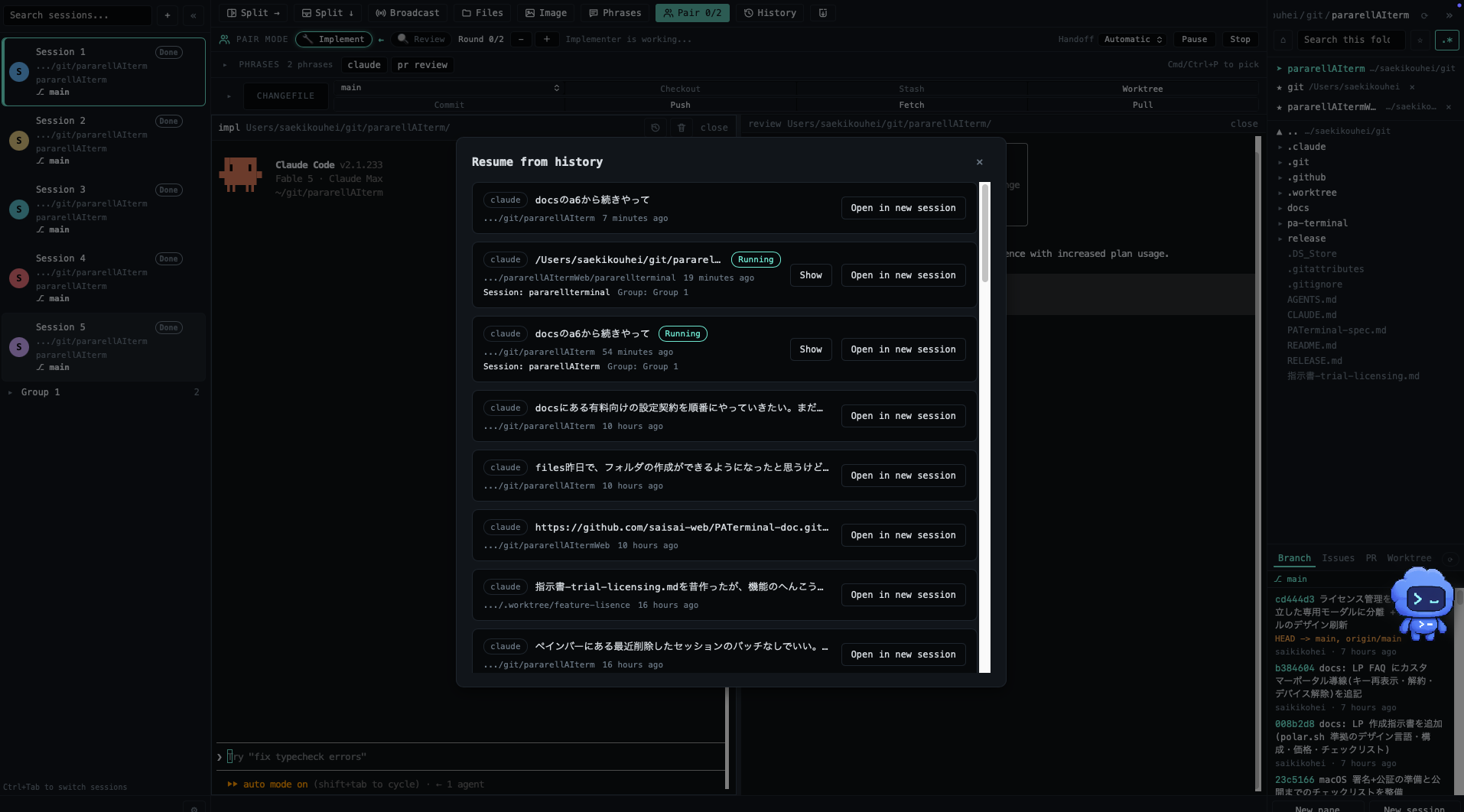
🌿 Git, without leaving the terminal
The Git button in the toolbar shows how many files you've changed and opens the Git window
(⌘E / Ctrl+E) for the focused terminal's repository. It starts on
File status — every uncommitted file with a line-numbered diff, checkboxes to pick what
goes into the commit, and a commit box with optional push. History draws a commit graph
across all local and remote branches and tags, with each commit's files and diff below.
The sidebar lists branches (grouped into folders), remotes, and tags: click one to jump to
its commit, double-click to check it out. Pull, push, fetch, stash, pull-request review
threads, issues, and worktrees live in the same window — including create a worktree
from a pull request and start a session from an issue. (PRs and issues use your own
authenticated gh CLI.)

📣 Broadcast input & quick phrases
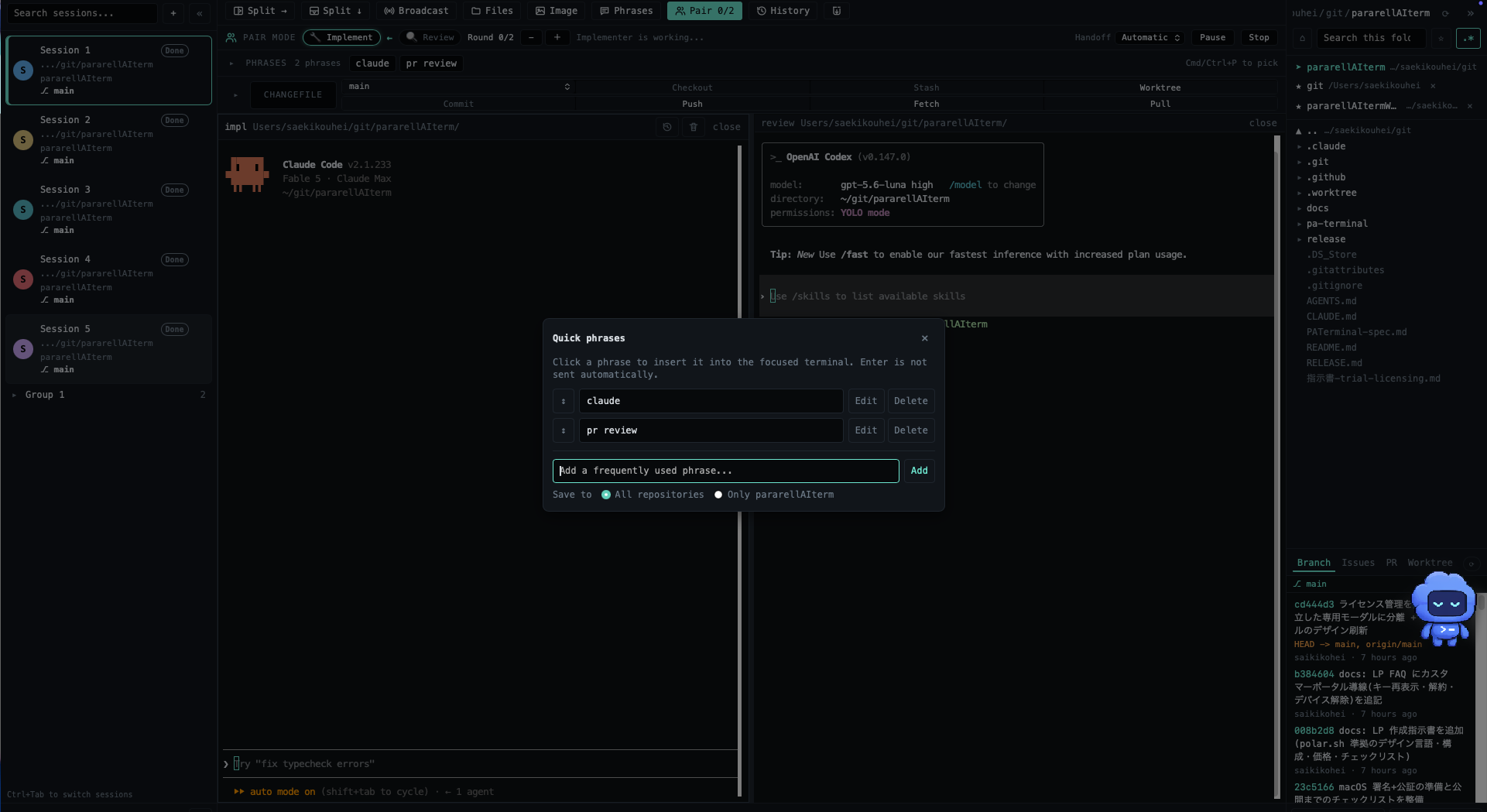
Turn on broadcast and one keystroke stream reaches every selected session — with optional auto-Enter for fire-and-forget prompts. Save the prompts you use every day as quick phrases, global or per-repository, and insert them with one click or ⌘P. Enter is never sent automatically.
🗂️ Built-in file explorer
A file tree that follows the focused terminal's working directory. Search entire subfolders, edit files in place with an unsaved-changes guard, preview images, keep favorites — and deletes always go to the OS trash, never straight to oblivion.
👀 Know what every agent is doing
Every session shows whether its agent is running, waiting for input, or done — even for panes that aren't on screen, thanks to Rust-side detection that works without rendering a single pixel. Sessions you're not looking at send a desktop notification the moment they finish or need your approval.
🌐 17 languages · 5 themes · zero telemetry
The entire UI ships in 17 languages — English, 日本語, 简体中文, 繁體中文, 한국어, Español, Português, Français, Deutsch, Italiano, Русский, العربية (full RTL), हिन्दी, Bahasa Indonesia, Tiếng Việt, ไทย, Türkçe — and five themes: Dark, Light, Solarized Dark, Dracula, and Nord.
And there is nothing to opt out of: PATerminal contains no telemetry, no analytics, and no tracking. See the privacy policy.
🧪 Free trial & licensing
PATerminal is proprietary source-available software — the source is public for transparency, review, and personal builds, but it is not open source.
- Official builds — all features free for 30 days. Afterwards the app soft-locks: sessions, up to two panes per session, and the pane folder browser keep working for free, while splitting beyond two panes, broadcast, pair mode, quick phrases, conversation takeover, and the Git window require a license. Your data is never deleted.
- Self-builds — the EULA lets an individual build and modify the source for personal, non-commercial use. Self-built binaries have no trial and no lock: local features never expire.
The licensing is deliberately not DRM: no obfuscation, no anti-debugging, and every check fails open — a validation failure or an offline stretch never takes features away mid-work.
⚙️ Under the hood
- ⌨️ Input you can trust. The keyboard path is engineered around macOS WKWebView's
event quirks (dropped
keypress, key code 229, out-of-orderinputevents) so fast typing never loses a character — the full engineering write-up ships in CLAUDE.md. - 🚄 Agents never block your typing. PTY output is coalesced in Rust, and output from hidden panes is buffered natively (up to 2 MB per pane) without ever touching the UI thread until you look at it.
- 🪝 Real completion signals. Pair-mode handoffs use the agents' official hooks rather than guessing from output silence — and degrade gracefully to a manual button.
- 🔒 Local-first. All state lives in local JSON, Git and GitHub work runs through your
own
gitandgh, and the only network calls are the update check and (in official builds) license validation.
🛠️ Building from source
Prerequisites: Node.js/npm, a current Rust toolchain, and the platform dependencies required by Tauri.
cd pa-terminal
npm ci
npm run check:architecture
npm run check:eula
npm run check:third-party-notices
npx tsc --noEmit
npm run test:ui:smoke
(cd src-tauri && cargo test)
npm run tauri dev
Self-built binaries are covered by the EULA's personal, non-commercial grant, never expire, and receive no code signing, notarization, auto-updates, or support. See pa-terminal/src/ARCHITECTURE.md for the frontend module boundaries and CONTRIBUTING.md before opening an issue or pull request.
🛡️ Security & contributions
Please report vulnerabilities privately as described in SECURITY.md — reports are acknowledged within seven calendar days. Before opening an issue or pull request, read CONTRIBUTING.md.
📄 License
PATerminal is proprietary source-available software, not open-source software. The EULA permits an individual to build and modify the PATerminal-authored source solely for that individual's personal, non-commercial use. Commercial use, redistribution, sublicensing, hosted offerings, and sharing official or modified builds require the rights described in the EULA or prior written permission.
The English PATerminal End User License Agreement v1.0 is the sole
authoritative text. Informational translations are available in
legal/eula/. Third-party components remain governed by their own
licenses, collected in THIRD_PARTY_NOTICES.md.