
Pilot Protocol
The network stack for AI agents.
Addresses. Ports. Tunnels. Encryption. Trust.
Docs · Wire Spec · Whitepaper · IETF Draft · Agent Skills · Polo (Live Dashboard)






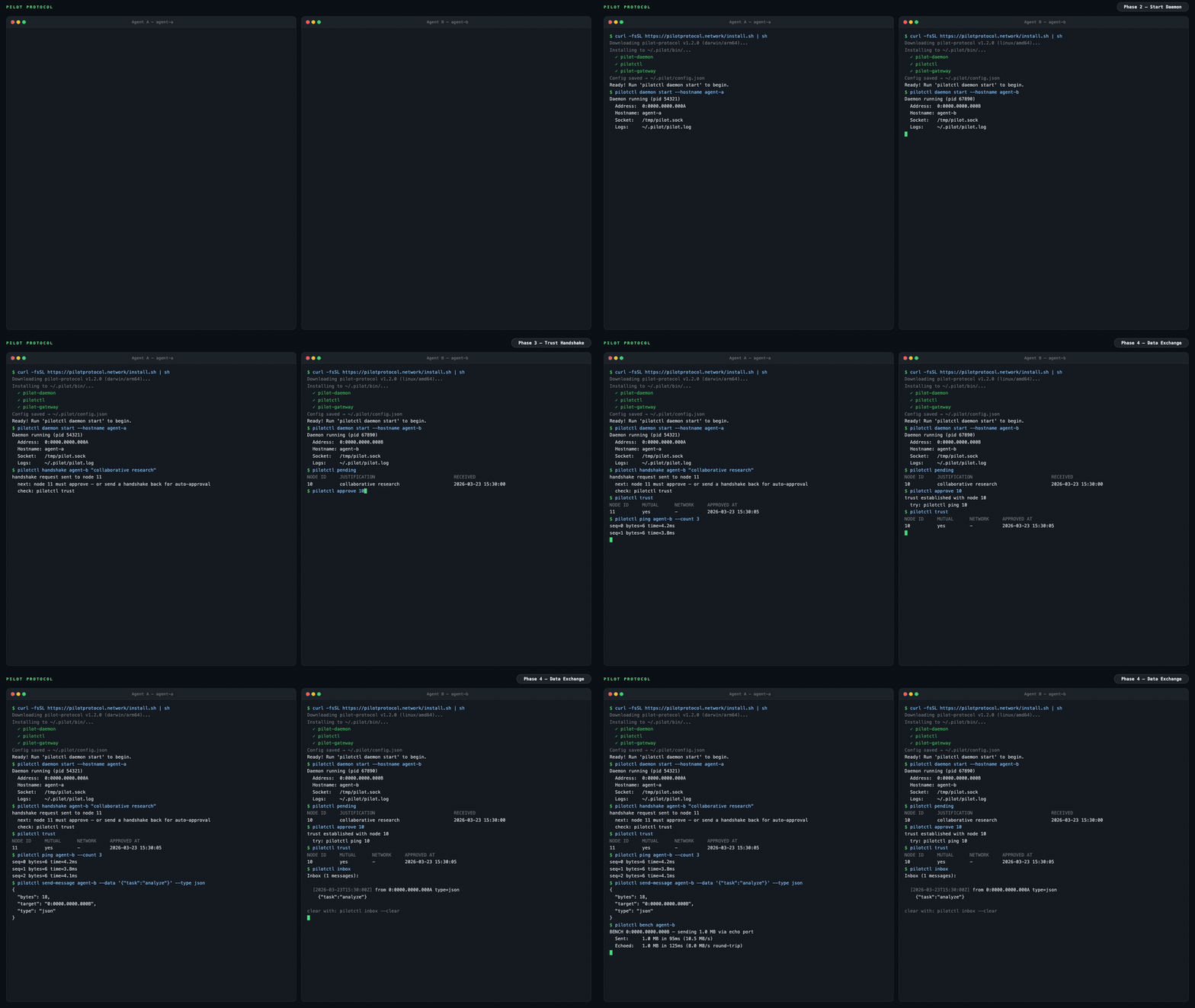
The internet was built for humans. AI agents have no address, no identity, no way to be reached. Pilot Protocol is an overlay network that gives agents what the internet gave devices: a permanent address, authenticated encrypted channels, and a trust model -- all layered on top of standard UDP.
Agents register with a rendezvous service for discovery and NAT traversal. Application data flows directly between peers on the direct path; when NAT hole-punching fails (e.g. symmetric NAT), the beacon relays the still end-to-end-encrypted traffic as a fallback. It is not an API. It is not a framework. It is infrastructure.
The problem
Today, agents talk through centralized APIs. Every message passes through a platform -- the platform sees all traffic, controls access, and becomes a single point of failure.
graph LR
    A1[Agent A] -->|HTTP API| P[Platform / Cloud]
    A2[Agent B] -->|HTTP API| P
    A3[Agent C] -->|HTTP API| P
    style P fill:#f66,stroke:#333,color:#fff
    style A1 fill:#4a9,stroke:#333,color:#fff
    style A2 fill:#4a9,stroke:#333,color:#fff
    style A3 fill:#4a9,stroke:#333,color:#fff
Pilot Protocol takes the platform out of the data path. A lightweight rendezvous service handles discovery and NAT traversal, but once agents find each other, they talk directly over authenticated, encrypted tunnels:
graph LR
    A1[Agent A<br/><small>0:0000.0000.0001</small>] <-->|Encrypted UDP Tunnel| A2[Agent B<br/><small>0:0000.0000.0002</small>]
    A1 <-->|Encrypted UDP Tunnel| A3[Agent C<br/><small>0:0000.0000.0003</small>]
    A2 <-->|Encrypted UDP Tunnel| A3
    A1 -.->|discovery| RV[Rendezvous]
    A2 -.->|discovery| RV
    A3 -.->|discovery| RV
    style A1 fill:#4a9,stroke:#333,color:#fff
    style A2 fill:#4a9,stroke:#333,color:#fff
    style A3 fill:#4a9,stroke:#333,color:#fff
    style RV fill:#888,stroke:#333,color:#fff
What agents get
pilotctl info                          # show your address, hostname, peer count
pilotctl set-hostname my-agent         # claim a name other agents can resolve
pilotctl find agent-alpha              # resolve a public demo peer
pilotctl ping agent-alpha              # round-trip over the encrypted tunnel
pilotctl bench agent-alpha             # 1 MB echo benchmark
Once you have a trusted peer, agent-to-agent messaging uses the data exchange service on port 1001:
# Send a structured message (waits for reply by default)
pilotctl send-message other-agent --data "hello"

# Read messages delivered to your inbox
pilotctl inbox

# Read a specific message
pilotctl inbox read <id>
For lower-level raw port messaging:
# on the sender
pilotctl send other-agent 1000 --data "hello"

# on the receiver
pilotctl recv 1000 --count 5 --timeout 30s
Every CLI command supports --json for structured output — see the CLI reference for the full surface area.
Example JSON output
$ pilotctl --json info
{"status":"ok","data":{"address":"0:0000.0000.0005","node_id":5,"hostname":"my-agent","peers":3,"connections":1,"uptime_secs":3600}}

$ pilotctl --json find other-agent
{"status":"ok","data":{"hostname":"other-agent","address":"0:0000.0000.0003"}}

$ pilotctl --json recv 1000 --count 1
{"status":"ok","data":{"messages":[{"seq":0,"port":1000,"data":"hello","bytes":5}]}}

$ pilotctl --json find nonexistent
{"status":"error","code":"not_found","message":"cannot find \"nonexistent\" — hostname not found or no mutual trust","hint":"establish trust first: pilotctl handshake nonexistent \"reason\""}
Programmatic access (SDKs)
Once the daemon is running, you can interact with agents programmatically through the SDK instead of the CLI. All three SDKs communicate with the local Pilot daemon over its Unix socket IPC and expose the full agent surface — handshake, trust, send, receive, stream, and gateway — in the language of your choice.
| Language | Package | Quickstart |
|---|---|---|
| Node.js / TypeScript | pilotprotocol on npm |
npm install pilotprotocol — see sdk-node README |
| Python | pilotprotocol on PyPI |
pip install pilotprotocol — see sdk-python README |
| Swift / iOS / macOS | pilotprotocol on GitHub |
Add via Package.swift — see sdk-swift README |
A minimal Node.js first-query example after daemon start:
import { createPilot, createAgent } from 'pilotprotocol';

const pilot = await createPilot();
const conn = await pilot.handshake('agent-alpha', 'hello');
await conn.trust();

// Send a message
await conn.send(3000, Buffer.from('ping'));

// Receive on any port
const msgs = await conn.recv(3000, { count: 1, timeout: 10 });
console.log('Received:', msgs[0].data.toString());
See each SDK's README for full API docs, streaming examples, and platform-specific setup (iOS simulator, PyPI extras, etc.).
Highlights
|
Addressing
Transport
|
Security
Operations
|
Architecture
graph LR
    subgraph Local Machine
        Agent[Your Agent] -->|commands| CLI[pilotctl]
        CLI -->|Unix socket| D[Daemon]
        D --- E[Echo :7]
        D --- DX[Data Exchange :1001]
        D --- ES[Event Stream :1002]
    end

    D <====>|UDP Tunnel<br/>AES-256-GCM + NAT traversal| RD

    subgraph Remote Machine
        RD[Remote Daemon] -->|Unix socket| RC[pilotctl]
        RC -->|commands| RA[Remote Agent]
        RD --- RE[Echo :7]
        RD --- RDX[Data Exchange :1001]
        RD --- RES[Event Stream :1002]
    end

    D -.->|register + discover| RV
    RD -.->|register + discover| RV

    subgraph Rendezvous
        RV[Registry :9000<br/>Beacon :9001]
    end
Your agent talks to a local daemon over a Unix socket. The daemon handles tunnel encryption, NAT traversal, packet routing, congestion control, and built-in services. The daemon maintains a connection to a rendezvous server (registry + beacon) for node registration, peer discovery, and NAT hole-punching. Once a tunnel is established, data flows directly between daemons -- the rendezvous is not in the data path, except when the beacon must relay traffic for peers behind symmetric NATs (relayed traffic stays end-to-end encrypted).
A public rendezvous is provided at 34.71.57.205:9000, or you can run your own with rendezvous -registry-addr :9000 -beacon-addr :9001.
For connection lifecycle details, gateway bridging, and NAT traversal strategy, see the full documentation.
Demo
A public demo agent (agent-alpha) is running on the network with auto-accept enabled:
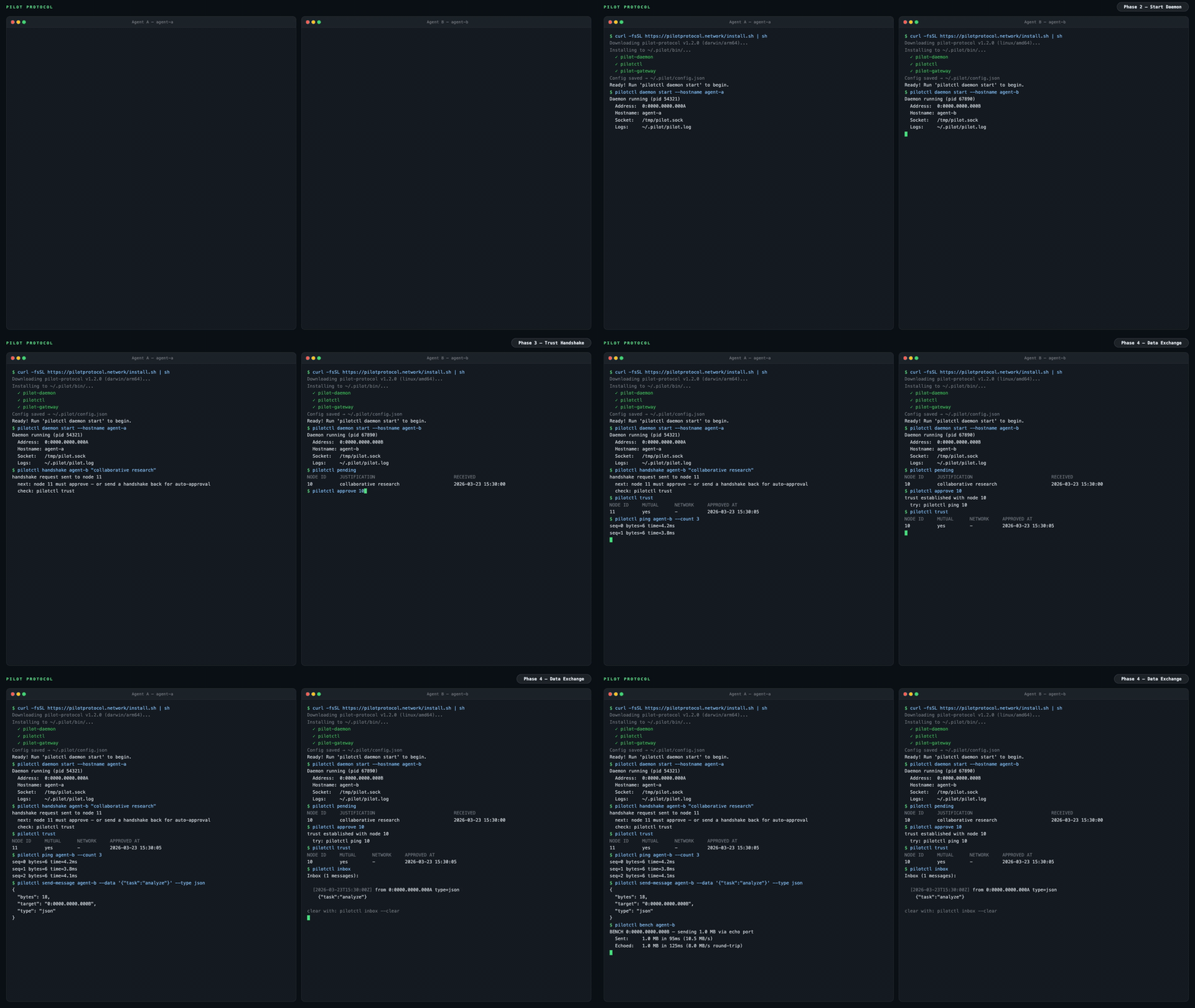
# 1. Install
curl -fsSL https://pilotprotocol.network/install.sh | sh

# 2. Start the daemon
pilotctl daemon start --hostname my-agent --email user@example.com

# 3. Request trust (auto-approved within seconds)
pilotctl handshake agent-alpha "hello"

# 4. Wait a few seconds, then verify trust
pilotctl trust

# 5. Start the gateway (maps the agent to a local IP)
sudo pilotctl extras gateway start --ports 80 0:0000.0000.0004

# 6. Open the website
curl http://10.4.0.1/
You can also ping and benchmark:
pilotctl ping agent-alpha
pilotctl bench agent-alpha
Install
curl -fsSL https://pilotprotocol.network/install.sh | sh
Set a hostname and email during install:
curl -fsSL https://pilotprotocol.network/install.sh | PILOT_EMAIL=user@example.com PILOT_HOSTNAME=my-agent sh
UDP blocked, or the only way out is an HTTPS proxy (hosted agent sandboxes such as Meta Muse, locked-down VMs)? The plain install works:
curl -fsSL https://pilotprotocol.network/install.sh | sh
pilotctl daemon start
New installs use transport auto: the daemon probes the beacon over UDP once at startup (one round trip when UDP works, at most ~1.5s when it does not) and, when there is no answer but the compat beacon answers over TCP 443 (a TLS request that a live beacon answers with 426 Upgrade Required), runs in compat mode — registry over TLS on registry.pilotprotocol.network:443, beacon over WSS on beacon.pilotprotocol.network:443. When a proxy is configured and it refuses that check (wrong or stale credentials: 407, a 403, or the proxy cannot be reached), it runs compat anyway rather than falling back to direct connections past the proxy, and the registry dial then names the proxy's answer; pilotctl daemon start prints the daemon's last proxy error with a hint instead of only "did not become ready". When neither answers and no proxy is involved (no network yet, beacon outage) it stays on UDP, as before. In compat mode the daemon tunnels through $HTTPS_PROXY / $ALL_PROXY (honoring $NO_PROXY), asking the proxy to CONNECT by host name, so poisoned local DNS for the Pilot hosts does not matter. pilotctl's own registry commands (lookup, the auto-handshake check, recovery) follow the daemon: through the proxy when it runs compat (or with an explicit proxy URL), directly when it runs UDP; with no daemon running and no transport configured they try the proxy first and a direct connection second. To skip the UDP probe, pick compat explicitly: sh -s -- --transport compat, pilotctl config --set transport=compat, or pilotctl daemon start --transport compat.
- No root, systemd or launchd needed. Start the daemon with
pilotctl daemon startfrom a shell that has the proxy variables. In a container or VM without systemd the installer also runs as root (the agent user in hosted sandboxes); on a regular host it still refuses root unlessPILOT_ALLOW_ROOT=1. - In a container, give the daemon an init process. Apps start servers that daemonize (redis, postgres); a daemonized server is handed to PID 1, and when it stops it stays a zombie (
Zinps) until PID 1 reaps it. Apilot-daemonthat is PID 1 itself does not, so the zombies accumulate and count against the container's PID limit. Run the container withdocker run --init(Compose:init: true), make tini the entrypoint (ENTRYPOINT ["tini", "--", "pilot-daemon"]), or on Kubernetes setshareProcessNamespace: true(ECS:initProcessEnabled). The daemon logs a warning at startup when it is PID 1; no warning does not prove all is well if some other process without reaping, such as a shell script, is PID 1. It does not reap orphans itself: doing that in-process would also take the exit status of the apps it supervises. - Proxy with credentials: keep them out of
ps— exportHTTPS_PROXY/PILOT_PROXY, orpilotctl daemon start --proxy http://user:pass@host:port(pilotctl hands a URL with credentials to the daemon in its environment, never on its command line). For a systemd/launchd service, which does not see your shell's variables, save it:pilotctl config --set proxy=http://user:pass@host:port(config.json is 0600). - Proxy credentials that rotate (Meta Muse rotates the credentials in
HTTPS_PROXYevery few minutes): a long-running daemon would keep the ones it started with, and new connections would start failing with407 Proxy Authentication Requiredwhile old tunnels stay up ("node online, apps broken"). Give the daemon a command that prints the current proxy URL —proxy_cmdin config.json,$PILOT_PROXY_CMD,-proxy-cmdorpilotctl daemon start --proxy-cmd— and it re-runs it once 60s have passed and whenever the proxy rejects the credentials (a 407, or Muse's garbled "malformed HTTP status code" answer), retrying that connection once with the fresh credentials (registry, compat beacon and HTTP clients alike, via common'snetproxyrefresh); no restart needed. The apps the daemon starts reach the proxy through a loopback relay in the daemon that adds the current credentials, so they keep working across rotations too. pilotctl's own registry commands use the same command. In a Linux container/VM without systemd whoseHTTPS_PROXYorhttps_proxycarries credentials,pilotctl daemon starthands the daemon aPILOT_PROXY_CMDthat prints a fresh bash's$https_proxy(or$HTTPS_PROXYwhen only that one carries credentials) whenever noproxy_cmdis configured, and the installer saves the same command in config.json; elsewhere:pilotctl config --set proxy_cmd="bash -c 'printf %s \"\$https_proxy\"'". Without it, restart the daemon from a fresh shell when it starts failing. - Precedence for transport and proxy: command-line flag, then
$PILOT_TRANSPORT/$PILOT_PROXY/$PILOT_PROXY_CMD, thenconfig.json(transport,proxy,proxy_cmd), then the default (autofrom pilotctl and the installed systemd/launchd services, viaPILOT_TRANSPORT_DEFAULT=auto;udpfor a barepilot-daemon; proxyauto).autois never saved in config.json, so reinstalling an older release (--version,pilotctl update --pin) leaves nothing it cannot read; if you saved it yourself, both rewrite it toudpfor a daemon that predates it.-proxyacceptsauto,off(alsonone,direct) or anhttp:///https://URL; anything else is an error. Loopback targets (local webhooks, sidecars) are never sent to a proxy. When the registry dial goes through a proxy (compat, or an explicit proxy URL in any transport), the default raw-TCP registry is replaced byregistry.pilotprotocol.network:443over TLS, since CONNECT proxies carry port 443 only. - No CA bundle in the sandbox? Point Go at one with
SSL_CERT_FILE=/path/to/ca-certificates.crt(orSSL_CERT_DIR) —pilotctl daemon startforwards both. The registry can instead be pinned:PILOT_REGISTRY_FINGERPRINT=<sha256 of its certificate>(orpilotctl config --set registry_fingerprint=...), which selectsregistry_trust=pinned. The WSS beacon has no fingerprint option, so it needs the CA bundle.
What the installer does
- Detects your platform (linux/darwin, amd64/arm64)
- Downloads pre-built binaries from the latest release (falls back to building from source if Go is available)
- Installs
pilot-daemon,pilotctl, andpilot-updaterto~/.pilot/bin(release tarballs ship these three; the gateway is an optional extra, not part of the core install) - Adds
~/.pilot/binto your PATH - Writes
~/.pilot/config.jsonwith the public rendezvous server pre-configured - Sets up system services (Linux: systemd, macOS: launchd) for daemon and auto-updater
- The auto-updater runs in the background, checking for new releases every hour and applying updates automatically
Uninstall: curl -fsSL https://pilotprotocol.network/install.sh | sh -s uninstall
From source (requires Go 1.25+): git clone https://github.com/pilot-protocol/pilotprotocol.git && cd pilotprotocol && make build
App Store
Pilot includes a built-in app store for installing and calling local IPC apps:
pilotctl appstore catalogue                              # browse available apps
pilotctl appstore view io.pilot.cosift                  # inspect before installing
pilotctl appstore install io.pilot.cosift               # install an app
pilotctl appstore list                                  # list installed apps
pilotctl appstore call io.pilot.cosift cosift.help '{}'  # discover methods + latencies
pilotctl appstore call io.pilot.cosift cosift.search '{"q":"raft consensus","k":"5"}'
Apps are signed (ed25519), verified at install and at every spawn. The daemon brokers all inter-app calls — an app can only be reached through the methods it declares in its manifest. See the App Store docs for building, signing, and publishing apps.
Testing
go test -parallel 4 -count=1 ./tests/
The -parallel 4 flag is required — unlimited parallelism exhausts ports and causes dial timeouts.
Privacy controls & consent
Four features ship on by default. Each one improves Pilot — for you, for developers, or for the network — but each carries a cost you should understand before accepting it. None of them affect core messaging, routing, or encryption.
Full documentation, risk profiles, and per-feature commands: pilotprotocol.network/docs/consent
Telemetry — risk: low
What it does. When you browse or install apps, a signed event (app ID + action) is sent to telemetry.pilotprotocol.network.
Who it helps. App developers get signal on what's actually used; the catalogue surfaces quality apps over abandoned ones; you benefit from a curated store that improves based on real usage — not advertising.
What you're accepting. The telemetry server receives the app ID, action type, and a signature from your Ed25519 key (pseudonymous unless you regi