
Pip: a pixel red panda for your Mac
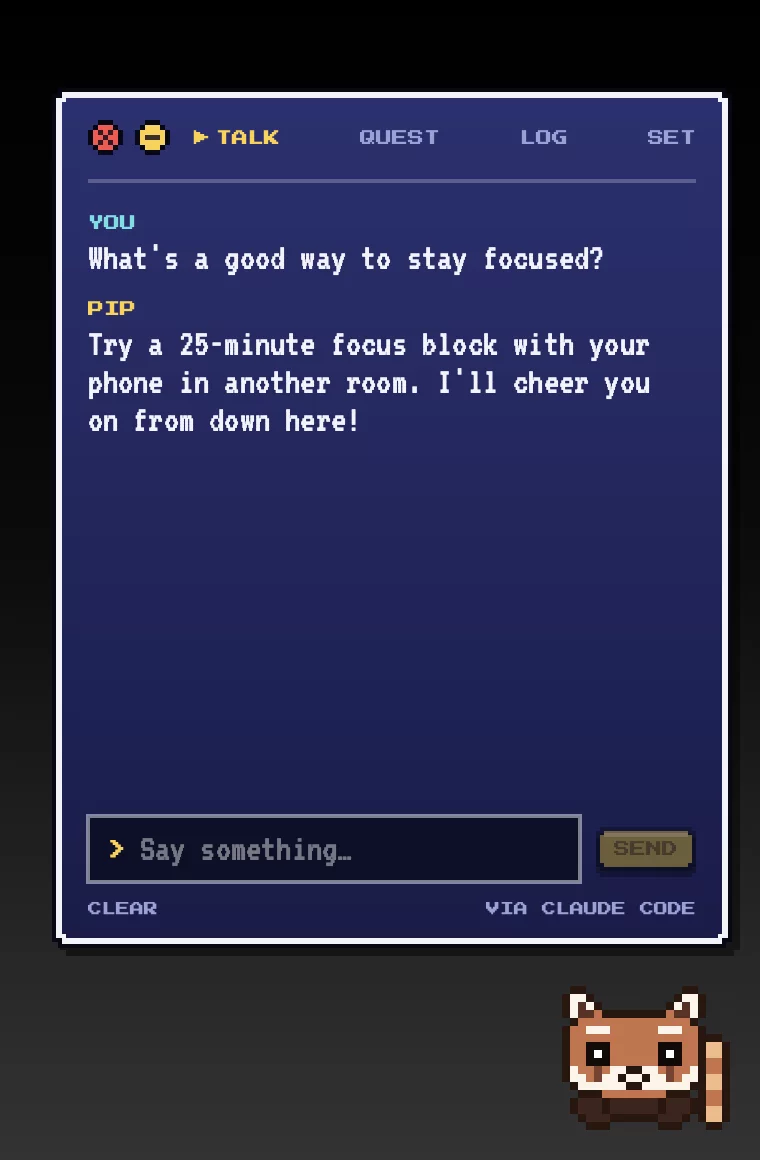
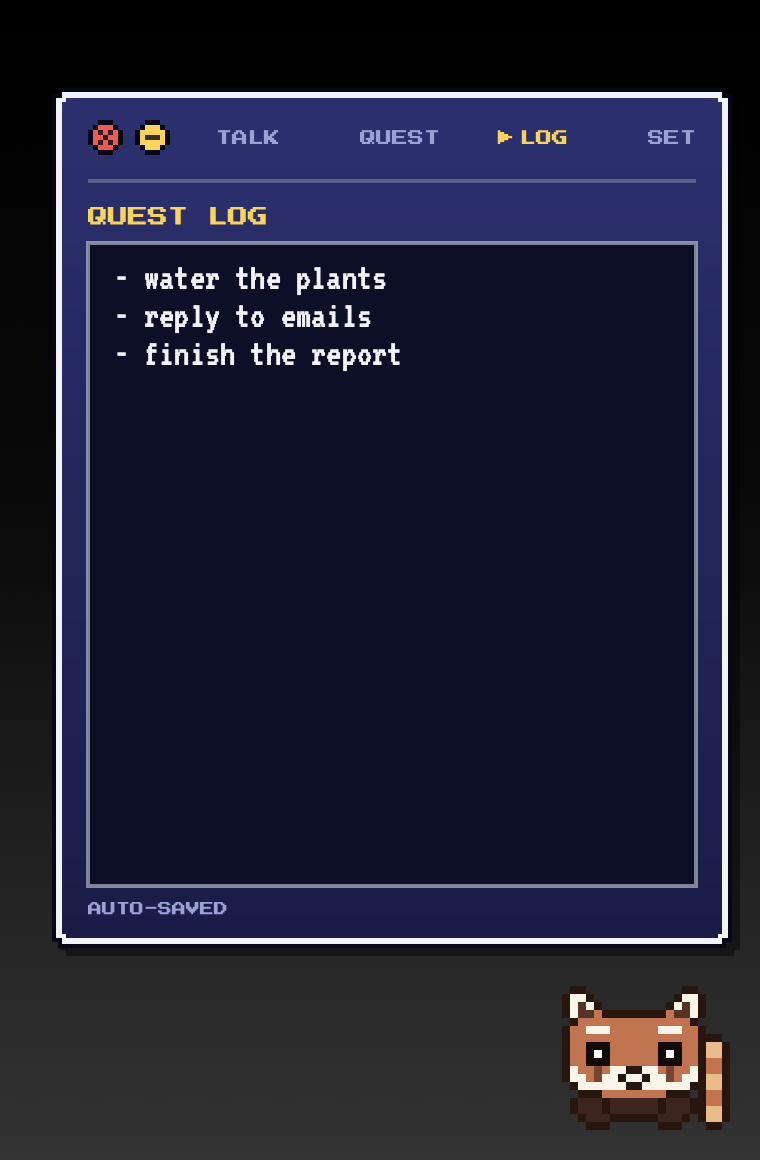
Pip is a tiny 8-bit red panda that lives in the bottom-right corner of your screen. It floats above every window, including full-screen apps, and stays out of your way: clicks pass straight through to whatever is underneath, except on Pip itself. Click Pip to open a little game-style menu with a Claude chat, a focus timer, and a notepad.
Features
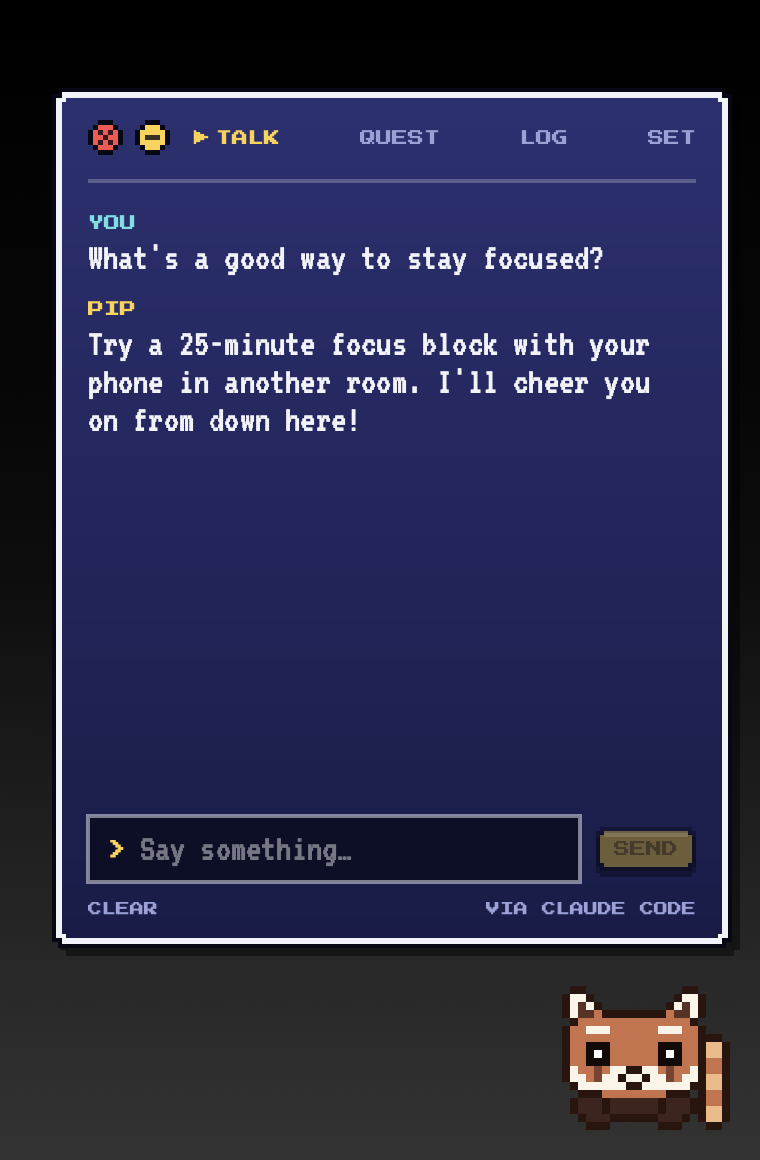
- Talk. Chat with Claude in a retro dialog window. Messages go through the Claude Code app you're already logged into, so they use your Claude subscription rather than API credits.
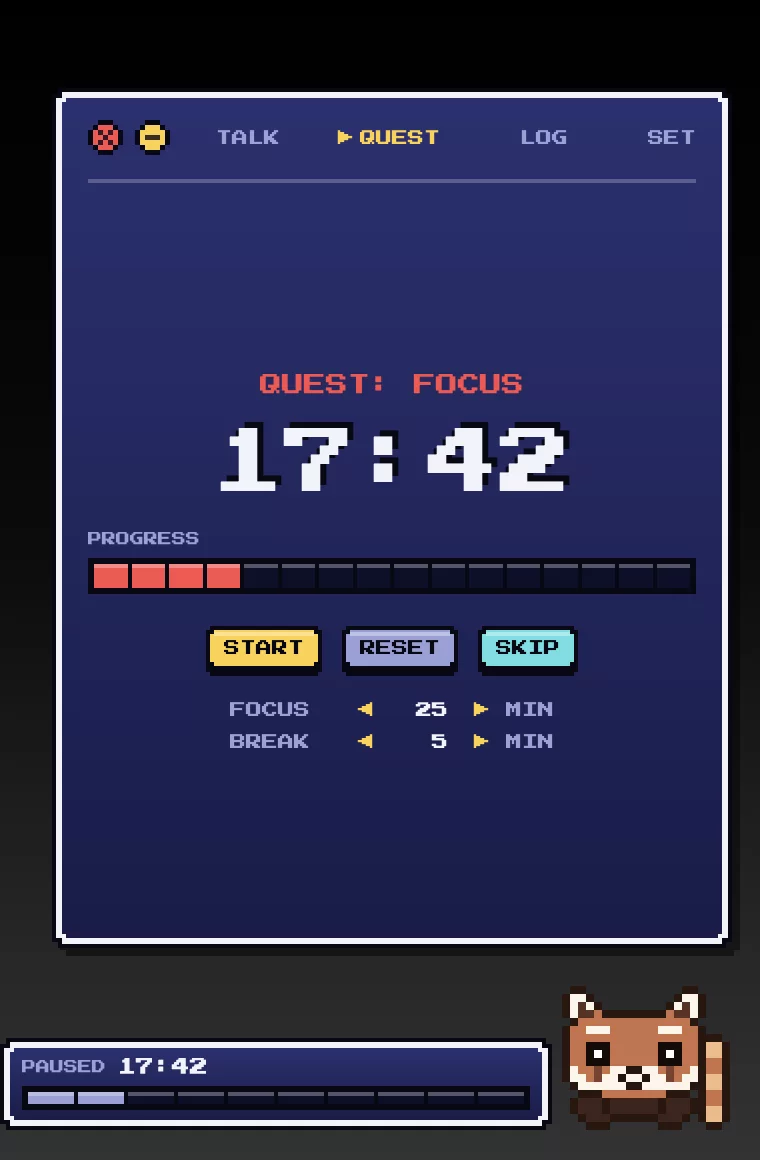
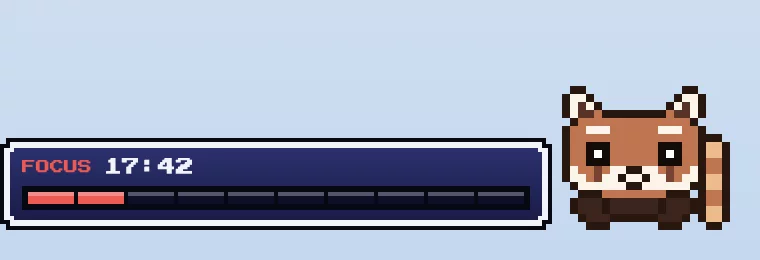
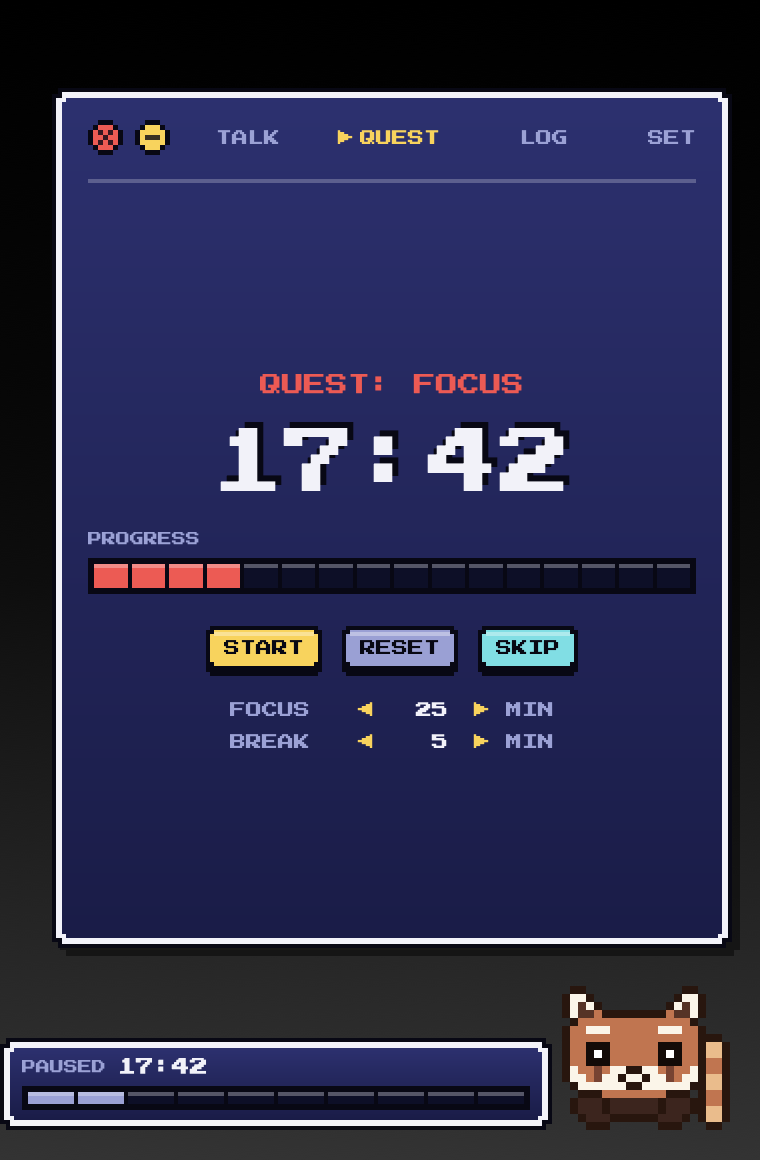
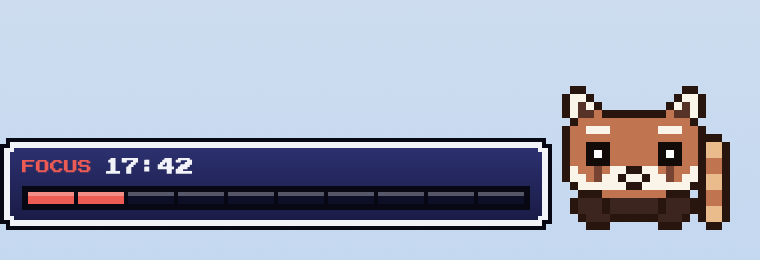
- Quest. A Pomodoro-style focus and break timer with a segmented progress bar. While a timer runs or is paused, a small status window sits next to Pip. When time's up, Pip shows a "!" badge, hops, and plays a level-up jingle.
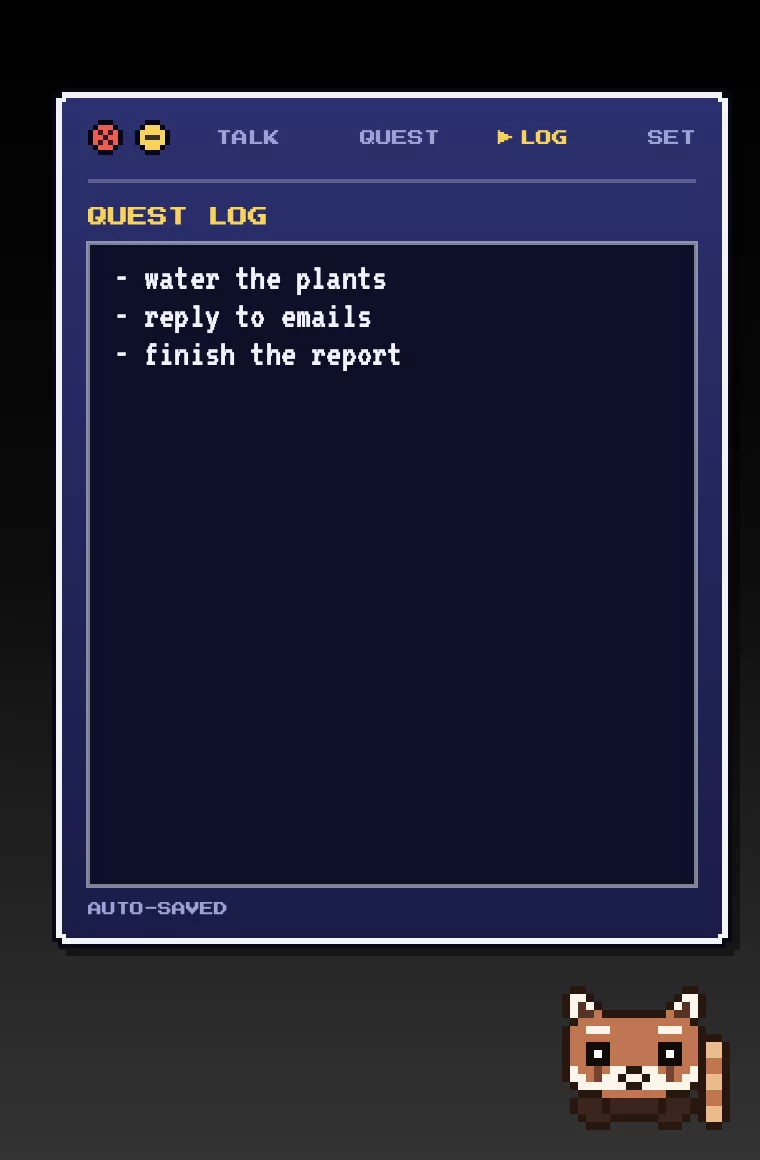
- Log. A scratchpad that saves automatically.
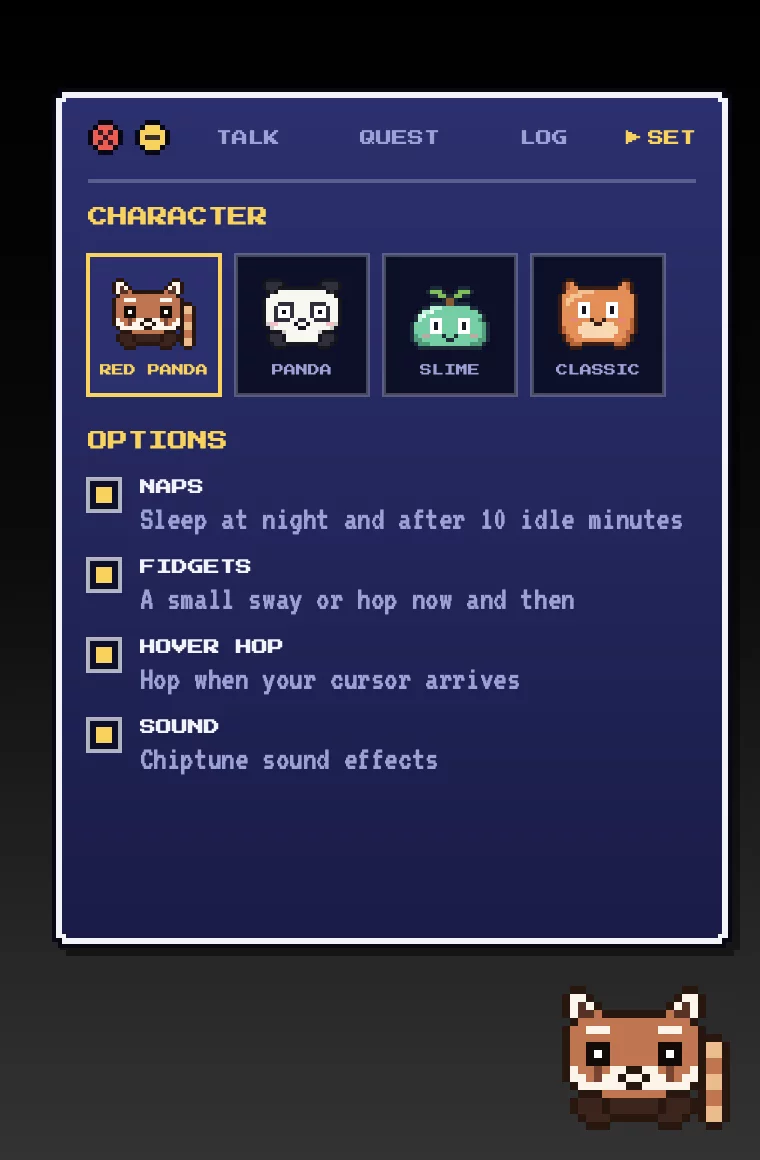
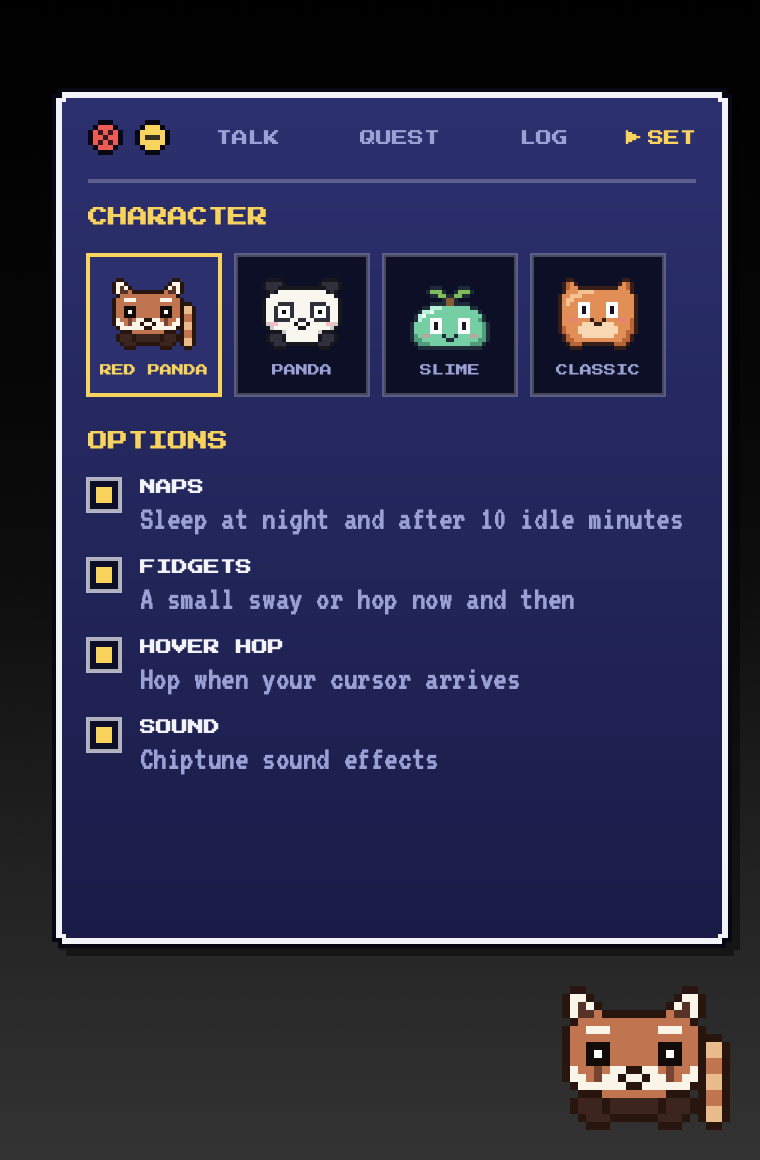
- Set. Pick a character and switch behaviors on or off: naps, idle fidgets, the hover hop, and sound effects.
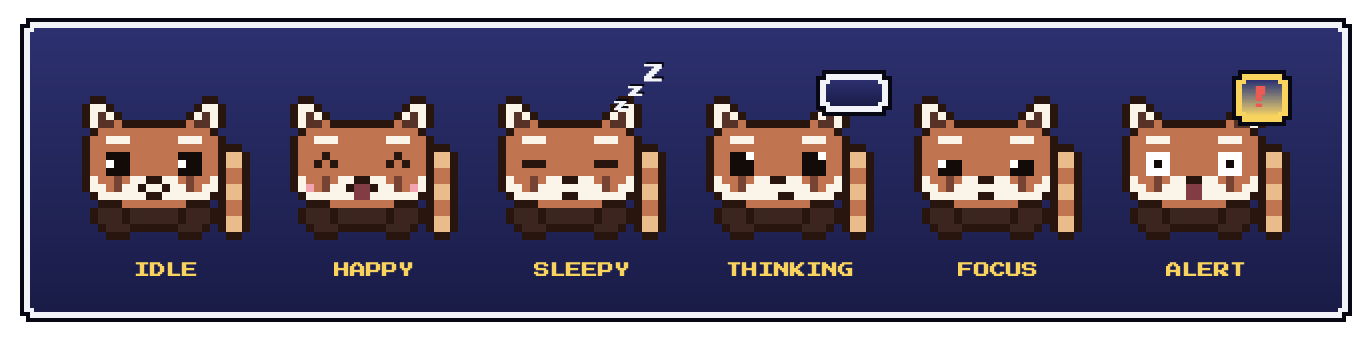
- A pet with moods. Pip's eyes follow your cursor and it blinks. When you hover over it, it does a little hop and looks up at you with sparkly eyes. It looks happy when you click, determined during a focus session, and shows "..." while Claude is replying. It falls asleep after 10 minutes without mouse movement, with little z's that softly light up one at a time. If a reply arrives while the menu is closed, a small cyan dot appears on its ear.
- Calm by design. Pip mostly sits still, with one small sway or hop every 15 to 30 seconds. It never pops up text on its own.
- Sleeps when your Mac does. Pip hides when the Mac goes to sleep or the lid closes, and comes back when you wake it. A running timer pauses while you're away. Screen lock and the screensaver don't count, so Pip stays put.
- Light on battery. Motion runs in the macOS compositor, so Pip idles under 1% CPU and about 20 MB of memory.
- Chiptune sound effects, synthesized in code. You can turn them off.
Characters
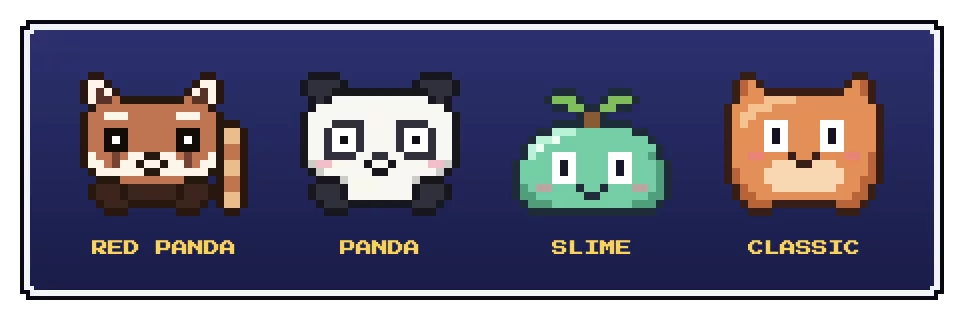
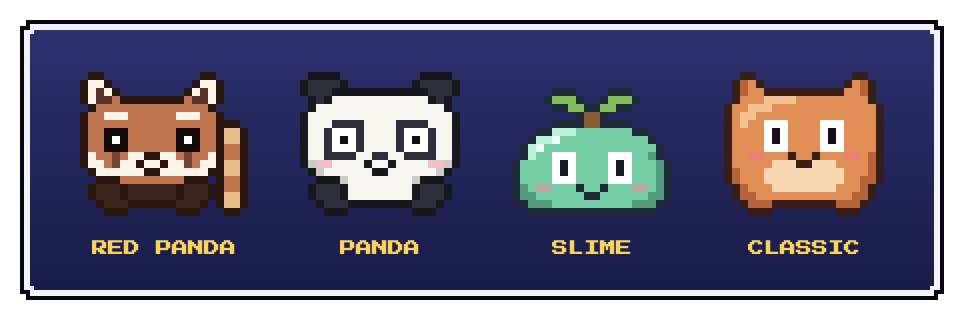
Pip can be a red panda (the default), a panda, a mint slime, or the original orange creature. Choose one in the Set tab or from the menu bar icon under Character. Every character has the same moods and reactions.
Settings
All of these are in the Set tab, and some are also in the menu bar icon. They're saved between launches.
| Setting | On (default) | Off |
|---|---|---|
| Naps | Sleeps from midnight to 6 AM and after 10 idle minutes | Always awake |
| Fidgets | A small sway or hop every 15 to 30 seconds | Sits completely still |
| Hover hop | Hops when your cursor arrives | Only the face changes |
| Sound | Chiptune sound effects | Silent |
Install
You need macOS 13 or later and the Xcode command line tools
(xcode-select --install). There's no Xcode project; one script builds it.
git clone https://github.com/Aidenn8/pip-desktop-pet.git
cd pip-desktop-pet
./build.sh --install
That builds DesktopPet.app, copies it to ~/Applications, and launches it.
Run ./build.sh without the flag to build into build/ only.
The app is signed ad hoc for your own Mac. Because you build it yourself, macOS doesn't block it the way it would block a downloaded unsigned app.
Chat setup
The Talk tab needs Claude Code installed and
logged in with your Claude account. If you can run claude in Terminal, you're
set. Pip finds it in the usual install locations or through your login shell.
Using Pip
- Click Pip to open or close the menu. Press Escape to close it too.
- The red and yellow buttons at the top-left of the menu work like a Mac window's. Red (×, or Command-Q) quits Pip completely. Yellow (−, or Command-M) minimizes Pip: it disappears but keeps running in the menu bar, so timers keep counting. Choose Show Pip from the menu bar icon to bring it back.
- The game controller icon in the menu bar has everything else: show or hide Pip, move it to the screen your cursor is on, jump to a tab, start a focus session, pick a character, toggle naps and sound effects, toggle Open at Login, and quit.
- Open at Login brings Pip back after a restart. It's off until you turn it on.
How the chat works
Each message runs Claude Code once in headless mode, roughly:
claude -p --output-format json --tools "" --strict-mcp-config \
  --effort low --system-prompt "<Pip's personality>" [--resume <session>]
- Model. Pip uses whatever default model you've set in Claude Code.
- Reasoning effort. Low, so replies are quick and light on your plan's usage. A short message is a few hundred tokens.
- No tools. Pip's chat can't read files, run commands, or browse.
- Memory. Follow-up messages resume the same Claude Code session, so Pip remembers the conversation. CLEAR starts a new one.
- Where chats are stored. Claude Code saves them like any other session,
under a private folder
(
~/Library/Application Support/DesktopPet/chat), so they don't mix into your projects. - Billing safety. Pip removes
ANTHROPIC_API_KEYand similar variables before launching Claude Code, so an API key in your environment can't quietly switch it to API billing.
Your messages count toward your Claude plan's usage limits like any other Claude use. Each reply takes a few seconds because Claude Code starts fresh for every message.
Project layout
Sources/
  main.swift       App startup, the floating window, menu bar item, cursor
                   tracking and click-through, sleep/wake, Core Animation motion
  Characters.swift The four characters: pixel grids, colors, and faces per mood
  PetView.swift    Draws the chosen character and its mood badges
  Settings.swift   Character choice and on/off options, saved between launches
  CardView.swift   The Talk, Quest, Log and Set menu
  Theme.swift      Pixel fonts, colors, window frames, buttons, chiptune sounds
  PetModel.swift   Shared state and moods, plus window layout constants
  Chat.swift       Runs Claude Code headlessly for the chat
  Pomodoro.swift   The focus/break timer
  Notes.swift      The auto-saving notepad
Resources/Fonts/   Press Start 2P and VT323 (SIL Open Font License)
tools/snapshot/    Renders every mood and screen to PNGs (used for docs/images)
build.sh           Compiles with swiftc and assembles the .app bundle
Info.plist         App bundle settings
To regenerate the screenshots:
tools/snapshot.sh docs/images-new
Making it yours
- Add or change a character. Each character in
Sources/Characters.swiftis a grid of letters, one letter per pixel, with a color for each letter and a face function that draws its eyes and mouth for every mood. Copy one, edit it, and add it toPetCharacter.all. - Move it.
Layout.screenInsetinSources/PetModel.swiftsets how far Pip sits from the screen corner. - Change its personality. The system prompt is at the top of
Sources/Chat.swift, along with the effort level.
Where your data lives
Everything stays on your Mac:
- Notes:
~/Library/Application Support/DesktopPet/notes.txt - Chat sessions: Claude Code's normal session history
- Settings such as your character, timer lengths and sound: macOS user defaults
Credits
- Fonts: Press Start 2P by
The Press Start 2P Project Authors and
VT323 by The VT323 Project Authors,
both under the SIL Open Font License. Copies of the licenses are in
Resources/Fonts. - Built with Claude Code.
License
The code is released under the MIT License. The bundled fonts keep their own licenses.