
Plaincontrol
See which session needs you.
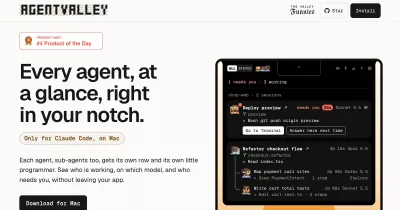
A macOS menu bar app for running several Claude Code sessions at once.
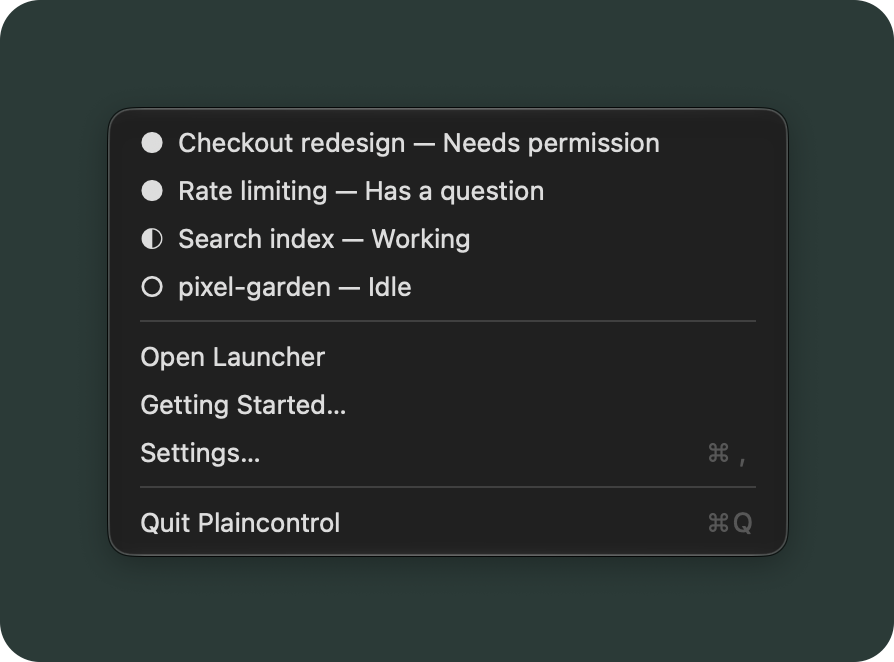
- See every session in the menu bar, with the ones waiting on you counted and listed first.
- Get a notification when a session finishes or asks you something.
- Jump to it in one click: its iTerm2 window, tab and pane come to the front, on any Space.
- Open any project from the keyboard: hold the right Option key, pick a project, and start Claude Code, a terminal, your editor or its dev server, in a free spot on your screens.
Early days. It works, with rough edges. Jumping to sessions and opening terminals work in iTerm2 only so far. Settings may still change; the changelog says when.
Install
Needs macOS 27 or later and Claude Code. With Homebrew:
brew install --cask martijnmul/tap/plaincontrol
brew upgrade keeps it up to date. Or download Plaincontrol.dmg and drag the app to Applications; it asks on its second launch whether to update itself.
Then install the Claude Code plugin, which reports your sessions to the app. In Claude Code:
/plugin marketplace add MartijnMul/plaincontrol
/plugin install plaincontrol@plaincontrol
Without the plugin, the launcher still works, but Plaincontrol sees no sessions: no list, no notifications, and only the projects you open from the launcher, zoxide or your settings.
macOS asks for two permissions the first time they are needed: Accessibility for the launcher, and control of iTerm2 to jump to a session.
Uninstall: quit Plaincontrol and run brew uninstall --cask plaincontrol, or drag it to the Bin; then run /plugin uninstall plaincontrol@plaincontrol in Claude Code. Your settings and history are in ~/.config/plaincontrol and ~/Library/Application Support/Plaincontrol; brew uninstall --cask --zap plaincontrol removes them too.
The launcher
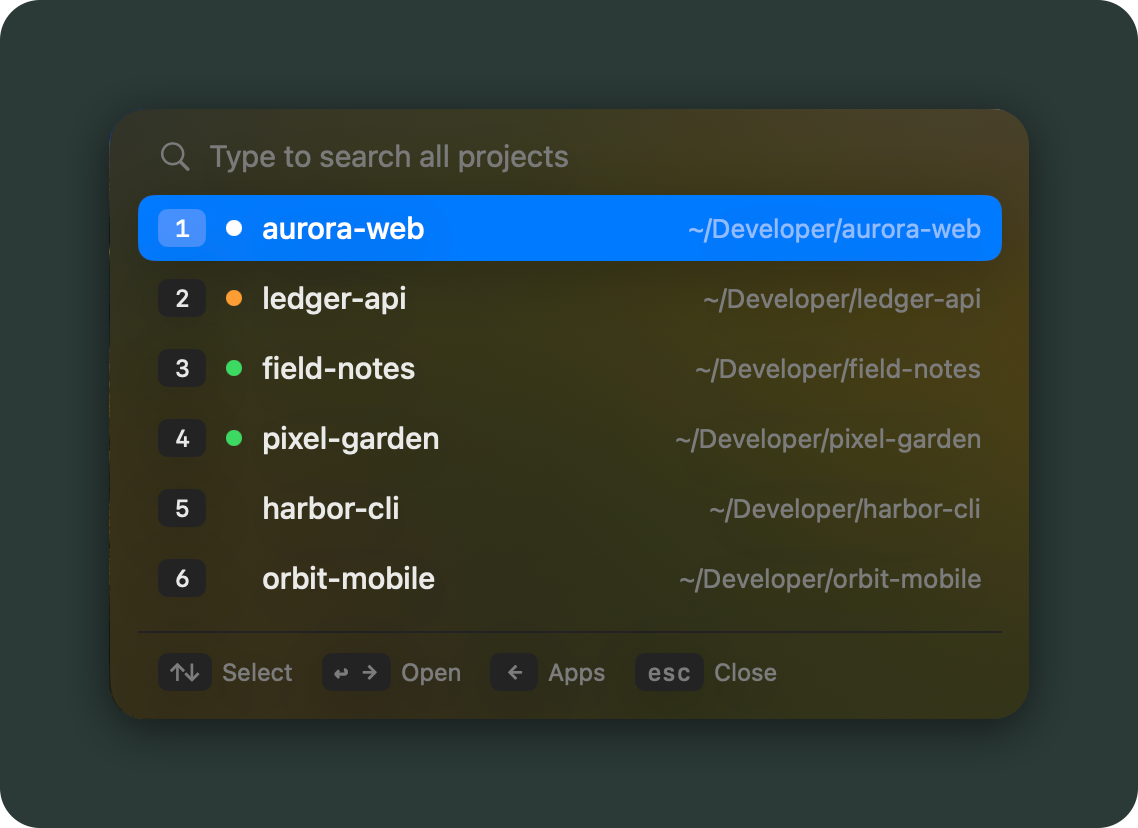
Hold the right Option key on its own, or choose Open Launcher in the menu. Type to search, then press a project's digit; in a project, press an action's digit. Arrows and Return work too; Escape goes back, then closes.
| Key | Action |
|---|---|
| 1 | Claude Code in the Claude desktop app, in a new window |
| 2 | A terminal in the project's folder |
| 3 | The folder in Finder |
| 4 | The folder in your editor |
| 5 | Claude Code in a new terminal window |
| 6 | The dev server, when the project has one |
So 4 then 5 starts Claude Code in the fourth project. Actions for apps you don't have are left out.
- Projects come from where you use Claude Code and the launcher, most used first, and from zoxide if you use it. Nothing to set up.
- The dev server is
make dev, thedevscript inpackage.json,make runordocker compose up, whichever the project has first. Set your own per project in the settings. - Apps: the terminal and editor you use most, until you choose others in the settings.
- New windows go in columns across your screens, like a window manager, starting with the screen under the pointer. The settings set the columns, or turn it off.
Settings
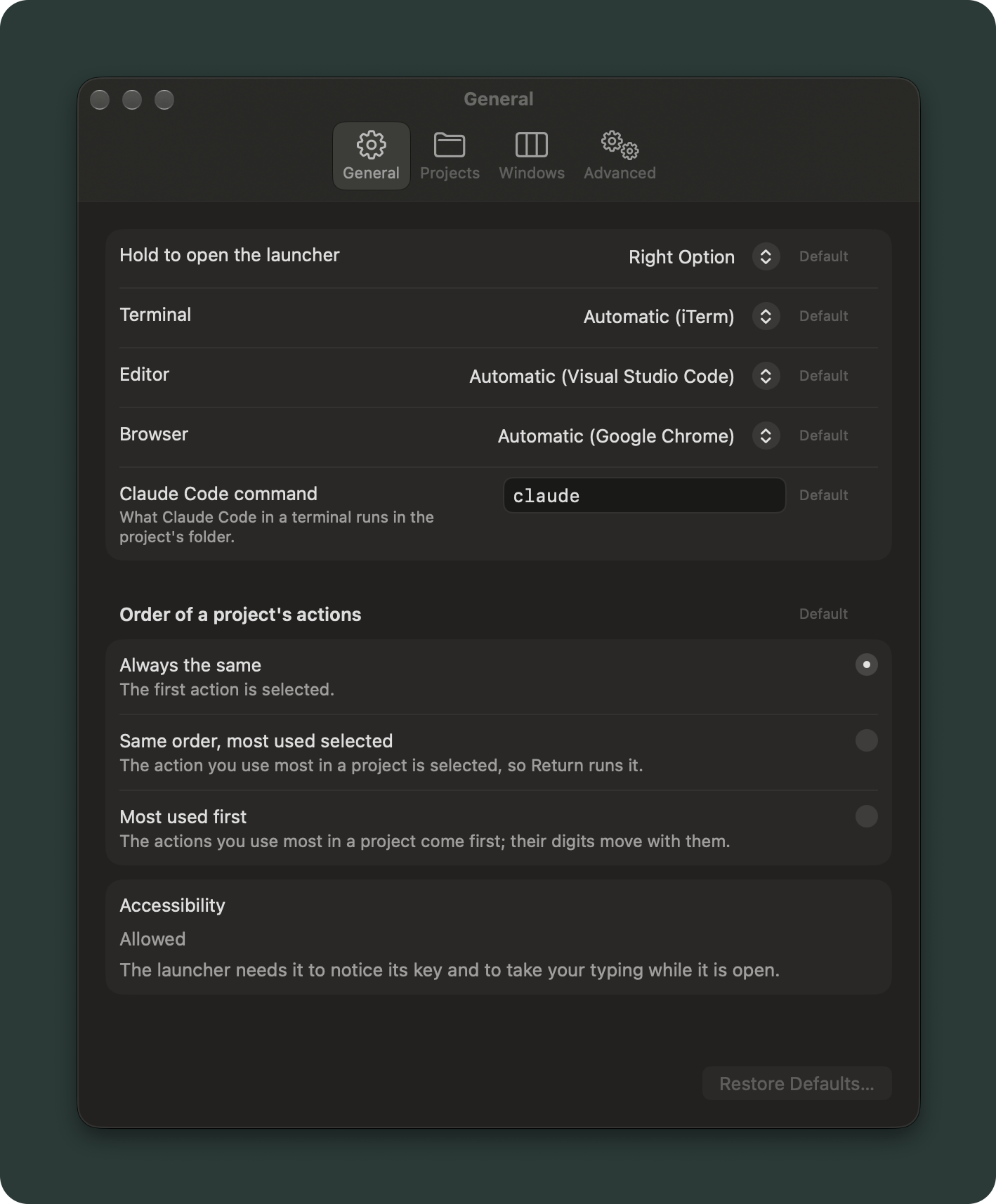
Settings… in the menu (Command-comma). Every setting shows whether it is at its default and can be reset. They are stored in ~/.config/plaincontrol/settings.yaml, which you can also edit by hand or keep in your dotfiles; the window keeps your comments, and a schema next to it gives completion in editors with the YAML language server.
Privacy
Plaincontrol sends nothing about you off your Mac. Its one network request is the update check, and only if you allow it.
- Of each Claude Code event it keeps only the session, its folder, its status and its terminal pane. Prompts are never stored or logged.
- The Accessibility permission lets it notice the launcher key and take your typing while the launcher is open, and move the windows it opens. It does not record what you type.
- Your launcher history stays in
~/Library/Application Support/Plaincontrol. zoxide's data is only read. - On its second launch, Plaincontrol asks whether to check for updates automatically. If you agree, it asks GitHub once a day for the latest version, which tells GitHub your IP address and Plaincontrol's version, as any download from GitHub does. Change your mind in Settings.
SECURITY.md has the details, and how to check that your copy is genuine.
Contributing
Bug reports, ideas and pull requests are welcome. CONTRIBUTING.md explains how to build it and work on it.
License
Apache License 2.0. Plaincontrol is an independent project, not affiliated with or endorsed by Anthropic. Claude and Claude Code are trademarks of Anthropic.