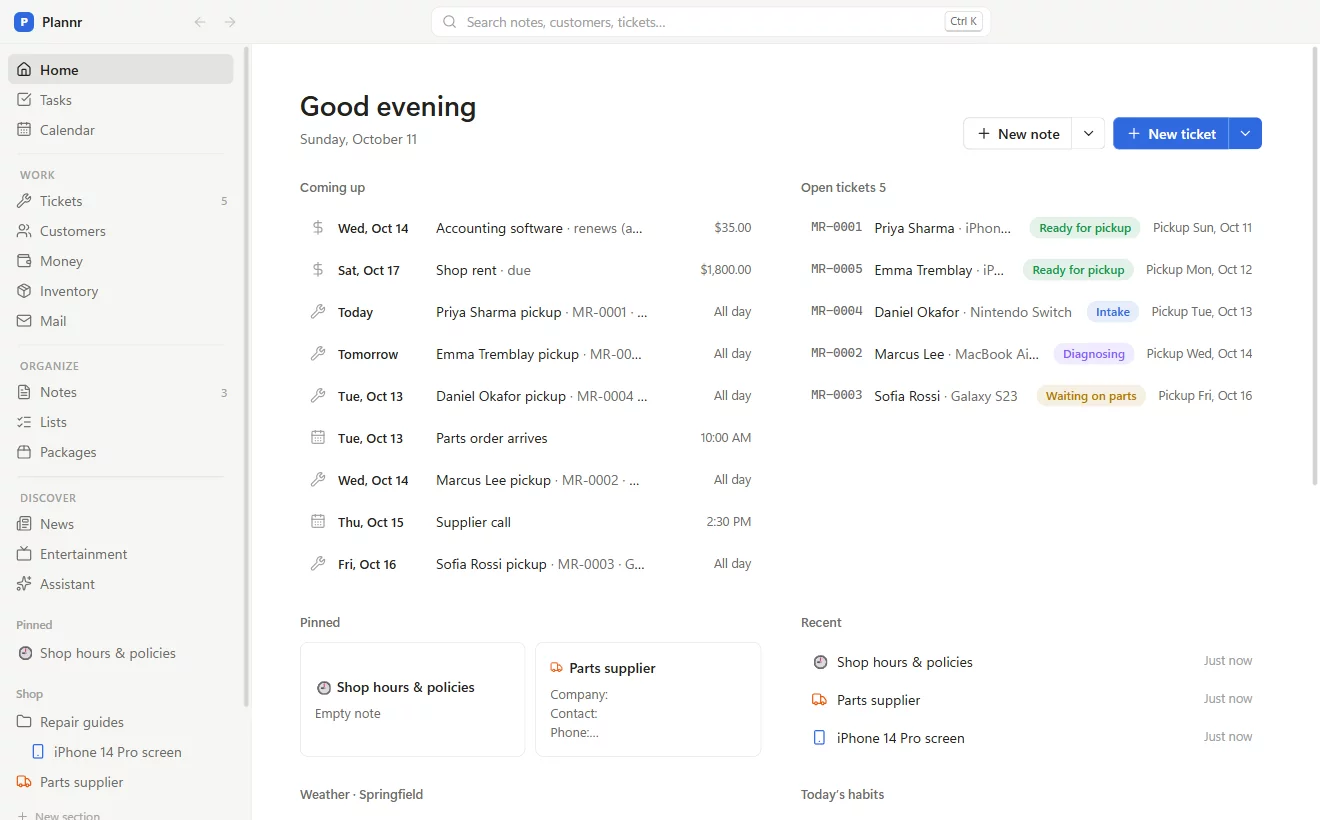
A free, open-source organizer for Windows. Notes, a calendar, customers, jobs and tickets, money and a locked vault in one calm window. Everything stays on your computer.
⬇ Download for Windows · Website · Open source (GPL-3.0)
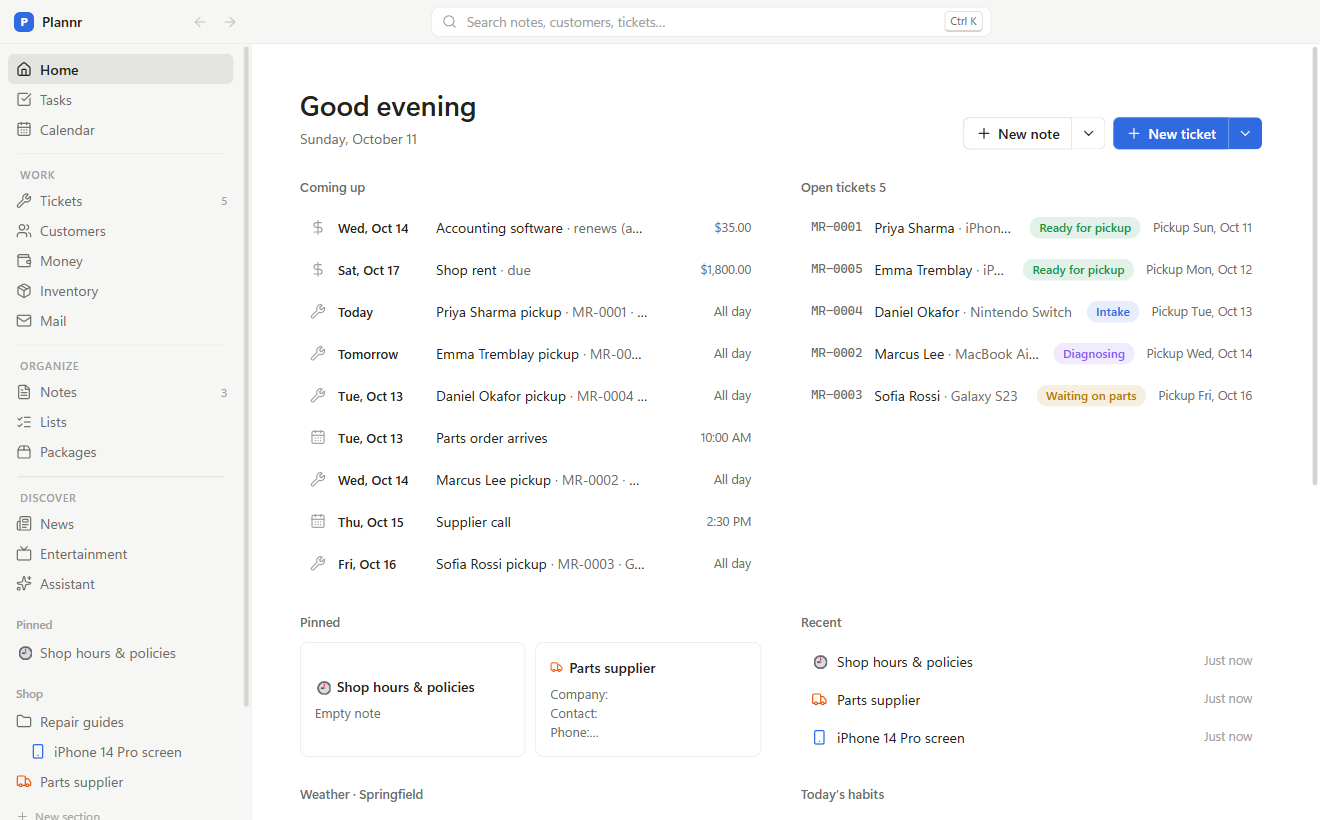
Plannr started as the one app a small business owner wanted instead of five: somewhere to write things down, see the week ahead, keep track of people and work in progress, and know where the money went. It works just as well for freelancers, side projects, a household, or anyone who wants their stuff in one place.
What's inside
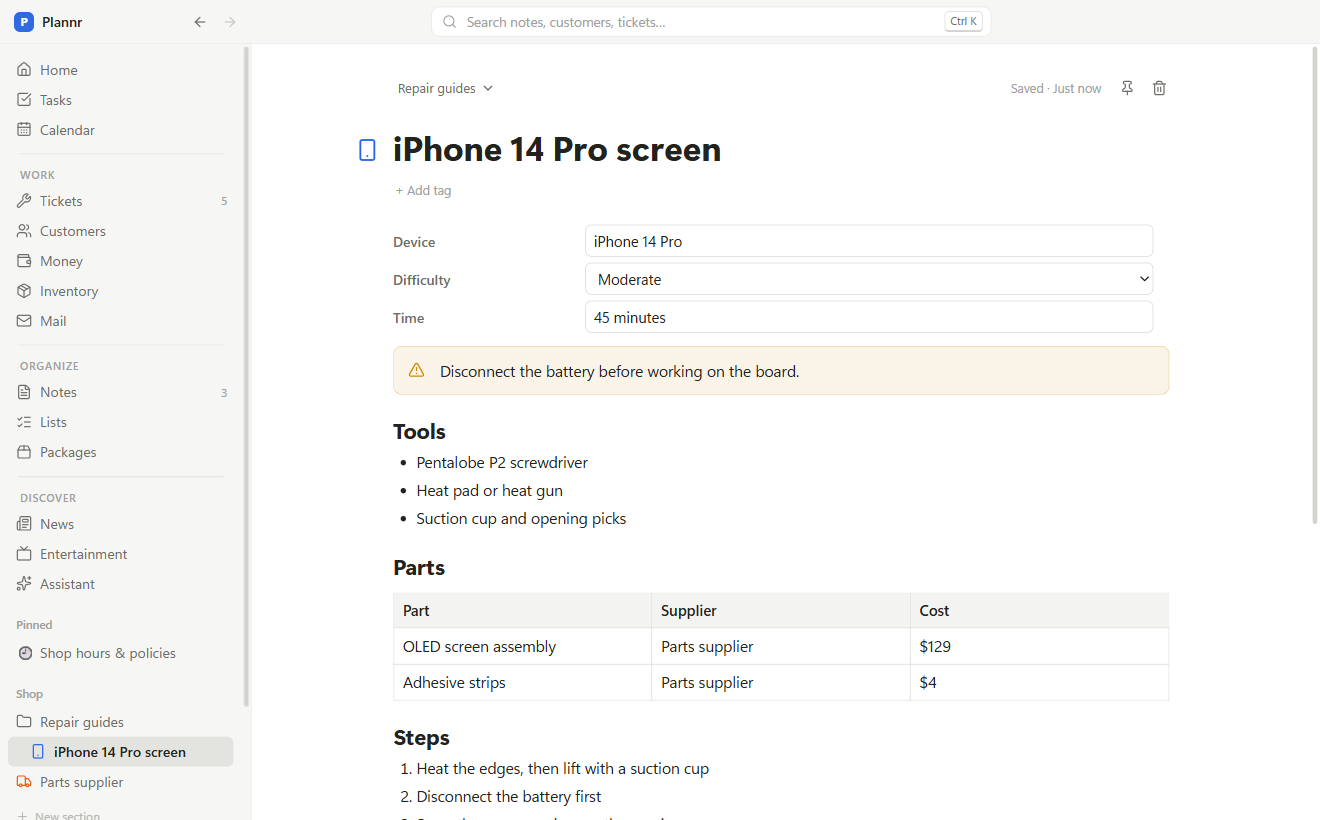
| Notes | A clean editor with checklists, tables, callouts, toggles and photos, spreadsheets with formulas and charts, calculations, drawings, columns and a table of contents, or a free-form page where you put text, fields, shapes, sticky notes, drawings and pictures anywhere. Earlier versions are kept, and any note prints or saves as PDF. @ links notes, customers and tickets together, and the other side shows the link back. Folders, your own sidebar sections, icons and colours. Seven starter templates (meeting notes, checklist, weekly plan, daily log, inventory, supplier, how-to guide). |
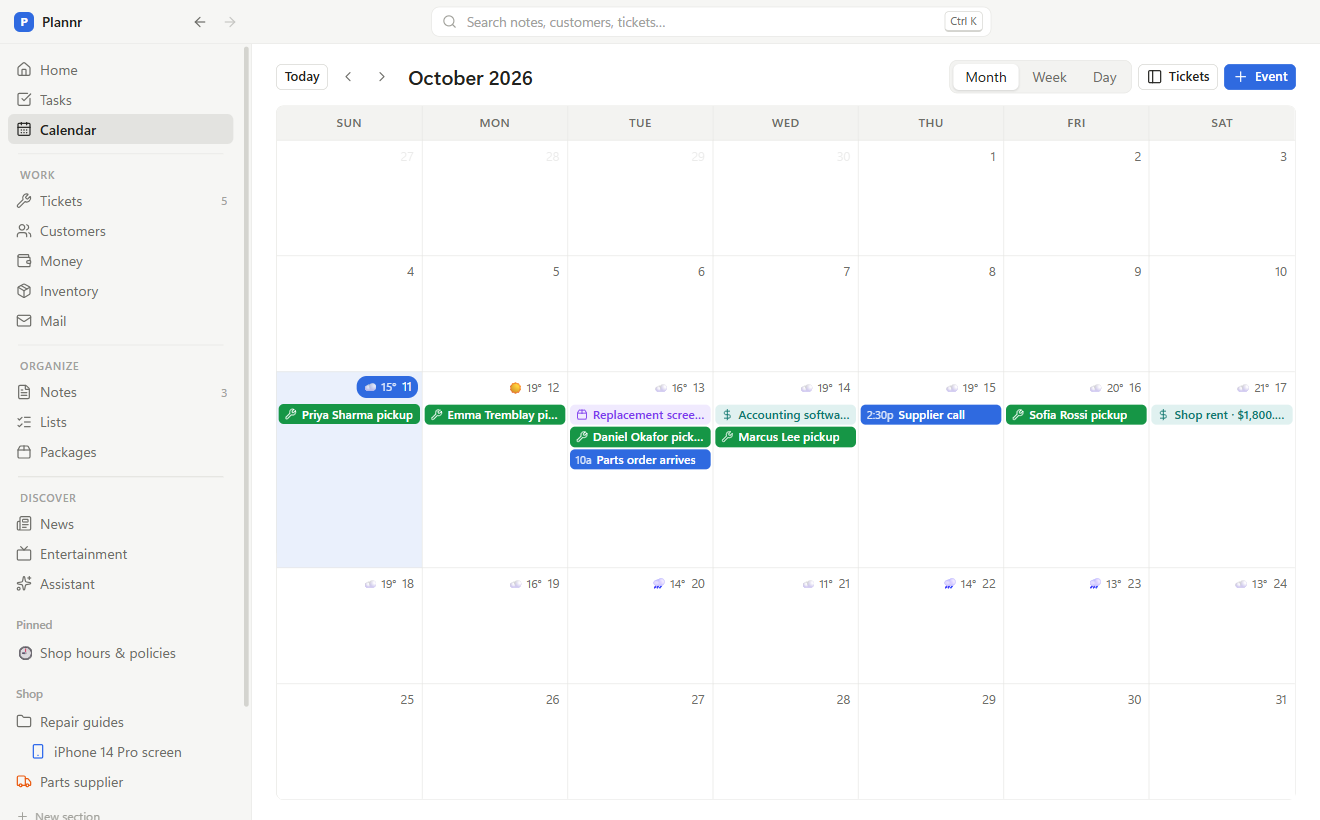
| Calendar | Month, week and day views. Drag notes and tickets onto a day. Reminders pop up in Windows. Public holidays included. |
| Customers | The people and companies you work with: their details and everything you've done for them. Search by name, email or phone number in any format. |
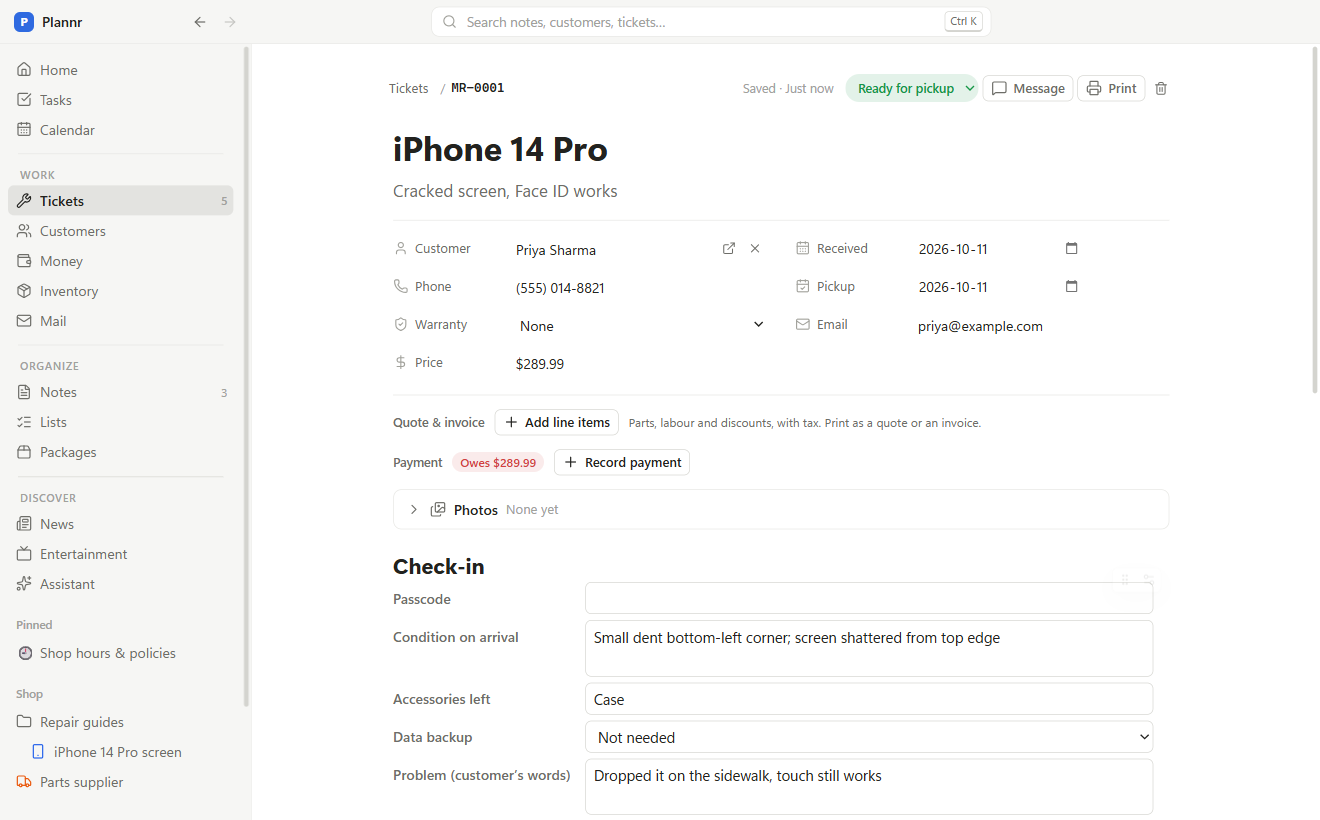
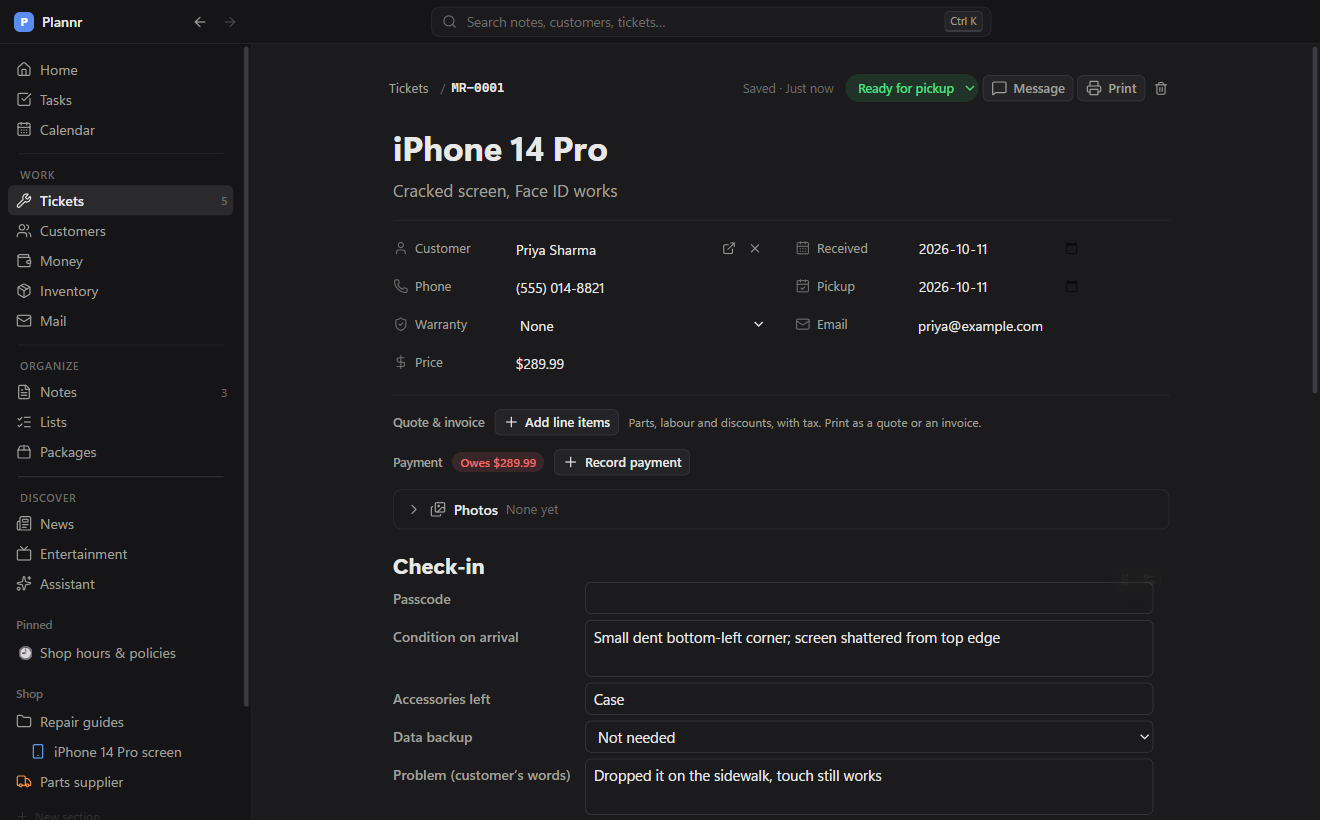
| Tickets | Track jobs, repairs, orders or requests from start to finish: status, dates, price, photos and a form you design, either as a document or on a free-form canvas where you put fields, text and pictures anywhere. Print a slip, a receipt or a label. Rename the statuses to fit your work. |
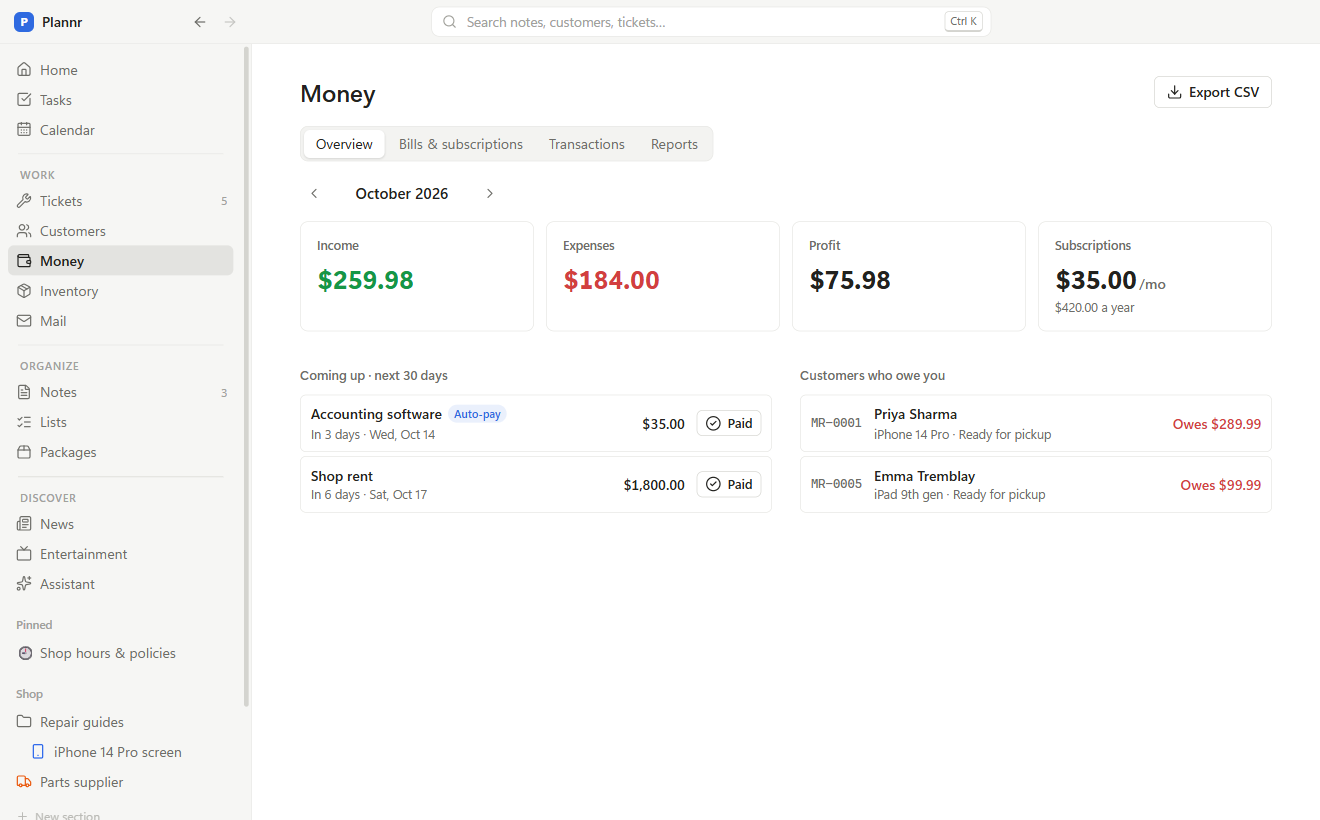
| Money | Income (tax included, tax on top, or no tax), expenses, bills and subscriptions with auto-pay, who still owes you, and monthly totals. CSV export. |
| Vault | Passwords, cards and documents, encrypted with your own passcode (AES-256). Locks itself when you step away. |
| Entertainment | New videos from the YouTube channels you like and which Twitch streamers are live, with a notification when one goes live (reruns left out). No accounts needed. |
| Lists, habits & packages | Shopping and other check-off lists, daily habits with streaks, and tracking numbers with the delivery day on your calendar. |
| Assistant | Ask about your tickets, calendar, money, notes and news, or have it add tasks, events and list items. Free with a Google Gemini key; ChatGPT, Claude, Groq or a model on your own PC (Ollama) also work. |
| News | What's happening where you live: local news, events, closures, elections and the weather, from the sources you choose (news sites, your town's news page, Facebook pages). Sad news and stock markets are left out unless you want them. Put any story on your calendar in one click. |
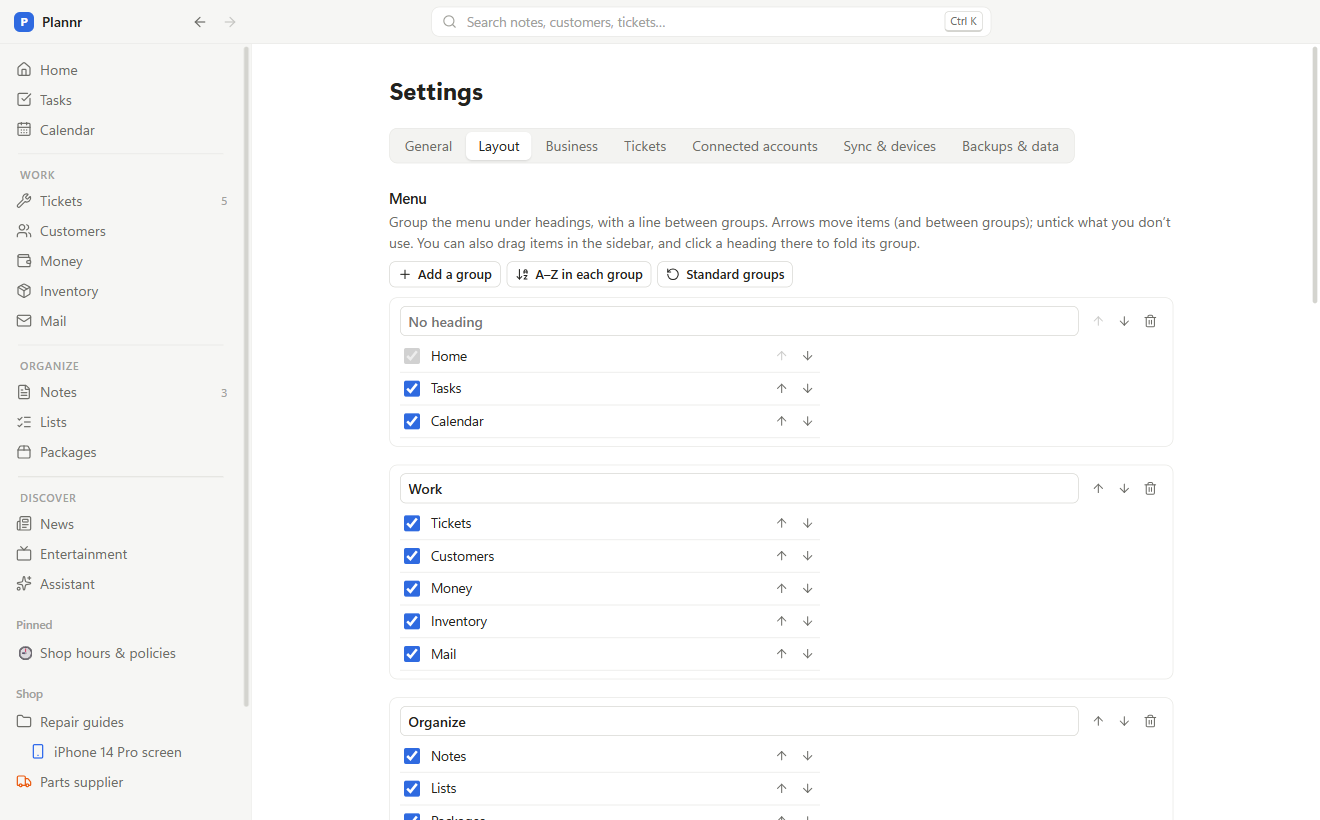
Don't need some of it? Untick it during the welcome tour (or later in Settings) and it leaves the menu. Group the menu under your own headings, rename things, pick a colour theme (Paper, Solarized, Dim, Nord, Forest, Rosé, Midnight, High contrast, each light and dark), and lay out Home as tiles.
Optional connections, if you use them:
- Google Calendar: your Plannr events on your phone, and your Google calendars inside Plannr
- Zoho Mail: every email with a customer, right on their page
- QuickBooks Online: customers, payments and expenses sent to your books automatically
Each connection uses your own free developer key, so your data goes straight from your computer to the service. Settings has step-by-step instructions.
Screenshots
 |
 |
 |
 |
 |
 |
Make it yours
Light or dark, 8 accent colours, compact spacing and bigger text. Drag the menu into any order, hide what you don't use, and choose what Home shows. Name your own sidebar sections, and give notes and folders icons and colours. Pick your own ticket numbers, status names, currency and payment methods.
Install
- Download Plannr-Setup-x.y.z.exe from the latest release.
- Run it. Plannr isn't code-signed (signing costs money every year, and Plannr is free), so Windows may say "Windows protected your PC": click More info → Run anyway. If Windows instead says it blocked Plannr, your PC has Smart App Control on, which doesn't allow unsigned apps at all. To use Plannr you'd need to turn it off: Windows Security → App & browser control → Smart App Control settings → Off. Note that Windows can't turn Smart App Control back on without resetting the PC, so decide whether that's worth it for you.
- Plannr opens with a one-minute welcome tour.
Plannr updates itself: when a new version is out, an Update button appears at the top of the window (or use Settings → General → Check for updates).
Works on Windows 10 and 11 (64-bit). Your data lives in %APPDATA%\Plannr\data, and Plannr backs it up every day to Documents\Plannr Backups (you can change the folder or restore a backup in Settings). Uninstalling keeps your data.
Privacy
Plannr has no account, no server and no tracking, and it never sends your notes, contacts or other data anywhere unless you ask it to. Your data stays in %APPDATA%\Plannr\data on your computer.
It makes these automatic connections, none of which sends any of your data, and you can turn each off:
- Update check: it asks GitHub whether a newer version of Plannr has been released (Settings → General → Updates).
- Public holidays: it downloads your country's public holiday calendar from Google (Settings → General → Holidays → Off).
- Weather: a two-week forecast for the place you chose, from Open-Meteo.
- Entertainment (only if you add channels): it reads the public YouTube and Twitch pages of the channels you added.
- Assistant (only when you ask it something): your question and the Plannr details it looks up go to the AI service you chose, with your own key.
- Package tracking (only with a 17TRACK key): your tracking numbers go to 17TRACK.
- News (only if you set it up): it downloads the news sources you chose, and looks up your town's location with Open-Meteo when you pick it. Nothing about you is sent.
If you connect Google Calendar, Zoho Mail or QuickBooks Online, Plannr exchanges data with that service only, and only what Settings describes. Keys and sign-ins are encrypted with Windows' own protection (DPAPI), and the vault is encrypted with your passcode.
Code signing
Plannr's releases aren't code-signed. Each installer is built from this repository's source code, and when Plannr updates itself it checks that the download matches the file published on the release page (its SHA-256 fingerprint) before installing it.
For developers
Built with Electron, React, TypeScript, TipTap and SQLite (node:sqlite).
npm install
npm run dev        # run with hot reload
npm run check      # typecheck + unit tests (Vitest) + end-to-end tests (Playwright, drives the real app)
npm run dist       # build the Windows installer into release/
See CLAUDE.md and dev/ARCHITECTURE.md for the architecture, and dev/FEATURE-LOG.md for how each feature was built. Issues and pull requests are welcome.
License
GNU General Public License v3.0. You can use, change and share Plannr; if you share a changed version, it has to stay open source under the same license.