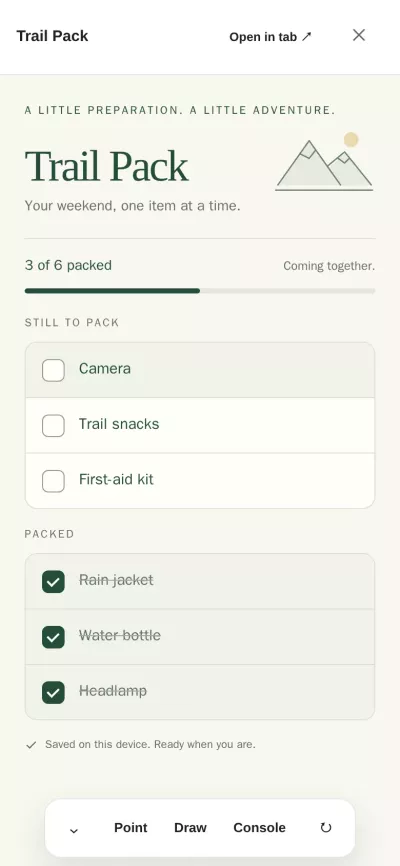
Click things in your running app, say what is wrong, hand your coding agent a brief it can act on.
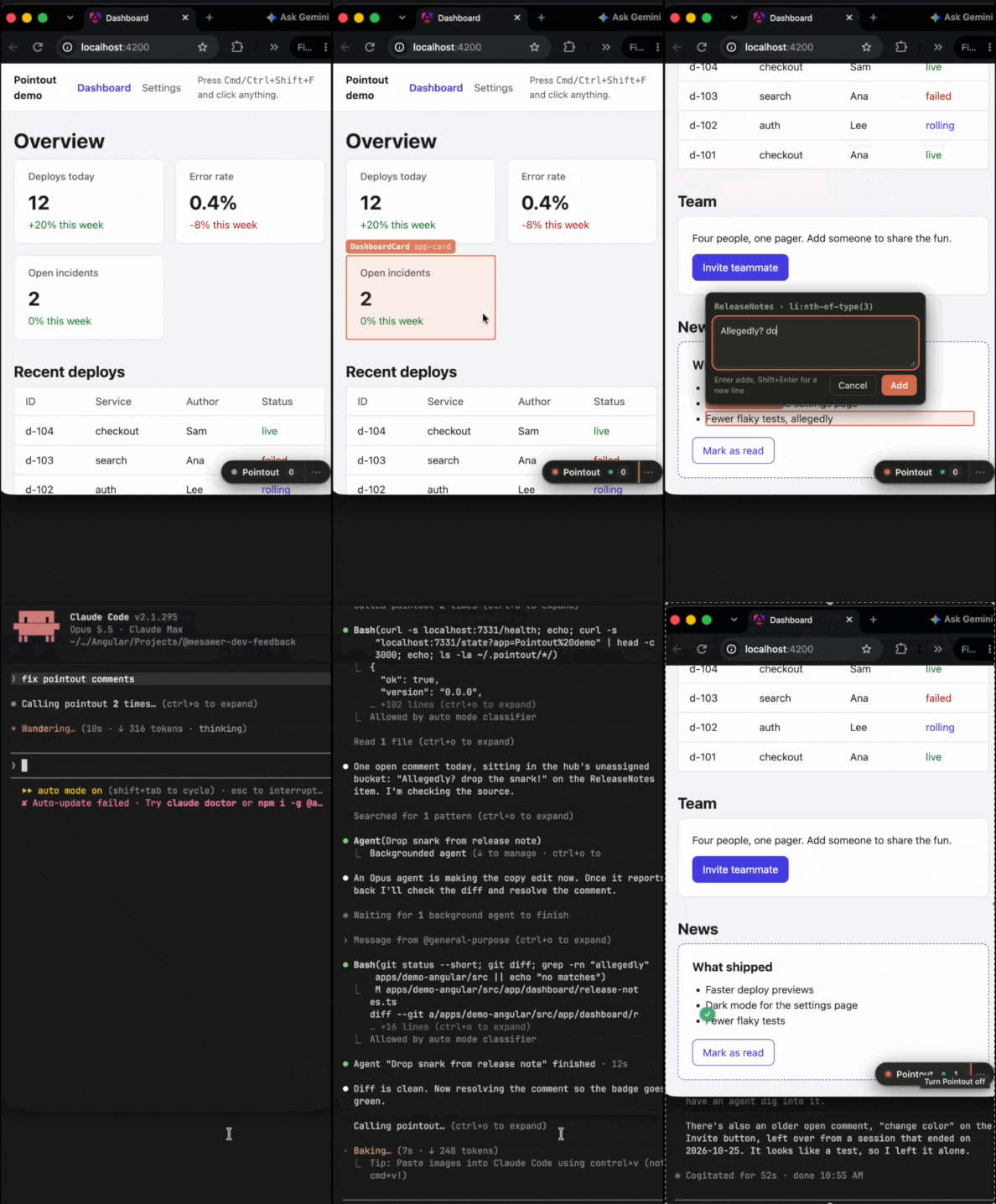
How it feels
- Hit Cmd+Shift+F. Your app grows a crosshair.
- Click the thing that bugs you.
- Type what should change. Enter.
- Copy for Claude, paste into Claude Code, sip something warm.
No screenshots with red circles. No "the button, you know, the blue one".
Install
pnpm add -D @point-out/core @point-out/angular
Angular in one line
In app.config.ts:
import { providePointout } from '@point-out/angular/providers';

export const appConfig: ApplicationConfig = {
  providers: [provideRouter(routes), providePointout({ appName: 'My app' })],
};
Dev builds get Pointout. Production builds do not. No markup changes, no decorators. Older Angular, or no Angular at all? The package READMEs have you covered.
The shortcut
Cmd+Shift+F on macOS, Ctrl+Shift+F everywhere else. Or click the pill in the bottom right corner.
What Claude gets
Straight from the demo app, trimmed:
Pointout on Pointout demo — 2026-10-23T06:08:28.001Z
5 items, viewport 1280×813, dark

1. [DashboardCard (src/app/dashboard/dashboard-card.ts) › .value] on / — "12"
   Make the number bigger
2. [Dashboard (src/app/dashboard/dashboard.ts) › .failed] on / — "failed"
   Failed should be a red pill, not just red text
4. [ReleaseNotes (src/app/dashboard/release-notes.ts) › button] on / — "Mark as read"
   Copy feels smug, tone it down
5. [Settings (src/app/settings/settings.ts) › [data-testid="theme-toggle"]] on /settings — "Switch to light"
   Use a real switch here

Resolve each item in the component named; the selector is relative to that component. Ask before changing anything outside those components.

```json
{ "appName": "Pointout demo", "comments": [ ... ] }
```
Component, source file, selector, route, your words. The JSON adds inputs, parent chain, bounding box and a DOM fallback owner.
Talk to Claude directly
Copy and paste works. Skipping it is nicer.
- Install the MCP once.
- Add
server: trueto Pointout. - Comment in your app like always.
- Ask Claude to check Pointout. It reads, fixes, replies and resolves. Badges turn green.
For every project on your machine:
claude mcp add --scope user pointout -- npx -y @point-out/mcp
Or for one project, in .mcp.json:
{
  "mcpServers": {
    "pointout": { "command": "npx", "args": ["-y", "@point-out/mcp"] }
  }
}
Then in app.config.ts:
providePointout({ appName: 'My app', server: true });
Each Claude chat gets its own session. Several open? The pill asks which one hears you.
No MCP, no hub? Copy for Claude still works, no strings attached.
The prompt /mcp__pointout__triage walks Claude through every open comment.
Packages
| Package | What it does |
|---|---|
@point-out/core |
The whole UI. Plain web component, zero deps, any framework. |
@point-out/angular |
Names the Angular component behind every click. Angular 2+. |
@point-out/mcp |
Local hub and MCP server. Claude reads, replies, resolves. |
@point-out/react, @point-out/vue, yours |
React and Vue adapters welcome. |
Write an adapter
An adapter is one function. Give it an element, get back the component that owns it, or null.
import { mountPointout, type OwnerResolver } from '@point-out/core';

const myResolver: OwnerResolver = (el) => {
  const name = findComponentName(el); // your framework's dev hooks
  return name ? { framework: 'mine', component: name, chain: [] } : null;
};

mountPointout({ appName: 'My app', resolveOwner: myResolver });
Never throw, and say null when unsure.
docs/adapters.md has the full contract and a React sketch.
Develop
git clone https://github.com/Himato/pointout.git
cd pointout
corepack enable
pnpm install
pnpm build
pnpm test
pnpm --filter demo-angular start
Then open http://localhost:4200 and start pointing.
Release
See CONTRIBUTING.md. Changesets do the boring part.
Credits
Built with Claude Code.
MIT licensed.