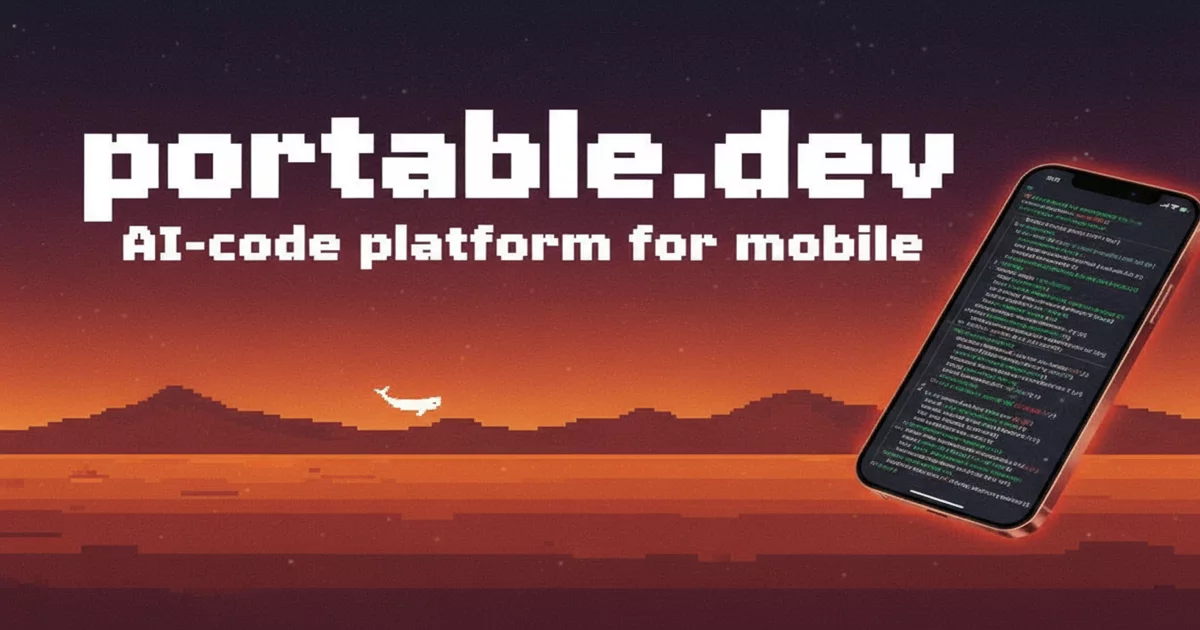
Portable — a drop-in replacement for Claude Code /remote with batteries
Portable runs on your computer and phone, allowing you to use Claude Code from anywhere.
Run it on your own PC with one command (portable); your repos, chats, and data live locally; and you drive from the Portable mobile app QR code.
Portable.dev uses your Claude Code subscription, meaning that it costs nothing.
100% free, Open Source, and fully private — we do not see any of your data or AI chats.
TL;DR
git clone https://github.com/volter-ai/portable.dev.git
cd portable.dev
bun install
bun run portable          # → prints a pairing QR in your terminal
Then open the Portable app, sign in, and scan the QR. That's it — in the happy path you don't even need a
.env.
Quickstart — go Portable in 60 seconds
Install the endpoint on your machine with one command, then grab the app. Pick your flavor.
🥟 bun
bun install -g @volter-ai/portable.dev
📦 npm
npm install -g @volter-ai/portable.dev
🌐 curl
curl -fsSL https://portable.dev/install.sh | bash
🛠️ source — build from the repository
git clone https://github.com/volter-ai/portable.dev.git
cd portable.dev && bun install && bun run build
Then start the runtime — it prints a pairing QR in your terminal:
portable # or, from a source checkout: bun run portable
Then install the mobile app, sign in, and scan the QR:
Table of contents
- Quickstart — go Portable in 60 seconds
- What you get
- How it works
- Requirements
- Quick start
- Install the
portableCLI bun run portable— what happens- CLI commands
- The
--debugflag - Pair your phone
- Configuration (
.env) - Credentials (Claude + GitHub)
- Other scripts
- Project structure
- Self-hosting the relay
- Troubleshooting
- Reference
- License
What you get
- Chat with Claude about your code — full Claude Agent SDK with tools, running on your machine with access to your real repos.
- GitHub built in — browse repositories, issues, PRs, branches, and Actions; let the AI read files, search code, and manage issues/PRs on your behalf.
- Your data stays on your PC — chats, connections, themes, and settings persist in local SQLite under your data dir. No Supabase, no Postgres, no Docker required.
- Your own Claude account — sign in with your Claude subscription; AI calls go
direct to
api.anthropic.com. There is no billing path in the middle. - Rich mobile chat — multiple concurrent sessions, file/image uploads, on-device voice input, tool output, and task lists, all from a native Expo / React Native app.
How it works
Portable is local-first. The backend (packages/api) runs on your PC, bound to
127.0.0.1. The launcher (packages/launcher, i.e. portable start) publishes it through a
Cloudflare Quick Tunnel and registers that rotating URL with a public relay. The mobile
app talks to a stable /t/<pcId> address on the relay, which reverse-proxies to your PC's
current tunnel. The relay never holds your AI credential or your data — it only forwards traffic.
┌────────────────────────────┐
│  Portable app (Expo RN)    │   packages/mobile — the only client
│  • native Clerk sign-in    │
│  • scans the pairing QR    │
└──────────────┬─────────────┘
               │  HTTPS / WebSocket → <relay>/t/<pcId>/*
┌──────────────▼───────────────────────────────────────┐
│  Online relay / gateway (the hosted relay)            │
│  • in-memory TunnelRegistry (pcId → current tunnel)   │
│  • POST /tunnel/{register,heartbeat}  (pcId-keyed)    │
│  • reverse-proxies /t/<pcId>/* to your PC             │
└──────────────┬────────────────────────────────────────┘
               │  reverse-proxy → your PC's current cloudflared URL
┌──────────────▼───────────────────────────────────────┐
│  YOUR PC  (everything below runs locally)             │
│  ┌──────────────────────────────────────────────┐    │
│  │  portable start  (packages/launcher)          │    │
│  │  • finds your Claude + GitHub credentials     │    │
│  │  • provisions cloudflared + Chromium          │    │
│  │  • spawns the api on 127.0.0.1:VGIT_PORT      │    │
│  │  • mints the data-path JWT (local secret)     │    │
│  │  • owns cloudflared, registers the tunnel URL │    │
│  │  • renders the pairing QR in the terminal     │    │
│  └──────────────────────────────────────────────┘    │
│  ┌──────────────────────────────────────────────┐    │
│  │  api  (packages/api) — API + Socket.IO only   │    │
│  │  • local SQLite (bun:sqlite) under DATA_DIR   │    │
│  │  • validates the JWT LOCALLY (no remote svc)  │    │
│  │  • Claude Agent SDK → api.anthropic.com       │    │
│  └──────────────────────────────────────────────┘    │
└───────────────────────────────────────────────────────┘
The PC has no cloud login: the launcher mints its own data-path JWT with a per-install
secret and the api validates it locally. The QR you scan carries everything the app needs —
{ gatewayBase, pcId, token } — so pairing is a single scan, with nothing to copy by hand.
Privacy note. App↔PC traffic is end-to-end encrypted: the launcher generates a pre-shared key (
PORTABLE_E2E_PSK) on first boot and carries it only in the pairing QR (never over the network), so the relay and Cloudflare forward ciphertext they cannot read. To also keep the routing infrastructure under your control, you can run your own relay: see Self-hosting the relay.
Requirements
The launcher provisions almost everything itself. You only bring three things.
| Requirement | Why | Get it |
|---|---|---|
| Bun | Runs the launcher and the api (this is a Bun monorepo). | curl -fsSL https://bun.sh/install | bash (macOS/Linux) · irm bun.sh/install.ps1 | iex (Windows) |
| A Claude subscription | The AI itself. Signed in via the claude CLI's token (no API key needed). |
claude setup-token (or the launcher runs it for you on first boot) |
| The Portable mobile app | The client you actually use Portable from. | Build it from packages/mobile with Expo, or use the team's published build. |
Provisioned automatically on first run — you do not install these:
- cloudflared — the launcher downloads the official static binary once (via the bundled
cloudflaredpackage) to publish your PC's tunnel. If the download is unavailable (offline), it falls back to a cloudflared already on your PATH; only then do you need to install one (the launcher prints the steps). - Chromium — a Playwright Chromium is fetched once (~150 MB) for the in-chat browser
automation, then cached for instant reuse. On Linux you may also need
playwright install-deps chromiumonce for the system libraries (the launcher prints the hint).
Optional:
- GitHub access — auto-discovered from the GitHub CLI (
gh) or your git credential helper if present, or connect it later from the app. Only the in-terminal login fallback needs aGITHUB_OAUTH_CLIENT_ID(see Credentials). - ngrok — only if you pass
--ngrokto publish the tunnel through ngrok instead of cloudflared. Unlike cloudflared it is not auto-provisioned: you must have ngrok installed and authenticated (ngrok config add-authtoken <token>orNGROK_AUTHTOKEN) first. Without--ngrokyou never need it. - No Docker, no Supabase/Postgres — the local runtime stores everything in local SQLite automatically.
Platforms: macOS, Linux, and Windows.
Quick start
# 1. Clone
git clone https://github.com/volter-ai/portable.dev.git
cd portable.dev

# 2. Install dependencies (Bun monorepo)
bun install

# 3. Start the PC runtime — prints a pairing QR
bun run portable
Then open the Portable app, sign in, and scan the QR shown in your terminal. The app connects over a live Socket.IO session and you're ready to chat.
In the happy path there is nothing to configure. The launcher discovers your Claude and GitHub credentials already on the machine, generates and persists its own signing secret, and pairs purely from the QR. Only reach for a
.envwhen one of the specific situations applies.
Install the portable CLI
The Quick start above runs the launcher straight from the source checkout (bun run portable) — perfect for development. To get a real portable command on your PATH
(so you can just type portable from any directory), use the install scripts:
# macOS / Linux
scripts/install-portable.sh

# Windows (PowerShell)
scripts\install-portable.ps1
Each script ensures Bun is present, puts Bun's global-bin dir (~/.bun/bin) on your
PATH (a winget/MSI Bun install often skips this, so the shim is otherwise unfindable),
then installs the CLI (the published @volter-ai/portable.dev
package by default; run with no arguments from inside the checkout to build a local
artifact and install that instead — no manual build:portable or
PORTABLE_INSTALL_SOURCE needed). Then, from any directory:
portable                 # start the runtime + show the pairing QR
portable --help          # all commands
The scripts are hardened for fresh / other machines: they refuse to install over a
running portable, run the install under an inactivity watchdog with retries (so a flaky
npm-registry connection can't hang forever), clear a stale global package pin that would
otherwise conflict, fail fast with the real error on a genuine not-found (instead of
retrying a 404 as if it were the network), and verify the installed shim actually resolves.
bun run portable — what happens
bun run portable is shorthand for bun --cwd packages/launcher start. On start the launcher:
- Resolves your credentials. It looks for a Claude credential and a GitHub token
already on your machine (the
claudeCLI's login → the local store →~/.claude/gh/ git helper / macOS Keychain). If no Claude credential is found and theclaudeCLI is installed, it runsclaude setup-tokenfor you. GitHub is optional and can be linked later from the app. See Credentials. - Provisions cloudflared and Chromium if they aren't present yet (once; cached afterward).
- Mints the data-path JWT with a per-install
JWT_SECRET(auto-generated and persisted in a local encrypted store on first boot). - Spawns the api as a child process, forced into local mode and pinned to
127.0.0.1:VGIT_PORT(API + Socket.IO only — it serves no web bundle), and waits forGET /api/healthto return{ "status": "ok" }. - Brings up cloudflared — publishes a rotating
*.trycloudflare.comURL and registers it with the relay (POST /tunnel/register,pcId-keyed — no login, no shared secret), heartbeating to hold the TTL and re-registering automatically on each rotation. The stable address the app uses is<relay>/t/<pcId>. (Pass--ngrokto publish an ngrok tunnel instead.) - Renders the pairing QR in the terminal (and serves a loopback fallback page printed as
http://localhost:<port>/). - Runs until Ctrl-C, then shuts down gracefully (UI → pairing server → tunnel → api).
The api child's logs are written to a file under your data dir (<DATA_DIR>/logs/api-*.log) so
they don't fight the QR for the terminal.
CLI commands
The CLI command is portable once installed globally; from a
source checkout it's bun run portable -- <command> (or bun --cwd packages/launcher start).
| Command | What it does |
|---|---|
portable |
Default. Auto-links the current dir (only if it's a git repo inside your home dir), then starts the runtime and shows the pairing QR. Runs until Ctrl-C. |
portable connect |
Same as bare portable (the canonical "start the runtime" name). portable start is a back-compat alias. |
portable link |
Register the current directory as a Portable project so it shows up in the app (git repo required). Refuses system dirs; confirms before your home dir. |
portable unlink |
Remove the current directory from your Portable projects. |
portable help |
Show help (--help / -h). |
link/unlinkapply with no restart — they nudge a runningportableto rescan, so the project appears (or disappears) in the app immediately.- Single instance (takeover). Running
portablewhile one is already up stops the first and boots fresh — its launcher, api child, and cloudflared are all stopped, then a new runtime takes the port. A second window is just a full restart, regardless of directory.
Flags:
--debug/-d— stream the api logs and print the QR once; see below.--ngrok— publish the public tunnel through ngrok instead of cloudflared (equivalent toPORTABLE_TUNNEL_PROVIDER=ngrok). ngrok must already be installed and authenticated (ngrok config add-authtoken <token>orNGROK_AUTHTOKEN); if either is missing the launcher fails fast rather than silently falling back to cloudflared. Useful when a corporate network blocks*.trycloudflare.combut allows ngrok.
Full CLI reference (flags, env knobs, modules): packages/launcher/README.md.
The --debug flag
Want to watch connections arrive (e.g. to confirm your phone actually reached the PC)? Run:
bun run portable -- --debug        # or: -d
# (direct: bun --cwd packages/launcher start --debug)
With --debug the launcher:
- Streams the api logs to your terminal as well as the log file, so you can watch each
request, Socket.IO handshake, and
[handshake]/[JwtAuth]line live. - Prints the QR once (a static print) instead of the live re-drawing screen — the live screen would otherwise redraw over your scrolling logs.
- Turns on the api's extra per-connection diagnostics (
PORTABLE_DEBUG=1), e.g. the Socket.IO "User connected" line.
The -- after bun run portable forwards the flag to the launcher rather than to Bun.
Pair your phone
Pairing is QR-only — there is no PC list to pick from.
- Start the PC runtime with
bun run portable. - Open the Portable app and sign in (Clerk identity — mobile only).
- On the connect screen, scan the QR in your terminal (or open the printed
http://localhost:<port>/page and scan that). - The QR carries
{ gatewayBase, pcId, token }, so the app stores the token perpcIdand connects to<gatewayBase>/t/<pcId>over live Socket.IO — no re-scan needed on later launches; the relay re-points to your PC's current tunnel automatically on every rotation.
QR won't scan? The terminal QR needs a fairly wide window (it renders square modules for the camera). If it wraps or your camera can't read it, open the printed
http://localhost:<port>/pairing page on the same machine and scan the crisp SVG there.
Configuration (.env)
You usually need no .env at all. See .env.example for the full,
annotated list. Everything below has a sensible default; set a value only when a specific
situation applies. Put overrides in a .env at the repo root.
| Variable | Default | Set it when… |
|---|---|---|
GITHUB_OAUTH_CLIENT_ID |
(none) | GitHub wasn't auto-discovered and you want the in-terminal device-flow login (scopes repo read:org). |
JWT_SECRET |
auto-generated + persisted | You want to pin a specific signing secret (e.g. reuse across reinstalls). |
PORTABLE_E2E_PSK |
auto-generated + persisted | You want to pin the end-to-end encryption pre-shared key (base64, 32 bytes; carried only in the pairing QR). |
PORTABLE_RELAY_URL |
https://app.portable.dev |
You self-host the relay (or want a different hosted relay). |
PORTABLE_TUNNEL_PROVIDER |
cloudflared |
Set to ngrok to publish the tunnel with ngrok instead (same as --ngrok; ngrok must be installed + authed). |
PORTABLE_NGROK_BIN |
PATH / win32 probe | --ngrok can't find ngrok on your PATH and you want to point at a specific binary. |
NGROK_AUTHTOKEN |
(configured ngrok token) | You want to pass the ngrok authtoken via env instead of ngrok config add-authtoken <token>. |
PORTABLE_PC_ID |
pc_<uuid> (persisted) |
You want a stable, human-chosen PC id (routing key, not a secret). |
PORTABLE_PC_LABEL |
hostname | You want a friendly display name for the PC. |
VGIT_PORT |
4200 |
The default port is taken. ⚠️ Never use 7878 — it is reserved by the dev tooling. |
WORKSPACE_DIR |
~/claude-workspace |
You want repos cloned somewhere else. |