
A Postiz-inspired, Cloudflare-native social media scheduler. It runs entirely on Cloudflare (one Worker, D1, R2, Workflows and Images): no servers, no Docker, no Postgres/Redis, and it fits the Workers Free plan.
Love Postiz but don't want to run and maintain a server for it? Postflare takes the same idea and rebuilds it for Cloudflare's serverless platform, so you can deploy your own instance in one click. It is an independent project, not affiliated with or endorsed by Postiz.

Live demo: postflare.ferdi.app/demo (official demo instance; a sandboxed workspace with sample data that never publishes anything, reset daily).
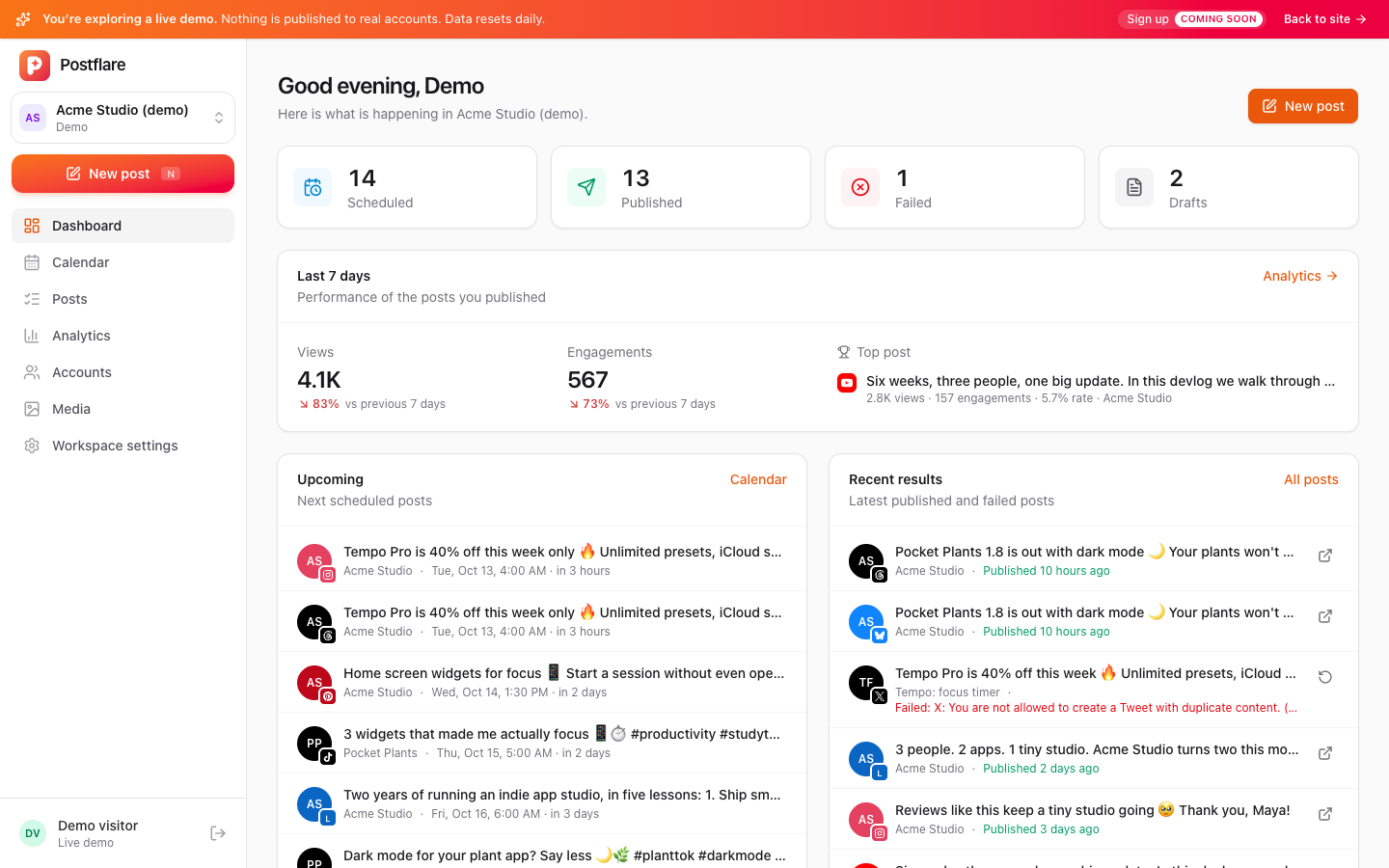
Screenshots
| Dashboard | Calendar |
|---|---|
 |
 |
| Composer | Analytics |
 |
 |
Features
- 36 integrations, 3 verified and the rest in beta (see Platform status): X, LinkedIn (profile + pages), Facebook Pages, Instagram (Facebook login and Instagram login), Threads, YouTube, TikTok, TikTok for Business, Pinterest, Reddit, Bluesky, Mastodon, Tumblr, VK, Nostr, Farcaster, Lemmy, Dribbble, Google Business Profile, Telegram, Discord, Slack, Twitch, Kick, DEV, Hashnode, Medium, WordPress, Listmonk, MeWe, Whop, Moltbook, a generic Webhook and (experimental, off by default) Skool.
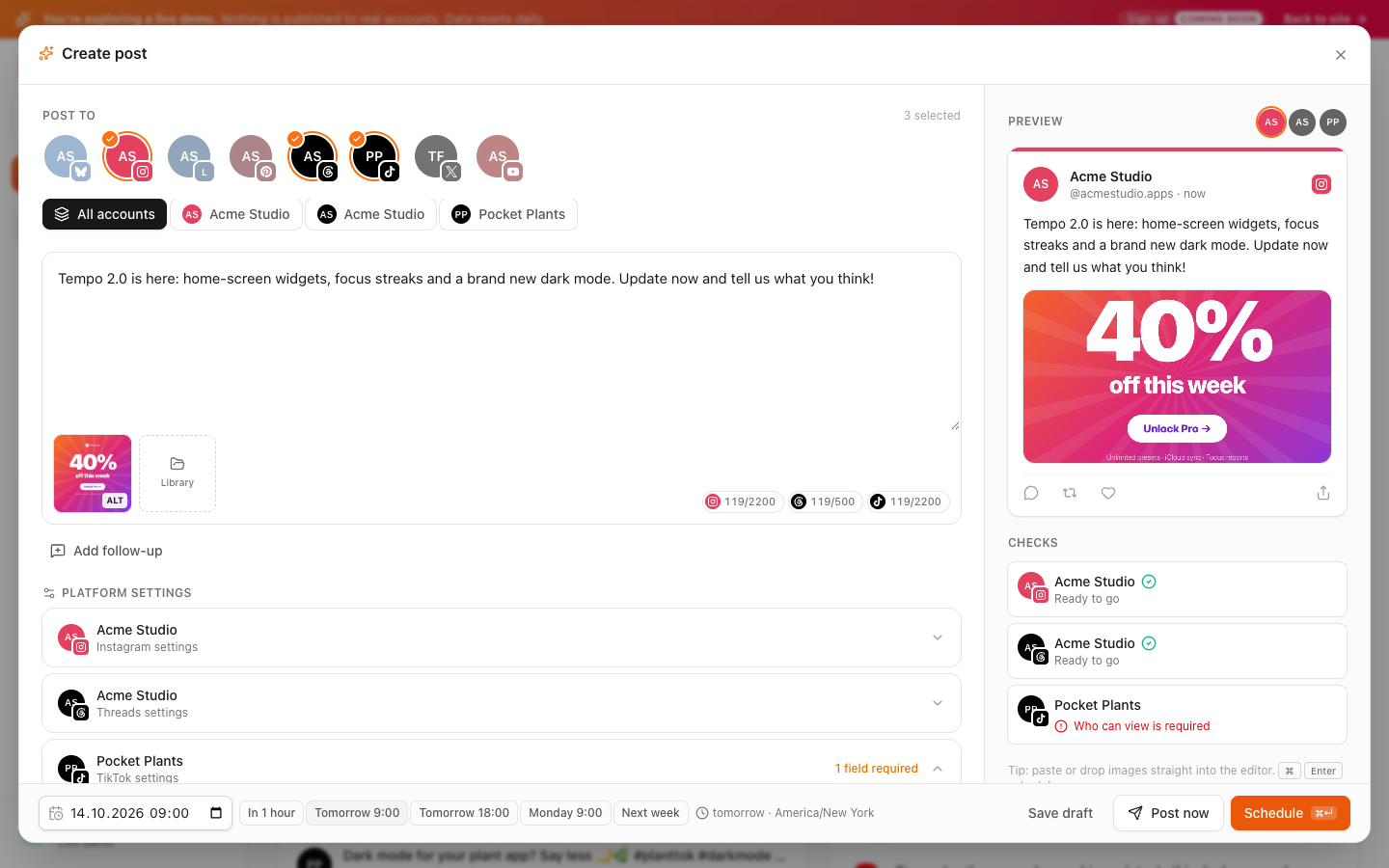
- Composer with per-account customisation, live limits per platform, platform-specific settings (titles, privacy, boards, subreddits, channels, playlists...), threads / first comments, previews, drafts.
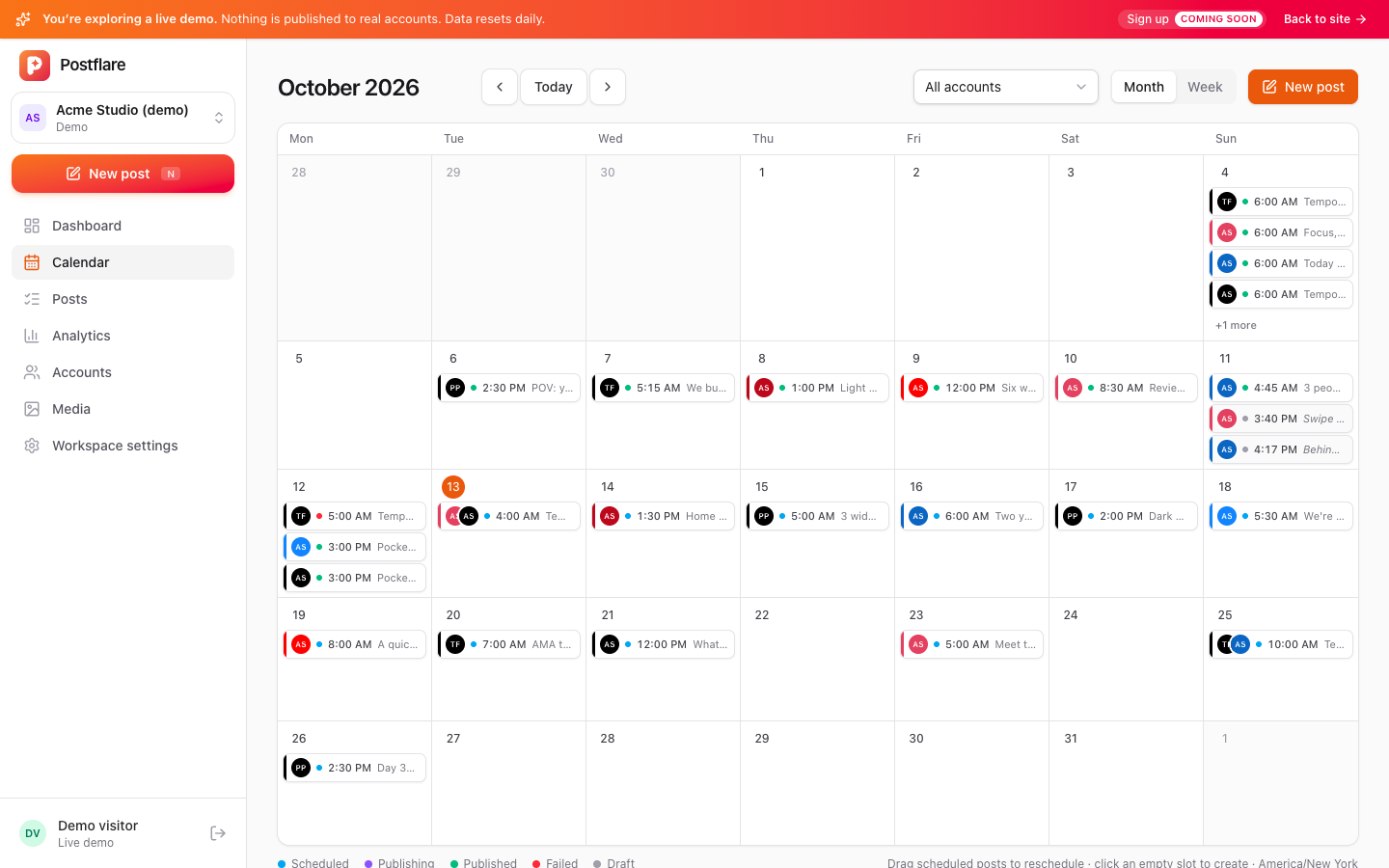
- Calendar (month/week, drag to reschedule), posts list with publishing logs, retry/cancel.
- Account groups: group accounts by brand or project (e.g. one app's Instagram, TikTok and YouTube). The Accounts
page shows them by platform, by group or as one list, with search and bulk "Move to group"; the composer selects a
whole group at once, Posts and Calendar filter by group, and agents post to a group (
pf post -a group:<name>, MCPlist_accountswithgroup). - Media library on R2: multipart uploads up to 5GB, alt text, import from URL. Big videos are streamed to platforms in chunks, never loaded into memory. Storage usage is shown against the R2 Free plan's 10 GB, and a daily job applies the media retention (Instance settings, default 30 days, 0 = keep forever): media older than that is deleted once no draft, scheduled, failed or needs-check post uses it. Media of posts published to platforms that keep linking to our copy (DEV, Hashnode, Medium, Listmonk, Nostr, Farcaster, Discord embeds, webhooks) is kept. Unfinished uploads are removed after 2 days, and upload-link files never used in a post after 7 days. Media used by a draft or scheduled post cannot be deleted.
- Reliable publishing with Cloudflare Workflows: each post sleeps until its time, publishes, polls platform
processing (videos, Instagram containers, TikTok) and then posts follow-ups. A cron re-arms anything lost and
refreshes tokens before they expire. No double posts: only failures that certainly created nothing (rate limits,
failed uploads) are retried. When the request that creates the post fails in a way that does not tell whether the
platform accepted it (network error, timeout, server error), the post goes to Needs check instead: check the
profile, then Mark as published (optionally with its URL) or Retry anyway in the post drawer
(
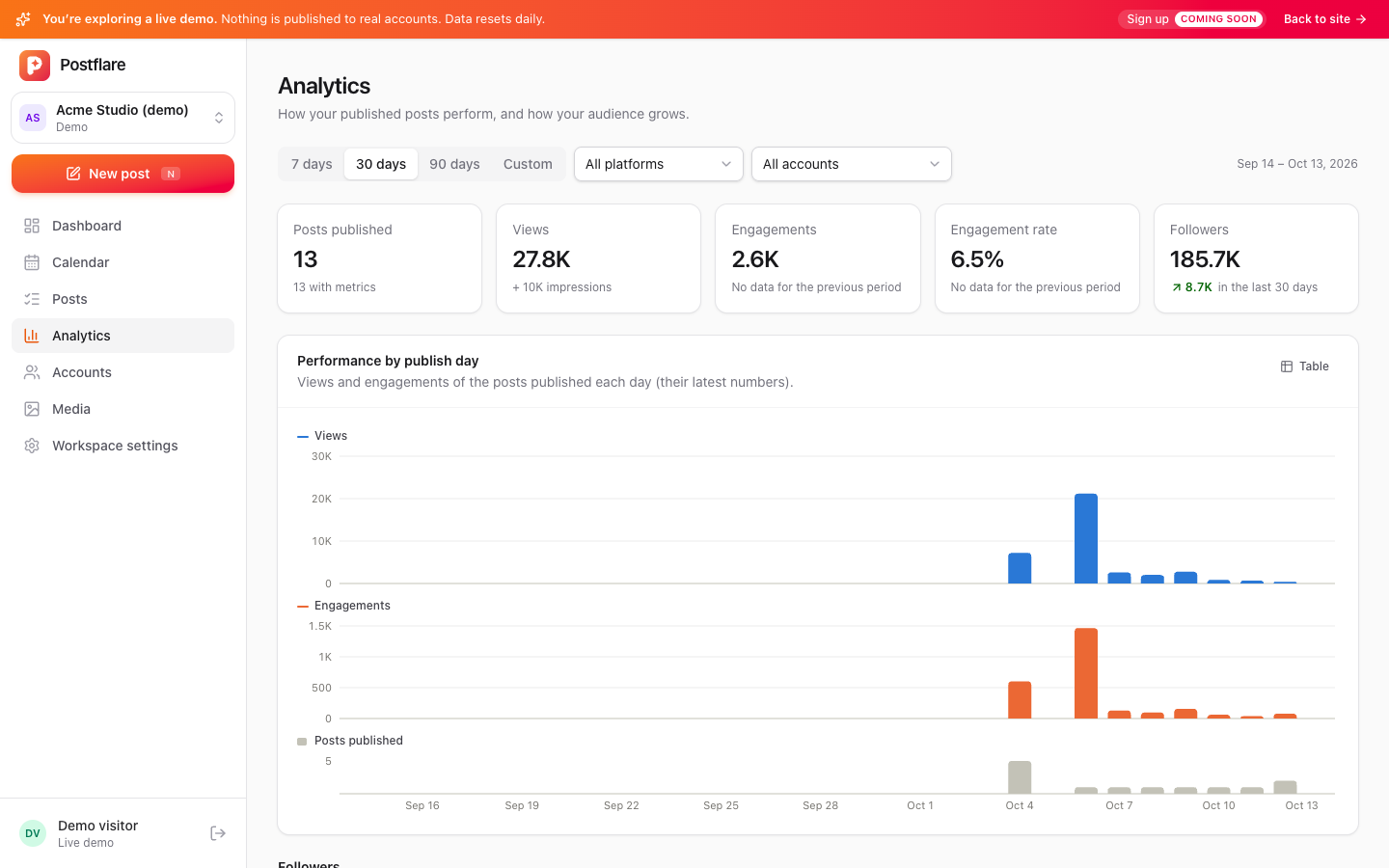
POST /api/posts/:id/resolve,pf posts resolve). - Analytics: views, reach, likes, comments, shares... of published posts and daily follower counts, collected by the cron within the Free plan budget (see Analytics).
- Playbooks: 20 built-in, versioned recipes for posts that perform (launches, threads, short-video hooks, app feature spotlights, game clips...), plus your workspace's own. AI agents find them over MCP and the CLI, posts record the playbook they were written with, and a ranking shows which ones beat each account's usual (see Playbooks).
- App Store campaign links: posts about one of your iOS apps get a tracked short link (
/a/<code>) with an App Store campaign token per post and platform; clicks are counted, and with an optional Revflare connection Apple's installs and proceeds show per post, platform, account and playbook (see App Store campaigns). - Users, workspaces and roles: several people on one deployment, each workspace with its own accounts, posts and media; built-in and custom permission-based roles, invite links (see below).
- REST API with per-workspace API keys and a built-in MCP server (
/mcp) so AI agents can schedule posts and read analytics. postflareCLI (npm i -g postflare, aliaspf) and a Claude Code skill for terminal and agent workflows.- Optional public live demo mode: a sandboxed, self-resetting demo workspace (see Live demo).
- Runs on the Workers Free plan: media is streamed, never buffered, and every provider call stays within the Free plan's CPU and subrequest limits.
- Secrets (platform tokens, app credentials) are encrypted at rest with AES-GCM.
Platform status
Every integration is implemented against the platform's API and covered by tests with mocked API responses, but only some have been confirmed end to end with a real account so far. Each platform shows its status as a badge in the app (Platforms page and connect dialog).
| Status | Meaning |
|---|---|
| Verified | Publishing confirmed against the live API with a real account. |
| Beta | Built against the official API and tested with mocked responses; not yet confirmed with a live account. Please report issues. |
| Experimental | Uses an unofficial API: may break without notice and may conflict with the platform's terms. Hidden until an instance admin turns on Admin → Instance settings → Enable experimental integrations (already connected accounts keep publishing when it is off). |
| Platform | Status | Notes |
|---|---|---|
| TikTok | Verified | Publishing verified with a sandbox app; unaudited apps post privately ("Only me") |
| Webhook | Verified | Generic outgoing webhook (Zapier, Make, n8n, your backend) |
| Instagram (Instagram login) | Beta | Connection verified; publishing being verified |
| Instagram (Facebook login) | Beta | Needs a Facebook Page linked to the Instagram account |
| X (Twitter) | Verified | Publishing verified; posting and reading metrics need X API write access or credits |
| Beta | ||
| LinkedIn Page | Beta | |
| Facebook Page | Beta | |
| Threads | Beta | |
| Bluesky | Beta | App password, no developer app |
| Mastodon | Beta | Access token, any instance |
| Beta | ||
| Beta | ||
| Tumblr | Beta | |
| VK | Beta | |
| Nostr | Beta | Private key, notes signed in your Worker |
| Farcaster | Beta | Neynar managed signers |
| Lemmy | Beta | |
| Dribbble | Beta | |
| MeWe | Beta | Needs MeWe developer access; tokens cannot be refreshed (reconnect about monthly) |
| Whop | Beta | |
| Moltbook | Beta | |
| YouTube | Beta | Uploads from unverified Google projects are private |
| TikTok Business | Beta | TikTok API for Business (business accounts) |
| Google Business Profile | Beta | Needs approved access to the Business Profile APIs |
| Twitch | Beta | Chat messages / announcements in your own channel |
| Kick | Beta | Chat messages in your own channel |
| Telegram | Beta | Bot token |
| Discord | Beta | |
| Slack | Beta | |
| DEV | Beta | API key |
| Hashnode | Beta | Personal access token |
| Medium | Beta | Medium no longer issues integration tokens; existing tokens keep working |
| WordPress | Beta | Application password |
| Listmonk | Beta | |
| Skool | Experimental | Uses Skool's unofficial, cookie-based API; may break and may conflict with Skool's terms |
Tried a beta platform? Open an issue with the result — that's how
platforms move to Verified. Statuses live in the code (status / statusNote in worker/providers/<id>.ts,
default beta), so a pull request that verifies a platform updates it there and in this table.
Installing
There are two ways to install Postflare; both deploy to your own Cloudflare account (the Workers Free plan is enough).
One click (Deploy to Cloudflare button)
Use the button above. Cloudflare creates the Worker, D1 database, R2 bucket, Workflow and Images binding, and a copy of this repository in your GitHub (or GitLab) account, connected to Workers Builds: every push to its production branch is deployed. The database schema is applied automatically on the first request. To update later, see Updating.
From your machine
git clone --branch v0.1.0 https://github.com/FerdiKT/postflare.git   # or the latest release tag
cd postflare
npm ci
npx wrangler login
npm run deploy
Open the printed *.workers.dev URL and create the first user (instance admin) and workspace.
Optional settings:
-
SECRET_KEY(secret, recommended): encryption key for stored tokens. Without it a key is generated and stored in D1 next to the encrypted tokens, so a copy of the database is enough to decrypt them. Set it before connecting accounts: changing it later makes the stored tokens unreadable (reconnect the accounts then).npx wrangler secret put SECRET_KEY -
SETUP_TOKEN(secret): until the first user is created, anyone who opens the URL can create it and become admin. With this secret set, the setup form asks for it.npx wrangler secret put SETUP_TOKEN -
PUBLIC_URL(var): your public URL if you use a custom domain. It can also be changed in Settings. -
DEMO_MODE(var):"true"hosts the public live demo. Off by default. -
UPDATE_CHECK(var):"false"turns off the daily check for new releases (one request a day to the GitHub API). -
EMAIL_FROM(var) plus asend_emailbinding namedEMAIL: sign-in links by email through Cloudflare Email Sending. Users can then request a one-time link ("Email me a sign-in link instead" on the sign-in page; single use, 15 minutes, 3 per email and 10 per IP per 15 minutes) instead of typing their password. Off by default: once configured, an instance admin turns it on in Admin → Instance settings → Sign-in links by email (with a "Send test email" button). Setup:- Onboard your domain to Email Sending:
npx wrangler email sending enable example.com. - In
wrangler.local.jsonc:"send_email": [{ "name": "EMAIL", "remote": true }]and the var"EMAIL_FROM": "Postflare <login@example.com>"(or a bare address), then deploy.
Sending to any address needs Workers Paid ($5/month). On the Free plan the binding only delivers to your account's verified Email Routing destination addresses, enough for a personal instance.
- Onboard your domain to Email Sending:
Custom domain / personal config
The committed wrangler.jsonc is generic: it deploys to a *.workers.dev URL with no vars. Keep
your own settings (custom domain, PUBLIC_URL, DEMO_MODE...) out of git in wrangler.local.jsonc:
cp wrangler.local.example.jsonc wrangler.local.jsonc   # git-ignored; edit the domain and vars
npm run deploy
When wrangler.local.jsonc exists, npm run dev, npm run build and npm run deploy use it instead of
wrangler.jsonc (set WRANGLER_CONFIG=path/to/config.jsonc to pick any other file). It is a full config, not a patch,
so keep it in sync when wrangler.jsonc changes. Keep the worker name, binding names, database_name,
bucket_name and workflow name: existing Cloudflare resources are matched by them.
How it works: the Vite build resolves the config and writes it to dist/postflare/wrangler.json, and wrangler deploy
deploys that file (through .wrangler/deploy/config.json). Check what will be deployed with
npm run build && npx wrangler deploy --dry-run. npm run cf-typegen always reads the generic wrangler.jsonc.
Runs on the Workers Free plan. Media is piped from R2 to the platforms without passing through JavaScript
(measured: ~3ms CPU to stream 100MB), every provider call stays under 40 outgoing requests, and long uploads resume
across Workflow steps. Request handlers and cron runs stay well under the Free plan's 50 D1 queries per invocation
(writes are batched; tested in test/workers/publish.test.ts). Two crons: every 15 minutes (publishing safety nets,
token refreshes, a couple of account avatar copies, analytics) and daily at 03:00 UTC (cleanups, media retention, update check). Free plan quotas
(requests, D1, R2, Workflows) are plenty for a personal scheduler; R2 storage (10 GB) is the first one media-heavy use
reaches, hence the media retention.
Custom media domain (optional, recommended)
By default every media view (the app, the iOS app, and platforms that pull files by URL: Instagram, Threads, Facebook,
Pinterest, TikTok photos...) goes through the Worker's signed /m/ links: one Worker request, one D1 read and one R2
read each. Serve media straight from R2 instead:
- Cloudflare dashboard → R2 → bucket
postflare-media→ Settings → Custom Domains → Connect domain, e.g.cdn.social.example.com(the zone must be on your account). Objects are then public athttps://cdn.social.example.com/<key>(keys are<media id>/<file name>; media ids are 96 random bits, so URLs cannot be guessed; the bucket root is not listable). - Optional but useful: a Cache Rule for that hostname (Caching → Cache Rules: hostname equals
cdn.social.example.com→ eligible for cache, edge TTL and browser TTL e.g. 1 day). Repeat views are then served from Cloudflare's cache and the browser/app cache without even an R2 read. - Set
"MEDIA_PUBLIC_URL": "https://cdn.social.example.com"(no trailing slash) inwrangler.local.jsonc→varsand deploy.
From then on the API, the app, MCP, the CLI and the providers hand out https://cdn.../<key> URLs (url and thumbUrl
of media). Range requests work (videos stream and seek). Free plan: views no longer count against the Worker's 100,000
requests/day nor D1 reads; R2 reads are free up to 10 million/month and cached views cost none. Old /m/ links (already
given to platforms or in published posts) keep working, and unfinished uploads only ever get /m/ links. Keep the
domain once set: CDN URLs given to platforms (and to platforms that keep linking to our copy) depend on it. TikTok pulls
photos by URL from verified domains only: verify the media domain in your TikTok app too.
Account avatars are copied into the same bucket (avatars/<account id>-<hash>.<ext>, see docs/api.md) because the
platforms' picture links expire: with the media domain they are served from it, otherwise from signed /m/avatars/
links.
Deleting media removes the file (and its thumbnail) from R2 right away, but with a Cache Rule the edge and browsers may keep serving a copy for up to its TTL (1 day above). Purge the URL in the dashboard (Caching → Purge) if a file must disappear at once.
Image thumbnails. Each image upload (single, multipart, from a URL, upload links) gets one small WebP thumbnail
(max 480 px) made with the Images binding and stored next to the file (<media id>/thumb/480.webp); the media grid,
composer and apps load it instead of the full image. One Images transformation per image upload: the Images Free plan
includes 5,000 unique transformations a month (shared with providers that resize images). Without the binding, or when a
transform fails, the upload works as before (thumbUrl: null, clients show the file itself). Images uploaded before
this have no thumbnail.
Updating
Updating Postflare means deploying the new code: database migrations are applied automatically on the first
request (they are additive), there is no separate migrate step. Instance admins see new releases in Admin → Instance
settings (and a badge in the sidebar); the instance checks GitHub once a day (UPDATE_CHECK = "false" turns it off,
UPDATE_REPO follows another repository).
Before updating:
- Read the release notes of every version you skip, for breaking
changes and manual steps (new secrets or vars,
wrangler.jsoncchanges). - Note a D1 restore point, in case you need to go back:
npx wrangler d1 time-travel info DBprints a bookmark;npx wrangler d1 time-travel restore DB --bookmark <bookmark>restores it (add-c wrangler.local.jsoncif you use one).
Installed from your machine
git fetch --tags
git checkout v0.2.0        # the release you want (or: git switch main && git pull, for the latest code)
npm ci
npm run deploy
If you have a wrangler.local.jsonc, compare it with the new wrangler.jsonc (new bindings, crons...) before
deploying: it is a full config, not a patch.
Installed with the Deploy to Cloudflare button
Your copy of the repository includes the Postflare update workflow.
Every week (or when you run it from your repository's Actions tab) it compares your package.json version with the
latest Postflare release and, when there is a newer one, opens a pull request that updates your code to it. Merging
the pull request deploys the update through Workers Builds.
- One-time setup in your copy: Settings → Actions → General → Workflow permissions → Allow GitHub Actions to create and approve pull requests. Without it the workflow pushes the branch and opens an issue with a link to create the pull request yourself.
- The pull request never touches your
wrangler.jsonc(Cloudflare wrote your resource names/ids into it),wrangler.local*.jsonc,.dev.vars*or.github/workflows/. When the new release changedwrangler.jsonc, the pull request shows the upstream diff so you can apply new bindings or crons by hand; changed workflow files are listed too (the Actions token cannot update them). - Files you added yourself are kept; files removed upstream are removed.
- GitHub pauses scheduled workflows in repositories without activity for 60 days: run it by hand then, or re-enable it.
- Without the workflow (or on GitLab), update by hand: copy the files of the new release over your copy except the ones
above, commit and push. The script the workflow runs does exactly that from the root of your copy:
bash scripts/postflare-update.sh checkandbash scripts/postflare-update.sh apply v0.2.0.
Versioning & releases
- Postflare follows semantic versioning. Server releases are tagged
v<version>and listed on the releases page with their notes; all changes are in CHANGELOG.md. Before 1.0, minor versions (0.x.0) may contain breaking changes: they are called out in the release notes with upgrade steps. - The running version is shown in Admin → Instance settings and served at
GET /api/version(`{ "versio