
Purl
Save the links worth keeping. Share the ones worth passing on.
Live preview: https://purl.live
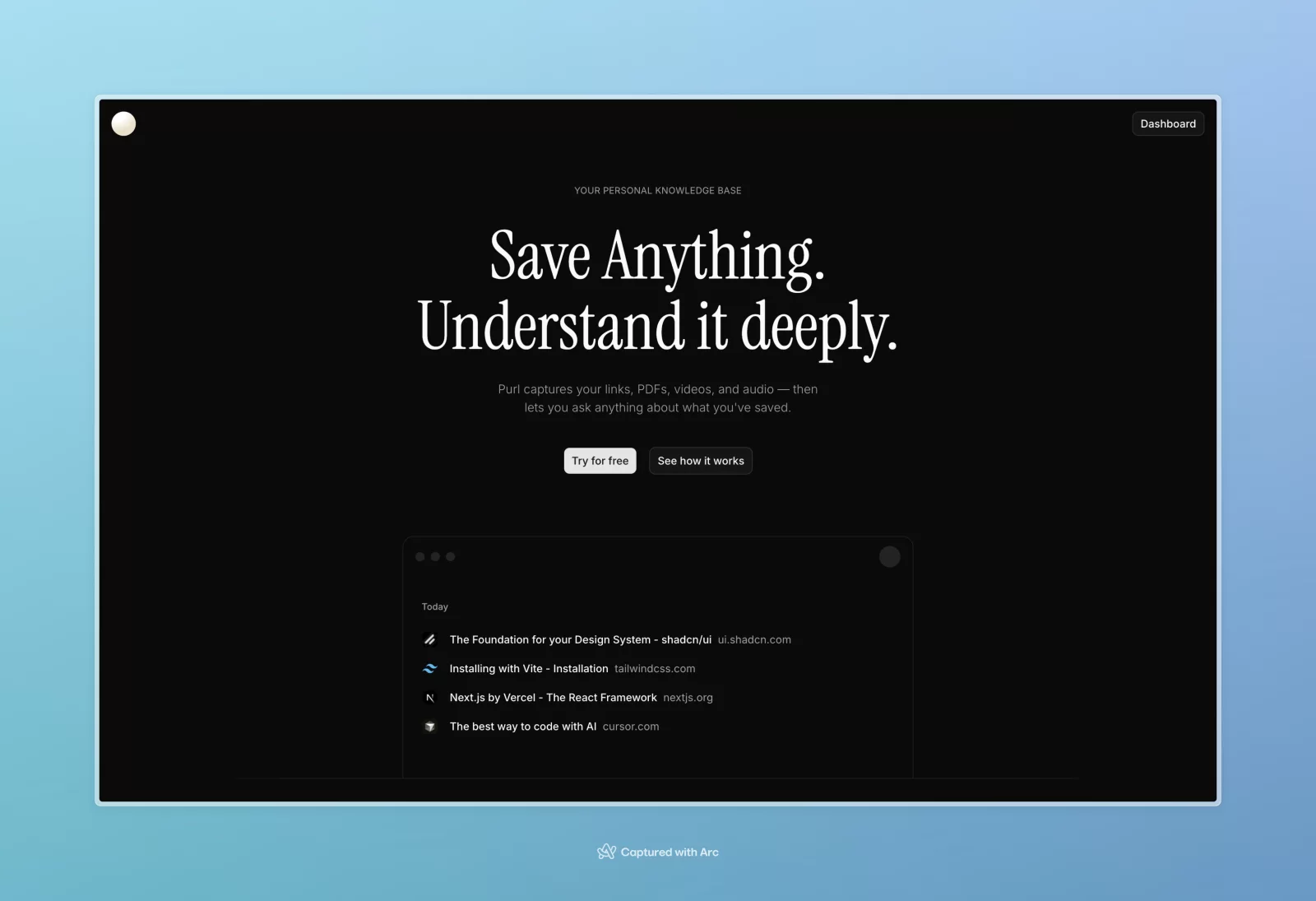
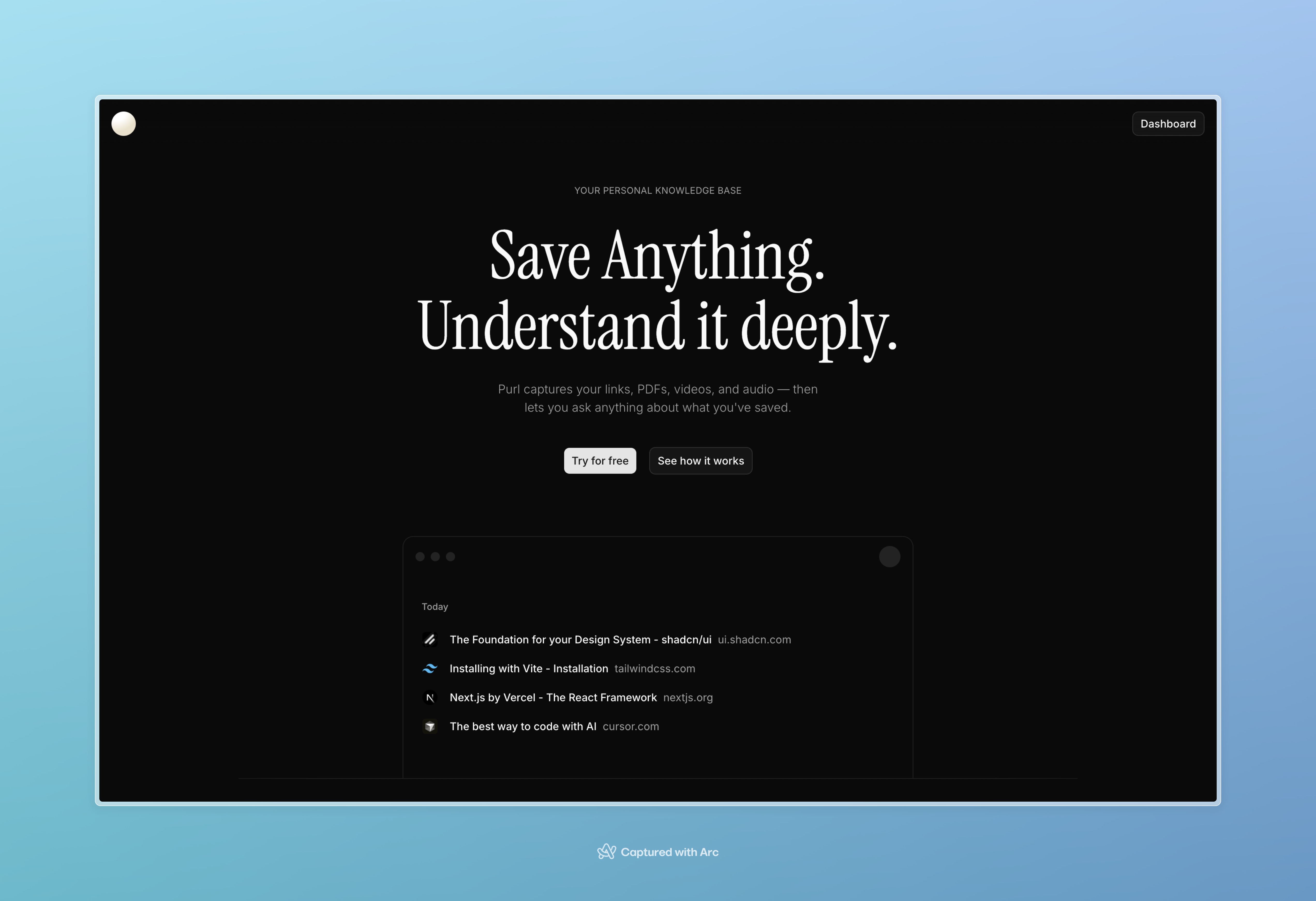
Purl is a calm place to save and share the links you find — a home for your "pearls". You paste URLs: web pages, PDFs, YouTube videos, and audio. Purl resolves each item's metadata (title, favicon, description, thumbnail) and keeps everything in one place, available from the app, a REST API, and an MCP server.
Purl is free, with one limit: each account can save up to 1,000 links (MAX_SAVED_LINKS in src/lib/limits.ts).
The product goal: one place to keep the links you care about, and an easy way to share the ones worth passing on.
Implemented today
- Marketing site — Landing page (hero with a live preview), docs for the REST API and MCP server, privacy and terms.
- Authentication — Google and GitHub sign-in on the landing page via Better Auth (Apple too when its env vars are set). Every account gets a unique username, editable in Settings, where you can also connect or disconnect sign-in methods; avatars come from the OAuth provider's profile photo.
- Save & organize
- Add items by URL with automatic content-type detection (web, PDF, YouTube, audio).
- Links grouped by relative time (e.g. Today, This week, Last month).
- Preview metadata (title, description, favicon, thumbnail where available).
- Hardened outbound fetch — Server-side
safeFetchwith optional proxy/DNS controls (seeAGENTS.md). An egress proxy can be configured viaSAFE_OUTBOUND_HTTP_PROXY. - Realtime list sync — Supabase Realtime so saves and updates propagate across tabs/devices quickly.
- Link actions — Open original, copy URL, edit metadata, delete.
- REST API & MCP —
/api/v1(links and folders) and an MCP server (save_link,list_saved_items,get_link,move_link,list_folders,create_folder,update_folder,delete_folder) with API-key or OAuth auth. - Operational extras — Optional Upstash-backed API rate limiting, Vitest coverage for critical paths.
- PWA (installable app) — Web App Manifest plus a Serwist service worker (
src/app/sw.ts) that builds topublic/sw.js(generated onpnpm build, gitignored). Enables Install in Chrome/Edge and similar where the platform supports it, with runtime caching via Serwist's Next.js defaults and a static offline shell at/~offline. Serwist is disabled inpnpm devto avoid service-worker cache surprises during development — usepnpm build && pnpm start(or your production URL) to exercise installability and the SW.
Save flow
Saving a link is fully synchronous — there is no background processing.
- Input —
POST /api/linkswith a URL (also/api/v1/linksand the MCPsave_linktool). - Classify & decorate — Server-side
detectContentType(SSRF-safeHEAD/ sniff) plusscrapeLinkMetadata(Open Graph HTML, PDFContent-Disposition/ size, YouTube oEmbed). Saving an existing URL again refreshes its metadata and moves it to the top. - Persist — A
Linkrow with title, favicon, thumbnail, domain, andcontentType(WEB,PDF,YOUTUBE, orAUDIO). - Sync —
broadcastLinksChangednotifies other tabs/devices via Supabase Realtime.
Not implemented yet
These are called out explicitly because the repo is going public:
- Settings breadth — Settings cover username, sign-in methods, and account deletion; broader account preferences (notification settings, etc.) are not implemented yet.
Marketing vs. product: The landing page copy mentions ideas such as collections and a weekly digest. Those are not built in the current schema or app — treat them as roadmap, not shipped features.
Tech stack
- Web: Next.js (App Router), React, TypeScript
- UI: Tailwind CSS, shadcn/ui
- Auth: Better Auth
- Database: PostgreSQL + Prisma
- Email (optional in dev): Resend for feedback emails
- Realtime: Supabase client (anon + service role on server)
- PWA: Serwist (
@serwist/next), web manifest + precache / offline fallback
CI / GitHub Actions
Automation lives under .github/workflows/. Every PR and manual release is gated by these pipelines.
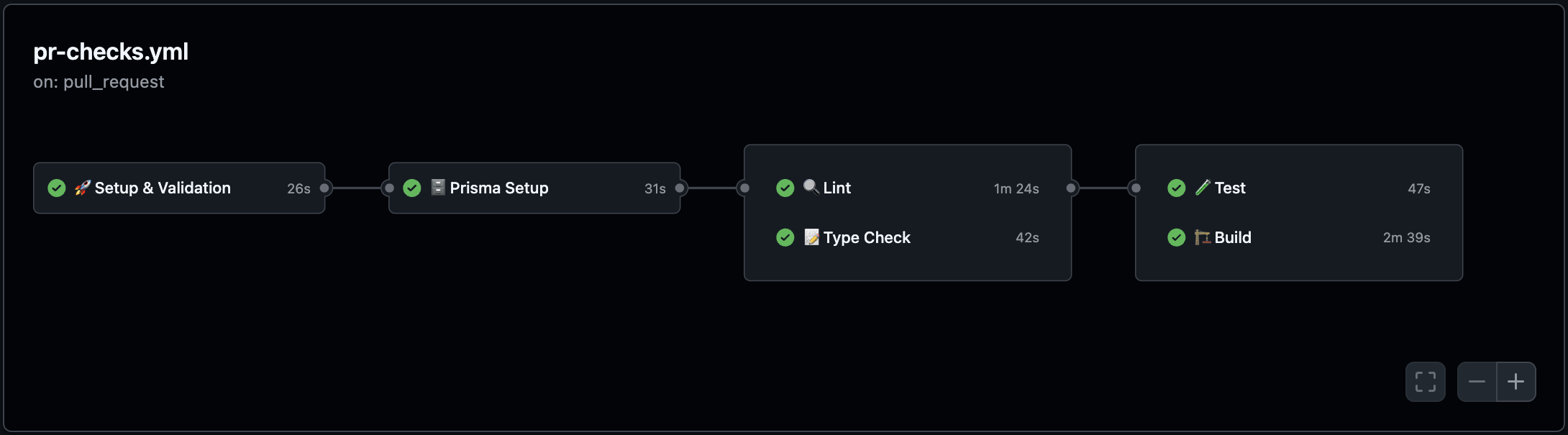
PR checks — pr-checks.yml
Runs on pull_request to develop and main: Setup & validation → Prisma (generate client + type fixes) → Lint and type check (in parallel) → Tests and production build (in parallel, after lint and type check pass). Concurrency is per-PR so new pushes cancel stale runs.
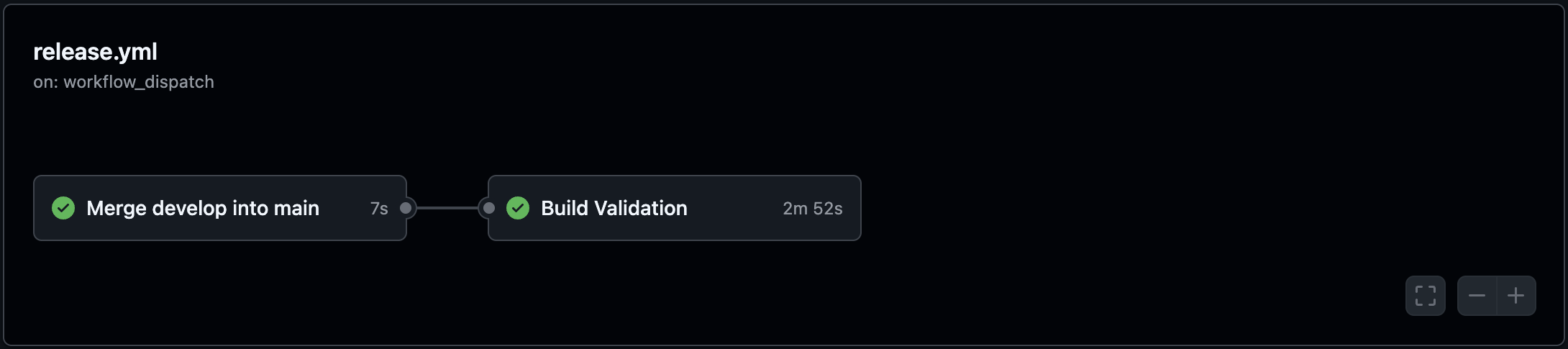
Release — release.yml
Runs on workflow_dispatch (manual): Merge develop into main, then build validation so production is only promoted after a green build.
Security
Purl is built around untrusted input (arbitrary URLs). A few layers matter in production:
- SSRF-aware outbound fetches — User-supplied URLs are not passed to raw
fetch. OG/thumbnail probes, PDF fetch, content-type sniffing, and similar paths go throughsafeFetch: HTTP(S) only, blocked private/link-local/reserved targets, redirect handling with per-hop host checks, DNS resolution pinned before connect (mitigates classic DNS rebinding against the pre-check), optional response size caps (e.g. PDF proxy). Optional egress proxy and custom DNS servers are documented inAGENTS.md. - Authentication & route gating — Better Auth sessions; Next.js
proxyredirects unauthenticated users away from private routes. Sign-in is OAuth-only (Google/GitHub, plus Apple when configured); there are no passwords. - API authorization — Sensitive routes (
/api/links,/api/v1/*, MCP, etc.) resolve the session server-side and scope work to the signed-in user. - Rate limiting — When
UPSTASH_REDIS_REST_URLandUPSTASH_REDIS_REST_TOKENare set, the proxy applies per-IP limits to/api/auth/*,POST /api/links, andPOST /api/feedback(seeproxy-rate-limit.ts). Without Upstash, limits are disabled — fine locally, not ideal for production. - Secrets & client exposure —
SUPABASE_SECRET_KEY(or the legacySUPABASE_SERVICE_ROLE_KEY) and similar values are server-only. The browser uses the Supabase anon key for Realtime only;.envstays gitignored. - Response bounds — PDF proxy streaming is size-capped (see
safe-outbound-fetch).
Reporting a vulnerability: use GitHub Security Advisories for this repository so details stay private until patched.
Setup (local development)
Prerequisites
- Node.js: recent LTS
- Package manager:
pnpm(this repo includespnpm-lock.yaml) - Postgres: local or hosted (Supabase works well)
1) Install dependencies
pnpm install
2) Configure environment variables
Create a .env file in the repo root. See .env.example for the full list; minimum for core behavior:
DATABASE_URL="postgresql://USER:PASSWORD@HOST:5432/DBNAME"

# Supabase Realtime — cross-device instant link list sync (same project as Postgres)
SUPABASE_URL="https://YOUR_PROJECT.supabase.co"
SUPABASE_ANON_KEY="eyJ..."
SUPABASE_SECRET_KEY="sb_secret_..."

# Sign-in (OAuth apps with callback {BETTER_AUTH_URL}/api/auth/callback/{google,github})
GOOGLE_CLIENT_ID="..."
GOOGLE_CLIENT_SECRET="..."
GITHUB_CLIENT_ID="..."
GITHUB_CLIENT_SECRET="..."

# Optional (used to send in-app feedback emails)
RESEND_API_KEY="re_..."
RESEND_FROM="Purl <onboarding@resend.dev>"
Notes:
DATABASE_URLis required (Prisma + Better Auth).- Supabase env vars are required for realtime link list sync. Use Project Settings → API in the Supabase dashboard. The service role key must stay server-only.
- Google/GitHub OAuth credentials are required in production; locally, a provider whose vars are missing is simply hidden. For local dev, use callback URLs
http://localhost:3000/api/auth/callback/{google,github}. Apple is optional and enabled only when all fourAPPLE_*vars are set (see.env.example). - Resend is optional for local dev: without
RESEND_API_KEY, in-app feedback can't be sent. - Better Auth secrets and URLs are in
.env.example— copy those keys for a working auth setup.
3) Run database migrations
pnpm prisma migrate dev
4) Generate Prisma client (if needed)
pnpm prisma generate
5) Start the dev server
pnpm dev
Open http://localhost:3000.
Optional: a named HTTPS URL with portless. With portless installed globally (npm install -g portless, Node.js 24+), run portless run instead of pnpm dev. It runs the dev script behind a local proxy at https://purl.localhost. Point auth at that URL in .env.local, or sign-in rejects the origin:
BETTER_AUTH_URL="https://purl.localhost"
BASE_URL="https://purl.localhost"
In a git worktree, portless prefixes the branch name (for example https://my-branch.purl.localhost); set both variables to that URL there.
PWA / install: With pnpm dev, the service worker is not active. After a production build, public/sw.js exists locally; run pnpm start and open the app in Chromium to use Install or to test offline navigation to /~offline.
Testing
Tests use Vitest and focus on critical logic (formatters, link grouping, auth routing, API behavior, metadata scraping). They intentionally avoid shallow UI-only wrappers.
pnpm test        # run once
pnpm test:watch  # watch mode
Useful commands
pnpm lint
pnpm build
pnpm start
pnpm test
More contributor notes (Prisma, outbound proxy env): see AGENTS.md.