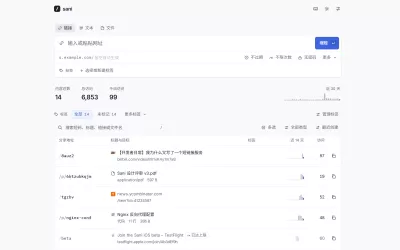

rdyrct
Organization-based link shortener + QR codes, running entirely on Cloudflare's edge.
Deploy in one click

Cloudflare copies this repository to your GitHub account, creates the database, storage and queues, and asks for one thing: the email of the account that becomes the platform admin. Leave every other value as it is. The first build serves your copy on its workers.dev address, generates the session key and applies the migrations; each push to your copy deploys it again. When you want your own domain, see Move to your own domain.
Prefer a terminal? bun run setup does the same from a clone: see Deploy to Cloudflare Workers.
Features
- Short links with custom or random slugs, optional UTM parameters (source, medium, campaign, term, content) applied at redirect time.
- Grouped link addresses: renaming a link keeps the old slug redirecting for 48 hours before it's freed, and a link can carry extra aliases that all redirect to the same destination.
- QR codes per link (paid plans), with an optional logo in the center, live preview, and PNG/SVG download.
- Custom domains (Pro): connect
links.yourbrand.comvia Cloudflare for SaaS, with slugs namespaced per domain. - Organizations with
owner/admin/memberroles: admins manage the team, domains, and billing; members manage links. - Magic-link invites: single-use, valid for 7 days, sent by email.
- Privacy-friendly analytics: clicks per day, top links, countries, referrers, devices. No IP addresses are ever stored.
- Per-user Free/Hobby/Pro billing through Polar, which acts as Merchant of Record and handles tax/VAT.
- Secret-pinned superadmin console: the account matching
SUPERADMIN_EMAILgets a cloud-console panel for usage, org drill-down, and plan management. It 404s for everyone else.
Stack
rdyrct is built Cloudflare-first: the entire product runs in a single Worker with no separate backend to host:
- Cloudflare Workers: one Worker serves the API, the redirect hot path, and the static React app.
- D1: SQLite at the edge, source of truth for auth, orgs, links, clicks, and domains.
- KV: slug → destination lookups on the redirect hot path, so a click never waits on D1.
- R2: QR logo images, keyed by org, served immutable and cached.
- Cloudflare for SaaS: custom hostnames for Pro orgs' own short-link domains.
- Workers Rate Limiting: separate abuse controls for auth, email, writes, uploads, domains, billing, and click recording.
Application layer:
- Hono for routing
- BetterAuth for email+password auth, with email-OTP verification and PBKDF2/WebCrypto hashing
- Drizzle ORM over D1
- React 19 + Vite +
@cloudflare/vite-plugin - Tailwind v4 + Base UI
- TanStack Query + TanStack Router
- Polar for billing, Resend for transactional email
Local development
What you need
- Bun 1.4 or newer.
- Node 24 or newer. Bun runs the scripts, but portless and wrangler run on Node.
- macOS or Linux. Dev servers run behind portless (installed with the project), which gives each one a stable HTTPS name instead of a port.
- Optional: the Polar CLI, only to receive sandbox billing webhooks.
First run
bun install
bun run dev
That is the whole setup. On the first run bun run dev:
- creates
.dev.varsfrom.dev.vars.local.example, with an auth secret of its own (every other value works locally as it is); - applies the local database migrations (it does this on every run, so a pull never leaves you a migration behind);
- starts the app, a local email inbox and a local Google sign-in, each behind portless (portless may ask for your password once, to listen on port 443 and trust its own certificate);
- prints the addresses once the app answers:
  rdyrct     https://rdyrct.localhost
  scenarios  https://rdyrct.localhost/__dev/scenarios
  inbox      https://rdyrct-mail.localhost/emails  (header: authorization: Bearer test_token_admin)
  google     https://rdyrct-google.localhost
Then, in a second terminal, fill the database with fake organizations, links and clicks:
bun run db:seed:local
and open the scenarios page. It signs you in as a seeded account in each state the app has: pro-owner, hobby-owner, free-owner, fresh (a brand-new account), member, viewer, over-plan, grace-ended, locked-org, click-cap and admin. /__dev/scenarios/<name>?to=/links opens a page directly.
Ctrl+C stops everything. If one of the three crashes, the other two stop with it.
Day to day
-
One name per checkout. The main checkout is
rdyrct,rdyrct-mail,rdyrct-google; a git worktree gets the branch in its names (rdyrct-<branch>,rdyrct-<branch>-mail…), so any number of checkouts run side by side.bun scripts/dev-hosts.tsprints this checkout's addresses. -
Email. Sign-up codes and every other mail land in the local inbox, never a real one:
curl "$(bun scripts/dev-hosts.ts mail)/emails" -H 'authorization: Bearer test_token_admin' -
Google sign-in goes through the local emulator with two accounts,
testuser@gmail.comandadmin@gmail.com. -
The admin console. Open the
adminscenario. (Or setSUPERADMIN_EMAILin.dev.varsand sign up with that address.) -
Start the database over:
bun run db:reset:local, thenbun run devandbun run db:seed:localagain. -
rdyrct.com's own pages. The dev server runs the self-hosted app. Add
VITE_RDYRCT_SITE=1to.envto work on the landing and marketing pages.
From another computer or a phone
Switch portless to LAN mode once:
sudo portless service install --lan
The addresses then end in .local (https://rdyrct.local) and any device on the same network opens them; bun run dev says so when it starts. The first visit from another device shows a certificate warning, because that device does not trust portless's certificate: continue past it. Every name is a single word before .local on purpose: Windows finds only those on a network. On Linux, LAN mode needs avahi-utils.
Integrations
| Service | Locally | What to do |
|---|---|---|
| Email (Resend) | the local inbox | nothing |
| Google sign-in | the local emulator | nothing |
| Bot check (Turnstile) | Cloudflare's always-pass test keys | nothing |
| Custom domains (Cloudflare for SaaS) | simulated: DNS is ready after ~3 s and TLS after ~12 s (CF_DEV_ENV=simulated; instant skips the wait) |
nothing |
| Billing (Polar) | your Polar sandbox | plan limits work as they are; checkout needs the sandbox token and product ids in .dev.vars. Run bun run polar:listen beside bun run dev to receive webhooks. bun run dev gives the app the secret polar listen signs them with, so there is nothing to copy |
Blog (/blog) |
proxied to the rdyrct-blog dev server | run that repo's dev server; BLOG_ORIGIN_URL points at it |
When something is off
- "
.dev.varssets this checkout's addresses":bun run devworks outAPP_URL,APP_HOST,SHARED_LINK_HOST,RESEND_BASE_URLandGOOGLE_EMULATOR_URLitself. Delete the lines it lists from.dev.vars(an old copy has them). - "Invalid origin" when saving or signing out: open the address
bun run devprinted, notlocalhost:<port>. - A page will not load at all:
bunx portless doctorchecks the proxy, andbunx portless listshows what is running. - The seed stops with a 500: the local database is busy (a browser test run, say). Run it again when it is quiet.
Tests
bun run test          # fast unit tests
bun run test:worker   # Worker routes with local D1 and KV bindings
bun run e2e:install   # install Chromium for Playwright once
bun run e2e:smoke     # real-browser baseline regression checks
bun run verify        # types, lint, formatting, unit, and Worker tests
Playwright owns the local server lifecycle and never resets or seeds local
Cloudflare state, so the browser tests run with or without bun run dev.
The browser and Worker tests bring their own settings, so your .dev.vars
and .env never change what they see. Failed browser tests keep a
screenshot and trace in test-results/.
Deploy to Cloudflare Workers
git clone https://github.com/baronunread/rdyrct
cd rdyrct && bun install
bun run setup
Setup asks three things: a name for the worker (Enter keeps rdyrct), a domain on your Cloudflare account (or Enter, for a free *.workers.dev address) and the email of the account that becomes the platform admin. It stops if your account already runs a worker by that name, so it never deploys over one. Then it:
- rewrites your copy of
wrangler.jsonc: your domain inAPP_URLandAPP_HOST, and rdyrct.com's own ids and settings (mail sender, Polar products, Cloudflare zone, Sentry) taken out; - has Wrangler create the D1 database, KV namespace, R2 bucket and queues on your account, each named after the worker, since a binding with no id gets a new resource on the first deploy;
- generates
BETTER_AUTH_SECRET, sets it andSUPERADMIN_EMAILas secrets, builds, deploys, applies the migrations and attaches your domain.
Commit the rewritten wrangler.jsonc to your fork. After that, bun run deploy ships each update: it applies new migrations, then deploys. Every build is the self-hosted app, which opens on sign-in and carries none of rdyrct.com's marketing pages, analytics or search tags. Only VITE_RDYRCT_SITE=1 builds rdyrct.com itself, and bun run deploy refuses it for any host but rdyrct.com.
Everything else is optional. Each piece says what it adds:
| Setting | Adds |
|---|---|
RESEND_API_KEY, MAIL_FROM |
Email: sign-up verification codes, password reset, invites, notices. Without it, sign-up skips verification (see below). |
POLAR_* |
Selling Hobby and Pro plans. Without it, nobody is capped and billing is hidden. |
GOOGLE_CLIENT_ID, GOOGLE_CLIENT_SECRET |
"Continue with Google". |
CF_API_TOKEN, CF_ZONE_ID |
Customers' own domains through Cloudflare for SaaS. |
SHARED_LINK_HOST |
A second, shorter host for new shared-domain links. |
TURNSTILE_SITE_KEY, TURNSTILE_SECRET_KEY |
Cloudflare Turnstile in front of sign-up, password reset and the report form. Set both in one wrangler secret bulk call: one without the other refuses those forms. Cloudflare then sees those visitors. |
WEB_RISK_API_KEY |
Google Web Risk as a second destination check. A listed destination puts its link on hold. |
SENTRY_DSN |
Error reports to your Sentry project. |
SITE_NAME |
The name every tab shows, such as "Acme links". Without it, tabs show your copy's host. |
With no email provider and no Google sign-in, accounts are not verified and passwords cannot be reset. That is fine for a private instance and not recommended for a public one. The admin console says so while it is true.
Vars go in wrangler.jsonc. Set secrets one by one with bunx wrangler secret put <NAME>, or in bulk with cp prod.secrets.env.example prod.secrets.env, fill it in, then:
bunx wrangler secret bulk prod.secrets.env && rm prod.secrets.env
Move to your own domain
Started on workers.dev, from the button or from setup? Clone your copy, run bun run setup and give it the domain (it has to be on your Cloudflare account), then commit wrangler.jsonc and push. Setup attaches the domain and keeps your data, your secrets and the session key. By hand instead: Cloudflare dashboard → Workers → your worker → Settings → Domains & Routes → Add → Custom domain, then set APP_URL and APP_HOST in wrangler.jsonc, remove the vars that are rdyrct.com's (MAIL_FROM, WELCOME_FROM, POLAR_*, CF_ZONE_ID, SENTRY_DSN) and bun run deploy. Short links live at the root (https://links.example.com/<slug>); the app is served on every other path. Keep routes out of wrangler.jsonc: a routes list replaces whatever is attached in the dashboard, and committing yours would hand it to every fork. The */* route is only for customers' own domains (below).
Email (optional)
Set RESEND_API_KEY and MAIL_FROM (a sender at a domain you verified in Resend). Without them no mail goes out: sign-up skips the verification code and signs the user in, and the password-reset form says it needs an email provider. Sending lives in one function, sendEmail() in src/worker/email.ts, so another provider is a change there.
Selling plans (optional)
Skip this section to run with no caps and no billing. To sell plans, set POLAR_SERVER=sandbox (or production when live), POLAR_PRO_PRODUCT_ID and POLAR_HOBBY_PRODUCT_ID (recurring products you create in Polar), and the secrets POLAR_ACCESS_TOKEN and POLAR_WEBHOOK_SECRET.
Polar setup: create an Organization Access Token with scopes checkouts:write and customer_sessions:write. Add a webhook endpoint at https://rdyrct.com/api/webhooks/polar and subscribe to all five events the Worker handles. Miss one and billing state drifts:
| Event | What it does |
|---|---|
subscription.active |
Starts the subscription: plan, customer, price, and access |
subscription.updated |
The full subscription snapshot: status, product, cancellation state, period end |
subscription.canceled |
Marks it as ending at the period end; access continues until then |
subscription.uncanceled |
Clears a scheduled cancellation |
subscription.revoked |
Ends it: the subscription and its access go away |
Which subscription statuses keep access is one decision, in src/worker/entitlement.ts. active, trialing and past_due keep it, because Polar retries a failed payment for days and sends subscription.revoked when it gives up. unpaid, canceled, incomplete and incomplete_expired do not, and a status with no rule keeps nothing.
Paid access an admin grants by hand is a comp, stored apart from the subscription and never counted as a subscriber. A comp outranks the subscription underneath it, so revoking a subscription cannot take away access an admin gave.
The admin console reports counts, never money: how many people hold a paid plan, how many pay for it, and how many are comped. Who is cancelling shows on their own row in the user list, where it names someone. Revenue is read in the Polar dashboard, which knows what it charged net of discounts, tax and refunds.
Second shared-domain host (optional). Attach a shorter domain the same way, check that https://<it>/ answers with a redirect, and only then turn it on with bunx wrangler secret put SHARED_LINK_HOST. It takes effect without a deploy, and bunx wrangler secret delete SHARED_LINK_HOST turns it off. In that order because every new link starts using it at once: set before the domain resolves, it hands out links that go