
reminal
Every window, desktop and terminal on your machines — live in any browser.
Close the laptop lid and walk away. reminal keeps the machine serving — and hands you its actual apps, not just a shell — in any browser, from anywhere. No open ports, session secrets encrypted on disk, nothing to install on the device you're holding.
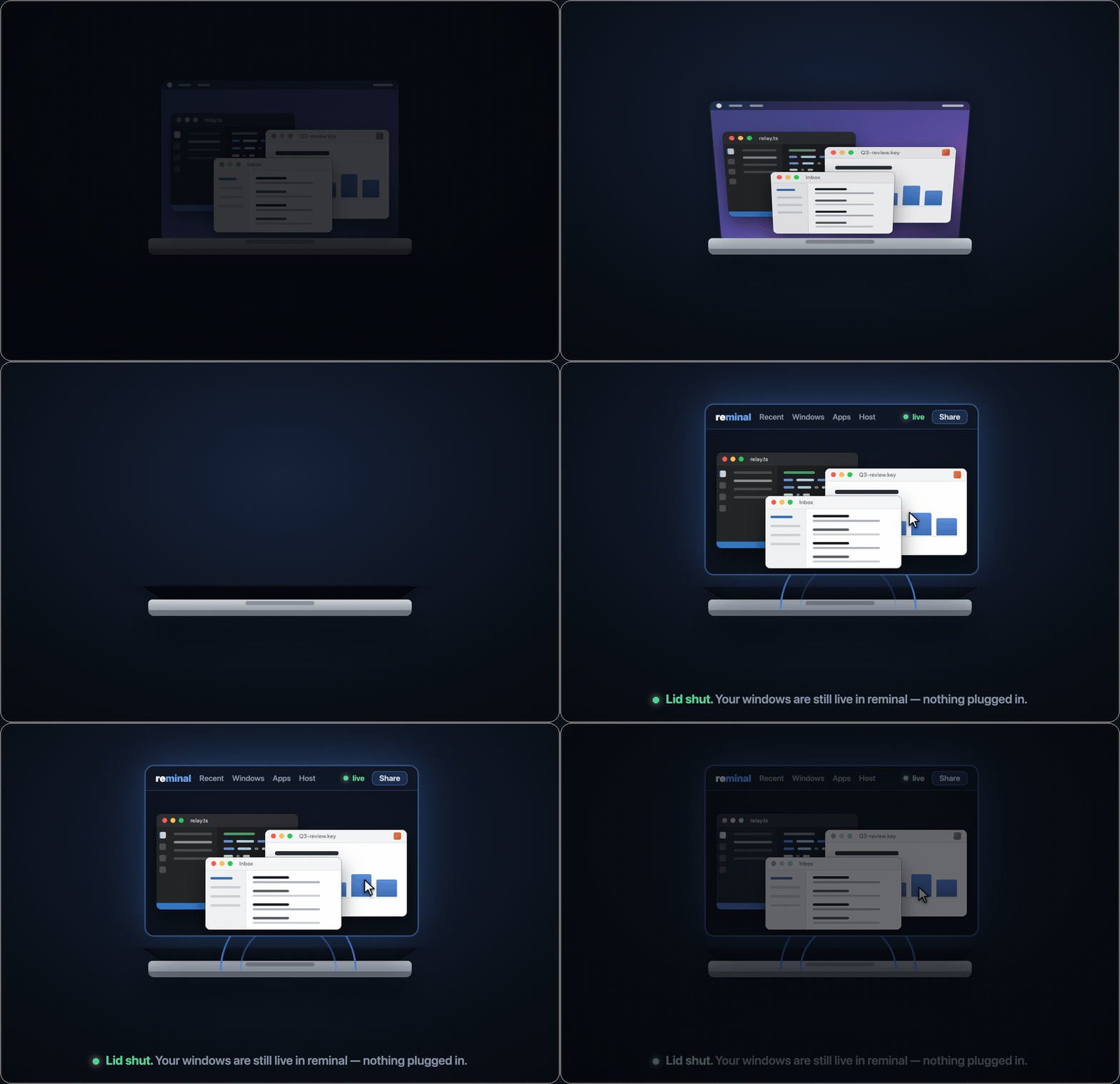
The lid shuts with no monitor and no dongle attached — and the windows keep streaming, live and controllable, into a browser.
No monitor. No dummy plug. No dongle.
Close a MacBook's lid and macOS puts it to sleep — unless it's on power with a monitor and keyboard attached. The usual fix is a hardware "dummy" HDMI plug that fakes a display, or just leaving the lid propped open on your desk.
Closed-lid mode does it in software. Flip it on and leave — no monitor, no dongle, in any order. reminal disables clamshell sleep and, because GUI apps need a screen to draw on, spins up a virtual display the moment the Mac goes headless — so window mirroring keeps working with nothing plugged in. Toggle it off and everything is undone.
Closed-lid mode is macOS-only; everything else below works on macOS, Linux and Windows alike.
Set it up in one line
curl -fsSL https://raw.githubusercontent.com/harshalgajjar/Reminal/main/install.sh | sh
reminal
On Windows (PowerShell):
irm https://raw.githubusercontent.com/harshalgajjar/Reminal/main/install.ps1 | iex
reminal
That's the whole setup — one command on the machine you're leaving behind. Everything else you own is already a client, because the client is a browser.
Reach in and drive the apps
Any app window streams live into your browser — and you don't just watch it, you drive it: cursor, click and right-click, type, scroll, drag, pinch-zoom. Not open yet? Launch any installed app on the host from the Apps menu, then drive it. Or tap Host → View full desktop to run the whole machine at once. On a phone the screen becomes a trackpad — your Mac, fully hands-on, from your pocket.

Real capture, unedited. The phone picks a window, types into it — the words appear in the real app on the Mac — then mirrors the whole desktop. Native capture, streamed peer-to-peer.
60 fps, from a machine that isn't here
And nothing about those windows says stream. Drag it, scrub a video inside it, watch a build scroll past — it stays fluid the whole way, on hotel Wi-Fi or a phone on cellular. Sixty frames a second, 17 ms from its screen to yours.
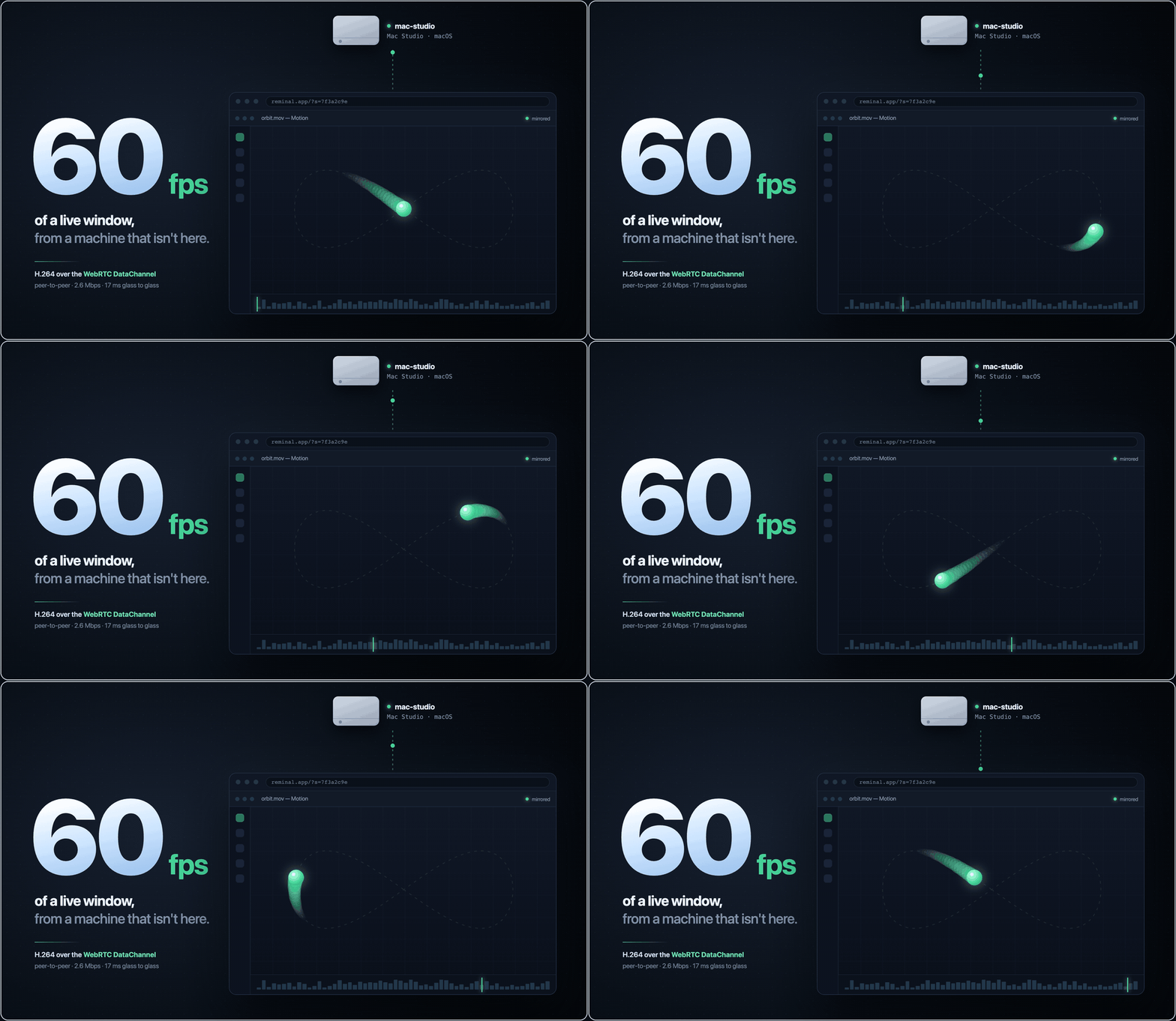
H.264 down the session's own DataChannel — peer-to-peer, about 2.6 Mbps. Relay-only viewers get the same video at 30 fps.
A full terminal, too — scan a QR and you're in
reminal prints a session ID, a PIN, and a QR code. Scan it, and your phone is a full terminal on your machine — real color, touch text-selection, on-screen modifier keys. No port forwarding. No keys to manage. Nothing to install on the phone; the browser is the client.
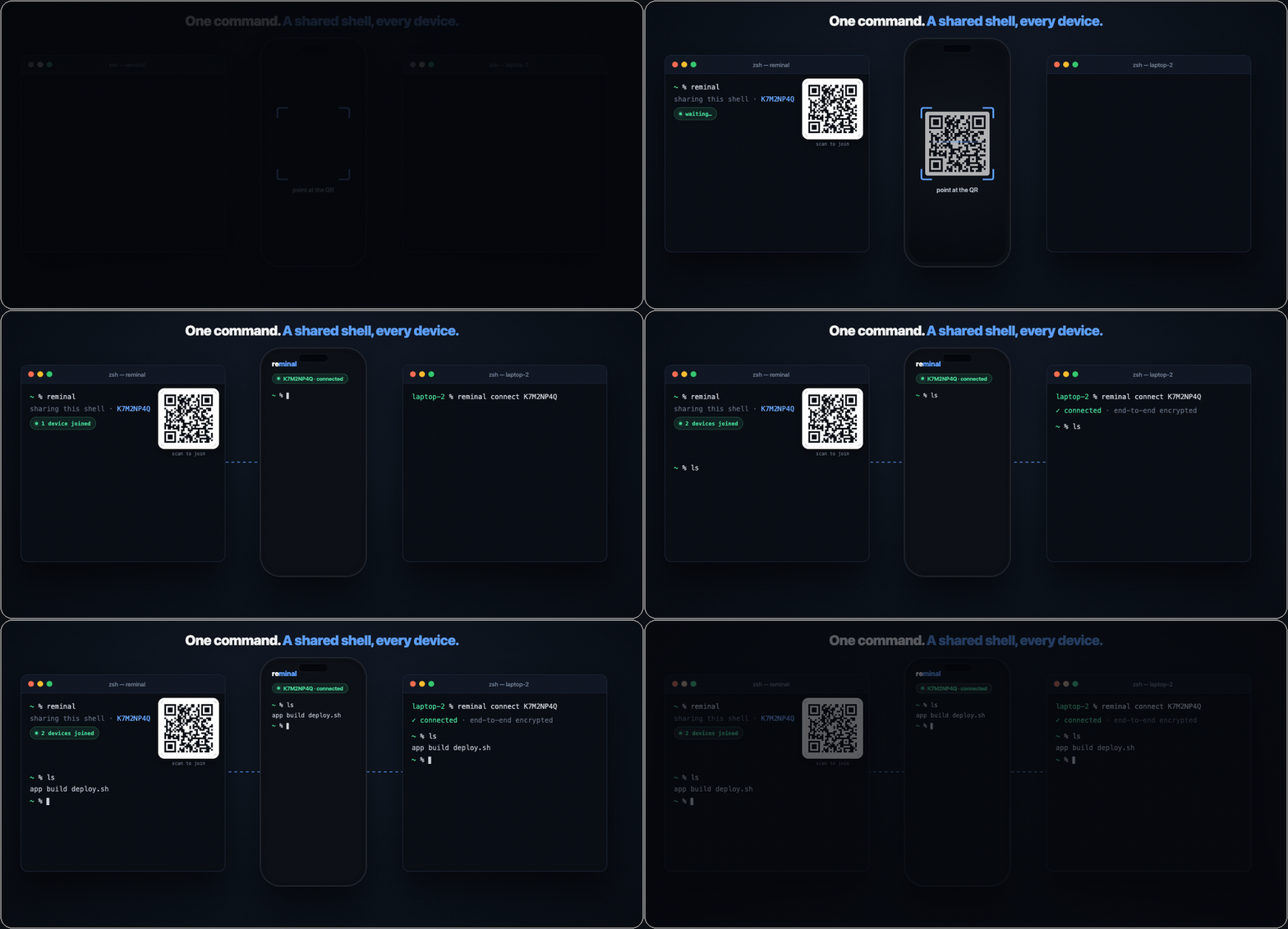
The fastest SSH you'll ever configure — because there's nothing to configure.
Interact with your machines like they're right here
Pop any remote window out onto your desktop and it sits there like its own app window — except it's running on another machine entirely. Line up an editor from your MacBook, a terminal on a cloud box, and a dashboard from the Mac mini at home, and work across all of them as if they were local.
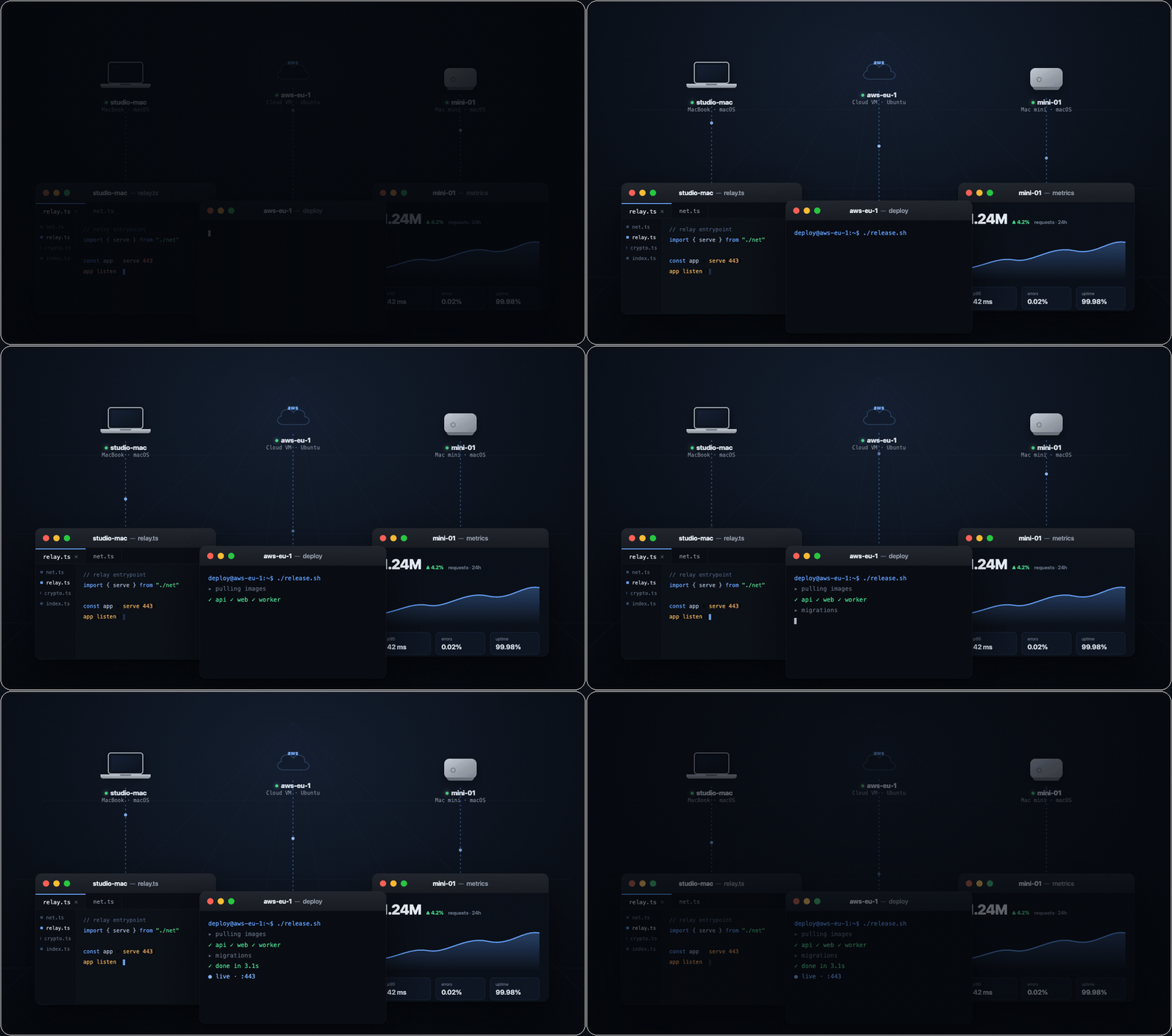
Own your machines. Watch them all.
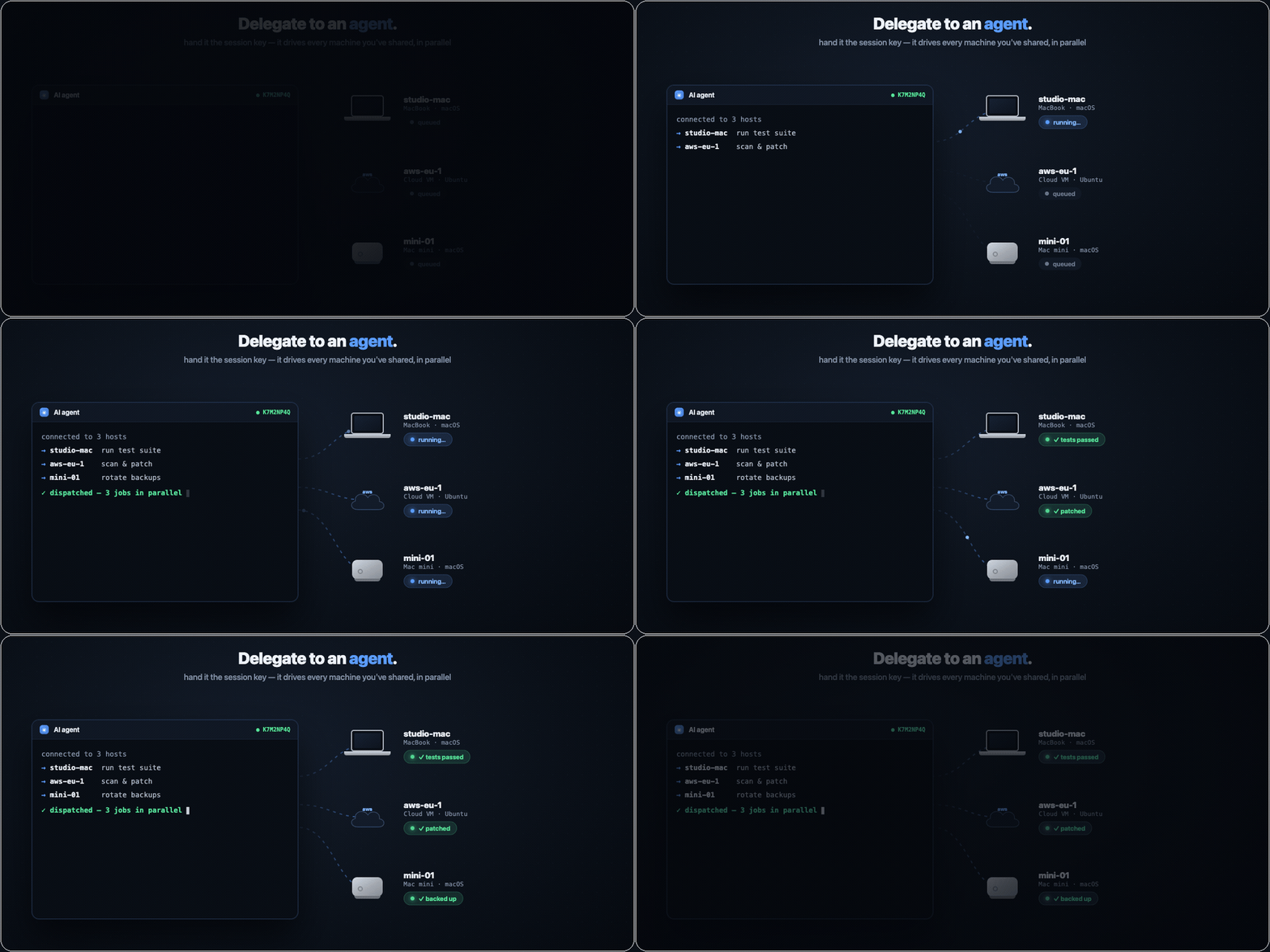
The moment your work spans more than one machine — a rack of servers, or agents let loose on several boxes at once — the hard part isn't starting it, it's seeing it. reminal machines is one live view of everything you own: every machine, every terminal on it, what's running right now, who's watching, how long it's been idle. An agent running a test suite on your laptop, patching a CVE on a cloud VM, and rotating backups on the Mac mini — or just your own sessions — all at a glance. It's on the CLI and in the web Machines panel, where you can jump into any session, rename it, spawn a new one, or kill it on any box.
That single pane works because you own the machines. Enroll a device once — reminal own prints its id, you paste sudo reminal add owner <id> on each machine — and from then on it reaches every session with no PIN. The trust is a per-device key: revocable one at a time, sudo-gated to grant, and the relay still only ever sees ciphertext.
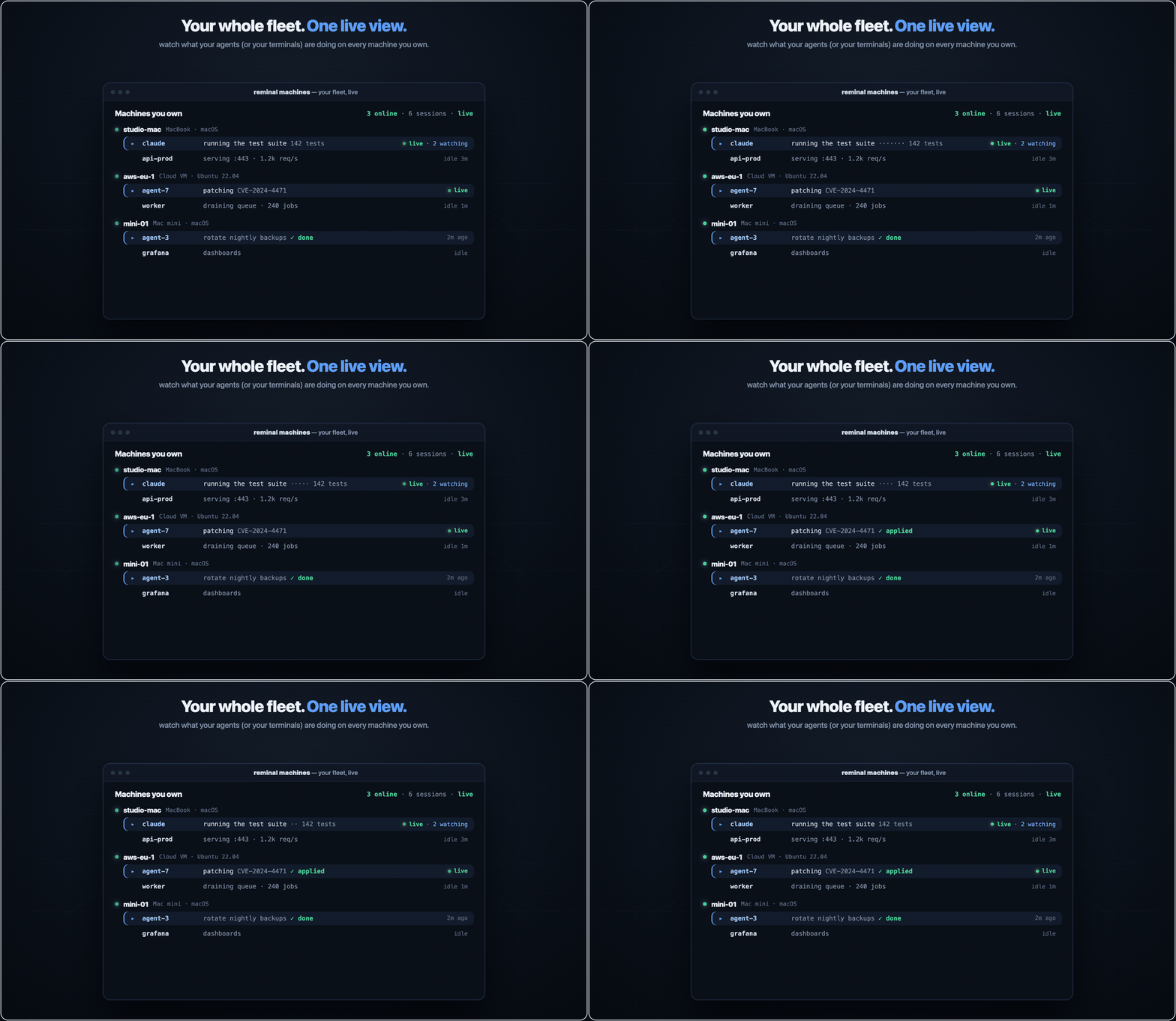
Know when a machine needs you
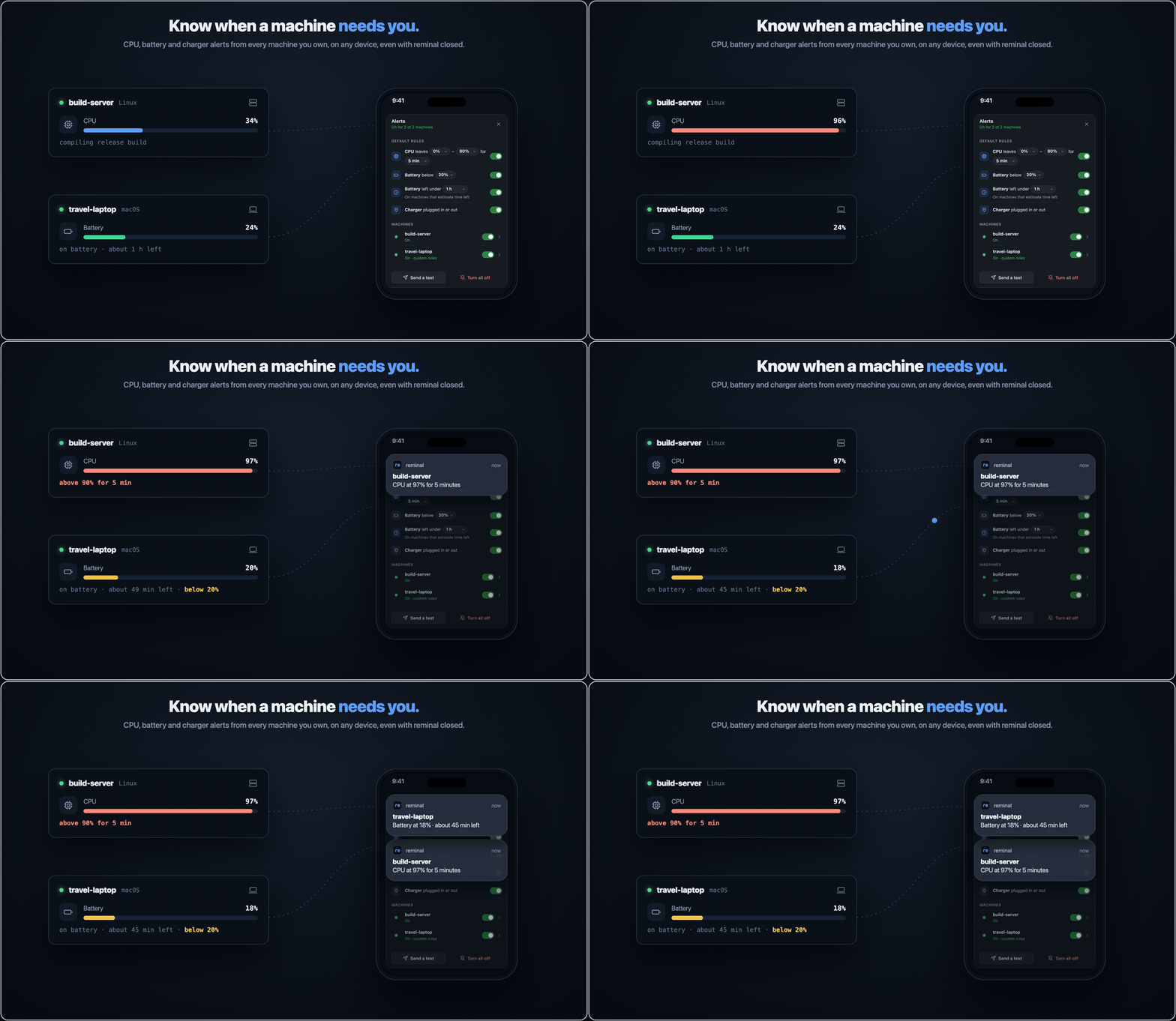
Tap the bell in the Machines panel and every machine you own can notify this device, even with reminal closed: when its CPU stays outside a range you pick, when its battery drops below a level or below an amount of time left, or when its charger is plugged in or out. Set one set of rules for all your machines, or custom rules for any one of them. It works in Chrome, Edge, Firefox and Safari; on iPhone and iPad, add reminal to your Home Screen first.
Each machine watches itself and seals every alert to your browser's own keys before it leaves, so the relay forwards a notification it can't read and keeps no list of your devices.
Your agents can see each other
reminal integrate
One command registers reminal's MCP server with every agent CLI you have — Claude Code, Codex, Cursor, Gemini, Qwen, OpenCode, Antigravity, Amp, and pi (which takes a native extension instead). From then on your agents can:
list_sessions— every session you own, on this machine and every enrolled boxsearch_sessions— regex across live terminal scrollback, on all of themread_transcript— read another session's terminal as plain textsend_keys— type into another session's PTY, across machines
Which means an agent on your laptop can watch what an agent on your build box is doing, and answer it. They don't have to be the same agent, or from the same vendor — Claude Code can drive a Codex session. There's no protocol to adopt and nothing to integrate against: the bus is the terminal. If it runs in a PTY, it can be read and typed into.
Agents can also raise a hand. add_note pins a badge on the actual window it's about — the editor, the browser it's driving — and that reaches your phone, where you can answer it.
send_keystypes real keystrokes into a real shell on a machine you own. It only reaches boxes you've enrolled yourself, and everything it does is visible live in the viewer — but treat it with the respect you'd give any tool that can type Ctrl+C into your terminal.
Prefer no MCP? Hand an agent a session ID and PIN and it connects like any other viewer, to every machine you've shared.
Share a local port with the world
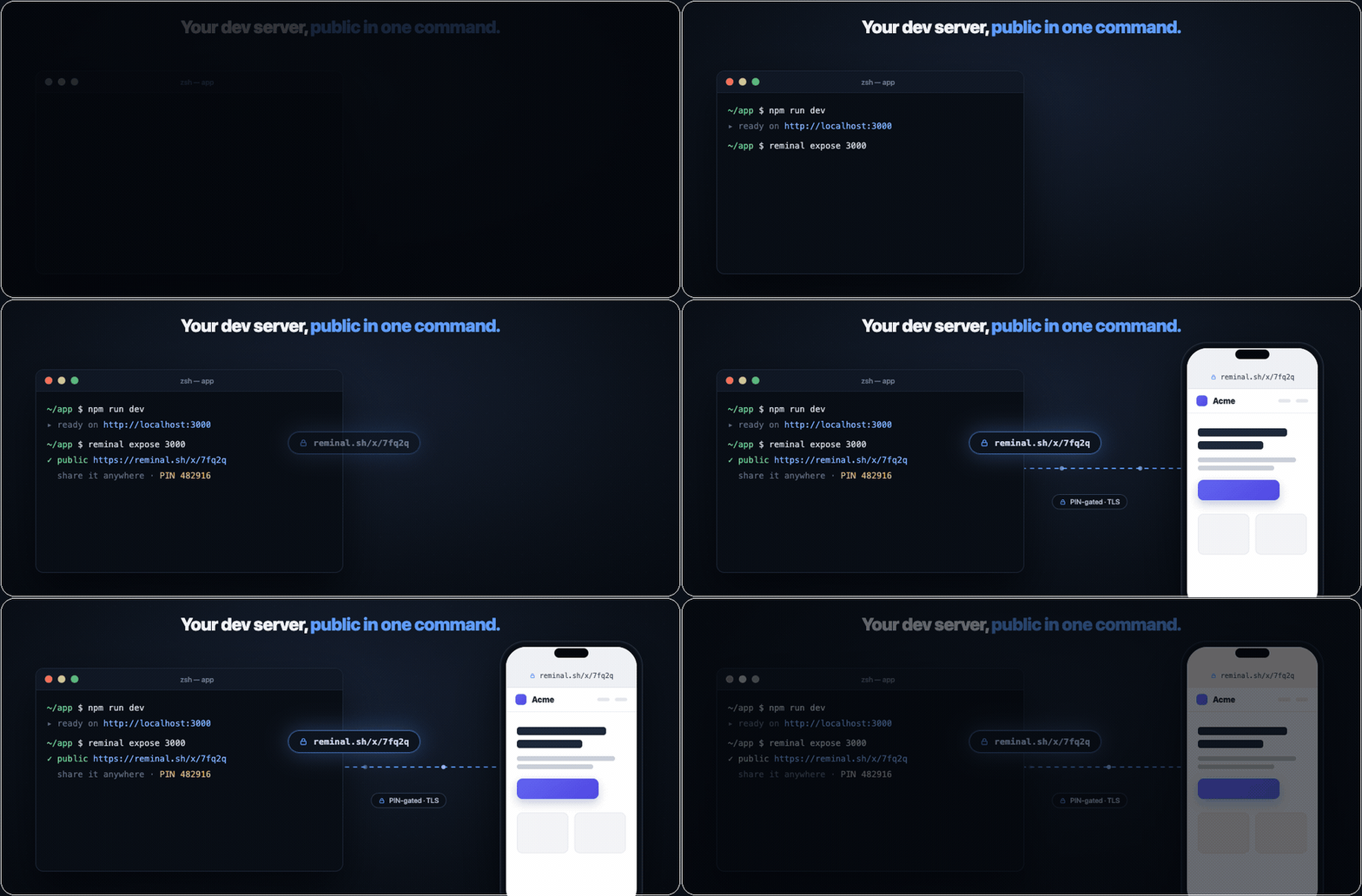
reminal expose 3000 turns whatever's running on localhost into a public HTTPS URL — a dev server, a webhook target, a build to show a client. PIN-gated by default (or --public to open it up), so you can share the link without deploying anything. It's a built-in ngrok, on the tool you already have running.
Give it a name — reminal expose 3000 --name "Quarterly report" — and that's what you see in reminal list and in the Machines panel, instead of port :3000. With a few forwards open at once, the name is the only thing that tells you which is which.
Move a file between any two machines
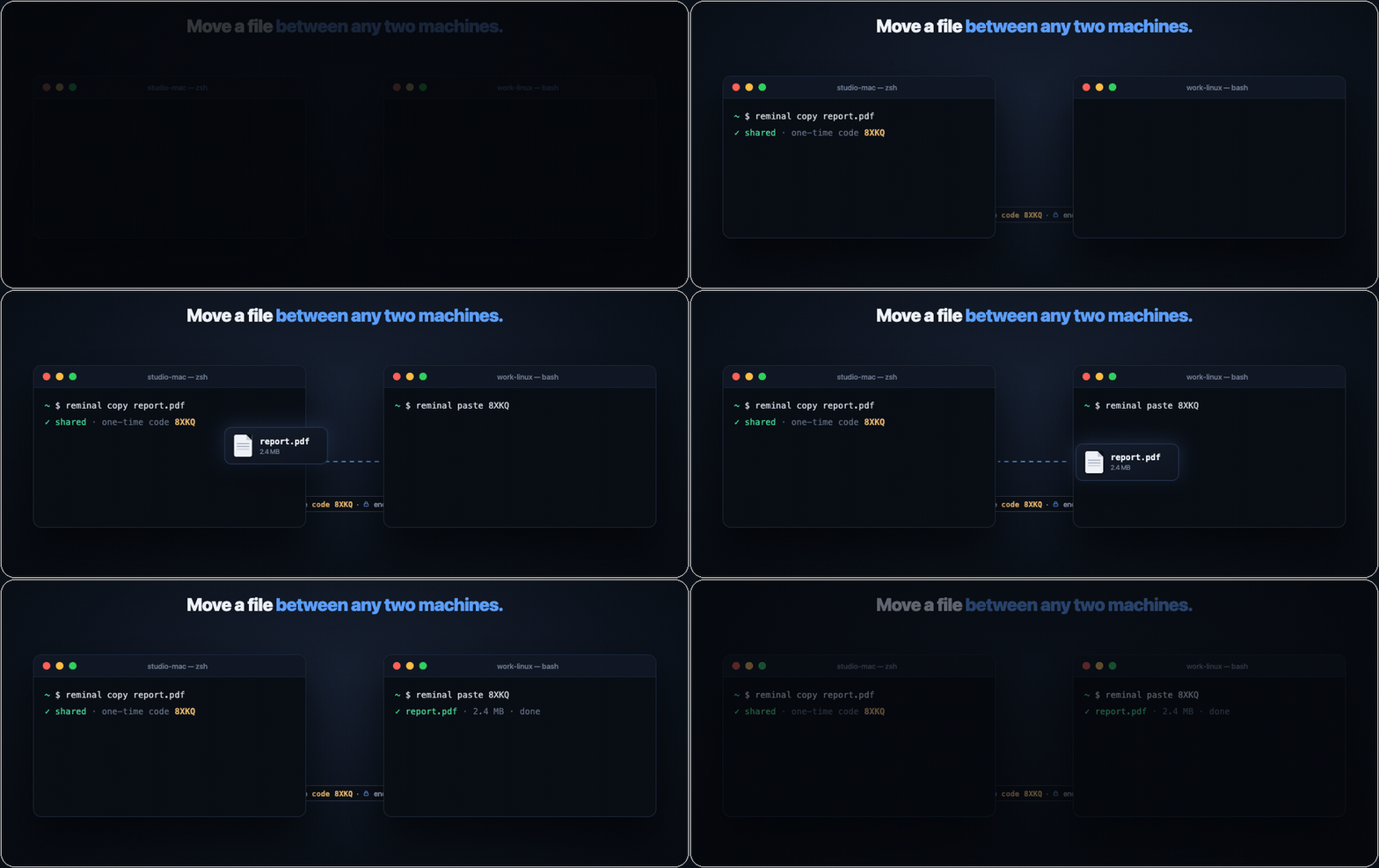
reminal copy report.pdf on one machine prints a one-time code; reminal paste <code> on another pulls the file down — Mac to Linux, Windows to Mac, laptop to server, anywhere to anywhere. End-to-end encrypted, no cloud drive, no account. AirDrop, for every machine you own.
The last thing you'll install standing at your computer
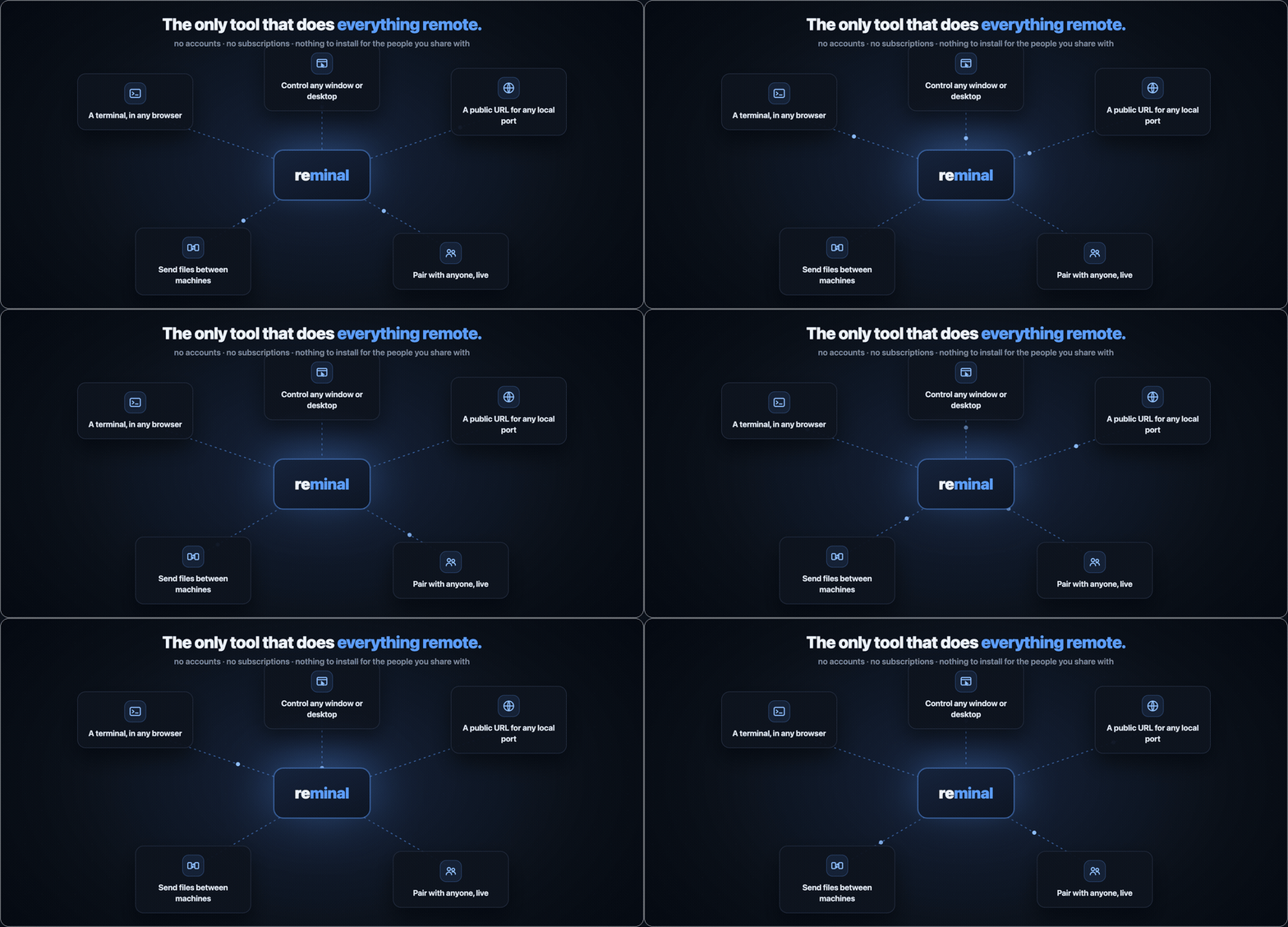
Set it up once, in person — then you never have to sit at that machine again. From any browser you get its terminal, any window, the whole desktop, a public link to a local port, files to and from it, even a live session shared with someone else. One tool, every remote job.
How it works
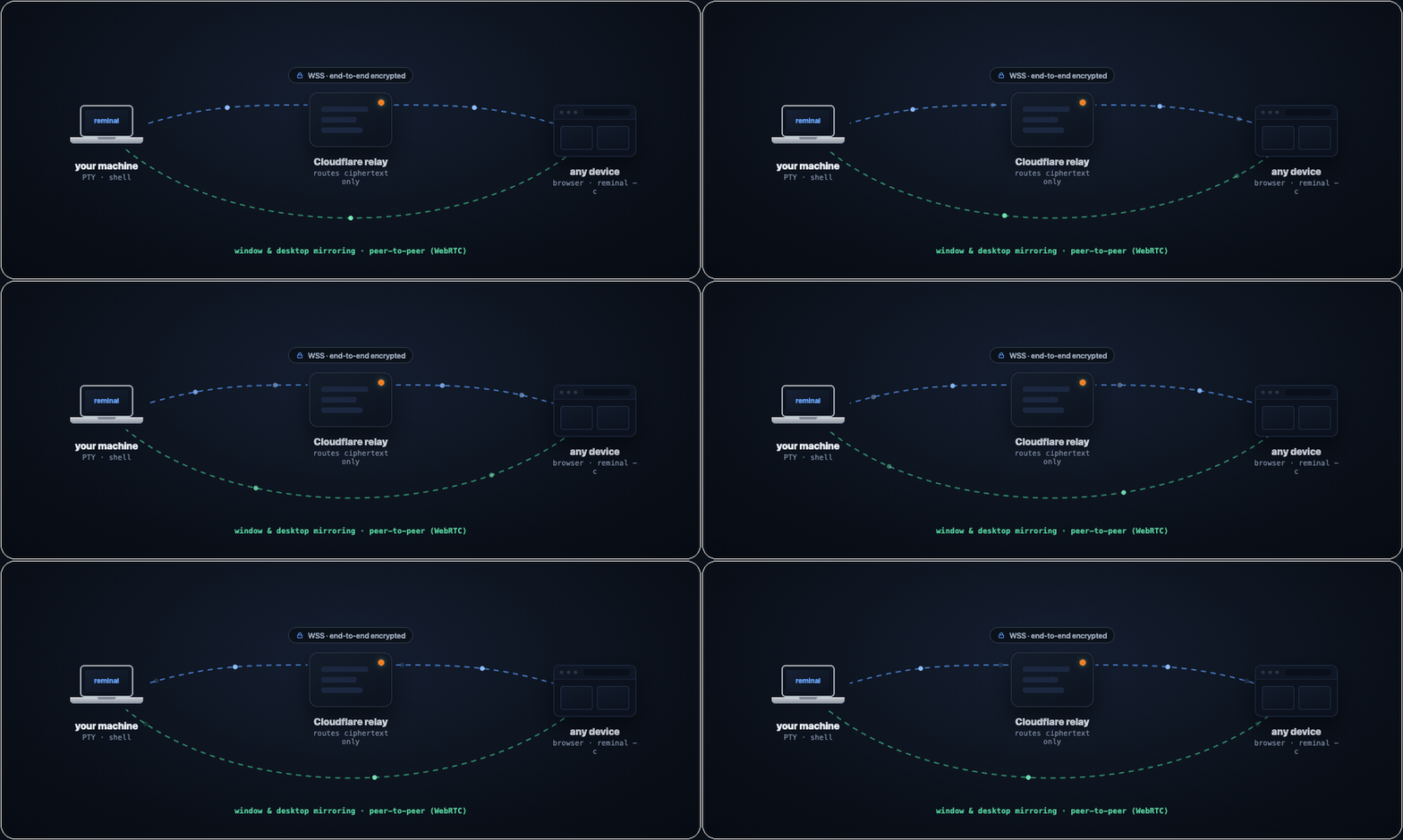
Your machine dials out to a relay over WSS; viewers dial out to the same relay. Nothing ever listens on your machine. Everything through the relay is encrypted end-to-end — it routes ciphertext it cannot read. Window and desktop frames don't even take that path: they ride a direct WebRTC connection between browser and host.
You trust Cloudflare to deliver packets — the same way you trust your ISP with SSH traffic. Neither can read what you send. The difference: reminal never opens your machine to the internet.
Everything you get
Join a session from anywhere — phone (scan the QR), any browser (open the URL, type the PIN), or another terminal (reminal --connect <id> --pin <pin>). Then:
Persistent, resilient shellClose the laptop, switch to your phone, reconnect from a different city — your shell is right where you left it, and the current screen paints instantly (a snapshot, no slow fast-forward). Wi-Fi drop, tunnel, elevator? Auto-reconnect with backoff, 2 MiB of scrollback intact. |
Pair with anyoneSend a session ID and PIN to a teammate over any channel and they join the same live shell — or a window mirror — from a browser. No account, no install, multiple viewers at once. Ctrl+C ends it; there's nothing to revoke. |
Sessions that outlive your terminalKick off a long job and close the lid — it keeps running. |
Zero-install web terminalA full xterm.js terminal is built into the relay. Any browser is the client — phone, iPad, locked-down work laptop, hotel-lobby PC. Pinch-zoom, text selection with draggable handles, on-screen modifier keys, voice dictation, find-in-scrollback. |
Files, ports & pings
|
Secure by constructionNo open ports, ephemeral session ID + PIN, AES-256-GCM end-to-end with a PIN-authenticated handshake the relay can't crack offline. Ctrl+C and the credentials are gone. Details below. |
Own a machine, skip the PINEnroll a device as an owner — |
Every machine, one list
|
Security
Built to be as secure as a properly configured SSH — and safer by default.
SSH leaves port 22 open and trusts you to configure everything correctly. reminal takes the opposite approach: nothing to expose, session secrets encrypted on disk, encryption end-to-end.
| Layer | What it does |
|---|---|
| No open ports | Your machine only initiates outbound connections. There is nothing on the network to scan, brute-force, or zero-day. |
| Ephemeral credentials | Session ID and PIN exist only while reminal is running. Ctrl+C and they are gone forever. |
| Owner devices, revocable | A device you enroll as an owner connects without the PIN using its own key — a separate trust path from the ephemeral PIN, gated behind sudo to enroll and revocable per-device (or self-revoked from any browser). The relay still only routes ciphertext. |
| Dual-factor by design | An attacker needs both the session ID (~1 trillion combinations) and the 8-digit PIN. Knowing one is useless. |
| Rate-limited by the agent | Every PIN guess costs a full online handshake with your machine. The agent answers a few in a row, then one every few minutes, and someone who keeps guessing waits longer each time, up to an hour, so they get about 24 tries a day. At that rate, trying every 8-digit PIN takes over ten thousand years. Devices that already proved the PIN, and owner devices, never wait. |
| End-to-end encryption | AES-256-GCM with a fresh random 256-bit session key per agent run. Distributed to each viewer via a PIN-authenticated handshake (CPace, a standard PAKE) — the relay never sees the key or anything offline-brute-forceable from it. |
| Forward-secret handshake | Each WebSocket connection runs its own exchange with fresh keys. Even if a future attacker recovers the PIN, recorded ciphertext stays unreadable. |
| Relay-blind | Cloudflare Workers route ciphertext. A relay that records traffic cannot recover the session key offline — wrong PIN guesses are detectable only by attempting a full handshake online (one shot each, bounded by the agent's kex throttle). |
| P2P you can trust | WebRTC signaling (SDP, ICE) rides inside the already-encrypted session channel, so the relay can't tamper with DTLS fingerprints — no man-in-the-middle window. Frames on the DataChannel are DTLS-protected end-to-end. |
| TLS in transit | WSS / TLS on every hop in production. |
One deliberate exception: reminal expose port-forwards are not end-to-end encrypted — the visitor is an ordinary browser with no reminal key, so that traffic passes through the relay in plaintext (PIN-gated, but readable by the relay). Everything else above is E2E. Self-host the relay if that matters to you.
Best practices: share the session ID and PIN over different channels (email the ID, text the PIN) · Ctrl+C when done — credentials die instantly · keep the client current with reminal upgrade.
Digging deeper: Security architecture · Threat model · Subprocessors & data handling · Self-assessment · Report a vulnerability
reminal vs SSH, at a glance
SSH was designed in 1995 — it assumes a static IP, a router you can configure, and keys you keep rotated. reminal assumes none of that, so the trade-offs line up differently:
| reminal | SSH | |
|---|---|---|
| Setup time | One command | Keys, configs, port-forwarding, firewalls |
| Listening port | None | TCP 22 exposed to the internet |
| Credentials | Per-session ID + PIN, encrypted on disk | Permanent keys on disk |
| Behind NAT / hotel Wi-Fi | Just works | VPN or jump host required |
| Client required on viewer | None — a browser is the client | ssh + a configured key per device |
| Phone friendly | Scan QR → in | No native client |
| Session survives disconnect | Shell keeps running, hop between devices | Drop the connection, lose your work (unless you wrapped it in tmux) |
| Network blips | Auto-reconnect, scrollback replay | Write failed: Broken pipe |