
resume.lacy.sh
One resume, cut several ways. resume.json holds the whole career; each flavor
is an overlay that re-angles it for a role and gets its own prerendered page.
Live at resume.lacy.sh
Features
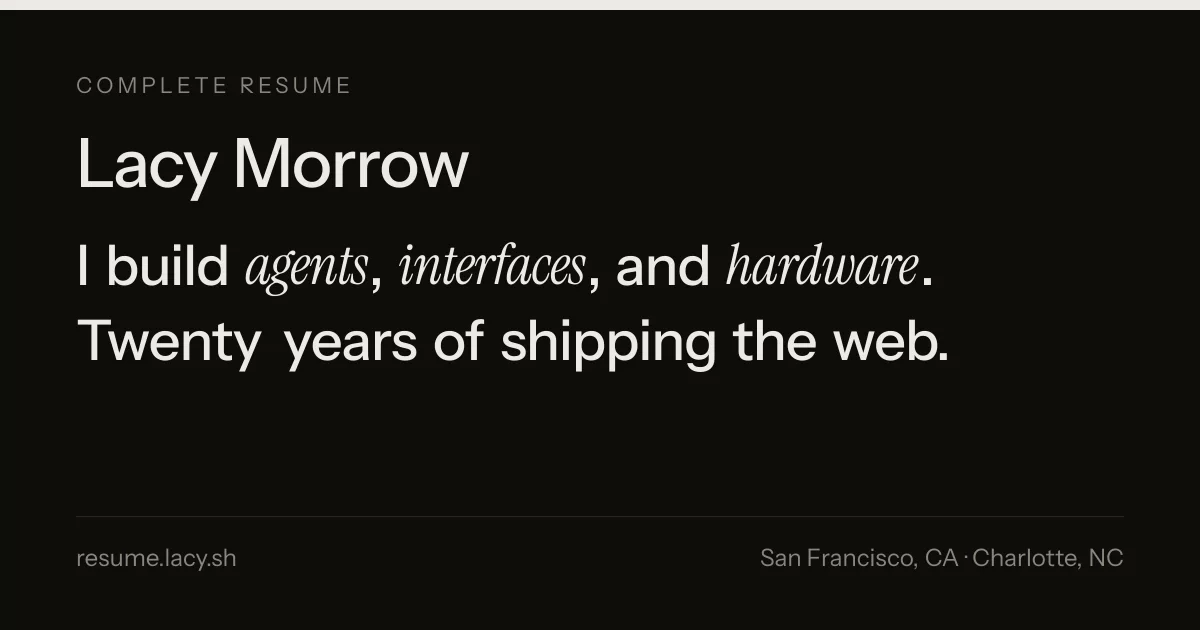
- Seven role flavors — complete, frontend, fullstack, devops, ai, gtm, lead — each a crawlable page with its own title, description, accent, and social card
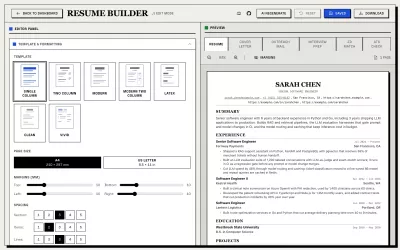
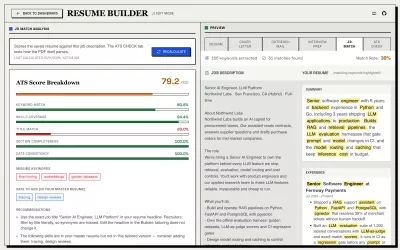
- A builder that hides roles, filters by the tools a job asks for, and carries the result in the URL
- Deep links into a single role, so a portfolio page can point at the job it is about
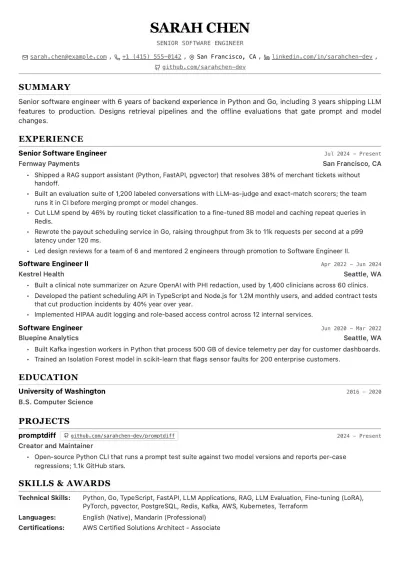
- Export as PDF, DOCX, or HTML, generated in the browser
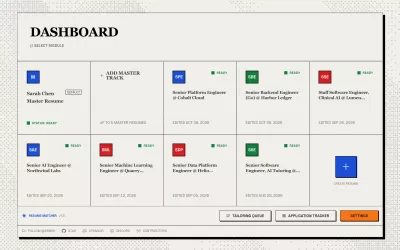
- Generate a new flavor from a job posting
- Machine-readable throughout:
Personstructured data per page,/llms.txt, and the whole resume as Markdown at/llms-full.txt - Print-optimized layout, responsive, no client-side data fetching
URLs
Each flavor is its own page, prerendered at build time so it is cacheable and crawlable:
| URL | What it is |
|---|---|
/ |
The default flavor — the first entry in flavors/index.ts |
/<flavor> |
One page per flavor file, e.g. /frontend |
?hc=, ?hp=, ?tags=, ?match=, ?off= |
Builder state, applied in the browser |
?role=<company> |
Marks one role and scrolls to it, for links arriving from elsewhere |
/opengraph-image, /<flavor>/opengraph-image |
The social card for that page, generated at build time |
/llms.txt |
What the site is and where each flavor lives |
/llms-full.txt |
The complete resume as Markdown |
/sitemap.xml, /robots.txt, /manifest.webmanifest |
Generated from the flavor registry and resume.config.ts |
Flavors sit at the root. site.flavorPrefix in resume.config.ts can move
them under a segment instead — "r" gives /r/frontend — which you want if
the site also serves root-level pages of its own, since any single-segment path
that is not a flavor now 404s. App Router folder names are static, so changing
the prefix means renaming src/app/[flavor] to match;
bun run validate:resume fails the build if the two disagree.
Flavors are paths and builder state is query parameters for a reason: a flavor
is a published variant that should prerender to a static file, while builder
state is per-visitor tuning that a static file cannot vary on. That tuning is
therefore applied after the page mounts. Legacy /?flavor=<id> links redirect
to /<id>.
Linking to one role
A portfolio page, a case study, or a cover letter can point at the job it is
about: resume.lacy.sh/fullstack?role=credit-karma opens that flavor with the
Credit Karma role marked in the flavor's accent and scrolled into view. It works
on any flavor page, and combines with the rest of the builder state.
The value is a company name, matched loosely so links can be written from memory
rather than copied: the name itself (Credit%20Karma), the slug
(credit-karma), the slug without its separators (creditkarma, longgame),
or any prefix of that which fits only one company (credit, lumenai). Exact
forms are tried before loose ones, so a company whose whole name is another's
prefix still wins its own link, and a prefix that fits several companies
resolves to nothing rather than guessing.
Nothing is resolved until the page has mounted, and it is resolved against the
roles the current flavor shows. A link into a role a flavor cuts, or a company
that has since left resume.json, renders the ordinary resume: the marking is a
pointer into a document, not a lookup that can fail. The highlight is for
reading on screen, so it does not print and never reaches an export.
Nothing else is routed. This started as a ShipKit app and kept its marketing,
auth, dashboard, admin, docs, blog, CMS, and payment routes; they are gone, so
every path other than the ones above is a 404. The libraries behind them still
sit in src/ — deleting a route does not delete its supporting code.
Flavors
A flavor is a JSON overlay on resume.json: a tagline, an expertise line, an
accent, an opening statement, and per-entry overrides that hide a job or rewrite
its summary. flavors/*.json holds them and flavors/index.ts is the registry —
a file on disk does nothing until it is in that array.
Generating one from a job posting
bun run flavor posting.txt --id acme-platform
pbpaste | bun run flavor --id acme-platform
bun run flavor posting.txt --dry-run   # print the selection, generate nothing
The pipeline is deliberately lopsided:
- Read the posting in the resume's own tag vocabulary, so
nextjs,postgres, andi18nland onNext.js,PostgreSQL, andLocalizationrather than on nothing. - Score and select, deterministically. Every work entry and project is ranked by tag overlap; the newest roles are kept whatever they score, because a resume that skips the last two years reads as an employment gap. The same posting gives the same cuts, and the CLI prints them as a table with the reason for each.
- Write the prose — and only the prose. A model sees the posting and the entries that survived, and returns the tagline, expertise, statement, and at most a handful of re-angled summaries. It never decides what is visible and never sees an entry that was dropped.
- Check it. A rewritten summary may not introduce a number or a technology
the original entry did not have, and an override key that does not match an
entry name is an error rather than a silent no-op. The result is then run
through the same validation as
bun run validate:resume.
The CLI also reports what the posting asks for that the resume cannot answer — the honest counterweight to a variant tuned to look like a match.
Generation drives the claude CLI in print
mode, so there is no API key to configure. --help lists the rest.
Making it yours
Two files:
| File | What it holds |
|---|---|
resume.json |
The career. JSON Resume v1.0.0, unmodified schema |
resume.config.ts |
Everything about this resume that is not resume data — host, theme, page size, footer, date handling |
Nothing else needs editing. The site title, description, keywords, social profiles, contact addresses, canonical URLs, and structured data are all read from those two, so there is no third place for your name to go stale. The favicon and app icons are your initials, and the social cards are your flavors' own statements:
bun run icons        # regenerate the favicon and app icons
bun run og:preview   # render every social card to .og-preview/ without a build
Re-run bun run icons and commit the result after changing your name; the
social cards are generated at build time and need nothing.
There is no .env to fill in. Every environment variable is optional and the
app builds without one.
Stack
- Next.js 16 with App Router
- TypeScript
- Tailwind CSS
- shadcn/ui
- Bun
Development
bun install
bun dev
bun run validate:resume   # flavor overrides reference entries that exist
bun run typecheck
bun run test
bun run build
bun run build runs validate:resume first, so a flavor that points at a job
you have renamed fails the build rather than shipping a blank section.
License
MIT