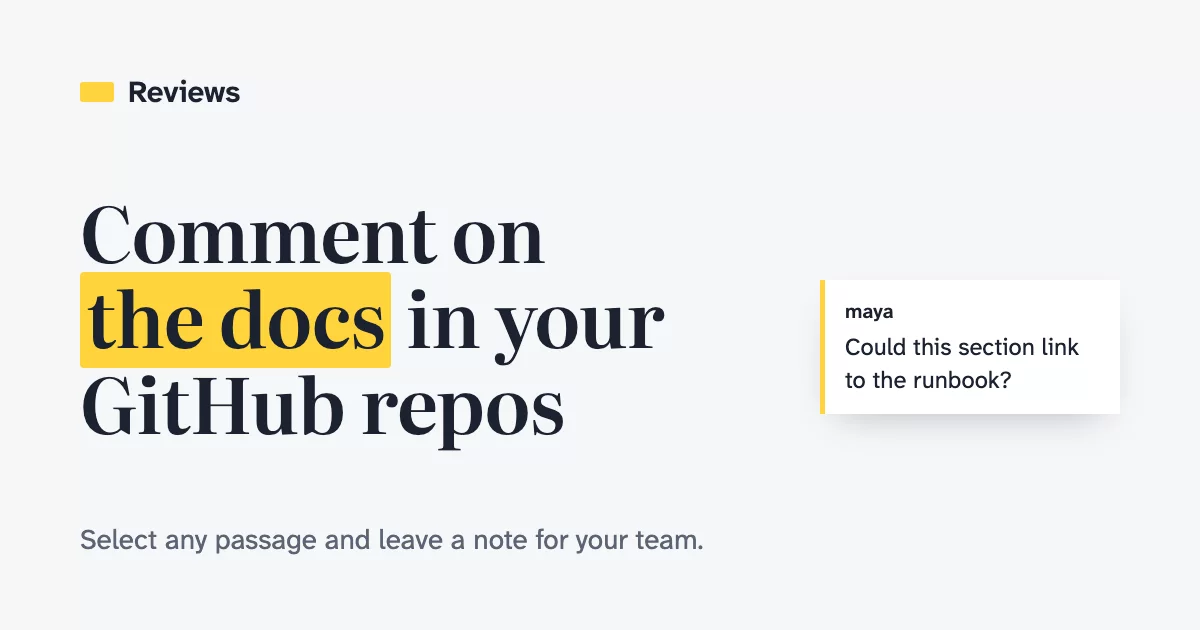

Read the markdown in a GitHub repository the way GitHub renders it, select any passage, and leave a comment for your team. Comments live in this app's database, never in the repository.
- Access follows GitHub. People sign in with GitHub. They can read a repository and its comments if their account can read it and the repository's owner has installed the app. Writing comments needs write access. Public repositories work the same way, so being able to read a public repository on GitHub isn't enough to see its comments here.
- Links stay in the app. Relative links between files open here, not on github.com. Images in private repositories load through the app.
- Comments survive edits. Each comment remembers the quoted text and its surroundings. When the file changes, the comment follows the text. If the text was reworded, the comment is marked as edited. If the text was removed, the comment is marked as outdated, and you can still open the file as it was or see what changed.
- Three views per file. Page shows rendered markdown with notes in the margin. Source shows the raw file, where you comment on lines. Changes shows a diff between two commits, with comments on both sides.
- Agents work through comments. Connect a coding agent over MCP and it can read the threads on a repository, reply, and mark each one addressed once it has committed a fix. A person then confirms it or reopens it; agents can't resolve threads. Their comments carry the agent's name. Without MCP, Copy for agent in a file's comments copies its open threads as one prompt to paste instead. See Connect an agent.
Built with TanStack Start, React, @pierre/trees for the file tree, @pierre/diffs for code, source and diffs, and shadcn/ui. It runs on Cloudflare Workers, with comments stored in D1.
Run it locally
Requirements: pnpm 12. It installs the pinned Node 24 for the project's scripts (devEngines in package.json).
- Register a GitHub App for development (see GitHub App), with
http://localhost:3000/auth/callbackandhttp://localhost:3000/oauth/callbackas callback URLs. - Copy
.dev.vars.exampleto.dev.vars. Fill in the app's client ID, slug and client secret, and a session secret (openssl rand -base64 32). The vars inwrangler.jsoncare production values;.dev.varsoverrides them locally. - Install, create the local database, and start:
pnpm install
pnpm db:migrate:local
pnpm dev
Open http://localhost:3000.
To work on the viewer without signing in, open http://localhost:3000/dev/preview. It shows a fixture document with comments in every state. The route only exists in development.
Connect an agent
The Reviews for Github plugin bundles the MCP connection with shared skills for checking and addressing comments in Codex and Claude Code. This repository is the marketplace for both clients. In Claude Code:
claude plugin marketplace add hugomrdias/reviews --sparse .claude-plugin plugins
claude plugin install reviews@reviews
The plugin guide has the Codex commands, and covers web connections and testing before publication.
Without the plugin, connect to the MCP server at /mcp directly. In Claude Code, from the repository you're working on:
claude mcp add --transport http reviews https://reviews.hugodias.me/mcp
Then sign in from /mcp in Claude Code. A browser opens: you approve the connection in Reviews, then GitHub signs you in. The agent then acts as you, with your GitHub access. It has four tools: list_threads and get_thread show threads placed on a commit, with their current lines; reply comments on a thread; mark_addressed replies and marks a thread addressed, with the commit that fixed it. The address_comments prompt (/mcp__reviews__address_comments in Claude Code) lists a repository's open threads with the working rules.
Or tell the agent to "use reviews.hugodias.me to address the comments on this repo". /llms.txt explains to agents how to connect and what to do (/ serves the same guide to clients that ask for markdown), and the MCP server's instructions name the site, so the agent finds the tools once they're connected.
See and disconnect agents from your menu, under Connected agents. The design is in docs/design/mcp-server.md.
GitHub App
Create the app at GitHub → Settings → Developer settings → GitHub Apps → New GitHub App. Use one app for development and another for production, so the production secret never sits on a laptop.
| Setting | Value |
|---|---|
| Callback URLs | https://<your domain>/auth/callback (signing in) and https://<your domain>/oauth/callback (connecting agents) |
| Expire user authorization tokens | On |
| Request user authorization (OAuth) during installation | Off |
| Setup URL | https://<your domain>/github/installed |
| Redirect on update | On |
| Webhook | Off |
| Repository permissions | Contents: Read-only, Metadata: Read-only |
| Where can this app be installed | Any account |
| Logo | public/icon-512.png, with badge background #1b2230 |
Generate a client secret. The app doesn't need a private key.
The dev app also serves pull request Previews and needs one more callback URL. See Signing in on a Preview.
A person sees a repository only when two things are true: their GitHub account can read it, and the app is installed on the repository's owner with that repository selected. This holds for public repositories too. GitHub lets any signed-in token read a public repository, so for those the app also checks that the repository is in one of the person's installations. When either isn't true, the app shows what's missing and links to the fix.
What a person can do with comments depends on their role on the repository:
| Role | Read comments | Comment, reply, edit or delete their own | Resolve or reopen threads |
|---|---|---|---|
| Read, Triage | Yes | No | No |
| Write | Yes | Yes | Their own threads |
| Maintain, Admin | Yes | Yes | Any thread |
Deploy to Cloudflare
GitHub Actions deploys (.github/workflows/ci.yml). Once the checks pass:
- Production. Each push to
mainapplies D1 migrations and deploys to https://reviews.hugodias.me. - Pull request Previews. Each pull request from this repository gets a Worker Preview at
https://pr-<number>-github-reviews.hugomrdias.workers.dev. The URL is posted on the pull request, and the Preview is deleted when the pull request closes. Previews use the dev GitHub App and share thegithub-reviews-previewdatabase, so they never touch production data. Pull requests from forks get no Preview.
The Workers Paid plan is recommended: rendering large documents can exceed the free plan's 10 ms CPU limit.
One-time setup
-
Create both databases. Put the production
database_idind1_databasesinwrangler.jsonc, and the preview one inpreviews.d1_databasesand inwrangler.preview-migrations.jsonc:pnpm exec wrangler d1 create github-reviewspnpm exec wrangler d1 create github-reviews-preview -
Create the KV namespaces that hold agent connections. Put the production
idinkv_namespacesinwrangler.jsonc, and the preview one inpreviews.kv_namespaces:pnpm exec wrangler kv namespace create OAUTH_KVpnpm exec wrangler kv namespace create OAUTH_KV_PREVIEW -
In
wrangler.jsonc, setGITHUB_APP_CLIENT_IDandGITHUB_APP_SLUGundervarsto the production GitHub App. -
Set the production secrets, from the production GitHub App:
pnpm exec wrangler secret put GITHUB_APP_CLIENT_SECRETpnpm exec wrangler secret put SESSION_SECRET -
Set the Preview secrets, from the dev GitHub App. Each new Preview copies them when it's created:
pnpm exec wrangler preview base-config secret put GITHUB_APP_CLIENT_SECRETpnpm exec wrangler preview base-config secret put SESSION_SECRET -
Create a Cloudflare API token from the Edit Cloudflare Workers template, and add Account → D1 → Edit. Scope the zone resources to
hugodias.me. Add it and your account ID to the repository's Actions secrets:gh secret set CLOUDFLARE_API_TOKENgh secret set CLOUDFLARE_ACCOUNT_ID
Signing in on a Preview
Previews sign in with the dev GitHub App. Add these callback URLs to it, next to the localhost ones, and turn on Allow wildcard matching for them only:
https://hugomrdias.workers.dev/auth/callback
https://hugomrdias.workers.dev/oauth/callback
With wildcard matching, GitHub accepts any subdomain of the callback URL's host, so this one URL covers every Preview, such as https://pr-3-github-reviews.hugomrdias.workers.dev/auth/callback. It also lets any other Worker on the hugomrdias.workers.dev subdomain receive the dev app's authorization codes. That's acceptable for the dev app, but keep wildcard matching off on the production app.
The Setup URL can't use a wildcard, so the dev app's stays at http://localhost:3000/github/installed. After you install or change the app from a Preview, GitHub sends you to localhost. Go back to the Preview tab and reload: the new repositories show up, because the Cache API doesn't run on *.workers.dev, so nothing is cached there.
Migrations on Previews
All Previews share one database, so a pull request's migrations reach it before the pull request merges. If a migration would break other open Previews, give that branch its own database: change database_id in both previews.d1_databases and wrangler.preview-migrations.jsonc.
Release
release-please versions the app and the plugin from Conventional Commits, so pull request titles follow them (feat: …, fix: …), since a squash merge uses the title as the commit message. .github/release-please-config.json lists both, and .github/.release-please-manifest.json holds their current versions.
- On each push to
main, the Release workflow opens or updates one release pull request. It bumps the version and updates theCHANGELOG.mdof the app or plugin that afeat,fix,perf,revertordepscommit touched since its last release. Below 1.0.0,featbumps the minor version andfixthe patch version. Commits that only touchplugins/reviewscount for the plugin, not the app. - Merging the release pull request tags each release as
reviews-v<version>orreviews-plugin-v<version>and creates its GitHub release. The app's version is inpackage.json; deploys don't wait for releases. The plugin's version goes into both of its manifests, and Claude Code and Codex only update an installed plugin when that version changes.
Pull requests that GITHUB_TOKEN opens do not trigger CI, so set a RELEASE_PLEASE_TOKEN secret with a token that can open pull requests to run CI and a Preview on the release pull request.
Scripts
| Command | What it does |
|---|---|
pnpm dev |
Dev server on port 3000, with the local D1 database |
pnpm build |
Production build |
pnpm plugin:package |
Create dist/reviews-plugin.zip |
pnpm test |
Unit tests |
pnpm typecheck |
TypeScript check |
pnpm db:generate |
New migration from src/server/db/schema.ts |
pnpm db:migrate:local / db:migrate:remote |
Apply migrations |
pnpm cf-typegen |
Regenerate binding types after changing wrangler.jsonc |
scripts/icons.sh |
Regenerate the favicon and app icons from public/logo.svg, and the link-preview card from scripts/og-image.html (needs ImageMagick 7 and Chrome) |
How it fits together
src/routes/$owner/$repo/$.tsxis the viewer. The URL keeps the branch name, but every read is pinned to the commit it resolves to, so cached data never goes stale.src/server/runs only on the Worker. It holds GitHub access checks, sessions (tokens encrypted in D1, with refresh handled safely when requests race), file reads and the comment store.src/functions/holds the server functions the UI calls. Every one checks that the signed-in user can read the repository.src/lib/anchoring/places comments on the current version of a file. Text comments are matched by quote and context. Line comments are followed through a line diff. It runs in the browser and on the Worker:src/lib/markdown/page-text.tsgives the Worker the rendered page's text by running the page's own markdown pipeline.src/server.tsis the Worker's entry. It sends/mcpand the OAuth endpoints tosrc/server/agents/and everything else to TanStack Start. Agents get their own GitHub tokens, stored encrypted with their grant in KV.- Code highlighting runs only in the browser. The Worker never bundles Shiki.
Dependency versions are pinned exactly. TanStack Start is a release candidate and @pierre/trees is in beta, so upgrade them deliberately.