
RoomGrub
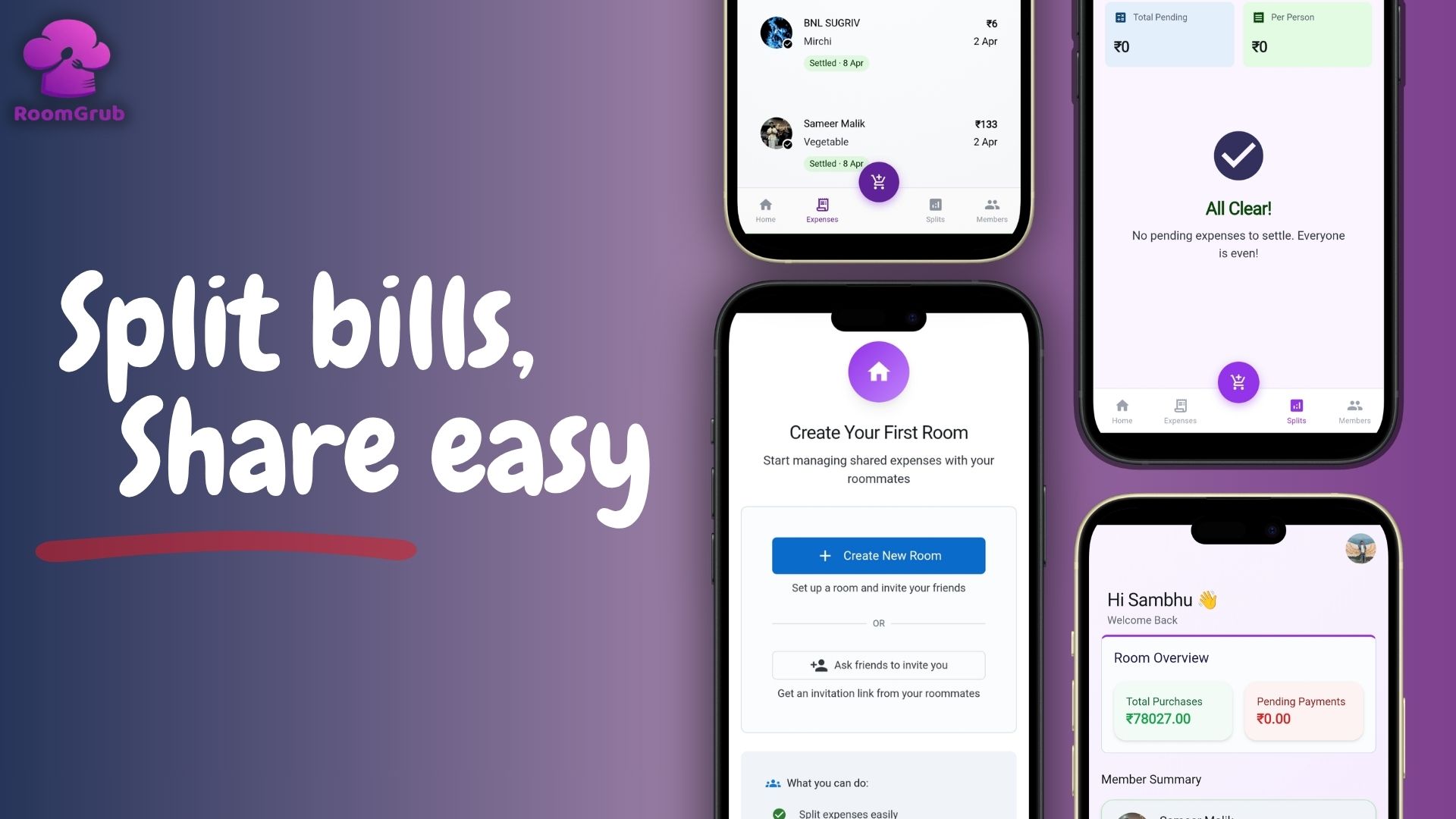
RoomGrub is a simple app for roommates and friends who share a living space. Create a room, invite your roommates, log shared spending (rent, groceries, gas, anything), and let RoomGrub work out who owes whom.
- Expense tracking — log every shared expense and who it was split between
- Automatic splits — see each person's share and pending balance instantly
- Settle up — record settlements and start fresh
- Roles — room admins add expenses and manage members; members get a read-only view
- Installable — works as a PWA on phone or desktop, with a native Android app on the Play Store
This repository is the web app (Next.js).
How it fits together
RoomGrub is split across several repositories. This repo contains no database or business logic — it is a BFF (backend-for-frontend) that renders the UI and proxies requests to the RoomGrub backend.
 Browser / PWA                                        Android app
      │                                                    │
      ▼                                                    │
 RoomGrub web  (this repo, Next.js)                        │
   • Server Components & server actions                    │
   • /api/* route handlers (for client components)         │
   • middleware: session cookie → access token             │
      │                                                    │
      └──────────────►  RoomGrub backend  ◄────────────────┘
                        (FastAPI, /api/v1/*)
                        owns the database & business rules
| Repository | What it is |
|---|---|
| RoomGrub (this repo) | Next.js web app / PWA |
| RoomGrub-backend | Python FastAPI service — database, business logic, auth tokens, push. Set it up first by following its README. |
| RoomGrub-native | Android app (React Native / Expo); talks to the backend directly. |
Each repository documents its own setup. If a feature needs new data or a new rule, it needs a backend endpoint first — open that change in the backend repo.
Project structure
src/
├── app/                      # Next.js App Router
│   ├── (marketing)/          # /  — landing page (signed-in users are sent to their last room, or /rooms)
│   ├── (auth)/login/         # /login — Google sign-in
│   ├── rooms/                # /rooms — "My Rooms" dashboard
│   ├── create_room/          # /create_room
│   ├── invite/[token]/       # /invite/:token — accept an invite
│   ├── [room_id]/            # Room dashboard and its sub-pages:
│   │                         #   expenses, members, members/[member_id], splits,
│   │                         #   addgroccery (admin only), settings, settings/activities
│   └── api/                  # Route handlers proxying to the backend (auth/login,
│                             #   invites/[token]/accept, rooms/[id]/members, notifications)
├── auth/                     # auth(), signOut(), getUserRoomForRoom(), cookie names
├── policies/                 # LoginRequired, validRoom — server-side page guards
├── utils/backend.js          # server-only: call the backend with the user's access token
├── utils/api.js              # client-side: call this app's /api/* routes
├── components/, hooks/       # Shared UI and hooks (e.g. useUserRole)
├── middleware.js             # Session handling (see below)
└── sw.js                     # Service worker source (built by next-pwa into public/sw.js)
public/                       # Static assets, PWA manifest, privacy-policy.html
test/                         # Jest tests + Playwright e2e
Pages are async Server Components; most data is loaded in 'use server' action files (e.g. src/app/[room_id]/actions.js) that call the backend's /api/v1/... endpoints via backendJson().
Key concepts
Authentication
- The login page uses Google Identity Services to get an
id_tokenand posts it to/api/auth/login. - That route exchanges it with the backend for a short-lived access token and a long-lived, rotating refresh token.
- Only the refresh token is stored in the browser — as the httpOnly
rg_tokencookie. A non-httpOnlyrg_usercookie holds the name/avatar for display. src/middleware.jskeeps access tokens in server memory, refreshes them through the backend when needed (rewriting therg_tokencookie, since the backend rotates it), and passes the token to server code as thex-rg-access-tokenheader. Signed-out users are redirected to/login.
The middleware must stay in src/ (next to app/) — Next.js silently ignores it anywhere else. For the full token lifecycle see the backend's docs/AUTH.md.
Talking to the backend
- Server code (server actions, Server Components, route handlers) →
backendJson()/backendCall()fromsrc/utils/backend.js. - Client components →
apiCall()fromsrc/utils/api.js, which calls this app's/api/*routes. backendJson()throws a plain object{ status, detail }on errors — readerror.detail, noterror.message.
Roles — Admin can add expenses and manage members; Member is read-only. Check with getUserRoomForRoom() (server) or the useUserRole() hook (client). The backend enforces the same rules, so UI checks are for UX only.
Deployment
The app is deployed on Vercel via its GitHub integration. Production needs the environment variables listed in CONTRIBUTING.md, with NEXT_PUBLIC_BACKEND_URL pointing at the production backend, and the production origin must be allowed both in the Google OAuth client and in the backend's CORS settings.
Contributing
Contributions are welcome! CONTRIBUTING.md has everything you need to set up and run the project locally, and see CHANGELOG.md for recent changes.