Routine Run
Say what you do. Run it. Keep what works. Your head is for decisions, not for remembering steps.
An iPhone and Apple Watch app that walks you through a routine one step at a time. Start from a few words, a list you paste, one of the starters, or with no routine at all: the next step is on your Lock Screen and your wrist, and what you change can be kept for next time. No account. On the App Store · routinerun.com · LinkedIn · Facebook
See it
Filmed on a real phone and watch. The videos, and what each needs: scenarios.
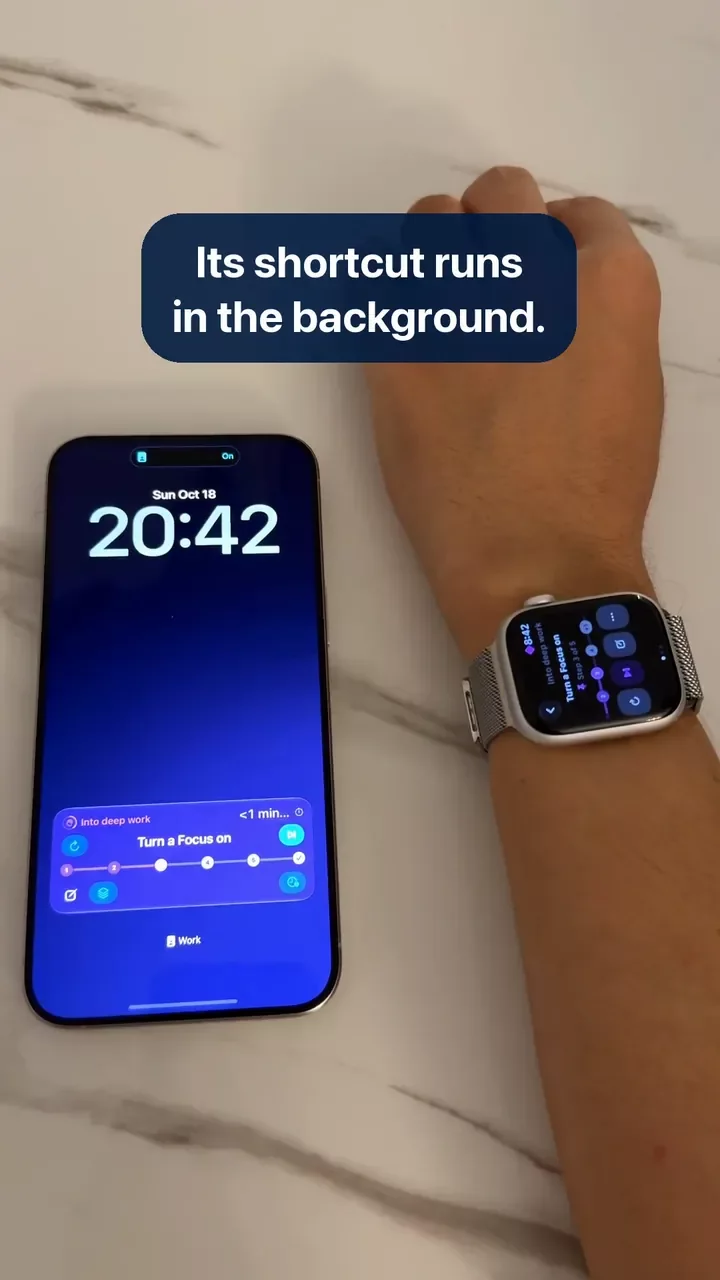
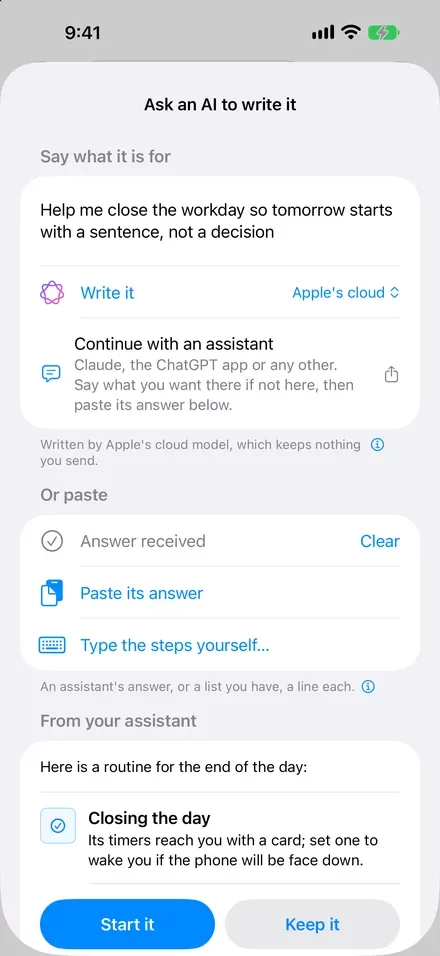
| A page starts the runbook | Describe it, it writes the routine | A tap on the watch runs a shortcut |
|---|---|---|
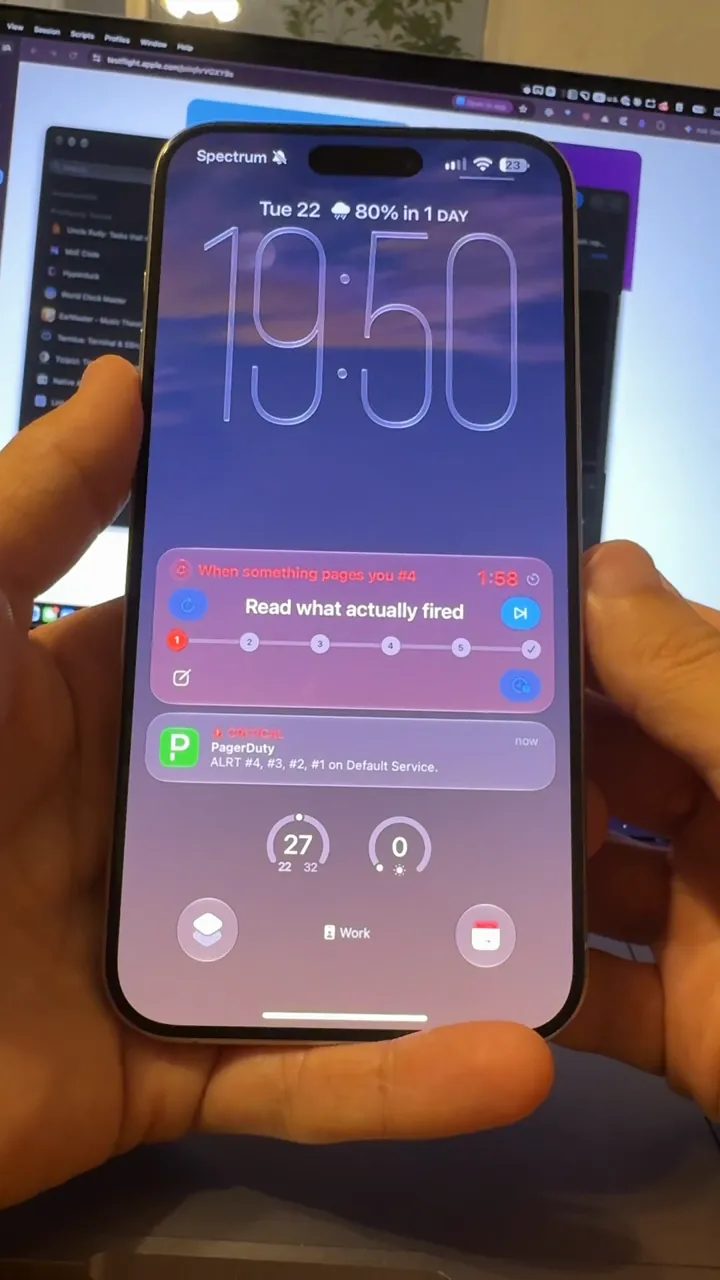 |
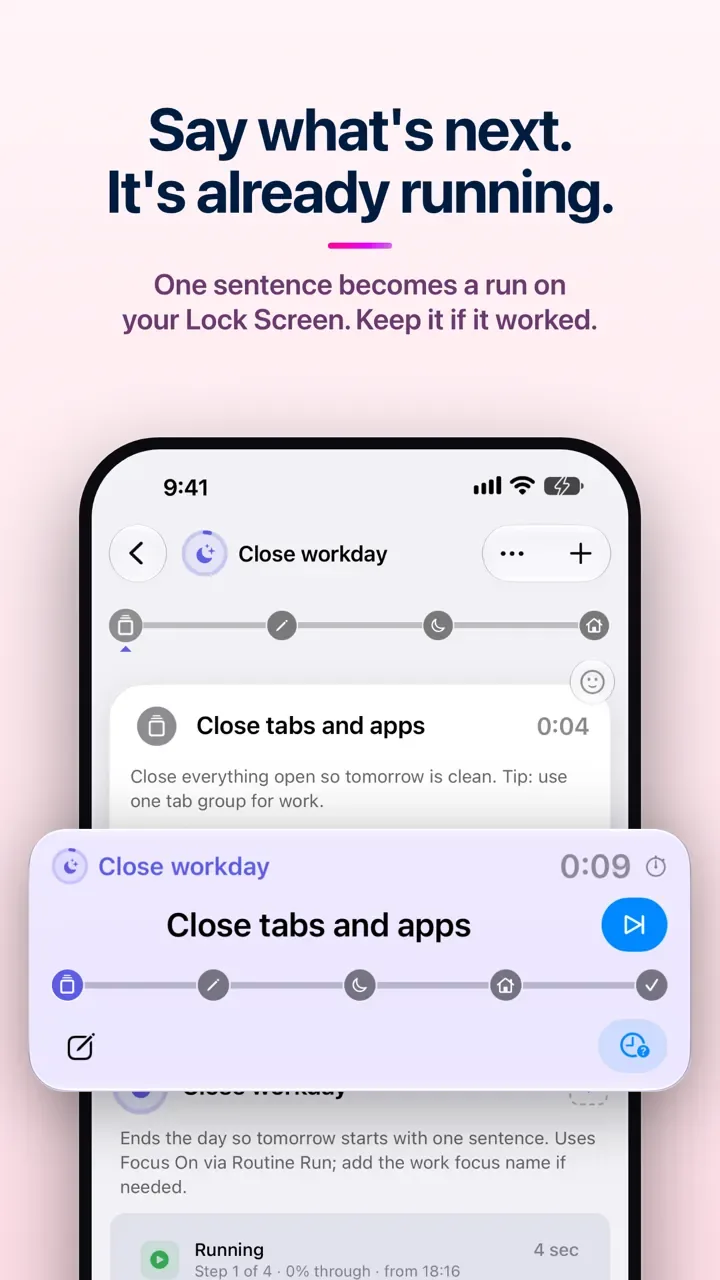 |
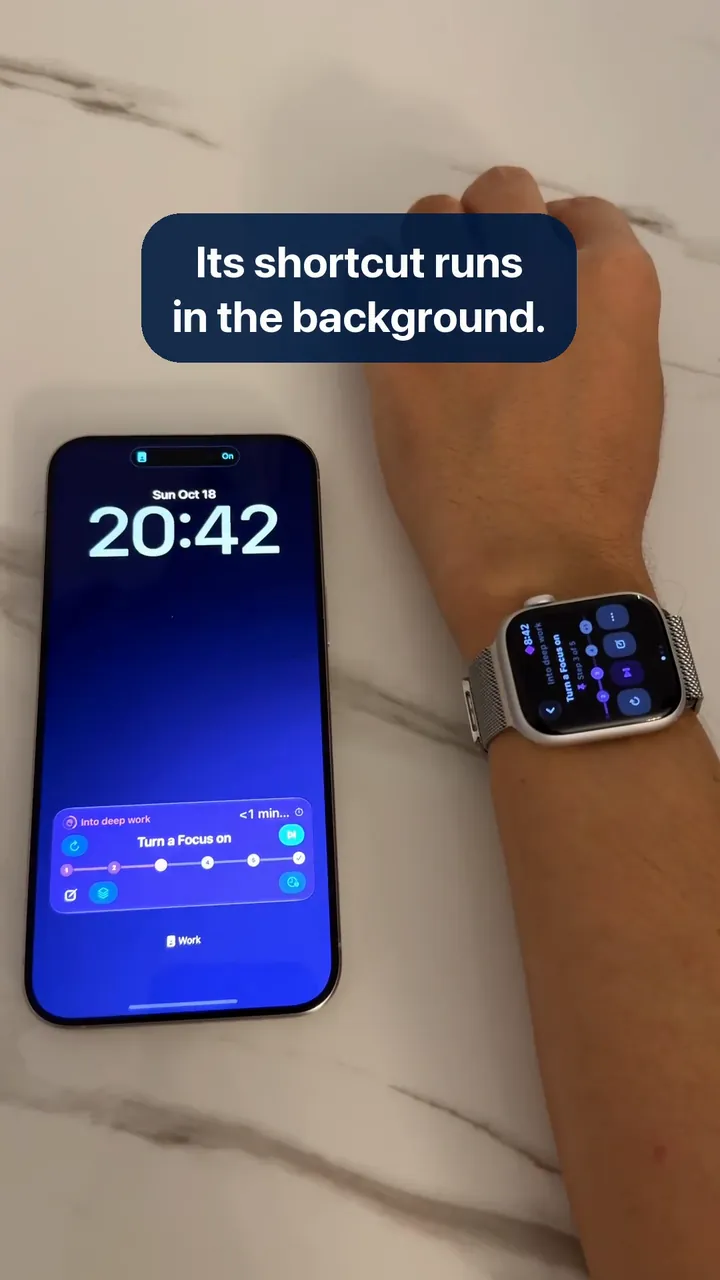 |
What it does
| Describe it | On the Lock Screen | In hand | Connections | On the wrist |
|---|---|---|---|---|
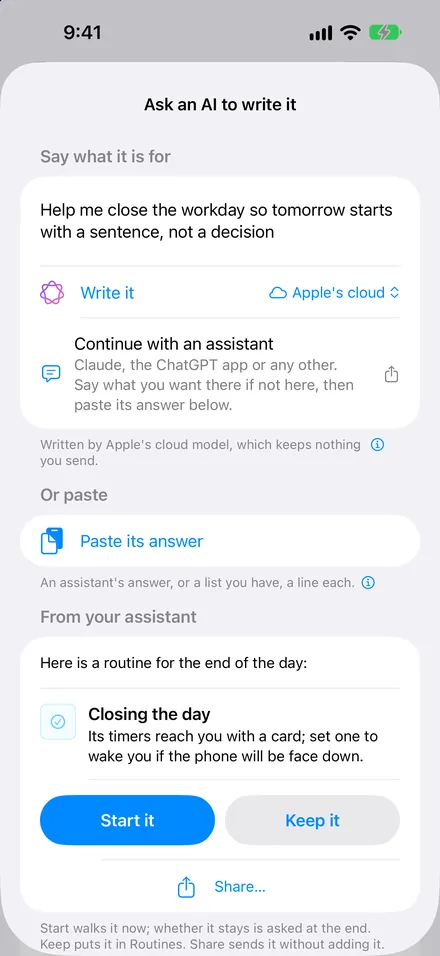 |
 |
 |
 |
 |
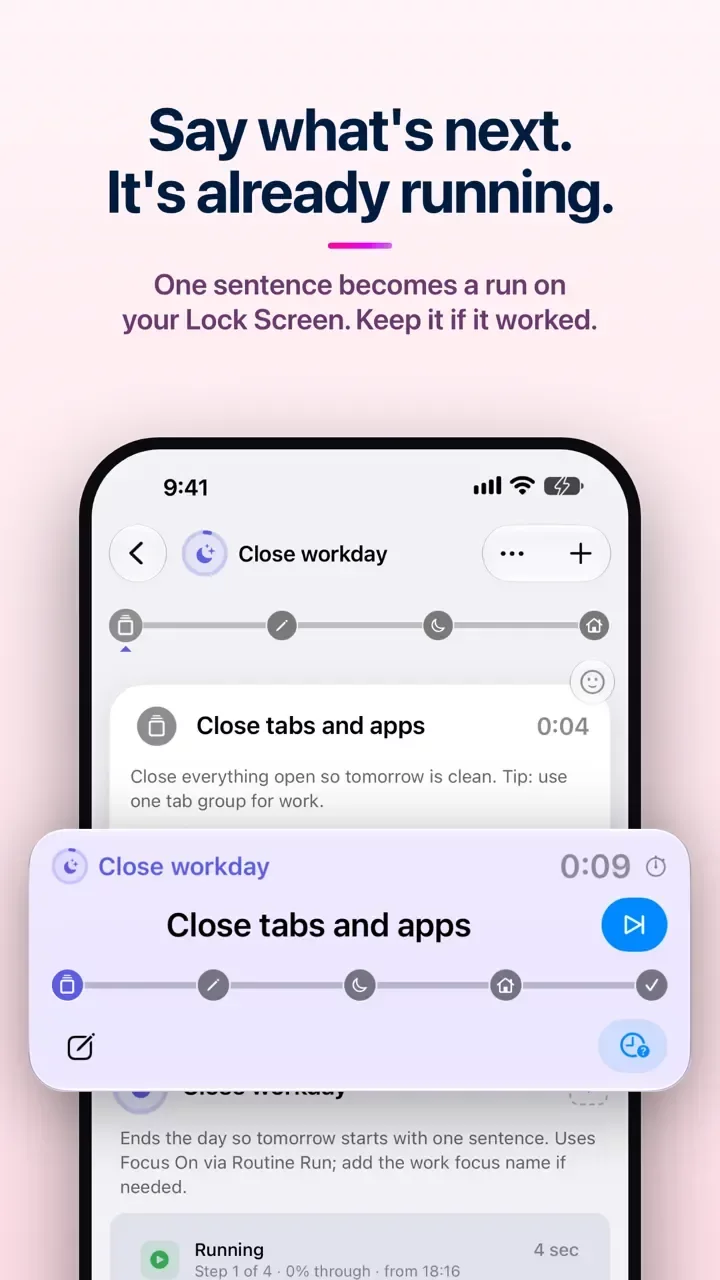
Say it, paste it, or just start. Describe what you do in a sentence, or paste a list. Apple's cloud model on iOS 27, the phone's own model, or the assistant you already use writes the routine, and a run of it starts at once, its first step on the Lock Screen. If it worked, Keep it as a routine; if not, it leaves nothing behind. How it works
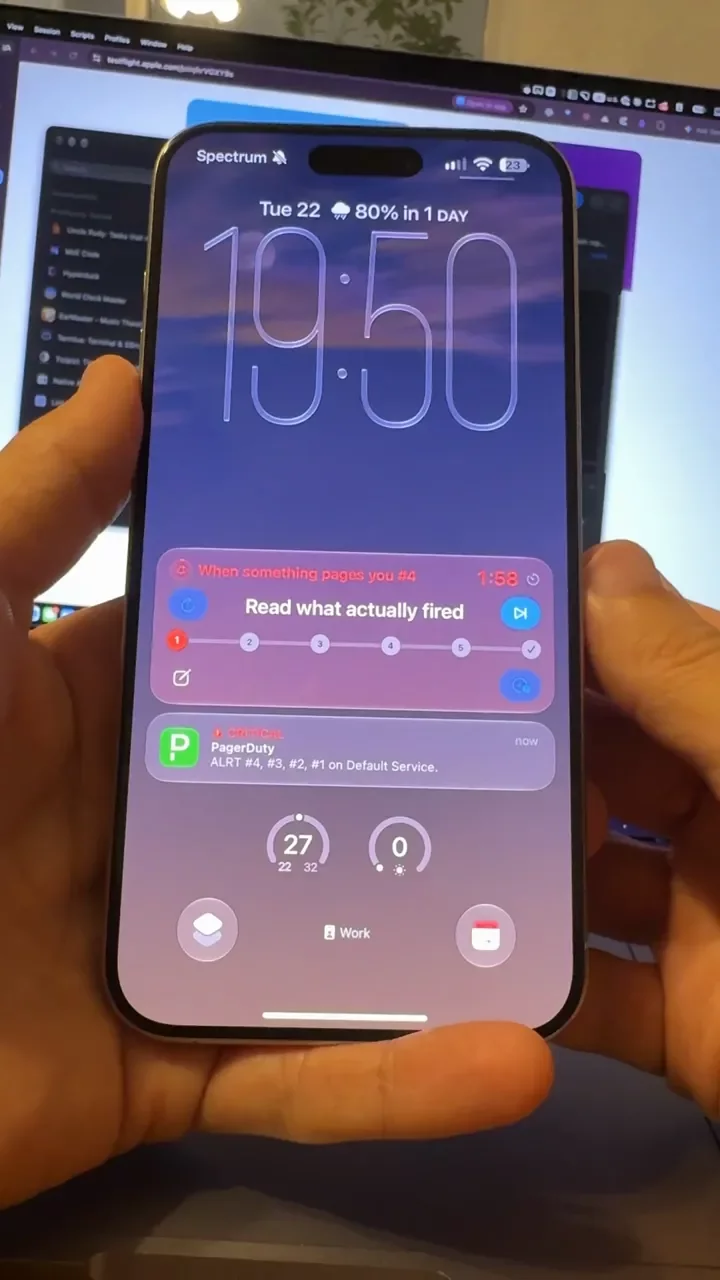
It starts by itself. From anything. A routine can start at a time, when you arrive somewhere, when a Focus comes on, from a calendar event or a reminder going off, from another app's notification, from a webhook or the API, or from an NFC tag — in the background, with step one already on the Lock Screen. How it works
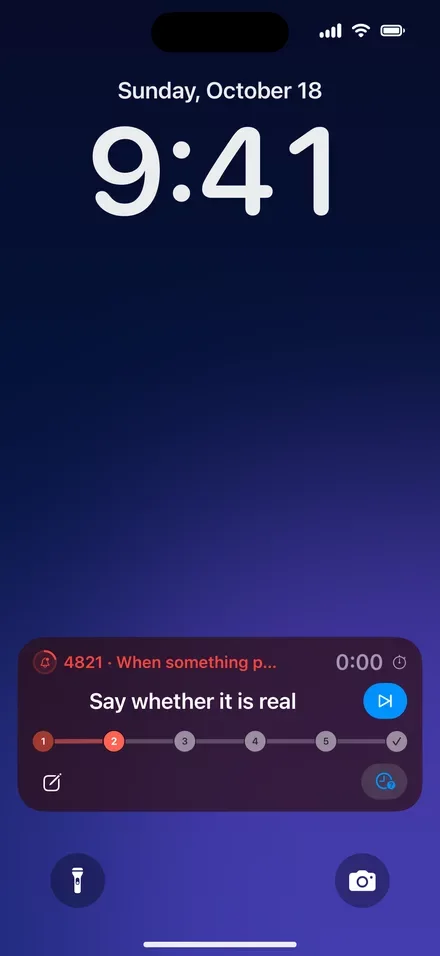
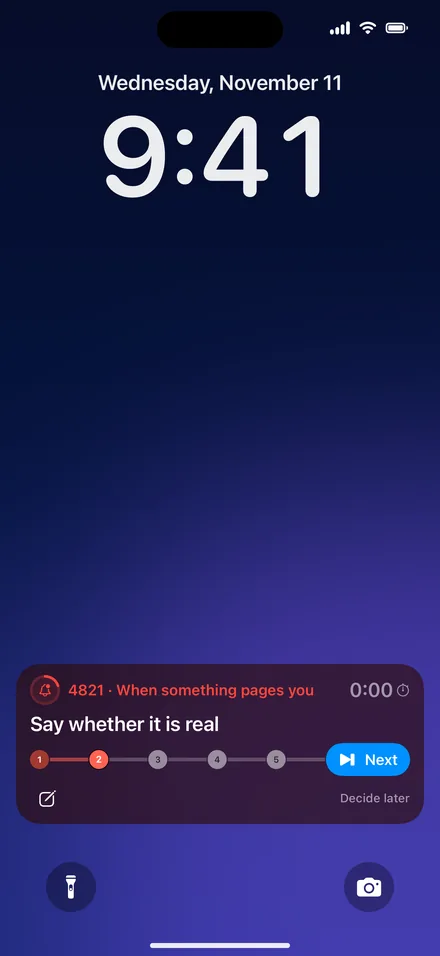
On your Lock Screen. Next, one press away. The step in hand is a Live Activity and sits in the Dynamic Island over whatever you are doing. Next moves the run on from the card without unlocking; a step's timer counts down there and rings when it ends. How it works
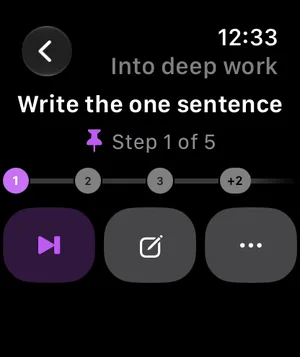
Next on your wrist. The step does the rest. The Apple Watch shows the step and its timer, and Next is one tap. A step can do something when it is reached: run a shortcut, turn on a Focus, run a Home scene, post to Discord or Telegram, or call a webhook — in the background, phone untouched. How it works
Your assistant runs it with you. Connect Claude, ChatGPT or another MCP client with a code, once. It can start and plan runs, add a step, change a routine or plan tomorrow; what it writes waits on the phone until you save it (unless you tell it to save without asking), and it never sees your notes or values unless you allow it. How it works
Not sure when? It will ask. A check-in asks every so many minutes until you answer — Now, Next, In 15 min or Not yet — so a step that depends on something else does not sit forgotten. How it works
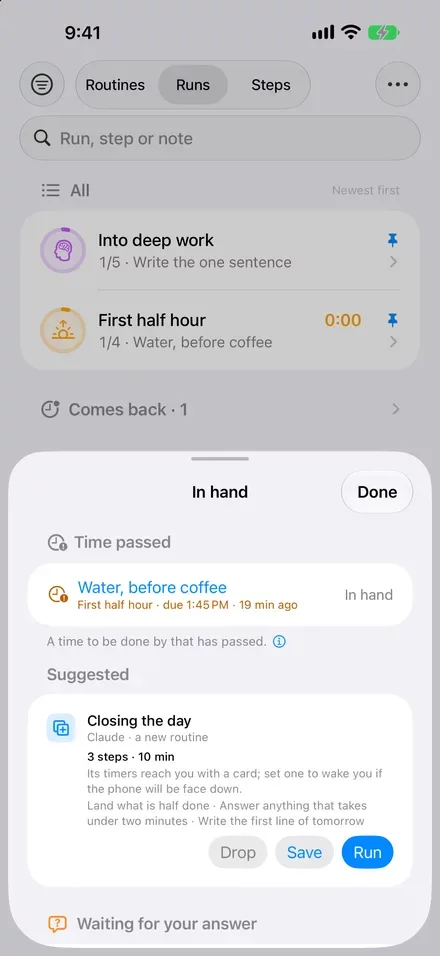
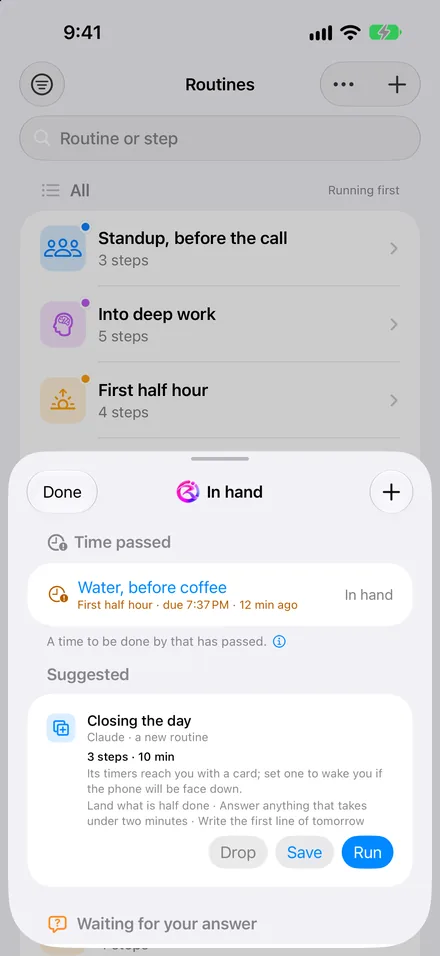
Everything waiting on you, in one place. In hand collects what needs an answer: a check-in that is due, a run coming back, what a finished run is still holding, and suggestions from your assistant. How it works
Late is fine. Thursday is fine. Not now… puts a step later, at the end, or until a moment you choose, and the run brings it back then. A late step is a fact about the step, not a verdict on you. How it works
Build it on the fly. Keep what worked. Change a run while you walk it — add a step, skip one, change a time. Afterwards each change gets one of two answers: Keep writes it into the routine for next time, Only here leaves it with today. How it works
No account. Nothing to sign up for. Routines and runs stay on your phone and in your own iCloud. The app has no sign-up, no tracking and no analytics; a connection you make yourself is the only thing that passes through our relay. How it works
Try it without an iPhone
The MCP servers and the API are hosted by Routine Run; their code is not in this repository.
Add https://api.routinerun.com/mcp as a connector — in Claude it is in the connector
directory as Routine Run. With the app, signing in shows a code you type into it under
Settings › Connections; there is no account. Without it, the sign-in page offers a demo
library to try every tool on. It can read your routines
and where each run stands, start and move runs, write notes and values, and suggest changes
to a routine that wait on the phone until you save them.
https://api.routinerun.com/mcp/public needs no sign-in at all: it writes a routine in the
app's form and hands back a link that opens it in the app.
In Claude Code, both the server and the skill come with one plugin:
/plugin marketplace add routinerun/routinerun
/plugin install routine-run@routinerun
Both servers are in the official MCP registry as
com.routinerun/routine-run and com.routinerun/routine-writer.
This repository is where the parts other people build on are kept in the open. The app's own code is not here, and that is deliberate.
| What | Where | |
|---|---|---|
| The method | Eighteen principles, the research behind each, and what is not claimed | method/ |
| Help | How each part of the app works, one page per question | help/ |
| The API | An address that starts or moves a routine on one person's phone | developers/api.md, openapi.json |
| MCP | Your routines and runs, for Claude, ChatGPT and other assistants | mcp/ |
| The form | The JSON a routine is written in, as a Claude skill — word for word what the app asks a model for | SKILL.md |
| Routines | The routines the app ships, and runbooks for being on call | routines/ |
| Connections | Apps whose notifications start or move a routine | connections/ |
| Presets | Services a step can send to — Discord, Telegram, Pushover and others | presets/ |
| Shortcuts | The shortcuts Routine Run publishes, for what an app cannot do by itself | shortcuts/ |
Something wrong, or something missing
Open an issue: a bug, a routine you would like, an app or a service to connect, or a question about the API or MCP. Everything here is public, so leave out your routines, notes, values and anything else of yours; for that, write to support@routinerun.com.
A security problem goes privately, not in an issue.
Licences
- Text — the method, the help, the API description, the routines: CC BY 4.0. Quote it, with a link.
- Code and schemas — examples, OpenAPI, the skill, the MCP entries: MIT.
- Catalogue entries — connections, presets, shortcuts: CC0.
- The name and the icon are not licensed: TRADEMARKS.md.
Nothing here is patented, and the method is published so that nobody else can patent it either.