

Rusty Inbox
Sponsorship goal: 10 monthly sponsors. That funds one fixed day every month for Rusty Inbox releases, bug fixes and new features.
A fast, native email client for Linux, Windows and macOS. Rust mail engine · Qt 6 / QML interface · follows your desktop theme


Rusty Inbox is an open-source desktop mail client for IMAP and SMTP accounts: Gmail (with an app password), Fastmail, iCloud, Yahoo, cPanel and any other standard mail server. It sorts the inbox into people, notifications and newsletters. Every action works from the keyboard. The window starts in a fraction of a second and stays light on memory, because the whole mail engine is native Rust and the interface is Qt Quick, not a browser shell.
▶ Watch the 50-second launch video on YouTube (click the image):

Features
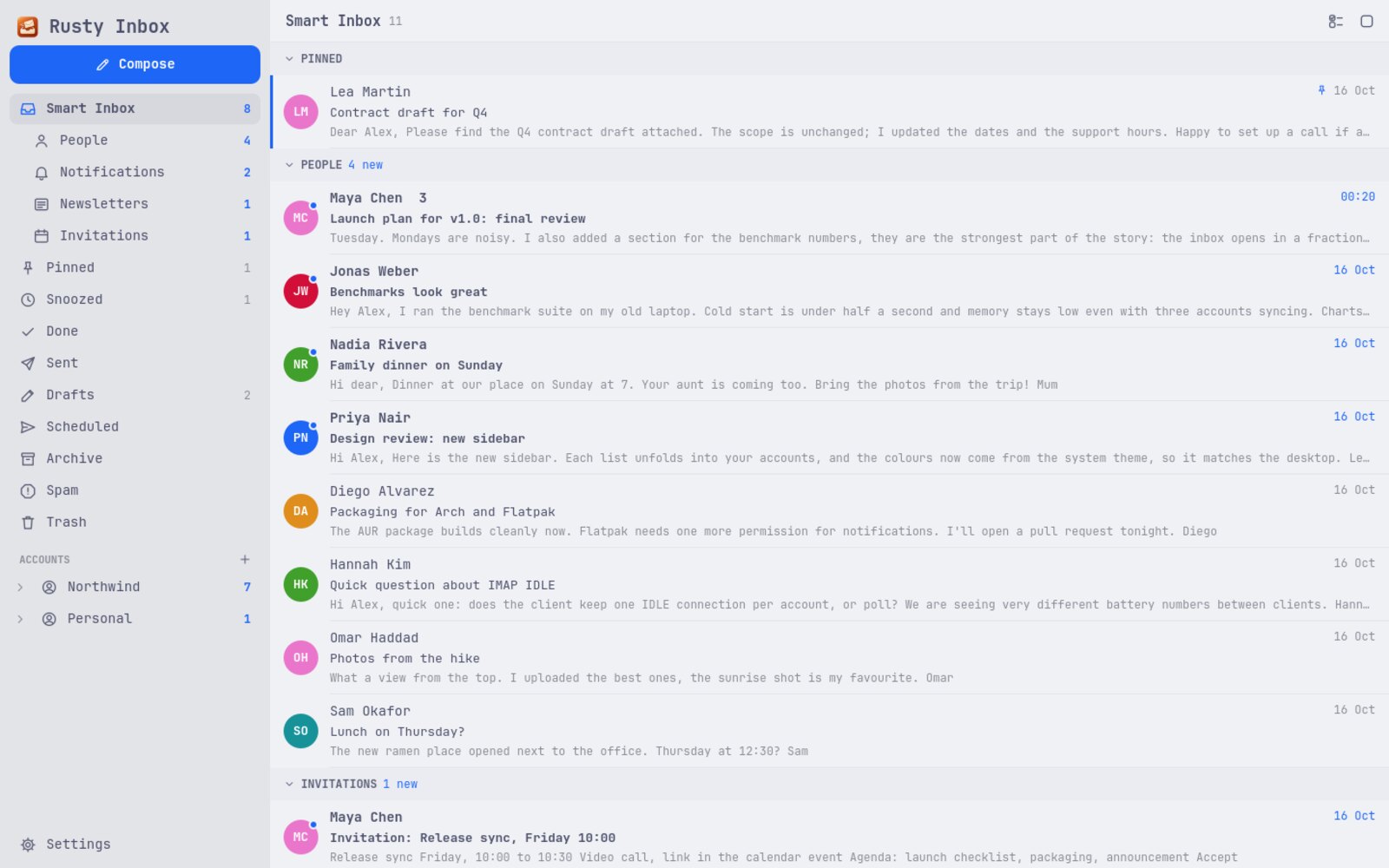
- Smart Inbox. Mail from people comes first. Notifications, newsletters and invitations go into their own groups, which you can fold away.
- Instant new mail. Each account waits on its Inbox with IMAP IDLE, so new mail shows the moment the server has it. Servers without IDLE are checked every minute (or as set).
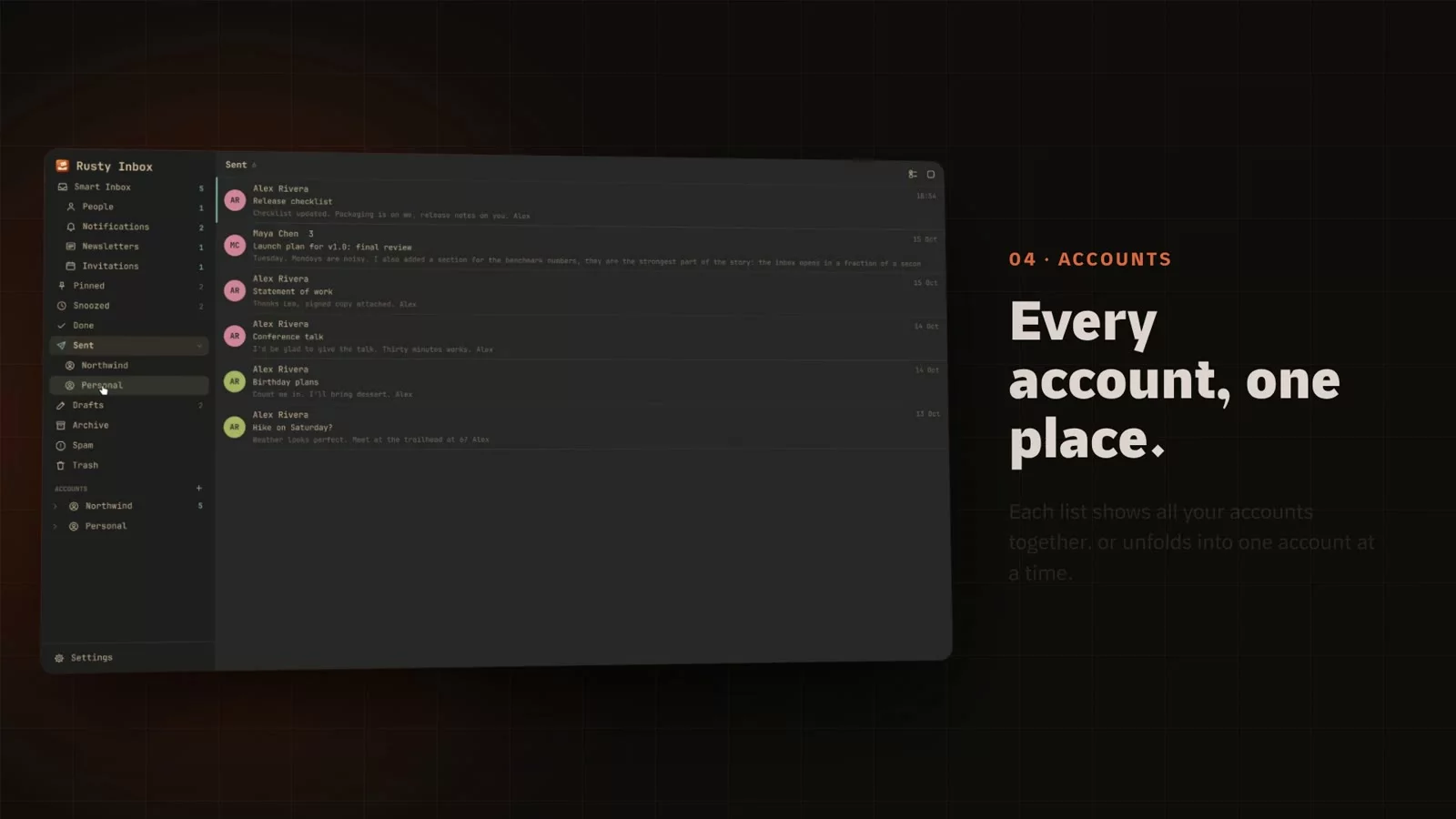
- Unified mailboxes. All accounts in one inbox, with per-account Sent, Drafts and Done when you need them.
- Compose, reply, reply all, forward. Rich-text editor, recipient chips with contact suggestions, attachments (picker or drag-and-drop), per-account signatures.
- Undo Send and Send Later. Messages wait in a local outbox, so you can take them back. A message that fails is retried by itself and kept under Scheduled, so nothing is lost.
- Attachments. Click an attachment to open it, or save it (or all of a message's attachments) anywhere. Files are downloaded once and kept in the local cache.
- People. Click any name or address in a message (From, To, Cc or Bcc) to open the person's card: write to them, copy the address, or list every conversation you have with them.
- Templates for the replies you write every week.
- Drafts sync with the server. Drafts save while you type and appear in your mail provider's Drafts folder. Sent mail is filed in Sent, and replied mail is flagged as answered.
- Done, Snooze, Pin and bulk actions (select all or a range, then act), each with undo.
- Keyboard first.
J/Kto move,EDone,Ssnooze,Rreply,Areply all,Fforward,Ccompose,Ctrl+Entersend. The full list is under Settings → Shortcuts. - Desktop native. Status-bar (tray) icon with an unread dot, desktop notifications,
mailto:links, a single running instance (launching again brings the window back), and live theming. On Omarchy the colours and font followomarchy theme setas you switch themes. - Import from Thunderbird. Accounts, servers and saved passwords come over in one click, provided the profile has no primary password.
- In-app updates. Settings → Updates checks for new releases daily or weekly, shows what changed and installs with one click, verified against the release checksums.
- Full HTML mail. Each message renders in an isolated, script-free frame. Remote images load, and links open in your browser.
- Local and private. Mail is cached in SQLite on your machine. Passwords live in a local file readable only by you. There are no accounts, telemetry or cloud relay.
Screenshots
| Smart Inbox | Reading |
|---|---|
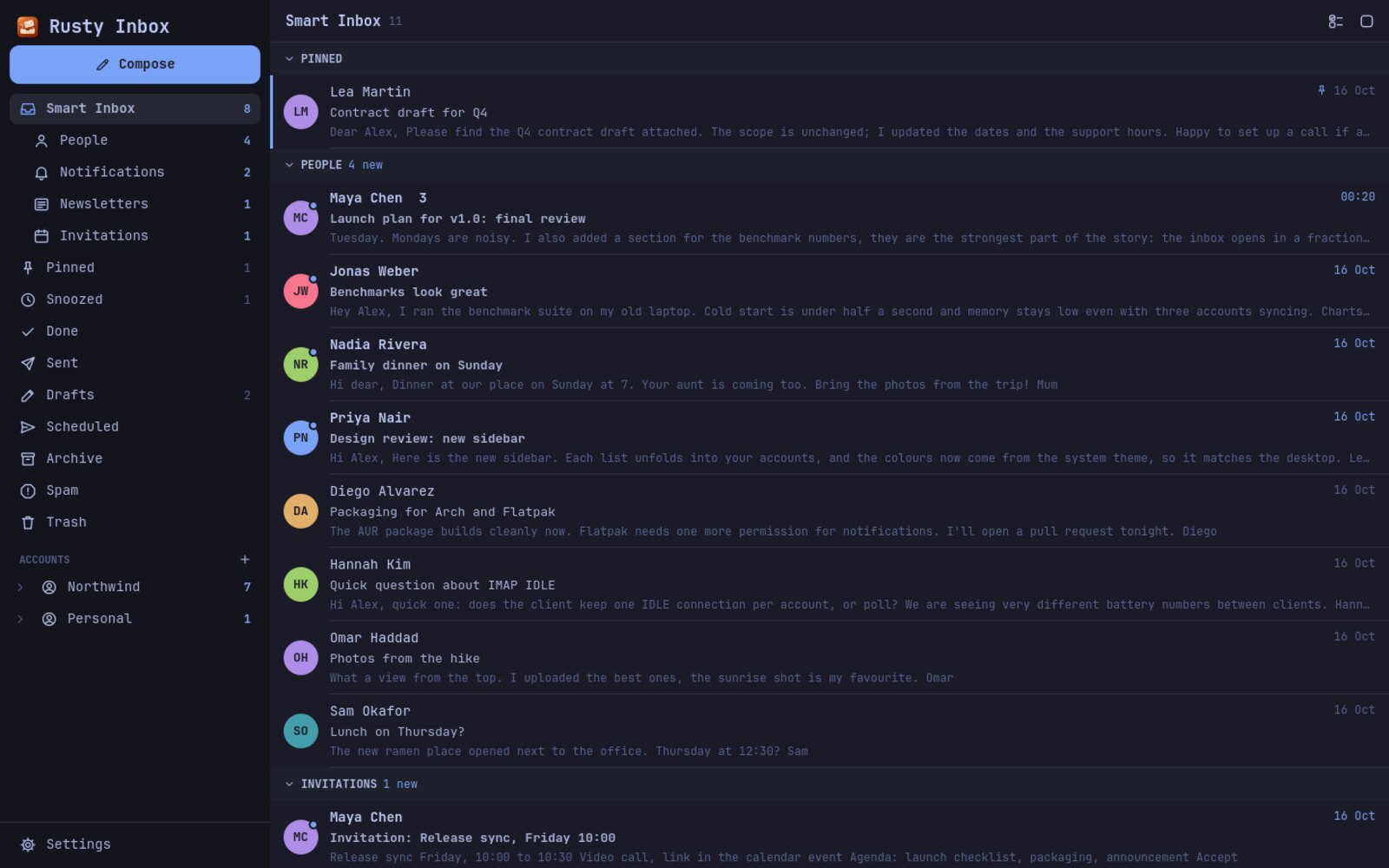 |
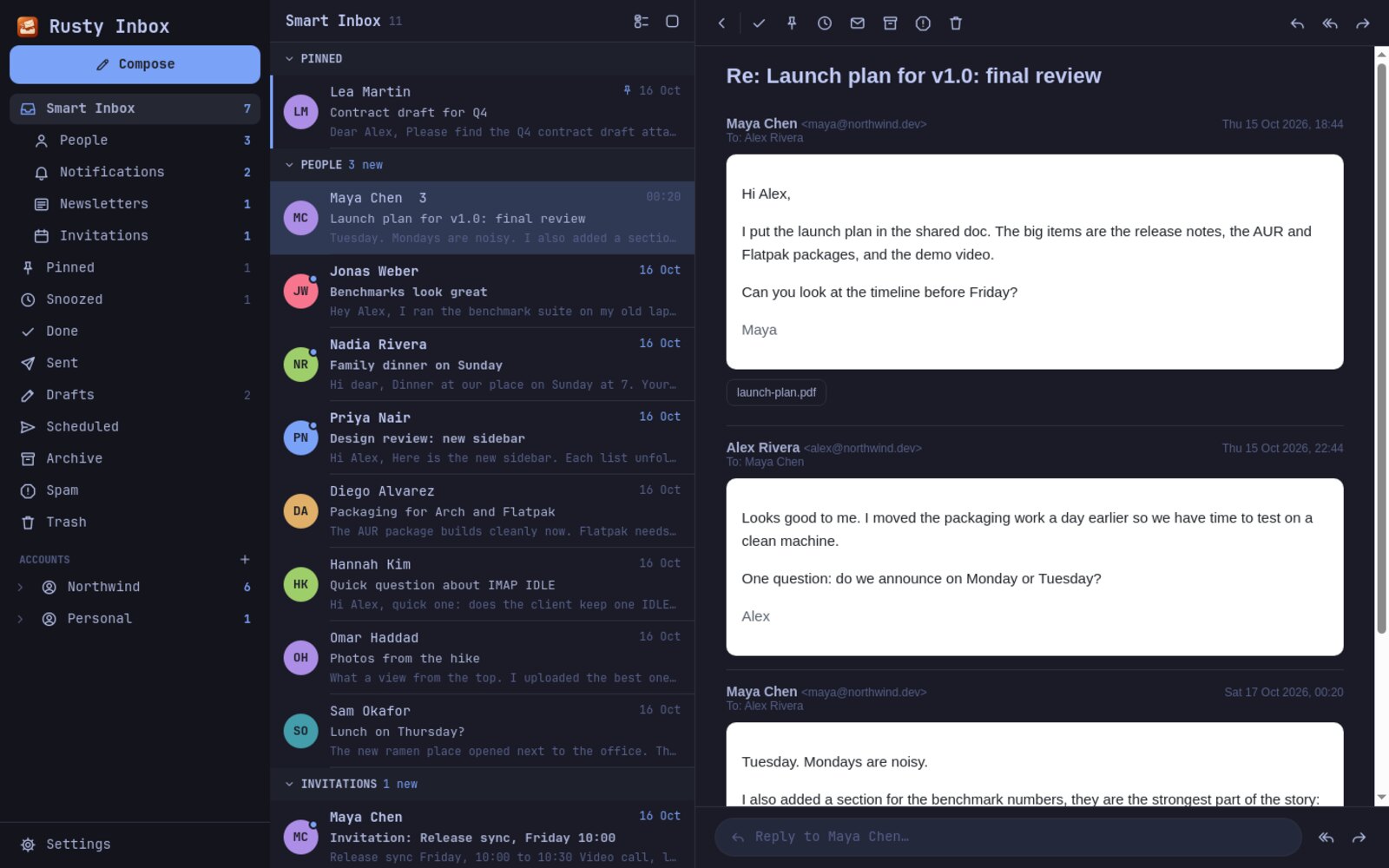 |
| Reply | Bulk actions |
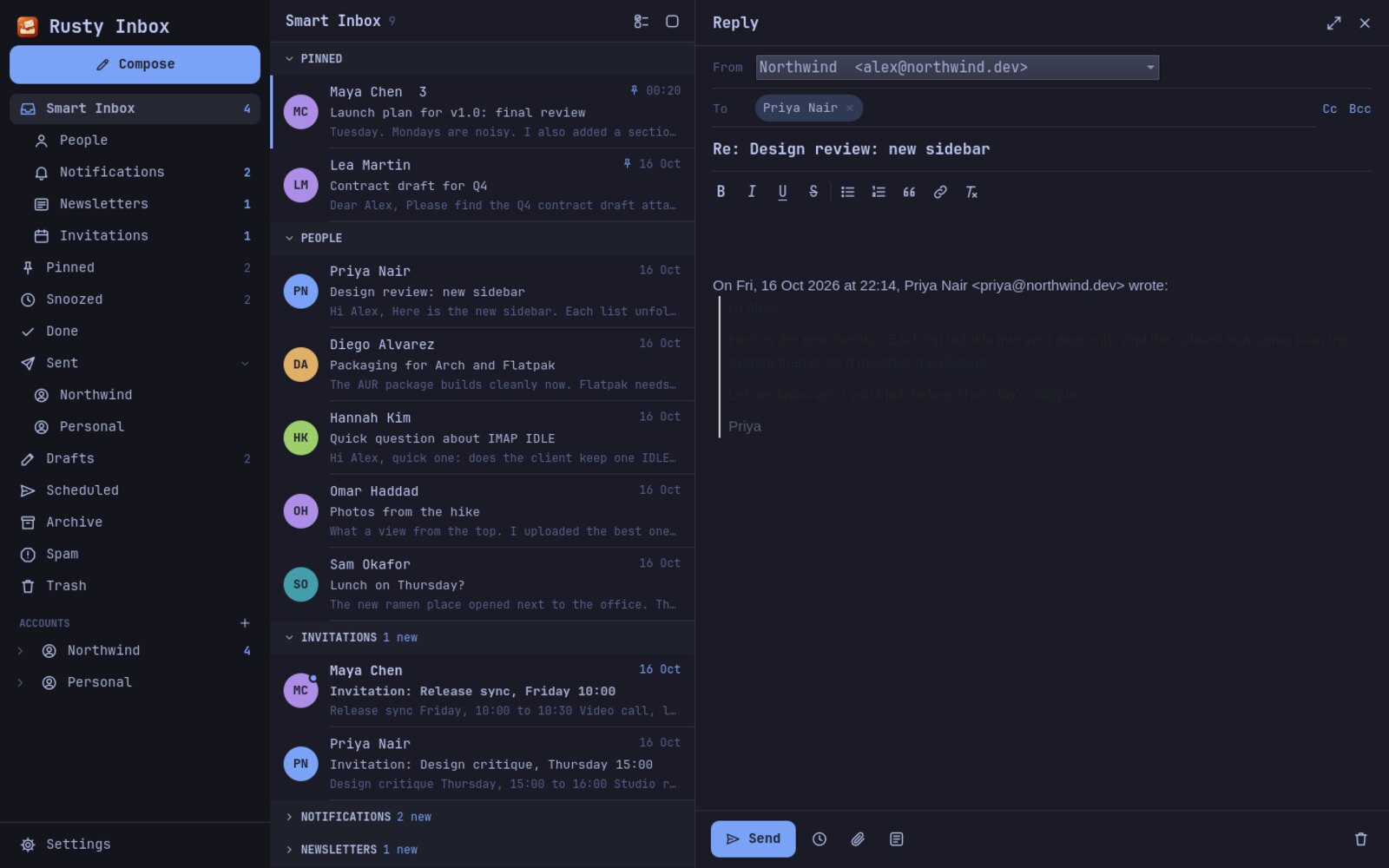 |
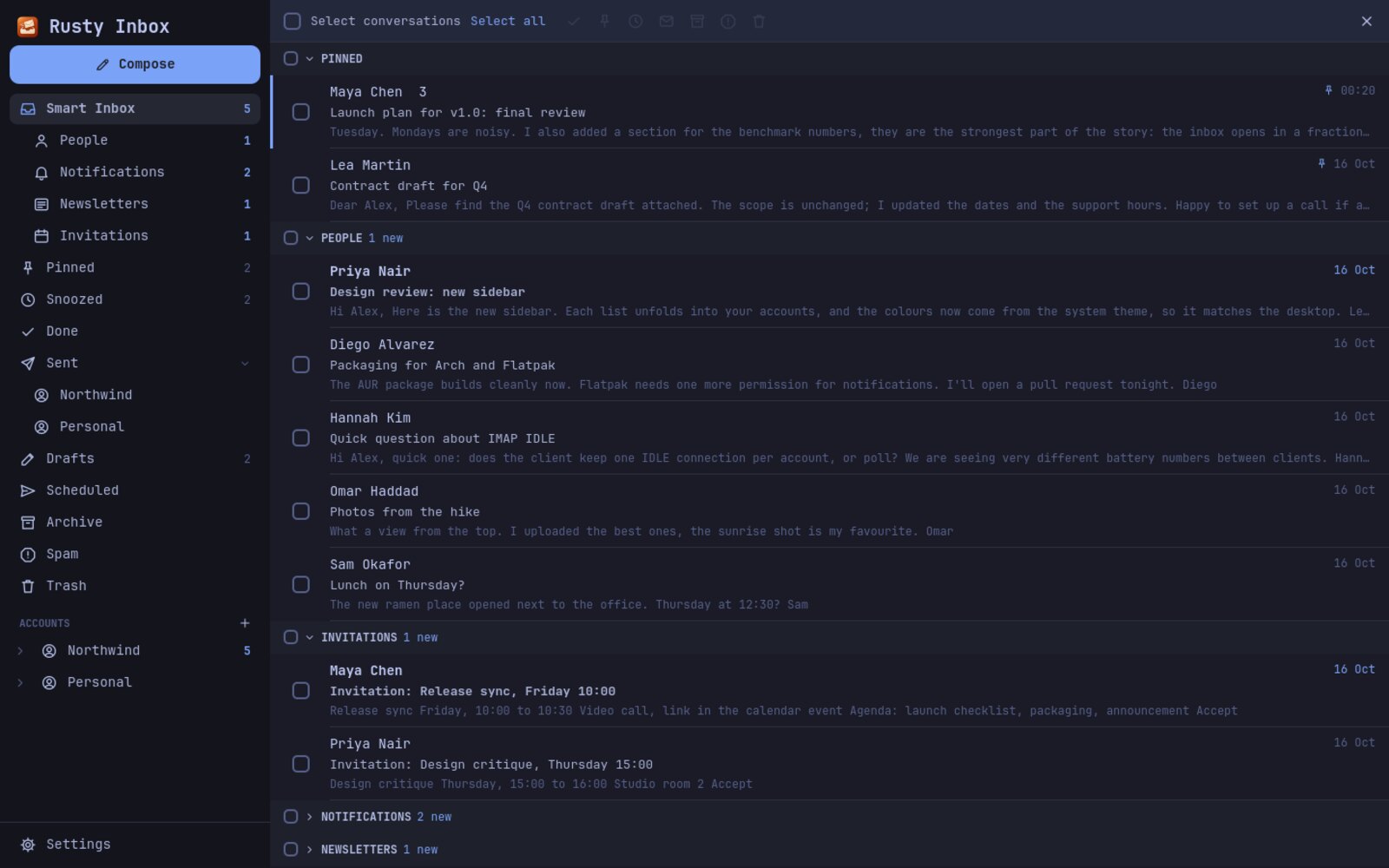 |
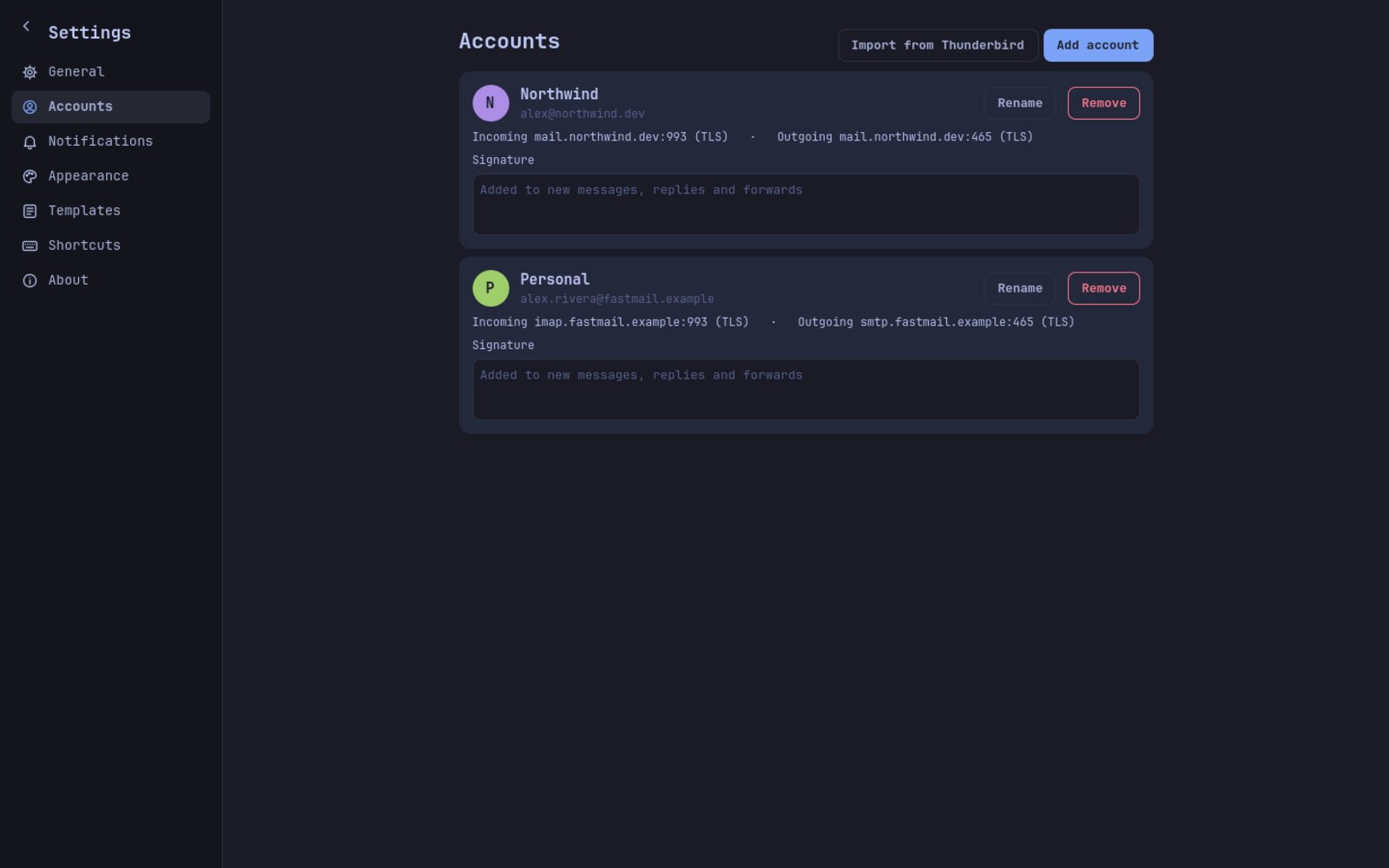
| Accounts | Light theme |
 |
 |
A full tour on YouTube, recorded on a demo mailbox:

Install
| Platform | Package |
|---|---|
| Linux (Flatpak) | flatpak install --user https://karem505.github.io/rusty-inbox/rusty-inbox.flatpakref (updates with flatpak update) |
| Linux (any distro) | AppImage or Flatpak bundle from Releases |
| Arch Linux | makepkg -si in packaging/aur/rusty-inbox (from source) or rusty-inbox-bin; AUR listing coming |
| Windows 10/11 | Installer (.exe) or portable .zip from Releases |
| macOS 12+ | .dmg (Apple Silicon and Intel) from Releases |
One-line install and update (Linux, macOS)
curl -fsSL https://raw.githubusercontent.com/karem505/rusty-inbox/main/scripts/install.sh | sh
The script picks the right package for your system: the AppImage, the Flatpak bundle or the
macOS app. Pass --method appimage|flatpak|source to choose one yourself. Run it again to
update.
Windows (PowerShell):
irm https://raw.githubusercontent.com/karem505/rusty-inbox/main/scripts/install.ps1 | iex
Updates
Settings → Updates shows the installed version, checks GitHub for a new release (daily or weekly, or on demand) and shows what changed. How the update is applied depends on the install:
- AppImage and Linux binary: downloaded, checked against
SHA256SUMSand swapped in place; restart to use it. Can also install automatically in the background. - Windows installer: runs the new installer silently and reopens the app.
- macOS: downloads and opens the new disk image.
- Flatpak, AUR / distribution packages, source builds: the app tells you a new version is out;
update with
flatpak update, your package manager orgit pull.
rusty-inbox --check-update does the same check from a terminal.
Adding accounts
Open Settings → Accounts. Most providers are detected from the address alone. For other servers, enter the IMAP and SMTP hosts by hand. For Gmail, create an app password and use it as the password. Coming from Thunderbird? Choose Import from Thunderbird.
From the command line:
rusty-inbox --import-thunderbird            # every Thunderbird account not added yet
rusty-inbox --add-account=account.json      # {"email": "...", "name": "...", "passwordFile": "..."}
rusty-inbox --compose                        # new message in the running window
rusty-inbox 'mailto:someone@example.org?subject=Hi'
Build from source
Requirements: Rust 1.85+, Qt 6.8+ with Qt Quick, Quick Controls 2 and Qt WebEngine, plus a C++
compiler. The build finds Qt through qmake6, qmake, or the QMAKE environment variable.
# Arch:   sudo pacman -S rust qt6-declarative qt6-webengine qt6-svg
# Fedora: sudo dnf install rust cargo qt6-qtdeclarative-devel qt6-qtwebengine-devel qt6-qtsvg-devel
# Ubuntu 24.10+: sudo apt install cargo qt6-declarative-dev qt6-webengine-dev qt6-svg-dev qml6-module-qtquick-controls qml6-module-qtwebengine qml6-module-qt-labs-platform
git clone https://github.com/karem505/rusty-inbox && cd rusty-inbox
cargo build --release
./target/release/rusty-inbox
# install for your user (binary, launcher entry, icons, mailto handler):
app/packaging/install-user.sh
Or let the install script do it: scripts/install.sh --method source.
How it is built
app/                      the desktop app: Qt 6 / QML through cxx-qt
  qml/                    every screen: inbox, reader, composer, settings
  src/bridge.rs           the QObject QML talks to (JSON in, signals out)
crates/rusty-inbox-core/  the mail engine, no UI
  src/mail/               IMAP sync (async-imap + rustls), SMTP (lettre), MIME parsing
  src/store.rs            SQLite cache: threads, messages, outbox, settings
  src/compose.rs          drafts, reply / forward, mailto
  src/thunderbird.rs      Thunderbird profile import (NSS key4.db decryption)
tools/demo-video/         the scripts that recorded the videos above on a fake mailbox
The engine runs inside the app on a small Tokio runtime. QML calls synchronous getters for anything already stored locally, and network work reports back through Qt signals, so the interface never waits on the network. IMAP connections are pooled per account, which keeps servers that throttle frequent logins happy.
Tests: cargo test --workspace. UI smoke test, run off-screen against a copy of your data:
QT_QPA_PLATFORM=offscreen RUSTY_INBOX_DATA_DIR=/tmp/copy target/release/rusty-inbox --autotest=/tmp/shots.
Privacy
Rusty Inbox talks only to the mail servers you add, plus GitHub's release API when it checks for
updates (turn that off in Settings → Updates). It has no analytics, no crash reporting and no
servers of its own. Your mail, settings and passwords stay in your data directory:
~/.local/share/rusty-inbox on Linux, ~/Library/Application Support/rusty-inbox on macOS,
%APPDATA%\rusty-inbox on Windows.
Contributing
Issues and pull requests are welcome. Please run cargo fmt, cargo clippy --workspace -- -D warnings
and cargo test --workspace before sending a change.
License
Licensed under either the MIT license or the Apache License 2.0, at your option.