s1
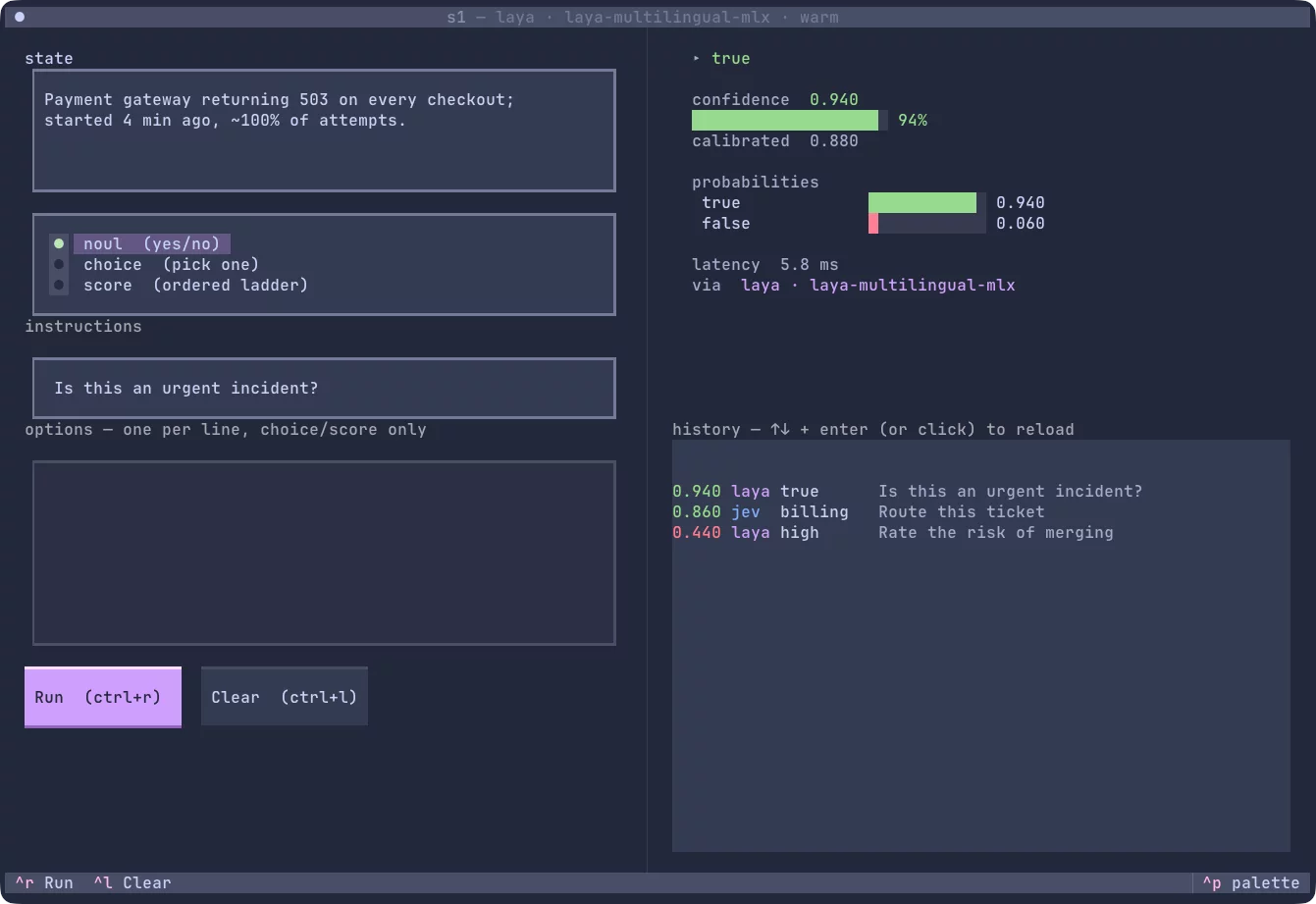
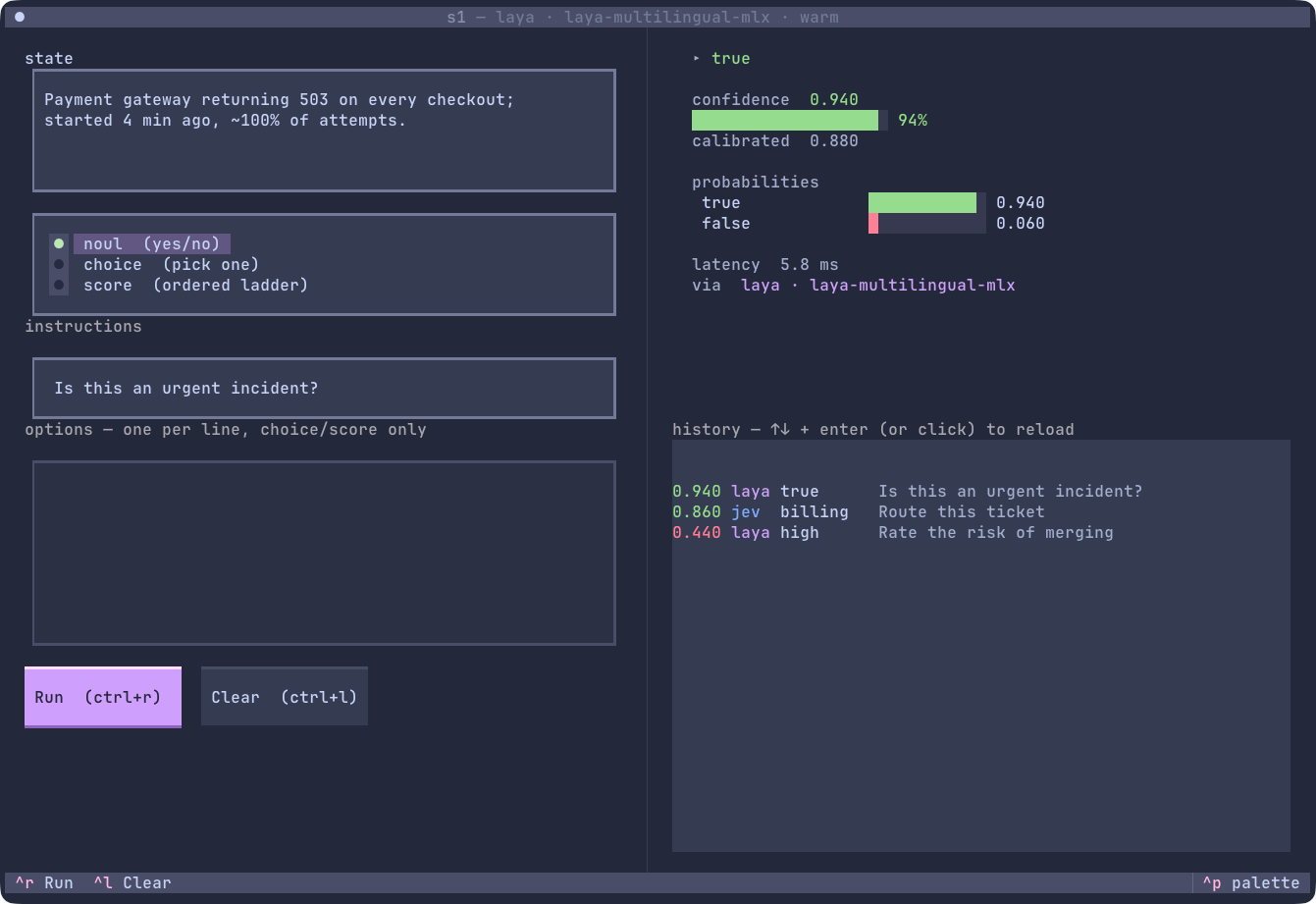
A terminal UI for System One typed decisions. Type a state and a question, get back a typed answer — yes/no, a pick, or a score — with a calibrated confidence and the full probability spread.
What it is
System One models ("Jev"-style) answer one question about one state in a single forward pass. They return typed, calibrated decisions, not text. s1 is a small Textual front-end over two interchangeable backends:
| Backend | Where | Model | Notes |
|---|---|---|---|
| laya | local | laya-multilingual-mlx |
runs on-device (MLX, Apple Silicon), loaded once, ~6 ms/decision, no key, no network |
| jev | hosted API | jev-latest (TypeSafe) |
POST /v1/systemone, needs an API key |
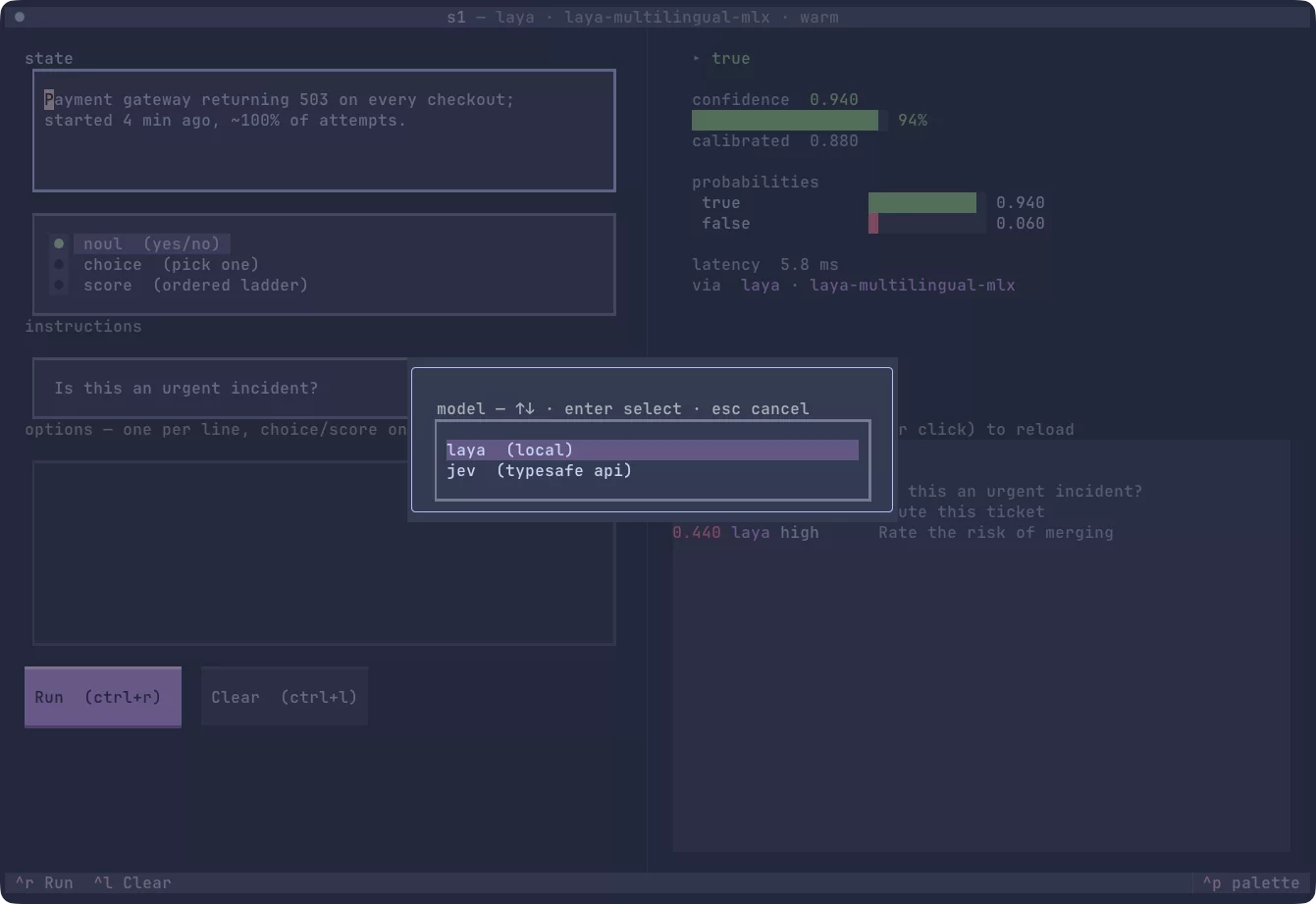
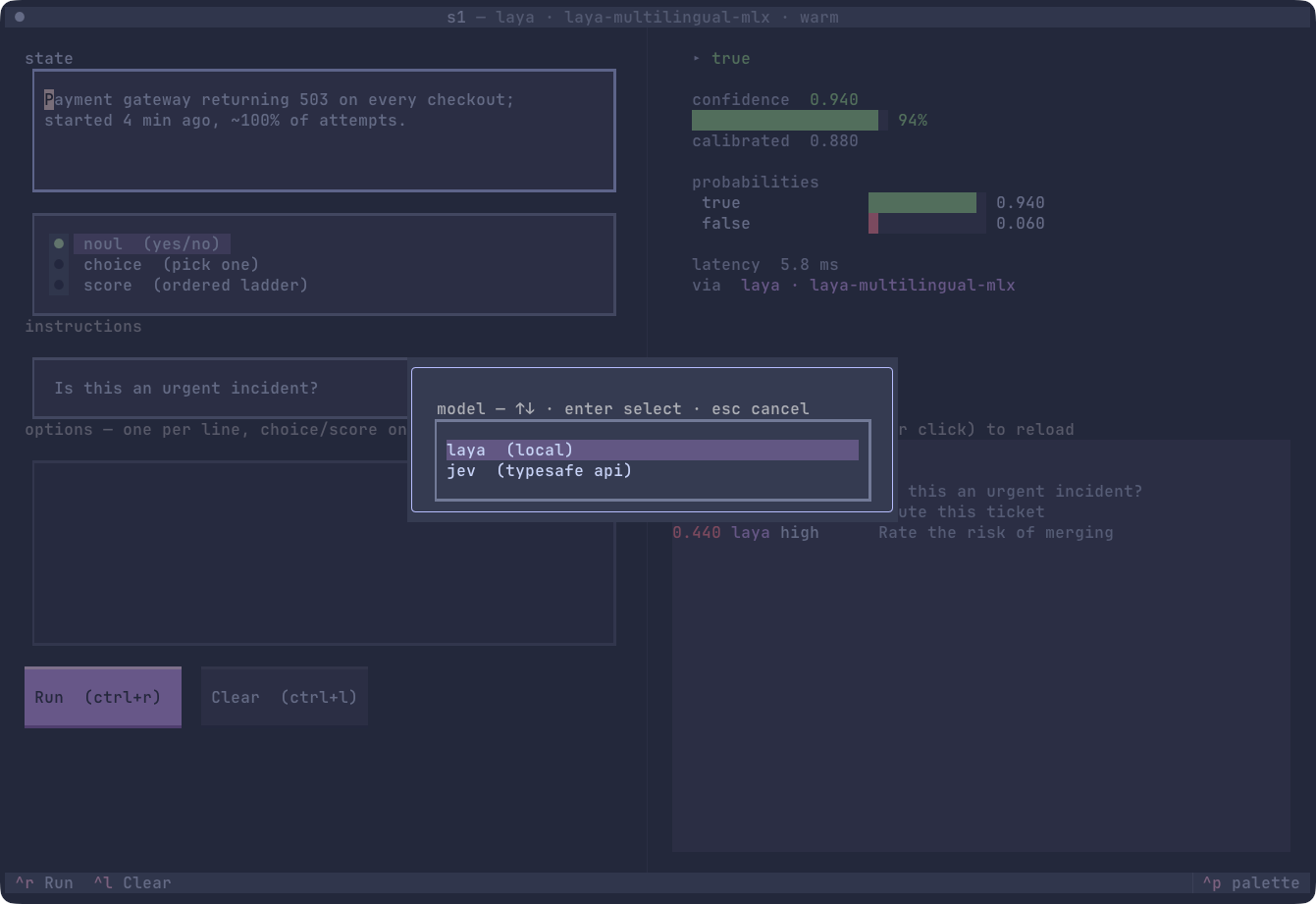
Switch backend live from the command palette (ctrl+p → Model).
Three decision types
| Type | Question shape | Options | Answer |
|---|---|---|---|
| noul | yes / no | — | p(true) ∈ [0,1] |
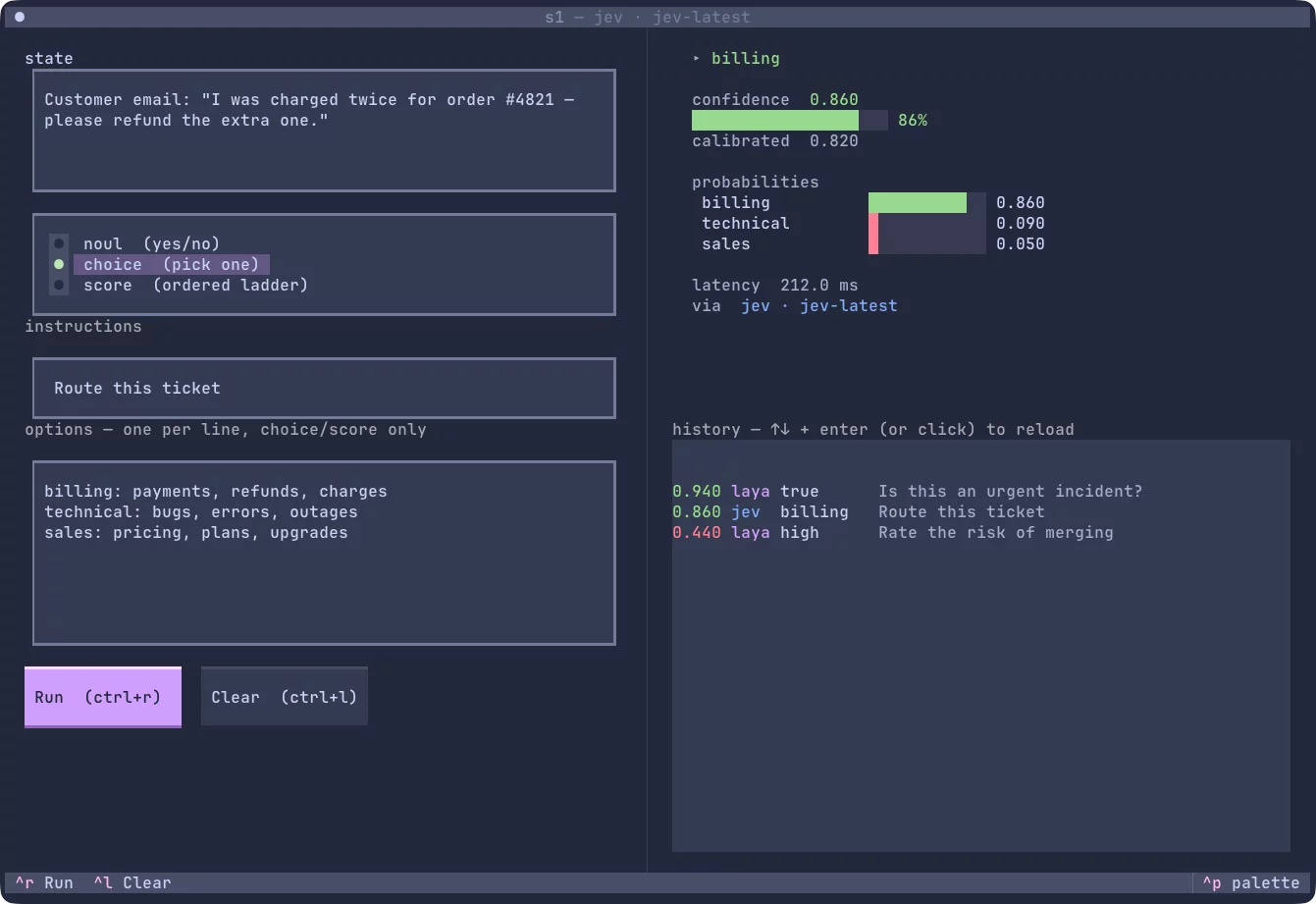
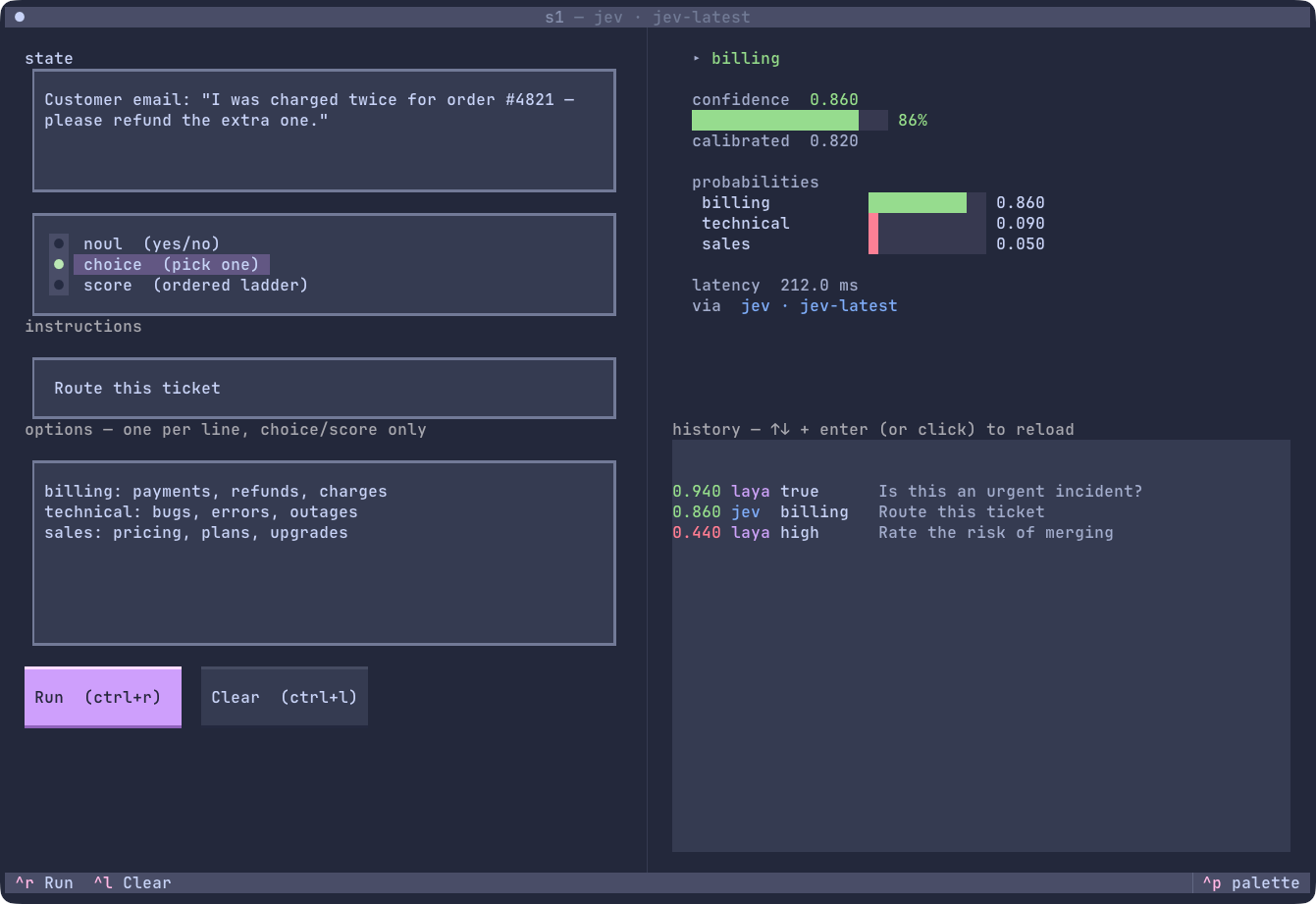
| choice | pick one | label: description per line |
the chosen label + probabilities |
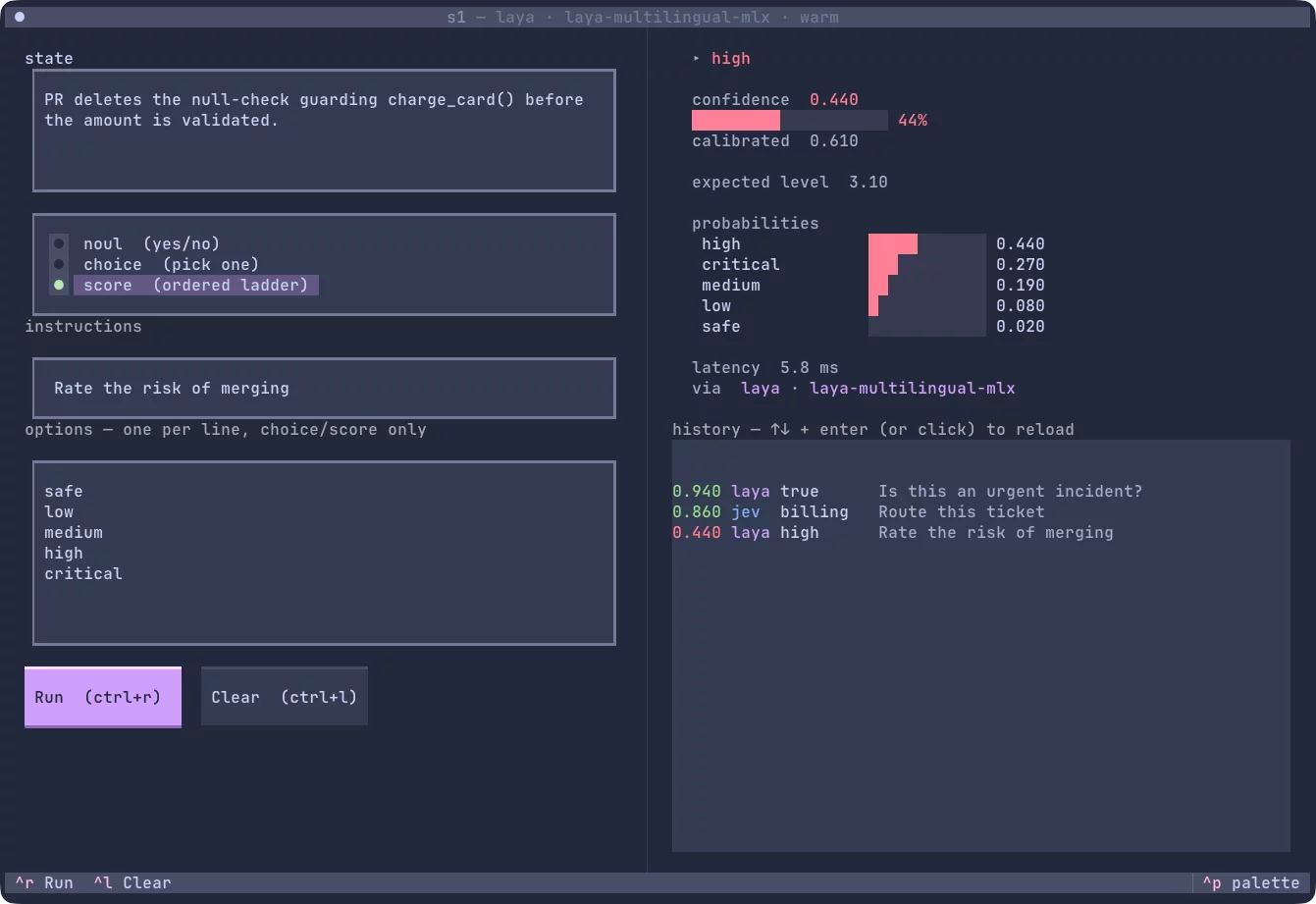
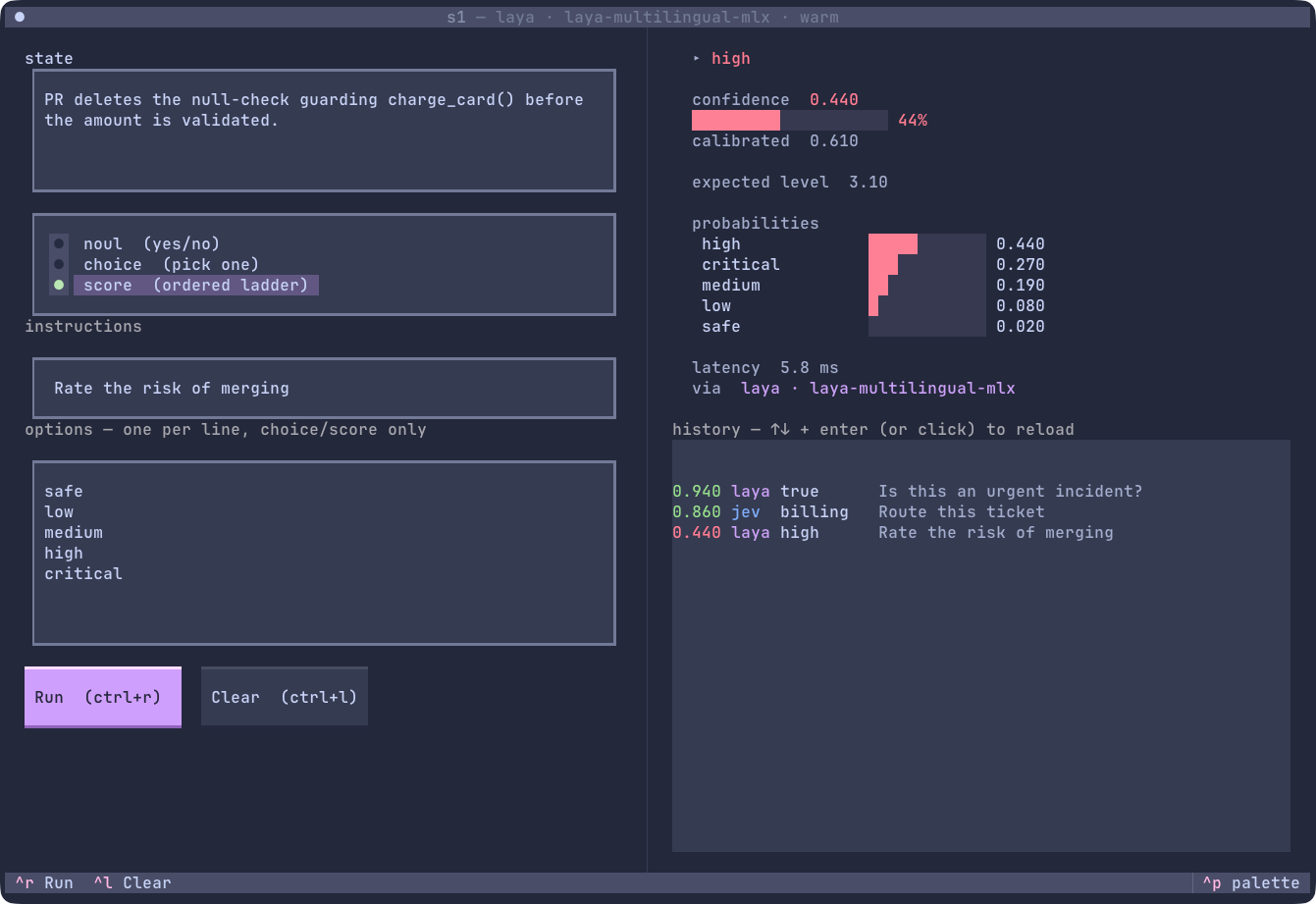
| score | ordered ladder | one level per line, low → high (2–10) | expected level + probabilities |
choice criteria may be bare labels or
label: descriptionlines. score is always an ordered list, lowest first — never descriptions.
Install & run
Needs uv. The default install is jev-only (works
anywhere). The local laya backend is an opt-in extra and needs Apple Silicon.
git clone https://github.com/tnaftali/s1-tui s1 && cd s1

uv run s1                 # jev-only (hosted; needs an API key, see below)
uv run --extra local s1   # + local laya backend (Apple Silicon, downloads weights once)

# …or run straight from git, no clone:
uvx --from git+https://github.com/tnaftali/s1-tui s1
For the hosted jev backend set a key (no local model needed):
export TYPESAFE_API_KEY=sk-... # JEV_API_KEY also accepted
The first --extra local run downloads the laya weights (a few hundred MB) once.
Using it
- Type the state (the thing to judge) in the left box.
- Pick noul / choice / score.
- Write the instructions (the question).
- For choice/score, fill options (one per line).
ctrl+r(or Run).
The right pane shows the pick, its confidence bar, the calibrated-confidence signal, and every option's probability.
Routing a ticket (choice)
Rating risk (score)
Switching backend
History & logging
Every run appends one JSON line to s1_runs.jsonl (override with $S1_LOG):
{"ts":"…","backend":"laya","model":"…","state":"…","type":"choice",
 "instructions":"…","criteria":{…},"selected":"billing","confidence":0.86,
 "probabilities":{…},"answer":{…},"latency_ms":5.8}
The right-hand history pane reads that log on startup, so past runs survive
restarts. ↑↓ + enter (or click) reloads a run's inputs and its stored answer —
no re-run. The log is per-machine and git-ignored.
Keys
| Key | Action |
|---|---|
ctrl+r |
run |
ctrl+l |
clear |
ctrl+p |
command palette (theme, model, screenshot…) |
ctrl+c |
quit |
Why calibrated confidence matters
The number next to the answer is meant to track real accuracy, so you can gate:
decide the easy, high-confidence cases locally and escalate the low-confidence ones.
In one independent benchmark (308 human-labelled cases), laya and jev were the
calibration standouts — expected calibration error ≈ 0.07, roughly half that of the
other local models tested. Calibration is dataset-dependent, so validate the threshold
on your own data before trusting it.