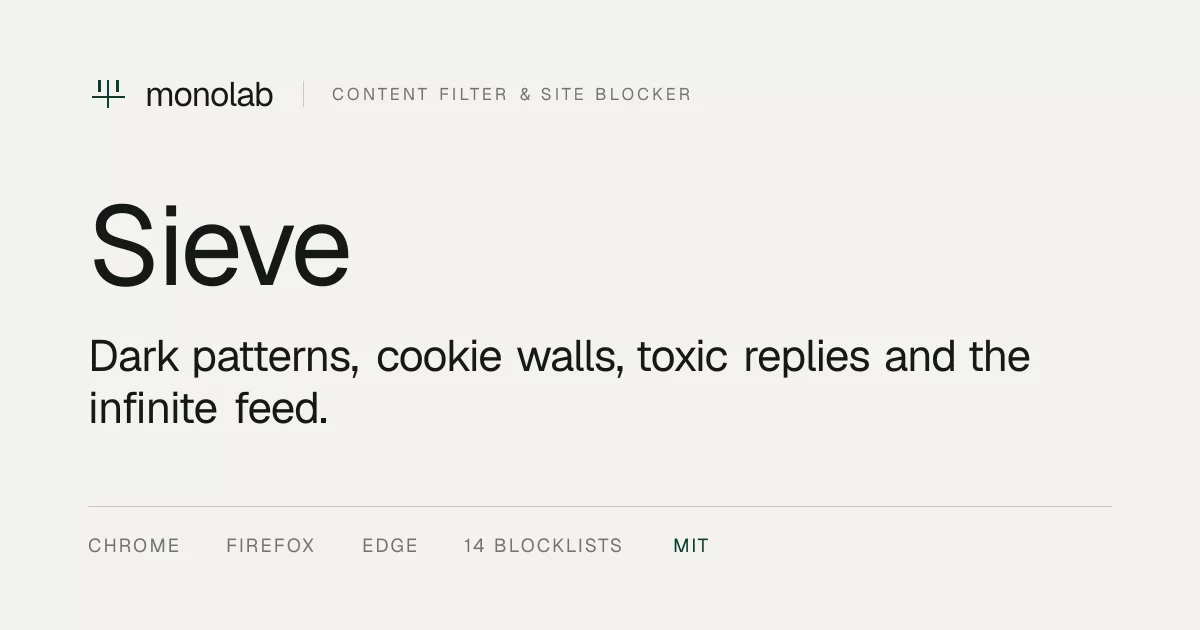
Clean Internet Suite — a privacy-first browser extension that quietly cleans up the modern web.
Sieve blocks the stuff that makes the internet feel hostile — scams, gambling, dark patterns, toxic comments, popup hijacks, and endless feeds — and gives you back a bit of control. It runs entirely on your device: no account, no tracking, nothing leaves your browser.
Honestly, I made this because I got tired. The internet I grew up on felt fun and open. Somewhere over the years it turned into scams, nasty comments, endless feeds, and sites that trick you at every click. So I built the tool I wished existed. — monolab
Features
On-page cleanup
- Bad Language Filter — masks profanity on pages (funny or family-safe styles, plus your own word list).
- Toxic Comment Hider — collapses toxic comments on YouTube, Reddit, X/Twitter, and Disqus, with an optional on-device TensorFlow.js toxicity model.
- Dark Pattern Blocker — catches fake countdown timers, guilt-trip copy, pre-checked boxes, and manufactured scarcity, and shows you what it found: the toolbar popup lists what each page tried and what Sieve did about it, with Show me and Undo, and the toolbar badge counts the tricks. It remembers what a page claimed (for 30 days, on your device, under scrambled codes rather than addresses) so it can prove a fake: a countdown that restarts when you come back, an "only 3 left" that never moves or jumps about, a sale that "ends today" every day, a "23 people are viewing this" that says 23 every time. It also hides "Sarah from Ohio just bought this" pop-ups, found by their shape rather than by who sells the widget. How firmly it responds is your choice — Gentle only labels, Balanced fixes what's likely and covers what's proven, Firm covers anything likely — and whatever you pick, something it isn't sure about is only ever labelled. It also reads the small print on free trials that turn into payments — "After 7 days, this becomes $14.99 a month; the first payment is due Thu, Oct 15" — and offers to remind you two days before, on your device, with no account, email or notification permission: the reminder appears at the top of whatever page you're on that day.
- Cookie Auto-Reject — automatically rejects cookie-consent banners (built on the MIT-licensed Consent-O-Matic rules).
- Popup & Click Hijack Blocker — blocks popups and click-hijacks by default, with a per-site allow prompt and whitelist.
- Search Result Filter — opt-in sorting of your search results before you click: colour-code the sources you trust and hide the ones you don't, each rule carrying its own colour. Works on Google, Bing and DuckDuckGo. Hidden results are counted with a link to show them, never dropped silently, and every affected result can tell you which rule changed it and where that rule came from.
Blocked websites
- Gambling Blocker — blocks gambling and betting sites (with an opt-in Prediction Markets tier).
- Financial Protection — opt-in tiers for crypto scams, trading/exchange sites, and MLM schemes.
- Safety Shield — opt-in blocking for phishing/malware, cryptojacking, piracy, AI-slop content farms, fraud, gore/shock, and dating sites.
- Game Blocker — four independent opt-in tiers: browser game portals, game download stores, game platforms/online worlds, and game streaming/cloud gaming/esports. Browser-only: it blocks game sites and store pages, not games already installed on the machine.
- AI Blocker — three independent opt-in tiers over a curated bundled list: AI chatbots and assistants (ChatGPT, Claude, Gemini, Copilot, Perplexity and similar, plus the coding chats you use in a browser tab); AI writing, homework and "humanizer" tools, including the ones sold specifically to get AI text past a detector; and AI companion/roleplay chat. It blocks the chat products, never a vendor's API domain, so a site that uses AI behind the scenes keeps working. Separate from Safety Shield's AI-slop tier, which blocks sites whose pages are AI-generated spam. A search engine's own AI answers and image/video generators are out of scope — the custom block list covers those.
- Custom block list + allowlist — a global block list and allowlist that apply across every blocker. A blocked-list entry can be a wildcard (
example.com,*.example.com,example.com/adult/*), a whole top-level domain (.xyz), a regular expression on the address (/example\.(net|org)/) or on the page title (title/Example Domain/), or a#note that heads a section. Blocked sites are also blocked as a source of images. - Ad Blocker (beta) — an opt-in domain blocker for ad networks, bundled with the extension and derived from EasyList. It stops requests to known advertising domains. (It blocked trackers too, from EasyPrivacy, until 1.5.1. That was dropped: trackers are privacy work done out of sight, not mess on the page, and a privacy tool such as uBlock Origin Lite does it better.) On its own it is deliberately not a full ad blocker: it cannot remove YouTube ads or stop ads a site serves from its own domain — that is what the two filters below do. The Allowlist switches it off per-site, and it always stands down on YouTube itself — there the ad domains are Google's own, and blocking them only stops YouTube's ads reporting they were seen, which is what YouTube flags accounts for. What it stops is counted in the Protection Dashboard.
- YouTube & Facebook ad filters (beta, one opt-in switch each) — the two sites that serve their ads first-party, so no domain blocker can reach them. Each edits the ads out of the site's own page data as it loads: on YouTube, the pre-roll and mid-roll breaks plus the sponsored tiles in the feed, search, sidebar and Shorts; on Facebook, the sponsored posts in the feed, the right-hand column, and Marketplace/Watch/search. Facebook's filter also reads the scrambled "Sponsored" badge the way a person does — resolving the split letters, hidden decoys and CSS reordering — so it keeps working when the markup changes. When YouTube holds a video back or refuses it, YouTube's filter has the player load it again, asking in one of a few ways YouTube does not put ads in front of (the approach uBlock Origin takes), and keeps the way that works; it also disarms YouTube's "abnormality" check and its 17-second hold. Only if every way is refused does it stop removing video ads on that browser for a cool-down (2 days, doubling on repeat, up to 14) and fast-forward them instead — muted, at 16× — so YouTube sees the ad played and keeps playing videos; the settings page says when that is in effect. Both are an arms race and will need updating; both fail by letting the ads back, not by breaking the site.
- Anti-adblock defeat (beta, opt-in) — for the sites that put up a "please disable your ad blocker" wall. Almost all of them decide by loading an advert and checking whether it arrived, so blocking that request is what gives the game away: a failed request is something the page can see. Three answers, in order of how much they touch: the handful of probe scripts are served an empty file that succeeds rather than being blocked; the globals a detector reads (
canRunAds,adsbygoogle.loaded, the BlockAdBlock API) are answered honestly-shaped "no blocker here"; and an empty ad-shaped box is told it is 300×250 for the first few seconds of page load, after which the patches are removed and cost nothing. If a wall appears anyway it is cleared by reading what it says rather than by matching a per-site selector — so it needs no filter list — and the scroll lock, the blur and the pointer-events trap that come with it are undone. It cannot help with a wall decided on the site's own server. On an allowlisted site neither script is even loaded. - URL Shortener Resolver — expands or blocks shortened links before you land on them.
Wellbeing & control
- Site Cleanup — hides the distracting parts of sites you still want to use. YouTube first, with 25 switches: feeds and Shorts, comments and recommendations, mixes, search filler and the search suggestions dropdown (which is stopped at the request, so half-typed searches are never sent off to have a list built from your history), the sidebar's Explore section, sign-in box, "More from YouTube" links and footer, the description/channel/action rows, live chat, merch, end cards and info cards, autoplay, thumbnails, the top bar and its bell, and a black-and-white mode.
- Doomscroll Stopper — a daily time limit on endless feeds, with a gentle pause overlay.
- Guardian self-lock — an optional PIN that gates weakening your protection (turning things off, allowlisting) while strengthening it stays free.
- Cool-off — an optional wait (1 hour to 7 days) before anything that weakens your protection unlocks. The change is asked for first and unlocks only once the wait is over, for that one change, once, for a day; nothing turns off by itself, and a request can be called off at any time. Works with or without a PIN.
- Protection Dashboard — a today/this-week breakdown of everything Sieve blocked for you, including an Ads section counting ad-network requests, the YouTube and Facebook ads removed, the ad-blocker walls cleared and the empty ad slots hidden. Only running totals are stored — never which site or which ad network. The request counter reads back which of Sieve's own block rules fired, which Chrome allows and Firefox does not, so they stay at zero on Firefox while the blocking itself is unaffected.
- Usage Insights — an opt-in screen-time report: total time, a per-day and per-hour curve, and which sites took it. Only the tab you are looking at counts, the clock stops when you step away, and the record never leaves your device (7/30/90-day retention, clearable at any time).
Privacy
Sieve is built to be trustworthy by design:
- No account, no sign-up, no telemetry, no tracking. Sieve only downloads files (blocklists, the optional toxicity model, and a settings-page announcement check) — it never uploads anything about you. See PRIVACY.md.
- All processing is local, including the optional toxicity model.
- Settings and stats live only in your browser's local storage.
- Usage Insights is off by default. Switch it on and Sieve keeps a local tally of site names and durations so it can draw you a report; it stores no URLs or page content, and uploads nothing. Set its retention window or clear it whenever you like.
Install (load unpacked)
The repository ships with the prebuilt bundles, so you can load it directly — no build step required.
- Download or clone this repository:
git clone https://github.com/codepurse/Sieve.git - Open
chrome://extensions(oredge://extensions,brave://extensions). - Enable Developer mode (top-right).
- Click Load unpacked and select the project folder.
- Pin Sieve from the toolbar and open its options to configure the modules.
Tested on Chrome / Chromium browsers (Chrome, Edge, Brave, Opera). A Firefox build target exists (
npm run build:firefox) but is still experimental — the optional on-device toxicity model relies on the offscreen API, which Firefox does not support, so that one feature is skipped there.
Build (optional)
The extension itself is plain JavaScript loaded directly by the manifest. You only need Node.js if you want to regenerate the optional bundles.
npm install          # install dev/build dependencies

npm run build        # rebuild the optional TensorFlow.js toxicity model bundle
node build-cookie-engine.mjs   # rebuild the Consent-O-Matic cookie engine + rules
Rebuild only if you change the toxicity model or the cookie engine — otherwise the committed bundles are all you need.
Packaging for Chrome & Firefox
To produce clean, store-ready builds (and zips) for each browser, use the
PowerShell build scripts. Each one copies only the runtime files into
dist/<browser>/ — dev-only folders (node_modules/, src/, vendor/,
test/, …) are excluded — verifies the required bundles are present, and
optionally zips the result.
npm run build:chrome    # → dist/chrome/   + dist/sieve-chrome.zip
npm run build:firefox   # → dist/firefox/  + dist/sieve-firefox.zip
npm run build:all       # both of the above
The npm scripts run with -Bundle -Zip, so they regenerate the esbuild
bundles first and then package. To run a script directly with different
options:
# copy only (uses the committed bundles, no rebuild, no zip)
powershell -ExecutionPolicy Bypass -File .\build-chrome.ps1

# copy + zip, still using the committed bundles
powershell -ExecutionPolicy Bypass -File .\build-firefox.ps1 -Zip

# regenerate bundles, then copy + zip
powershell -ExecutionPolicy Bypass -File .\build-chrome.ps1 -Bundle -Zip
Chrome builds from manifest.json; Firefox builds from manifest.firefox.json
(renamed to manifest.json in the output). Build output under dist/ is
git-ignored.
Project structure
background/   Service worker + blockers (safety shield, financial protection, popup hijack, stats, usage tracker)
common/       Shared helpers (guardian, stats store, list store, usage store)
content/      Content scripts (bad language, dark patterns, toxic comments, doomscroll, …)
data/         Blocklists and word lists (gambling, MLM, profanity, cookie rules, …)
rules/        declarativeNetRequest rulesets
options/      Settings page (options.html / .css / .js) + the Usage Insights chart module
popup/        Toolbar popup
pages/        Blocked-site interstitial + onboarding
offscreen/    Offscreen document for the toxicity model
vendor/       Vendored Consent-O-Matic (MIT) — do not edit by hand
src/          esbuild entry points for the optional bundles
dist/         Packaged builds produced by the build scripts (git-ignored)
Chrome loads manifest.json; the Firefox packaging uses manifest.firefox.json.
build-chrome.ps1 / build-firefox.ps1 produce the per-browser bundles.
Contributing
Contributions are welcome! Please read:
Acknowledgements
- Consent-O-Matic (MIT) — cookie-banner rejection rules, vendored under
vendor/. - EasyList — © The EasyList authors. The bundled domain list in
data/tracker-domains.jsonis derived from it and used under CC BY-SA 3.0. Seedata/ATTRIBUTION-easylist.md. - TensorFlow.js and the toxicity model — optional on-device comment classification.
License
Released under the MIT License. © 2026 Alfon.
One exception: data/tracker-domains.json is an adaptation of EasyList, and is
licensed under CC BY-SA 3.0, not MIT.
Sieve elects the CC arm of EasyList's GPLv3 / CC BY-SA 3.0 dual licence; BY-SA's
"Collection" clause is what keeps the rest of the project MIT. Editing that one file
means editing a BY-SA file — see data/ATTRIBUTION-easylist.md.