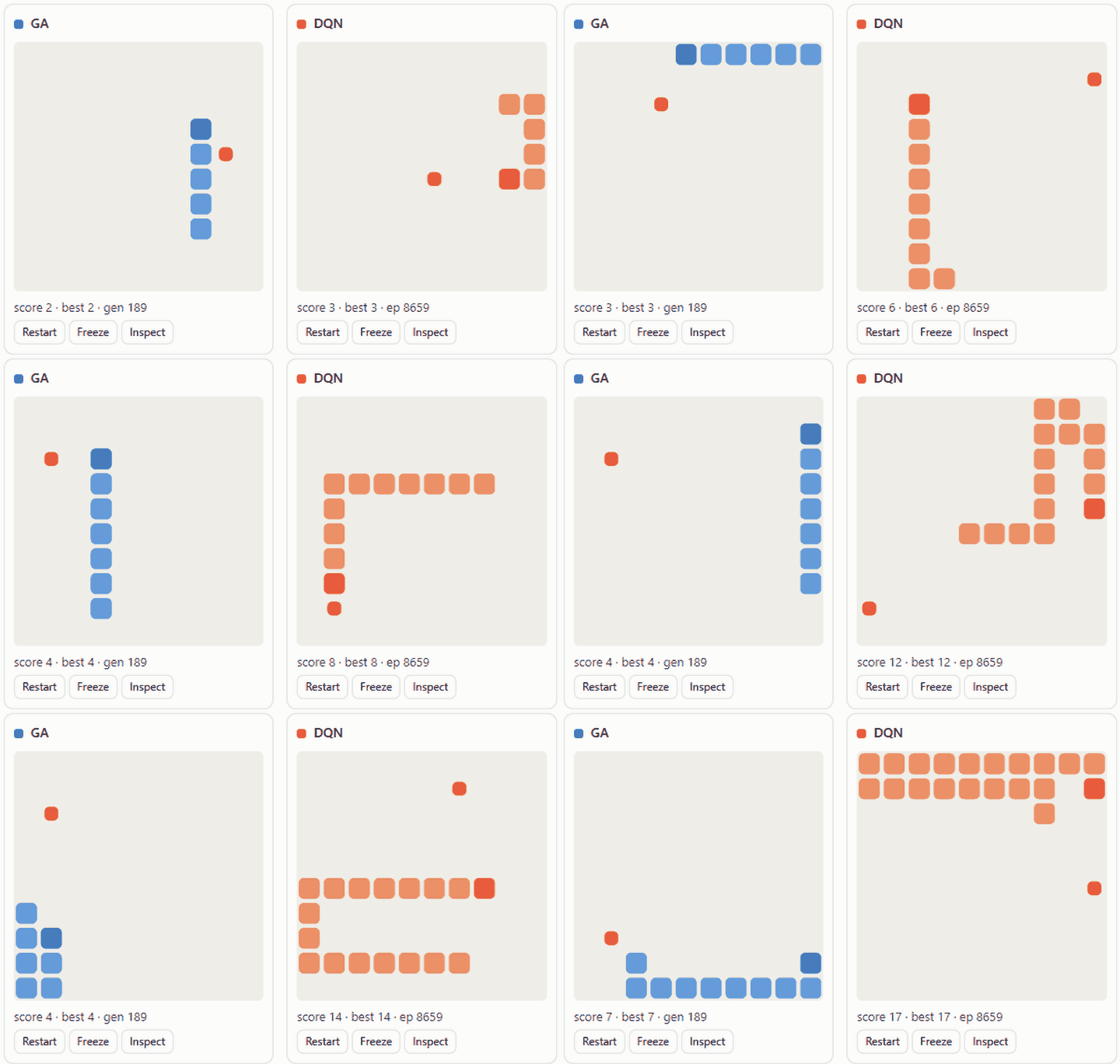

A learning project and a small lab: neural networks learn to play Snake, and you can watch them do it. You decide what each snake sees, how it is rewarded, and which algorithm learns. Every run is saved with its exact recipe, so anyone can repeat it, change one thing, and compare.
Try it without installing anything: the live demo has the whole trained course: watch the snakes, inspect their games move by move, compare runs and read the lessons (read-only).
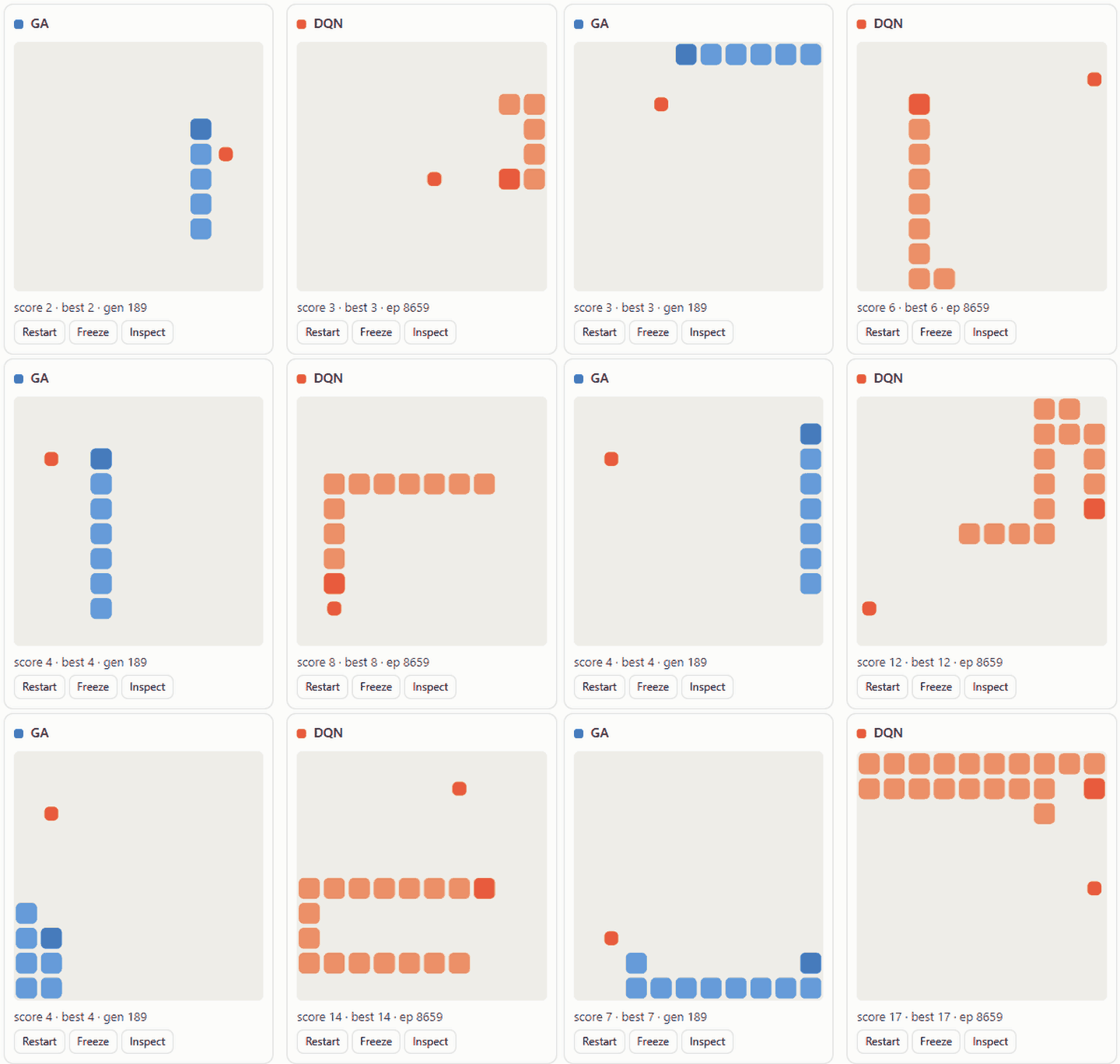
- Two training algorithms: a genetic algorithm (evolution, numpy) and Deep Q-learning (PyTorch), with an MLP or a small CNN for the picture visions.
- A third player that never trains: jev, TypeSafe's decision model, plays from a text description of what the snake senses (optional, paid per move, through TokenRouter).
- Five visions:
- the 11 hints from lesson 01;
- rays that look N squares ahead;
- a square window around the head;
- the whole board;
- the 11 hints plus room to move: how much of the board each move keeps reachable.
- Ten reward features to mix: apple, death (or separate wall and body crash penalties), starvation, board-full, distance hint, potential-based hint, hunger, survival. Conflicting ones are blocked.
- A browser dashboard to launch, watch, browse, delete and compare runs, live.
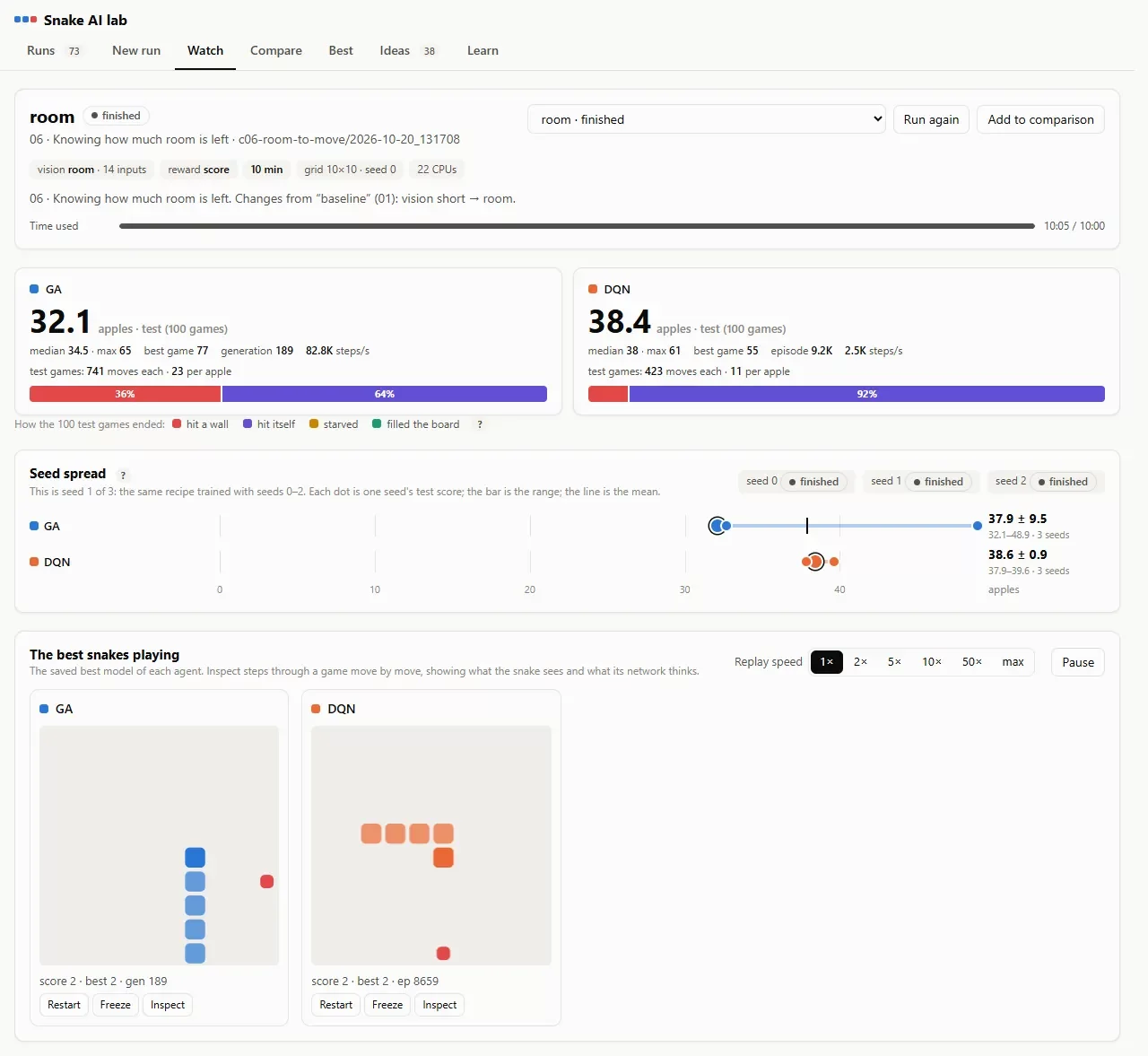
- Inspect mode: step through any game move by move and see what the snake saw (drawn on the board, plus the raw inputs) and how strongly its network preferred each move.
- A nine-lesson course (
course.py): one question and one change per lesson, every recipe trained with 3 seeds, with exercises to try next. - Adapts to any machine: it measures CPU cores and RAM and plans each run's workers, threads and memory to fit.
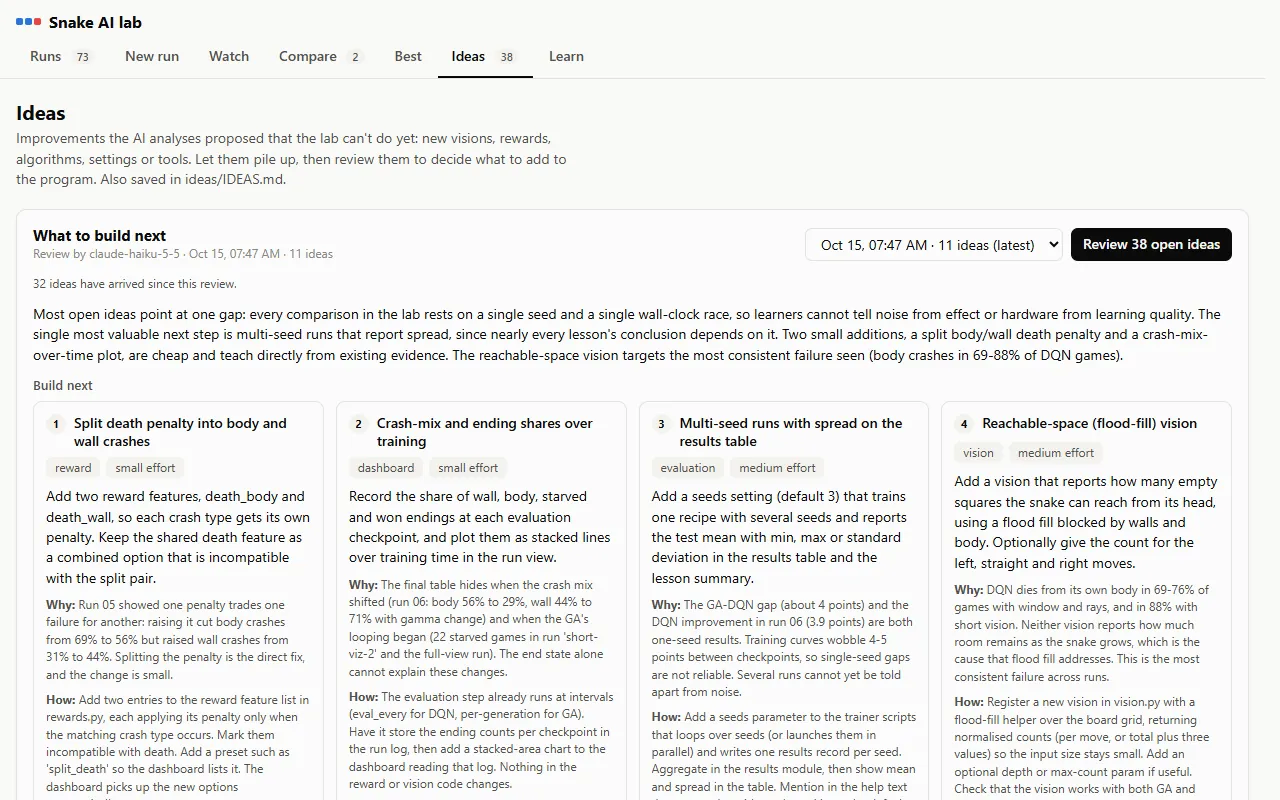
- AI analysis (optional): an LLM explains what a run did and why, writes it into the lesson, and suggests next runs. The recommended run starts with one click. Ideas that need new code are collected in an Ideas list and reviewed together.
The explainer video
New here? This four-minute video shows what a snake sees, how evolution and Q-learning learn from it, and what the course found.
First 15 minutes
- Start the lab. Install it (below), then run
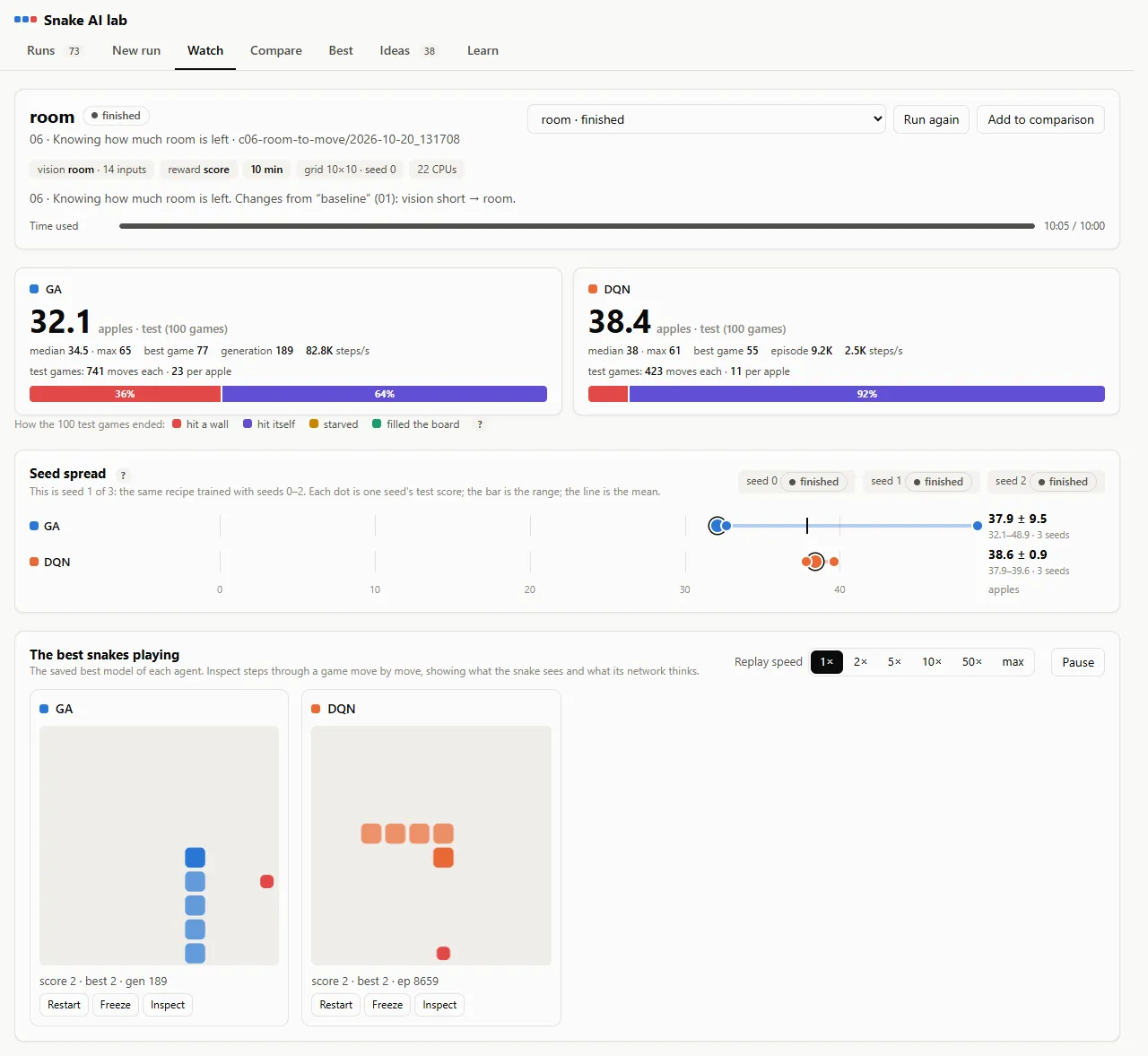
python run_all.py --dashboard-only. The dashboard opens in your browser. - Watch the baseline. In Runs, find 01 · Short vision (the baseline) in the Notebook and press Watch. Three snakes trained for 10 minutes play their saved best models. Press Inspect under a board: step with ← → and see the three danger hints and the apple direction it gets, and how sure its network is of each move.
- Change one thing. Press Run again, pick the vision Adjacent + room to move, set the training time to 3 minutes and press Start training. Write down your prediction first: will knowing how much room each move leaves help?
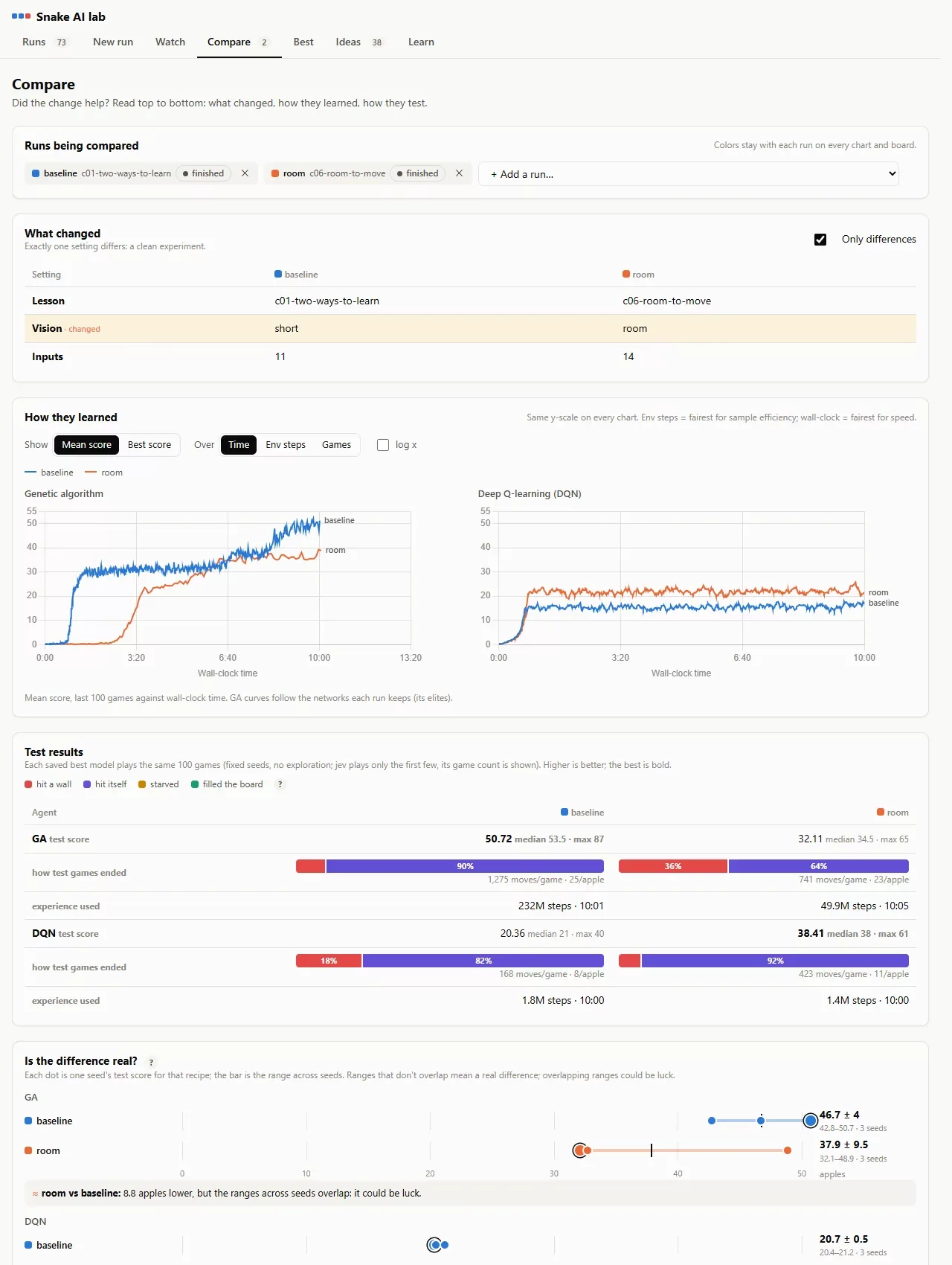
- Compare. When it has finished and been tested (about 4 minutes), tick both runs in Runs and press Compare. What changed should list the vision (and the time). Is the difference real? says what one seed each can and can't tell you. That is why every course lesson trains its recipes with 3 seeds.
- Optional: ask the AI. With an API key in
.env(see below), press Analyze this run in Watch: it explains what happened and suggests the next run, which starts with one click.
Then work through the course: Runs → 01 · Two ways to learn → Train this lesson, one lesson at a time, or the whole
course overnight with python course.py run all --wait.
Install
Python 3.10+ on Windows, Linux or macOS. Continuous integration runs the tests on Linux, Windows and macOS with Python 3.10 and 3.13, and in the Docker image.
git clone https://github.com/markmysler/snake-ai.git && cd snake-ai
# CPU-only PyTorch is much smaller than the default build and is all this project needs:
pip install torch --index-url https://download.pytorch.org/whl/cpu --extra-index-url https://pypi.org/simple
pip install -r requirements.txt
Or with Docker (no Python needed on the machine):
docker build -t snake-ai .
docker run --rm -p 8000:8000 -v "$PWD/lessons:/app/lessons" -v "$PWD/ideas:/app/ideas" snake-ai
# open http://localhost:8000; add --env-file .env for the AI analysis, --cpus=4 --memory=6g to limit it
docker run --rm snake-ai python -m pytest -q tests      # the tests
The volumes keep runs and ideas on your disk. Inside a container the planner uses the container's CPU and memory limits.
The JavaScript libraries (Chart.js, marked) are vendored in dashboard/static/vendor/, so everything works offline.
For the AI analysis, copy .env.example to .env in this folder and add an API key for TokenRouter
(TOKENROUTER_API_KEY) or OpenRouter (OPENROUTER_API_KEY). With both, TokenRouter is used unless
SNAKE_AI_LLM_PROVIDER=openrouter. The default model is anthropic/claude-haiku-5.5 on either (set SNAKE_AI_LLM_MODEL
for another). Any other OpenAI-compatible API works too: set TOKENROUTER_BASE_URL and TOKENROUTER_API_KEY to it.
python llm.py checks the setup with a tiny request. .env is git-ignored. Everything else works without it.
Quick start
python run_all.py --dashboard-only     # open the lab, then use "New run" in the page
python run_all.py                      # or: start a run right away (GA + DQN, short vision, 10 min)
python run_all.py --lesson 03-rays --vision rays:depth=4 --reward shaped --time-budget 10
The dashboard opens at http://127.0.0.1:8000/; if that port is busy it moves to the next free one. Ctrl+C stops the run early, still evaluates and saves it, then closes the dashboard.
The dashboard
Seven tabs, each answering one question.
| Tab | Question | What's on it |
|---|---|---|
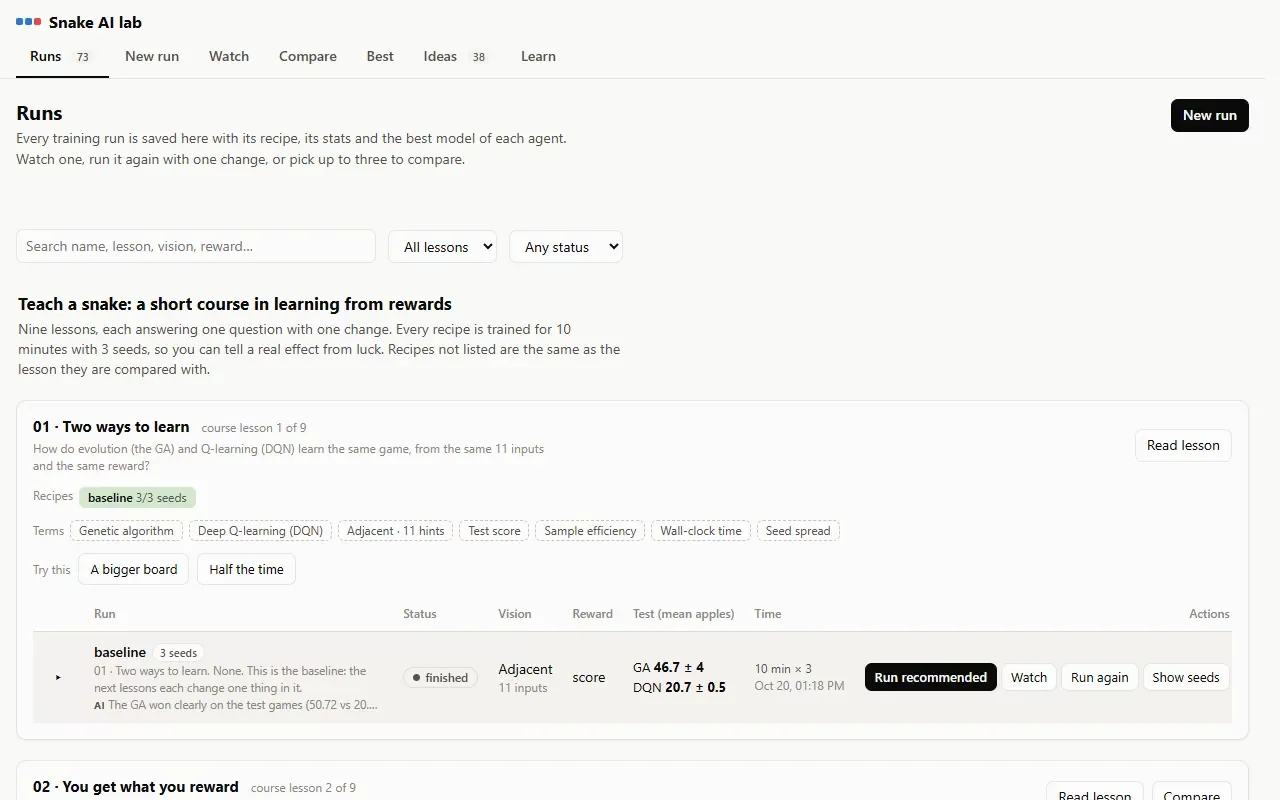
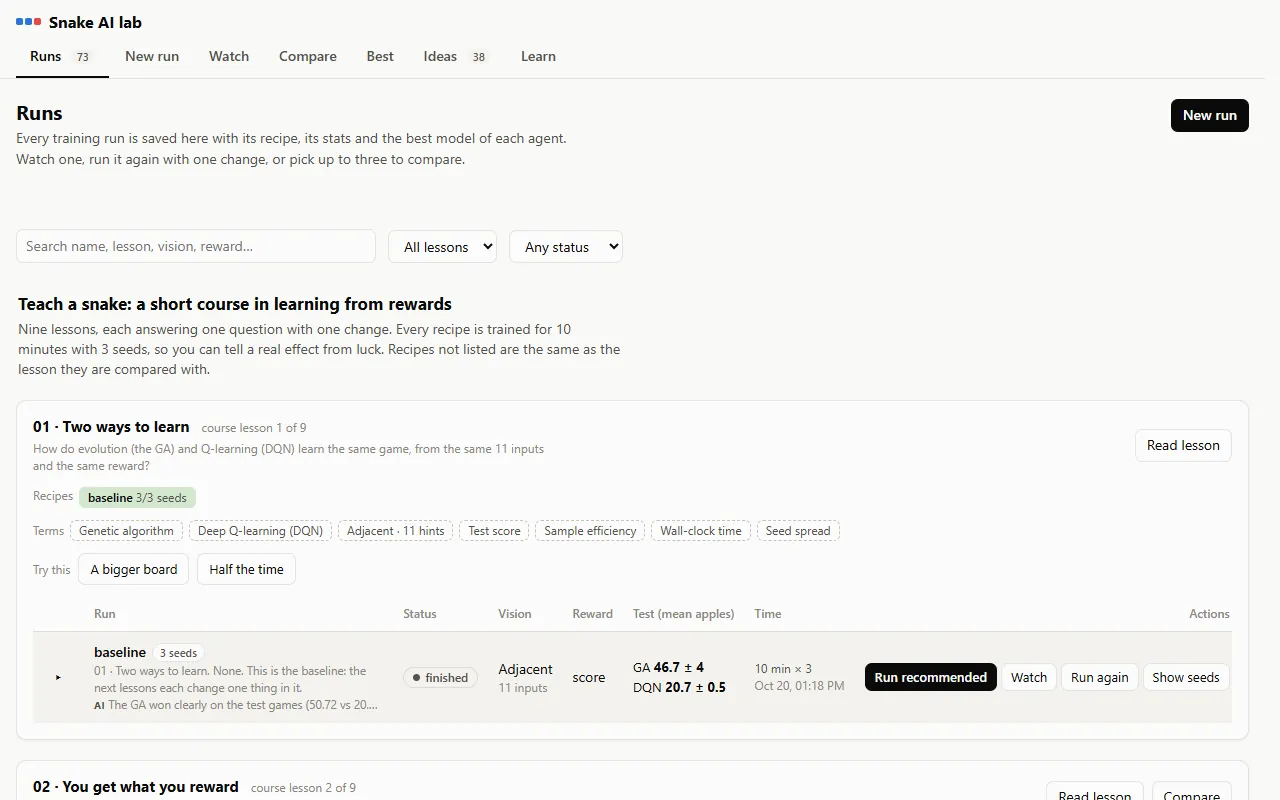
| Runs | What have we tried? | Runs training now (progress, Stop & save) · this machine and how many runs may train at once · every saved run grouped by lesson, with search and filters · per run: Watch, Run again, Edit (name / note / lesson), Delete · tick up to 3 runs to compare · "Read lesson" opens the lesson write-up |
| New run | What do I want to test? | 1 lesson + your prediction · 2 algorithms (with advanced settings) · 3 vision (with its settings and input count) · 4 reward features (presets; conflicting features are disabled with the reason) · 5 time, board size, seed. The side panel shows the recipe, the CPU and memory plan for this machine, and any warnings. "Run again" opens an old run's recipe here. |
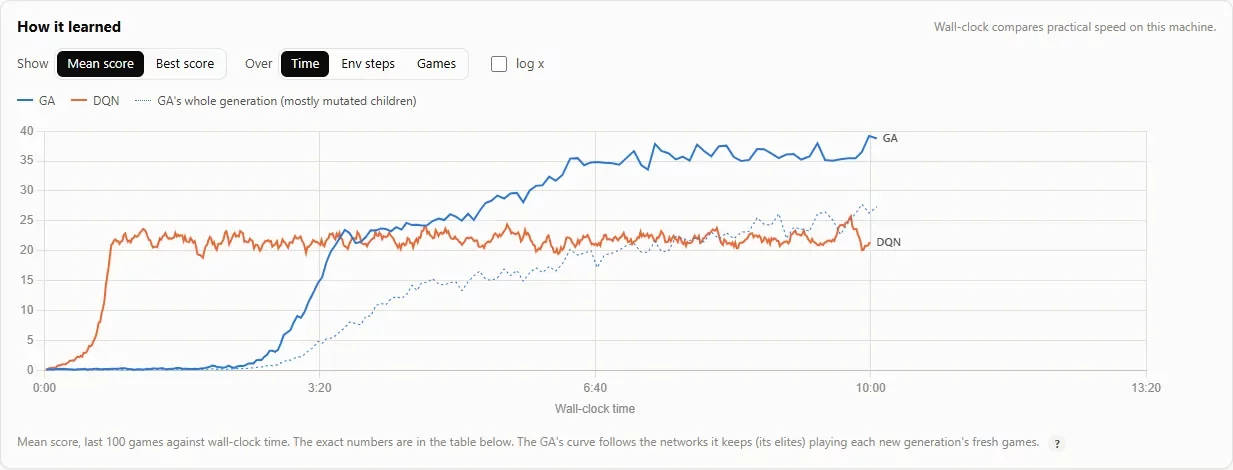
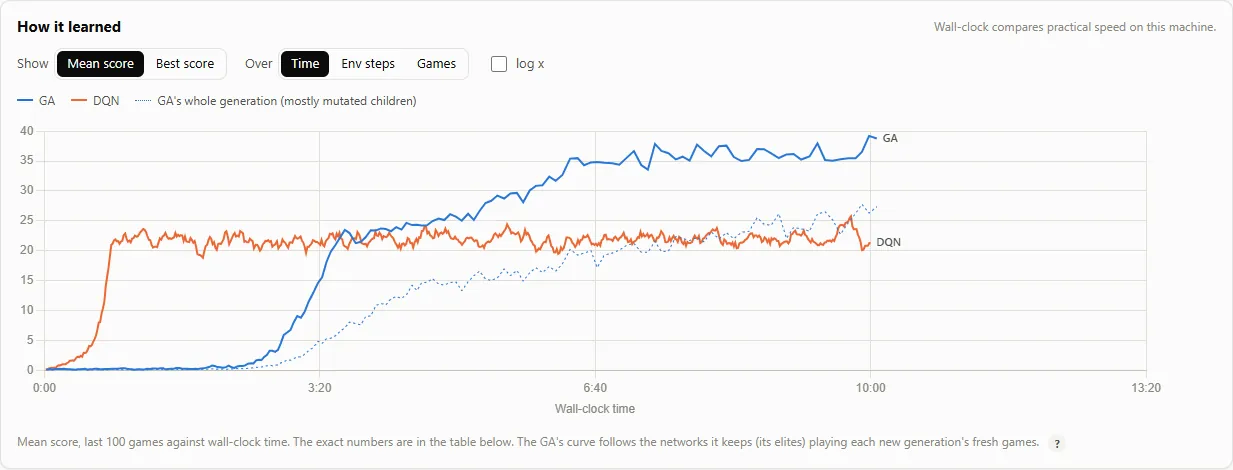
| Watch | How is one run doing? | A headline number per agent (test score once evaluated, otherwise the live mean of the last 100 games), with how its test games ended (hit a wall / hit itself / starved / filled the board) and moves per game and per apple · Seed spread for a run trained with several seeds (each seed's test score as a dot) · AI analysis of finished runs (headline, what we learned, what happened and why, 2–3 recommended next runs with Launch / Edit first) · the best snakes playing, with speed / pause / restart / freeze controls · Inspect any game move by move (below) · one learning-curve chart (mean or best score over time, env steps or games; log x) · collapsible: GA population (16 genomes at once), a numbers table, the full recipe |
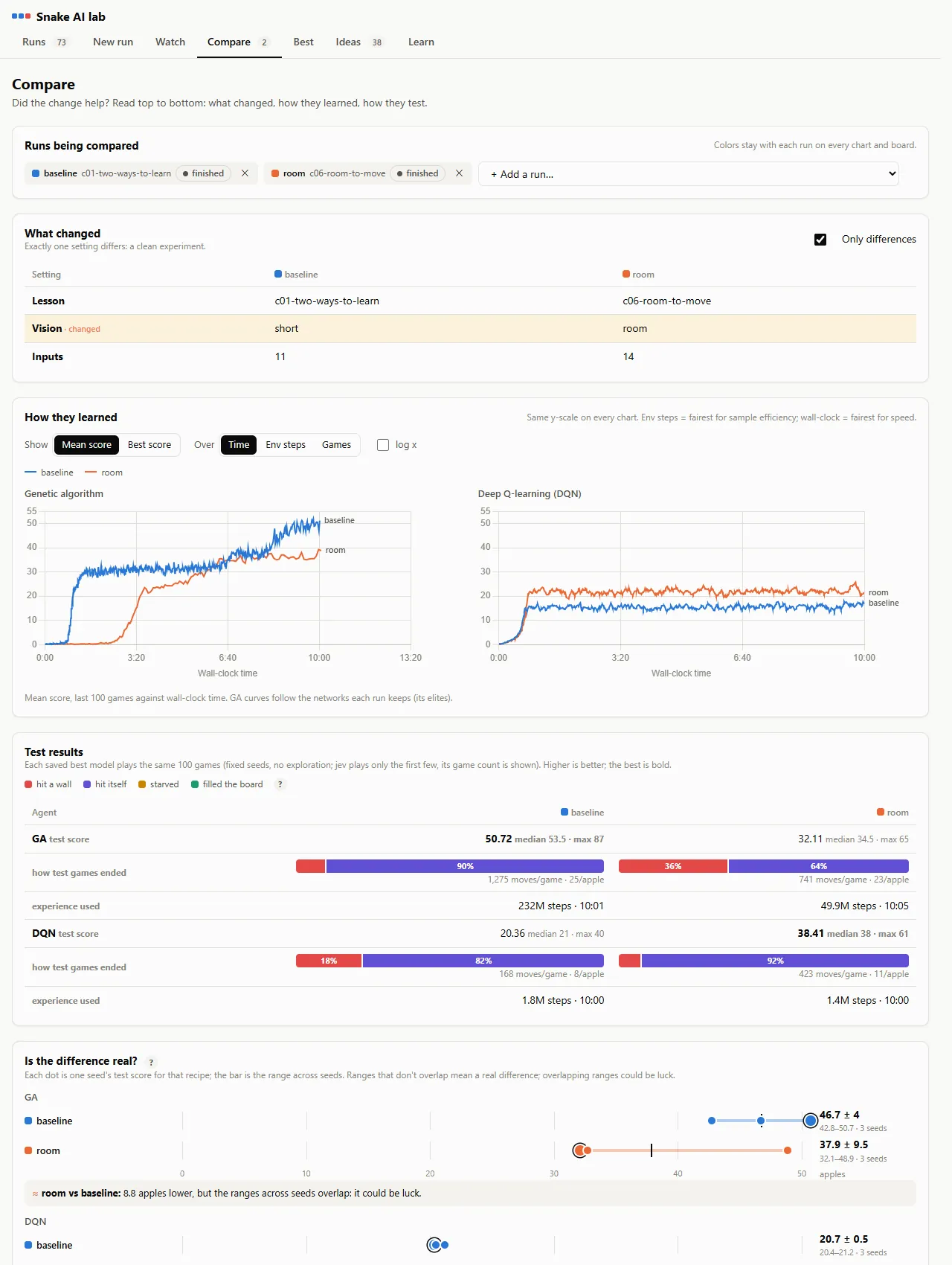
| Compare | Did the change help? | Up to 3 runs, each with a fixed color · What changed: settings that differ, highlighted (one difference = a clean experiment) · How they learned: one chart per algorithm, all on the same y-scale · Test results: 100 fixed games per saved model, best in bold, and how those games ended · Is the difference real?: each recipe's test score across its seeds on one axis, with a verdict (ranges that don't overlap = a real difference; overlapping = could be luck; a single seed = can't tell, or likely real when it lies far outside the other recipe's spread) · optional side-by-side games |
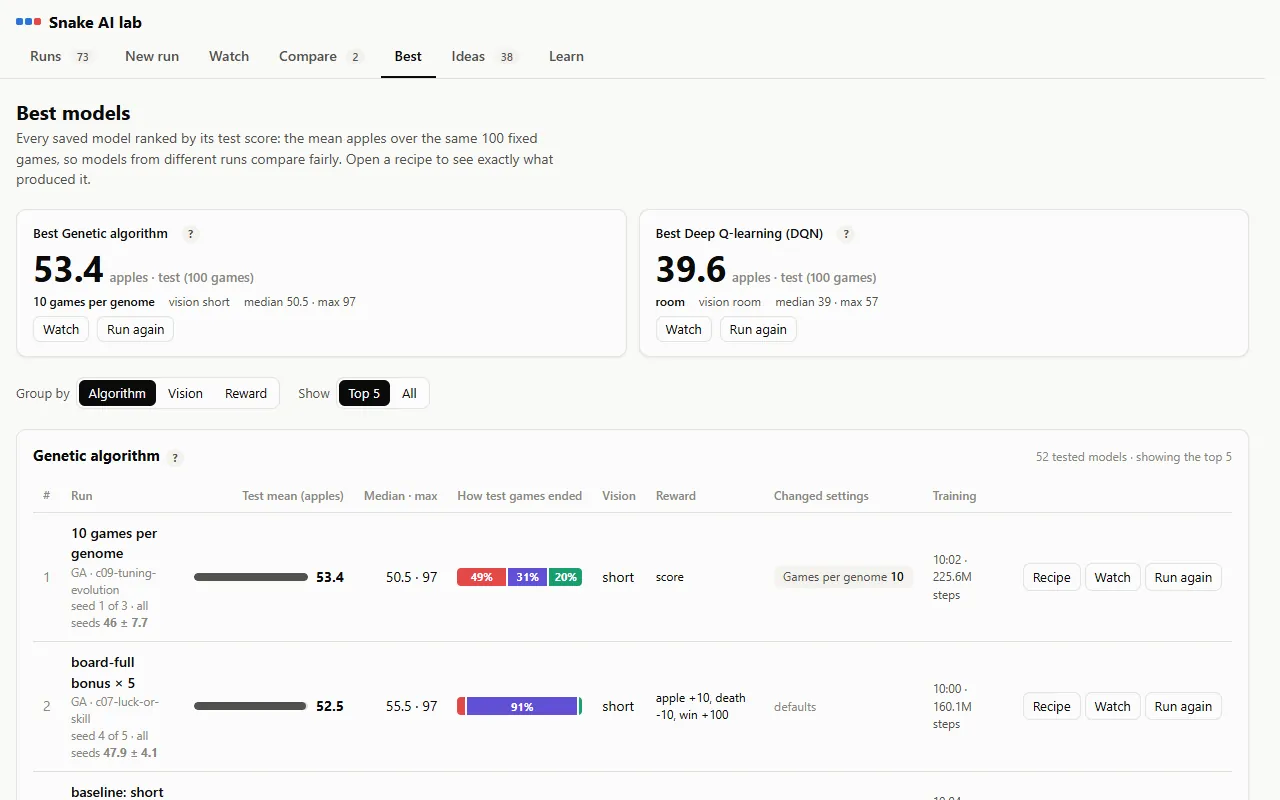
| Best | What has worked best so far? | The best saved model of each algorithm as headline tiles · ranked tables of every tested model (group by algorithm, vision or reward), with test score bars on one shared scale · Recipe opens the exact settings that produced a model, with non-default settings in bold · Watch / Run again |
| Ideas | What should the lab be able to do next? | Every improvement an AI analysis proposed that needs new code (a new vision, reward, algorithm, setting, chart or tool), from all runs · Review asks the LLM which to build next: it merges duplicates, ranks them by evidence and effort, and says how to build each one · mark ideas planned, done or dismissed · earlier reviews are kept |
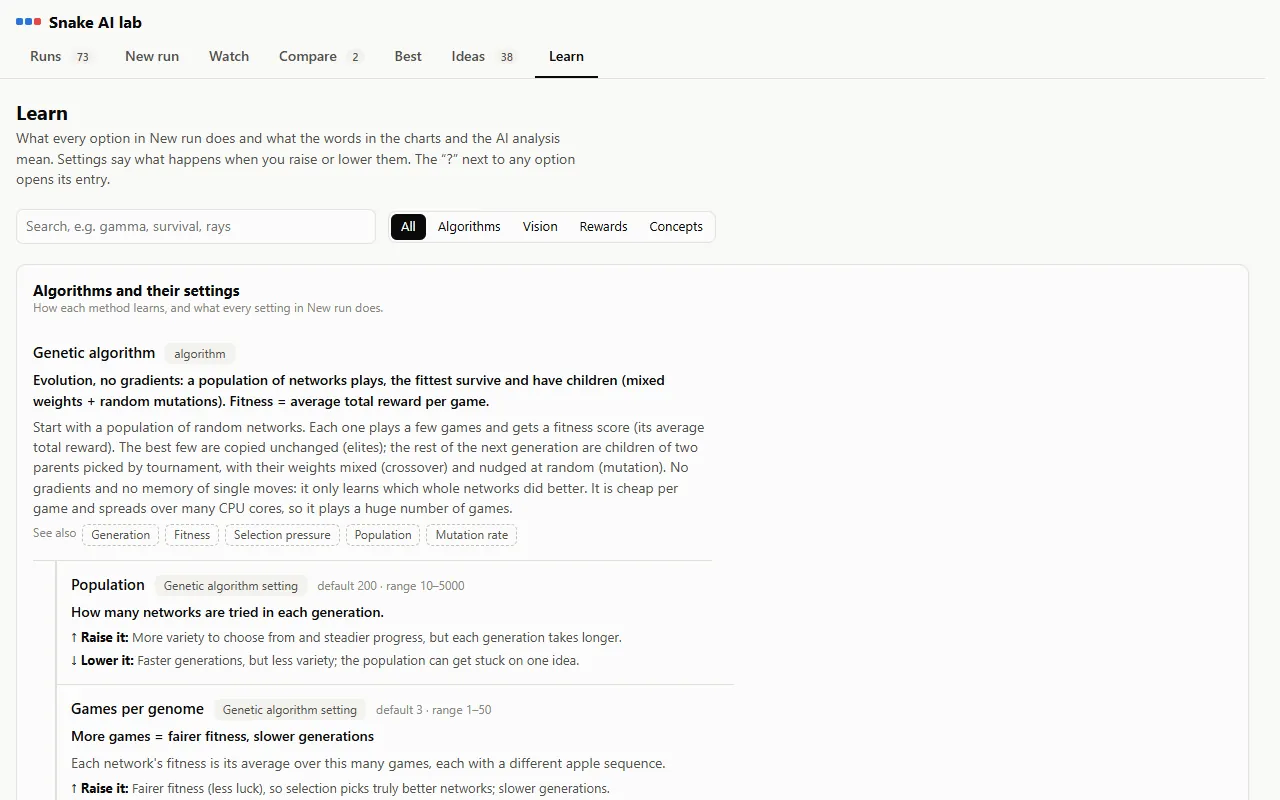
| Learn | What does this setting or word mean? | A glossary of every algorithm, setting, vision and reward feature, plus general terms (epsilon, fitness, sample efficiency…) · each setting says what raising or lowering it does · searchable. The ? next to every option in New run and Best opens its entry, and every AI recommendation lists the terms it uses |
 |
 |
 |
 |
 |
 |
Inspect: what the snake sees
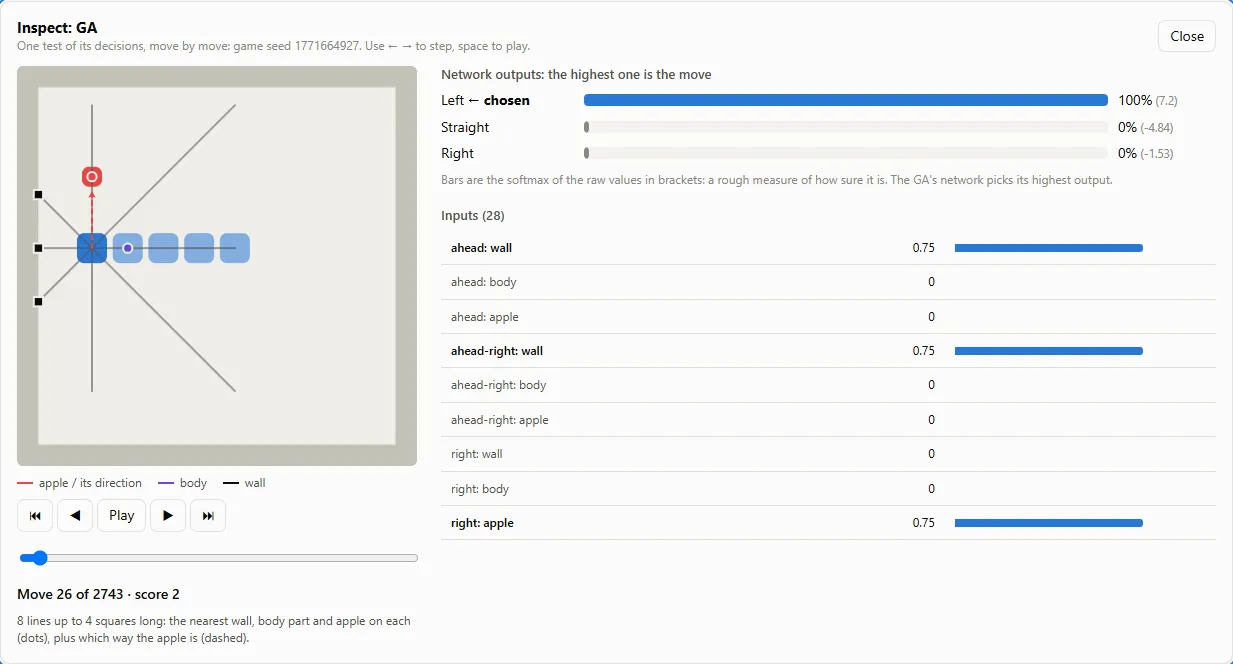
Press Inspect under any board in Watch to step through that game (it is replayed exactly from its seed and the model version). For every move you see:
- what the vision looks at, drawn on the board: the danger arrows and apple direction of
short, the 8 rays ofrayswith what each one hit, the box ofwindow, each move's reachable pocket ofroomwith its share. A band around the board stands for the wall; - how much the network preferred each move: the GA's three outputs or DQN's Q-values, as shares (softmax) with the raw numbers, and the move it chose;
- the inputs themselves: a named list for the small visions, or the pictures the network gets for
windowandfull(centred on the head and turned so the snake faces up).
Use ← → (or the slider) to step, space to play, Home / End for the first and last move. The last move shows how the game ended.
How the design follows data-viz practice:
- Controls sit in one row above the charts they affect.
- Headline numbers come before charts.
- Comparisons use one chart per algorithm with a shared scale instead of one crowded chart.
- Color always means the same thing: the agent in Watch, the run in Compare. It's capped at 3 runs so the colors stay distinguishable, including for color-blind viewers.
- One tooltip lists every line at the hovered position, and lines carry labels at their ends.
- Every chart has a table equivalent.
- Light and dark themes follow your system.
Notes:
- Training and viewing are decoupled. The boards replay saved weights in the dashboard process. Training runs in separate processes at full speed whatever the replay speed, and keeps going if you close the dashboard. Boards in collapsed sections don't play at all.
- Boards switch models only between games, so behaviour never changes mid-game.
- Which x-axis to use: Env steps is the fairest comparison of sample efficiency (how much experience each method needed). Wall-clock is the fairest for practical speed on this machine.
- Wall-clock results depend on the machine. Laptops on battery are throttled, and parallel runs share cores. Every run records the CPU count, power state and how many runs shared the machine, and Compare shows them.
Building a run (the recipe)
A run's recipe (see runconfig.py) is what gets saved and repeated:
{"lesson": "03-rays", "name": "rays 4", "note": "prediction…",
 "vision": {"type": "rays", "depth": 4},
 "reward": {"apple": 10, "death": 10, "hunger": 0.01},
 "agents": [{"id": "ga", "algorithm": "ga", "params": {"population": 200, "...": "..."}},
            {"id": "dqn", "algorithm": "dqn", "params": {"lr": 0.001, "...": "..."}}],
 "time_budget_min": 10, "width": 10, "height": 10, "seed": 0}
Visions (vision.py)
| Spec | Inputs (10×10) | What it sees |
|---|---|---|
short |
11 | danger in the next square straight/left/right, heading, food direction (lesson 01) |
room |
14 | the 11 hints, plus for each move the share of the free board still reachable after it (a flood fill). A move into a pocket scores low while it is still safe |
rays:depth=N |
28 | along 8 lines around its heading: how close the nearest wall, body part and apple are within N squares, plus food direction |
window:radius=N |
3·(2N+1)²+4 | a picture of the squares within N steps of the head, rotated so the snake faces up, plus food direction |
full |
1,083 | the whole board as pictures centred on the head, rotated so the snake faces up (lesson 02) |
Reward features (rewards.py)
| Feature | Default | When | Can't combine with |
|---|---|---|---|
apple |
+10 | each apple | |
death |
−10 | crash into wall or body | death_wall, death_body |
death_wall |
−10 | crash into a wall | death |
death_body |
−10 | crash into its own body | death |
starve |
−10 | the game ends after 100 × length moves without eating | |
win |
+100 | board filled | |
distance |
±0.1 | each move closer / farther | potential |
potential |
γΦ(after) − Φ(before), Φ = −w·distance | each move | distance |
hunger |
−0.01 | each move | survival |
survival |
+0.1 | each move | hunger |
Presets:
score= apple + death.shaped= score + distance.ga_classic= apple×100 + survival 0.1. This is the GA fitness from lessons 01–02.split_death= apple + wall crash −10 + body crash −30 + starving −30. Starving costs as much as the worst crash; otherwise looping until it starves becomes the safe way out, and the New run form warns about it.
The GA uses the same reward as the DQN: its fitness is a genome's average total reward per game. With the plain score reward the GA starts slowly: early on almost every genome scores −10, so selection has little to choose between until a few genomes stumble onto apples. A survival or distance signal speeds that up (and lesson 02 of the course shows what a survival bonus costs).
Algorithms (algorithms.py)
ga: population, games per genome, elite fraction, tournament size, mutation rate and size. Parallel worker processes.dqn: learning rate, gamma, batch, replay buffer, exploration decay, target sync, parallel games, evaluation interval, and the network: an MLP, or a small CNN (three 3×3 convolution layers) that reads thewindowandfullpictures as images. Uses torch threads.jev: TypeSafe's decision model (jev.py,train_jev.py). It doesn't learn: each move it gets what the snake senses as text (said relative to its heading, or the pictures as small character grids) and picks left, straight or right with a probability for each. So a jev run has no training phase; it plays the fixed test games itself, up to 100 boards per request. Settings: test games (default 20), instructions (its only "training": Just the rules or Rules + stay safe), boards per request, and a spending cap. It needsTOKENROUTER_API_KEY; New run shows the estimated cost (about $0.03 for 20 games) and asks before starting. Its moves and probabilities are saved, so Watch and Inspect replay its games without calling it again. Its test score covers fewer games than the others' 100, and the dashboard says so.
How a run uses the machine (system.py)
python system.py prints what was detected: CPU cores (respecting affinity and container limits), total and free RAM, and power state. It reads these with each OS's own calls, so no extra package is needed.
For each run, system.plan() decides resources:
- When DQNs run alongside, GA worker pools get half the cores. Each DQN gets one torch thread.
- Memory is estimated per agent (DQN replay buffers dominate). If the run doesn't fit in 80% of free RAM, buffers shrink first, then worker pools, with a warning.
- It reports how many runs like this could train at once.
The Runs tab sets how many runs may train at the same time. Extra runs wait in a queue, and each running run gets its share of the machine. You can override any agent's cores in the New run form.
Is it real? Test games and seeds
How test games ended. Every saved model plays the same 100 fixed-seed games. Each game is recorded: its score, its moves, and how it ended: hit a wall, hit itself, starved (100 × length moves without eating) or filled the board.
- Mostly hit itself means the snake eats well but traps itself as it grows.
- Mostly starved means it learned to wander instead of eat.
Moves per apple tell the same story: around 10 is efficient, hundreds means wandering. Runs recorded before this existed were backf