
SuperLightTUI
Build terminal UIs like web pages — flexbox layout, Tailwind-style chaining, hooks, and click/hover/scroll, all in one Rust closure.
Superfast to write. Superlight dependency tree (4 direct required deps, 26 resolved with default features vs 67 for ratatui 0.30.2 + crossterm, measured 2026-10).
[


[Docs Index] · [Quick Start] · [Widget Guide] · [Patterns Guide] · [Examples Guide] · [Runtime Modes Guide] · [Architecture Guide]
SuperLightTUI (SLT) is an immediate-mode TUI library for Rust with a deliberately small public grammar. You write one closure, SLT calls it every frame, and the library handles layout, focus, diffing, and rendering. State is plain Rust variables; there is no app trait, message enum, or retained widget tree to set up.
Quick Start
cargo add superlighttui
fn main() -> std::io::Result<()> {
    slt::run(|ui: &mut slt::Context| {
        ui.text("hello, world");
    })
}
5 lines. No App trait. No Model/Update/View. No manual event loop.
Ctrl+C exits cleanly by default (opt out with RunConfig::handle_ctrl_c(false)).
The mouse is on by default. Plain slt::run reports clicks, wheel scroll, and
drags (split handles, scrollbar thumbs, text selection); over SSH it falls back to
clicks and the wheel only. Tab/Shift+Tab move focus and Enter/Space activate the
focused button either way:
use slt::Context;

fn main() -> std::io::Result<()> {
    let mut clicks = 0;

    slt::run(|ui: &mut Context| {
        ui.text(format!("clicked {clicks} times")).bold();
        if ui.button("Click me").clicked {
            clicks += 1;
        }
    })
}
Hover styling and tooltips need every pointer move, so they are opt-in:
slt::run_with(RunConfig::default().mouse_mode(MouseMode::Hover), |ui| { ... }).
While the mouse is captured, most terminals still select text natively with
Shift-drag; MouseMode::Off turns the mouse off entirely.
MSRV: Rust 1.88. Default features enable the crossterm backend and bidi.
Showcase
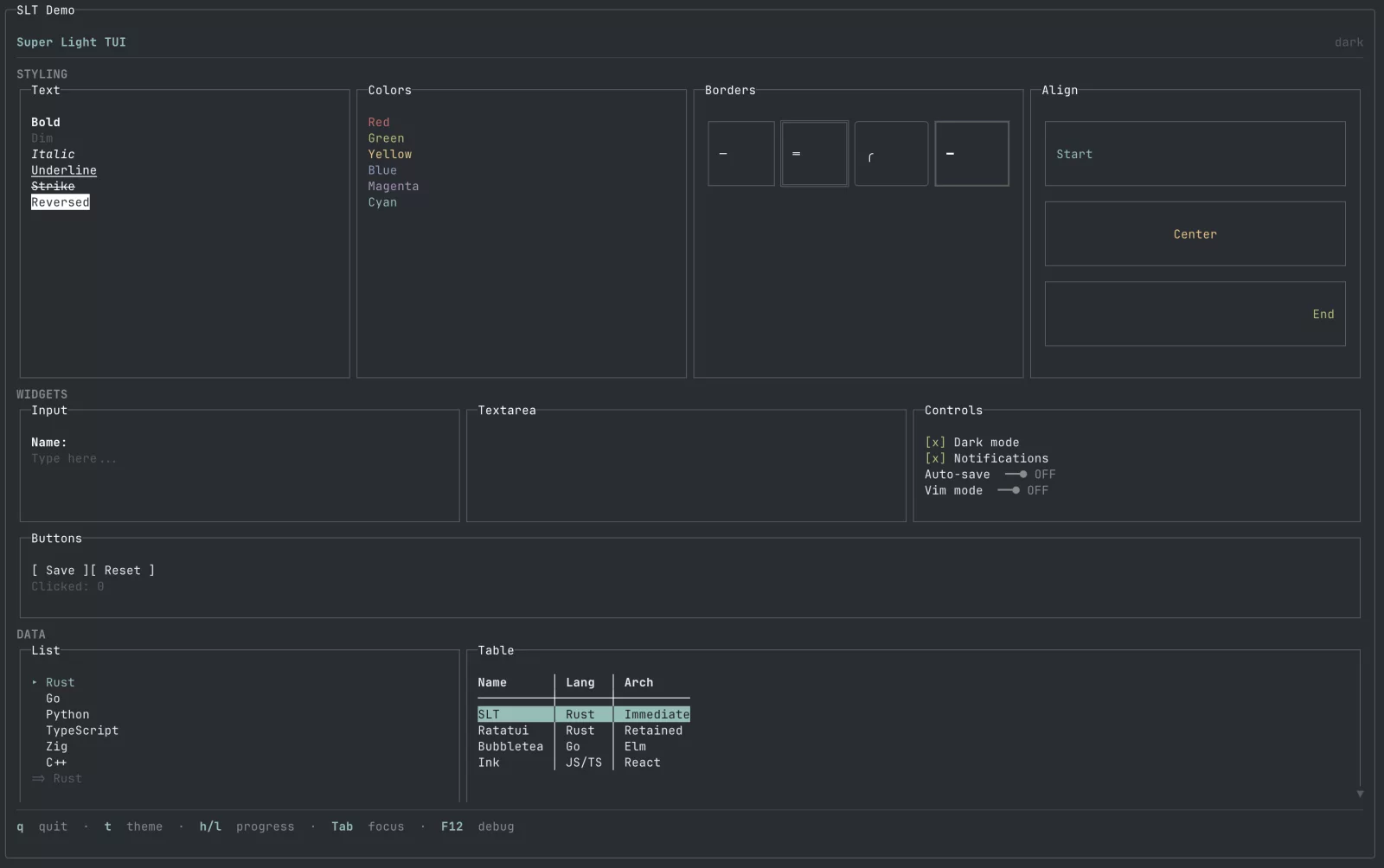
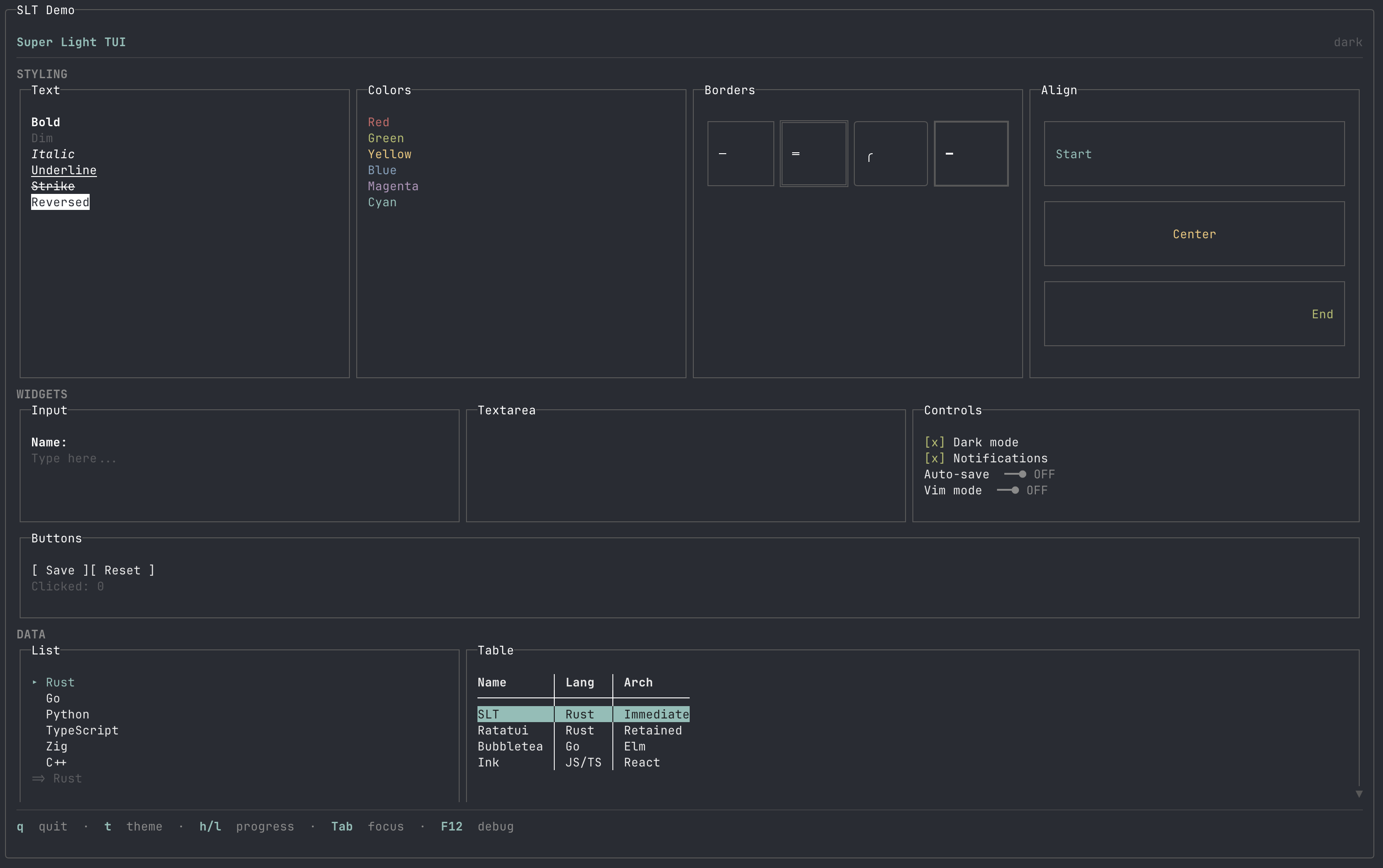 Widget Demo cargo run --example demo |
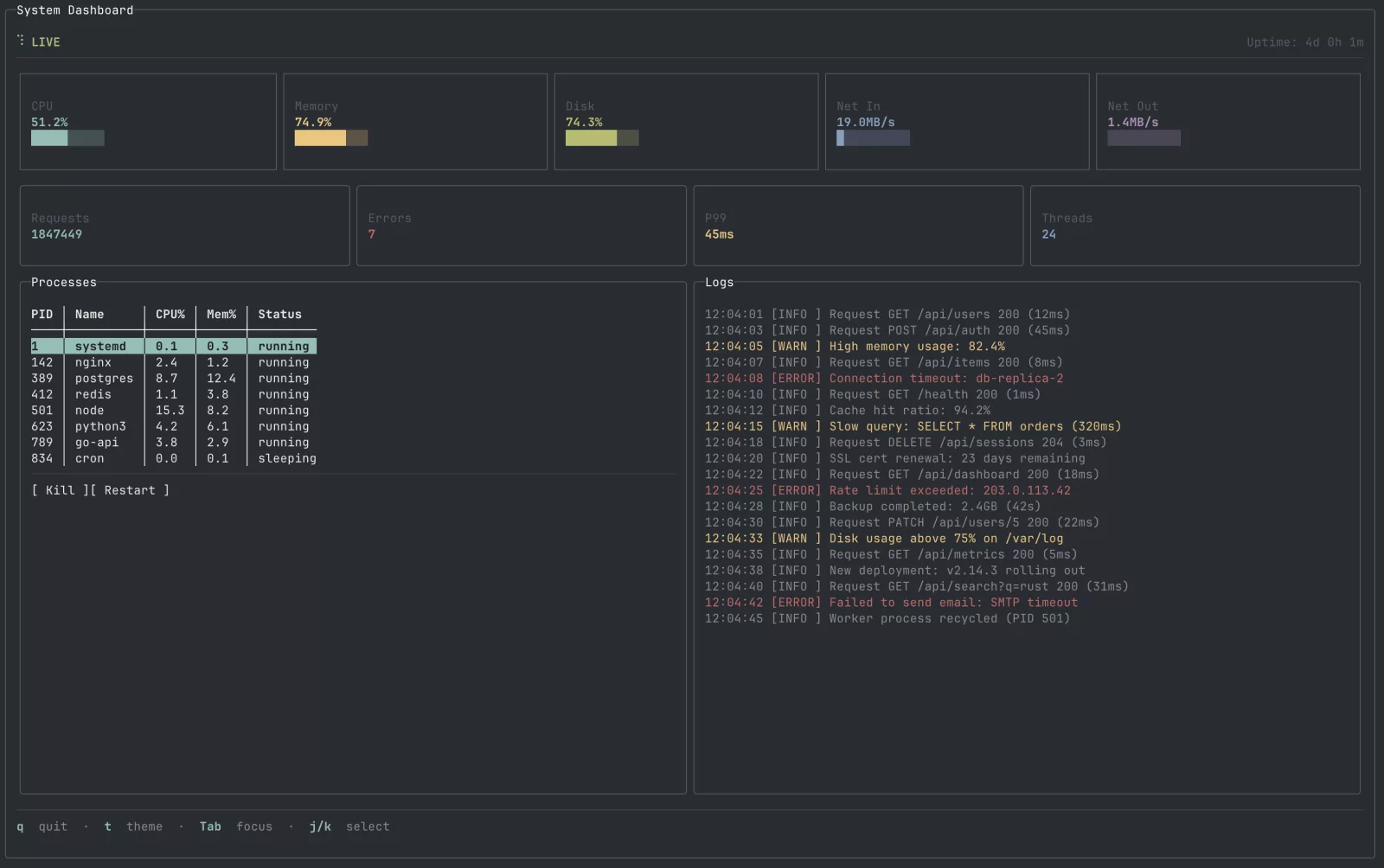
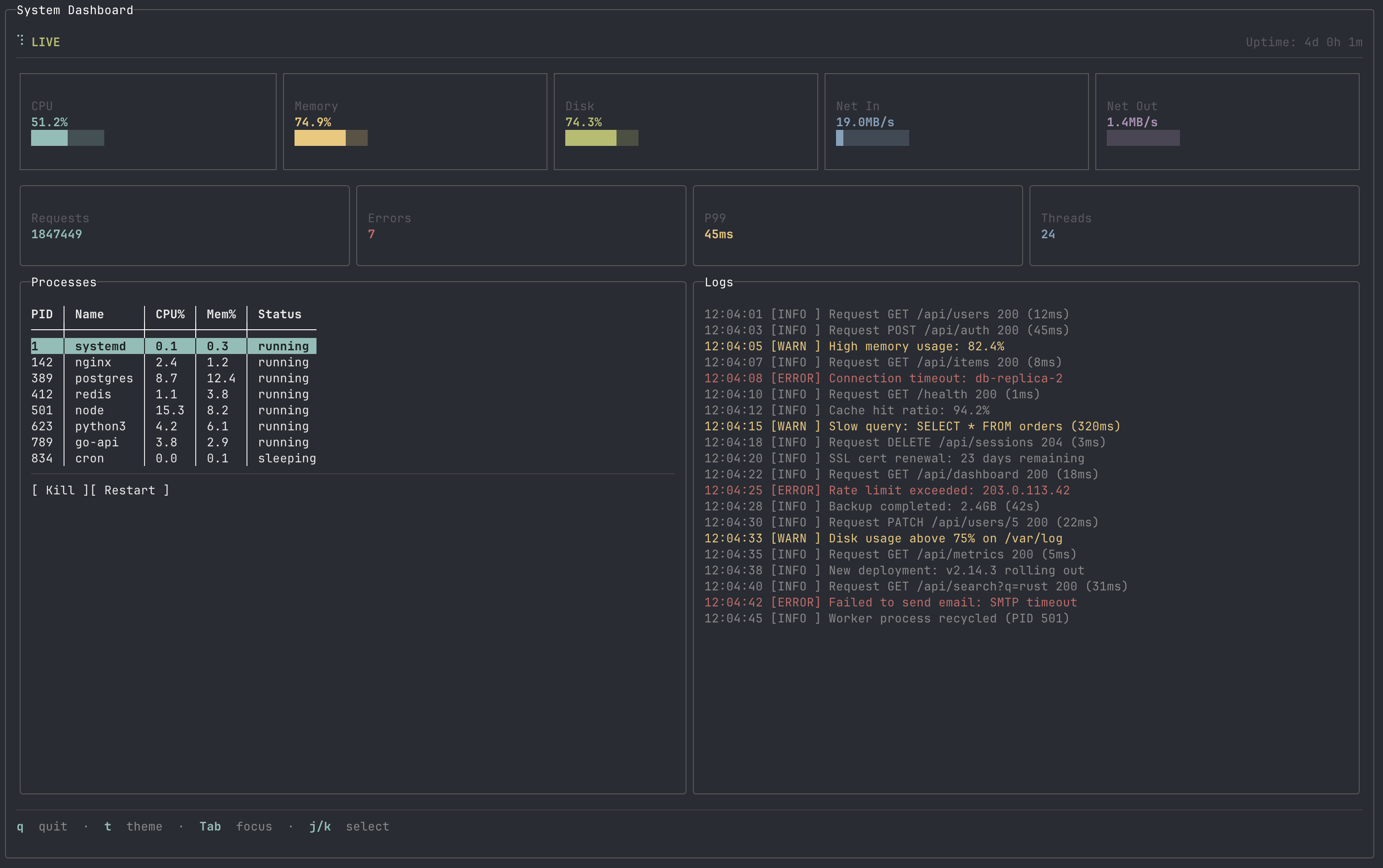 Dashboard cargo run --example showcase_tour |
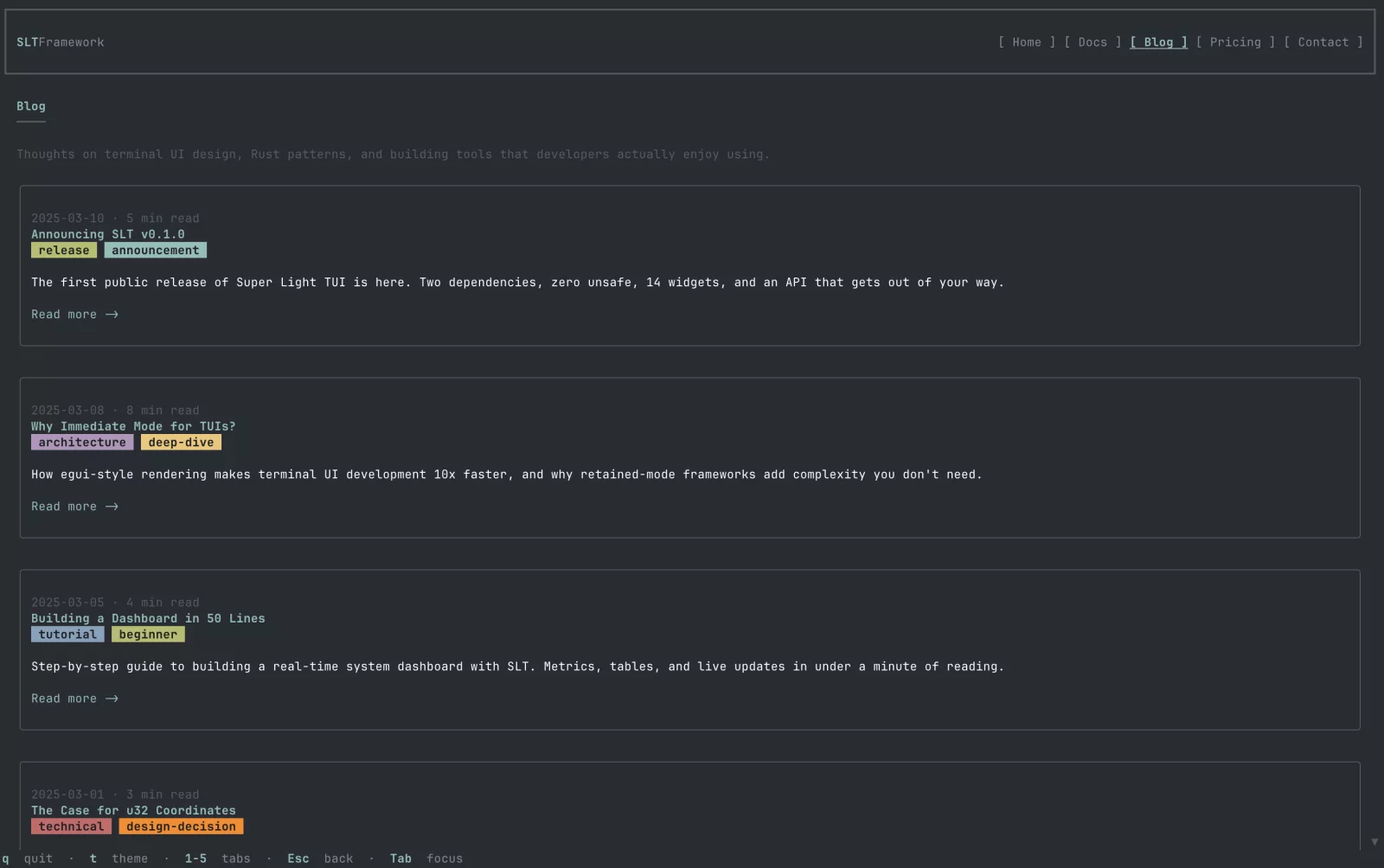
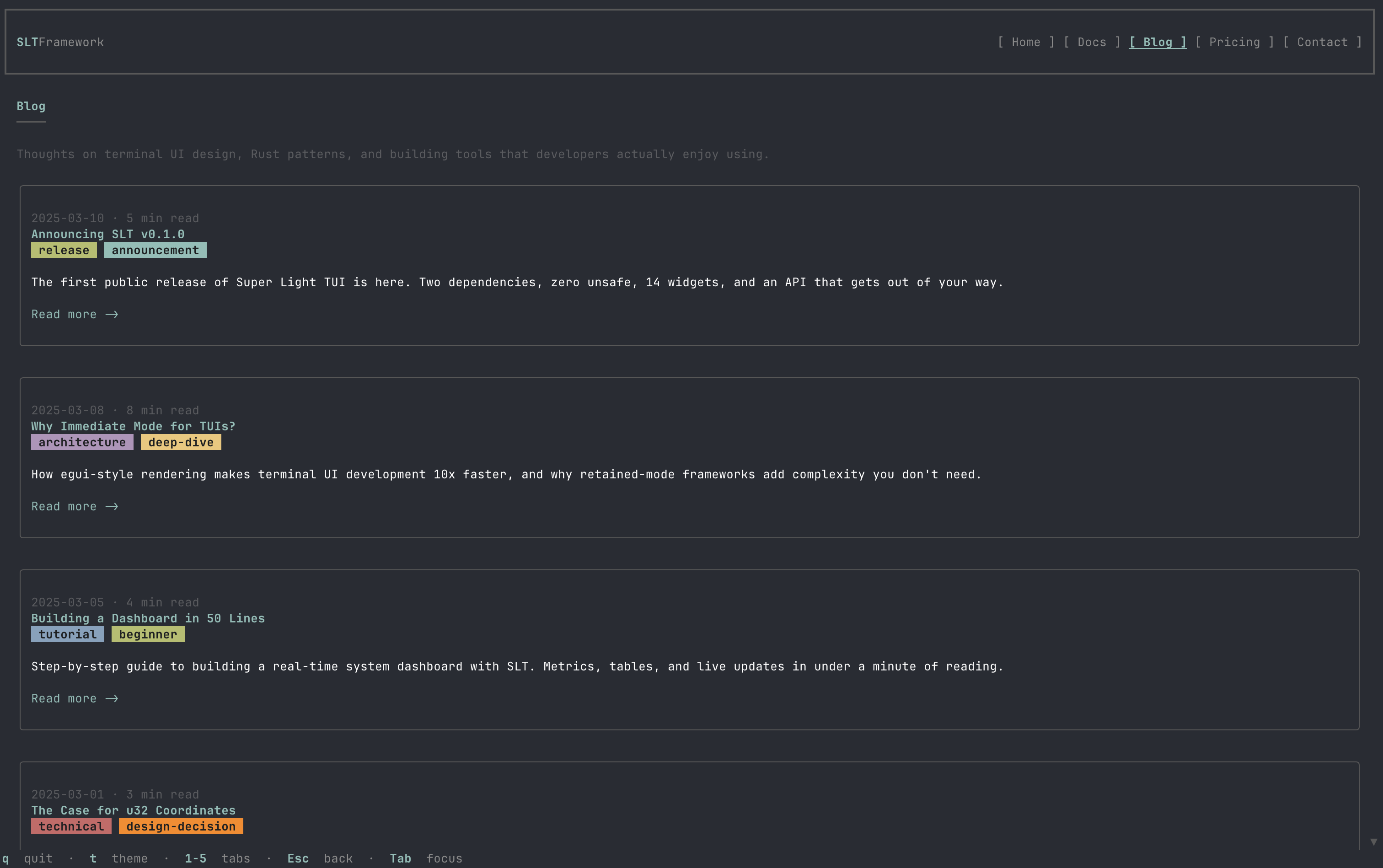 Website Layout cargo run --example showcase_tour |
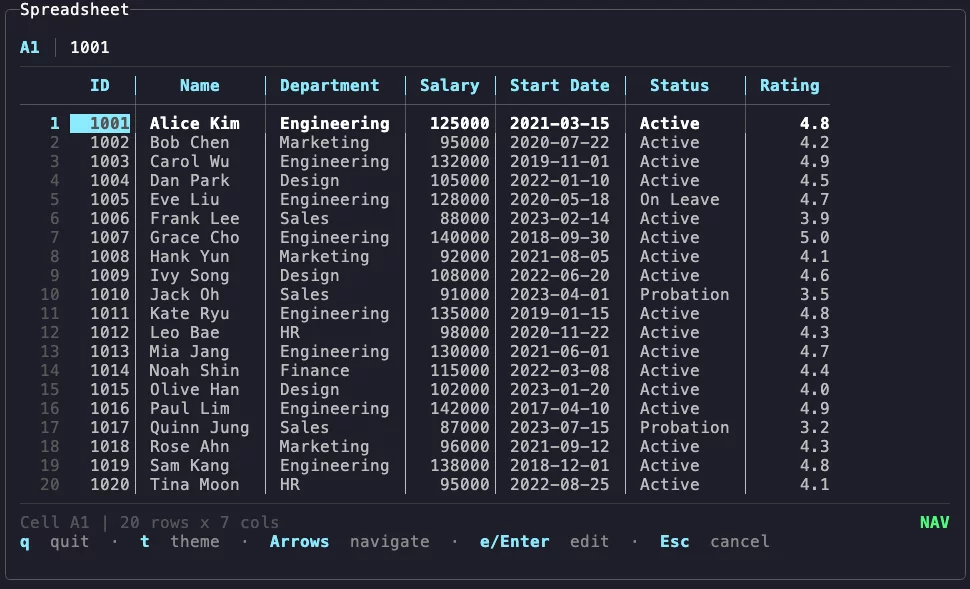
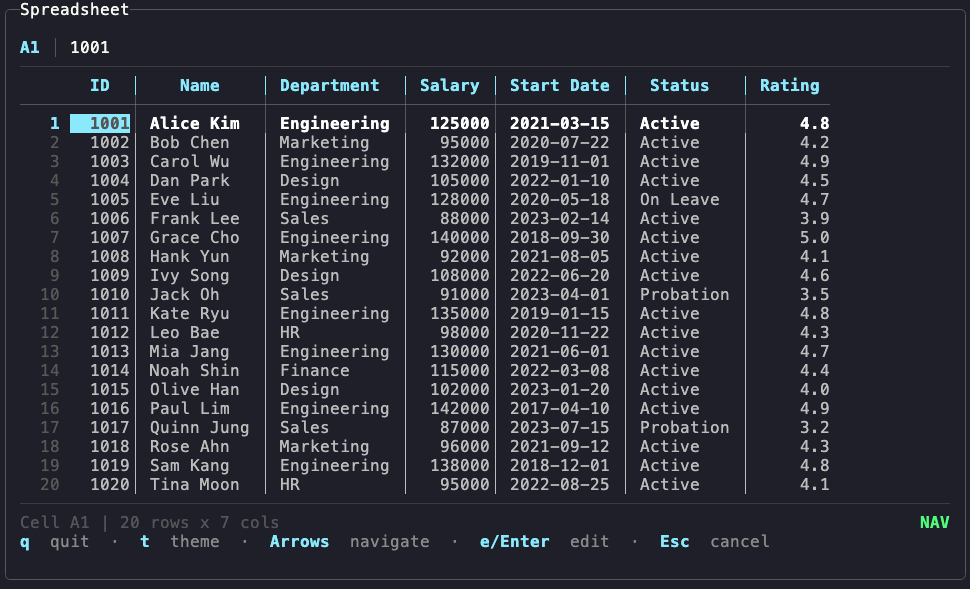 Spreadsheet cargo run --example showcase_tour |
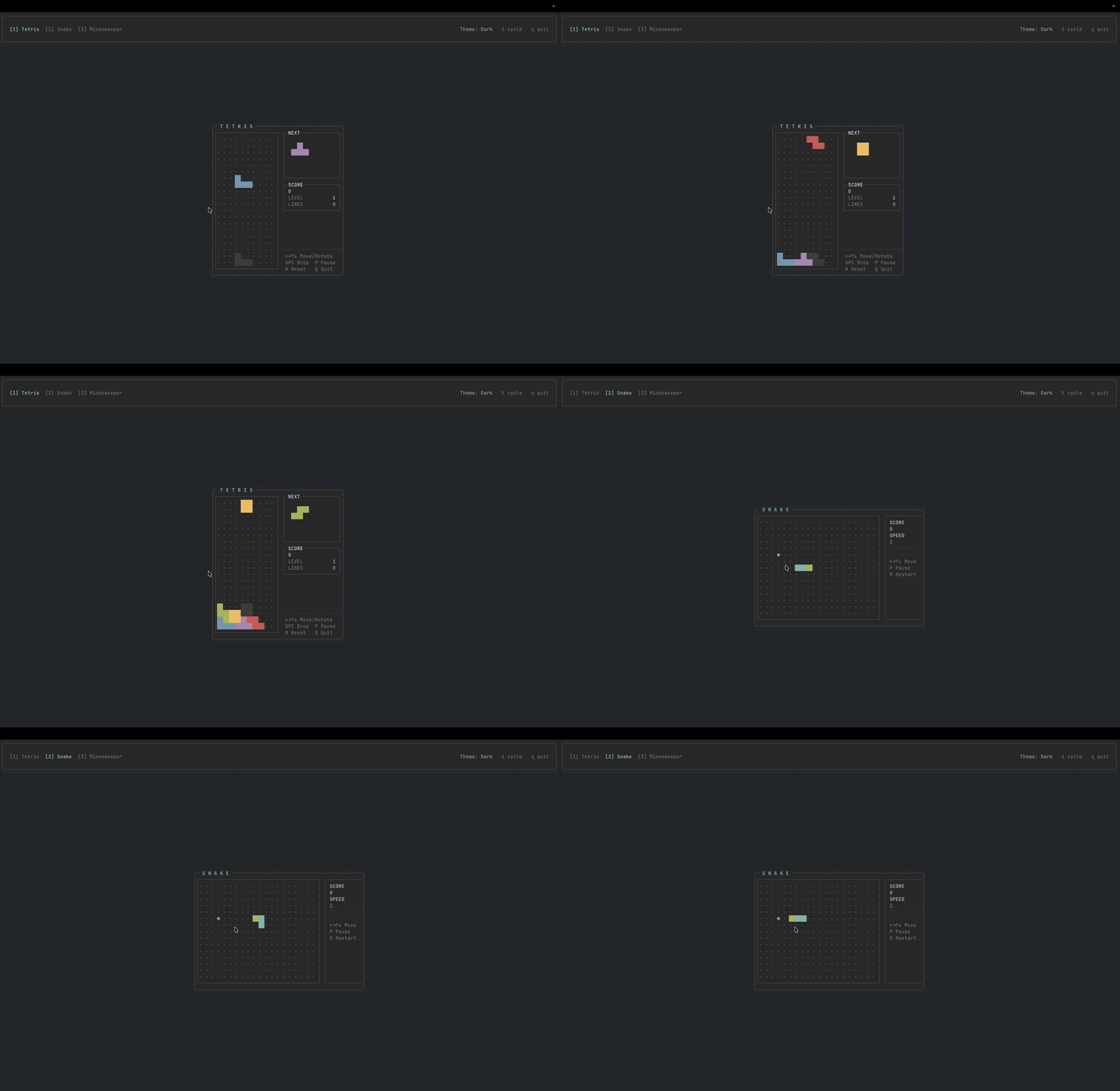
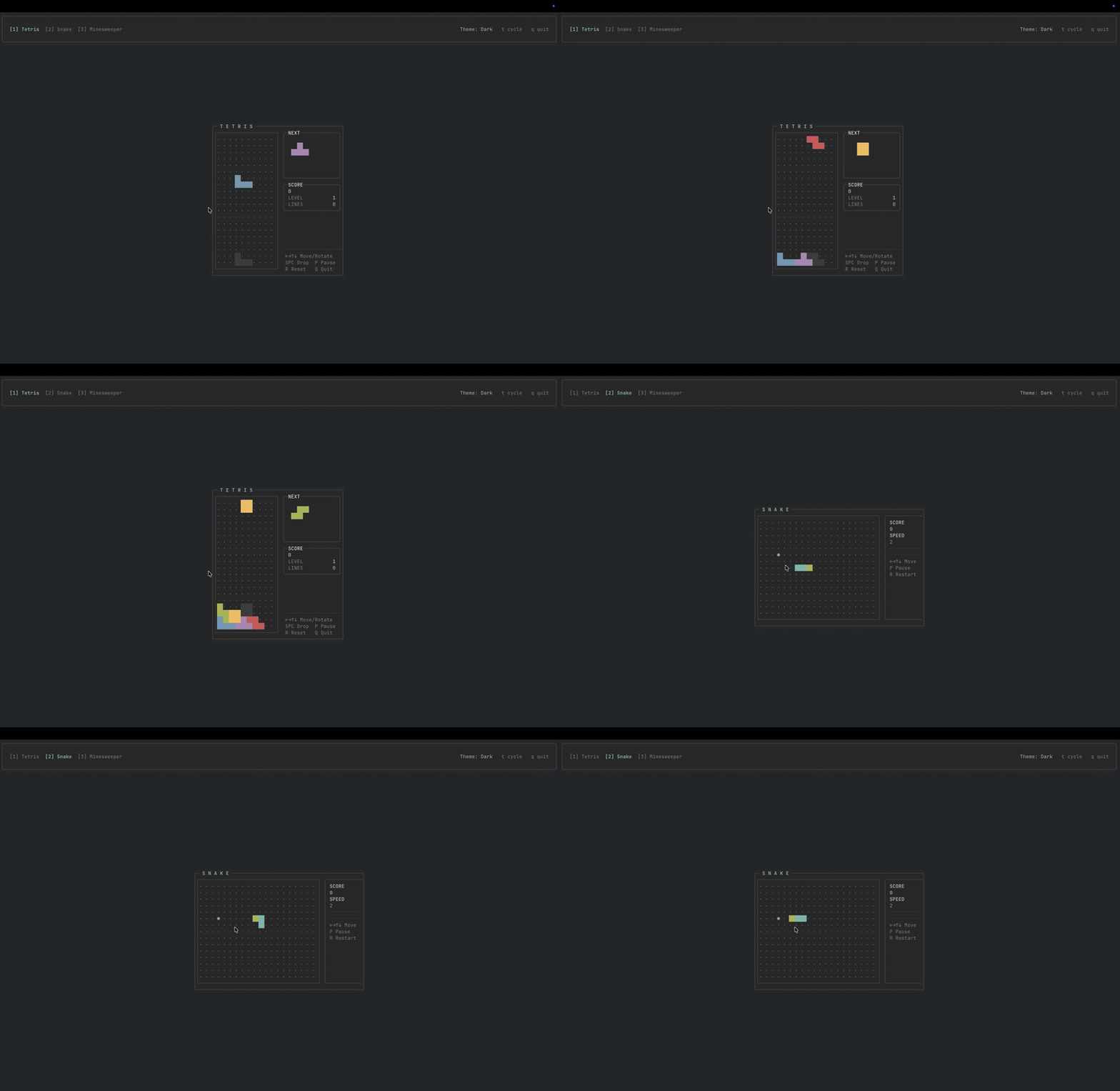 Games cargo run --example canvas_tour |
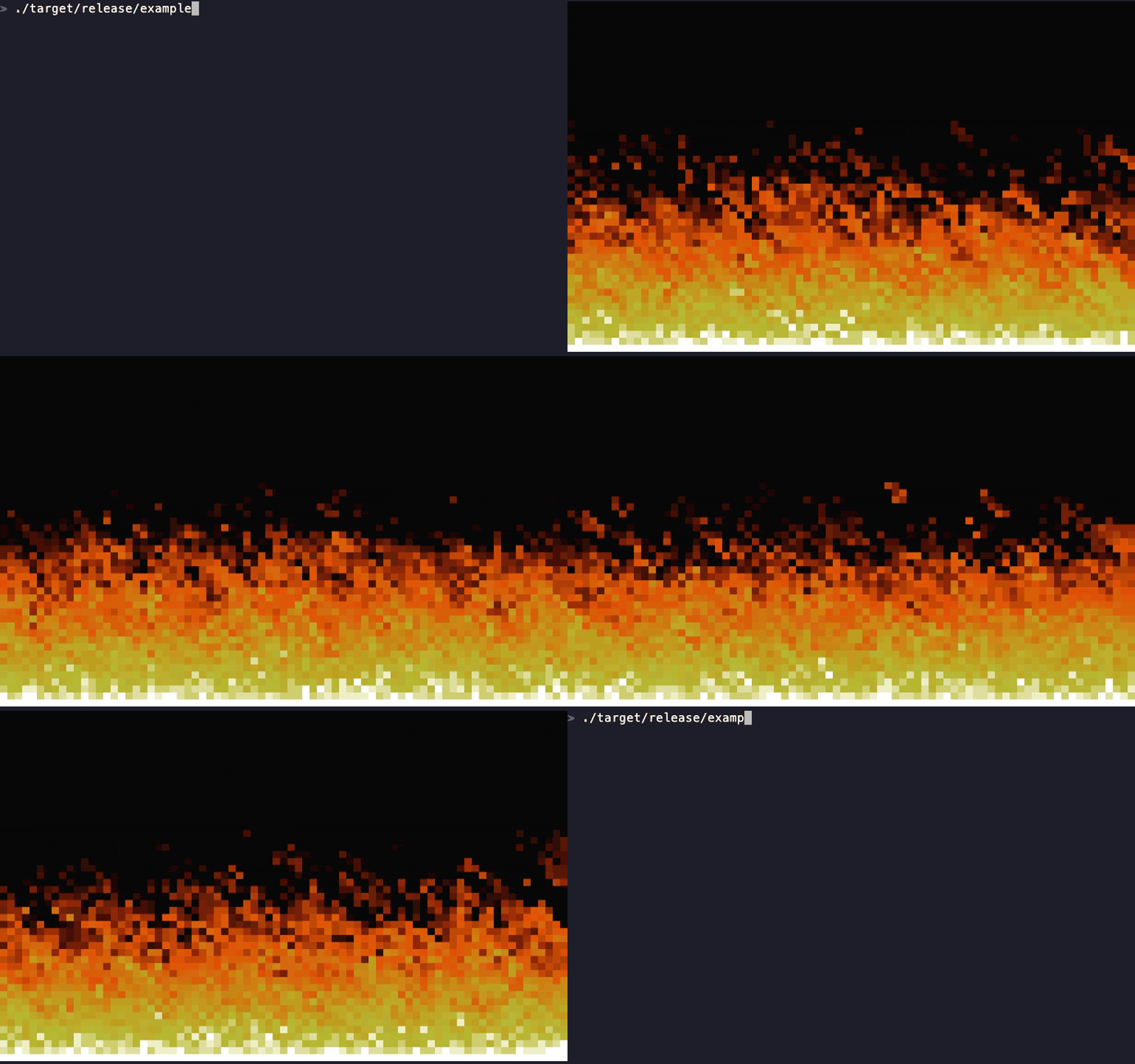
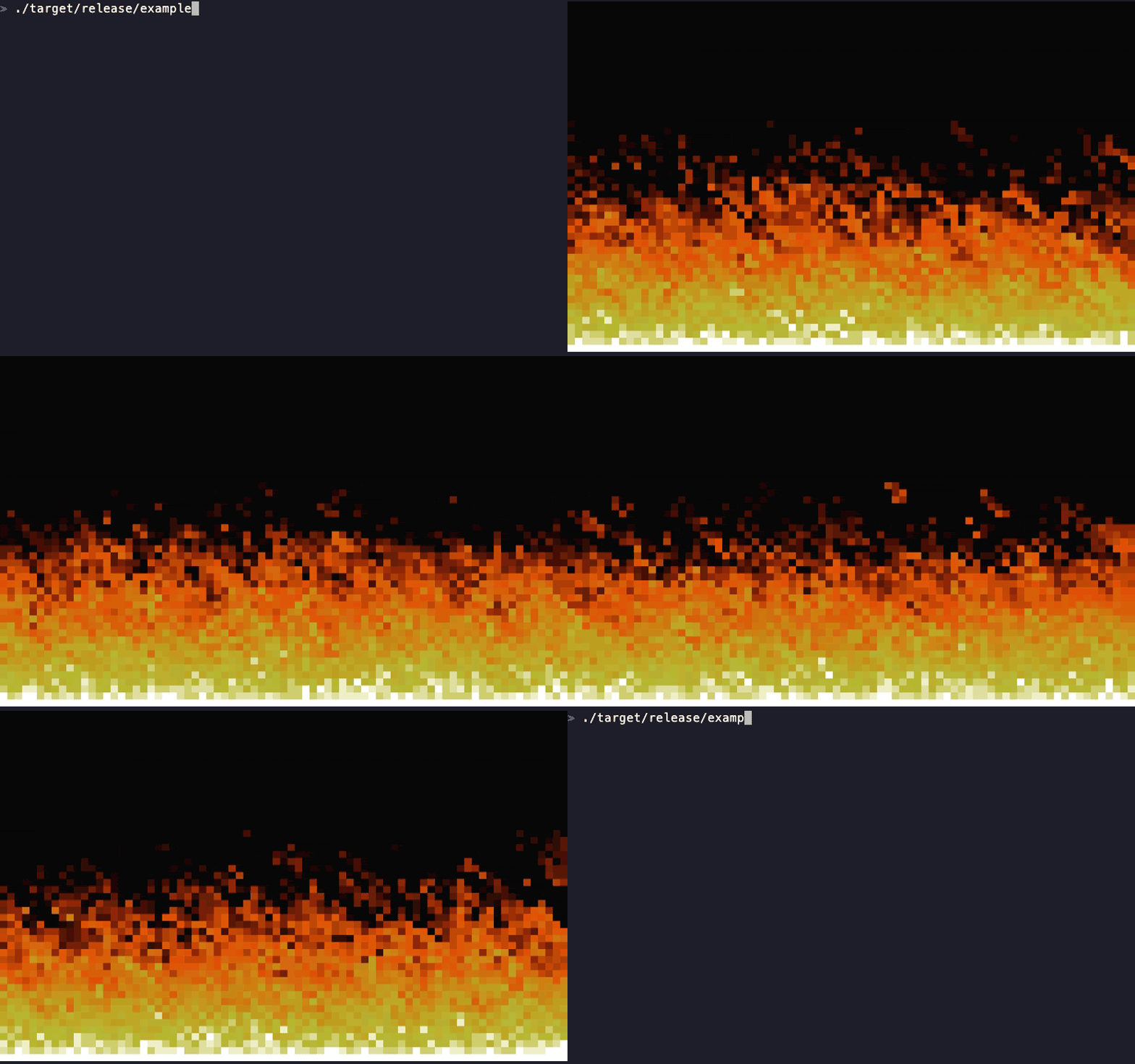 DOOM Fire Effect cargo run --example canvas_tour |
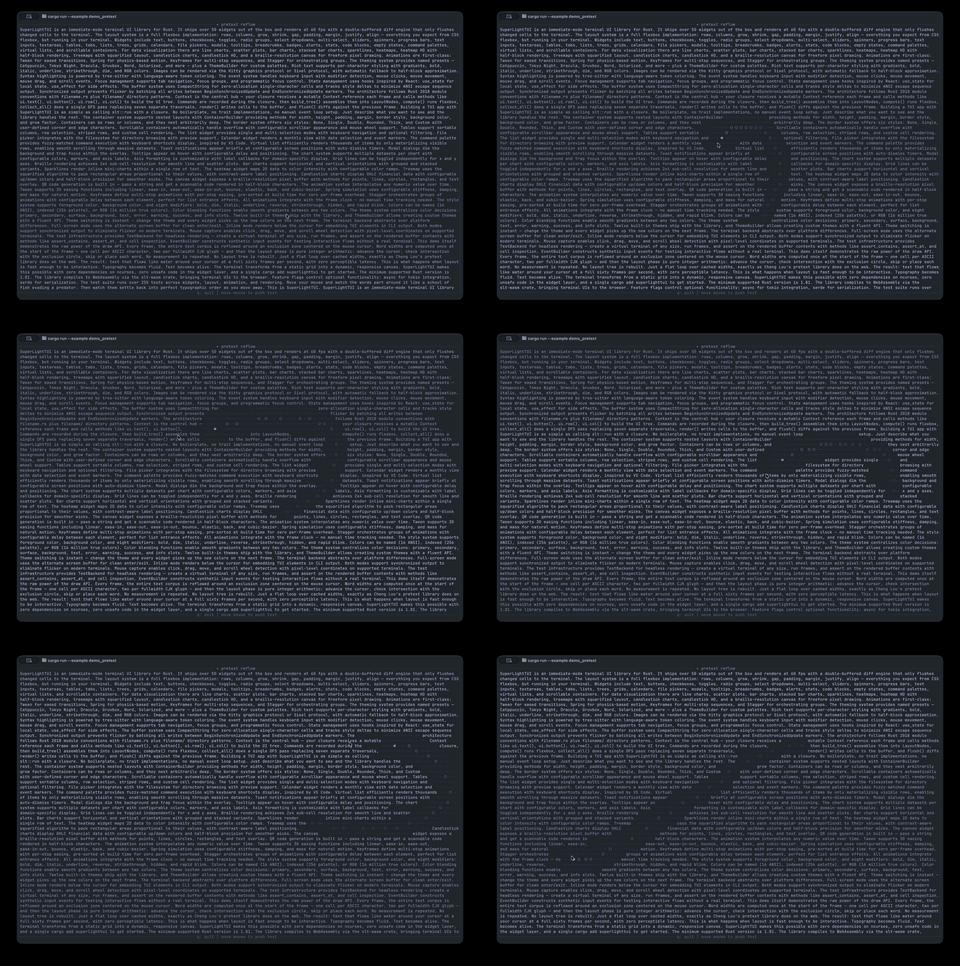 Pretext Reflow — text reflows around the mouse cursor in real time cargo run --example text_tour |
||
60-Second Grammar
There are four ideas most apps start with:
- State lives in normal Rust variables or structs.
- Layout is mostly
row(),col(), andcontainer(). - Styling is method chaining.
- Interactive widgets usually return
Response.
ui.bordered(Border::Rounded).title("Status").p(1).gap(1).col(|ui| {
    ui.text("SLT").bold().fg(Color::Cyan);
    ui.row(|ui| {
        ui.text("mode:");
        ui.text("ready").fg(Color::Green);
        ui.spacer();
        if ui.button("Quit").clicked {
            ui.quit();
        }
    });
});
That is the core mental model. Everything else is depth, not a second framework.
clicked fires on Enter/Space when the button is focused, and on mouse click (the
mouse is on by default).
A Real App
use slt::{Border, Color, Context, KeyCode};

fn main() -> std::io::Result<()> {
    let mut count: i32 = 0;

    slt::run(|ui: &mut Context| {
        if ui.key('q') {
            ui.quit();
        }
        if ui.key('k') || ui.key_code(KeyCode::Up) {
            count += 1;
        }
        if ui.key('j') || ui.key_code(KeyCode::Down) {
            count -= 1;
        }

        ui.bordered(Border::Rounded).title("Counter").p(1).gap(1).col(|ui| {
            ui.text("Counter").bold().fg(Color::Cyan);
            ui.row(|ui| {
                ui.text("Count:");
                let color = if count >= 0 { Color::Green } else { Color::Red };
                ui.text(format!("{count}")).bold().fg(color);
            });
            ui.text("k +1 / j -1 / q quit").dim();
        });
    })
}
Runtime Modes
The same closure runs across several entry points. Pick one based on UI shape, not size.
| Mode | API | When to use |
|---|---|---|
| Full-screen | slt::run / slt::run_with |
Standard TUI app on the alternate screen. Mouse clicks, wheel, and drags are on by default; hover needs RunConfig::mouse_mode(MouseMode::Hover). |
| Inline | slt::run_inline / slt::run_inline_with |
Fixed-height widget below the prompt — no alternate screen. |
| Static + inline | slt::run_static |
Log lines stream into scrollback while an inline UI stays live below. |
| Async messages | slt::run_async (feature: async) |
Background tasks use the wake-aware AsyncSender; retain the returned AsyncRunHandle to join or cancel the loop. |
| Custom backend | slt::frame + Backend + AppState |
Drive rendering yourself — tests, GUI embeds, WASM, snapshot harnesses. |
RunConfig tunes the mouse mode (default: Drag locally, Click over SSH; Hover or Off on request), kitty keyboard, color depth, max FPS, scroll speed, theme, title, and Ctrl+C handling across every mode.
Focus and Scrolling
Scrollable containers reveal the focused widget when focus, caret, or layout
changes, including nested horizontal/vertical views and modal forms. Manual
scrolling is preserved between those changes; set scroll.follow_focus = false
for application-controlled positioning. Keep one ScrollState per container.
Use ui.form_field_response(...) for field/input interaction feedback without
changing existing ui.form_field(...) callers. ui.focused_layout_rect() and
ui.measured_layout_rect(name) expose previous-frame geometry before scrolling
and clipping; Response.rect remains the visible mouse-hit rectangle.
See the migration guide for the coordinate and timing rules.
Feature Flags
[dependencies]
superlighttui = { version = "0.26.0", features = ["async", "image"] }
| Feature | What it adds |
|---|---|
async |
tokio + run_async for background message loops |
bidi |
UAX #9 bidirectional text reordering; enabled by default |
serde |
Serialize/Deserialize on selected state types |
theme-watch |
TOML theme hot reload (serde + filesystem watcher) |
image |
PNG/JPEG decoding for ui.image |
qrcode |
QR code rendering |
kitty-compress |
zlib compression for the Kitty image protocol |
syntax |
Tree-sitter highlighting for all bundled languages |
syntax-<lang> |
Highlighting for a single language (rust, python, typescript, ...) |
full |
crossterm + async + serde + theme-watch + image + qrcode + kitty-compress + bidi — does not include syntax (grammars are heavy; opt in explicitly) |
Why SLT
- Small public grammar. Most screens start with normal Rust state,
row()/col()/container(), method chaining, andResponse. - Less framework ceremony. Many apps do not need an app trait, retained tree, or message enum just to get moving.
- Batteries included, backend still serious. Common widgets auto-wire focus, hover, click, and scroll behavior (clicks, wheel, and drags by default; hover with
MouseMode::Hover), while the runtime keeps a conservative low-level path throughBackend,AppState, andframe(). - Conservative internals. SLT keeps the public surface small, but the internals stay deliberately boring: shared frame kernel, explicit backend contract coverage, zero
unsafe, feature-gated runtime paths, and validation acrossall-features,no-default-features, clippy, examples, cargo-hack, semver, and deny checks (the WASM target is a local check while browser support is deferred).
For Rust users, that usually means less setup than retained-mode TUI frameworks. For AI-assisted workflows, it means the public grammar is easy to infer from docs and examples.
SLT fits best when you want to build terminal apps quickly without giving up Rust type safety or backend escape hatches. If you want a retained component tree or a GUI-first toolkit, another library may be a better fit.
How It Renders
SLT's rendering pipeline is why the grammar stays small. Your code only touches the first stage — the engine handles the rest.
graph LR
    subgraph your_code ["Your Code"]
        A["Closure"]
    end
    subgraph engine ["SLT Engine"]
        B[Commands] --> C[Build Tree] --> D[Flexbox] --> E[Collect] --> F[Render] --> G["Diff + Flush"]
    end
    A -->|"records intent"| B
    G -.->|"prev-frame feedback"| A
Every ui.*() call records a command to a flat list — no tree construction, no layout math.
The engine replays those commands through a four-stage DFS pipeline — each stage specializes: build the layout tree, compute flexbox, collect interaction and feedback data, render cells to a back buffer — then diffs against the last rendered buffer and flushes only what changed.
This architecture is what makes the simple grammar possible:
- No ceremony. Immediate-mode means no
Apptrait, noModel/Message/Update/View. Your closure is the entire UI. State is normal Rust variables. Control flow isif/for. - Invisible layout.
ui.col(|ui| { ... })records an "open column" command. The engine builds the tree and runs flexbox — you never seeLayoutNode. - Automatic diffing. The double-buffer diffs cells between frames and only emits changed ANSI attributes. You redraw everything; the engine decides what to write. No manual dirty tracking. On the matched ratatui comparison harness SLT 0.26 renders faster than ratatui 0.30.2 on every workload: 10.2 vs 106.9 µs for a 200×60 dashboard, 23.0 vs 622.1 µs for a 10k-item list, 157.8 vs 340.0 µs for 60 nested boxes (Apple M3 Pro, rustc 1.98.0, 2026-10-18, shared host). See the [Performance Guide] for method and caveats.
- Auto-wired interaction.
ui.button("Save")gets keyboard focus and Enter/Space activation for free, reports mouse clicks out of the box, and reports hover underMouseMode::Hover. No hit-testing code on your side. - Synchronous feedback. Interaction uses the previous frame's layout (imperceptible at 60 FPS). No callbacks, no async layout queries — your code stays linear.
For the full eight-stage lifecycle, see [Architecture Guide].
Common API Surface
Stateless calls take values; stateful widgets take an explicit state struct so your data keeps living in normal Rust variables across frames.
// Text and layout
ui.text("Hello").bold().fg(Color::Cyan);
ui.row(|ui| {
    ui.text("left");
    ui.spacer();
    ui.text("right");
});

// Inputs and actions
ui.text_input(&mut input);          // input: TextInputState
if ui.button("Save").clicked {}   // Enter/Space or mouse click
ui.checkbox("Dark mode", &mut dark);

// Data and navigation
ui.tabs(&mut tabs);                 // tabs: TabsState
ui.list(&mut list);                 // list: ListState
ui.table(&mut table);               // table: TableState
ui.command_palette(&mut palette);   // palette: CommandPaletteState

// Overlays and rich output
ui.toast(&mut toasts);              // toasts: ToastState
ui.modal(|ui| {
    ui.text("Confirm?").bold();
});
ui.markdown("# Hello **world**");

// Visualization
ui.chart(|c| {
    c.line(&data);
    c.grid(true);
}, 50, 16);
ui.sparkline(&values, 16);
ui.canvas(40, 10, |cv| {
    cv.circle(20, 20, 15);
});
State structs (ListState, TableState, TextInputState, TabsState, CommandPaletteState,
ToastState, FilePickerState, RichLogState, ...) are public — keep them in your app
struct or local variables and pass them in each frame.
For the categorized widget list, see [Widget Guide]. For composition advice, see [Patterns Guide].
Learn The Library
Read the learning path in order; each guide assumes the ones before it. The [Docs Index] lists every page.
| Step | Guide | What it covers |
|---|---|---|
| 1 | [Quick Start] | Install, first app, closure mental model, layout, widget state |
| 2 | [State Guide] | App state vs hooks vs widget state, and the previous-frame rule |
| 3 | [Patterns Guide] | Components, forms, screens, modals, async messages, large-app structure |
| 4 | [Interaction Guide] | Mouse, keyboard, focus, shortcuts, hover, drag, wheel and scrolling |
| 5 | [Overlays Guide] | Anchor and overlay positioning mapped to CSS/Flutter/React Native |
| 6 | [Theming Guide] | Theme struct, presets, ThemeBuilder, custom themes |
| 7 | [Animation Guide] | Tween, spring, keyframes, sequence, stagger |
| 8 | [Testing Guide] | TestBackend, EventBuilder, multi-frame tests, snapshots |
| 9 | [Runtime Modes Guide] | run vs run_inline vs run_static, RunConfig, driving frame() |
| 10 | [Browser Guide] | The slt-wasm browser runtime (deferred in 0.26; latest published slt-wasm is 0.25.0) |
| 11 | [Terminal Compatibility] | Terminal/multiplexer/SSH support matrix, env vars, fallbacks |
Coming from another stack: [Web Developers Guide] (HTML/CSS/React → SLT) and
[Ratatui Guide] (widgets, layout and the incremental ratatui bridge).
| Reference | What it covers |
|---|---|
| [Widget Guide] | Categorized catalog of widgets, runtime methods and state types |
| [State API Guide] | Public fields, accessors and mutation methods for widget state |
| [Cookbook] | Copy-paste recipes for common apps, each backed by a runnable example |
| [Examples Guide] | Runnable examples grouped by product shape and feature area |
| [Features Guide] | Feature flags, optional dependencies, recommended combos |
| [Migration Guide] | Version-by-version breaking changes and upgrade paths |
| [Debugging Guide] | F12 overlay, clipping, focus surprises |
| [AI Guide] | Fastest path for AI-assisted builders and coding agents |
Contributors: [Design Principles] (API rules and naming), [Architecture Guide] (module map, frame lifecycle) and [Performance Guide] (budgets and benchmarks).
Representative Examples
| Example | Command | Focus |
|---|---|---|
hello |
cargo run --example hello |
Smallest possible app |
counter |
cargo run --example counter |
State + keyboard input |
demo |
cargo run --example demo |
Broad widget tour |
showcase_tour |
cargo run --example showcase_tour |
Dashboard, design system, infoviz, trading, spreadsheet, table, and website layouts |
cookbook_tour |
cargo run --example cookbook_tour |
Form, table, modal, file picker, dashboard recipes |
text_tour |
cargo run --example text_tour |
CJK rendering, IME input, Pretext reflow, cargo-style CLI |
canvas_tour |
cargo run --example canvas_tour |
DOOM fire, games (tetris/snake/minesweeper), raw draw, Kitty images, animation |
system_tour |
cargo run --example system_tour --features async |
Live error boundary and overlay anchor tabs; async and inline modes described as code |
widgets_tour |
cargo run --example widgets_tour |
Hooks, theming, modal focus traps, layout helpers, and static output (run_static) |
interaction_tour |
cargo run --example interaction_tour |
Click / double-click / scroll Response signals, KeyMap, focus traversal |
The full categorized index — including per-release feature tours and showcase demos — lives in [Examples Guide].
Demo Launcher
scripts/ghostty_demos.sh opens demos in fresh Ghostty windows, which is
useful for skimming the full set side by side. See [Examples Guide] for the
list of demos at each release.
./scripts/ghostty_demos.sh             # interactive picker
./scripts/ghostty_demos.sh --features  # full feature-tour spread
./scripts/ghostty_demos.sh --showcase  # integration showcases only
Custom Widgets And Backends
- Implement
Widgetwhen you want reusable high-level building blocks. - Implement
Backendand driveframe()when you want a non-terminal target, external event loop, or embedded runtime. - Use
TestBackendfor headless rendering checks and stable interaction tests.
The public grammar stays small even when you need the escape hatches.
Contributing
Read [Contributing], then [Design Principles] and [Architecture Guide]. The release process expects format, check, clippy, tests, examples, and backend gates to stay green.




