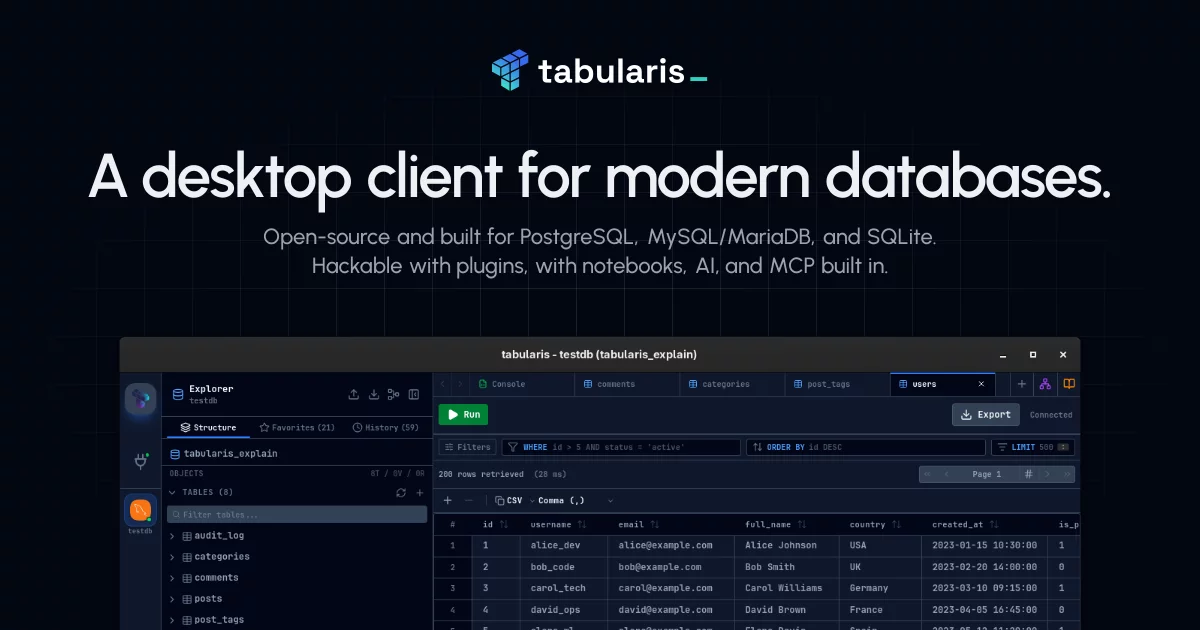



Tabularis
Tabularis is an open-source desktop SQL workspace with 3 built-in database drivers and 26 shipped driver plugins, including DuckDB, ClickHouse, Redis and Firestore. Its built-in MCP server lets Claude, Cursor and Devin (formerly Windsurf) read your schema and run queries in the same app you already use.
Website · Docs · Download · Changelog








English · Italiano · Español · 中文 · Français · Deutsch · 日本語 · Русский · Tagalog · 한국어 · Português (Brasil)

Download
winget install Debba.Tabularis    # Windows
brew install --cask tabularis     # macOS
sudo snap install tabularis       # Linux
Or grab an installer directly:
-
Windows:
-
macOS:
-
Linux:


The app UI is available in English, Italian, Spanish, Chinese (Simplified), French, German, Japanese, Russian, Korean, Tagalog, Portuguese (Brazilian) and Vietnamese.
Tip
Discord: Join our Discord server to talk with the maintainers, share feedback, and get help from the community.
Table of Contents
- Why tabularis?
- Installation
- Updates
- Discord
- Changelog
- Features
- Tech Stack
- Development
- Roadmap
- Contributing
- Sponsors and supporters
- Origin Story
- License
Why tabularis?
| tabularis | DBeaver CE | TablePlus | Beekeeper Studio | |
|---|---|---|---|---|
| License | Apache 2.0, free | Apache 2.0, free (Pro is paid) | Commercial | GPLv3 (paid editions) |
| SQL notebooks (SQL + Markdown cells, cross-cell variables, charts) | ✅ | ❌ | ❌ | ❌ |
| Built-in MCP server for AI agents | ✅ | ❌ | ❌ | ❌ |
| Plugins in any language (JSON-RPC over stdio) | ✅ | Java/Eclipse plugins | JavaScript plugins | ❌ |
| AI text-to-SQL with local models (Ollama) | ✅ | Cloud-based AI assistant | ❌ | ❌ |
| Visual EXPLAIN with interactive plan graphs | ✅ | ✅ | ❌ | ❌ |
| Databases out of the box | 3 built-in + 26 driver plugins | 100+ | 20+ | ~10 |
Note
Comparison as of June 2026; features in other tools may have changed since. If you need dozens of drivers, use DBeaver. Tabularis focuses on doing a few databases well.
Database support
PostgreSQL, MySQL/MariaDB and SQLite ship built in. Everything else is a plugin. The built-in PostgreSQL driver is deprecated in favour of the PostgreSQL plugin, which Tabularis installs automatically. Current coverage, mirroring the driver & plugin coverage on the website:
Shipped
On the bounty board
| Status | Databases |
|---|---|
| In progress | Amazon Redshift, Etcd, Meilisearch, Snowflake, SQL Anywhere |
| Scoped | TiDB |
| Open | Firebird, SurrealDB |
Note
Shipped drivers are installable from the plugin registry. Everything else is on the bounty board: claim one, sponsor one, or request a database.
Installation
Windows
WinGet (Recommended)
winget install Debba.Tabularis
Direct Download
Download the installer from the Releases page and run it:
tabularis_x.x.x_x64-setup.exe
Follow the on-screen instructions to complete the installation.
macOS
Homebrew (Recommended)
brew install --cask tabularis

Direct Download
Builds from v0.13.1 onward are signed and notarized by Apple, so they open without any extra steps.
Notes for releases before v0.13.1
The notes below only apply to older releases (before v0.13.1) downloaded directly:
- You need to allow accessibility access (Privacy & Security) to the tabularis app. If you are upgrading and already have tabularis on the allowed list, remove it manually before accessibility access can be granted to the new version.
- You may need to run
xattr -c /Applications/tabularis.appafter copying the app to the Applications directory.
Linux (Snap)
sudo snap install tabularis
sudo snap connect tabularis:password-manager-service   # allow keychain access for saved credentials
Important
The
password-manager-serviceinterface is not auto-connected by the Snap Store yet. Without it, saving a connection fails with aPlatform secure storage failureerror.
Linux (Flatpak)
flatpak remote-add --if-not-exists flatpark https://dl.flatpark.org/flatpark.flatpakrepo
flatpak install flatpark dev.tabularis.Tabularis
Linux (AppImage)
Download the .AppImage file from the Releases page, make it executable and run it:
chmod +x tabularis_x.x.x_amd64.AppImage
./tabularis_x.x.x_amd64.AppImage
Arch Linux (AUR)
yay -S tabularis-bin
Updates
Tabularis checks for updates automatically on startup and notifies you when a new version is available. You can also download the latest version directly from the Releases page.
Discord
Join our Discord server to talk with the maintainers, share feedback, suggest features, or get help from the community.
Changelog
Every release is documented in CHANGELOG.md.
Features
Connection Management
Full reference on tabularis.dev →
- Support for MySQL/MariaDB, PostgreSQL (with multi-schema support) and SQLite, with multi-database selection per connection.
- Save, manage, and clone connection profiles, with optional secure password storage in the system Keychain.
- SSH Tunneling with automatic readiness detection.
- Per-Connection Appearance: override the icon (Lucide, emoji, or custom image) and accent color of each saved connection.
Database Explorer
Full reference on tabularis.dev →
- Tree View: Browse tables, columns, keys, indexes, views, and stored routines, with inline editing from the sidebar.
- ER Diagram: Interactive Entity-Relationship visualization (pan, zoom, layout) with selective table diagram generation.
- Context Actions: Show data, count rows, modify schema, duplicate/delete tables.
- SQL Dump & Import: Export and restore databases with a single flow.
SQL Editor
Full reference on tabularis.dev →
- Monaco Editor with syntax highlighting and auto-completion, in a tabbed interface with isolated connections per tab and resizable split view.
- Multi-Statement Execution: Run All, Run Selected, or pick individual queries. Results appear in separate tabs with independent pagination.
- Smart Query Splitting: Correctly handles stored procedures, functions, and
$$-delimited blocks. - SQL Files: Open, edit, and save
.sql,.psql, and.pgsqlfiles in editor tabs without executing them. - Saved Queries and an AI assist overlay directly in the editor.
SQL Notebooks
Full reference on tabularis.dev →
- Multi-Cell Workspace: Combine SQL and Markdown cells in a single document, with inline results and bar/line/pie charts.
- Cross-Cell Variables: Reference another cell's full result as a table with
{{cell_N}}(expanded to a CTE at run time), plus global@paramNameparameters. - Run All: Sequential execution with stop-on-error option and completion summary.
- Persistence & Export: Auto-saved as
.tabularis-notebookfiles; export as HTML, CSV, or JSON. - Outline panel, drag & drop cell reordering, and AI-generated cell names.
Keyboard Shortcuts
Full reference on tabularis.dev →
- Built-in shortcuts for navigation, editor, and data grid actions, platform-aware (
Cmdon macOS,Ctrlon Windows/Linux). - Fully customizable: Remap any non-locked shortcut from Settings → Keyboard Shortcuts; overrides persist to
keybindings.json. - Hold
Ctrl+Shiftin the sidebar to reveal numbered badges (1–9) for instant connection switching.
Visual Query Builder
Full reference on tabularis.dev →
- Drag-and-Drop: Build queries visually with ReactFlow.
- Visual JOINs: Connect tables to create relationships.
- Advanced Logic: WHERE/HAVING filters, aggregates (COUNT, SUM, AVG), sorting, and limits.
- Real-time SQL: Instant code generation.
Visual EXPLAIN
Full reference on tabularis.dev →
- Interactive Plan Graphs: Inspect execution plans as navigable node graphs instead of raw t