

Your tools change. Your project context should not disappear.
A self-hosted memory layer for AI coding sessions. Rust core, PostgreSQL store, your machine.

English · Deutsch
Every AI coding tool keeps its own session files and forgets the rest. Decisions disappear into transcripts. Fixes get rediscovered. Context gets explained again. Throughline imports those local sessions into one searchable PostgreSQL history. You recover a decision, inspect the original messages and tool calls, and carry a source-linked handoff into the next session. Even when you switch tools.
Import. Inspect. Remember. Continue. Browsing, keyword search and handoff briefs work without any model. Optional local models add embeddings, memory extraction and cited answers.
Try the demo · Install · Product tour · CLI and MCP · Architecture · Limits

Actual application, fictional data, no mocked responses. Watch the full tour (MP4) · capture manifest.
Which version is this? Default Docker Compose builds the Rust application with its embedded browser interface. The repository also contains an earlier Python/FastAPI + React application. Its AI team operations, template library and account screens are not features of the Rust UI. This README documents the default Rust path.
Why use Throughline?
| When you need to… | Throughline gives you… |
|---|---|
| Resume a project after time away | Recent sessions, durable notes and an offline handoff brief. |
| Understand why a decision was made | Search results connected to the original conversation. |
| Move between coding tools | A shared store, Markdown export and MCP access. |
| Inspect what an agent recorded | Message content, tool-call JSON, timestamps and source-tool labels. |
| Maintain accumulated context | Memory categories, deduplication, stale-memory reports and explicit writeback. |
Supported session sources
The Rust registry includes 11 adapters: Claude Code, Codex, Cursor, Zed, Continue, Cline, Windsurf, Vibe, Hermes, OpenCode and Aider. They read supported local files. They are not cloud-account sync integrations, and format coverage varies by tool.
Standard Compose mounts the first nine tool directories read-only. OpenCode and Aider need their source directories mounted separately. The source of truth is the adapter registry.
Try it with fictional data
Three commands. No model download, no API key. You need Git and Docker with Compose.
git clone https://github.com/mkupermann/throughline.git
cd throughline
docker compose -f docs/demo/rust/compose.yml up -d --build
Open http://127.0.0.1:8796.
The demo has its own database and volume. It exposes only the web port on loopback and mounts no personal session folders. Its public password exists only for this disposable stack. Model endpoints deliberately point to an unavailable loopback address.
| Demo project | Story to explore |
|---|---|
| Atlas-demo | Retain lexical retrieval as a baseline. Investigate a long-document counterexample. |
| Harbor-demo | Preserve keyboard navigation and visible focus. Prepare a release handoff. |
| Orchard-demo | Validate data contracts. Rehearse recovery from an interrupted load. |
The fixture contains 18 conversations, 72 messages, 12 memory notes and three projects across six source-tool labels. Decisions, tool results and model names are invented. Dates are rebased on seed. This is not benchmark evidence and not completed agent work.
- Open Projects → Atlas-demo, then open a session and expand its messages.
- Inspect the fictional
Readtool result through Messages. - In Search, select Lexical and search for
decision. - In Memory, filter the
decisioncategory. - Switch Timeline to Calendar, then return to Overview for the handoff.
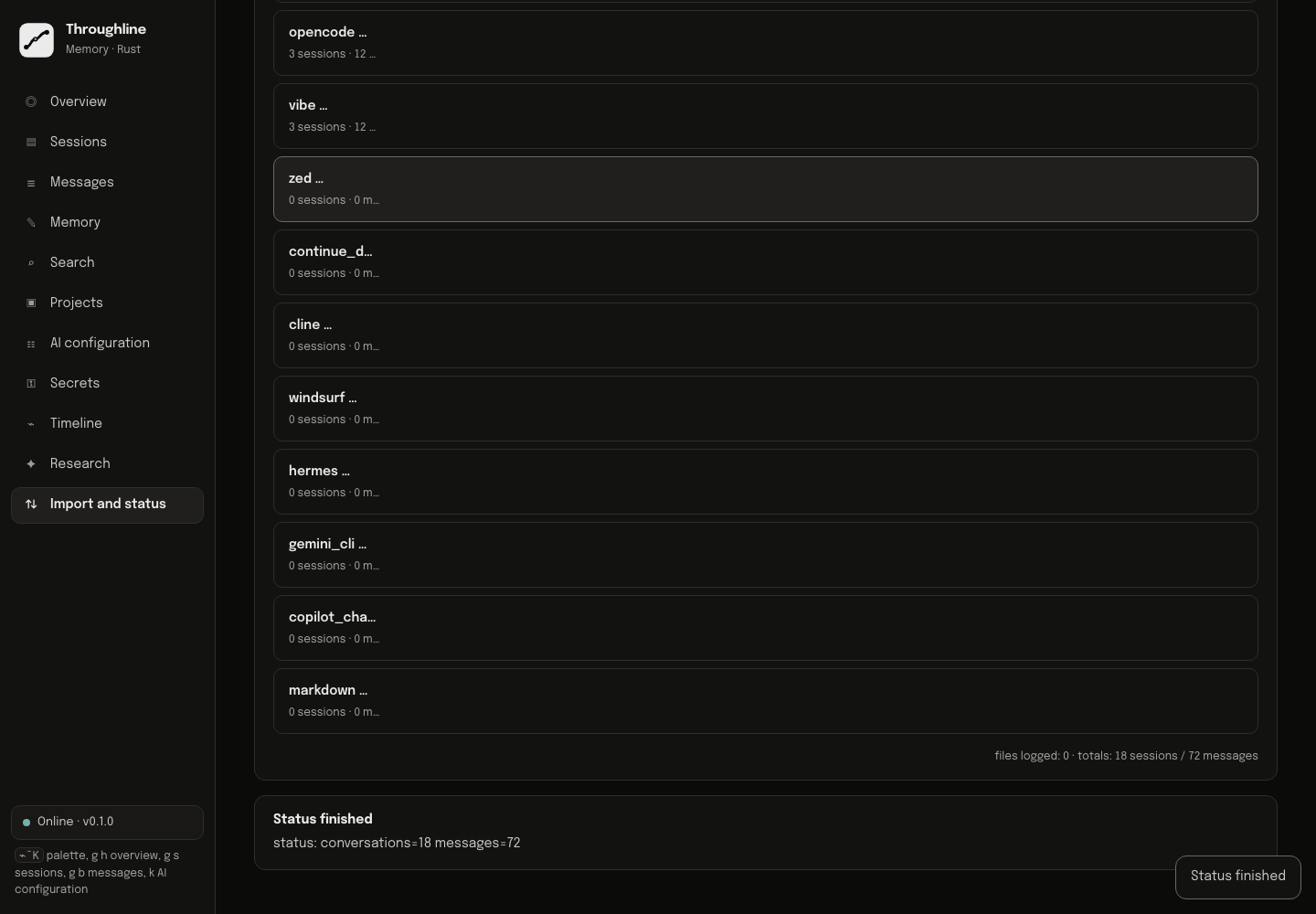
- Open Import and status → Status to check the corpus totals.
Stop with docker compose -f docs/demo/rust/compose.yml stop. The demo guide covers reseeding, screenshots and cleanup.
Use your own sessions
You need Git, Python 3 for the environment initializer, and Docker with Compose. The application itself runs as Rust inside the container.
git clone https://github.com/mkupermann/throughline.git
cd throughline
python3 scripts/init_compose_env.py --check-docker
docker compose up -d --build
docker compose exec web throughline ingest --source all
docker compose exec web throughline doctor
Open http://127.0.0.1:8788. On Windows, use py -3 if python3 is unavailable.
The initializer creates an ignored .env with a random database password and resolves the Cline mount. Review docker-compose.yml for the source locations. Import is explicit. Unchanged file hashes are skipped on the next run. A new .env does not rotate credentials in an existing database volume.
Back up, update and export
Always back up into the mounted backup volume with an explicit destination:
docker compose exec web throughline backup --dir /var/lib/throughline/backups
git pull
docker compose build web migrate
docker compose up -d migrate web
docker compose exec web throughline doctor
Rust reads THROUGHLINE_BACKUP_DIR, not the older CLAUDE_MEMORY_BACKUP_DIR variable still present in Compose. The explicit --dir keeps the backup out of the container's disposable layer. Keep off-host copies and verify restoration.
docker compose exec web throughline export-markdown --out /home/throughline/exports
Exports land in the mounted ./exports unless you change THROUGHLINE_EXPORT_DIR. Options include --project, --include-generated and --redact. Inspect an export before sharing it. Redaction reduces exposure, it does not guarantee anonymization.
docker compose down -v deletes the data volumes. Never run it on a real installation unless that deletion is intended.
The product tour
All nine menus and their supporting views are shown below, captured from the running demo. The visual feature guide covers alternate views, detail screens, every maintenance action and the CLI.
| Menu | Purpose | Chord |
|---|---|---|
| Overview | Totals, activity, notices, handoff and recent sessions. | g h |
| Sessions | Filter, sort, page and export sessions. | g s |
| Messages | Search messages and tool calls. | g b |
| Memory | Inspect durable notes by category. | g m |
| Search | Lexical, semantic and hybrid search. | g f |
| Projects | Open a project's filtered sessions. | g j |
| AI configuration | Instructions, skills, agents and config per assistant. | g k |
| Timeline | Sessions by date and assistant. | g t |
| Research | Answers with source references. | g a |
| Import and status | Import, maintenance and status. | g p |
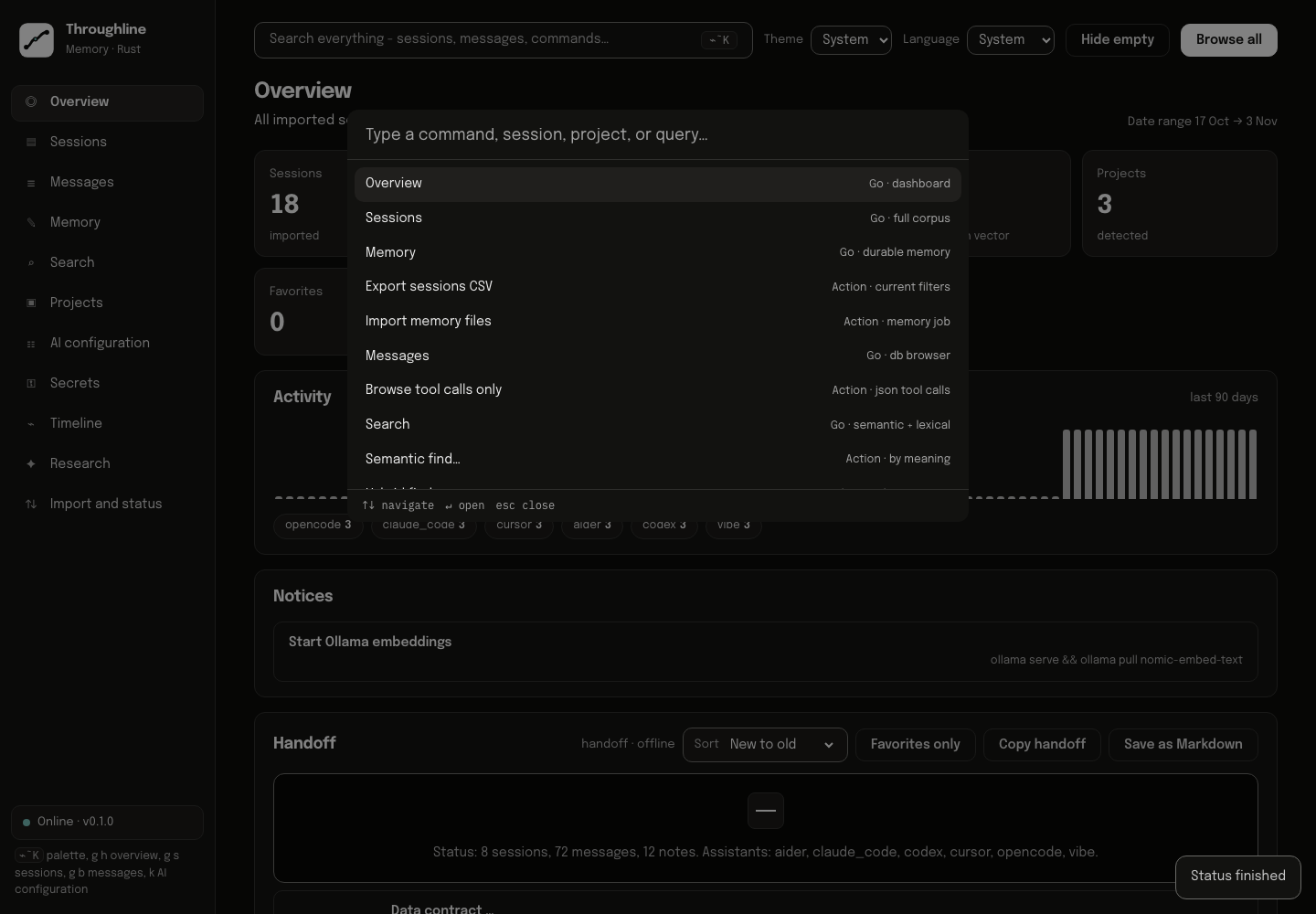
Press Ctrl+K / Cmd+K for the command palette. A chord means press g, then the second key.
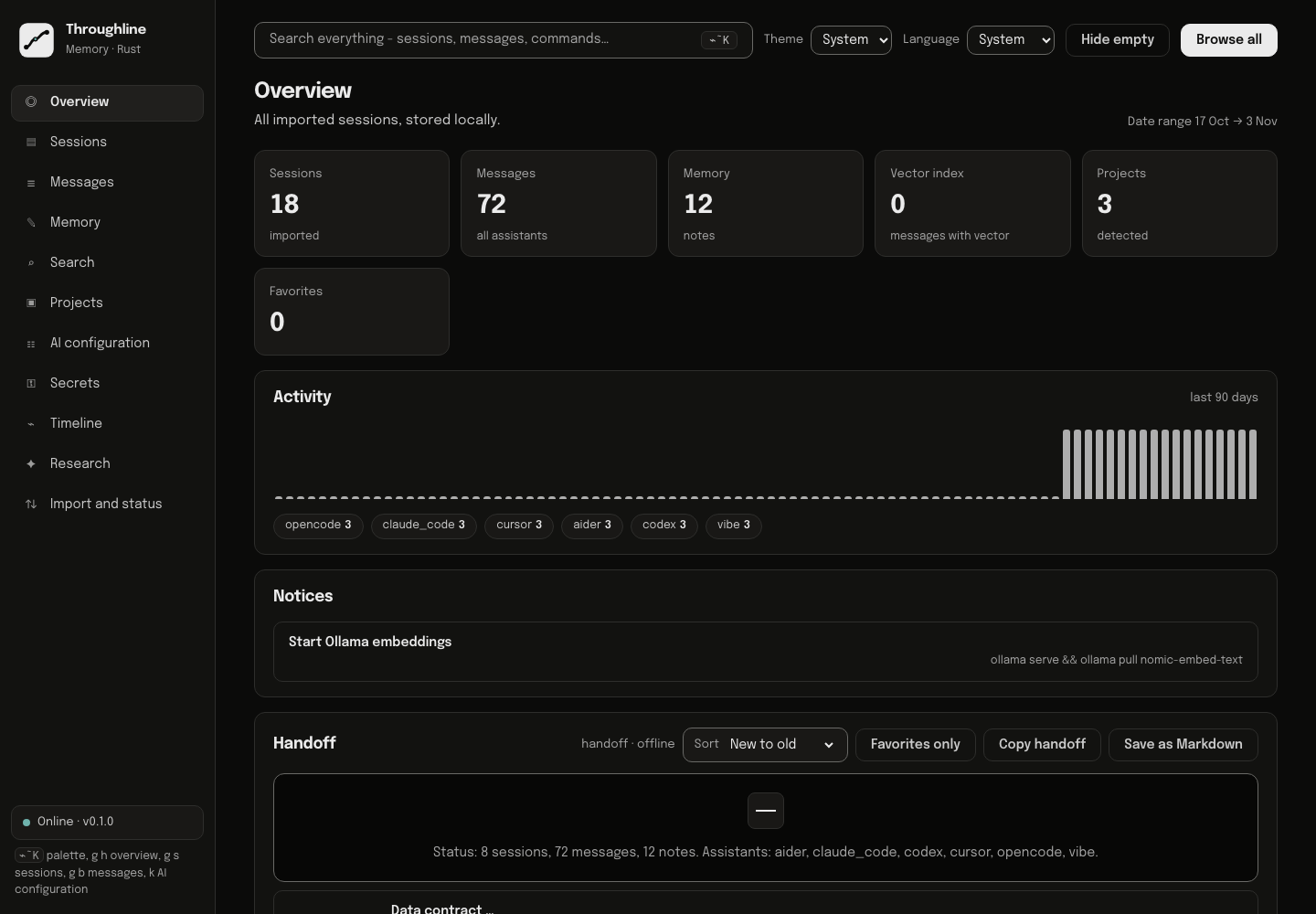
Overview. Recover the thread
Click a metric to drill into the corpus. Inspect activity, recent sessions and the offline handoff. Hide empty cleans the session listing, Browse all opens the messages. The model-free demo visibly reports missing Ollama in its notices. Nothing is hidden.
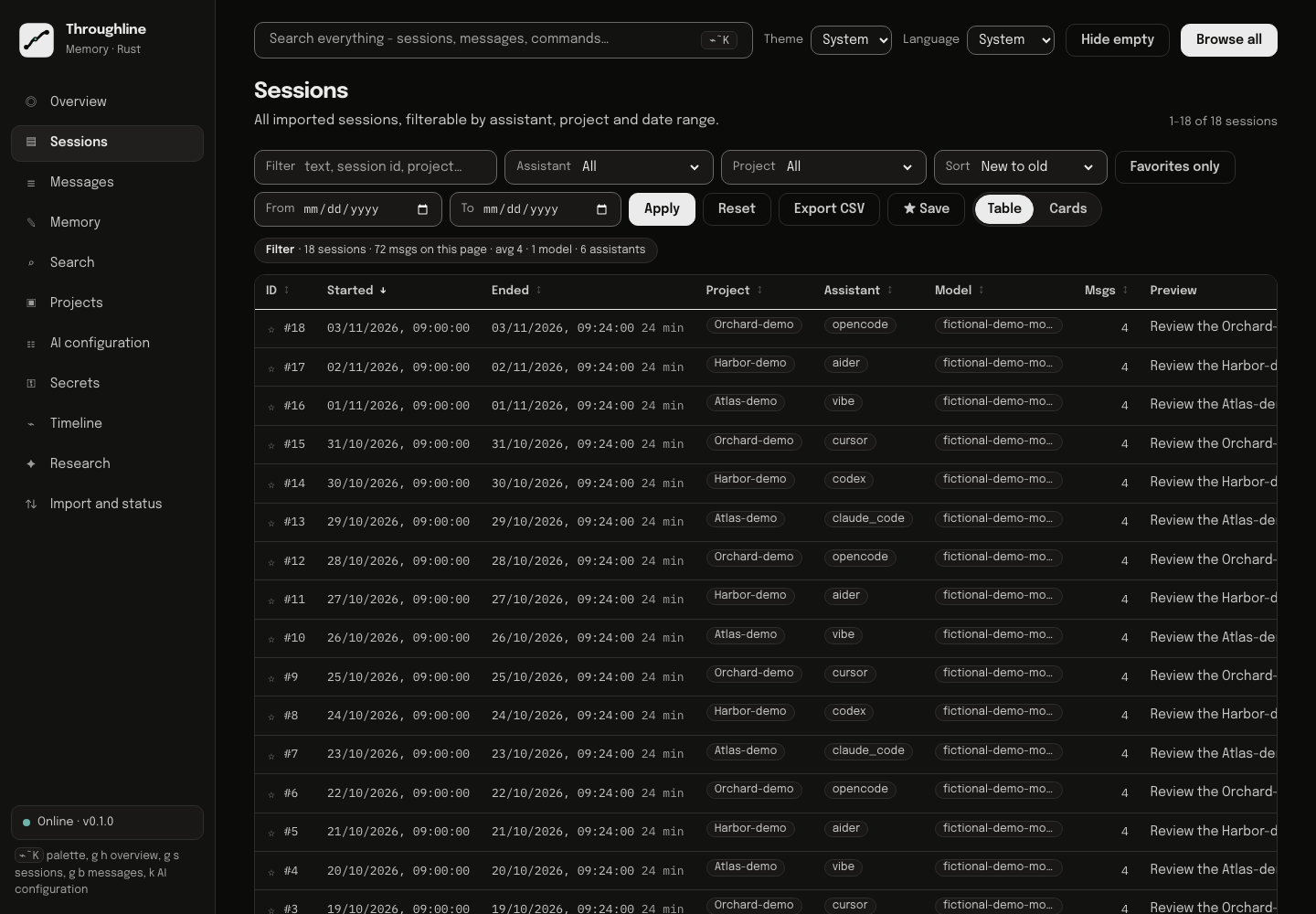
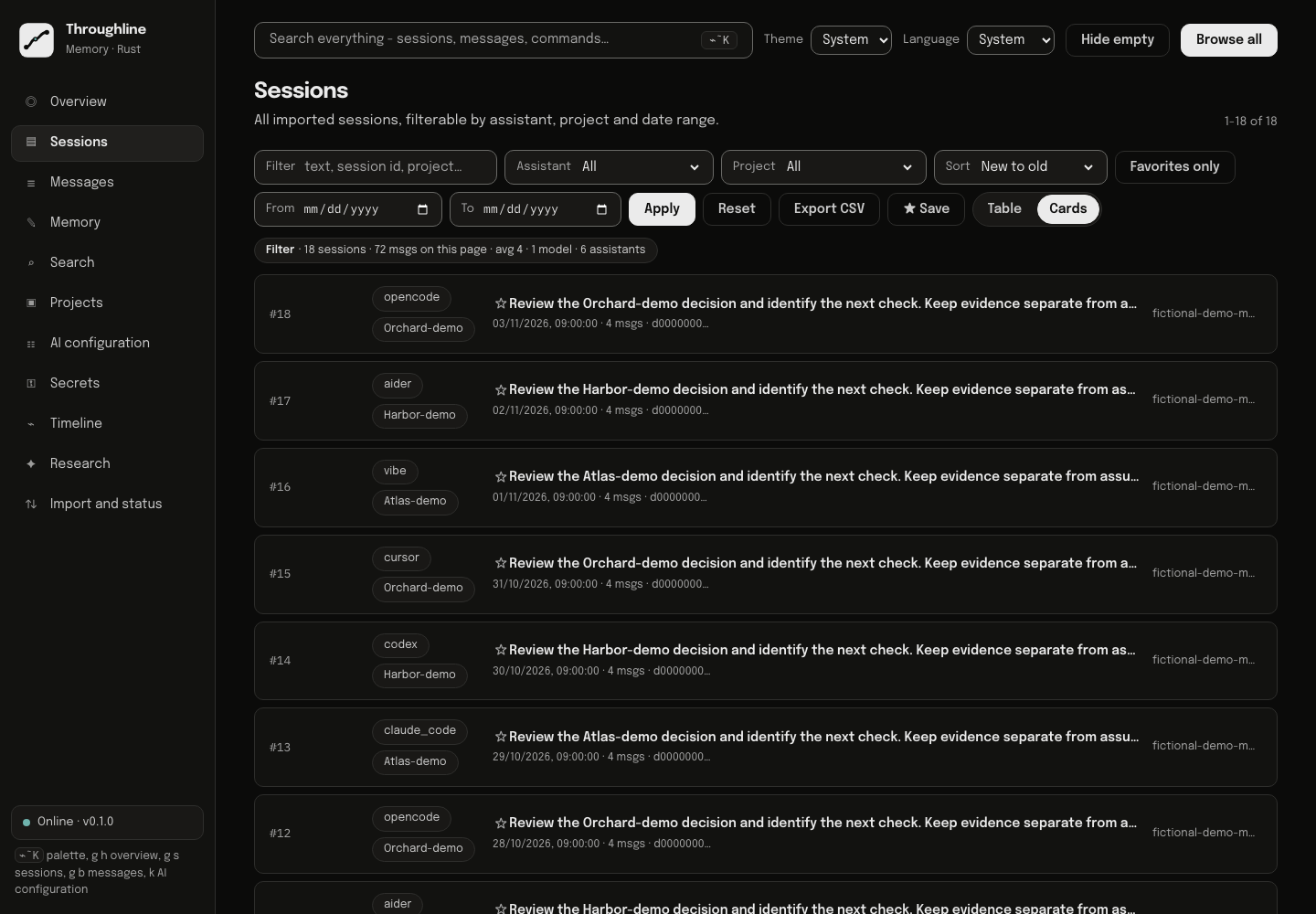
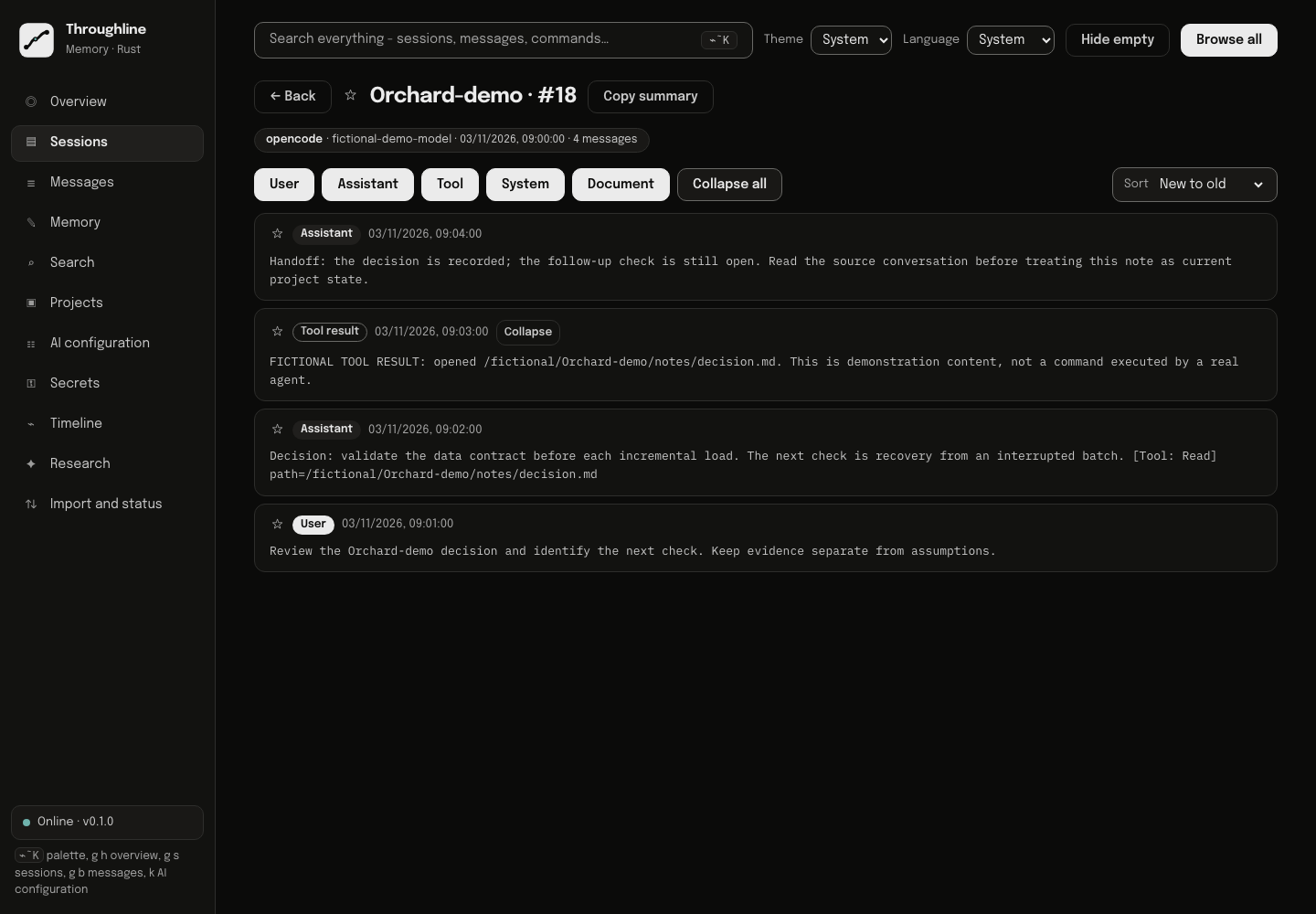
Sessions. Conversations in context
Filter by text, assistant, project and date. Sort, switch between table and cards, save filters, page through records or export CSV. Open a session to read its messages with their roles.
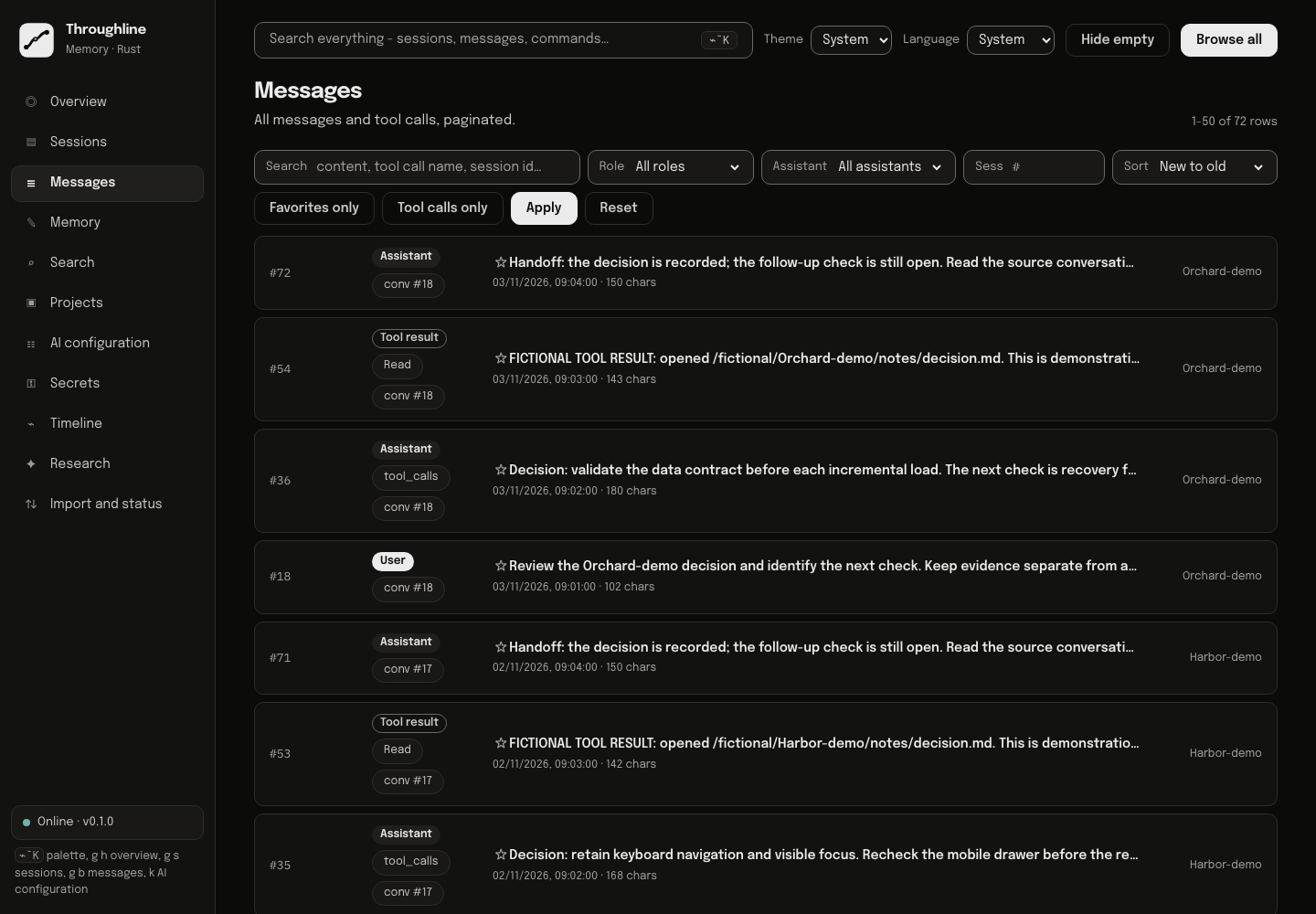
Messages. Inspect the underlying records
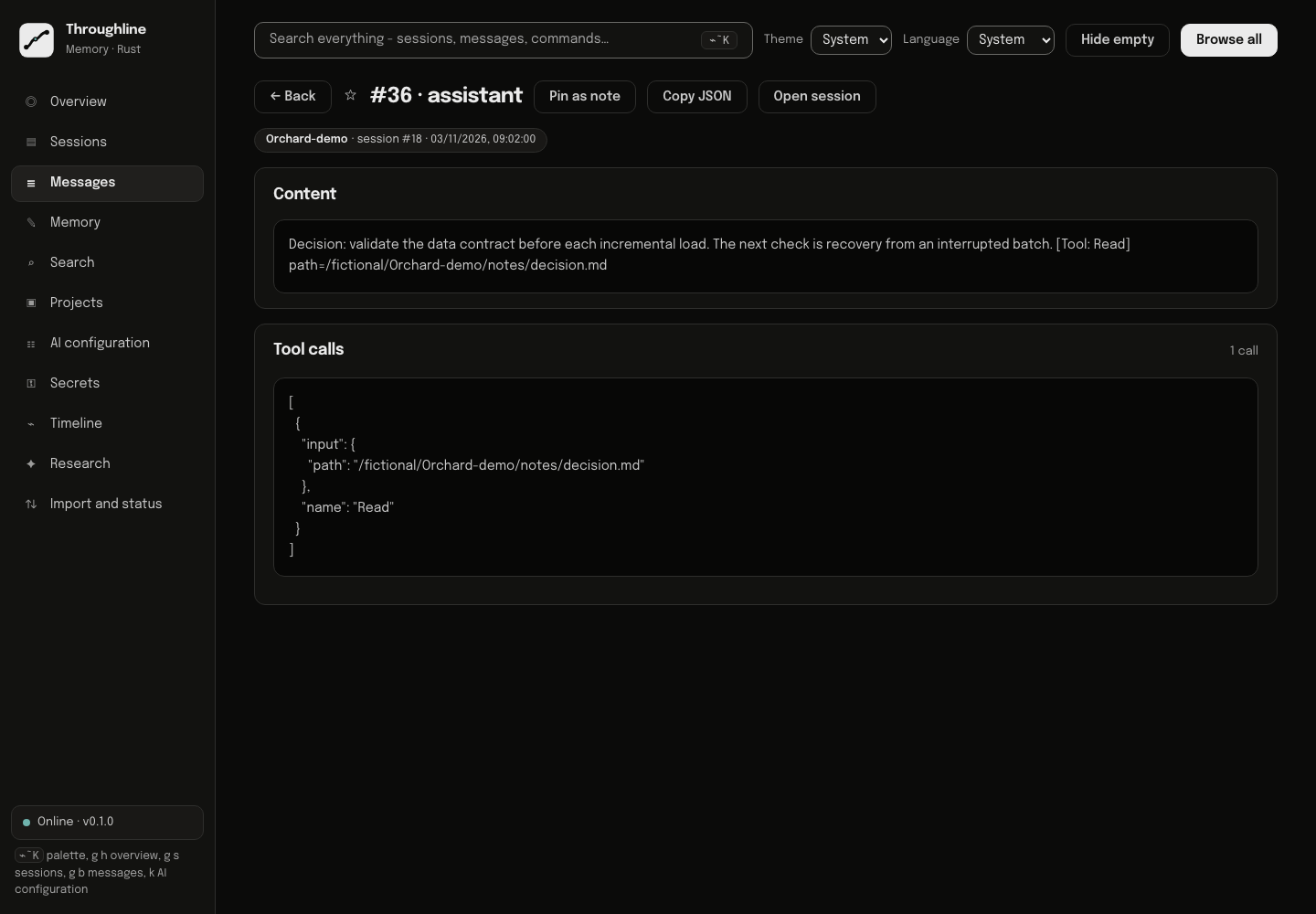
Filter by text, role, tool name or session ID, or select Tool calls only. A message opens its full content, tool-call JSON and content blocks, with Copy JSON and Open session actions.
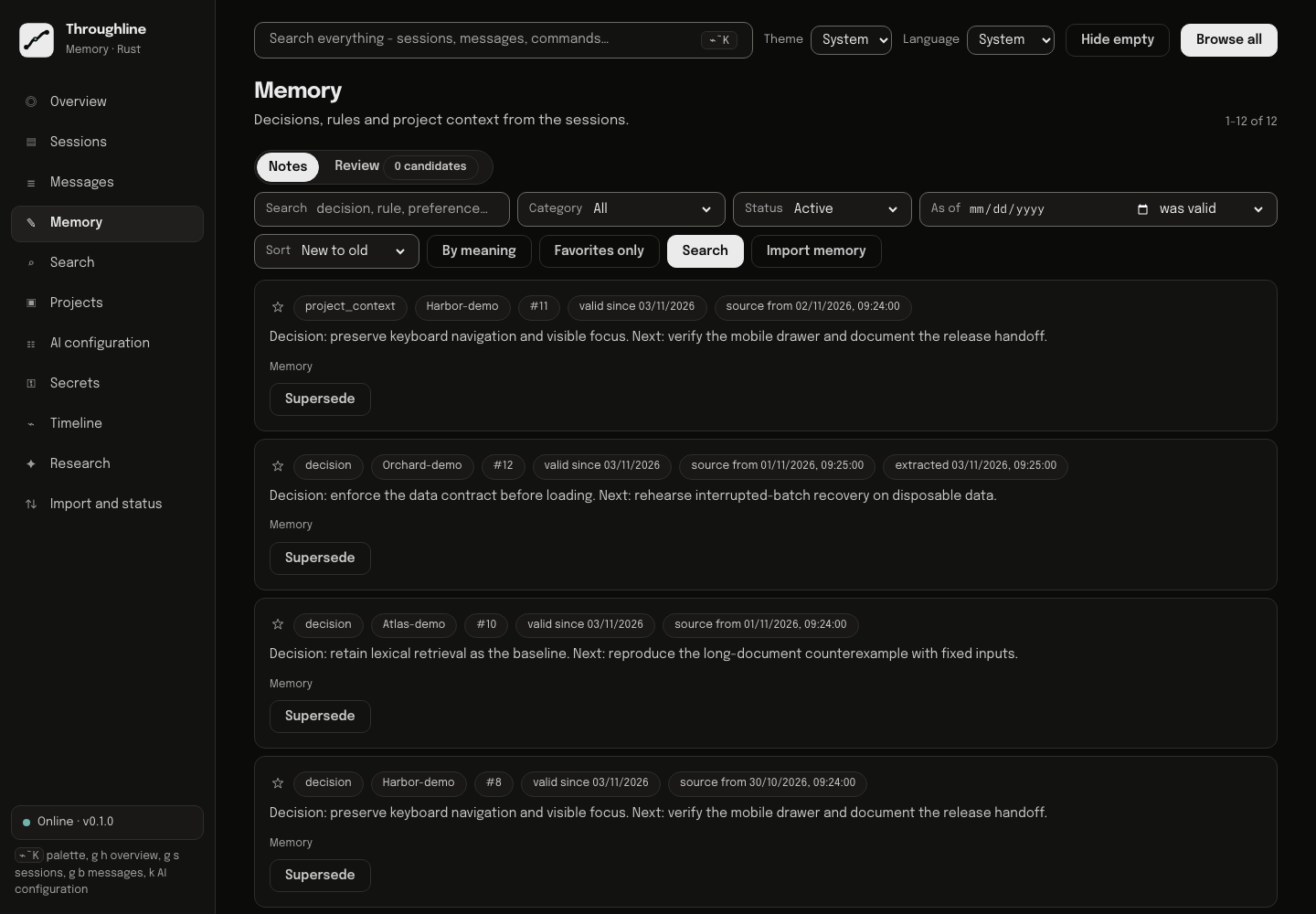
Memory. Keep durable context accessible
Search notes, filter categories and expand cards. Ingest agent memory reads local Markdown memory files. THROUGHLINE_AGENT_MEMORY_DIR selects their location. Categories cover decisions, preferences, patterns, insights, error solutions, project context and workflows.
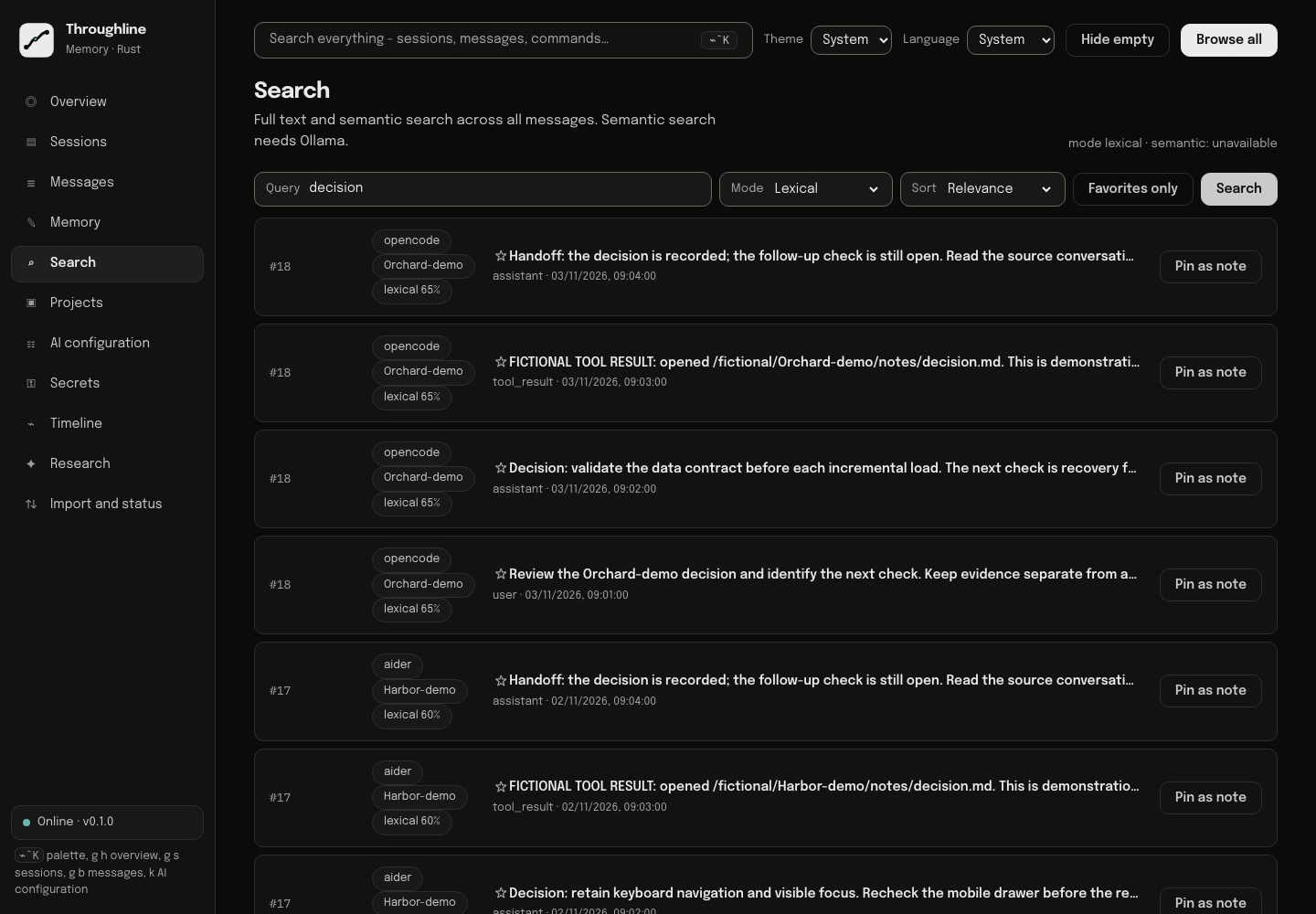
Search. Across every assistant
Choose Lexical, Semantic or Hybrid. Lexical search needs no model. Semantic search requires stored embeddings and a compatible embedding service. Results link to sessions and name the search backend. Scores are retrieval values, not truth probabilities.
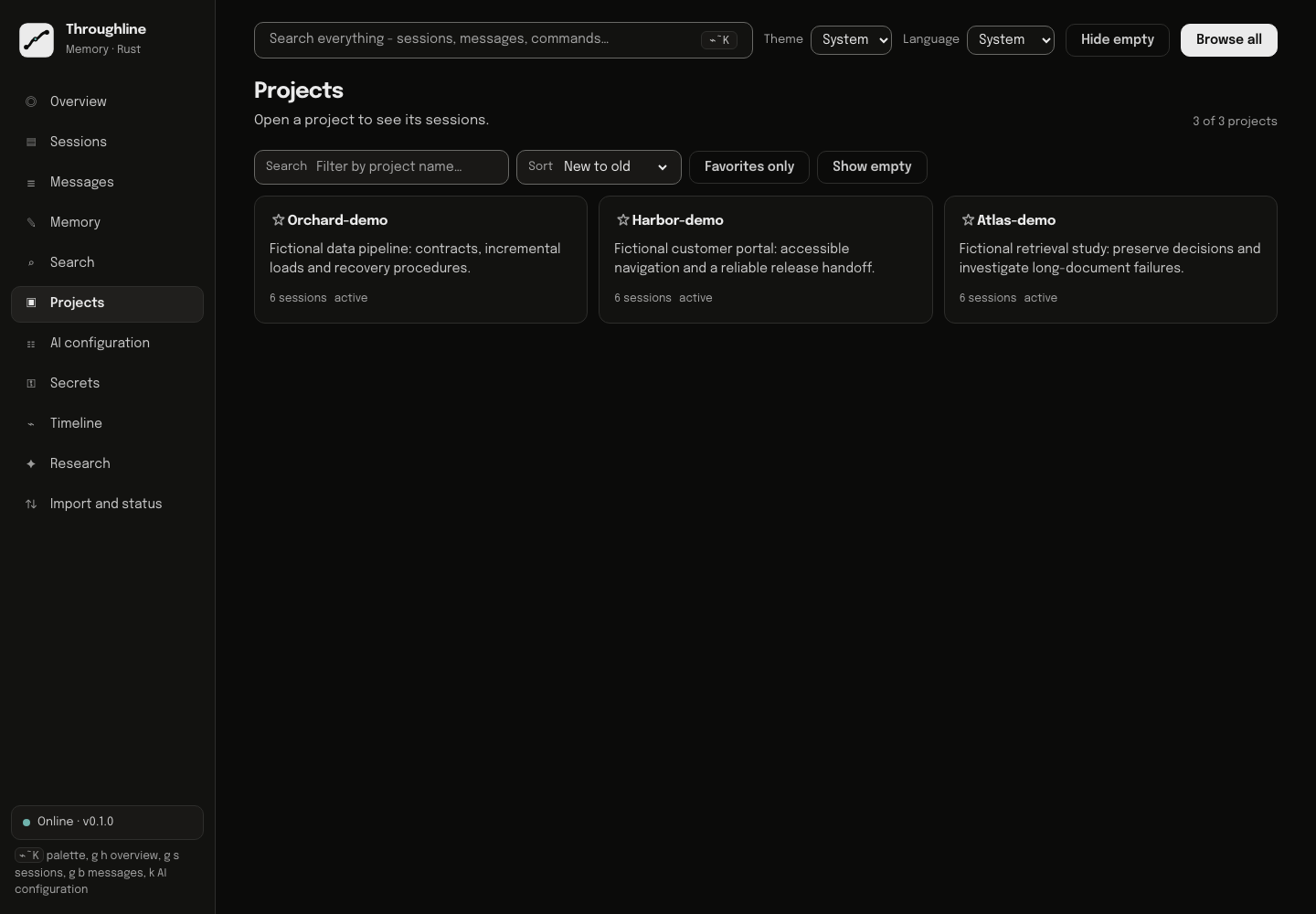
Projects. Enter through a project
Cards show a recorded description, status and session count. Select one to open its sessions. Recorded state is history, not an inspection of today's repository.
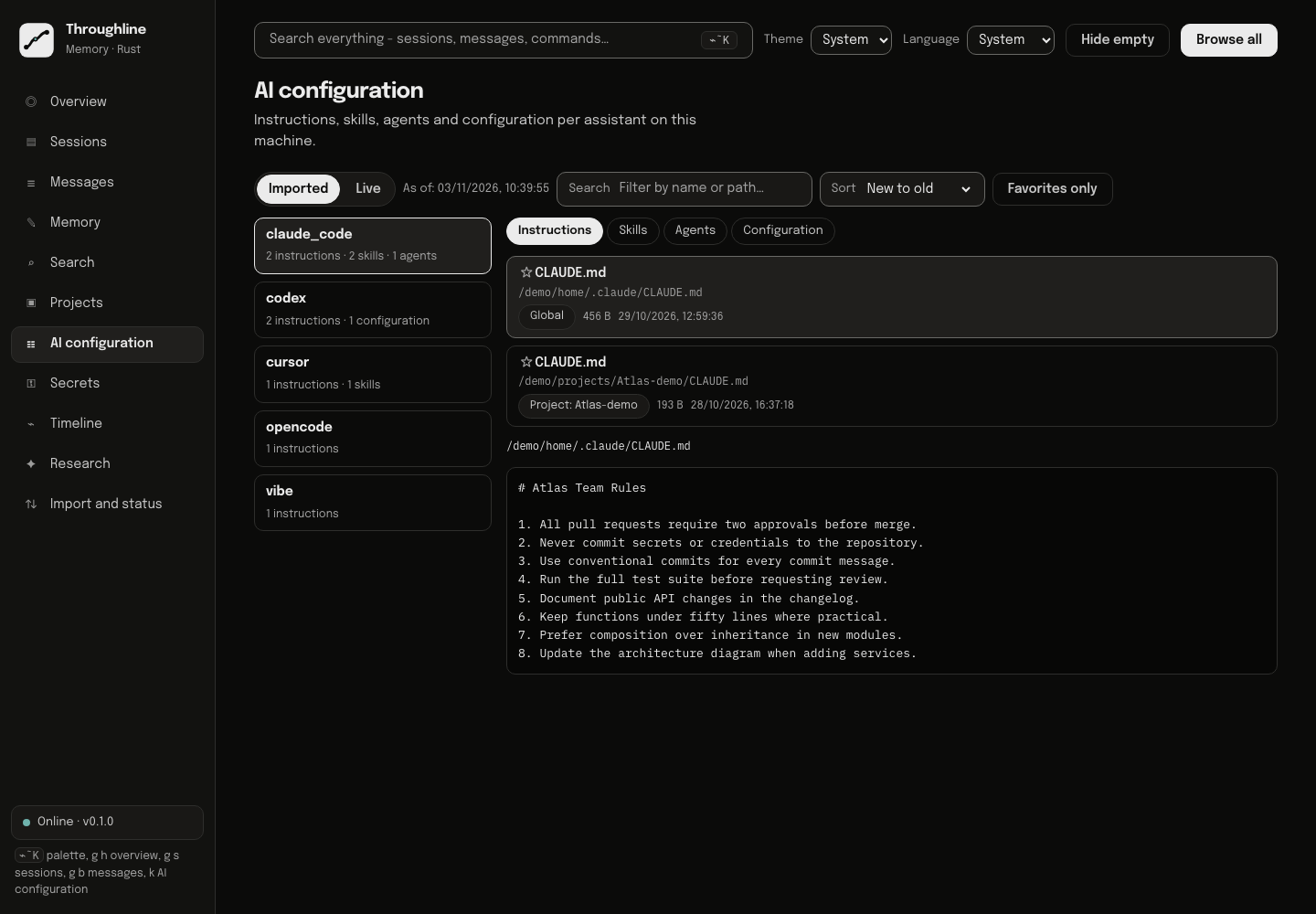
AI configuration. See the rules each assistant follows
Every assistant keeps its rules somewhere else: Claude Code in CLAUDE.md, .claude/skills and .claude/agents, Codex in AGENTS.md, config.toml, skills and rules, Cursor in .cursorrules and .cursor/rules, and so on for Vibe, aider, opencode, Cline, Windsurf, Continue, Zed and Hermes. This view lists them per assistant, global and per project, with tabs for instructions, skills, agents and configuration. A click shows the file as plain text. Values of keys such as api_key, token or password are masked before they leave the server, and the server only ever opens files from its own allowlist, never a path sent by the browser.
The view reads the imported copy by default, with the time of the last import shown as "As of". Every ingest run and the job Import AI configuration on the Import and status page refresh that copy, keeping the masked content, a hash, the file's own modification time and files that have since disappeared. Switch to Live to read straight from disk. Search finds instructions, skills and agents and opens the entry.
In Docker the container sees the assistant folders that docker-compose.yml mounts read-only (~/.claude, ~/.codex, ~/.cursor, ~/.vibe, ~/Documents/GitHub and the others). THROUGHLINE_ASSISTANT_HOME points the scan at another home, THROUGHLINE_SCAN_ROOTS at the project folders, and THROUGHLINE_HOST_HOME maps host paths in symlink targets onto the container home.
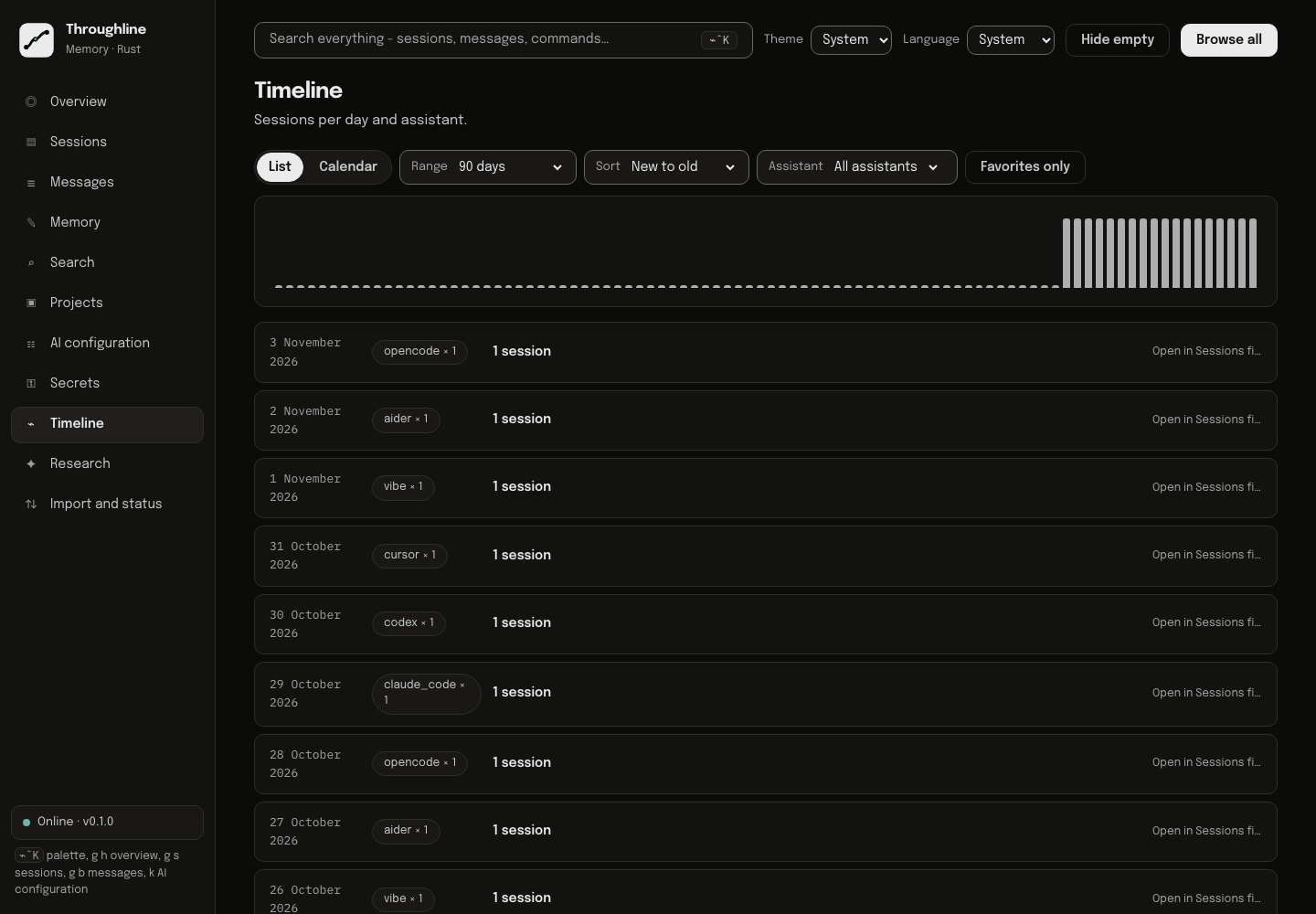
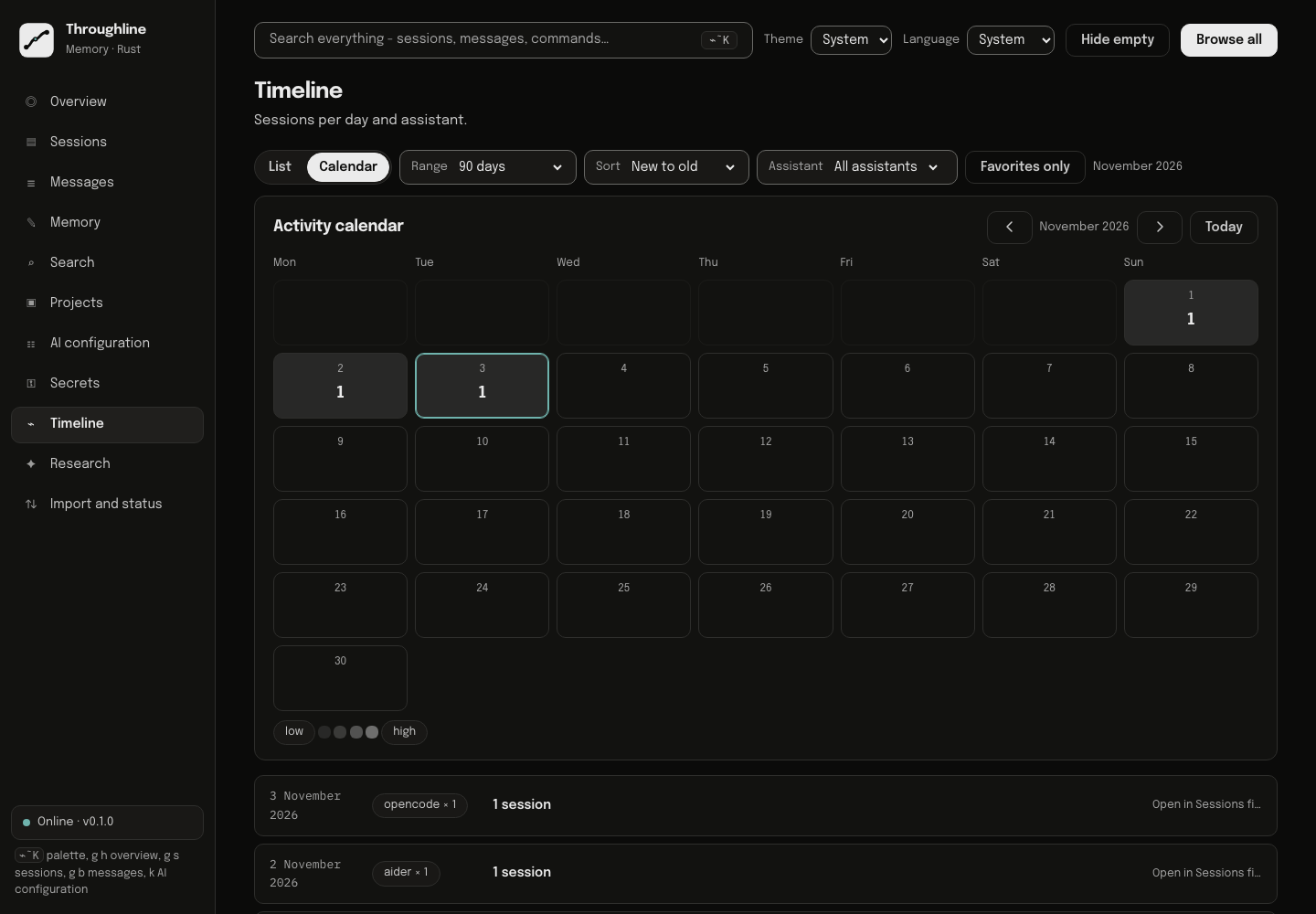
Timeline. Follow activity over time
Inspect sessions per day, filter by assistant, switch to the calendar, navigate months or jump back to today. Chronology is not causality, and the view keeps that distinction visible.
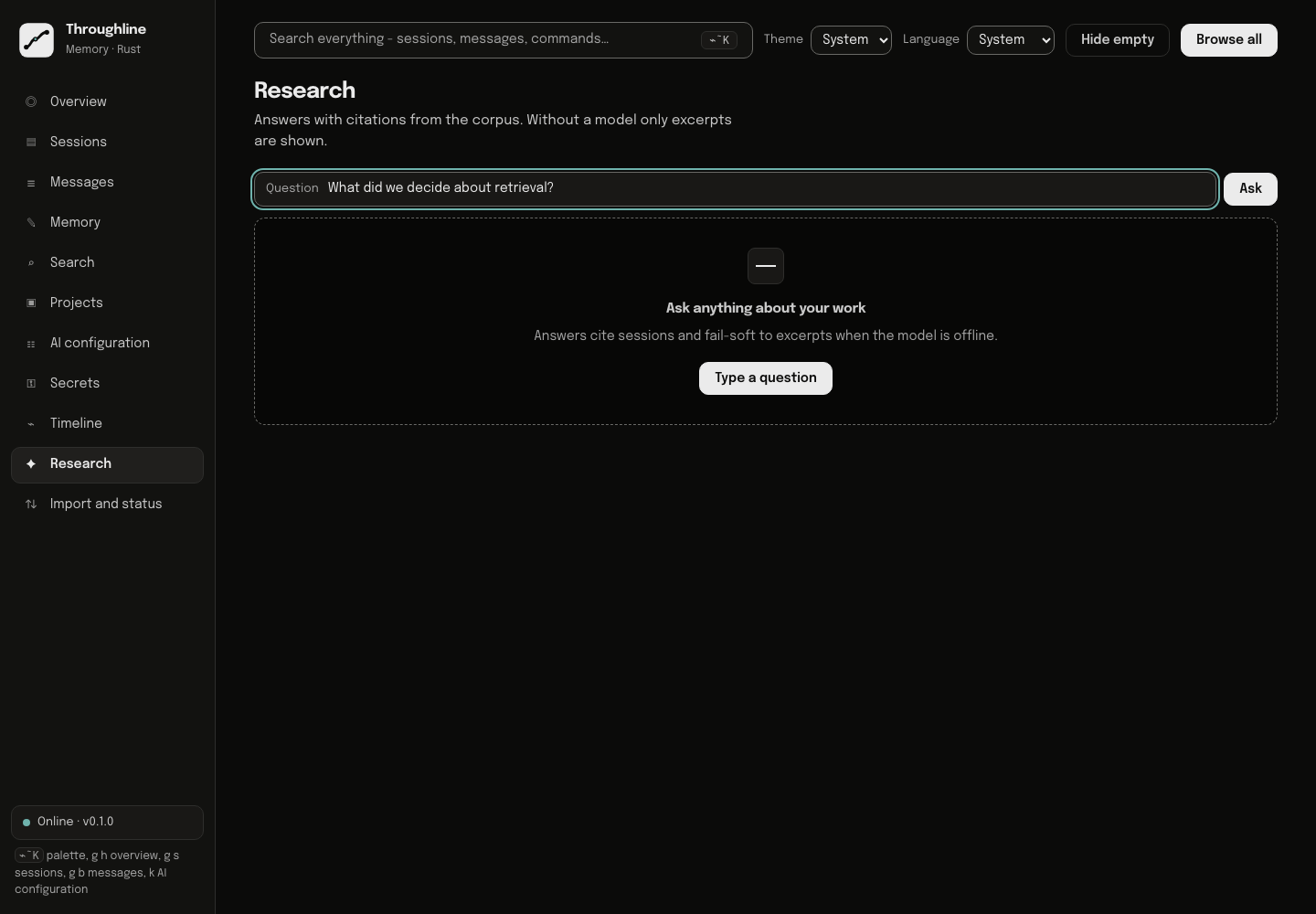
Research. Question the recorded evidence
Enter a question and follow the returned sources. A configured generation backend is required. After backend resolution, a generation failure can still return excerpts. An unresolved backend returns an error instead. The screenshot shows the input state, not an invented answer.
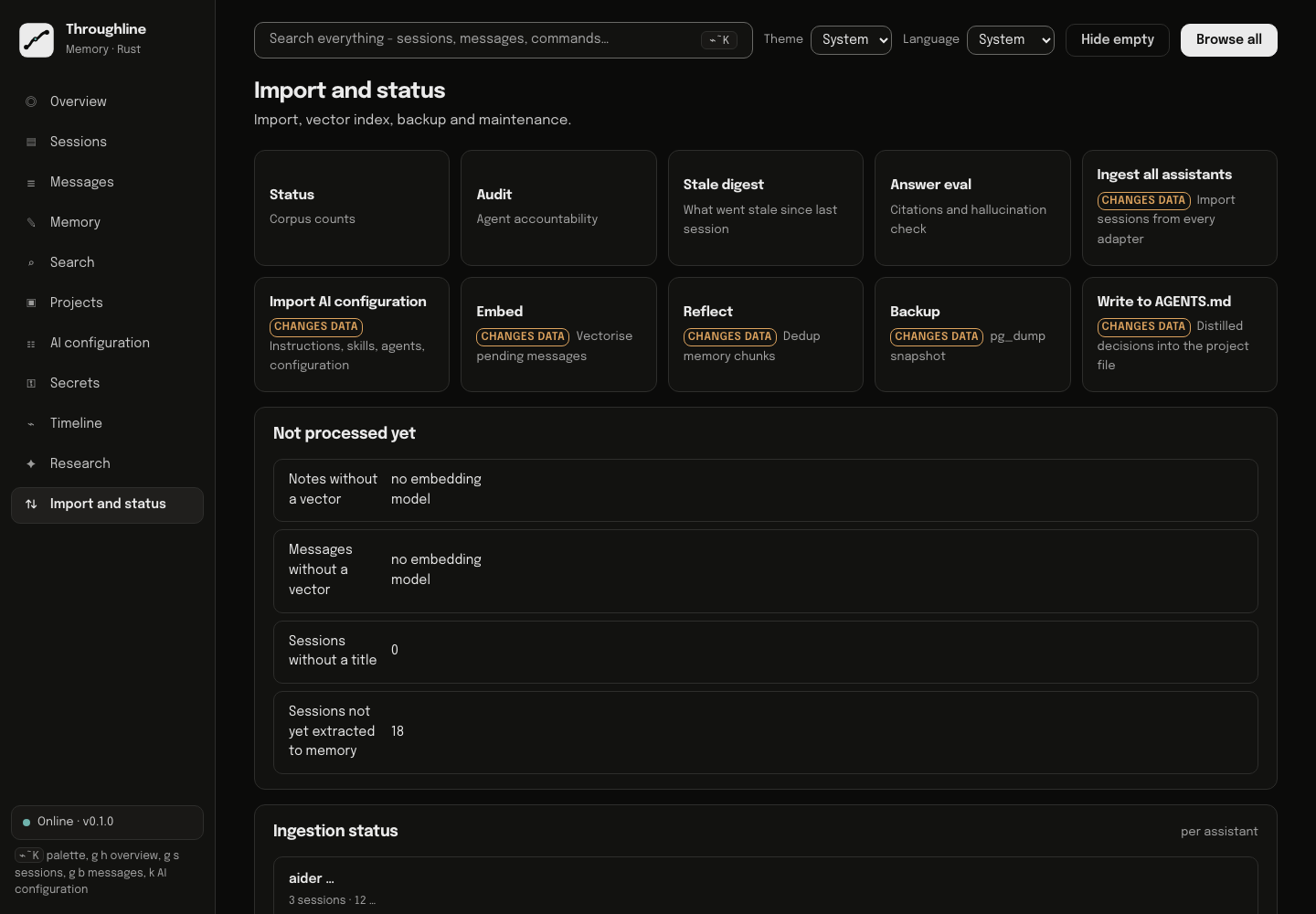
Import and status. Maintain the corpus
Run ingestion, AI configuration import, status, embedding, deduplication, backup, audit, stale-memory reporting, instruction-file writeback or answer evaluation. Some actions mutate data or files, and model-dependent actions need configuration first. See the action reference.
Command palette
Jump between views, search sessions or pick an action without leaving the keyboard.
Beyond the browser
CLI functions
Use throughline --help and throughline <command> --help for options. In Compose, prefix commands with docker compose exec web.
throughline ingest --source codex
throughline search "decision" --limit 10
throughline handoff --project Atlas-demo --copy
throughline decisions --project Atlas-demo
throughline export-markdown --out ./exports --project Atlas-demo --evidence
| Area | Commands |
|---|---|
| Setup and health | migrate, serve, status, doctor |
| Import and retrieve | ingest, search, ask, handoff |
| Enrich | extract-memory, embed, generate-titles, extract-entities |
| Inspect and maintain | decisions, costs, audit, conflicts, reflect, stale-digest, answer-eval |
| Carry context forward | scan-instructions, writeback, export-markdown |
| Protect and integrate | backup, mcp |
The function reference lists dependencies and side effects. Availability is not a claim that every command was tested against every schema variant.
MCP
Launch throughline mcp from a compatible client over stdio, with the database variables in that process's environment. The container equivalent is docker compose run -i --rm mcp.
The Rust server advertises search, list_projects, stats, write and forget. All five actions run against a fresh schema. The older Python MCP server has a different tool contract.
Optional models
Set these in the application container's environment. Compose needs an environment entry or an override file for variables it does not already forward.
The demo ships a ready-made overlay. One command starts a local Ollama, pulls nomic-embed-text plus a small instruct model, and switches the demo to live semantic search and Ask:
docker compose -f docs/demo/rust/compose.yml -f docs/demo/rust/compose.models.yml up -d --build
Without the second file the demo stays model-free. Nothing leaves your machine either way.
| Purpose | Rust settings |
|---|---|
| Database | PGHOST, PGPORT, PGDATABASE, PGUSER, PGPASSWORD |
| Ollama endpoint | OLLAMA_HOST, e.g. http://host.docker.internal:11434 on Docker Desktop |
| Embeddings | THROUGHLINE_EMBED_BACKEND=ollama, OLLAMA_EMBED_MODEL=nomic-embed-text (current path expects 768 dimensions) |
| Ollama generation | THROUGHLINE_ANSWER_BACKEND=ollama, THROUGHLINE_ANSWER_MODEL=<installed-model> |
| Ollama generation limits | THROUGHLINE_OLLAMA_THINK=false, THROUGHLINE_OLLAMA_NUM_CTX=16384, THROUGHLINE_LLM_TIMEOUT_SECS (default 180) |
| Compatible generation | THROUGHLINE_ANSWER_BACKEND=compatible, THROUGHLINE_ANSWER_BASE_URL, THROUGHLINE_ANSWER_MODEL, optionally THROUGHLINE_ANSWER_API_KEY |
| Backup directory | THROUGHLINE_BACKUP_DIR or CLI backup --dir |
The Rust implementation supports Ollama and an explicitly configured OpenAI-compatible generation endpoint. Hosted OpenAI as a named mode is disabled, and embeddings go through an Ollama-compatible service. A remote endpoint receives whatever content is sent to it. Details live in the generation and embedding sources.
How it fits together
flowchart LR
    Files[Local session files] --> Import[11 source adapters]
    Import --> DB[(PostgreSQL + pgvector)]
    DB <--> Runtime[Rust application]
    Runtime <--> Browser[Embedded browser UI]
    Runtime <--> Clients[CLI and MCP clients]
    Runtime -. optional .-> Models[Ollama / compatible generation API]
    Runtime --> Export[Markdown handoffs and exports]
    Runtime --> Instructions[Explicit instruction-file writeback]
The container embeds rust/crates/throughline/web/index.html. Node is not required to run it. Compose applies migrations before starting the web service. Source files, the PostgreSQL store and exported Markdown stay separate artifacts.
Traceability by design
Regulators, auditors and research institutions are converging on the same demand: AI-assisted work must be reconstructable after the fact. Throughline records AI coding work in exactly the shape those frameworks describe. That is a design statement, not a compliance certification.
| Requirement | Source | What Throughline stores |
|---|---|---|
| Automatic recording of events over the system's lifetime, for traceability | EU AI Act, Art. 12(1) and 12(2), Regulation (EU) 2024/1689 | Every imported session is recorded automatically with timestamps, source tool and model label. No manual bookkeeping. |
| Log retention of at least six months by the deployer | EU AI Act, Art. 19 and Art. 26(6) | The corpus lives in your PostgreSQL volume for as long as you keep it, with backup and restore as explicit commands. Deletion is a deliberate act. |
| A reviewer must see which model was used, how it was prompted and how the output was validated | [World Bank AI reproducibility guidelines](https://worldbank.github.io/wb-reproducible-research-repository/guid |