Thumbnails for IINA
An IINA plugin that shows clickable thumbnails for each video.
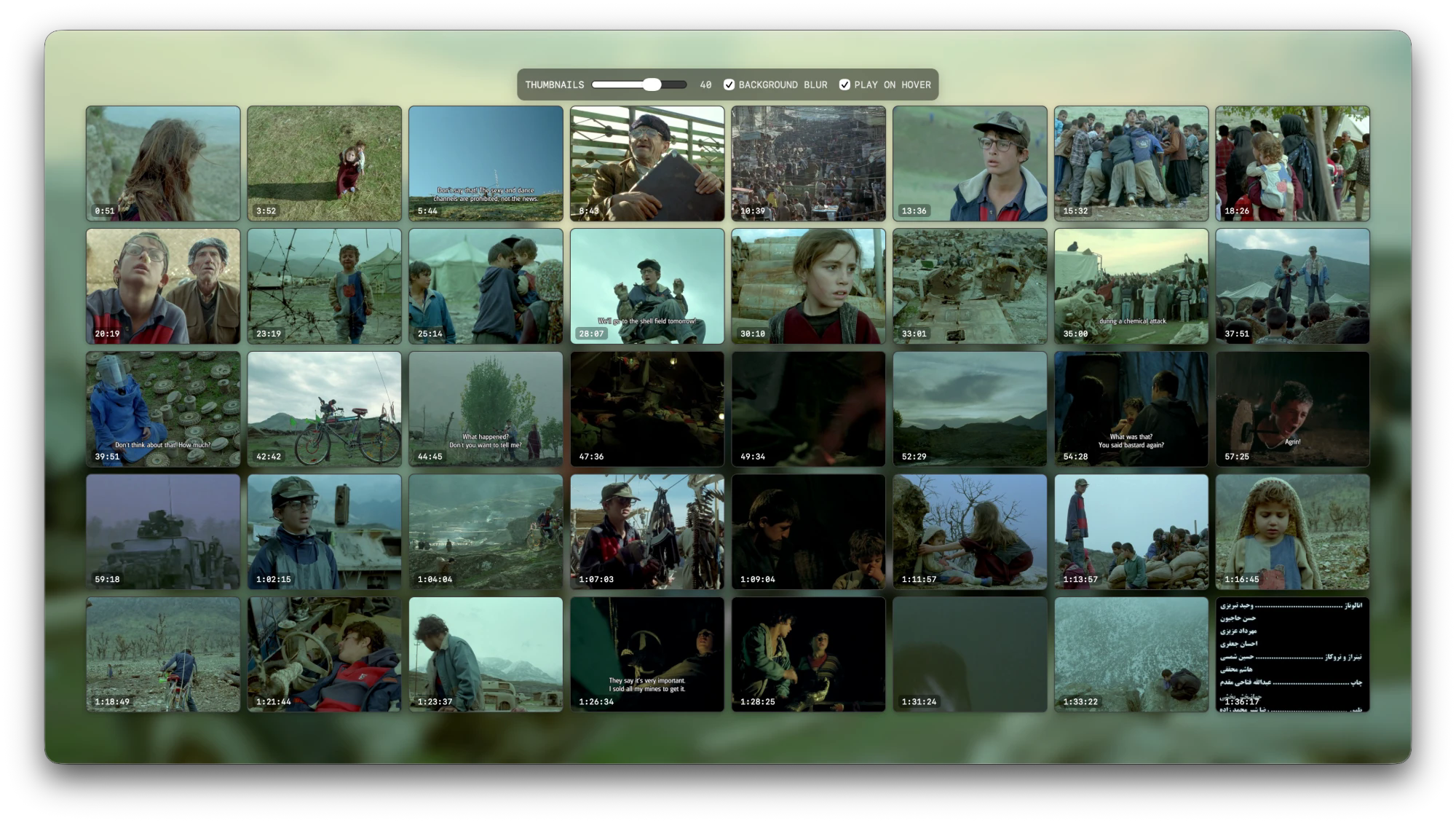
Features
- See a grid of thumbnails from across the video
- Click a thumbnail to jump to that point
- Choose 10, 15, 20, 30, 40, 60, or 100 thumbnails
- Change the number of thumbnails with a simple slider
- Turn background blur on or off
- Hover a thumbnail to play a short silent preview of that part of the video right inside it (optional, needs ffmpeg)
- Move around with the keyboard
- A faint tick sound as you move the slider
- Uses IINA's own thumbnail cache, so it does not create another thumbnail cache
- The grid updates while you resize the IINA window
Hover preview
Hovering a thumbnail plays a few seconds of the video from that point, inside the thumbnail. It uses ffmpeg to cut small silent clips, so it only works if ffmpeg is installed:
brew install ffmpeg
Turn it on or off with the Play on hover toggle next to Background blur. Without ffmpeg the toggle is greyed out and the thumbnails stay still images; everything else works as before.
Keyboard
IINA already uses the plain arrow keys, Enter and Esc for seeking and playback, so the plugin uses them with Shift held:
- Shift + arrow keys — move the highlight across the thumbnails
- Shift + Enter — jump to the highlighted thumbnail
- 0 — open or close the thumbnails
Install
From IINA
Open:
IINA → Settings → Plugins → Install from GitHub…
Enter:
aminozuur/iina-thumbnails
From a release
Download the latest .iinaplgz file from the Releases page and open it with IINA.
Permissions
Thumbnails needs two IINA permissions:
- Access the file system — reads IINA's thumbnail cache, and runs ffmpeg for hover previews.
- Add overlays on videos — shows the thumbnails and controls on top of the video.
Author
Feel free to contact me if you have any questions or feedback about this plugin.
Amin Eftegarie
Email: amin@eftegarie.com
Website: eftegarie.com