
📧 Envelope
U+1F4E7 — if you know, you know.
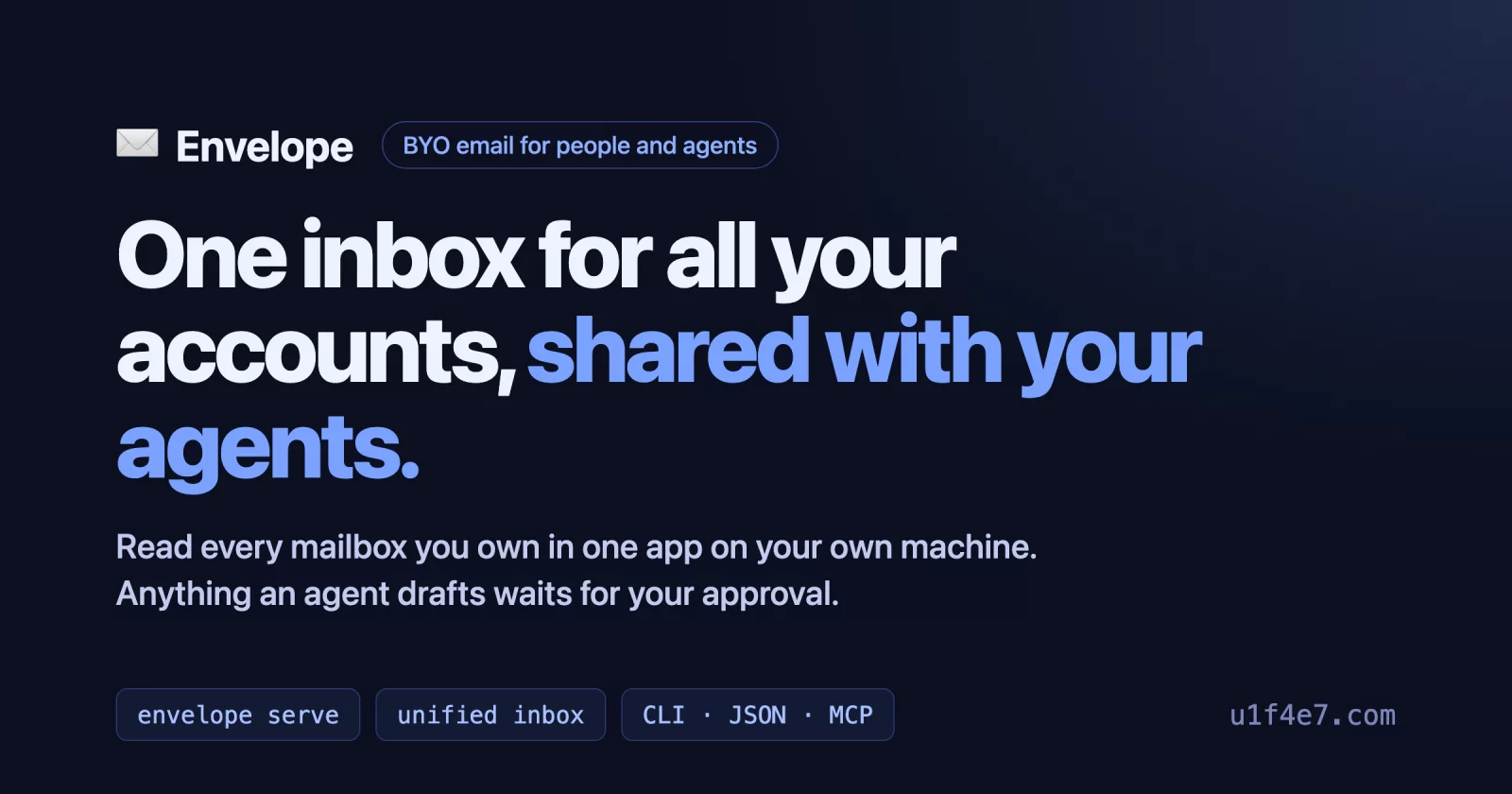
One inbox for all your email accounts, shared with your agents.
Why U1F4E7? It's the Unicode codepoint for 📧. Humans see a repo name. Agents see an envelope.
Setup • Travel • CLI • Rules • MCP • Agent plugins • vs. Alternatives • Dashboard • Commercial licensing • License



Envelope connects to the email accounts you already have (Gmail, Fastmail, iCloud, your own domain, any IMAP server) and puts them in one place. Open the Unified Inbox in your browser to read every account together, search them all at once, and archive or snooze across accounts in one pass. Your agents work the same mailboxes from the CLI, with JSON output, or over MCP, and anything they draft waits for your approval.
You don't change DNS, set up a new domain, or pay per-message fees. Add each address with its app password and go.
envelope accounts add --email you@gmail.com
envelope accounts add --email you@work.example
envelope serve                                     # every account in one inbox at http://localhost:3141
envelope inbox --account you@work.example --json   # the same mail, for your agent
Install
# macOS or Linux: downloads the release binary for your OS and CPU, checks it
# against the release's SHA-256 file, and installs it to ~/.local/bin (no sudo).
curl -fsSL https://u1f4e7.com/install.sh | bash

# Homebrew (macOS or Linux) installs the same release binary.
brew install tymrtn/u1f4e7/envelope
# `tymrtn/u1f4e7/u1f4e7` is a live compat alias for the same formula.
To build it yourself instead:
curl --proto '=https' --tlsv1.2 -sSf https://sh.rustup.rs | sh && source "$HOME/.cargo/env"
git clone https://github.com/tymrtn/U1F4E7
cd U1F4E7
cargo build --release
# Add `--features governor` to build in the Governor send gate (see below).
cp target/release/envelope ~/.local/bin/envelope
The release workflow signs and notarizes the macOS binaries once its Apple
credentials are configured (docs/release-signing.md);
until then macOS release binaries are unsigned. If macOS refuses to run an
unsigned tarball you downloaded in a browser, clear the quarantine flag:
xattr -d com.apple.quarantine ~/.local/bin/envelope.
Quick start
Envelope signs in to IMAP and SMTP with a password or an app password, and to Gmail with Google sign-in. That decides which mailboxes work today:
- Fastmail and iCloud Mail: create an app password in the provider's security settings.
- Gmail:
envelope accounts add --provider google --email you@gmail.comsigns in with Google in your browser;envelope accounts reauth you@gmail.com --provider googleswitches an account added with a password. While Envelope's Google app is in Google's testing stage, only addresses on its test-user list can sign in, and Google asks again every 7 days. An app password still works for accounts that can create one. From another device, add--paste(automatic over SSH), or run--paste --no-waitnow and--finish -within 24 hours. - Migadu, self-hosted Dovecot, and most other IMAP hosts: your normal mailbox password.
- Proton Mail: through Proton Mail Bridge, which needs a paid Proton plan. See Proton Mail for the setup.
- Outlook.com, Hotmail, Live, and Microsoft 365: not supported yet. Microsoft turned off password sign-in for IMAP on Outlook.com accounts and Exchange Online, so an app password does not help.
Envelope encrypts saved credentials with a passphrase. In a terminal it asks you for one. Scripts, agents, and the piped command below have no terminal to ask from, so give Envelope a passphrase file first:
# Create a random passphrase readable only by you, and point Envelope at it.
# Add the export line to your shell profile, and back the file up: without it
# the saved credentials cannot be decrypted.
(umask 077 && openssl rand -base64 32 > "$HOME/.envelope-passphrase")
export ENVELOPE_MASTER_PASSPHRASE_FILE="$HOME/.envelope-passphrase"

# Add an account. Envelope finds the IMAP/SMTP servers from the email domain
# and logs in before saving; a rejected login fails here and prints what to fix.
# (--skip-login-check saves without logging in, for offline setup.)
printf '%s\n' "$APP_PASSWORD" | envelope accounts add --email you@fastmail.com --password-stdin

# Verify setup end-to-end (paths → account → IMAP auth → inbox peek)
envelope quickstart

# See folders with unread counts
envelope folders

# Read the inbox
envelope inbox --limit 20

# Read a message (does not mark it as read)
envelope read 42

# Send with attachment
envelope send --to someone@example.com --subject "Report" --body "Attached." --attach report.pdf

# Reply in-thread as a reviewable draft
envelope draft reply 42 --body "Thanks."

# Snooze until Monday
envelope snooze set 42 --until monday --reason waiting-reply

# Watch for new mail in real time (IMAP IDLE push)
envelope watch --json

# Retrieve a verification-code JSON result for unattended automation (bounded and fail-closed)
envelope --json code --account you@example.com --from otp@issuer.example --wait 60

# Schedule a send for business hours
envelope send --to cto@example.com --subject "Report" --body "..." --at "monday 9am"

# Import contacts from your inbox, then create a contact-based rule
envelope contacts import --from-inbox
envelope rule create --name "VIP" --match-contact-tag vip --action flag=\\Flagged

# Agent scores a message, creates a rule, Envelope enforces it forever
envelope tag set 42 --score urgent=0.1 --tag newsletter
envelope rule create --name "Junk newsletters" --match-tag newsletter --match-score-below interesting=0.3 --action move=Junk
envelope rule run --confirm

# Unsubscribe from a mailing list (dry-run by default)
envelope unsubscribe 99

# Open the local dashboard at http://localhost:3141 (loopback, no auth — single-user local trust)
envelope serve

# Expose it to agents/devices on your tailnet — REQUIRES auth first.
# Option A (humans): allowlist tailnet identities; `tailscale serve` proves them.
envelope config set dashboard.tailscale_allow "you@your-tailnet.ts.net,skippy@your-tailnet.ts.net"
# Option B (agents/scripts): a bearer token (stored 0600, never echoed).
envelope config set dashboard.auth_token "$(openssl rand -hex 32)"

tailscale serve --bg 3141

# See where Envelope is storing local state
envelope paths
The dashboard opens as a three-pane mail shell. Unified Inbox is the default read-only surface and loads from the local message index; explicit refreshes or account/folder selections are what touch live IMAP mailboxes.
Actual sends are outbox-first. By default, an allowed send queues with a safety cooldown and the scheduled-send sweep performs the SMTP transmission later. Every agent send must declare factual attributes, and Envelope checks them against what it can observe before anything is queued or sent.
Governor scoring is a build-time Cargo feature, off by default. Homebrew and the
release archives are built without it, so their sends are not scored by
Governor, and send results and audit events record the gate as
mode: "off". In those builds the draft-only ceiling still binds MCP sessions
that carry an agent token, but an agent with shell access can send through
envelope send (which defaults to autonomous-send), so give agents MCP with
an agent token rather than a shell. Builds made with
cargo build --release --bin envelope --features governor (or
cargo install --path crates/cli --features governor) derive sanitized
contextual attributes immediately before SMTP and ask Governor to score them
with governor score --catalog envelope; only an opaque Governor allow sends.
Those builds expect the Governor binary at the path pinned in
SMTP_GOVERNOR_BIN (crates/email/src/outbound.rs), and every send fails
closed when it is missing. Message bodies, full recipient
addresses, attachment bytes, and secrets never enter the Governor request.
Dashboard URL metadata in --json output is discovered fresh for each UI
construction or request, from an active local tailscale serve HTTPS route whose
root proxy targets http://127.0.0.1:3141. It otherwise falls back to
http://localhost:3141.
Every agent-facing ui object reports that decision as
dashboard_origin_source (tailscale_serve or localhost_fallback) and adds
a non-secret dashboard_origin_warning only when discovery needs attention.
MCP results omit these ui objects and skip Tailscale discovery unless the
call passes include_ui_links: true, so the host's tailnet name stays out of
model context by default.
dashboard_path is always portable and remains the canonical handle for agents;
dashboard.base_url and the legacy dashboard-base environment variables are
retained only for compatibility and do not affect emitted agent UI links.
Tailscale Serve keeps the dashboard tailnet-only; Tailscale Funnel publishes it
on the public internet, so do not use Funnel for a mailbox dashboard unless that
exposure is intentional.
Authentication (required before any non-loopback exposure)
On 127.0.0.1 the dashboard is an unauthenticated single-user local surface —
the same trust boundary as your shell. The REST API reads and deletes mail,
manages accounts, and queues sends, so the moment it is reachable by another
device (a non-loopback --bind, or a tailscale serve front-end) it must
require a credential. Configure one of:
- Tailscale identity allowlist (
dashboard.tailscale_allow) — a request whoseTailscale-User-Loginheader (injected bytailscale serve) is in the allowlist is authorized. Humans just open the.ts.netURL; no token to type. Only safe behindtailscale serve, which sets and strips that header. - Bearer token (
dashboard.auth_tokenorENVELOPE_DASHBOARD_TOKEN) — sent asAuthorization: Bearer <token>(orX-Envelope-Token), compared in constant time. The path for Hermes/OpenClaw agents and scripts.
Once either is configured, every /api route returns 401 without a valid
credential — including when tailscale serve fronts loopback. envelope serve --bind <non-loopback> refuses to start unless an auth method is configured.
/api/health stays reachable for liveness probes but discloses local
filesystem paths only to authorized callers. The CORS allowlist is a
browser-only defense, not the access control.
Why not Himalaya / Cloudflare / Resend?
vs. Himalaya
Himalaya is a great CLI email client. Envelope is a CLI email client built for agents.
| Envelope | Himalaya | |
|---|---|---|
| Compose / Reply / Forward | ✅ | ✅ |
| Inbox / Search / Folders | ✅ | ✅ |
| Move / Copy / Delete / Flag | ✅ | ✅ |
| Attachments (send + download) | ✅ | ✅ |
| JSON output | ✅ | ✅ |
| Multiple accounts | ✅ | ✅ |
| Auto-discovery (email + password, done) | ✅ | ❌ Manual config |
| Snooze + unsnooze | ✅ | ❌ |
| Threading (11-language subject normalization) | ✅ | ❌ |
| Rules engine (agent-trained junk filters) | ✅ | ❌ |
| Message scoring + tagging | ✅ | ❌ |
| Unsubscribe (RFC 8058 one-click) | ✅ | ❌ |
| Sieve export | ✅ | ❌ |
IMAP IDLE push (envelope watch) |
✅ | ❌ |
| Verification code extraction | ✅ | ❌ |
| MCP server (Claude Code, Cursor, Zed) | ✅ | ❌ |
Scheduled send (--at) |
✅ | ❌ |
| Contacts with rules integration | ✅ | ❌ |
| Webhook rule actions | ✅ | ❌ |
| Localhost dashboard (web UI) | ✅ | ❌ |
vs. Cloudflare Email Service
Cloudflare's Email Service (public beta, April 2026) is email infrastructure for the Cloudflare platform. Envelope is email mastery for your existing mailbox.
| Envelope | Cloudflare Email | |
|---|---|---|
| BYO mailbox (your existing email) | ✅ | ❌ Cloudflare routing |
| DNS setup required | None | Cloudflare DNS |
| Read inbox (full IMAP) | ✅ | ❌ Inbound routing only |
| Self-hosted | ✅ | ❌ Workers platform |
| Per-message cost | $0 | Paid Workers plan |
| Agent-native | ✅ CLI + JSON | ✅ Workers SDK |
| Rules engine | ✅ Local + Sieve | Workers AI |
| Works offline | ✅ | ❌ Cloud-only |
| Any provider | ✅ Gmail, Fastmail, iCloud, Migadu, any password-based IMAP host | ❌ Cloudflare only |
| Open source | ✅ FSL-1.1-ALv2 | Reference app only |
vs. Resend / Mailgun / SendGrid
| Envelope | Resend | Mailgun | SendGrid | |
|---|---|---|---|---|
| BYO mailbox | ✅ Your existing email | ❌ New domain | ❌ New domain | ❌ New domain |
| DNS setup | None | SPF/DKIM/DMARC | SPF/DKIM/DMARC | SPF/DKIM/DMARC |
| Per-message cost | $0 | $0.001+ | $0.001+ | $0.001+ |
| Read inbox | ✅ Full IMAP | ❌ Send only | ⚠️ Limited | ⚠️ Limited |
| Self-hosted | ✅ | ❌ | ❌ | ❌ |
| Open source | ✅ | ❌ | ❌ | ❌ |
Provider support
Envelope auto-discovers IMAP/SMTP from your email domain via DNS. Tested with:
| Provider | Auth | Notes |
|---|---|---|
| Gmail | Google sign-in or app password | [Gmail]/ folder prefix handled automatically |
| Outlook.com / Microsoft 365 | Not supported yet | Microsoft requires OAuth sign-in for IMAP; Envelope has no OAuth yet |
| Migadu | Password | Standard folders |
| Fastmail | App password | Standard folders |
| iCloud Mail | App-specific password | Standard folders |
| Proton Mail | Bridge password, through Proton Mail Bridge (paid Proton plan) | Trust Bridge's certificate with --trust-cert; see Proton Mail |
| Self-hosted Dovecot | Password | INBOX. dot-separator detected |
| Generic IMAP | Password | Anything RFC 3501 |
Proton Mail
Proton Mail Bridge runs on your computer and serves your Proton mailbox over
IMAP and SMTP on 127.0.0.1. Bridge is
available only with a paid Proton Mail plan.
Envelope's Bridge support has been tested against a stand-in server that
presents a certificate shaped like Bridge's. Nobody has run it against Bridge
itself yet, so please report what you find.
- Install Bridge, sign in, and open your account's Mailbox details. Note the password Bridge shows there; Envelope signs in to Bridge with it, and your Proton account password won't work. Bridge uses IMAP port 1143 and SMTP port 1025 by default, with STARTTLS on both unless you change its connection mode.
- Bridge encrypts those connections with a
self-signed certificate
it made when you set it up. Export it from Settings → Advanced settings →
Export TLS certificates. Bridge writes
cert.pemandkey.pemto the folder you pick. Envelope needs onlycert.pem; it skips any private key in the file and never stores one. - Add the account:
printf '%s\n' "$BRIDGE_PASSWORD" | envelope accounts add \
  --email you@proton.me --password-stdin \
  --imap-host 127.0.0.1 --imap-port 1143 --imap-security starttls \
  --smtp-host 127.0.0.1 --smtp-port 1025 \
  --trust-cert ~/Downloads/cert.pem
--trust-cert makes this account accept exactly that certificate for its
IMAP, SMTP and ManageSieve connections, in place of the public certificate
authorities. Every other account checks certificates as before. If you set
Bridge's IMAP connection mode to SSL, use --imap-security tls. Keep Bridge's
SMTP on STARTTLS: Envelope uses SSL for SMTP only on port 465.
When Bridge's certificate changes, Envelope refuses the connection before it
signs in and prints the fingerprints of the trusted and the presented
certificates. Export the new certificate and trust it with
envelope accounts tls --account you@proton.me --trust-cert cert.pem.
envelope accounts tls --account you@proton.me shows what the account
trusts now, and openssl x509 -noout -fingerprint -sha256 -in cert.pem
prints a file's fingerprint in the same form.
MCP server
envelope mcp starts a Model Context Protocol server over stdio — drop-in email for Claude Code, Cursor, Zed, or any MCP runtime.
Framing follows the MCP stdio spec: one newline-delimited JSON-RPC message per line on stdout, nothing else on that stream (logs go to stderr). On stdin the server accepts newline-delimited JSON and, for callers written against versions before 1.1.0, the legacy Content-Length: framing — detected per message.
# Print a ready-to-paste config snippet
envelope mcp --config

# Output (paste into your MCP config):
# {
#   "mcpServers": {
#     "envelope": {
#       "command": "/path/to/envelope",
#       "args": ["mcp"]
#     }
#   }
# }
Tools include inbox, read, search, send, reply, create_reply_draft, create_forward_draft, modify_draft, get_draft, send_draft, move_message, flag, folders, tag, contacts, accounts, bulk, thread, rules_preview, rules_run, watch_status, snooze, plus threat_show and governor_catalog. Envelope is the only MCP email server that works against any IMAP provider.
For a single, distribution-ready operating guide to hand a fresh agent, see the Envelope agent skill.
For a walkthrough of running multiple agents from one shared inbox with scoped policies, see Agents at a glance.
The Dockerfile runs the MCP server in a container (docker build -t envelope ., then docker run -i --rm envelope). Mount a data directory at /home/envelope/data and pass ENVELOPE_AGENT_TOKEN for an agent created in it. Without a token, the container starts only when it has no database yet. It then creates a throwaway agent in that empty store, which has no mail accounts, so MCP directories can start the server and list its tools.
Use Envelope from your agent
Envelope ships as a plugin for Claude Code, Codex and Cursor, and as skills on
skills.sh. Each install adds two skills: envelope for working mail, and
envelope-setup for first-run setup. It also adds the local MCP server
(envelope mcp).
Prerequisite: the envelope binary on PATH. The envelope-setup skill
walks through this if it's missing.
curl -fsSL https://u1f4e7.com/install.sh | bash
# or
brew install tymrtn/u1f4e7/envelope
tymrtn/u1f4e7/u1f4e7 is a live Homebrew compat alias for the same formula.
Then add your accounts and create a token for the agent. Run both in your own terminal, so your password and token never pass through the agent:
envelope accounts add --email you@example.com
envelope agent create claude-code
Agent name