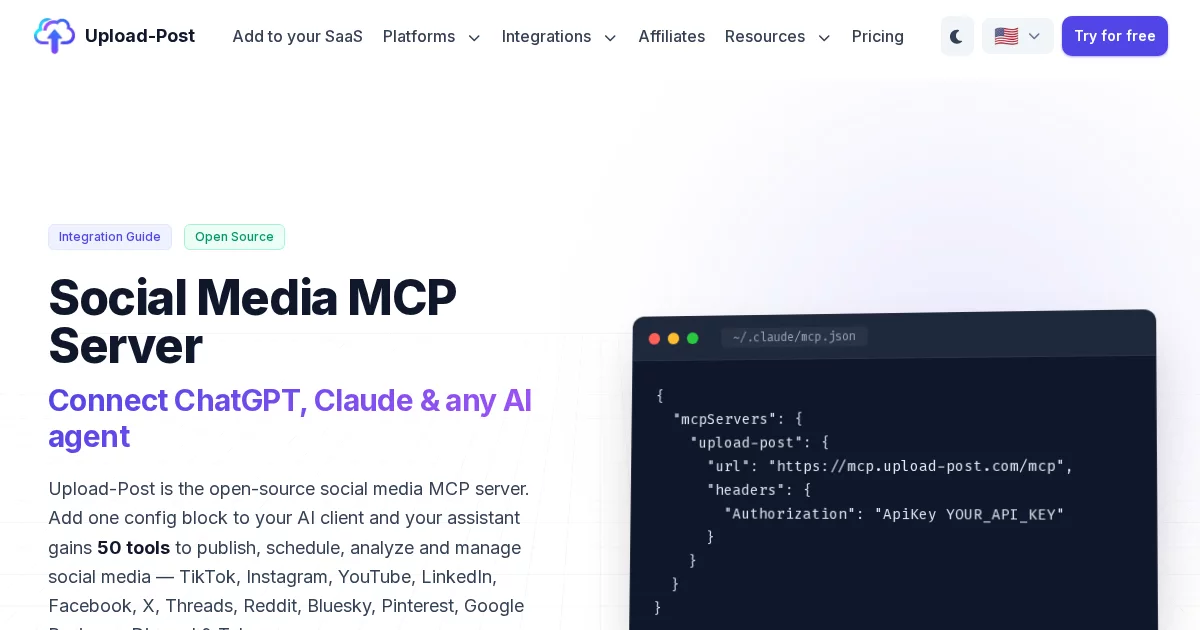

Official Model Context Protocol (MCP) server for Upload-Post.
Lets any MCP-compatible AI agent (ChatGPT, Claude Desktop, Claude Code, Cursor, …) publish, schedule, analyze and manage social media across TikTok, Instagram, YouTube, LinkedIn, Facebook, Pinterest, Threads, Reddit, Bluesky, X, Google Business, Discord, Telegram and more with a single API key.
Built on top of the official
upload-postSDK and the public Upload-Post REST API.
Use it in ChatGPT (no setup)
Upload-Post is a plugin reviewed by OpenAI, listed in ChatGPT's Plugins (formerly Apps). Open Upload-Post in ChatGPT or search for Upload-Post in Plugins, click Install, then Connect, and sign in with OAuth. There is no MCP URL to paste, and you get the Upload Studio widget for publishing video files, photos and carousels straight from your computer. OpenAI dots use the same plugin: select it in your dot's Customize → Plugins and review its permissions.
Prefer to wire it up by hand? In ChatGPT on the web, open Plugins, click +, choose Add custom MCP server, point it at https://mcp.upload-post.com/mcp and set authentication to OAuth. Custom MCP servers get write actions on Business, Enterprise and Edu workspaces.
Use it in Claude (no setup)
Upload-Post is an official connector in Claude's connector directory. Add Upload-Post to Claude, or in claude.ai, Claude Desktop or Claude Cowork open Customize → Connectors, browse the directory and search for Upload-Post, then click Connect and sign in with OAuth. There is no MCP URL to paste. On Team and Enterprise an owner may need to allow it first in Organization settings.
Prefer to wire it up by hand? Open Customize → Connectors, click + Add, then Add custom connector, paste https://mcp.upload-post.com/mcp, click Continue and sign in with OAuth. Custom connectors work on every Claude plan (the Free plan allows one). In Claude Code: claude mcp add --transport http upload-post https://mcp.upload-post.com/mcp, or install the official Upload-Post plugin from the Claude directory.
Use it in Perplexity Computer
Open Plugins in the sidebar (or Customize → Connectors), then Add custom → Connector → Add MCP connector → Remote. Use https://mcp.upload-post.com/mcp with the Streamable HTTP transport and OAuth (or your Upload-Post API key), click Add, then click the Upload-Post card to sign in.
Use it in Gemini CLI
Install the extension and sign in with OAuth the first time Gemini calls a tool:
gemini extensions install https://github.com/Upload-Post/upload-post-mcp
Two ways to run it yourself
A) Local stdio (single-user) — simplest
The server runs on your machine, spawned by the MCP client. Add to ~/.claude/mcp.json (or Cursor settings, etc.):
{
  "mcpServers": {
    "upload-post": {
      "command": "npx",
      "args": ["-y", "@upload-post/mcp"],
      "env": { "UPLOAD_POST_API_KEY": "YOUR_API_KEY" }
    }
  }
}
Get your API key at https://app.upload-post.com → API Keys. Restart the client — you should see 58 upload-post tools.
B) Hosted HTTP (multi-tenant) — share one server with many users
Run the server on any Docker-capable host (Fly, Railway, Cloud Run, your own box…) and let each user connect with their own Upload-Post API key. The server stores nothing per user.
{
  "mcpServers": {
    "upload-post": {
      "url": "https://mcp.your-domain.com/mcp",
      "headers": {
        "Authorization": "ApiKey YOUR_OWN_UPLOAD_POST_API_KEY"
      }
    }
  }
}
Authorization: Bearer <key> is also accepted, for clients that only allow Bearer.
What can the agent do?
The server exposes Upload-Post API tools plus one ChatGPT App UI launcher.
| Group | Tools |
|---|---|
| Upload | upload_video, upload_photos, upload_text, upload_document, open_upload_studio |
| Media staging | create_media_upload, complete_media_upload, get_media_upload, delete_media_upload |
| Status | get_status, get_job_status, get_history, get_media |
| Schedule | list_scheduled, cancel_scheduled, edit_scheduled |
| Analytics | get_analytics, get_total_impressions, get_post_analytics, get_cached_post_analytics, get_platform_metrics |
| Audience | get_audience, get_suggestions |
| Users | get_account_info, list_users, get_connect_link, create_user, delete_user, generate_jwt, validate_jwt |
| Pages/boards | get_facebook_pages, get_linkedin_pages, get_pinterest_boards, get_google_business_locations, get_google_business_reviews, reply_to_google_business_review, get_reddit_detailed_posts |
| Posts | retry_post, unpublish_post |
| Comments | get_post_comments, create_comment, delete_comment, reply_to_comment, public_reply_to_comment, hide_comment, like_comment, pin_comment, edit_comment, hold_comment, approve_comment, ignore_comment, set_post_comments, comment_action |
| TikTok | tiktok_music_trending, tiktok_music_search, tiktok_location_search, tiktok_publishing_settings |
| DMs | send_dm, list_dm_conversations, start_autodm (Instagram DM or public auto-reply on TikTok, YouTube, Facebook, Threads, Bluesky), list_autodms, get_autodm_logs, pause_autodm, resume_autodm, stop_autodm, delete_autodm, manage_autodms |
| FFmpeg | submit_ffmpeg_job, get_ffmpeg_job, download_ffmpeg_result, get_ffmpeg_consumption |
| Queue | get_queue_settings, update_queue_settings, preview_queue |
Async uploads return a request_id. The agent should poll get_status until success: true.
Per-platform: TikTok / YouTube / Instagram / LinkedIn / Facebook
One server covers every network; this is what each of the big five uses. Publishing always goes through the same upload tools with a platform list, so a single call can post one video to TikTok, Reels and Shorts at once.
| Platform | Publish | Network-specific helpers | Engage and measure |
|---|---|---|---|
| TikTok | upload_video (videos, drafts), upload_photos (photo carousels) |
tiktok_publishing_settings, tiktok_music_trending, tiktok_music_search, tiktok_location_search |
get_post_comments, create_comment, comment_action, get_post_analytics, get_audience, start_autodm (public auto-reply) |
| YouTube | upload_video (videos and Shorts, with title, description and tags) |
get_post_comments, comment_action (hide / hold), get_post_analytics, get_analytics, start_autodm (public auto-reply) |
|
upload_video (Reels, Stories), upload_photos (posts, carousels, Stories) |
get_post_comments, reply_to_comment, comment_action, send_dm, list_dm_conversations, start_autodm (comment-to-DM), get_post_analytics |
||
upload_text, upload_photos, upload_video, upload_document (PDF, PPT, DOCX documents) |
get_linkedin_pages (post as a company page) |
get_post_comments, get_post_analytics, get_analytics |
|
upload_video, upload_photos, upload_text |
get_facebook_pages (pick the page) |
get_post_comments, comment_action (hide / like / edit), start_autodm (public auto-reply), get_post_analytics |
Search terms people use for these: TikTok MCP server, YouTube MCP server / YouTube uploader MCP, Instagram MCP server, LinkedIn MCP server, Facebook MCP server.
One tool per question, not per network
The Upload-Post API has no endpoint per social network: it has an endpoint per question, and a platform parameter saying who is being asked. get_post_comments, get_post_analytics, get_audience, get_suggestions and comment_action all work that way, so an agent learns one shape and reuses it for every network. Only the four tiktok_* tools are network-specific, because what they return (the Commercial Music Library, TikTok places, TikTok's per-account publishing settings) exists only on TikTok.
get_audience— who follows the profile, where they are, when they are online, what they tap. Alsobenchmark_categories, and the niche averages to compare against whenbenchmarkCategoryis set. The server clamps the window to at most 60 days ending before today, so a wider range is trimmed rather than rejected, andrangein the response says which window was used.get_suggestions— hashtags (withview_count) or related keyword searches, told apart bytype, not by a different tool.get_post_comments— top-level comments on a post, or, withcommentId, the replies under one of them. Reads are cached for up to 60 seconds (up to 2 minutes on X); a comment created or deleted through Upload-Post by the same account shows up on the next read.create_commenton X — links are removed unless the account is allowed links on X (reported inwarnings); a message that was only links fails with 400x_links_not_allowed. Replies, post edits and reposts on X share a daily limit per X account (20 on the free plan, 200 on paid plans, reset at 00:00 UTC); past it the API answers 429x_daily_write_limitwithretry_afterand aRetry-Afterheader.hide_comment,like_comment,pin_comment,edit_comment,hold_comment,approve_comment,ignore_comment,set_post_comments— one tool per moderation operation.comment_actiondoes the same through a singleactionargument and stays available everywhere except ChatGPT, which only gets the one-operation tools (the same goes formanage_autodms).comment_action— moderate a comment on TikTok (hide / like / pin), Facebook (hide / like / edit), Instagram (hide, or enable / disable comments on a post), YouTube (hide / hold) and Threads (hide / approve / ignore). Each value carries its own inverse, so nothing is permanent.get_post_analytics— per-post metrics.post_metricsis whatever the platform reports, so its shape varies: on TikTok it addsretention,impression_sources,audience_types,new_followers,reachand the watch times (average_time_watched,total_time_watched,full_video_watched_rate).
Errors are shared too: platform_not_supported (400, with the list of the networks that can answer), invalid_parameter (400), tiktok_reconnect_required (400), reauth_required (409) and 502 when the upstream network fails.
TikTok capabilities
get_post_comments, create_comment, delete_comment and comment_action accept platform: "tiktok", and firstComment works on TikTok like on every other network.
What a TikTok account can do depends on how it is connected. list_users returns a capabilities array on each TikTok account — music, location, cover_image, cover_timestamp, draft, video_privacy, photo_privacy, profile_analytics, comments, trend_search — and each tool's description names the one it needs. They are granted when the user connects TikTok, so an account connected before a capability existed has to reconnect before the matching tools answer; that is what a tiktok_reconnect_required error means.
get_media and get_cached_post_analytics are cursor-paginated: feed the response's next_cursor back as cursor until has_more is false. LinkedIn, Discord and Telegram do not support media cursors and accept limit only. Prefer get_cached_post_analytics over get_post_analytics when scanning many posts — it replays previously fetched results and so avoids the live analytics rate limit of 100 requests / 5 minutes. Only contains posts previously fetched through a live per-post endpoint; there is no background refresh, so captured_at is the last time that post was read live.
FFmpeg jobs accept one public URL through input_url or multiple URLs through files. They run on Upload-Post's encoding servers, each in its own working directory. full_command is a single ffmpeg invocation with {input} (or {input0}, {input1}…) and {output} placeholders, run without a shell: it must start with ffmpeg, every -i must be an {input}/{inputN} placeholder or a -f lavfi source, and {output} is the only output. Protocols or URLs inside the command (file:, concat:, subfile,…), the movie=/amovie=/sendcmd filters, absolute paths other than fonts under /usr/share/fonts, .., -safe 0 and shell metacharacters are rejected with a 400. Endless commands (-stream_loop -1, -loop 1, a lavfi source without a duration) need -t, -shortest or -frames, and -stream_loop goes from -1 to 100. Usage is charged at the longer of the input and output durations. Poll get_ffmpeg_job until completion, then call download_ffmpeg_result; it returns the result URL without streaming the processed binary through MCP. Nothing is posted until you pass that URL to an upload tool.
Confirmation before acting
Tools that publish or reach other people as the user run in two steps. Called without confirmed: true, they return status: "confirmation_required" with a preview of exactly what would go out (text, media, platforms or recipients, buttons, keywords, timing) and do nothing; the model shows it to the user and repeats the call with confirmed: true once they approve. This covers upload_video, upload_photos, upload_text, upload_document, send_dm, reply_to_comment, public_reply_to_comment, create_comment, reply_to_google_business_review, edit_comment, unpublish_post, start_autodm and manage_autodms with action: "start", plus comment_action / hide_comment when they edit a comment or ban its author. delete_user deletes only when confirm_username repeats the profile name. ChatGPT, which asks the user before every write tool, keeps the single-step tools.
Reddit publishing is switched off while the Reddit app is unavailable: reddit is not offered as a platform and asking for it fails with reddit_unavailable. Self-hosters can set UPLOAD_POST_REDDIT_ENABLED=true once it is back.
ChatGPT video upload UI
open_upload_studio renders a ChatGPT Apps component for file-based publishing: one video, or one or more images (up to 10, for a carousel; pass mediaType: "photos"). For each file the widget creates a short-lived Upload-Post/R2 staging upload, PUTs the file directly to R2 and completes the upload, one file at a time, then calls upload_video or upload_photos with the returned temporary media URLs in order. For photos it can instead hand the staged URLs back to ChatGPT ("Send to ChatGPT"), which then calls upload_photos itself, e.g. with a different caption per platform. upload_video and upload_photos refuse /mnt/data and sandbox attachment paths and point the model at the Studio.
The widget speaks the ChatGPT Apps SDK bridge, so it is only advertised to ChatGPT (detected from clientInfo at initialize; override the match with UPLOAD_POST_STUDIO_CLIENTS=<regex>). Every other host (claude.ai, Claude Desktop, Claude Code, Cursor, …) does not see the tool or its ui:// resource; instead create_media_upload / complete_media_upload are exposed to the model with step-by-step guidance, and upload_video tells the assistant to ask for a public URL or send the user to the dashboard when the client cannot PUT the file itself.
The staging object is deleted after 24 hours whether it is used or not. Scheduled/queued posts remain safe because upload_video copies the temporary URL into the existing durable scheduler storage before execution.
Claude and other MCP clients can use the same flow without the ChatGPT UI: call create_media_upload, PUT the file to upload_url, call complete_media_upload, then pass media_url to upload_video.
Set UPLOAD_POST_R2_CONNECT_DOMAINS on the MCP host to the comma-separated origins used by the backend's R2 signed URLs when they differ from the defaults (for example https://<account>.r2.cloudflarestorage.com,https://<bucket>.<account>.r2.cloudflarestorage.com) so the ChatGPT component CSP allows the browser PUT.
The R2 bucket CORS policy must allow browser uploads. A restrictive policy can include your actual widget origin; for fastest validation, use:
[
  {
    "AllowedOrigins": ["*"],
    "AllowedMethods": ["PUT", "GET", "HEAD"],
    "AllowedHeaders": ["*"],
    "ExposeHeaders": ["ETag"],
    "MaxAgeSeconds": 3600
  }
]
Local / development
git clone https://github.com/Upload-Post/upload-post-mcp.git
cd upload-post-mcp
npm install
npm run build

# stdio (default — used by Claude Desktop, Cursor)
UPLOAD_POST_API_KEY=... node dist/index.js

# HTTP streamable (for hosted deployments)
UPLOAD_POST_API_KEY=... node dist/index.js --http --port 8080
Inspect the live tool surface with the official inspector:
npx @modelcontextprotocol/inspector node dist/index.js
Configuration
| Env var | Mode | Default | Description |
|---|---|---|---|
UPLOAD_POST_API_KEY |
stdio | — (required) | Single user's Upload-Post API key. Ignored in --http mode — keys come per request. |
UPLOAD_POST_BASE_URL |
both | https://api.upload-post.com/api |
Override for self-hosted / staging. |
UPLOAD_POST_MCP_PORT |
http | 8080 |
Port for --http mode. |
UPLOAD_POST_MCP_MAX_BODY_MB |
http | 10 |
Largest /mcp request body accepted; bigger ones get 413. |
UPLOAD_POST_MCP_VALIDATE_API_KEYS |
http | true |
Check a pasted API key once against GET /uploadposts/me (cached) before opening a session for it; a rejected key gets 401. |
UPLOAD_POST_MCP_KEY_CHECK_TTL_MS |
http | 600000 |
How long an accepted key is trusted before it is checked again. |
UPLOAD_POST_MCP_MAX_SESSIONS |
http | 2000 |
Live sessions kept in memory; past it the longest-idle one is closed. |
UPLOAD_POST_MCP_MAX_SESSIONS_PER_KEY |
http | 200 |
Live sessions per credential; past it that credential's own longest-idle session is closed. |
UPLOAD_POST_MCP_SESSION_TTL_MS |
http | 1800000 |
Idle time after which a session is closed. |
UPLOAD_POST_MCP_AUTH_FAIL_MAX |
http | 20 |
401s on /mcp one client IP may collect per window; past it that IP gets 429 + Retry-After (sessions and keys already verified still pass; one request per probe interval is checked normally). 0 turns it off. |
UPLOAD_POST_MCP_AUTH_FAIL_WINDOW_S |
http | 300 |
Window for the count above; a held IP is released this long after its last failure. |
UPLOAD_POST_MCP_AUTH_FAIL_PROBE_S |
http | 30 |
While held, one request per this many seconds goes through the normal auth path. |
UPLOAD_POST_MCP_TRUST_PROXY |
http | auto |
Whether the client IP is the last X-Forwarded-For hop: auto (only when the peer is a private address, i.e. a local reverse proxy), true or false. |
UPLOAD_POST_MCP_ALLOW_LOCAL_FILES |
http | false |
Let tools read media from file paths on the server's disk. Off for a shared host (only http(s) URLs are accepted); turn it on only when the HTTP server runs next to your own files. stdio always allows paths. |
OPENAI_APPS_CHALLENGE_TOKEN |
http | Current Upload-Post challe |