
Open-source multi-device responsive review and QA workspace for Chrome & Chromium browsers.
Keep real websites alive inside multiple viewports with zero-reload geometry changes, deterministic QA audits, and an optional local MCP bridge for AI agents.





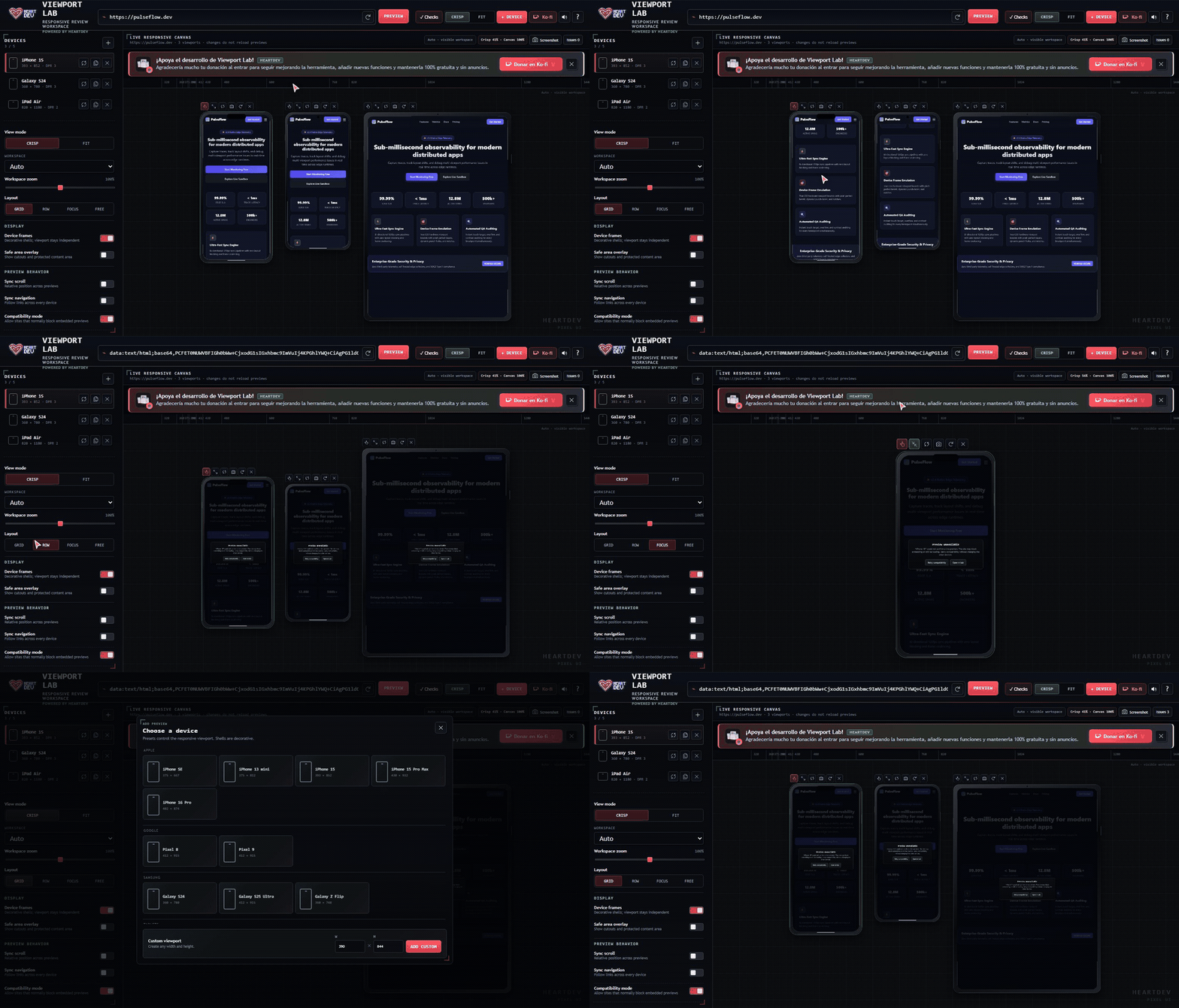
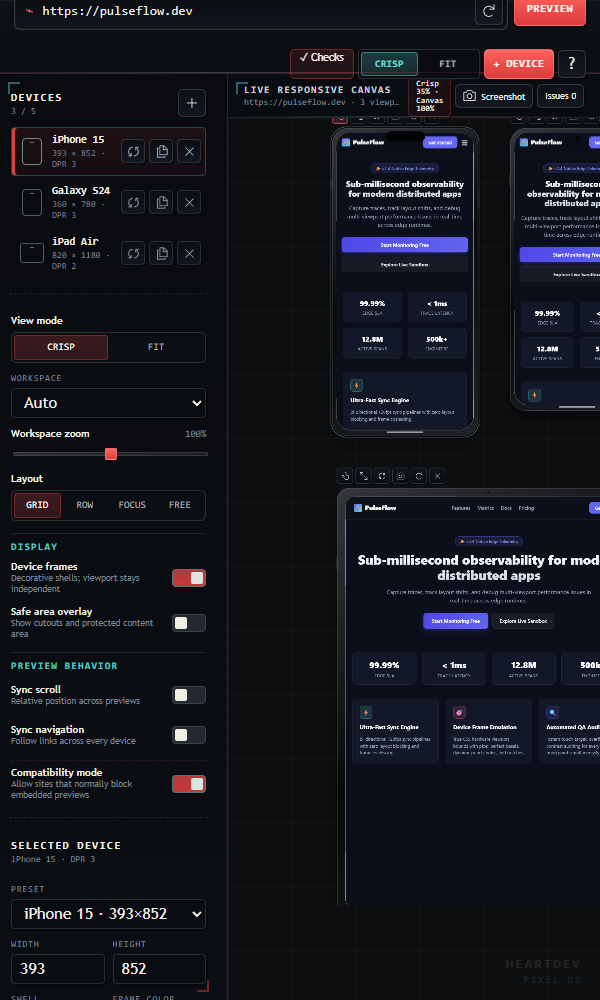
Interactive demonstration: Multi-device sync scroll, Row & Focus layouts, hot zero-reload rotation, device presets, and deterministic QA checks. (Download MP4 Video)
⚡ Highlights
- Persistent Previews (Zero-Reload Invariant): Resizing, rotating, switching shells, adjusting workspace resolution, changing layouts, or zooming never unmounts or reloads the active website iframes.
- Side-by-Side Multi-Device Review: Preview up to 5 concurrent viewports simultaneously with accurate pixel ratios (Apple, Google, Samsung, Tablets, Laptops/Desktops, and Custom viewports).
- One-Click PNG Screenshots: Instantly capture and download pixel-perfect PNGs of any device or the complete review canvas directly from the UI.
- Local Dev Friendly: Smart URL normalizer detects
localhost, LAN IPs (192.168.x.x,10.x.x.x), and dev domains (.local,.test) without forcing HTTPS, plus auto-saved recent URL history. - Crisp vs. Fit Scaling:
- Crisp: Maximizes 1:1 pixel sharpness within the visible canvas.
- Fit: Proportionally scales all active viewports so the entire device fleet is visible at a glance.
- Deterministic Responsive QA Checks: Instantly detect horizontal layout overflow, clipped text, touch targets smaller than 44×44px, missing image
altattributes, and unlabelled form controls — no AI hallucinations, purely deterministic. - CSS Breakpoint Discovery Ruler: Automatically parses stylesheets on the previewed page and places interactive pins on an inspection ruler for every
@media (min-width / max-width)breakpoint. - Responsive Sweep Slider: Scrub continuously across 240px to 1440px to catch layout shifts and breaking points in real time.
- Declarative Compatibility Mode: Safely bypasses
X-Frame-Optionsandframe-ancestorsCSP headers on preview subframes using Manifest V3declarativeNetRequestsession rules — without compromising top-level browser security. - Synchronized Navigation & Smooth Scroll: Relative lockstep navigation with 60/120fps
requestAnimationFramethrottled scroll synchronization, echo suppression, and trailing alignment. - Local Workspaces: Save and restore complex device setups directly in
chrome.storage.local. - Optional Local MCP Bridge: Connect Claude Code, Antigravity, Cursor, or any Model Context Protocol agent to inspect, sweep, click, fill, or screenshot viewports on
127.0.0.1. - 100% Local & Auditable: Zero remote scripts, zero CDNs, zero analytics, zero backend.
📸 Visual Showcase & Tour
Explore Viewport Lab's workflow, layout modes, inspection tools, and developer utilities in action:
| Multi-Device Responsive Workspace | Focus Mode (1:1 Sharp Single View) |
|---|---|
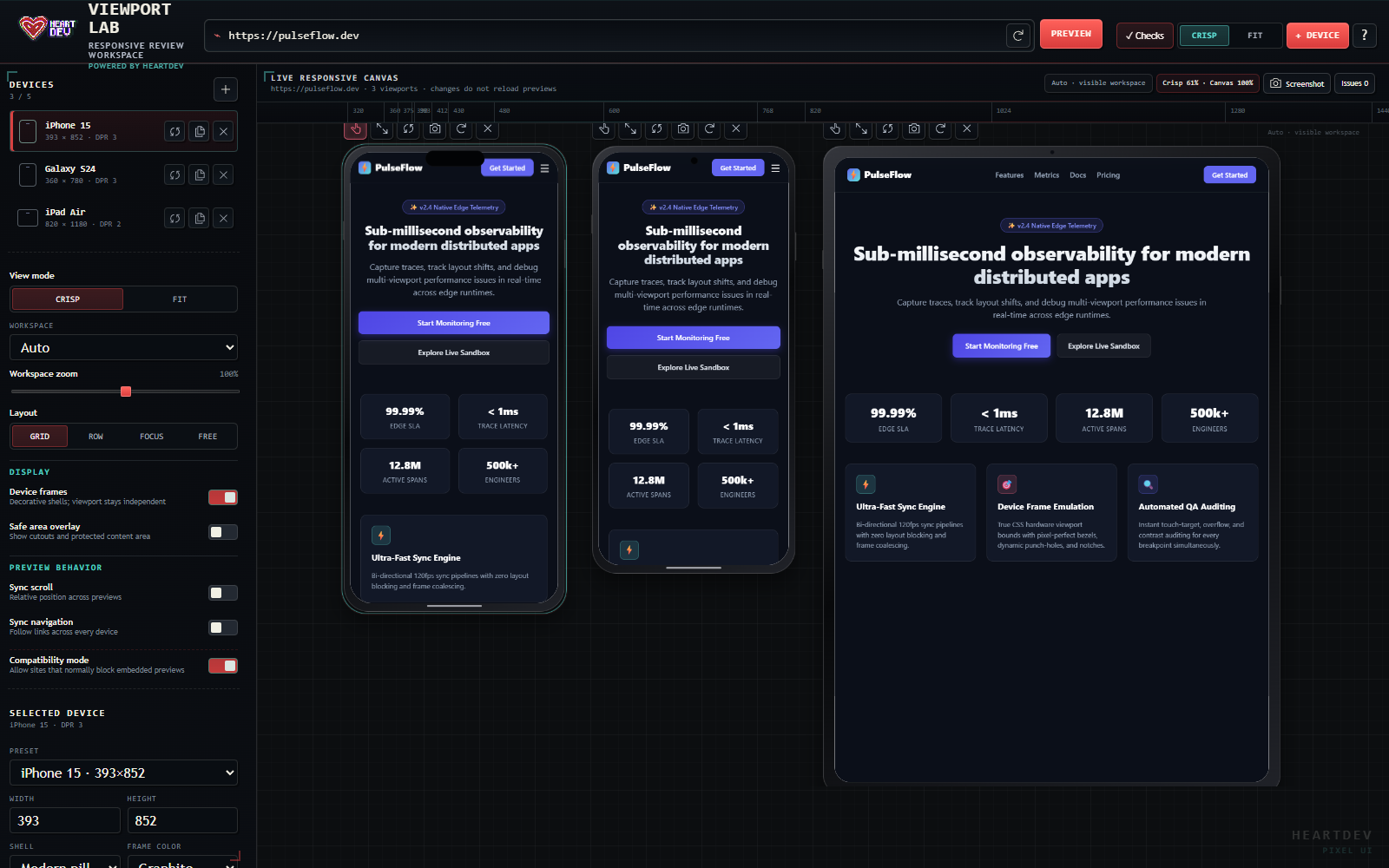 Real-time multi-viewport canvas with Apple, Android & Laptop frames |
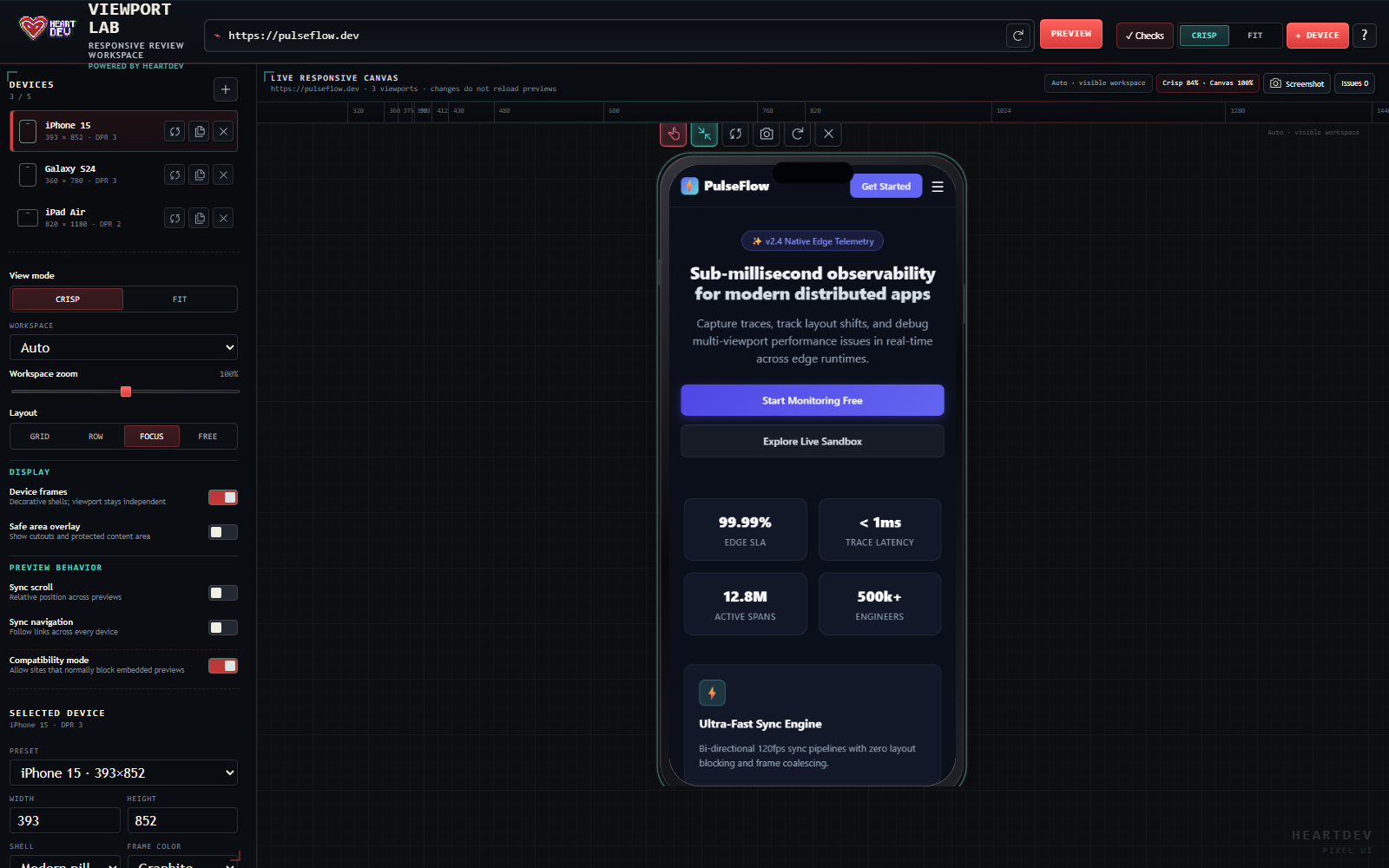 Pixel-perfect 1:1 view with quick rotation, shell switching, and inspect tools |
| Row Layout Comparison | Device Presets Dialog |
|---|---|
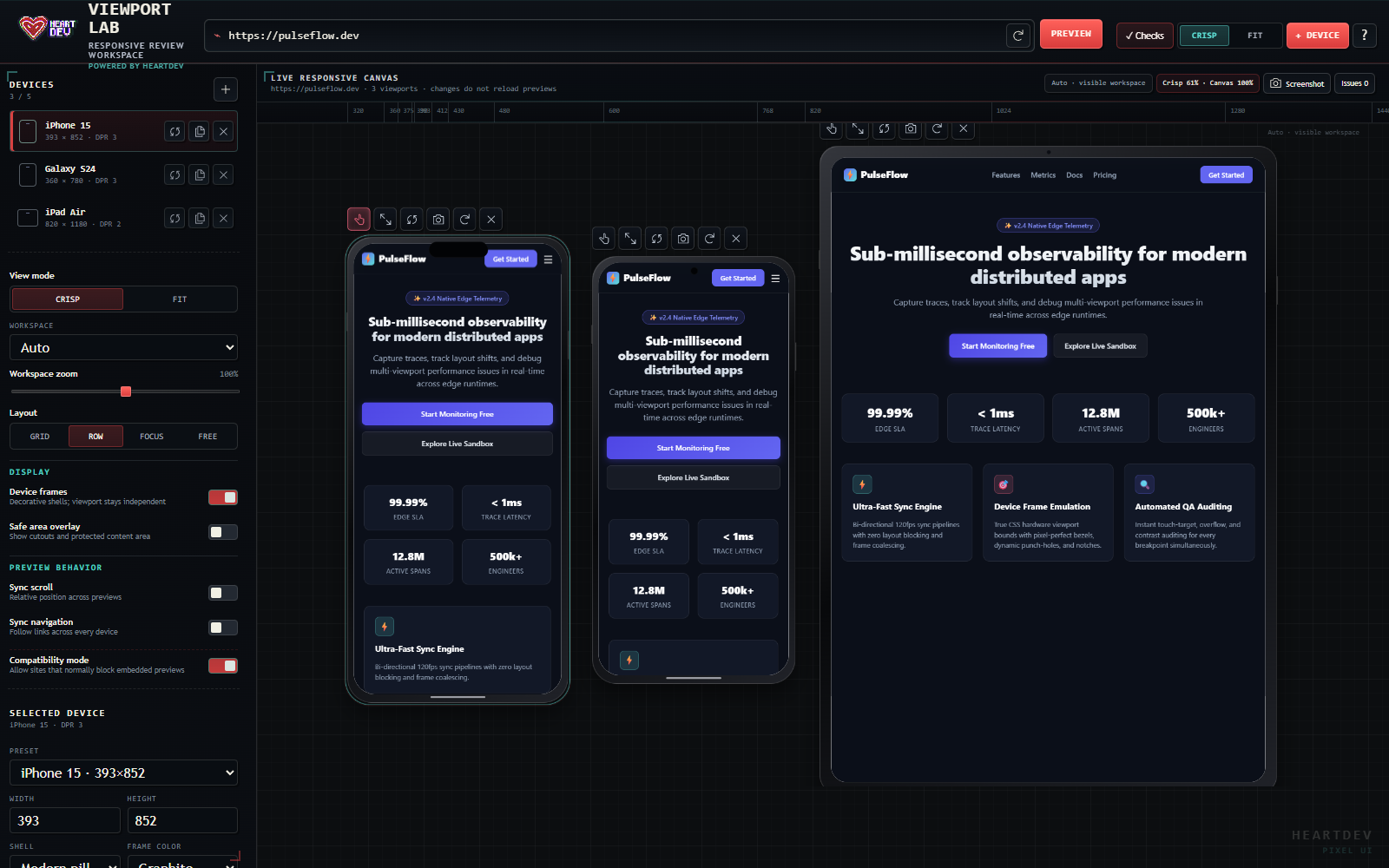 Synchronized horizontal stack with unified scroll & navigation lockstep |
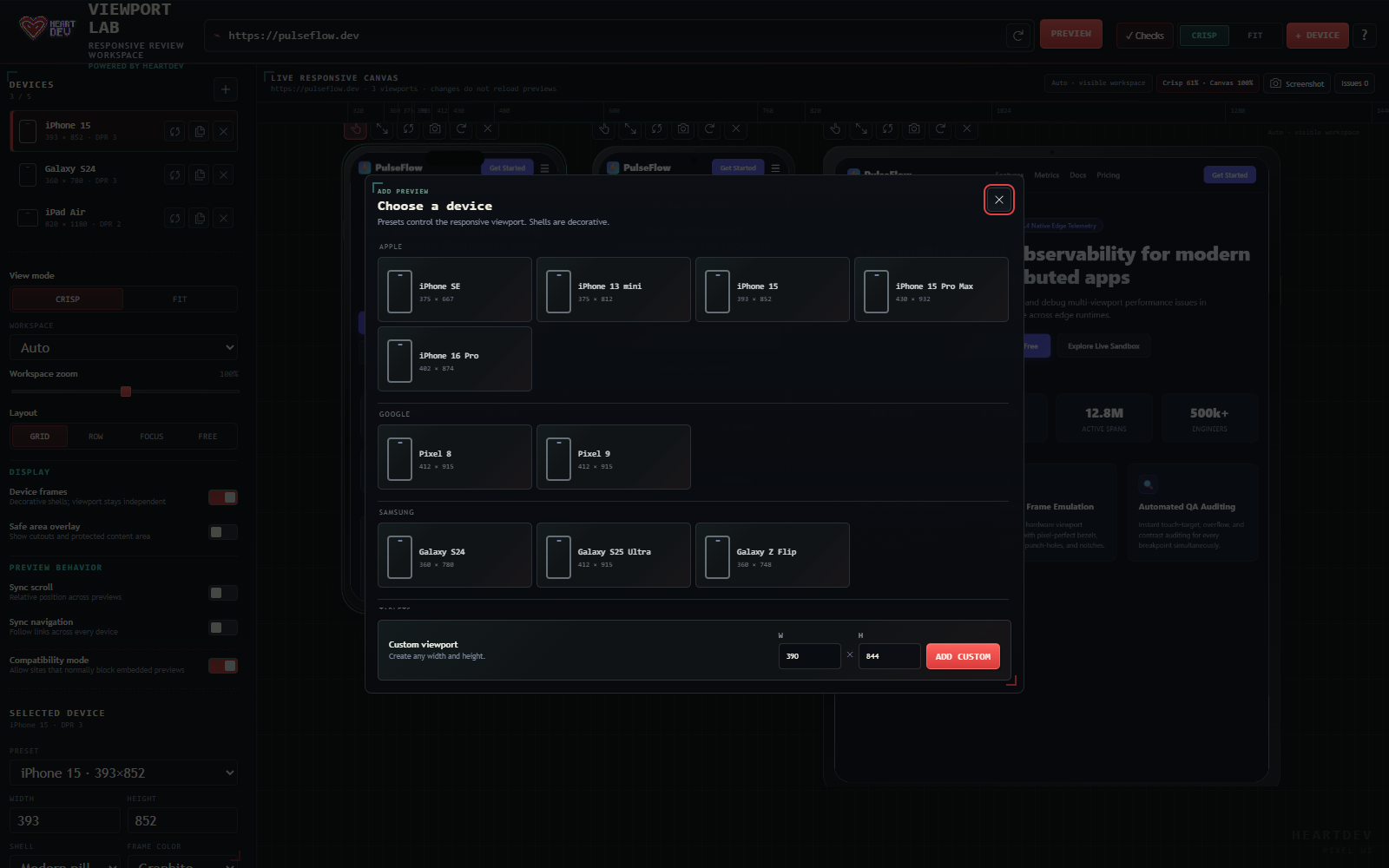 Curated Apple, Google, Samsung, Tablets, Desktops, and custom viewports |
| Automated Responsive QA Checks | Onboarding & Guided Tour |
|---|---|
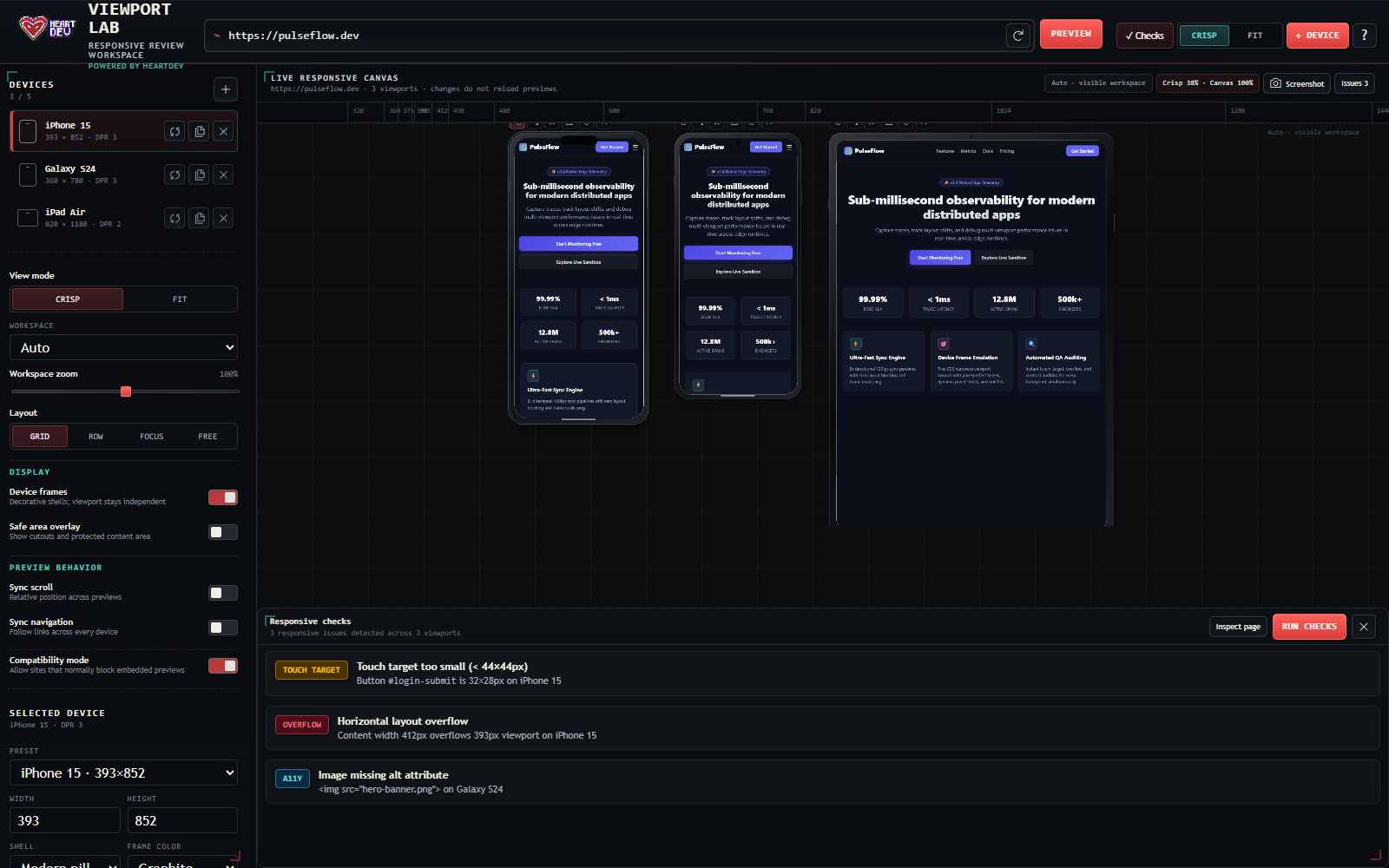 Deterministic detection of touch target flaws, layout overflows & missing alts |
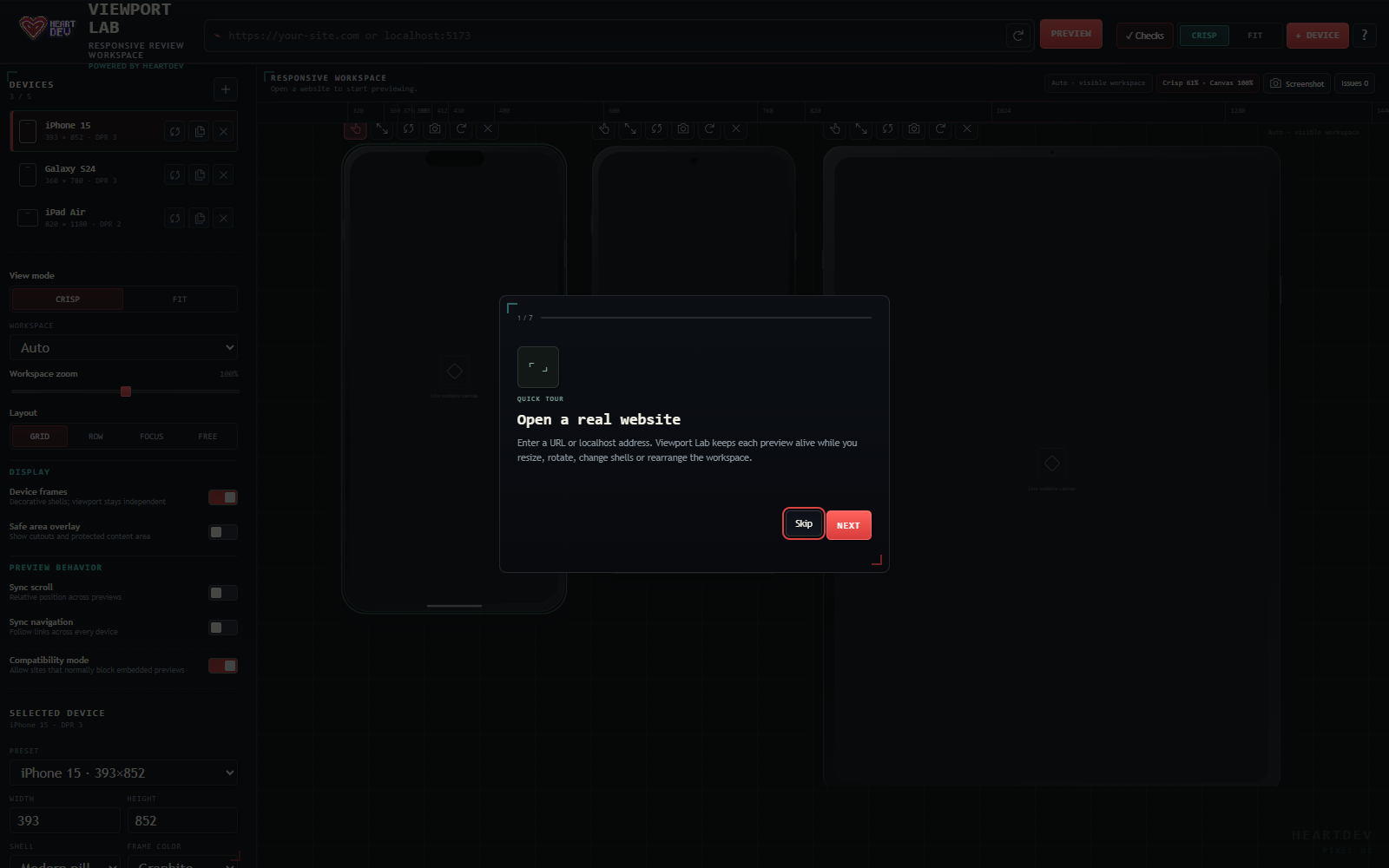 Interactive step-by-step introduction for first-time developers |
| MCP AI Agent Bridge | Responsive Sweep & Precision Sidebar |
|---|---|
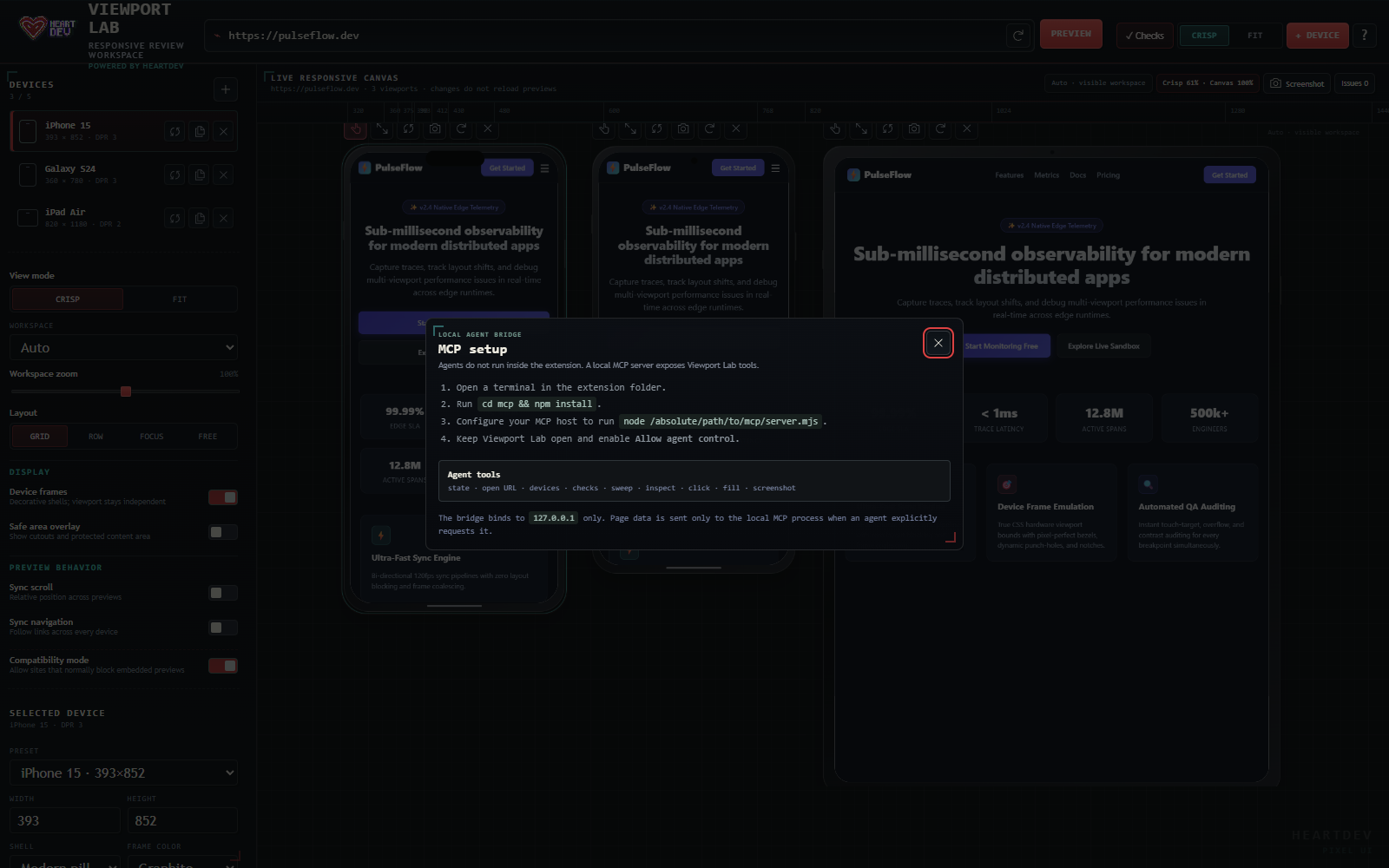 Model Context Protocol integration for Claude, Antigravity, and Cursor agents |
 Scrub breakpoints from 240px to 1440px with live CSS media query pins |
🚀 Quick Start / Local Installation
Viewport Lab has no build step; it runs on standard browser web technologies.
- Clone or download this repository:
git clone https://github.com/HeartDev0/viewport-lab.git - Open your browser's extension manager:
- Chrome / Brave / Arc:
chrome://extensions - Microsoft Edge:
edge://extensions
- Chrome / Brave / Arc:
- Enable Developer mode (toggle in the top-right corner).
- Click Load unpacked and select the root
viewport-lab-extensionfolder. - Navigate to any website or localhost app (e.g.
http://localhost:5173) and click the Viewport Lab icon in your browser toolbar.
🧭 Key Concepts
1. True Viewport Independence
Device shells (pill, notch, punch-hole, clean bezel, tablet) are purely decorative. The underlying iframe receives authentic CSS viewport dimensions. When you rotate or resize a device, CSS media queries trigger naturally without destroying JavaScript state or reloading the page.
2. Contained Virtual Canvas
Viewport Lab fits your screen without overflowing or introducing confusing double scrollbars. You can preview in:
- Auto: Adapts dynamically to your available browser window space.
- 1080p, 1440p, 4K, or Custom: Virtual reference canvases that scale gracefully inside your display.
3. Compatibility Mode
Many production websites set X-Frame-Options: DENY or Content-Security-Policy: frame-ancestors 'self'.
Viewport Lab uses Manifest V3 declarativeNetRequest session rules:
- Rules only apply to sub-frames loaded within the Viewport Lab tab (
tabId). - Rules are ephemeral (session-based) and automatically disappear when the tab closes.
- If a preview encounters a restrictive header, an explicit Retry compatibility button appears to recover seamlessly.
⌨️ Keyboard Shortcuts
| Shortcut | Action |
|---|---|
| + or = | Open Add Device dialog |
| R | Rotate selected device (portrait ↔ landscape) |
| Ctrl / Cmd + D | Duplicate selected device |
| Delete | Remove selected device |
| C | Switch to Crisp view (1:1 clarity) |
| F | Switch to Fit view (all devices visible) |
| 1 | Grid layout |
| 2 | Row layout |
| 3 | Focus layout (magnifies selected device) |
| 4 | Free layout (draggable viewports) |
| Alt + C | Run deterministic responsive checks |
| Ctrl / Cmd + R | Reload all active previews |
| Ctrl / Cmd + Wheel | Zoom workspace in / out |
🤖 AI Agent Integration (MCP Bridge)
Viewport Lab includes an optional Model Context Protocol (MCP) server under mcp/. This allows AI coding assistants (like Claude Desktop, Antigravity, or Cursor) to programmatically inspect responsive layouts, detect bugs, and run QA sweeps.
Setup
-
Open a terminal in the
mcp/directory and install dependencies:cd mcp npm install -
Add the MCP server to your agent's configuration:
Claude Desktop (
claude_desktop_config.json) / Antigravity (mcp.json):{ "mcpServers": { "viewport-lab": { "command": "node", "args": [ "/absolute/path/to/viewport-lab-extension/mcp/server.mjs" ] } } } -
In Viewport Lab, expand the Integrations section in the left sidebar and enable Allow agent control.
Available MCP Tools
viewport_status: Inspect current URL, devices, layout, and agent control state.viewport_open_url: Direct previews to an HTTP/HTTPS or localhost URL.viewport_select_device/viewport_add_device/viewport_remove_device: Manage viewports.viewport_set_device: Resize, rotate, or restyle devices on the fly without reloads.viewport_run_checks: Run deterministic responsive QA checks (overflow, touch targets, alt tags).viewport_inspect_page/viewport_inspect_element: Extract DOM bounds, landmarks, and computed styles.viewport_sweep: Run automated width sweeps across 320–1440px.viewport_screenshot: Capture full workspace or device PNGs for multimodal vision models.
Security Note: The MCP bridge binds strictly to loopback (127.0.0.1:43117). Password fields are permanently blocked from agent input tools.
🛠️ Testing & Development
Run all regression checks and privacy audits with:
# Run all audits
npm test

# Run individual checks
npm run check          # Validates manifest, required files, and icon dimensions
npm run privacy-check  # Ensures zero telemetry, remote scripts, or non-loopback endpoints
npm run check:phase0   # Confirms zero-reload invariants and canvas containment
npm run check:phase1   # Verifies UI markers and design tokens
npm run check:focus    # Tests Focus mode scaling mathematics
🔒 Privacy & Security
- No Remote Dependencies: HTML, CSS, and JS run entirely from the local extension package.
- No Telemetry: No Google Analytics, Sentry, Mixpanel, Segment, or tracking pixels.
- Direct Requests: Previews communicate directly between your browser and the target web server; no proxy server is involved.
- See PRIVACY.md and SECURITY.md for complete details.
☕ Support & Donations
Viewport Lab is completely free, open-source, and contains zero ads or telemetry. If this extension saves you time in your responsive design and testing workflow, consider supporting its development:

📄 License & Community
- License: MIT — see LICENSE.
- Changelog: Detailed release history is documented in CHANGELOG.md.
- Contributing: Please review CONTRIBUTING.md before submitting pull requests.