

Voltius
A local-first SSH/SFTP/Serial client with E2EE sync, plugins, and no account required — a modern alternative to Termius.
<img src="https://img.shields.io/github/license/VoltiusApp/voltius" alt="License" />
✨ Features
No account required. Everything below is free, forever.
- Easy Import & Export — No vendor lock-in. Import your existing setup from Termius, MobaXterm, PuTTY/KiTTY, SecureCRT, ZOC Terminal or CSV — most in 1-click straight from the installed app. Your data is always exportable as open JSON, encrypted if you want.
- Gist Sync — E2EE device sync via your own private GitHub Gist. No central server, bring your own token.
- Cloudflare Sync — E2EE device sync through a Cloudflare Worker and R2 bucket you own, deployed from Settings. Same zero-knowledge model, storage you control.
- S3 Sync — E2EE device sync through any S3-compatible bucket you own — AWS, R2, B2, Wasabi, Hetzner, Scaleway, MinIO and more. No server to deploy.
- SFTP — Easy file transfers and browsing, works for Host↔Host and Host↔Local with drag & drop support. Accelerated SFTP →
- Persistent Sessions & Workspace Restore — Sessions survive disconnects via tmux/screen on the host, and the whole workspace (tabs, splits, running processes, scrollback) survives full app restarts. With cloud sync, live sessions are shared across your devices — open the same terminal on a second device and both stay live, mirrored in real time. Cross-device sessions →
- Split Panes — Split terminals as much as you want, broadcast inputs to all panes.
- Local Terminal — Bash, Zsh, Fish, PowerShell, WSL, Git Bash, CMD, and more.
- MCP Server — Let Claude Code, Claude Desktop, Cursor or VS Code drive your fleet: 52 tools covering hosts, keys, identities, sessions, commands, files, vaults, folders, the audit log and your installed plugins. Off by default, one toggle in Settings → Integrations, and it never leaves your machine. How it works → (written for 0.19.0, when the surface was 41 tools — the design and the security model still hold, the tool list has grown)
- Plugin System — Install plugins from the official registry or point to your own custom repo.
- Container Management — Docker and Proxmox LXC. Browse containers, open terminals, and manage resources without leaving Voltius.
- Process Manager — View and kill processes on connected hosts.
- System Monitoring — Live CPU, memory, and disk stats from connected hosts.
Full feature list at docs.voltius.app · Pro · Teams · Business — see voltius.app/#pricing for paid plans.
📸 Screenshots
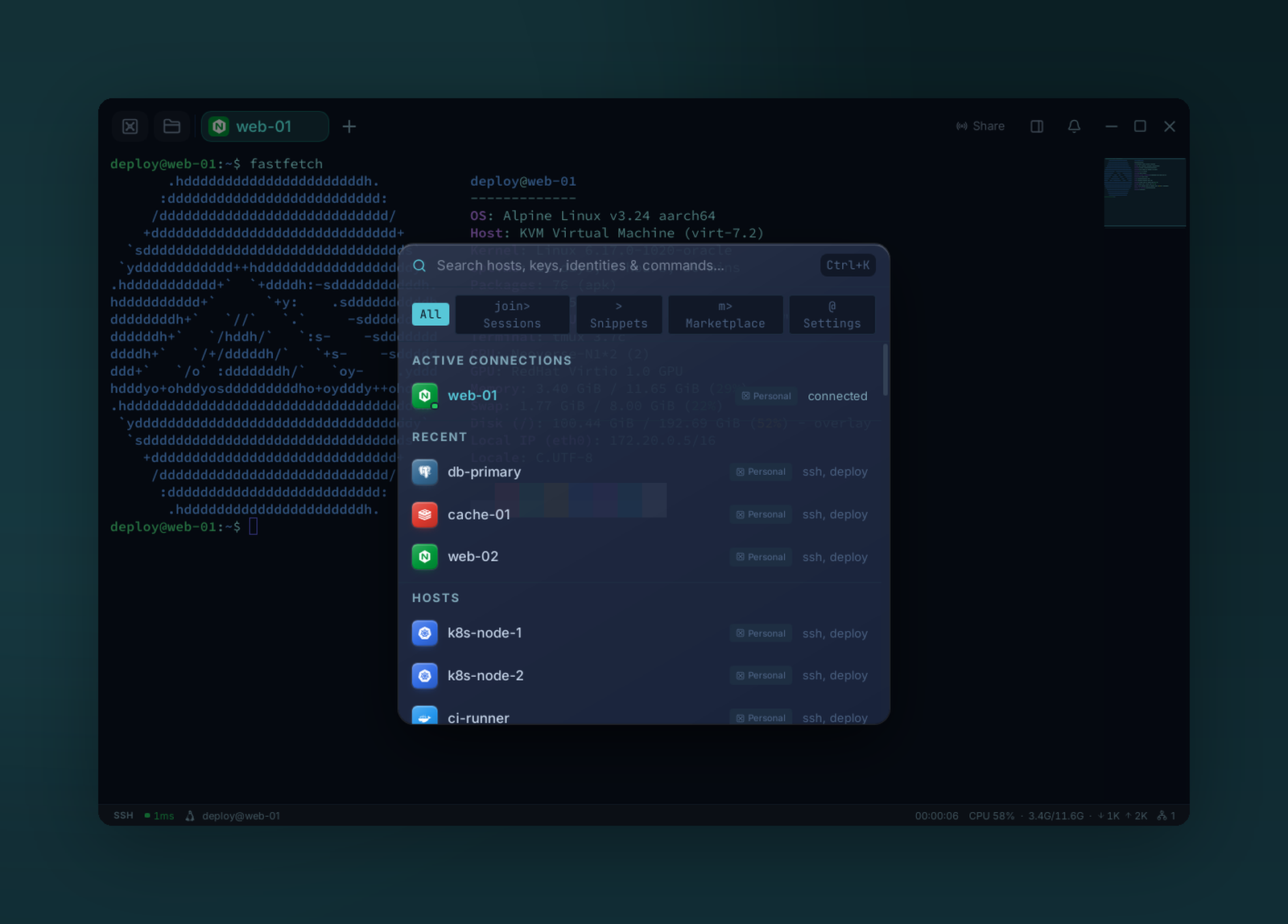 Command palette — jump to any host, session, or snippet |
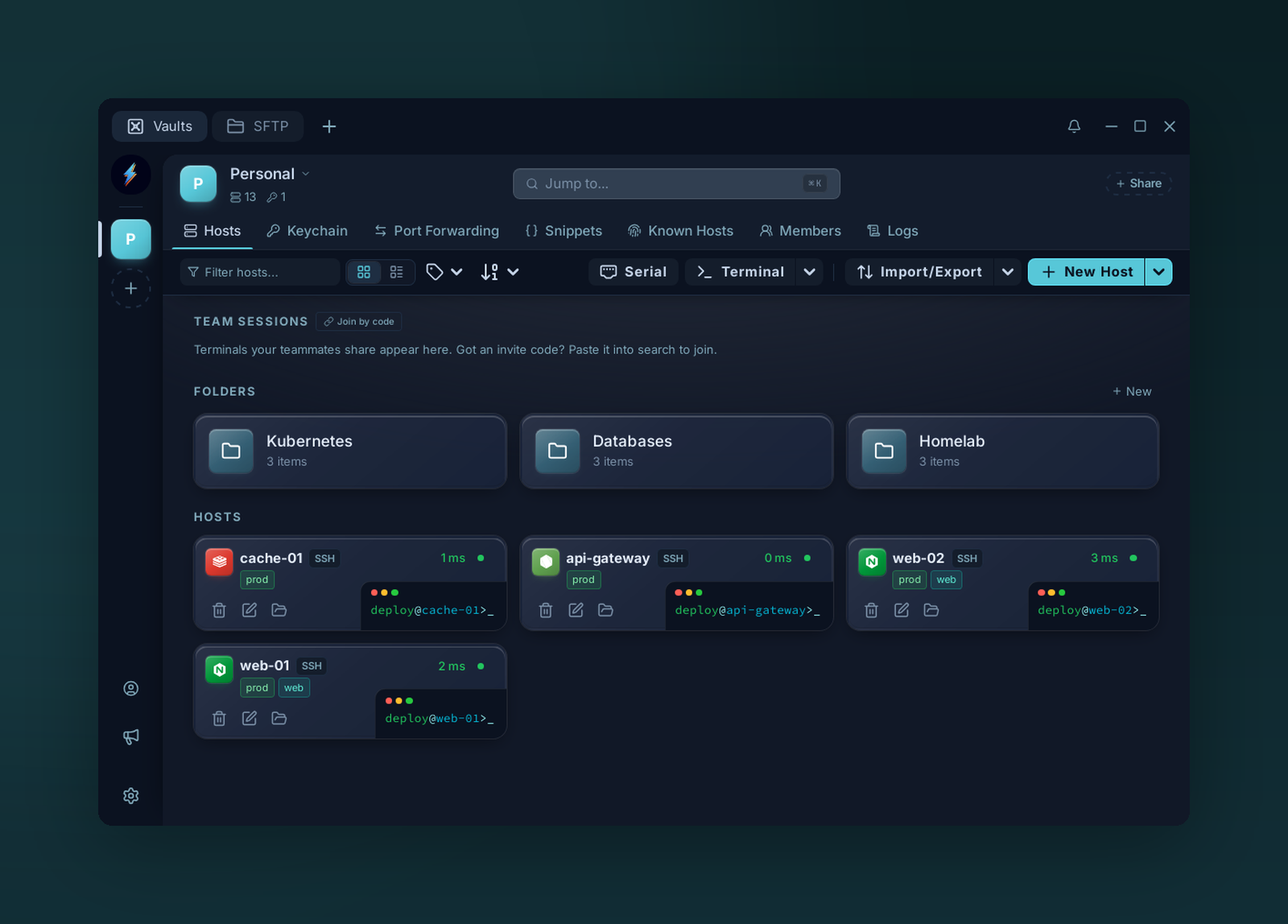 Folders & tags — organize your fleet at scale |
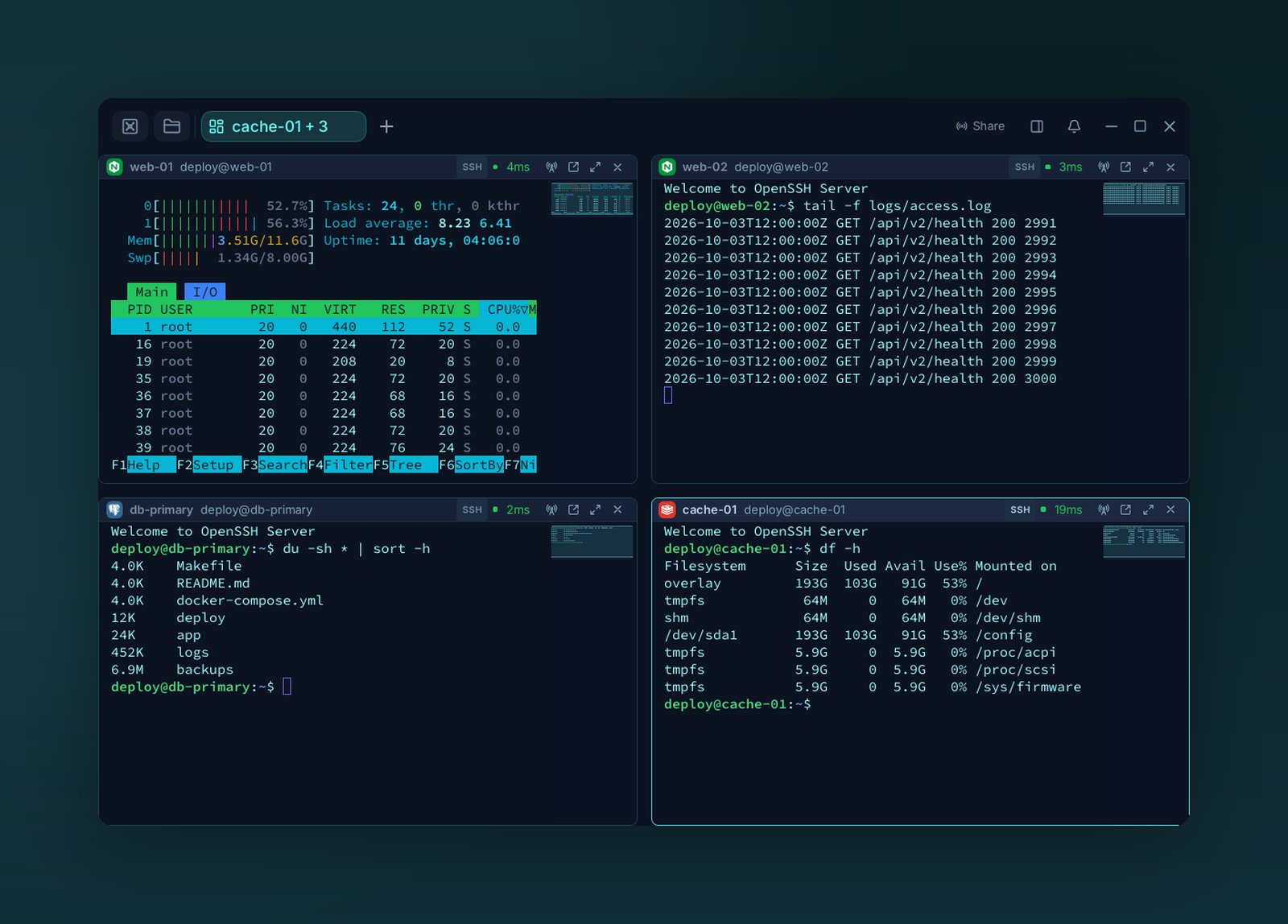 Split panes — multiplex terminals, broadcast input to all |
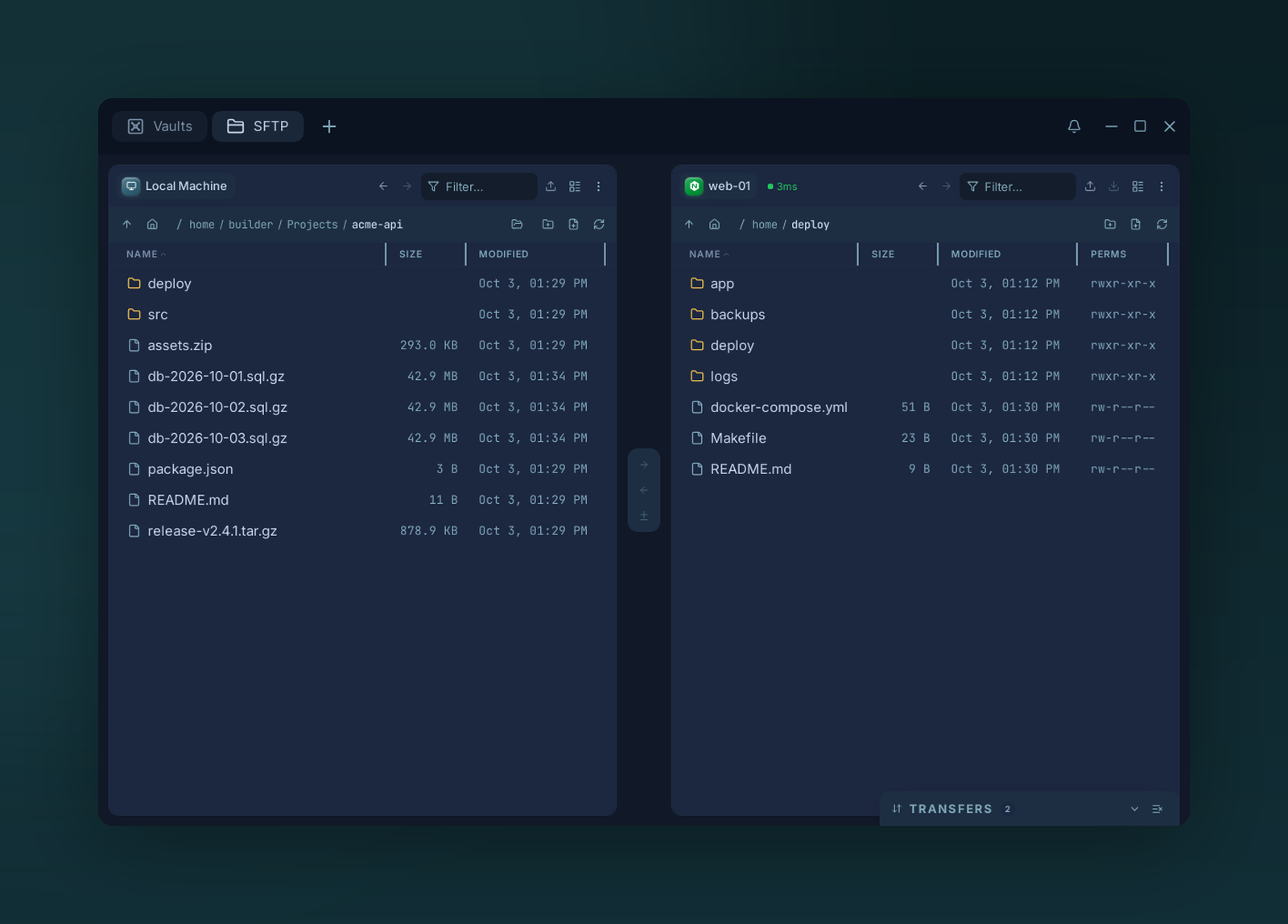 Dual-pane SFTP — drag & drop, local ↔ remote ↔ host |
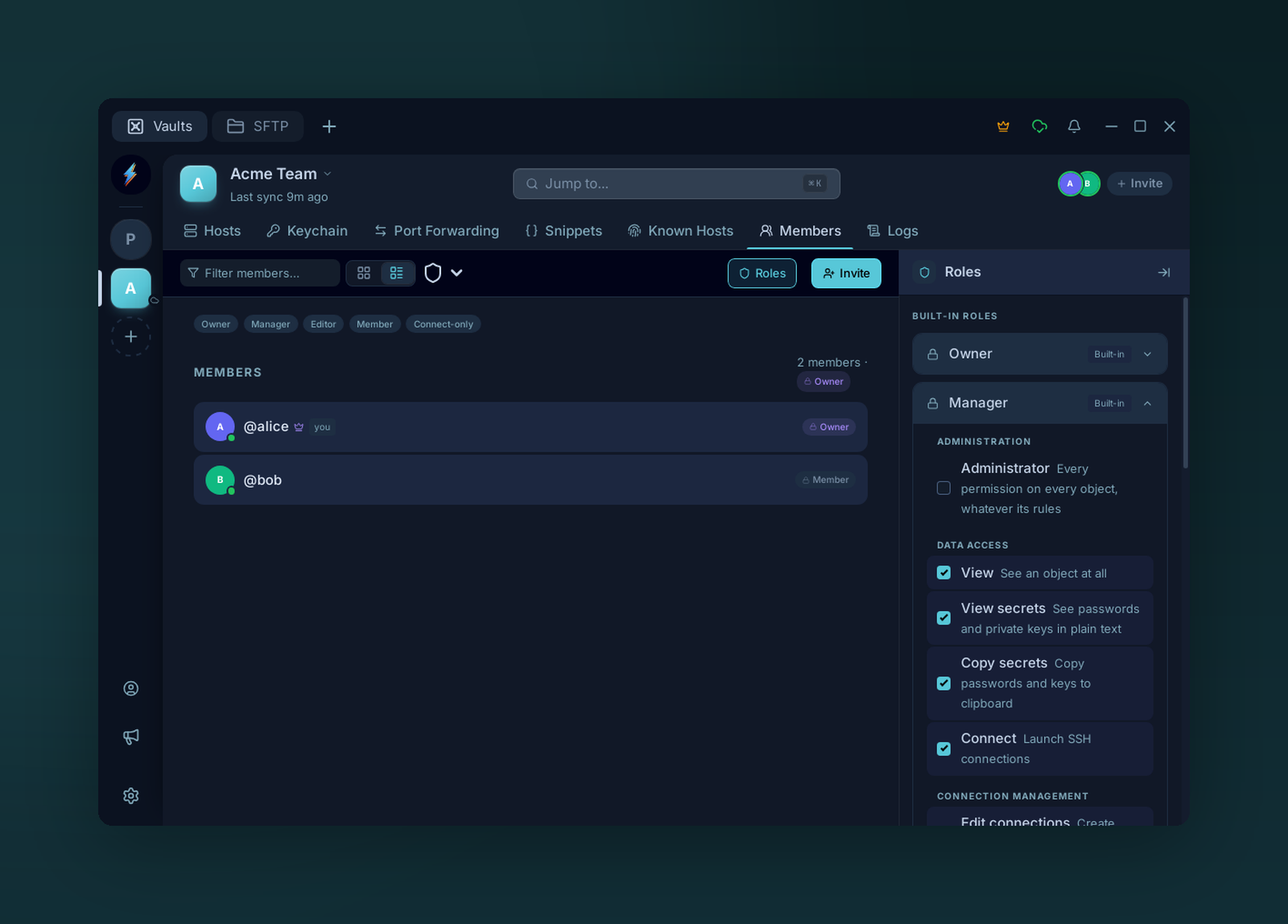 Team vaults & roles — share access, control permissions |
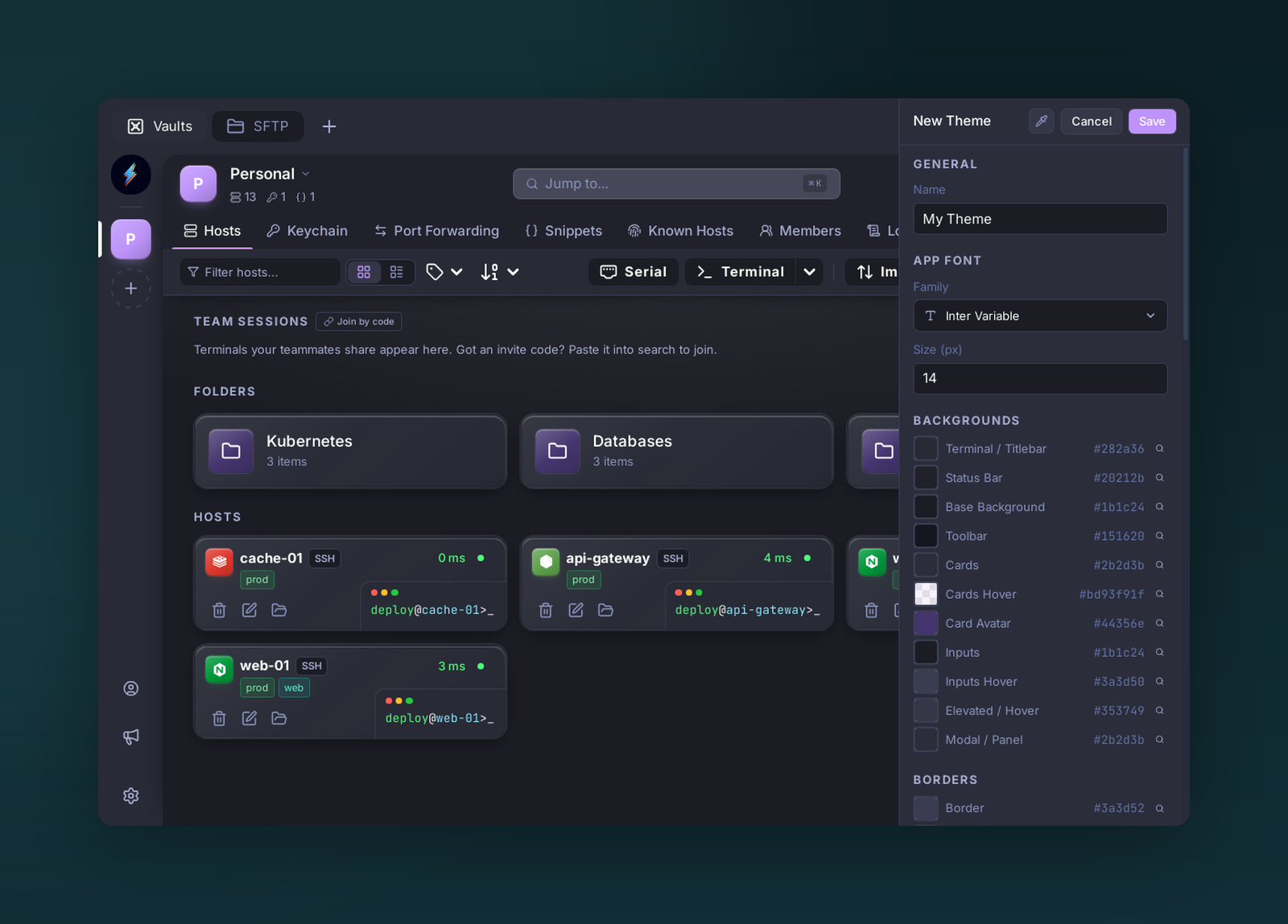 Theme editor — window colors and the full terminal palette |
📦 Install
 Linux
One command installs the app on Debian/Ubuntu, Fedora/RHEL and Arch:
curl -fsSL https://repo.voltius.app/setup.sh | sudo bash
On Debian/Ubuntu and Fedora/RHEL it adds the signed Voltius repository, so updates arrive through your normal sudo apt upgrade / sudo dnf upgrade. Packages are GPG-signed and provided for both amd64/x86_64 and arm64/aarch64. On Arch it installs voltius-bin from the AUR with paru or yay.
Prebuilt Linux packages need glibc 2.39 or newer: Ubuntu 24.04+, Debian 13+, Fedora 40+, RHEL 10+ or another 2024-or-later distro. On older releases, use the Flatpak below or build from source.
Manual setup
Debian / Ubuntu
curl -fsSL https://repo.voltius.app/voltius.gpg | sudo gpg --dearmor -o /usr/share/keyrings/voltius.gpg
echo "deb [signed-by=/usr/share/keyrings/voltius.gpg] https://repo.voltius.app/deb stable main" | sudo tee /etc/apt/sources.list.d/voltius.list
sudo apt update && sudo apt install voltius
Fedora / RHEL
sudo rpm --import https://repo.voltius.app/voltius.gpg
sudo curl -fsSL https://repo.voltius.app/voltius.repo -o /etc/yum.repos.d/voltius.repo
sudo dnf install voltius
On older dnf, replace the curl line with sudo dnf config-manager --add-repo https://repo.voltius.app/voltius.repo.
 Arch (AUR)
yay -S voltius-bin # prebuilt binary, tracks releases
Community-maintained by ezhkov, not published by this repo's CI. voltius (builds from source) and voltius-git (latest main) are also available. If any of these are ever behind, a direct download is the maintained fallback.
Flatpak (FlatPark)
flatpak install https://dl.flatpark.org/app.voltius.Voltius.flatpakref
Community-maintained by jing2uo on FlatPark, not published by this repo's CI. It installs the official .deb unmodified and follows releases automatically. x86_64 only for now.
 macOS — Homebrew
brew install --cask voltiusapp/voltius/voltius
Voltius is signed and notarized by Apple. After updating from an older version, macOS asks once for access to the keychain: choose Always Allow.
 Windows — winget
winget install --id Voltius.Voltius -e
Windows SmartScreen may warn that the publisher is unverified (the app is not yet code-signed) — choose More info → Run anyway.
 Android — Obtainium
Android is an early preview: the APK is release-signed and installs cleanly, but platform-only features are gated off (no local terminal, no serial console — remote SSH is the point here). There is no Play Store listing. Obtainium watches this repo's releases and installs updates the way a store would.
Tap that badge on the phone — it opens Obtainium with the source pre-filled, or offers
to install Obtainium first. By hand: Add App → https://github.com/VoltiusApp/voltius.
The APK is arm64-v8a only (every current phone, but not x86_64 emulators or Chromebooks)
and needs Android 7.0+. Every release is signed with the same key, so updates install over
the top; an APK from anywhere else — including one you built yourself — fails with
INSTALL_FAILED_UPDATE_INCOMPATIBLE and has to be uninstalled first, taking its local data.
Obtainium notes
- Android asks you to allow Install unknown apps for Obtainium on the first install.
- Unauthenticated GitHub API calls are capped at 60/hour per IP address. If update checks start failing, add a personal access token in Obtainium under Settings → Source-specific → GitHub.
- Without Obtainium: grab the
Voltius_<version>_aarch64.apkasset from the latest release — updates are then manual.
Other downloads
Direct installers (.dmg, .msi, .exe, .AppImage) are on
voltius.app/download. Voltius updates itself in-app
on macOS and Windows after installation.
⚖️ Comparison
✅ yes · ❌ no · 🟡 partial or paid-tier · ? not tested
| Feature | Voltius | Termius | Reach | Termix | Tabby |
|---|---|---|---|---|---|
| Engine | Rust + Tauri 🦀 | likely Electron (closed-source) | Rust + Tauri 🦀 | Web (React + Node.js) | Electron / Node.js |
| RAM Usage | ~300MB | ~500MB+ | ~300MB | ? | ? |
| Installed Size | ~40MB | ~1GB | ~40MB | ? | ? |
| Cloud Sync | Gist + Cloudflare (Free) / Real-Time (Paid) | 🟡 Only Pro | 🟡 Via Turso (own account) | ❌ | Community Plugins |
| Import/Export | ✅ Import from Termius, MobaXterm, PuTTY/KiTTY, SecureCRT, ZOC, CSV; JSON/CSV Export | 🟡 Strong Import Integrations but no Export | ✅ | ? | ? |
| Port Forwarding | ✅ | ✅ | ✅ | ✅ | ✅ |
| Snippets | ✅ + multi-exec | 🟡 (Multi-exec + startup snippets only Pro) | ✅ + multi-exec | ✅ + multi-exec | ? |
| Command Palette | ✅ | ✅ | ? | ? | ✅ |
| Split panes | ✅ | ✅ | ✅ | ✅ | ✅ |
| X11 Forwarding | ❌ | ? | ❌ | ? | ✅ |
| MCP server (AI agents) | ✅ Built in, 52 tools, off by default | ? | ? | ? | ? |
| Docker Integration | ✅ | ? | ? | ? | 🟡 (community plugin) |
| Proxmox LXC Integration | ✅ | ❌ | ❌ | ❌ | ❌ |
| System Monitoring | ✅ | ? | ✅ | ✅ | ? |
| Jump Hosts | ✅ | ✅ | ✅ | ? | ✅ |
| Team vaults | ✅ Teams or self-hosted | ✅ Teams plan | ✅ Free but complex | ? | ? |
| Audit logs | ✅ | 🟡 Teams plan | ? | ? | ? |
| Custom Themes | ✅ | ? | ? | ✅ | ✅ |
| Folders & Tags | ✅ | ✅ | ✅ | ✅ | ? |
| Auto-Updates | ✅ | ✅ | ✅ | ? | ? |
| Modern UI/UX | ✅ | ✅ | 🟡 | ✅ | 🟡 |
| AI assistant | ❌ | ✅ | ✅ | ? | ? |
| Permissions | ✅ Teams built-in roles / Business custom roles, per-member & per-object | ✅ Granular perms | ? | ? | ? |
| Terminal sharing | ✅ Pro (1 session · 1 guest) / Teams (5 · 10) / Business (20 · 50) | ✅ needs Teams plan | ? | ? | ? |
| Security | End-to-End Encrypted | Proprietary E2EE | End-to-End Encrypted | ? | Local Only / Manual |
| SFTP host<->host | ✅ | ✅ | ❌ | ? | ❌ |
| Serial Console | ✅ | ✅ | ✅ | ? | ✅ |
| Persistent sessions | ✅ uses tmux/screen, default behavior | 🟡 (via Mosh, must be installed on the host; not built-in) | ❌ | ❌ | ❌ |
| Cross-device live resume | ✅ Seamless pickup | ❌ | ❌ | ❌ | ❌ |
| Local-first | ✅ | ✅ | ✅ | ✅ | ✅ |
| Plugins | ✅ | ❌ | ✅ | ❌ | ✅ |
| Platforms | Windows, Linux, MacOS (Mobile coming soon) | Windows, Linux, MacOS, Android, IOS | Windows, Linux, MacOS, Android | All (web-based) | Windows, Linux, MacOS, Web |
| License | AGPLv3 | Commercial / Paid | MIT | Apache License Version 2.0 | MIT |
| OS Detection | ✅ | ✅ | ✅ | ❌ | ❌ |
🛡️ Architecture & Security
Voltius is built on a Local-First, Zero-Knowledge architecture. Your sensitive data (private keys, passwords, and server metadata) is encrypted on your machine before it ever touches a disk or a network.
Account & Encryption Tiers
We offer three levels of security to fit your workflow:
-
OS Keychain (Local-Only): Uses your system's native secure storage (macOS Keychain, Windows Credential Manager, or Secret Service via keytar/libsecret). No master password required; maximum convenience for local-only use.
-
Master Password: Encrypts your vault using a user-defined passphrase. Uses Argon2id for key derivation and XChaCha20-Poly1305 for data encryption.
-
Cloud Account: Enables seamless E2EE synchronization across devices via our high-speed relay service.
Web Portal
Account registration and login at app.voltius.app are also fully E2EE. The same voltius-crypto crate is compiled to WebAssembly and runs entirely in your browser — key derivation (Argon2id + HKDF-SHA256) happens client-side before anything touches the network. The server only ever receives an auth_key, never your password or encryption key.
Zero-Knowledge Synchronization
Whether you use our professional Cloud Sync or a bring-your-own sync plugin (Gist, Cloudflare), we follow a Zero-Knowledge protocol. All data leaving the device is strictly ciphertext — the Voltius server (one service handling both auth and sync), GitHub and Cloudflare have zero knowledge of vault contents.
Sync architecture diagram
flowchart TD
    classDef cleartext fill:#ffebee,stroke:#c62828,stroke-width:2px,color:#000;
    classDef secure fill:#e8f5e9,stroke:#2e7d32,stroke-width:2px,color:#000;
    classDef local fill:#fff3e0,stroke:#e65100,stroke-width:2px,color:#000;
    classDef remote fill:#e3f2fd,stroke:#1565c0,stroke-width:2px,color:#000;
    classDef wasm fill:#f3e5f5,stroke:#6a1b9a,stroke-width:2px,color:#000;
    classDef note fill:#f9f9f9,stroke:#666,stroke-width:1px,stroke-dasharray: 5 5,color:#333;

    subgraph RegLayer ["0. Account Creation (one-time)"]
        direction LR

        subgraph PortalReg ["Web Portal — app.voltius.app"]
            PortalCreds["Email + Password"]:::cleartext
            WasmKDF["voltius-crypto-wasm\n(Argon2id + HKDF-SHA256\nsame crate · WASM target)"]:::wasm
            AuthKeyPortal(("auth_key")):::secure
            PortalCreds -->|"password + generated account_id"| WasmKDF
            WasmKDF -->|"enc_key discarded\n(no vault in portal)"| WasmKDF
            WasmKDF --> AuthKeyPortal
        end

        subgraph DesktopReg ["Desktop Client (Tauri)"]
            DesktopCreds["Email + Password"]:::cleartext
            NativeKDF["voltius-crypto · native Rust\n(Argon2id + HKDF-SHA256)"]:::secure
            AuthKeyDesktop(("auth_key")):::secure
            DesktopCreds -->|"password + generated account_id"| NativeKDF
            NativeKDF -->|"enc_key → vault unlock\n(proceeds to step 1)"| NativeKDF
            NativeKDF --> AuthKeyDesktop
        end

        RegServer[("Voltius Server\napi.voltius.app")]:::remote
        AuthKeyPortal -->|"email + auth_key + account_id"| RegServer
        AuthKeyDesktop -->|"email + auth_key + account_id\n+ public_key + machine_fingerprint"| RegServer
        RegServer -->|"JWT + account_id"| PortalCreds
        RegServer -->|"JWT + account_id"| DesktopCreds
    end

    subgraph AuthLayer ["1. Vault Unlock (Tauri Desktop — voltius-crypto · native Rust)"]
        direction TB
        subgraph Methods ["Vault Unlock Methods"]
            direction LR
            OS["OS Keychain"]:::local
            MP["Master Password"]:::local
            Cloud["Cloud Account\n(Email & Password)"]:::remote
        end

        KDF["Argon2id + HKDF-SHA256\n(128 MB mem · 3 iters · p=4)"]:::secure
        EncKey(("enc_key\n(XChaCha20-Poly1305 key)")):::secure
        AuthKey(("auth_key\n→ server login")):::secure

        Cloud -->|"password + account_id"| KDF
        MP -->|"password + account_id"| KDF
        OS -->|"retrieves enc_key directly\n(stored after prior login)"| EncKey
        KDF --> EncKey
        KDF --> AuthKey
        AuthKey -->|"POST /v1/auth/login"| AuthServer[("Voltius Server\napi.voltius.app")]:::remote
        AuthServer -->|"JWT"| Cloud
    end

    RegLayer -.->|"account created — use same\ncredentials in desktop Cloud Account"| Cloud

    subgraph VaultLayer ["2. Local Vault (Rust · chacha20poly1305 crate)"]
        XChaCha{"XChaCha20-Poly1305\n(Rust, via Tauri IPC)"}:::secure
        LocalStore[("secrets.enc\n(disk)")]:::local
        XChaCha <==>|"encrypt / decrypt"| LocalStore
    end

    EncKey -->|"enc_key passed over Tauri IPC"| XChaCha

    subgraph SyncLayer ["3. Zero-Knowledge Remote Sync"]
        direction LR

        subgraph GistSync ["Gist Sync (free · polling)"]
            direction TB
            GistKDF["derive_gist_key (Tauri cmd)\nArgon2id + HKDF-SHA256\npassphrase/PAT + manifest salt"]:::secure
            GistAead{"XChaCha20-Poly1305\n(Rust)"}:::secure
            Gist[("GitHub Gists\n(Bring-Your-Own)")]:::remote
            GistKDF -->|"gist_enc_key"| GistAead
            GistAead <==>|"Encrypted app-state blobs"| Gist
        end

        subgraph CloudSync ["Cloud Sync (Pro/Teams · SSE)"]
            direction TB
            SseAead{"XChaCha20-Poly1305\n(Rust · encrypt_payload)"}:::secure
            SSE[("Voltius Server\napi.voltius.app · SSE")]:::remote
            SseAead <==>|"Encrypted CRDT payloads"| SSE
        end
    end

    EncKey -->|"enc_key"| SseAead

    Note1>All data leaving the device is strictly ciphertext.\nAuth and sync are one server — it and GitHub have zero knowledge of vault contents.]:::note
    SyncLayer --- Note1
Prerequisites
- Node.js 24+
- pnpm —
npm i -g pnpm - Rust (stable toolchain)
- Tauri prerequisites for your platform — see tauri.app/start/prerequisites
🛠️ Development & Build
Early beta — PRs and issues are welcome. See CONTRIBUTING.md to get started.
For dev, you simply need to run:
pnpm i
pnpm tauri dev
Building in Docker (recommended)
I've made a Dockerfile that allows cross-compilation to Windows ARM64/x64; Linux ARM64/x64 without needing to set up a complex toolchain on your machine:
# Build the cross-compilation image
docker build -f Dockerfile.cross-compile -t voltius-cross .

# Run the build inside the container
docker run --rm -it \
  -v "$(pwd):/project" \
  voltius-cross \
  bash -c 'pnpm tauri build --target aarch64-pc-windows-msvc --runner cargo-xwin --no-bundle'
Build artifacts are automatically handed back to your host user on exit, so nothing under the mounted project is left root-owned.
The --no-bundle flag skips NSIS installer creation (not supported in cross-compilation). The built executable is at:
target/aarch64-pc-windows-msvc/release/voltius.exe
You can r