A Pharo client extension for VSCode.
Supported files
This extension support .st files and .class.st files (tonel format)
Features
We present here the existing features
Generic feature
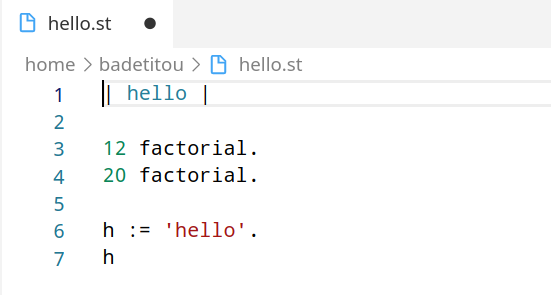
Code highlighting
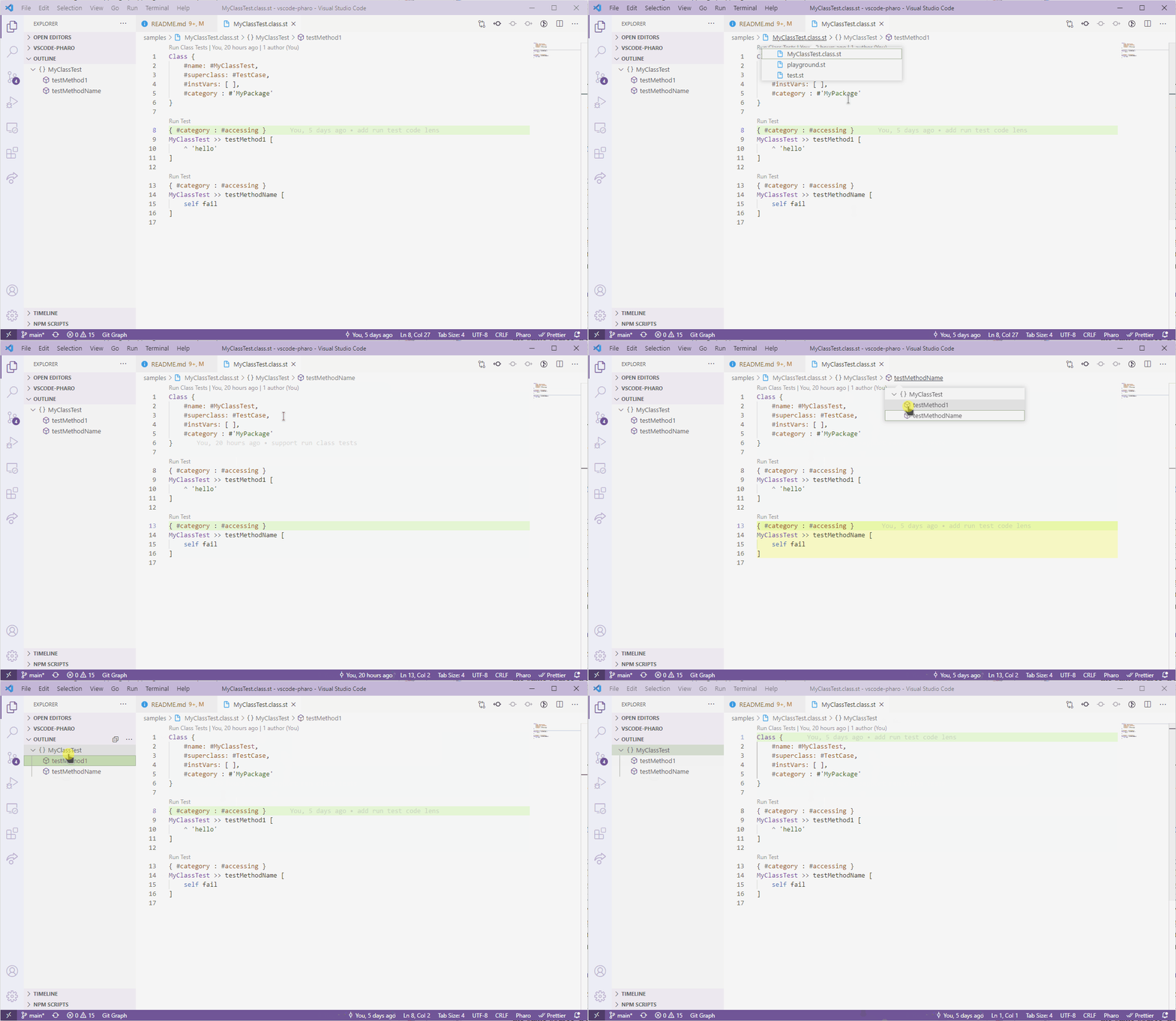
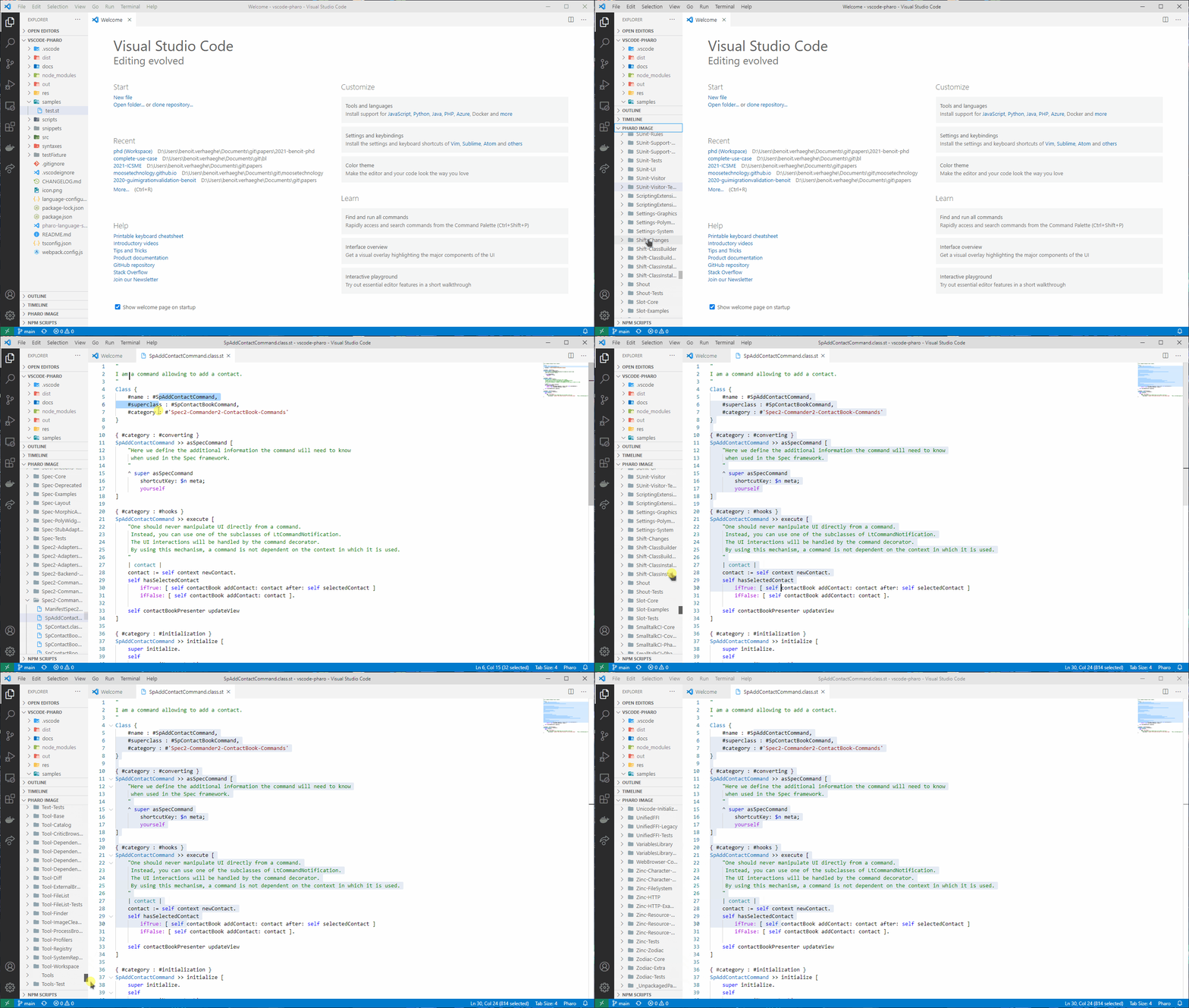
Breadcrumbs & Outline
Native tests support
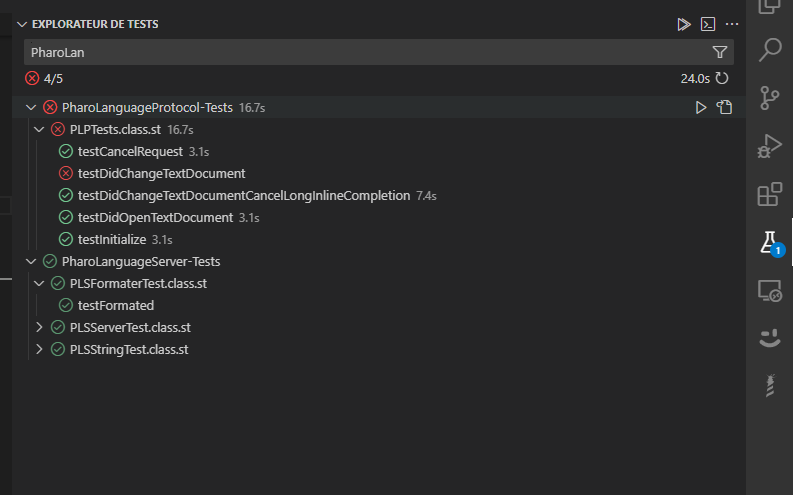
The native Test Explorer integration requires Pharo Language Server 5.0.1 or later.
Supported Language Server feature
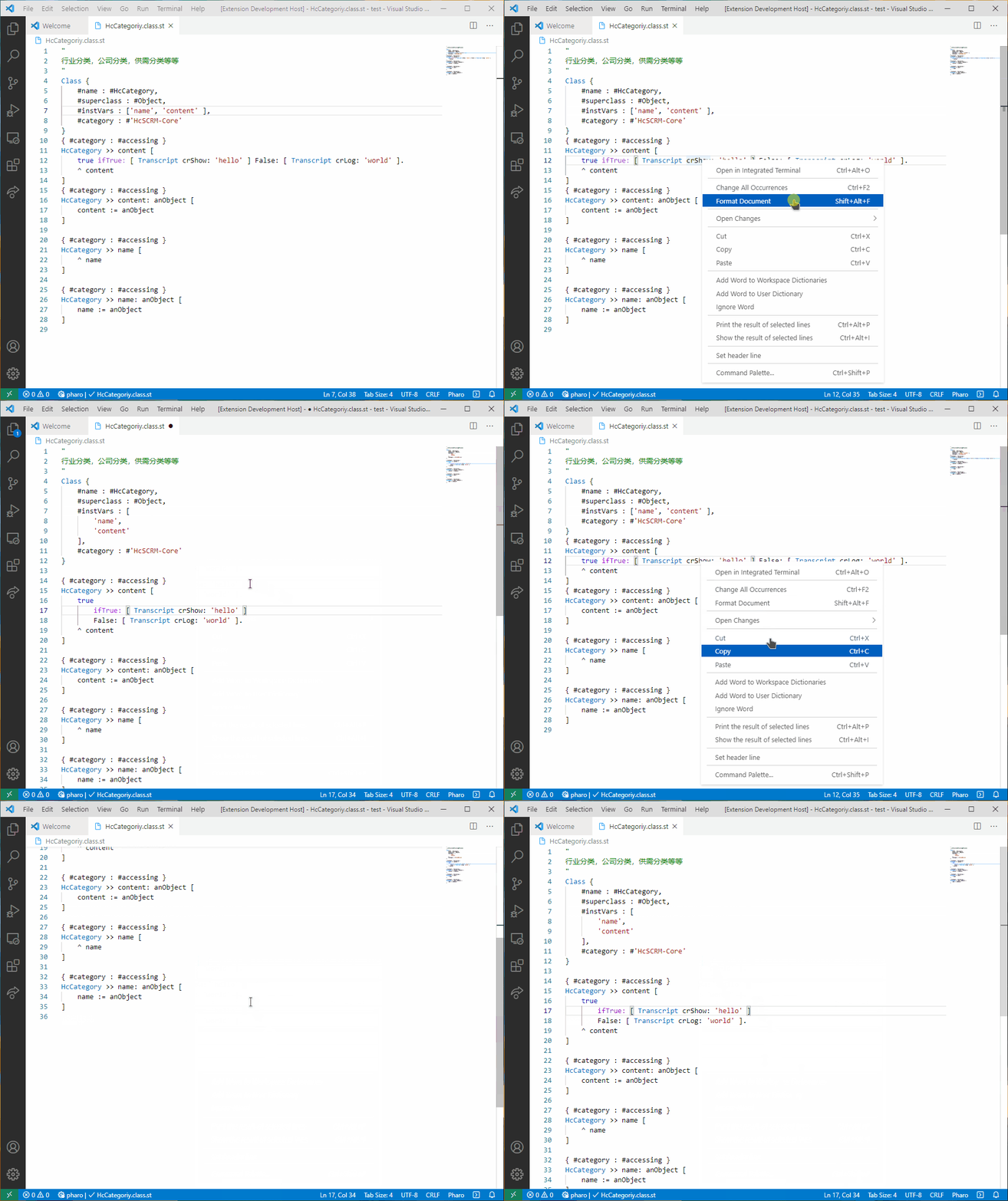
Code formatting
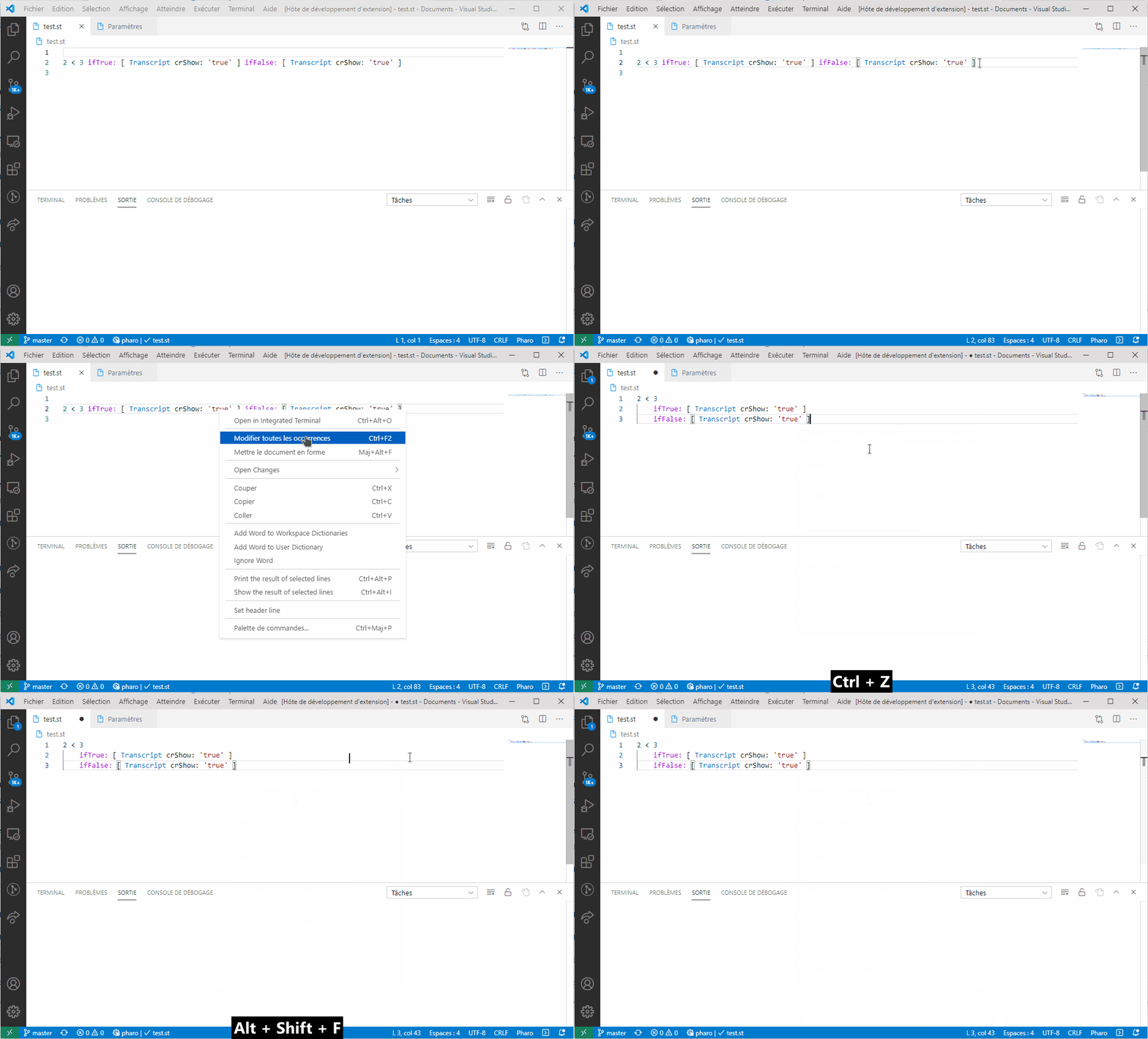
Tonel file formatting
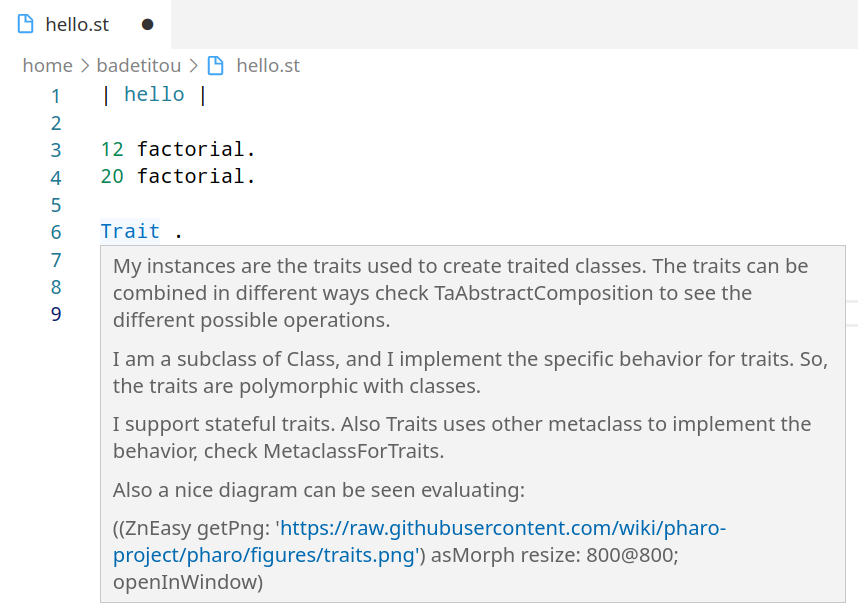
Hover
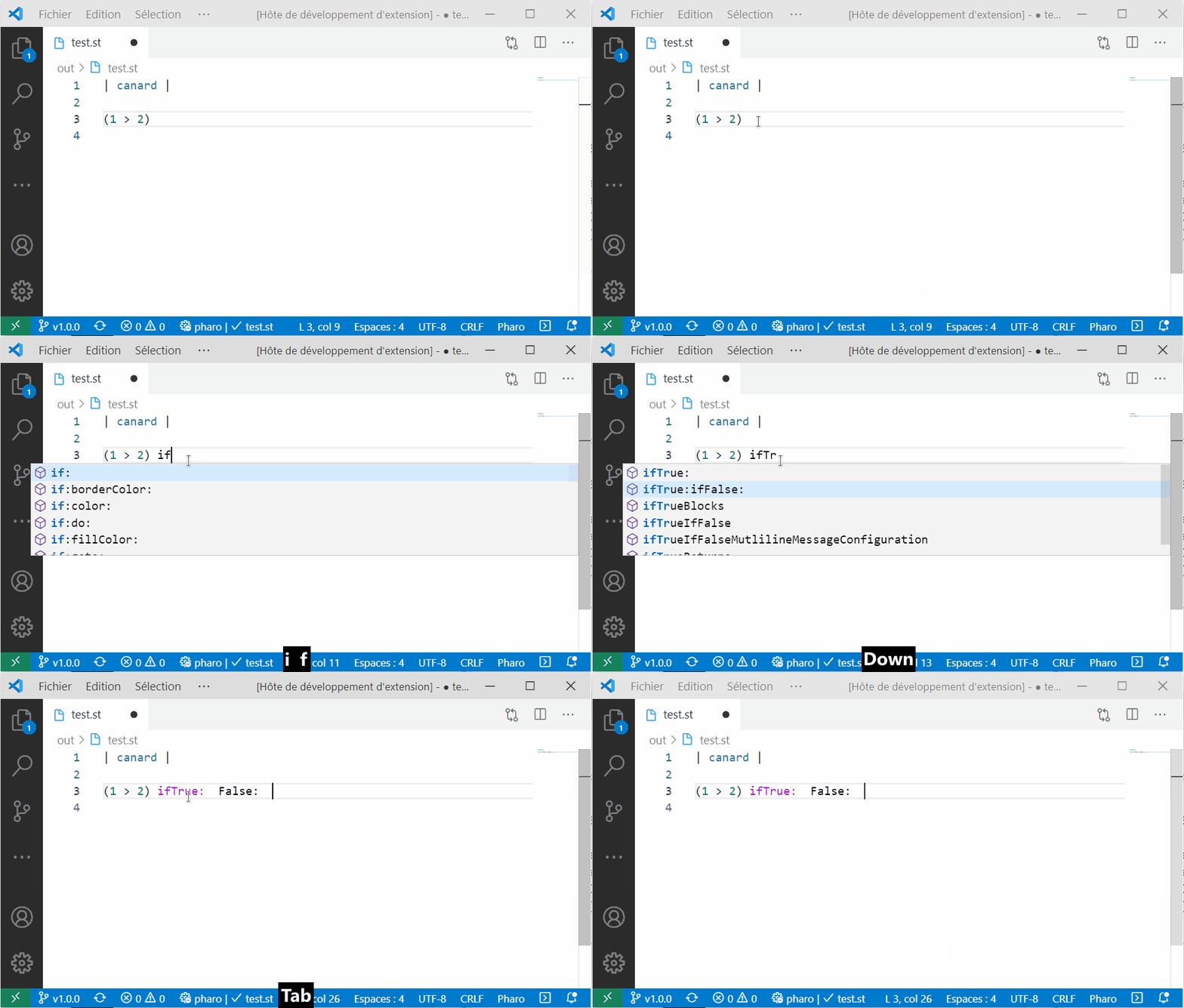
Auto-completion
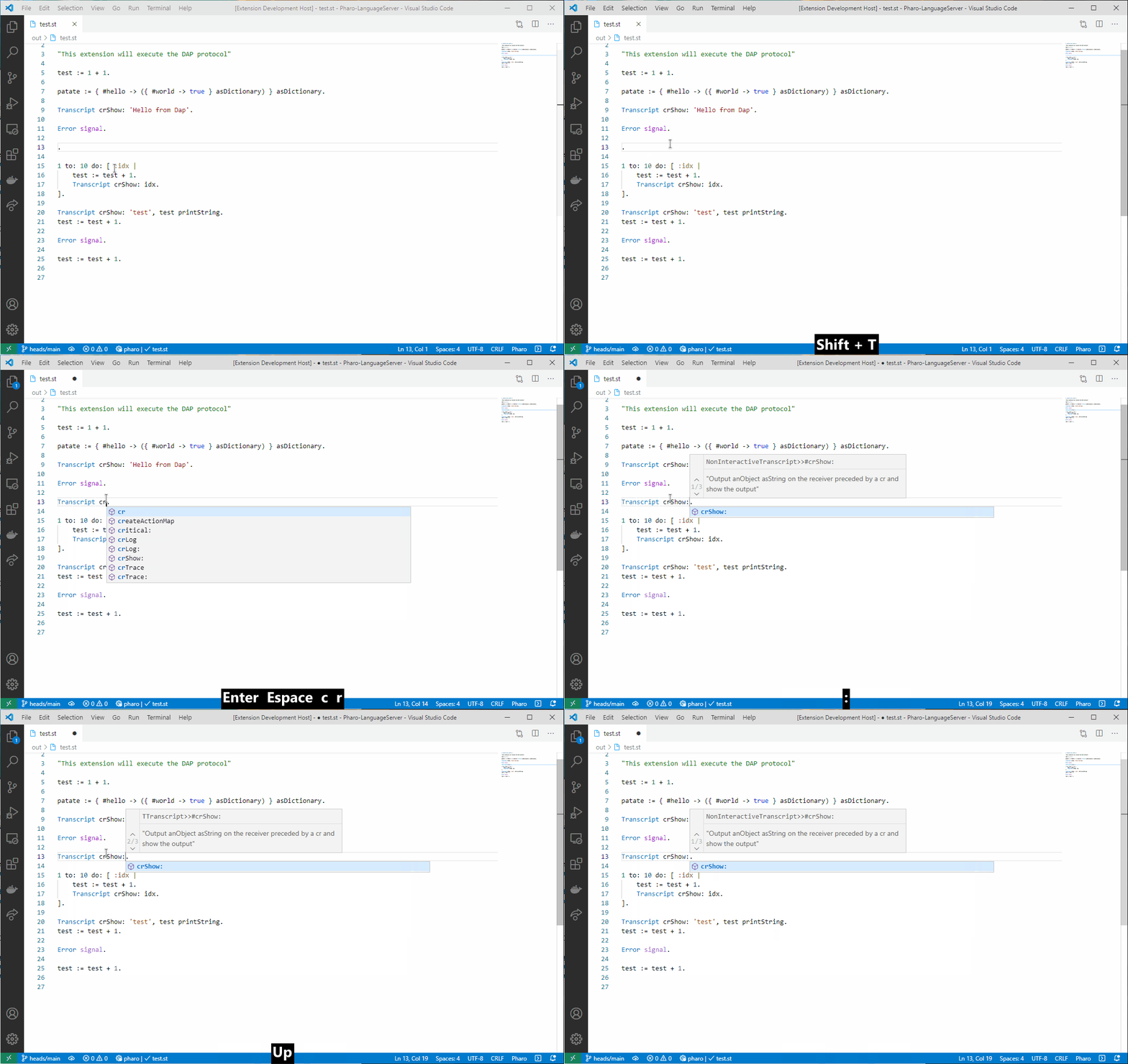
Help with method signature
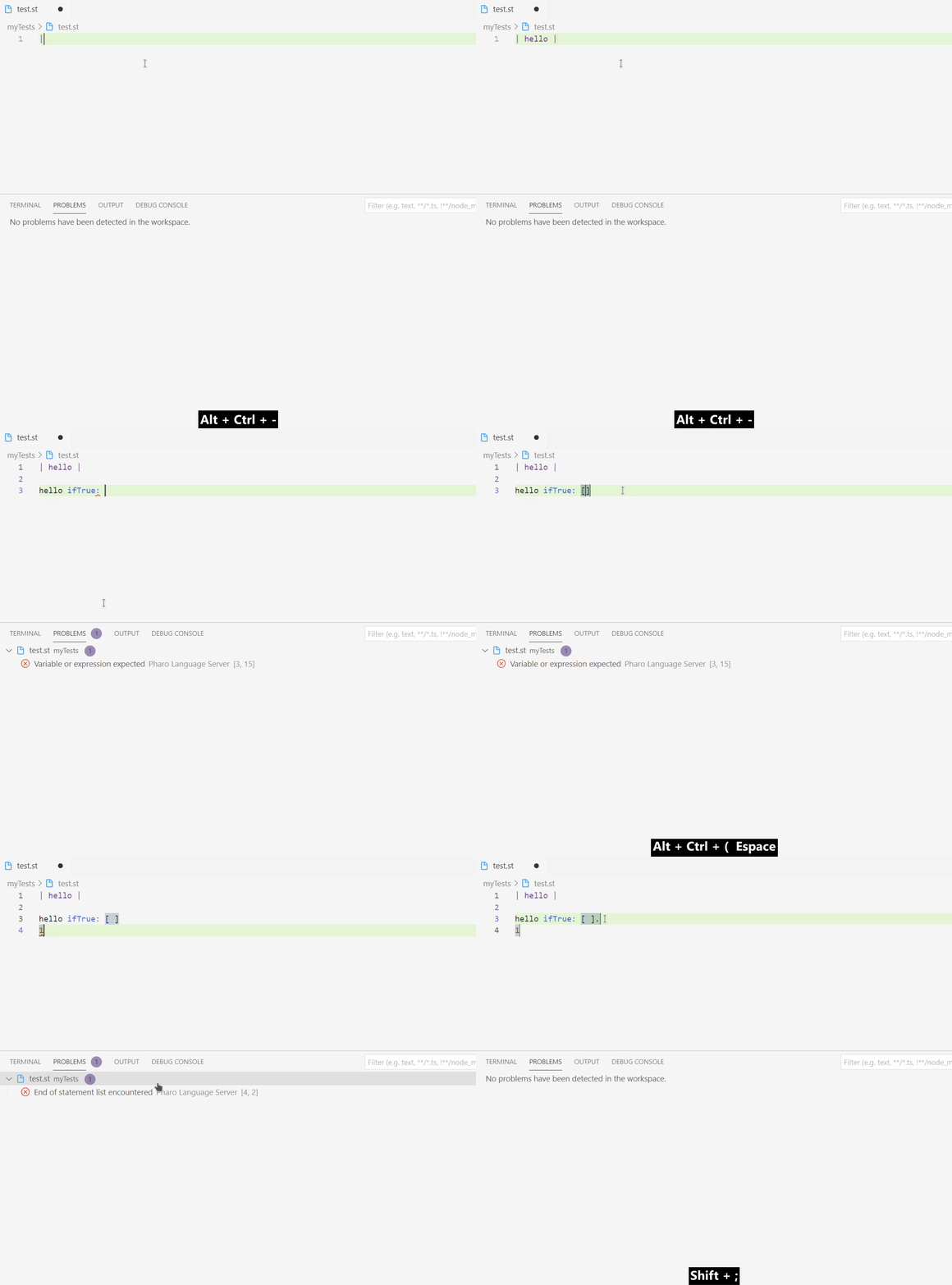
Diagnostics
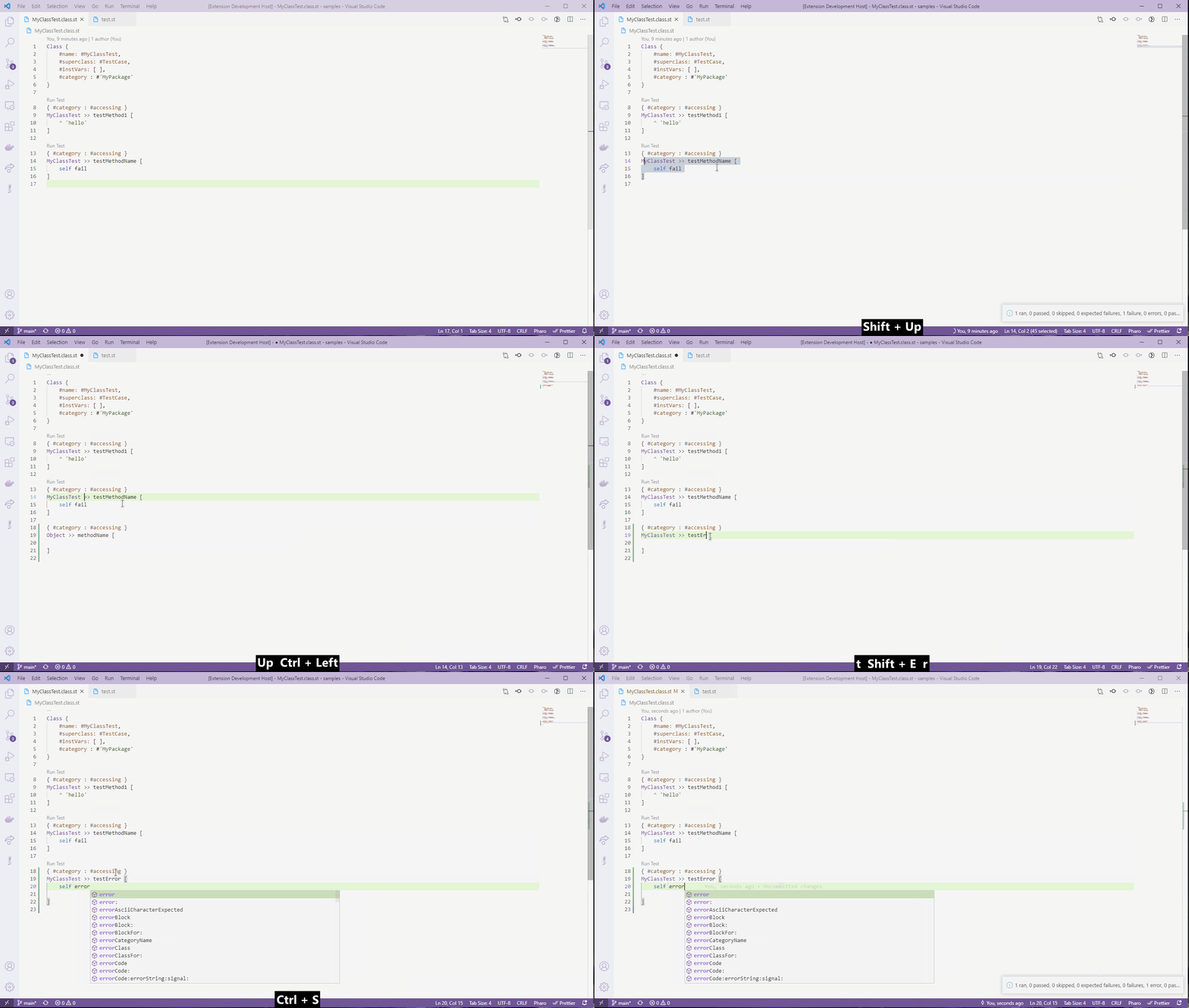
Code Lens (Run Tests)
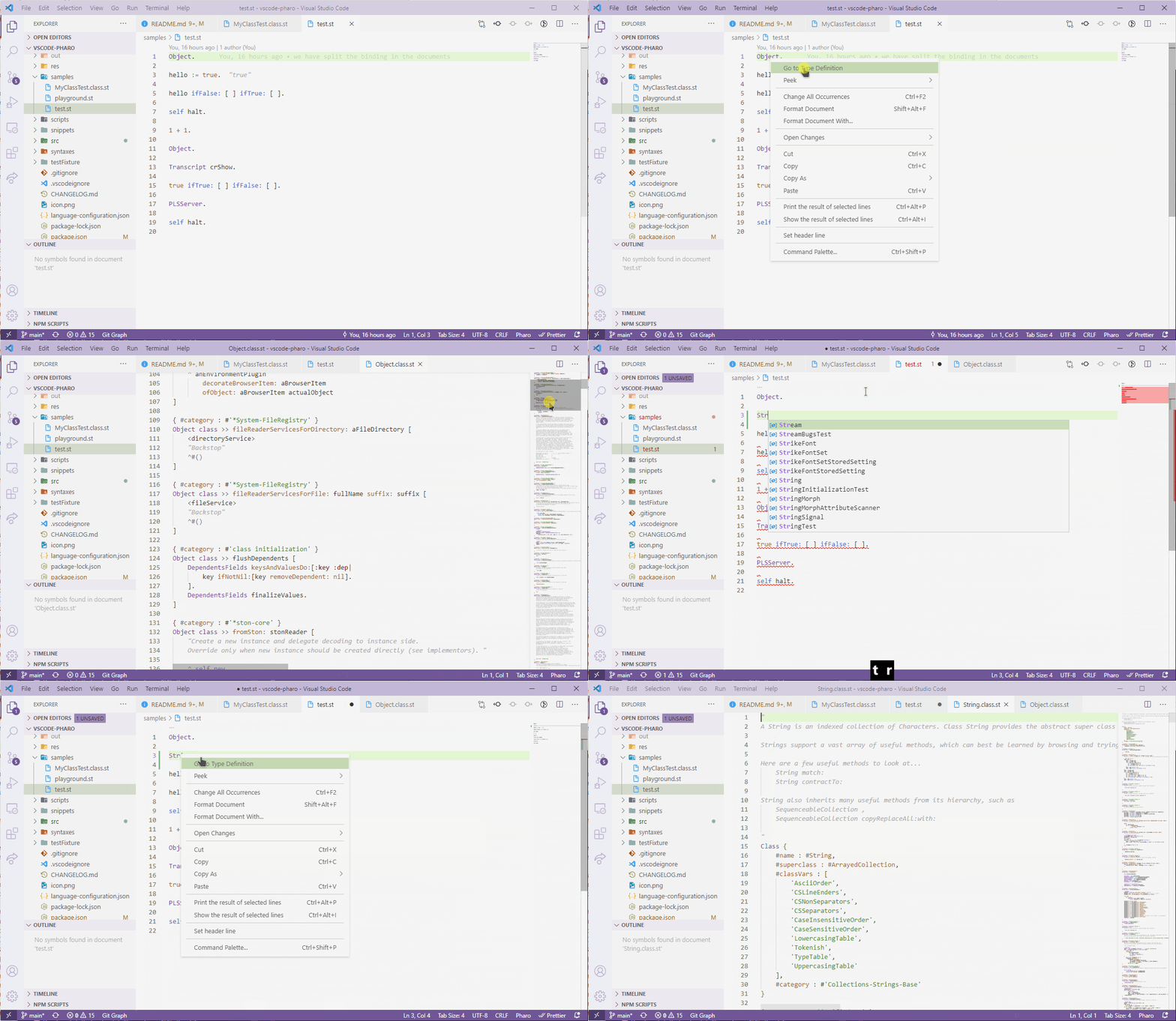
Jump type Definition
Debug Adapter Protocol feature
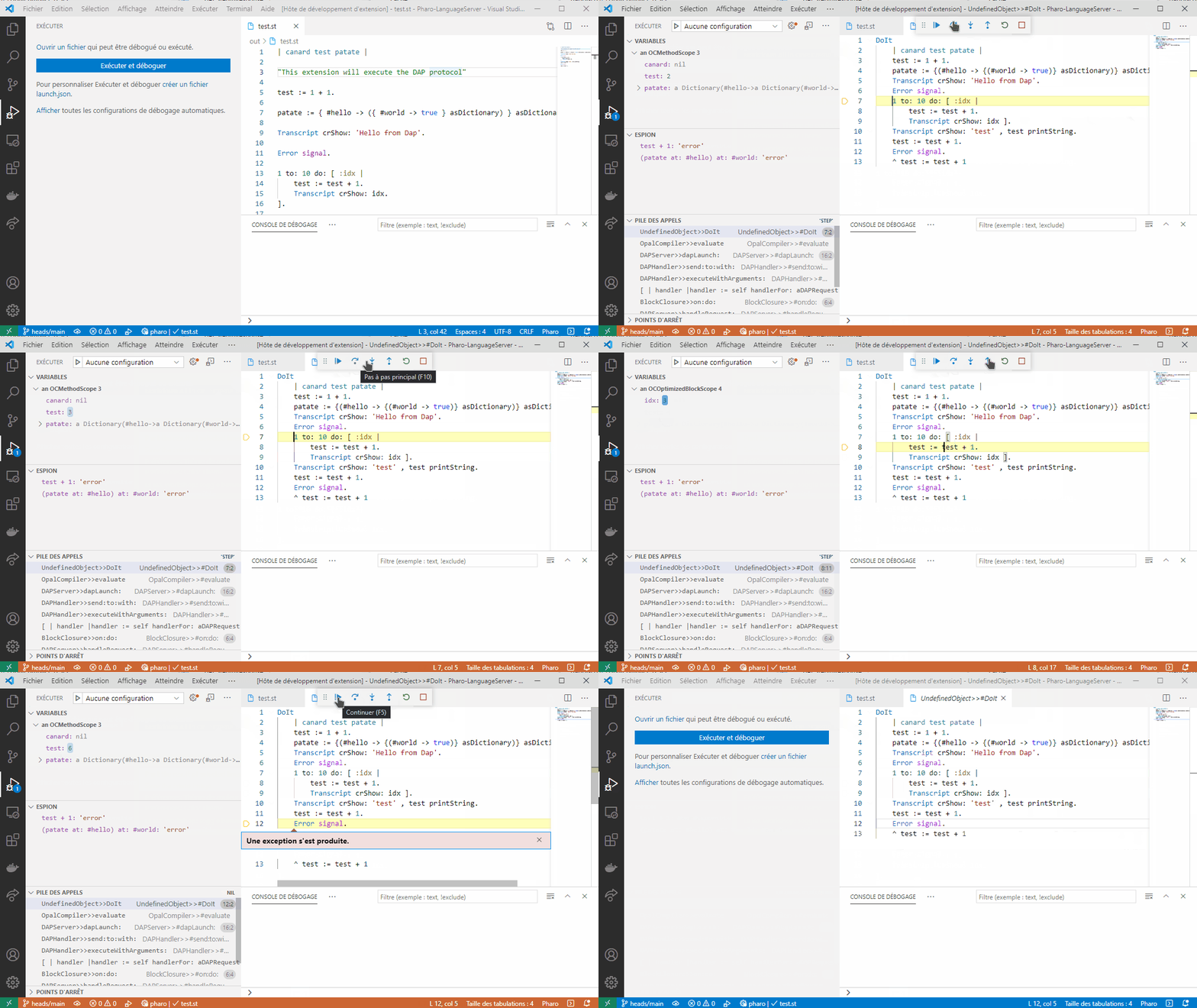
- Break on halt
- Show the stack
- Show the variables
- Add watch
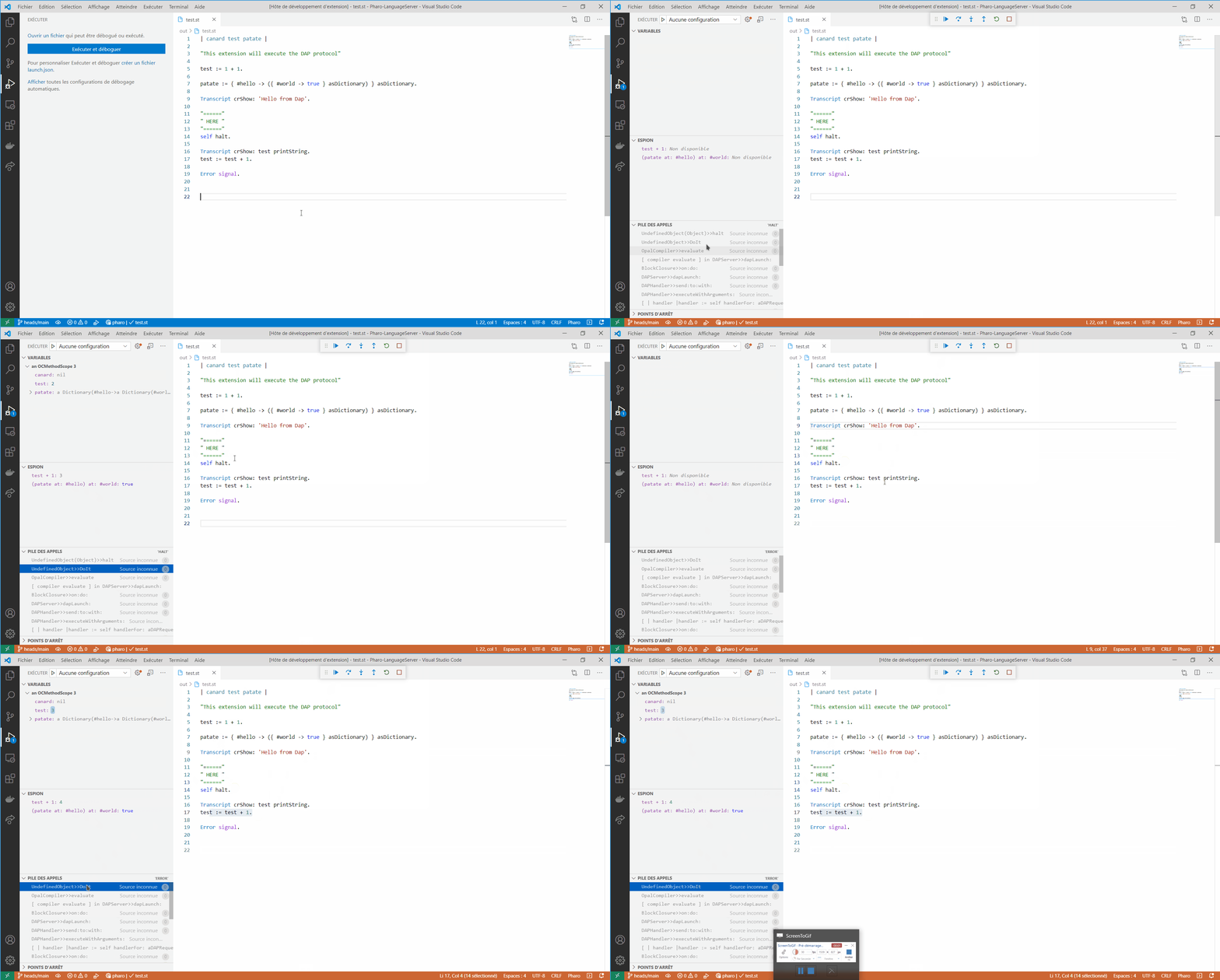
- Step, step in, step out
Moose Book (Notebook for Moose/Pharo)
MooseBook is a way to use a notebook with Pharo
Additional feature
The additional feature can be access using the command palette of VSCode
- Save the Pharo image
- Execute and show the result The Pharo: Show Pharo Language Server Diagnostics command inspects VM/image configuration, process and connection status, and server version.
- Select the active Pharo image with Pharo: Select Active Pharo Image. The extension validates the selected image and VM, asks before switching, saves the running image, updates the current workspace setting, and reloads VS Code. The status bar shows which image is connected; other VS Code windows are unaffected.
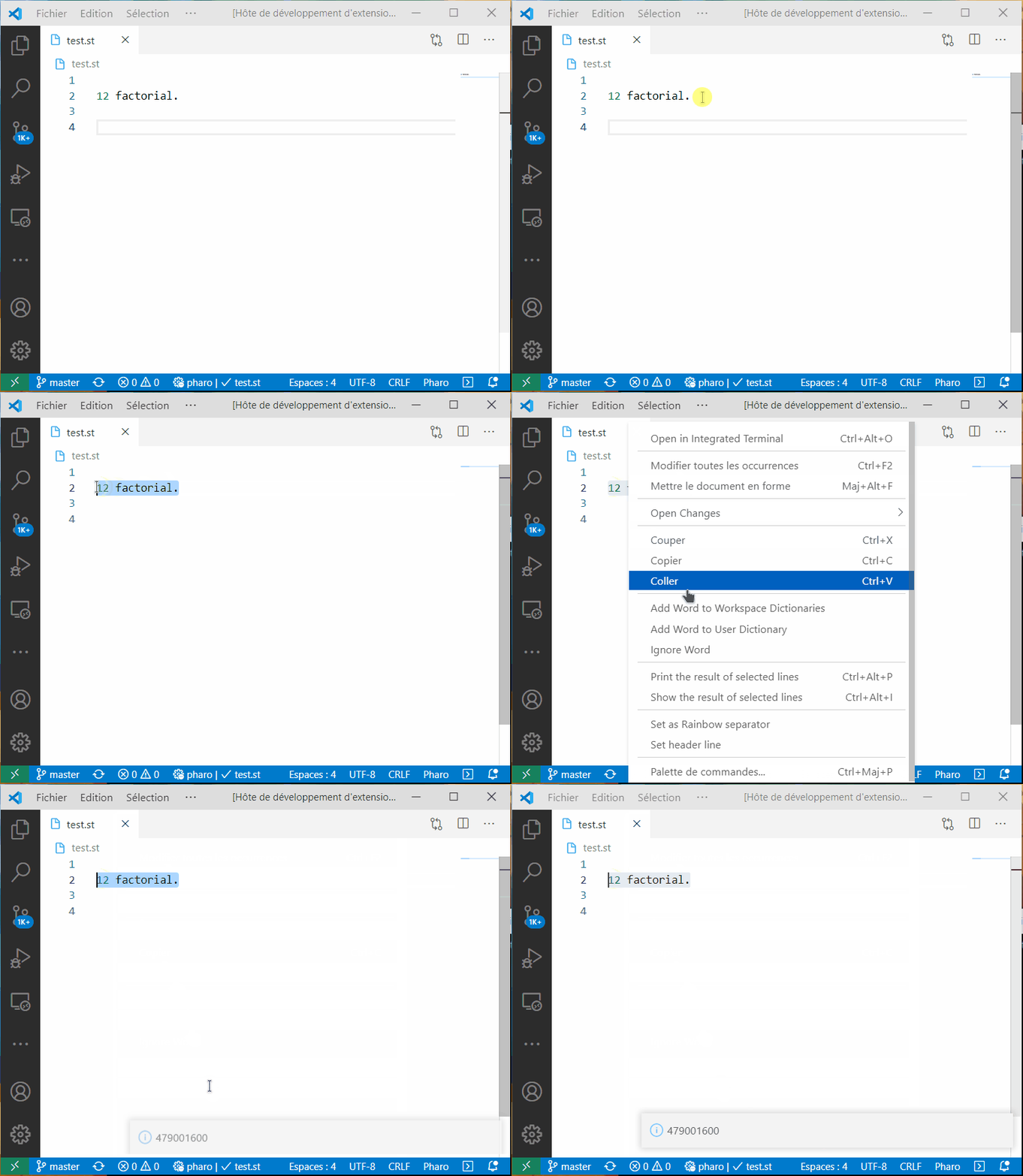
- Execute and print the result
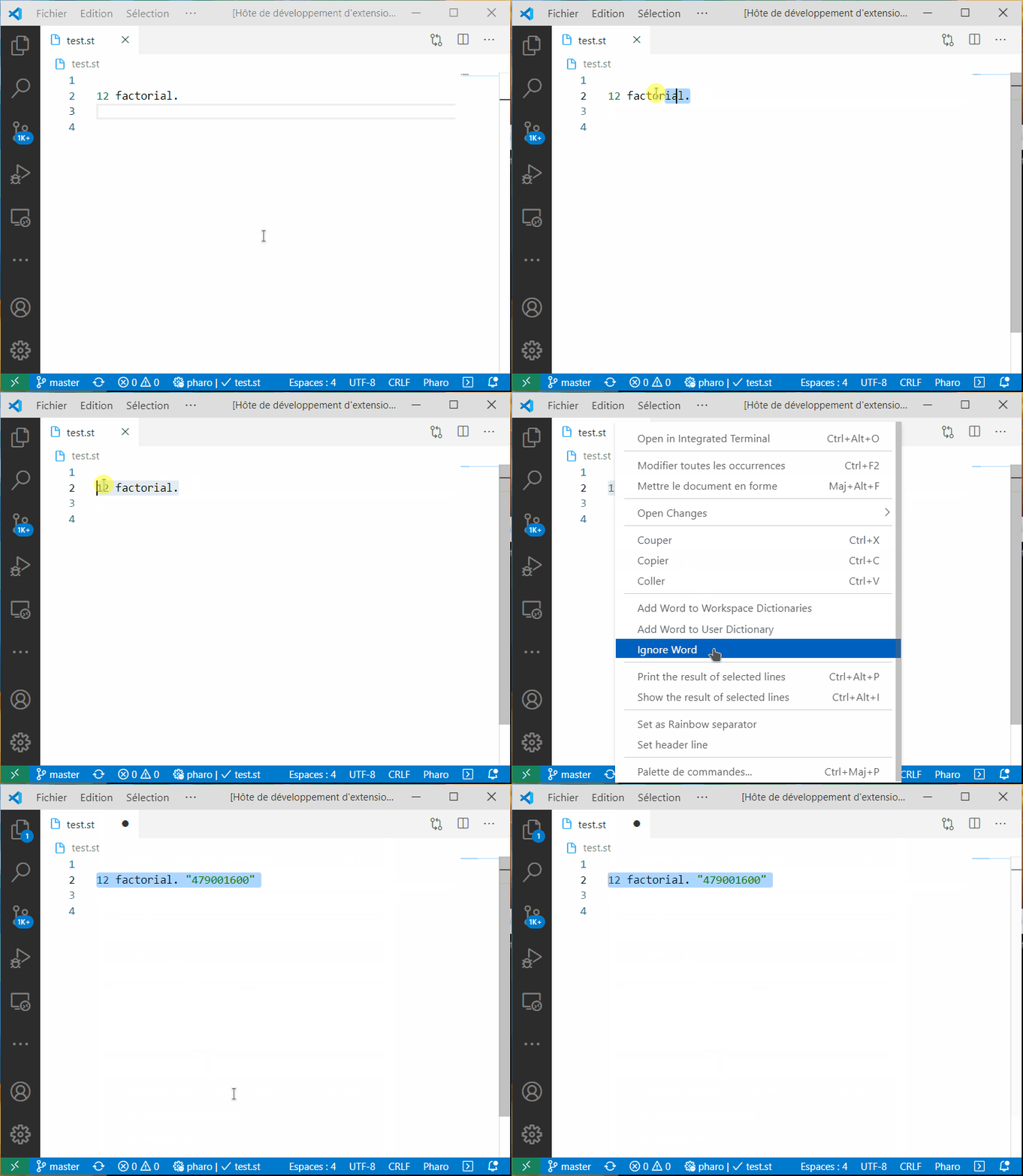
- Keep variable state
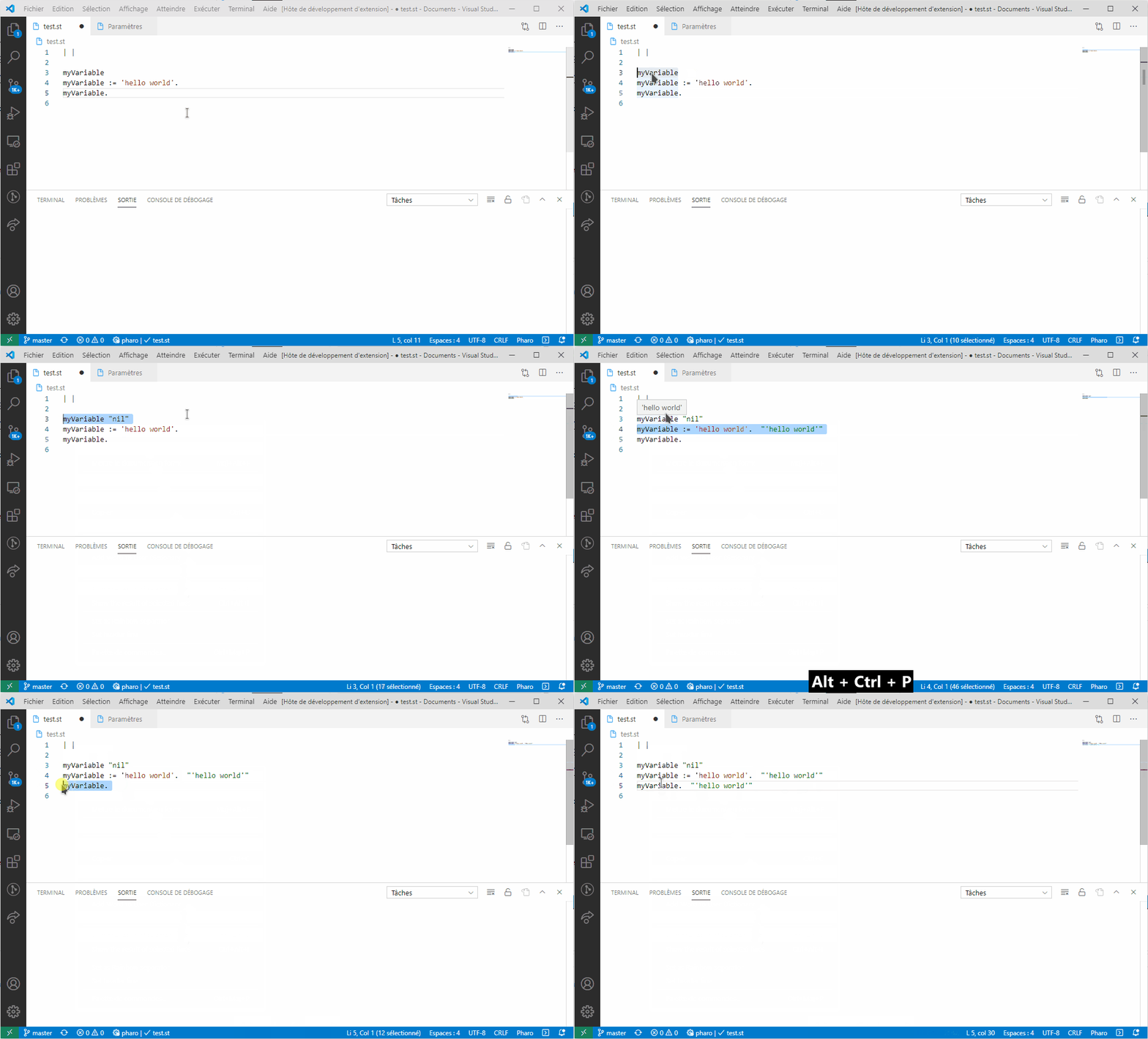
- Explore variable state

- Show the current server version
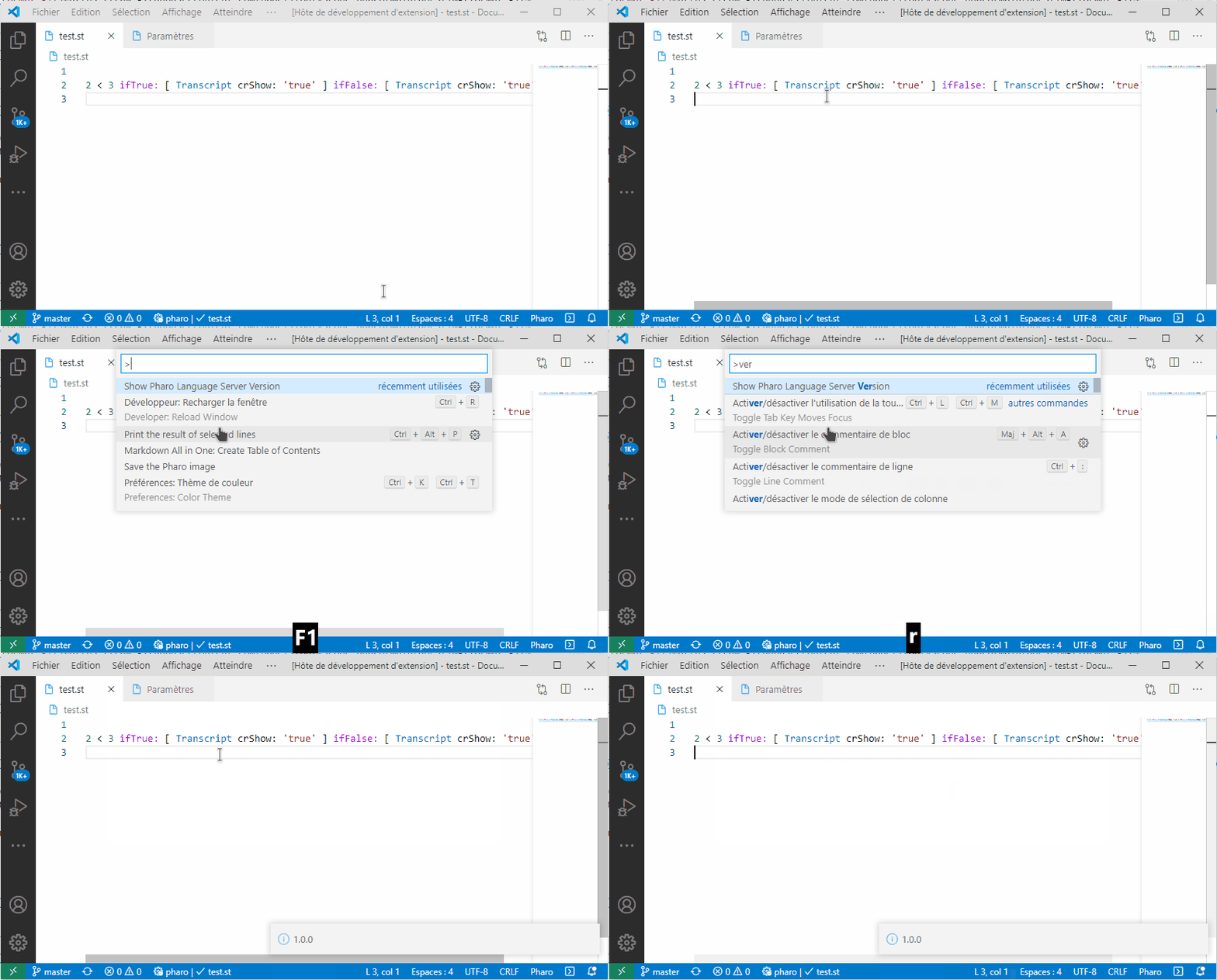
-
Saving a tonel file in VSCode, save the corresponding methods/class in the Pharo image
-
Access Pharo Image
Installation
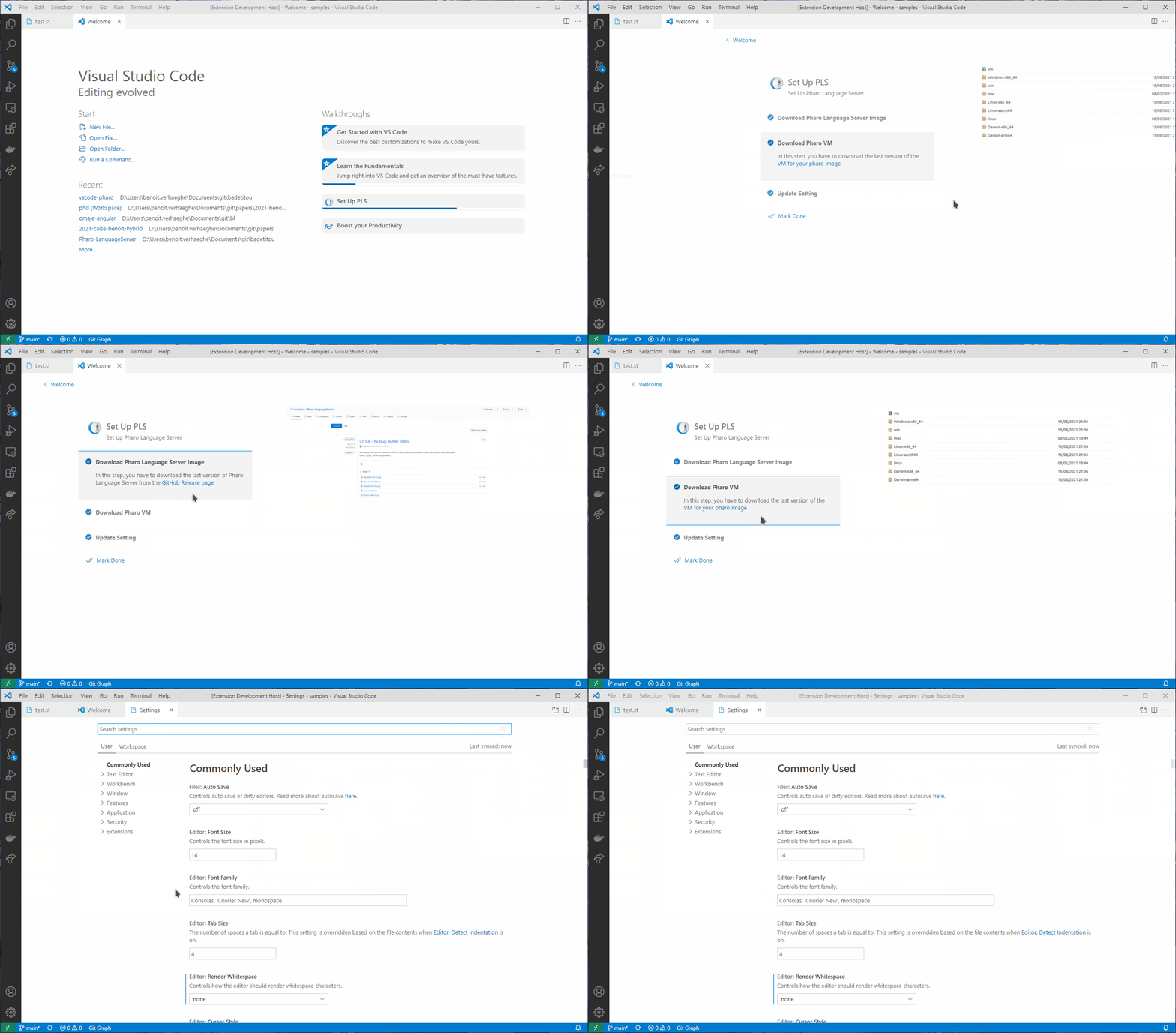
The easiest way is to execute the pharo.installIt command using VSCode command panel.
Specific version of the language server
You can also follow the walkthroughs to download a pre-configured version of the Language Server.
Or, to install the extension in an existing image :
- Install VSCode
- Install the Pharo extension
- Download a Pharo Language Server image or install the server in a pre-existing image
- Download a VM (headless or not) for the image
- Set up the Pharo extension property
- pharo.pathToVM: is the path to the VM executable, or a command available on
PATH(for example,pharo)- Windows:
C:\path\to\pharo.exe - Linux:
/path/to/pharo - MacOS:
/path/to/Pharo.app/Contents/MacOS/Pharo
- Windows:
- pharo.pathToImage: is the absolute path to the image
- pharo.imageWorkspace: expose
pharoImage:/as a workspace folder (useful for tools that read workspace files, such as AI assistants with virtual workspace support)
- pharo.pathToVM: is the path to the VM executable, or a command available on
The Pharo Test Explorer discovers packages, test classes, and test methods on demand. Run a package, class, or individual method from VS Code's native test controls; failures and execution errors are reported separately with durations and source locations when the Tonel method can be resolved. Use Pharo Tests: Rerun Failed Pharo Tests to repeat the latest failed/error methods, or Pharo Tests: Refresh Pharo Tests after changing the image. Targeted debugging is not exposed yet by the current Pharo test RPC contract.
Iceberg change states
The Iceberg Source Control view separates Image vs Repository resources reported by Pharo, the Iceberg Index, and Unsaved VS Code Buffers. The first two come from the server's Iceberg status contract; dirty editor buffers are tracked locally and are not represented as changes already installed in the running image. Diff actions compare the server-provided current and original resources. The extension does not infer a separate on-disk working tree or image state when the server does not report it.
Manually try the Test Explorer and Iceberg changes
These features need a running Pharo image and Language Server configured with pharo.pathToVM and pharo.pathToImage. Iceberg change groups also require a valid Iceberg repository in the image.
- Run tests: open VS Code's Testing view and expand a package and test class to discover their children. Run one test method with the inline Run button, then run its class or package from the corresponding Run button. The result should appear in the Test Explorer. If a test fails or errors, its message and duration are shown; use Pharo Tests: Rerun Failed Pharo Tests to repeat those tests. Use Pharo Tests: Refresh Pharo Tests after changing tests in the image.
- Inspect Iceberg changes: open Source Control and inspect the repository's Image vs Repository and Iceberg Index groups. These groups show only states reported by Pharo. To check Unsaved VS Code Buffers, edit a repository-scoped
pharoImage:class document and leave it unsaved; its URI must include theiceRepositoryquery parameter for it to be associated with that repository. Saving sends the edit to the running image, so it leaves the unsaved-buffer group; Pharo may then report an image/repository or Iceberg-index change.
Source Control groups are hidden while empty. Image vs Repository and Iceberg Index only show changes reported by Pharo; they are not populated by making an unsaved editor change.
From version v1.0.0, please use at least version v1.1.0 of the Pharo Language Server.
Using VMs from the Pharo Launcher
Assuming you have the official Pharo Launcher installed, you can also configure the extension to use the launcher's VMs along with the language server image like so:
(The example above is using VSCode with macOS 13)
Thanks
This extension is inspired from the one of Leonardo Nascimento for smalltalk.
Thanks a lot Leonardo!