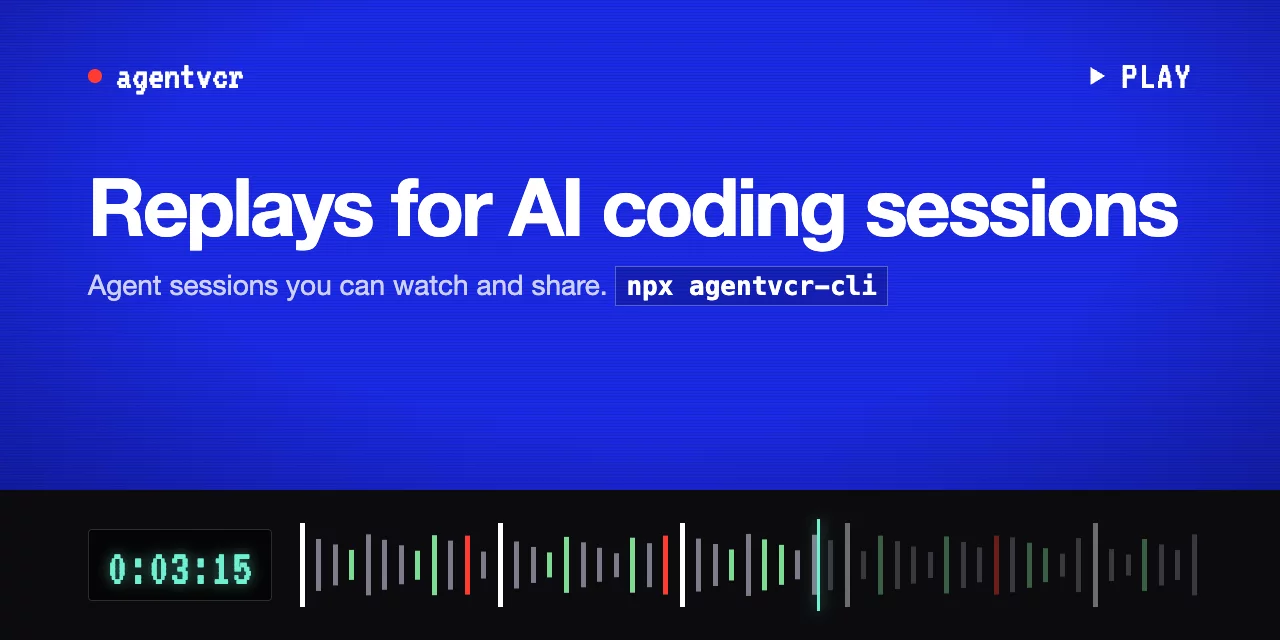

Replays for AI coding sessions, where review happens. One command turns a Claude Code, Codex, Cursor, Gemini CLI, Qwen Code, Cline, Aider or OpenCode session into a replay you can send as a link, embed, paste into a pull request as Markdown, or have commented on every PR an agent opens in CI. Secrets are masked on your machine. No account, no server, no dependencies.
npx agentvcr-cli               # pick a session from this project and open the replay
npx agentvcr-cli last --share  # or get a link to it
Or install it once and use the shorter command: npm i -g agentvcr-cli, then agentvcr.

▶ Watch the example replay: Claude Code tracks down why a shop fulfills orders twice, reproduces it in a failing test, fixes it, and recovers from a type error on the way. The session is made up for the demo (examples/demo.mjs); the replay is exactly what agentvcr produces.
Try it on your own session: drop a transcript on the TV on the website. It is parsed and played in your browser; nothing is uploaded.
Why
An agent can work for an hour and leave behind nothing but a diff. Screenshots show one moment, and pasted logs are unreadable. agentvcr turns the whole session into something people will actually watch:
- Show how you built it. Put the replay next to your blog post, launch thread or PR.
- Review the path, not just the result. See which commands ran, what failed, and where the agent changed course.
- Report a bug to your agent's makers with the exact session, not a description of it.
- Teach. New teammates learn more from watching a good session than from a style guide.
Usage
npx agentvcr-cli              # pick a session from the current project
npx agentvcr-cli last         # the most recent one
npx agentvcr-cli <file|id>    # a transcript file or a session id
npx agentvcr-cli --list --all # every session on this machine, all agents
It writes agentvcr-<title>.html and opens it in your browser. Pass -o session.md for a Markdown transcript instead, with each tool call folded into a <details> block, ready to paste into a pull request or docs page. Pass -o clip.mp4 or -o clip.gif for a short clip to post: it plays the replay at 4× in your installed Chrome and encodes it with ffmpeg, no extra packages.
| Option | |
|---|---|
-s, --share |
upload the masked replay as a secret gist and print a link |
-o, --out <file> |
output path; .md writes a Markdown transcript, .mp4 or .gif records a clip with your installed Chrome and ffmpeg |
-a, --all |
include sessions from every project |
--title <text> |
set the replay title |
--thinking |
include reasoning summaries when the transcript has them |
--subagents |
include subagent turns (Claude Code) |
--no-redact |
keep secrets, emails and your home path |
--no-open |
don't open a browser |
Share a link
npx agentvcr-cli last --share
# ✓ https://tojacob03.github.io/agentvcr/v/?g=you/3f2a…
--share uploads the already masked replay as a secret gist on your GitHub account and prints a link to the player on this project's site, which loads the gist and plays it. There is no agentvcr server: GitHub stores it, Pages plays it, and deleting the gist takes the replay down. It uses the GitHub CLI if you are logged in (gh auth login), or a GITHUB_TOKEN with the gist scope. --share cannot be combined with --no-redact.
Embed it in a blog post or docs page by adding &embed to the link; the CLI prints a ready <iframe> snippet:
Prefer a file? A replay is one HTML file with no external requests. Attach it to an issue, drop it on any static host, or send it.
Supported agents
| Agent | Where sessions live | On the tape |
|---|---|---|
| Claude Code | ~/.claude/projects/ |
prompts, answers, tool calls with output, diffs, plans; real working time |
| Codex CLI and app | ~/.codex/sessions/ |
prompts, answers, shell output, apply_patch diffs, plans; real working time |
| Cursor | ~/.cursor/projects/*/agent-transcripts/ |
prompts, answers, commands, edits, plans; Cursor keeps no tool output or step times, so the counter counts steps |
| Gemini CLI | ~/.gemini/tmp/*/chats/ |
prompts, answers, shell, edits, searches, todos; rewinds and patches applied the way the CLI loads them |
| Qwen Code | ~/.qwen/projects/*/chats/ |
prompts, answers, shell output, edits with exact before/after diffs, searches, todos, tokens; rewound branches left out, as Qwen Code does |
| Cline, and Roo Code and Kilo Code tasks in Cline's format | ~/.cline/data/sessions/; older tasks in the editor's globalStorage/<extension>/tasks/ |
prompts, answers, commands with output, edits as diffs, searches, MCP calls, token usage; real working time |
| Aider | .aider.chat.history.md in the project |
the last run in the file: prompts, answers, edits as diffs (search/replace and udiff), commands, commits, tokens; aider only records when a run started, so the counter counts steps |
| OpenCode | a database; run opencode export <id> > session.json, then npx agentvcr-cli session.json |
prompts, answers, tool calls with output, shell commands, token usage |
| Kilo Code CLI | built on OpenCode: kilo export <id> > session.json works the same way (it shows as an OpenCode session) |
as OpenCode |
Set CLAUDE_CONFIG_DIR, CODEX_HOME, GEMINI_CLI_HOME, QWEN_HOME or CLINE_DIR if yours live elsewhere. GitHub Copilot CLI and others: PRs welcome.
Claude Code plugin
/plugin marketplace add tojacob03/agentvcr
/plugin install agentvcr@agentvcr
Then /agentvcr:replay turns the session you are in into a replay, and /agentvcr:replay share gives you a link.
GitHub Action: a replay on every agent PR
When an agent opens or updates pull requests in CI, put the run on tape:
permissions:
  contents: write
  pull-requests: write

steps:
  - uses: anthropics/claude-code-action@v1
    id: claude
    with:
      anthropic_api_key: ${{ secrets.ANTHROPIC_API_KEY }}
  - uses: tojacob03/agentvcr@v0
    if: always()
    with:
      path: ${{ steps.claude.outputs.execution_file }}
      share-token: ${{ secrets.AGENTVCR_GIST_TOKEN }}  # optional
The action masks the run, attaches the replay to the workflow as an artifact and comments on the pull request with a summary, a link and the transcript folded inline, so reviewers can read how the change came about without downloading anything. With share-token (a token with the gist scope) the comment links straight to a shared replay. Leave path empty to replay the newest session of any supported agent on the runner. Outputs: file, url, artifact-url.
What's in a replay
- A summary up top: what happened in one sentence, and a diffstat of every file changed. Click a file to jump to its first edit.
- Playback that types prompts and commands and streams answers, with 1×, 2×, 4× and 8× one click away and a counter that shows real working time
- The whole session as a waveform under the player: prompts tall and white, edits green, failures red. Drag to scrub.
- Real diffs for edits and patches, terminal output, plans and checklists, rendered Markdown
- Chapters to jump to each prompt, and token usage when the agent records it
- Links to exact moments:
replay.html#42 - One self-contained file that works offline, in dark and light mode, and on phones
Keys: space play/pause, ← → previous/next step, 1–4 speed, Home / End.
Privacy
Everything runs locally unless you pass --share. Before anything is written, agentvcr masks:
- API keys and tokens (Anthropic, OpenAI, OpenRouter, Groq, Hugging Face, Replicate, GitHub, GitLab, Slack, AWS, Google, Stripe, Supabase, SendGrid, Mapbox, npm), JWTs, bearer tokens, private keys, and Slack and Discord webhook URLs
KEY=valuepairs whose name looks like a secret (password,api_key,token, …)- credentials inside URLs, email addresses, your home directory and your username
- the exact values of your secret environment variables (names with
KEY,TOKEN,SECRET,PASSWORD, …) and of those in a.envor.env.localin the folder you run it from, whatever their format; they show as[env:NAME]
The CLI tells you how many things it masked, and the website lets you switch each rule off to see what it catches. Patterns and your own environment catch a lot, but not a secret that is in neither, so skim the replay before you share it.
How it works
Every agent writes its session as JSON lines. agentvcr reads them into one shared format (prompts, answers, tool calls with their results), masks secrets, and embeds the result in a small player. Parsing and masking are plain modules without Node APIs, so the same code runs in the CLI and on the website. The package is under 60 KB, and Node 18 or newer is all you need.
How agentvcr works goes into each format's quirks, the masking rules, sharing without a server and how the player stays fast on sessions with 5,000 tool calls.
git clone https://github.com/tojacob03/agentvcr && cd agentvcr
npm test
node bin/agentvcr.js --help
npm run site   # rebuild the demo, the share viewer and the browser modules in docs/
Adding an agent means writing one parser that returns the shared format. src/cursor.js is a short example to start from.
Contributing
Parsers for more agents are the most wanted contribution; CONTRIBUTING.md documents the shared session format and the steps. Good places to start: good first issues and new agents. Made a replay worth watching? Share it in Discussions.
License
MIT. Replays embed a subset of the VT323 font, licensed under the SIL Open Font License 1.1 (see licenses/VT323-OFL.txt).