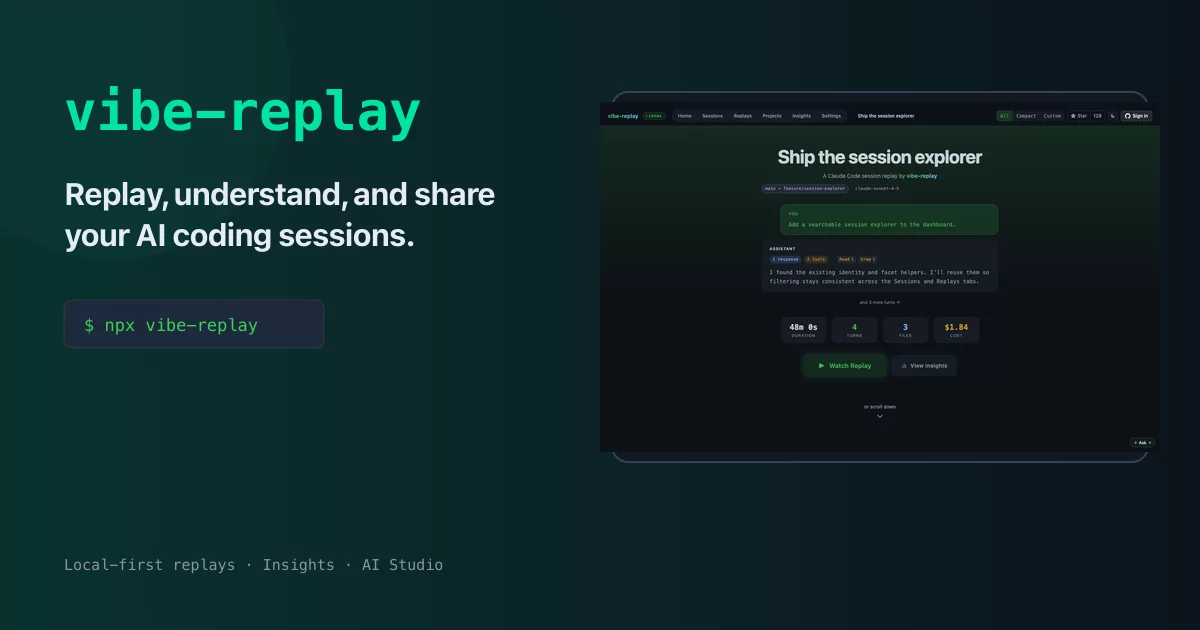

Turn Claude, Cursor, Codex, OpenCode, Hermes, Muse, Pi, and Grok Bot sessions into shareable, interactive replays — then analyze them with local insights, AI Studio, and Ask Replay.
The problem
AI agents write code in long, complex sessions — dozens of tool calls, hundreds of file edits, thousands of lines of reasoning. When the session ends, all that context disappears. Your PR diff shows what changed, but reviewers can't see why. Teammates can't learn from your prompting. You can't even replay your own session next week.
The fix
One command. One self-contained HTML file. Every prompt, every thought, every tool call — animated, searchable, and ready to share.
npx vibe-replay
Release note: Muse support, Quick Share, and
vibe-replay relayare on currentmainand will ship in the next npm release.npx vibe-replayruns the currently published package.
Also available as a Claude Code plugin — your agent generates replays automatically during PR creation.
What You Get
All your sessions, one place
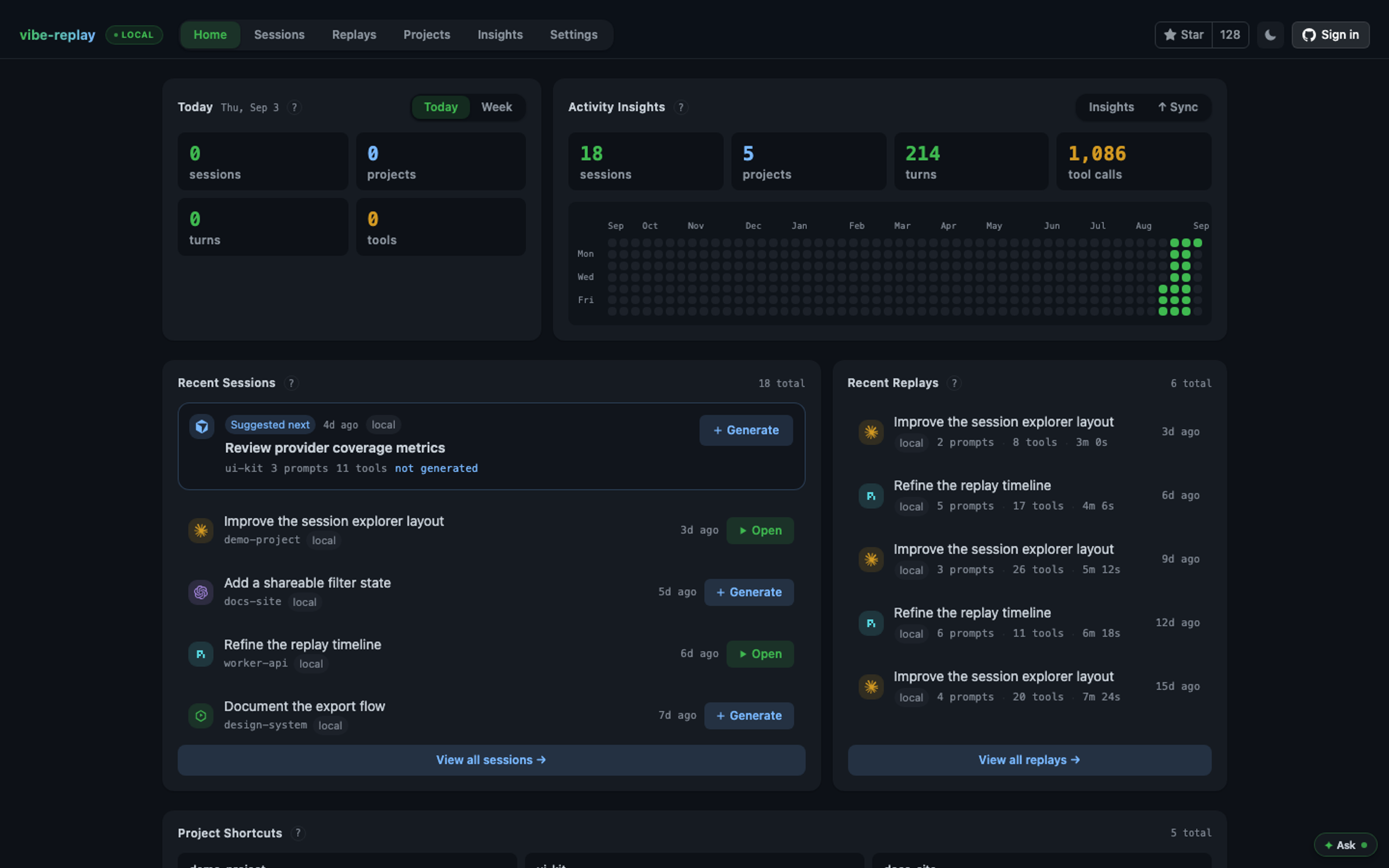
Launch with npx vibe-replay -d and see every Claude, Cursor, Codex, OpenCode, Hermes, Muse, Pi, and Grok Bot session across all projects — with a daily activity snapshot, activity heatmaps, cost totals, and project analytics. Search sessions, filter by git repo, tool, MCP server/tool, skill, or context compaction, expand any session to see its own tool/MCP breakdown, and generate any replay in one click.
Switching dashboard tabs starts a fresh list; returning from a replay restores your previous filters. Clear a search with Escape or the × button, and use Clear filters when a search has no matches. Replay playback supports 1×, 5×, and 10× speed on desktop and mobile.
Remote SSH sources
The dashboard can also include JSONL sessions from any OpenSSH-compatible host. Add targets from the
dashboard's Settings tab, or directly in ~/.vibe-replay/config.json:
{
  "remoteSources": [
    {
      "id": "remote-dev",
      "label": "Remote dev",
      "sshHost": "devbox",
      "providers": ["codex", "claude-code", "pi"]
    }
  ]
}
The Settings form validates source ids, provider selections, and connection timeouts, and can run a bounded SSH probe before you refresh the catalog. It uses your existing OpenSSH keys, aliases, and ProxyJump configuration; credentials are never stored by vibe-replay.
sshHost can be a normal hostname or an alias from ~/.ssh/config, so existing keys, agents, ProxyJump, and ProxyCommand configuration continue to work. No private key or password belongs in this file. Remote Codex (including .jsonl.zst cold rollouts), Claude Code, and Pi JSONL files are copied into a per-target local cache and parsed by the same providers as local sessions; source cards show the configured location label. A transcript that is still being written is kept at its last stable cached version instead of making the whole SSH source unavailable. Codex titles match /resume: explicit names from session_index.jsonl take precedence over the read-only state_5.sqlite title. The live database and WAL are never copied. Hosts with Python sqlite3 or the sqlite3 CLI unavailable still use cached metadata. Sessions whose source is missing, unreadable, or contains no meaningful human prompt remain visible with an explicit status and cannot be generated into an empty replay. Remote repository identity is retained for local filtering but omitted from shareable replay data. Remote Live mode is intentionally unavailable. Remote sessions stay in local insights and are excluded from optional cloud insight sync.
Remote live sharing (vibe-replay relay)
No inbound ports, no SSH tunnel — just one outbound WebSocket. On the machine that holds your sessions:
vibe-replay relay
It prints a share URL like https://<relay>/live/<boxId>#<key>. Open it on your laptop or phone
and you get the session list, search, full replay reading, and live tail of the remote machine —
read-only, through an end-to-end encrypted pipe.
How it works. Your machine and your browser both dial out to a Cloudflare Durable Object,
which only forwards ciphertext between them. Each run generates a fresh 128-bit box id (routing)
and a 256-bit AES-GCM content key (in the URL #fragment, never sent to the server). Every
command and response is encrypted with a fresh IV and box-scoped associated data, so the relay —
and anyone watching the network — sees only opaque frames. Kill the CLI and the URL dies
immediately; nothing is stored server-side.
Scope. This MVP is read-only by design: the only commands the shipper answers are
list, get, search, tail, untail, and ping. Anything else is rejected. The share URL
is a bearer capability — anyone holding the full URL (including the #fragment) can read your
sessions while the shipper runs, and browser history or screenshots can leak it. The viewer page
is served by the relay, so it is the trust anchor for the browser-side crypto: if you don't
trust the relay operator to serve the page honestly, don't use the share URL. The CLI refuses
cleartext (http:) relay origins except loopback, since an on-path attacker could otherwise swap
the viewer page and steal the key from the fragment. The box id is 128-bit random and unguessable,
but anyone who learns it (e.g. the relay operator, who sees the request path) can occupy the VM or
viewer socket slot; without the content key they learn nothing from the ciphertext, and the shipper
auto-reconnects and re-announces itself, so a hijacked slot is reclaimed on the next reconnect.
Watch the full replay
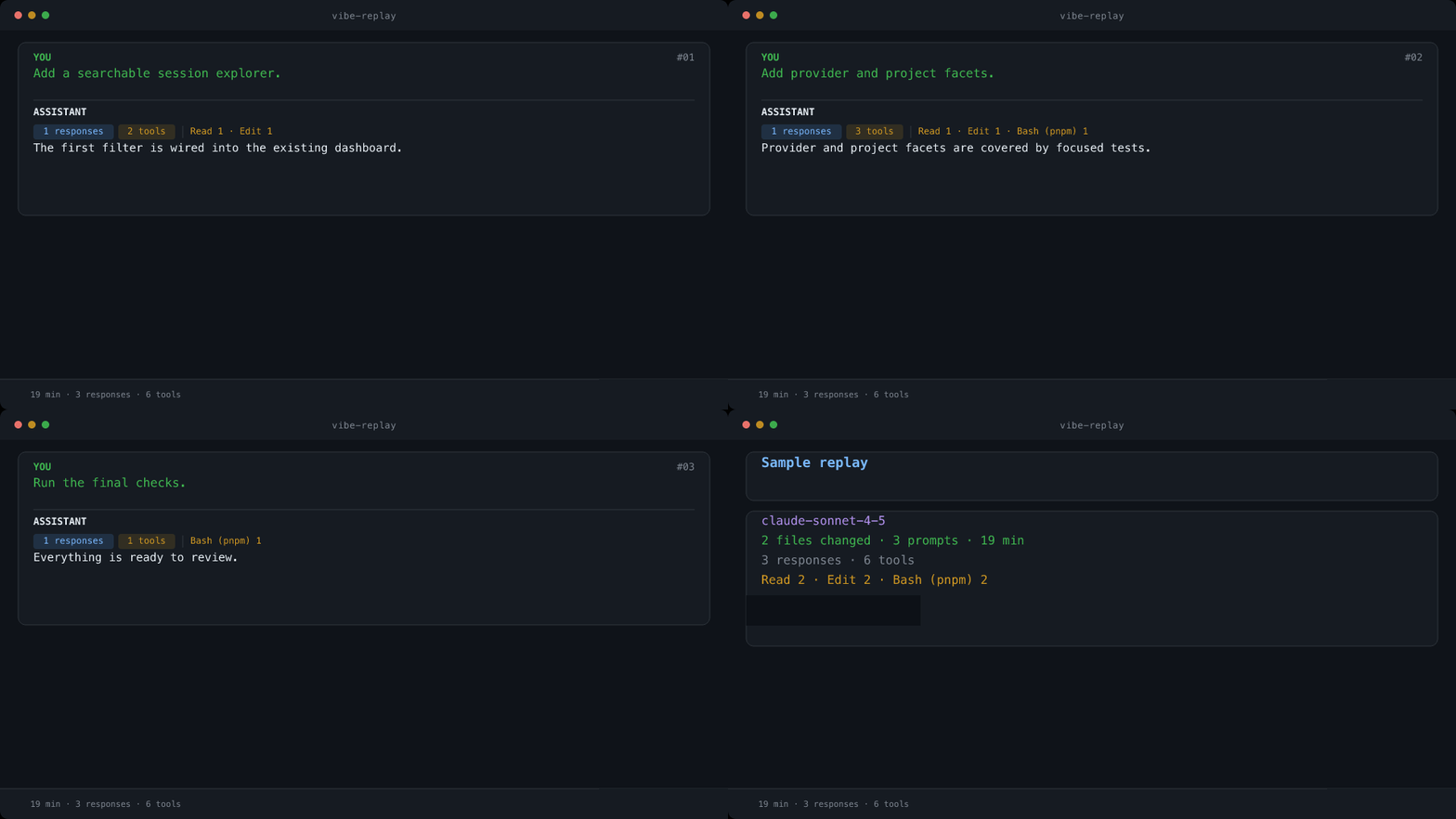
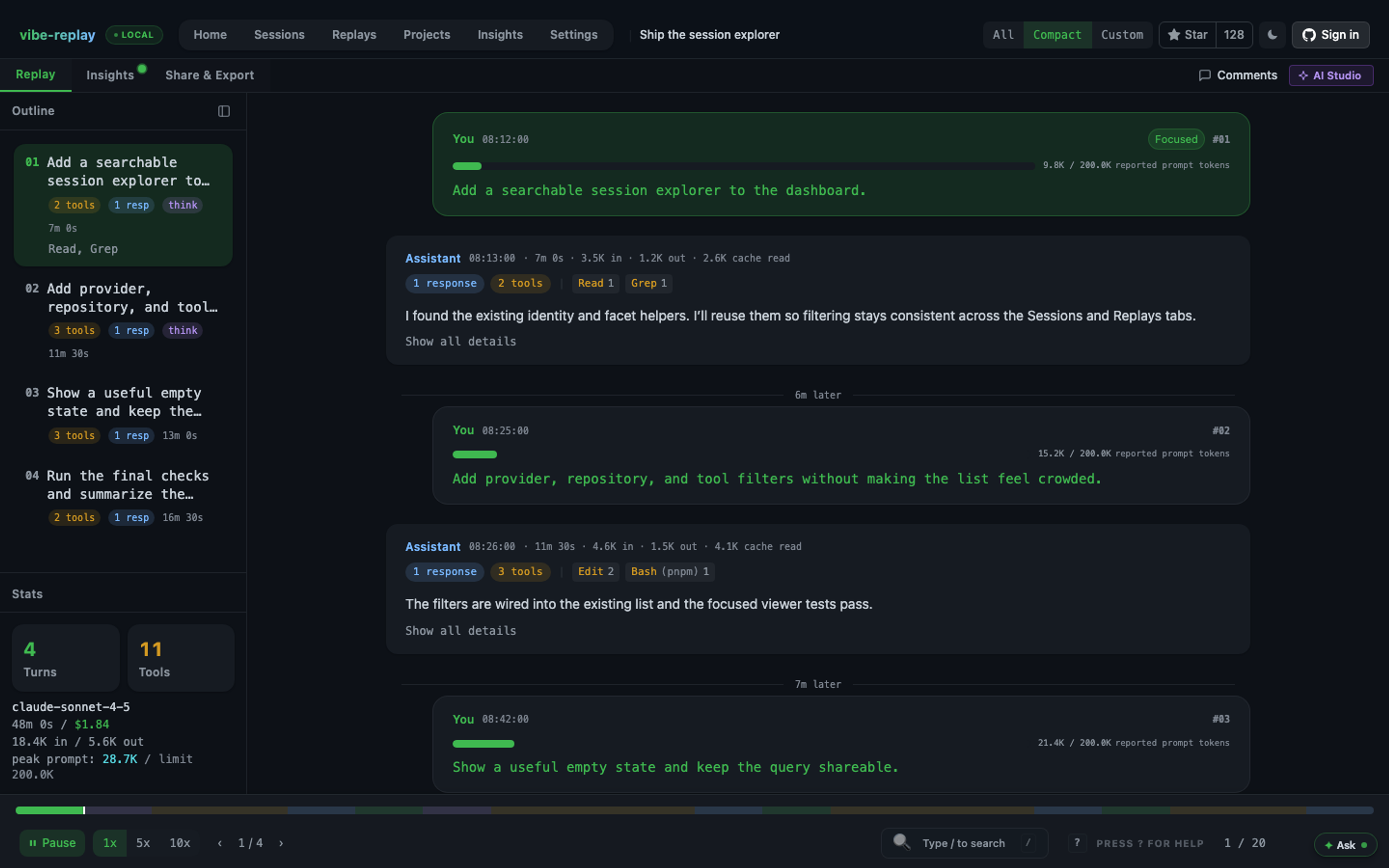
Pick a session and step through every prompt, thinking block, tool call, and code diff with animated playback. Three view modes — All, Compact, and Custom.
Deep insights for every session
Auto-generated analytics: token burn & cost over time, context window usage, cache read share, tool call distribution, model breakdown, and per-turn breakdowns.
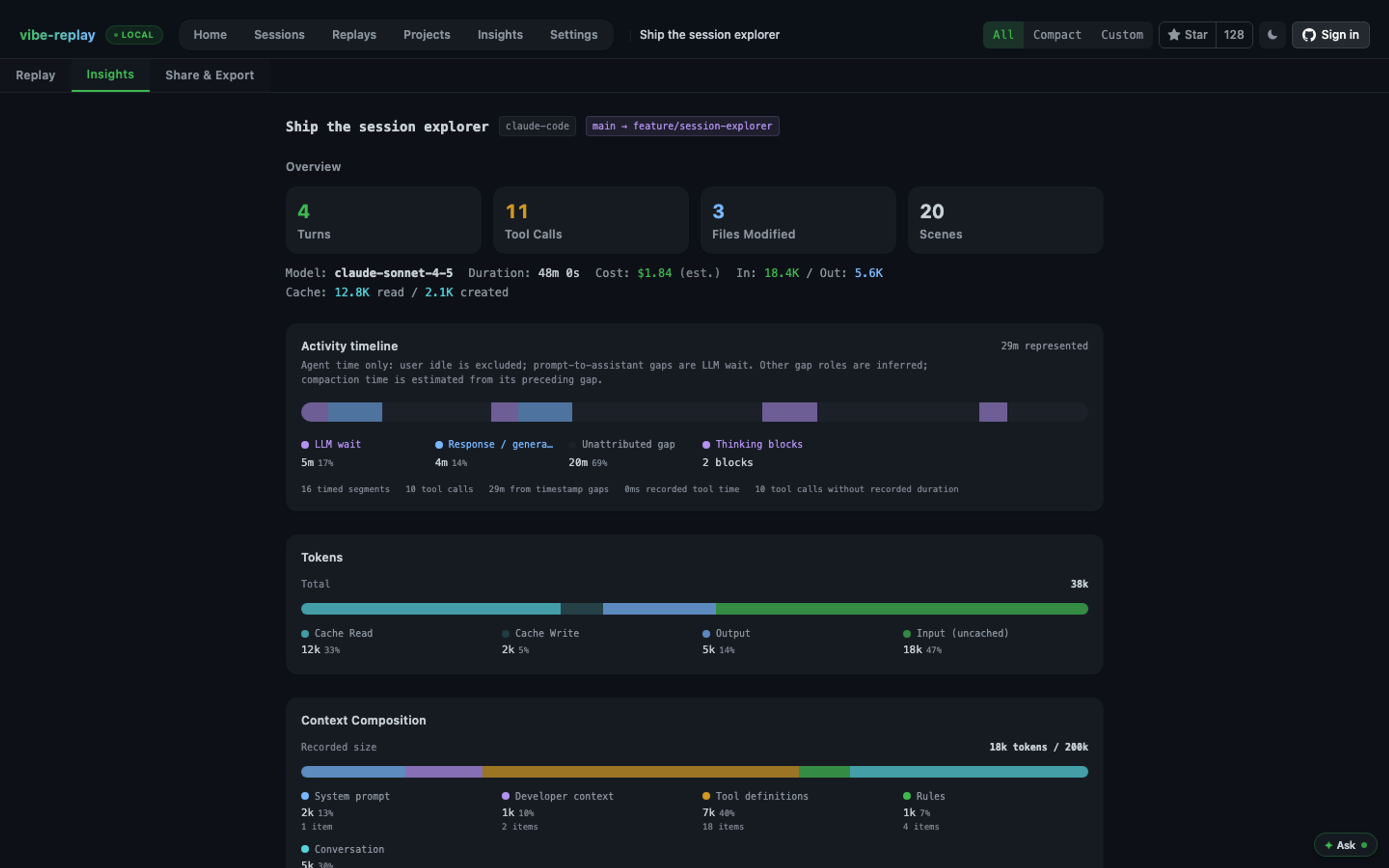
The Insights Coverage section separates scan completion from metric availability and shows
provider-level precision for invocations, MCP calls, tokens, cache reads/writes, and compactions.
“Uncached / miss” is a derived prompt metric (uncached input + cache writes); providers do not
share one universal cache-miss counter. Cursor snapshot totals are marked estimated, and Cursor
compactions are lower bounds because its local store can retain only the latest summary.
When providers persist context-composition metadata, a replay's Insights view also breaks out the system prompt, tool definitions, rules, skills, MCP definitions, subagents, summaries, and conversation. Cursor supplies provider-estimated tokens for its latest snapshot; Cowork, Codex, and Pi expose privacy-safe byte/count aggregates from persisted metadata. Raw system prompts, tool descriptions, and schemas are never copied into this breakdown.
Your AI coding wrapped
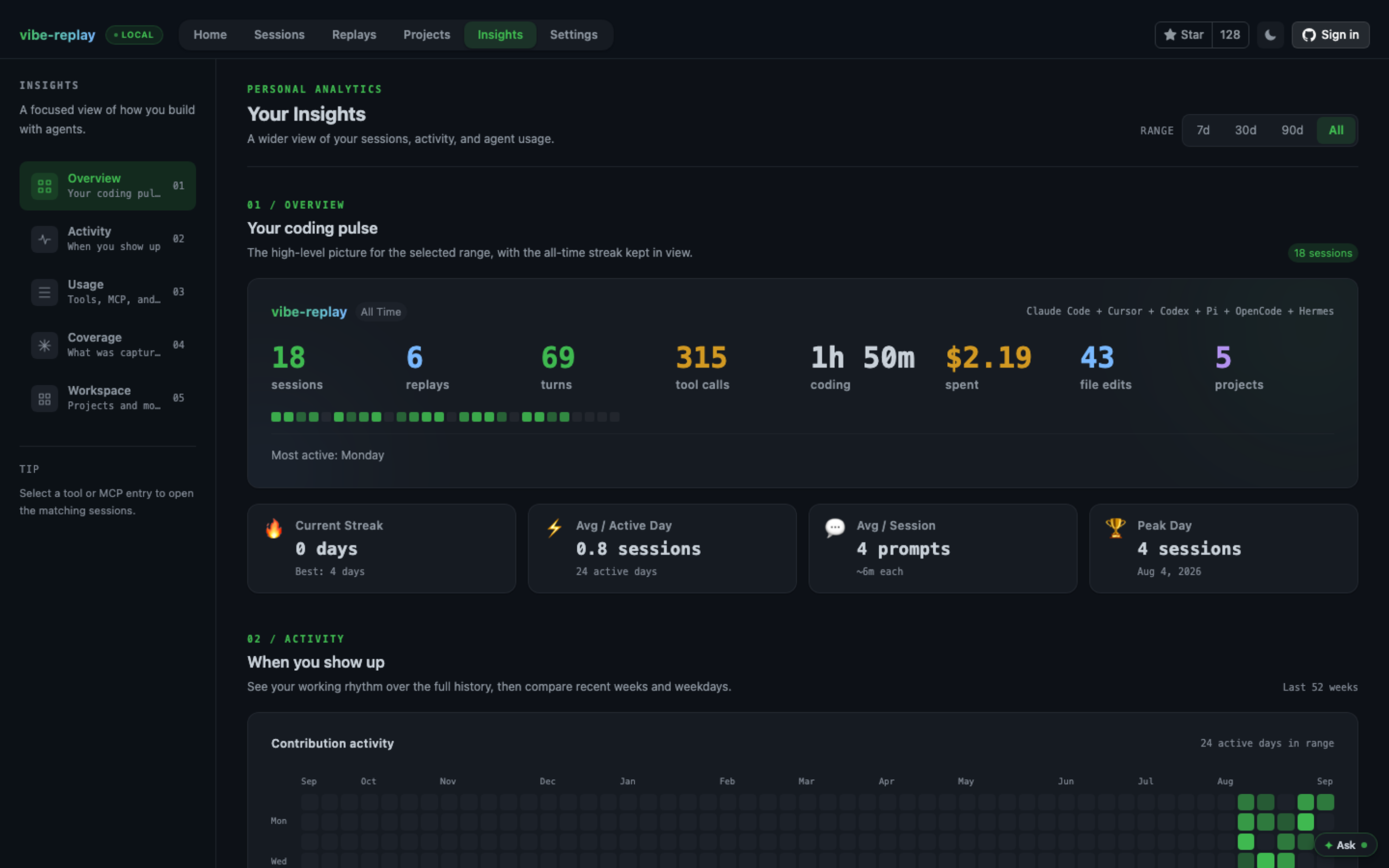
GitHub-style activity heatmap, streaks, weekly trends, top projects, model usage, and cost tracking across all your sessions. See how your coding patterns evolve over time.
The aggregate Insights dashboard also shows per-session percentile distributions for duration, tool calls, turns, and tokens, plus per-turn distributions for duration, tool calls, and tokens.
AI Studio and Ask Replay
Go beyond playback without sending your session history to a hosted service. AI Studio uses the embedded Pi runtime to analyze a replay, translate it, or adjust its tone with the provider you choose — including OpenAI-compatible endpoints and local gateways. Ask Replay is a read-only assistant for searching sessions, explaining usage and Insights, inspecting scenes and overlays, and jumping to stable dashboard or replay links. It never edits files, publishes, or mutates data on its own; any requested action is handed back to you for review.
Claude Code Plugin
vibe-replay is also available as a Claude Code plugin. Once installed, your agent learns how to generate replays autonomously — it can find the current session, produce GitHub-ready artifacts, and embed them in PRs, all without you running any CLI commands.
What the plugin gives your agent
- Auto-discover sessions — finds the current session's JSONL file via
$CLAUDE_SESSION_ID - Search past sessions — uses
vibe-replay sessionsto find Claude, Cursor, Codex, OpenCode, Hermes, Muse, Pi, and Grok Bot sessions by project, provider, or fuzzy query - Generate PR artifacts — markdown summary + animated GIF + SVG, ready for PR descriptions
- Generate HTML replays — self-contained interactive replay files
- PR workflow integration — agent automatically embeds replay context when you create PRs
Pseudonymous CLI telemetry
The CLI sends opt-out, pseudonymous feature counts and coarse scan-size buckets
to improve the product. It never sends prompts, replay/session contents, paths,
project names, or user IDs. Disable it with vibe-replay telemetry disable,
VIBE_REPLAY_TELEMETRY=0, or DO_NOT_TRACK=1; CI runs disable it automatically.
Install (recommended)
Open Claude Code, run /plugin, then search vibe-replay in the Discover tab and install.
Or install via CLI:
/plugin marketplace add tuo-lei/vibe-replay
/plugin install vibe-replay@vibe-replay
Agent Skills install (Cursor, Codex, and others)
vibe-replay also ships a portable SKILL.md under skills/replay/, so agents that support the Agent Skills standard can install the same replay workflow without the Claude plugin marketplace.
npx skills add tuo-lei/vibe-replay --skill replay -g
This installs the replay skill globally through the Agent Skills CLI. Cursor discovers global skills from ~/.agents/skills/ and ~/.cursor/skills/, so this is the recommended install path for Cursor users.
Manual install (single file)
If you prefer not to install through a marketplace or the Agent Skills CLI:
mkdir -p ~/.claude/skills/replay
curl -o ~/.claude/skills/replay/SKILL.md \
  https://raw.githubusercontent.com/tuo-lei/vibe-replay/main/skills/replay/SKILL.md
Usage examples
# Slash command — generate a replay of the current session
/vibe-replay:replay

# Natural language — agent auto-triggers during PR creation
"Create a PR with session replay"
"Create a PR for this change, include an animated GIF of the session"

# Direct replay
"Generate an interactive replay of this session and open it"
CLI workflows
Find a session, inspect evidence, and export only the format you need:
npx vibe-replay sessions --query "build" --any --brief --json
npx vibe-replay inspect <session-id> --json
npx vibe-replay inspect <session-id> --query "EUSAGE" --json
npx vibe-replay diagnose <session-id> --query "EUSAGE" --json
npx vibe-replay export <session-id> --format markdown --stdout > session.md
npx vibe-replay export <session-id> --format otlp-json --stdout > session.otlp.json
npx vibe-replay export <session-id> --format html --output ./replay
npx vibe-replay share <session-id> --dry-run --json
npx vibe-replay share ./replay --visibility unlisted --json
References accept full IDs, unique prefixes of at least four characters, and source paths.
Use --provider or --target <ssh-id|local> to disambiguate. sessions --session <ref>
selects one exact session; --refresh bypasses the 30-second discovery cache.
The otlp-json format exports a privacy-bounded historical view as OTLP logs;
token usage timestamps are included only when recorded by the provider, and
timestamp-derived tool durations are marked as estimated. It does not invent
trace relationships or include prompts and tool payloads. --stdout emits compact
JSON for direct piping; file exports remain pretty-printed for inspection.
Session pages include pagination.total, returned, truncated, nextOffset, and
revision. Keep the same filters and pass --offset <nextOffset> --revision <hash>
to continue. Changed matching membership or order requires restarting the search; live metric
updates do not invalidate pagination. Only the returned
page is richly scanned. CLI limits must be integers from 1 to 100.
All --json command errors, including argument parsing, emit one stderr object
with error, a stable code, and suggestions; stdout stays free of errors.
Discovery coverage remains a structured result: sessions and doctor may exit 1
with JSON coverage on stdout when providers cannot be read.
Copied Cursor/Grok JSONL can share generic wake tags and custom tool payloads.
When the source lacks provider-specific identity, pass --provider cursor or
--provider grok-bot; missing tool IDs are not a reliable identity signal.
Copied SQLite databases use their own contents, with a session marker required
when they contain multiple sessions. Cursor SDK database copies also need the
agent's JSONL transcript beside the database (or its agent-transcripts folder)
to supply user prompts. Provider inference uses a bounded read-only sqlite3 query
when available; without it, databases above 32 MiB require --provider to skip
loading another WASM snapshot solely for detection. Checkpointed WAL-mode copies work without sidecar files. Copies with pending WAL
must be checkpointed in the source application before stdout export or sharing
preflight: even readonly SQLite can change an existing shared-memory sidecar.
Native queries use a private temporary copy, validate source stability before querying,
and delete the copy afterward. An immutable URI never points at the live database.
Pending rollback journals also require the source transaction or recovery to finish.
Committed PERSIST journals with zeroed headers remain readable.
Healthy Hermes profiles remain available when another profile needs a checkpoint;
coverage reports the incomplete discovery.
doctor --json reports provider coverage and compatibility failures. Search output
marks partial discovery, and empty results include recovery suggestions.
inspect --scene <index> reads an exact 0-based scene. Search pages accept
--query together with --offset (an inclusive scene index); use the returned
nextOffset to continue without repeating matches. --limit bounds entries.
Each scene's fields describes its excerpt's character range, original length,
and next offset; textTruncated, inputTruncated, and resultTruncated mark
omitted characters separately from the top-level truncated flag for omitted
scenes. To read a long scene losslessly, use --scene <index> --field result --text-offset 0 --text-limit 2000, then follow content.nextOffset. Fields are
text, input, or result; offsets count JavaScript UTF-16 characters and each
page is capped at 10,000 characters. JSON content.value is the exact page. diagnose separates model API errors, tool failures,
compactions, and matching text evidence; it does not infer root causes from an error
string alone. Each diagnostic signal has its own pagination totals and continuation.
Use diagnose --offset <nextOffset> to skip that many entries in every signal,
with the same limit and --revision <hash> --signal-revision <hash> to require
unchanged content and diagnostic metadata. Query evidence remains a separate
first page; use inspect --query for scene-based evidence continuation.
Metadata search does not search tool results: use inspect --query
after selecting a session.
export supports markdown, json, otlp-json, and html, defaulting to Markdown with no
preview images. Files go under ~/.vibe-replay/<slug>/exports unless --output is
provided. --stdout emits Markdown, replay JSON, or OTLP JSON and creates no files,
including discovery caches and telemetry. SSH stdout exports use already staged
sessions; run sessions --refresh first if the session is not staged.
File exports return a format-specific redactionsPath: Markdown retains
redactions.json, JSON uses replay.redactions.json, and HTML uses
index.redactions.json; OTLP JSON uses session.otlp.json and
session.otlp.redactions.json. Each report records its source, format, actual artifact
SHA-256, and effective content revision. Formats can coexist without overwriting
one another's reports; re-exporting a format replaces its artifact and report. --github remains available for the
Markdown + animated GIF + SVG bundle. Export/share by ID uses an existing saved
replay with its editor overlays and annotations when available; an explicit source
path reparses the source, while an explicit replay JSON uses that saved snapshot.
Missing optional edit sidecars are allowed. A damaged or unreadable saved overlay
or annotation stops CLI inspection, export, and sharing with a recovery message;
restore a valid backup or deliberately choose --source with the original source
reference. Editor sidecar saves use atomic replacement.
Replay JSON files are recognized by their contents, so a handoff renamed to
incident.json also works. A standalone renamed file does not inherit neighboring
replay edits, annotations, or publication links; exported JSON already includes
its effective edits and annotations.
Use --source to require the current source or --snapshot to require the saved
snapshot across inspect, diagnose, export, and share. Result metadata includes
provenance.origin, sceneCount, a content revision, and recorded generator
information. A revision binds effective scenes and annotations, independent of
generation time and JSON key order. Pass --revision <hash> on subsequent reads,
exports, or shares to reject changed content. Source and snapshot revisions may
differ even for the same session ID; --refresh refreshes discovery, not a saved
snapshot. Stdout exports remain clean Markdown or ReplaySession JSON.
live <session-id> and live --session <session-id> accept full IDs or unique
prefixes and resolve ambiguity explicitly. Live mode requires a local discovered
session; SSH Live mode is disabled.
Sharing preflight performs no upload and reports the effective payload's size,
visibility, potential-secret count, and cloud/local mode. SSH preflight reads only
already staged sessions, without connecting or refreshing the remote cache; run
sessions --refresh first if the requested remote session is not staged. Check that report and
review the content before sharing. JSON share results include uploaded and mode
so a local HTML fallback is distinguishable from a cloud URL.
Features
- Local-first — one command and no account required for local replays; sign in