Your Mac, aware of your coding agents. Website and download: yaml.cafe
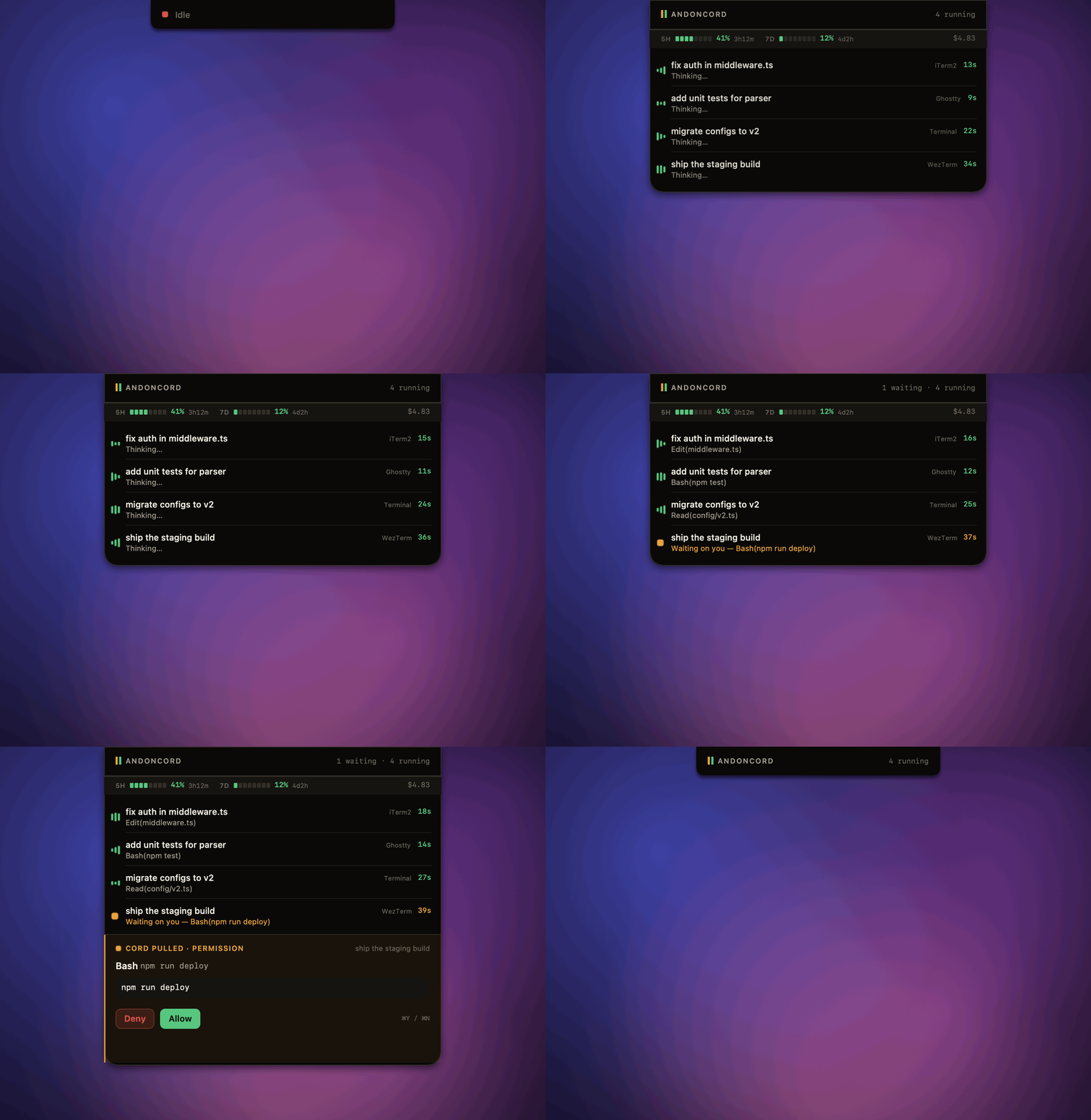
Ambient is a free, open source (MIT) macOS notch app for AI coding agents. It shows when an agent is working, needs you, has finished or hit an error, and one click takes you back to the exact terminal tab, tmux pane or chat.
Ambient turns what Claude Code, Codex, Gemini CLI, Antigravity, Cursor, Copilot CLI and OpenCode (or any agent or script you point at it) are doing into calm, glanceable signals on your desktop, so you can stop babysitting terminals and still never miss the moment an agent needs you.
- Notch island — a black pill that grows out of the notch. A coral orb breathes while Claude works, an amber pulse means it needs you, green means done, red means it hit an error. When something happens it blooms open for a few seconds; hover to see your latest sessions, or View all for every one; click to jump back to it.
- Desktop pet — an optional pixel-art blob, crab or cat that you drag anywhere. It types while your agent works, waves when it needs you, cheers when it's done and sleeps when nothing needs you, with a speech bubble saying what's going on and a pip per session underneath. Hover it for your sessions, click it for a quick look at all of them, click a session to jump to it. Works with or without the notch island; turn it on in Settings › Desktop Pet.
- Read aloud — select part of a reply in Claude, Codex or your terminal and press ⌥⎋ (or Read Selection Aloud in the menu bar, or, in apps that support it, the app's menu › Services › Speak with Ambient): Ambient reads it to you, with markdown, paths and code blocks turned into something worth hearing. Use a Mac voice, Kokoro running offline on your Mac (a one-time download), or OpenAI, ElevenLabs or your own server with your key. The island shows it speaking, with pause, continue and stop; the keyboard's ⏯ key and AirPods or other headphones pause and continue it too. Set it up in Settings › Voice.
- Click to return — a notification, an island row or a menu row takes you to the exact place the agent runs: the chat in Claude's desktop app, the thread in Codex's app, the Terminal or iTerm2 tab, the tmux or cmux pane, or the editor window for the project.
- Notifications and chimes — only for moments that need you, and only when you're not already looking at the app the agent runs in. Soft, synthesized two-note chimes, one per state. Banners withdraw themselves once the prompt is answered.
- Menu bar — a status orb and the session list, plus Quiet alerts for an hour, three, or until tomorrow.
- Dock glow — light along the Dock's edge of the screen in the color of what your agents are doing (the technique from Orb). With Accessibility access it lights up behind the Dock's glass itself.
- Living wallpaper — a sky, a harbor, a garden or a solar system that follows the time of day, where each session lives as a star, a boat, a plant or a planet glowing in the color of what it's doing. Around them: today's story (agent time, tools, turns, how often they needed you), the latest moments, the clock and your next event. On the desktop of every display, and on the lock screen while you're away. Light by day and dark at night, or set it to match macOS or stay light or dark. Off until you turn it on in Settings › Wallpaper.
- When you open the island, the wallpaper answers — in Sky, Harbor and Garden the notch collapses into a black hole: your agents lift off as light and swing into orbits while loose dust falls in, then drift home when it closes. In Solar System the notch lights up as the sun and the six most urgent planets orbit it; the rest fall into the sun until it closes. Real gravity drives both. They follow Reduce Motion, stay off in Low Power Mode, and the black hole can be turned off in Settings › Wallpaper.
Everything stays on your Mac and on the machines you connect yourself, over your own ssh. No accounts and no telemetry. Ambient goes online only when you ask it to: the one-time offline voice download, and the text you select when you choose an online voice.
Install
- Download Ambient from yaml.cafe, open the disk image and drag Ambient to Applications.
- Open Ambient. Settings opens on Welcome: click Connect All to hook up every agent it found (or connect them one at a time under Agents).
- Click Play Demo to see every state, then Get Started.
Or from a terminal, once the app has run once:
~/.ambient/bin/ambient install   # every agent found
~/.ambient/bin/ambient doctor    # check the whole chain
Codex asks you to trust new hooks: run /hooks inside Codex once and approve Ambient's.
Supported agents
| Agent | How Ambient connects | What Ambient sees |
|---|---|---|
| Claude Code (terminal, editors, Claude desktop app) | Hooks in ~/.claude/settings.json |
Everything, including needs you |
| Codex (CLI and the Codex app) | Hooks in ~/.codex/hooks.json, after you approve them with /hooks |
Everything, including needs you |
| Gemini CLI | Hooks in ~/.gemini/settings.json |
Everything, including needs you |
| Antigravity | A hook set in ~/.gemini/config/hooks.json |
Prompts, tools, finished or failed turns. Never needs you: Antigravity has no permission hook. Tested with the agy CLI |
| Cursor, the editor's agent | Hooks in ~/.cursor/hooks.json |
Prompts, tools as they finish (including shell/file/MCP after-hooks), finished turns, compaction. Never needs you, see below |
| GitHub Copilot CLI (beta) | Its own hook file, ~/.copilot/hooks/ambient.json |
Prompts, tools, needs you for permission prompts and questions, subagents, errors, compaction |
| OpenCode (beta) | A plugin, ~/.config/opencode/plugins/ambient.js |
Prompts, tools, needs you for permission requests, finished or failed turns, compaction |
| Anything else | ambient emit or ambient hook custom |
Whatever it reports |
Beta connections follow each agent's documented hooks but haven't yet been run against the agent itself.
Cursor reads the reply of a before-tool hook as a permission decision, so Ambient registers none: it only
uses hooks that can't block or approve anything (postToolUse, afterShellExecution, afterFileEdit,
afterMCPExecution, and lifecycle hooks). Tools show up as Cursor finishes them, and Cursor's permission
prompts don't reach Ambient. The cursor-agent CLI fires only some of Cursor's hooks so far.
Task board — Settings › Board (or Task Board… in the menu bar) groups sessions into local tasks by
project and title. Needs-you sessions land in Blocked. Turn on Summarize tasks with local LLM to call
this Mac's local-agent MCP gateway at http://127.0.0.1:5051/mcp (LaunchAgent com.local-agent.mcp;
see local-agents/docs/local-model-mcp.md). Default model: hf:mlx-community/Qwen2.5-0.5B-Instruct-4bit
under /Volumes/Models (run models-on after plugging in the SSD). Transcript reading is a separate
opt-in; cloud-tagged models are refused. Optional one-shot ambient task skill-bootstrap learns a few-shot
pack into ~/.ambient/task-skill.json using Anthropic from the login Keychain, then the live path stays
local-only. If the gateway or disk is missing, the board keeps metadata heuristics and shows a calm status.
ambient tasks / ambient task upsert / ambient task open talk to the same board.
Model path — instead of a gateway model id, point the board at a model on disk: Settings › Board › Model &
gateway options › Choose…, ambient task model PATH, or an agent through ambient mcp. Ambient looks at
the files to decide how to run it:
| You choose | Ambient runs it |
|---|---|
A path local-agent already serves (its list_models shows that path) |
Through the gateway, by that model's id, so its queue and adapters apply |
An MLX or Hugging Face folder (config.json + safetensors) |
Directly with mlx-lm |
The same with a vision_config (Qwen-VL, Qwen3.5 and similar) |
Directly with mlx-vlm, text only |
A Hugging Face cache folder (models--org--name) |
Its pinned snapshot, as above |
A .gguf file, or a folder of them |
Directly with llama.cpp (llama-completion, or llama-cli -no-cnv) |
| Speech, transcription, image or video weights | Refused: they can't write a summary |
Direct runs are offline (HF_HUB_OFFLINE), one model at a time, and ask reasoning models (Qwen3 and later) not to
think first. MLX runs get the prompt on standard input. llama.cpp reads it from a temporary file that only you can
read (0600), deleted when the run ends. Ambient uses Python for MLX if you set one, otherwise the
Python local-agent uses for MLX, otherwise a python3 that can import the package. To let Claude Code or Codex
read and set the board's model, add Ambient as an MCP server:
claude mcp add ambient -- ~/.ambient/bin/ambient mcp
It offers get_task_model and set_task_model_path (path, optional enable), and needs Ambient running. Python
for MLX can't be set this way, since Ambient runs that program: use Settings or ambient task model --python.
Ambient also refuses model folders that declare their own Python code (model_file in config.json), and direct
runs stop with an error if a model tries to load custom code (auto_map).
Working memory — the same MCP server lets your agents share data with each other: Claude Code leaves the API
contract it worked out, Codex picks it up in the next tab; one agent shares a build log or a fixture file, another reads
it. Add ~/.ambient/bin/ambient mcp as a stdio MCP server to each agent that should take part, as above for Claude
Code.
| Tool | Does |
|---|---|
memory_write |
Shares text or JSON (up to 32 KB) under a key, e.g. api-schema or tests/failing. Writing a key again replaces it |
memory_write_file |
Shares a file (up to 50 MB): Ambient keeps a read-only copy, so the agent that reads it can't change it for the others |
memory_read |
Returns the text, or the path of the file's copy, with who shared it and when |
memory_list |
What's shared, newest first, without the values |
memory_forget |
Removes an entry |
An entry is shared with the agents working in the same project, git worktrees included, or with every agent when
written with scope: "global"; project reads or writes another project's. It lasts 7 days unless written again,
for ttl_minutes (up to 30 days), or, with until_session_ends, until the agent session that wrote it ends — Ambient
knows which session is asking from the agent process that started ambient mcp. When an agent starts the server, its
instructions list what's already shared for the project, so the agent knows to look. Agents without MCP, and you, use
ambient memory:
ambient memory set failing-tests "TaskStoreTests.persistRoundTrip" --description "Still red after the fix"
ambient memory set build-log --file build.log
ambient memory                    # what's shared here and globally
ambient memory get failing-tests  # the text, or the shared file's path
ambient memory rm failing-tests
Aider, Amp and other agents without command hooks can drive Ambient themselves; see Any other agent.
Requirements: macOS 14 or later. Designed for notched MacBooks; on other displays the island sits at the top center of the menu bar.
How it works
agent hook ──▶ ambient hook <agent> ──▶ ~/.ambient/ambient.sock ──▶ Ambient.app ──▶ island · notifications · menu bar · Dock
Ambient registers a hook for each lifecycle event of your agents (prompt submitted, tool started and
finished, permission requested, turn finished or failed, compaction, subagents, session start and end), or
for OpenCode, which has no command hooks, a small plugin that does the same.
The hook runs the bundled ambient command, which reads the event, reduces it to a few short fields,
sends one line over a private Unix socket, and exits — in about 15 ms, always with success, and in the
background for Claude Code and Codex, so it never slows your agent down (the one exception is the opt-in
permission hook). If Ambient isn't running,
the event is simply dropped.
The app folds events into a state per session and picks the most urgent across all of them: needs you › error › done › working › idle. A finished session stays green until you look at it — switch to its terminal or editor, or click it — and then settles. Sessions whose agent process exits disappear on their own.
Answer permission prompts from the island
Off unless you turn it on in Settings › Island. For Claude Code and Codex, a tool request then opens a card at the notch with the agent, the project and what it wants to run (the command, file or host), and two buttons: Allow once and Deny. Allow covers that one call; it never adds a rule.
- Ambient never answers for you. If you don't answer within the wait you choose (20 seconds by default), the prompt goes back to the agent, which asks you as usual. The same happens when the agent's app is already in front, when the island is off, and when the agent moves on (you answered in its own window, say).
- The agent waits too. In a terminal, Claude Code and Codex show their own prompt only after the island hands it back, so a prompt you ignore arrives up to that many seconds later. In Claude's desktop app and editors, the island and the app's own dialog race, and whichever you answer first wins.
- Nothing hidden. The card wraps what it shows rather than trim it. A command over 80 characters is cut, and MCP tools show no details at all, and in both cases the card says so and offers to take you to the agent to read it.
- One at a time, none lost. Several prompts queue in order, each with its own time limit, and the card says how many are waiting.
- No stray clicks. The buttons ignore clicks for the first moment the card is on screen, so a card that appears under your pointer can't be approved by a click meant for something else.
- Only this hook ever makes an agent wait: with the setting on, Ambient installs the permission hook in the
foreground. Codex asks you to approve the changed hook once with
/hooks. Every other hook stays in the background. Other agents aren't affected: their permission prompts stay in their own windows.
Keeping hooks working
Agents change: an update can rewrite their settings or the shape of their hooks. Ambient re-checks every connected agent's hooks when it starts, every ten minutes, and as soon as an agent's executable or settings file changes. Out-of-date hooks are rewritten on the spot (with the usual backup). What it can't fix shows in the menu bar, which gets a ! and an item with a one-click fix:
- Hooks were removed — you connected the agent, but its hooks are gone. Reconnect puts them back.
- Can't read the settings — the file isn't valid JSON; Show File opens it in Finder. Ambient never overwrites a file it can't read.
- Hooks stopped firing — a session has been busy in a terminal for two minutes, started after its hooks
were in place, yet not one hook reached Ambient. For Codex that usually means its hooks await approval
(
/hooks); otherwise restart the session, since agents read their hooks when they start.
ambient doctor runs the same checks from a terminal, except for hooks that stopped firing: only the running app
sees those.
Click to return
Each hook also records a return address — the agent's terminal, Claude desktop's session id, the tmux pane, the cmux surface — and Ambient uses the most precise route the host supports:
| Agent runs in | A click opens | Needs |
|---|---|---|
| Claude desktop app | the exact chat (claude://code/continue?session=…) |
nothing |
| Codex app | the exact thread (codex://threads/…) |
nothing |
| Terminal, iTerm2 | the exact tab | Automation — macOS asks once per terminal |
| tmux, cmux | the exact pane | nothing |
| VS Code, Cursor, other apps | the window for the project | Accessibility (optional) |
Anything that can't be reached precisely falls back to bringing the app forward. ambient open [project]
does the same from a terminal or a hotkey; without a project it opens the session that needs you most.
What Ambient changes on your system
| Where | What |
|---|---|
~/.claude/settings.json |
One hook group per Claude Code event, all running ~/.ambient/bin/ambient hook claude |
~/.codex/hooks.json |
The same for Codex |
~/.gemini/settings.json |
The same for Gemini CLI (hooks named ambient) |
~/.gemini/config/hooks.json |
A hook set named ambient for Antigravity, one hook per event running ~/.ambient/bin/ambient hook antigravity <event>. Antigravity has no permission event, so its sessions never show needs you |
~/.cursor/hooks.json |
One entry per Cursor event, running ~/.ambient/bin/ambient hook cursor, next to your own (and "version": 1 if the file is new) |
~/.copilot/hooks/ambient.json |
A hook file of Ambient's own for Copilot CLI, one entry per event running ~/.ambient/bin/ambient hook copilot <event>; removed on uninstall |
~/.config/opencode/plugins/ambient.js |
A plugin of Ambient's own for OpenCode that starts ~/.ambient/bin/ambient hook opencode for each event without waiting for it; removed on uninstall |
~/.ambient/ |
The socket, a link to the bundled CLI, config backups, saved session state, today's story for the living wallpaper, agents.json (which agents you connected), permissions.json (the island's permission setting), and what agents share through working memory (memory.json, and copies of shared files in memory/) |
~/Library/Application Support/com.apple.wallpaper/Store/Index.plist |
Only with the lock screen option on: while the Mac is locked the scene is set as your wallpaper, so macOS's own lock-screen controls stay on top, and on unlock the store is put back from a backup in ~/.ambient/backups/ |
Every edit keeps your other hooks and settings byte-for-byte, follows symlinked dotfiles, preserves file
permissions, and writes a backup to ~/.ambient/backups/ first. ambient uninstall removes only
Ambient's entries.
Any other agent
Anything that can run a command can drive the island: another agent, a build script, a long job. Give each session an id and send its state as it changes:
ambient emit start   --session nightly --agent Build
ambient emit working --session nightly --tool make --detail "make release"
make release && ambient emit done  --session nightly --message "Release built" \
             || ambient emit error --session nightly --message "make failed"
Or pipe one JSON object per event to ambient hook custom, the way agent hooks do:
echo '{"session_id":"nightly","event":"done","agent":"Build","message":"Release built"}' | ambient hook custom
Field (emit flag) |
Meaning |
|---|---|
session_id (--session) |
Required. Any id up to 128 characters, stable for the session |
event (first argument) |
start, working, waiting, done, error, or end (idle means end) |
agent (--agent) |
The name shown on the island, up to 24 characters. Default: Agent |
cwd (--cwd) |
The project folder; the island shows its name. emit uses the current folder |
tool, detail (--tool, --detail) |
With working: what it's running, e.g. make and make release |
message (--message) |
With waiting, done or error: up to 160 characters for the island and the banner |
reason (--reason) |
With waiting: permission, or anything else for a question |
The return address is whe